- English
- French
- German
- Portuguese
- Spanish
- Russian
- Japanese
- Korean
- Arabic
- Greek
- German
- Turkish
- Italian
- Danish
- Romanian
- Indonesian
- Czech
- Afrikaans
- Swedish
- Polish
- Basque
- Catalan
- Esperanto
- Hindi
- Lao
- Albanian
- Amharic
- Armenian
- Azerbaijani
- Belarusian
- Bengali
- Bosnian
- Bulgarian
- Cebuano
- Chichewa
- Corsican
- Croatian
- Dutch
- Estonian
- Filipino
- Finnish
- Frisian
- Galician
- Georgian
- Gujarati
- Haitian
- Hausa
- Hawaiian
- Hebrew
- Hmong
- Hungarian
- Icelandic
- Igbo
- Javanese
- Kannada
- Kazakh
- Khmer
- Kurdish
- Kyrgyz
- Latin
- Latvian
- Lithuanian
- Luxembou..
- Macedonian
- Malagasy
- Malay
- Malayalam
- Maltese
- Maori
- Marathi
- Mongolian
- Burmese
- Nepali
- Norwegian
- Pashto
- Persian
- Punjabi
- Serbian
- Sesotho
- Sinhala
- Slovak
- Slovenian
- Somali
- Samoan
- Scots Gaelic
- Shona
- Sindhi
- Sundanese
- Swahili
- Tajik
- Tamil
- Telugu
- Thai
- Ukrainian
- Urdu
- Uzbek
- Vietnamese
- Welsh
- Xhosa
- Yiddish
- Yoruba
- Zulu
What Is an ESP32P4 Screen Module and Why Use It?
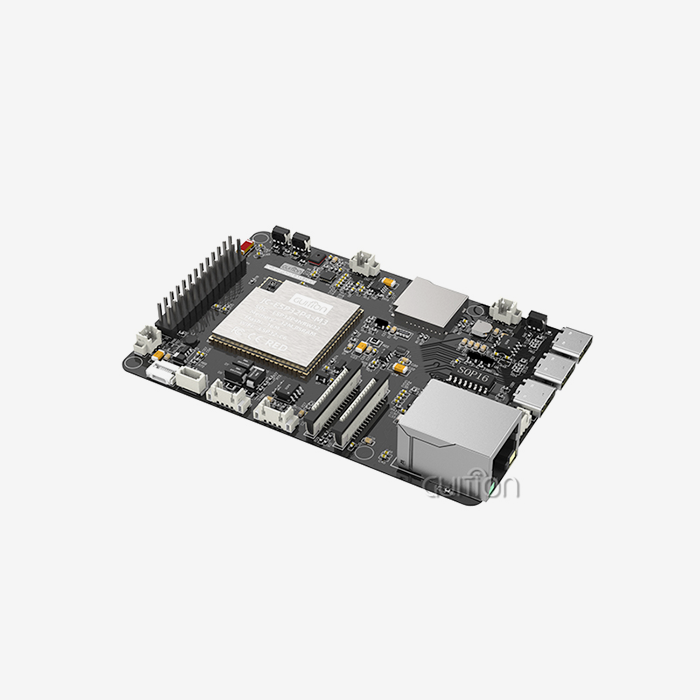
An ESP32P4 screen module is a ready-to-use embedded display unit that combines an ESP32-P4 microcontroller, a touch-enabled LCD, and the supporting circuits on one board. Instead of designing a processor board, a display connection, and a touch controller separately, engineers receive a platform they can program right away. We use this type of module to build control panels, smart home devices, and connected instruments with less wiring and fewer debugging cycles. In this article, I explain how the module works, where it fits, how it compares with other options, and how to choose a supplier with confidence.

Understanding the ESP32P4 Screen Module
What Makes It Different from a Bare Panel or Development Board
An empty LCD panel is only able to show a picture when it gets signals from another board. A development board has a processor and pins, but generally not a screen or connectors that are ready to go into a product. Between them is an ESP32P4 screen module. Processor, monitor, touch circuit, and lighting control are all in one unit. So the screen is working as soon as the power is on. Espressif has built the ESP32-P4 as a dual-core RISC-V chip targeted at HMI and multimedia jobs. That makes it a better fit for graphics interfaces than many older low-cost microcontrollers. Embedded engineers, product managers, and OEM teams use this style to get a working prototype quicker.
Key Functions and Specifications to Check
Before you go ahead and choose an ESP32P4 screen module, I would suggest looking beyond the screen size. Check the technology used, the resolution, the aspect ratio, the brightness, the viewing angle, and the touch type. Also check memory, connector definitions, operating temperature, and expected life of the product. Fonts and graphics buffers eat up memory fast, so pay special attention to that. OLED panels are ideal for small designs that require a lot of contrast, and LCD panels are best for industrial and cost-effective products. Capacitive touch is expected to be smooth by many people on smartphones. On the other hand, resistive touch can work better with gloves or a pen. Your team can compare options with facts instead of guesses if they have a full datasheet and test documentation.
Guition JC4880P443C_I_W_Y at a Glance
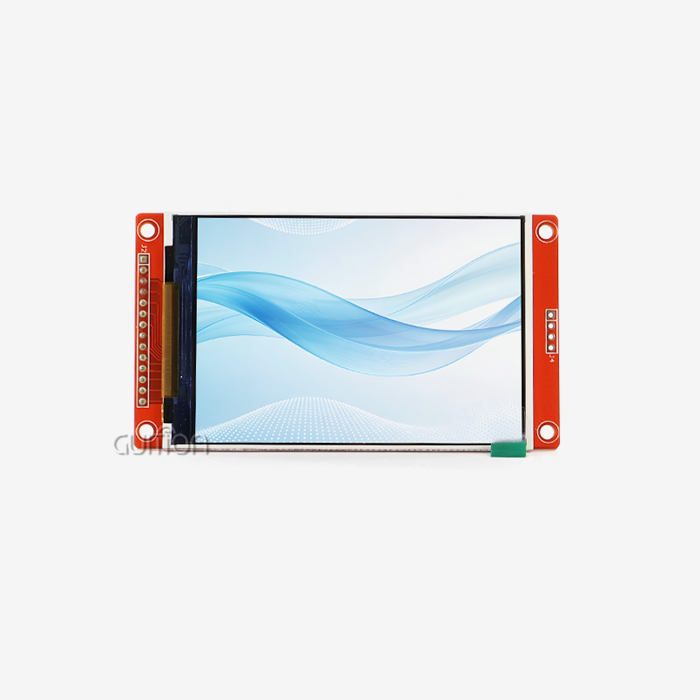
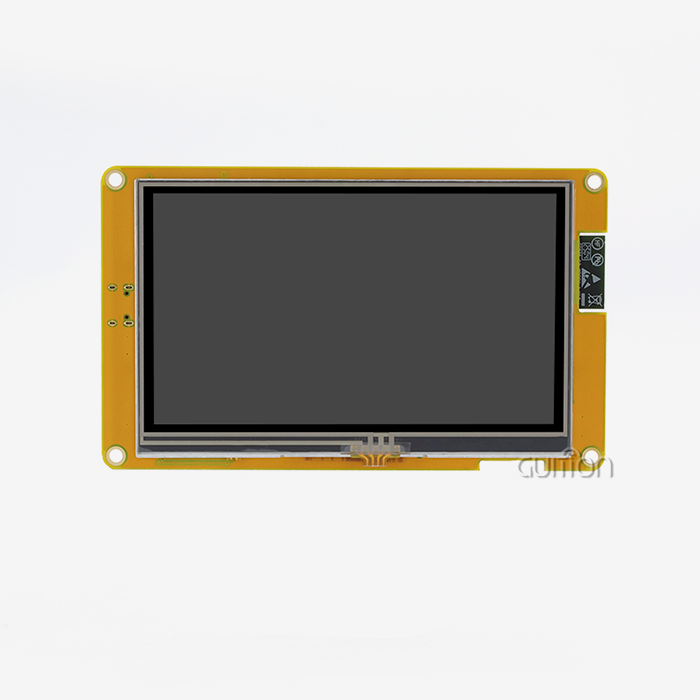
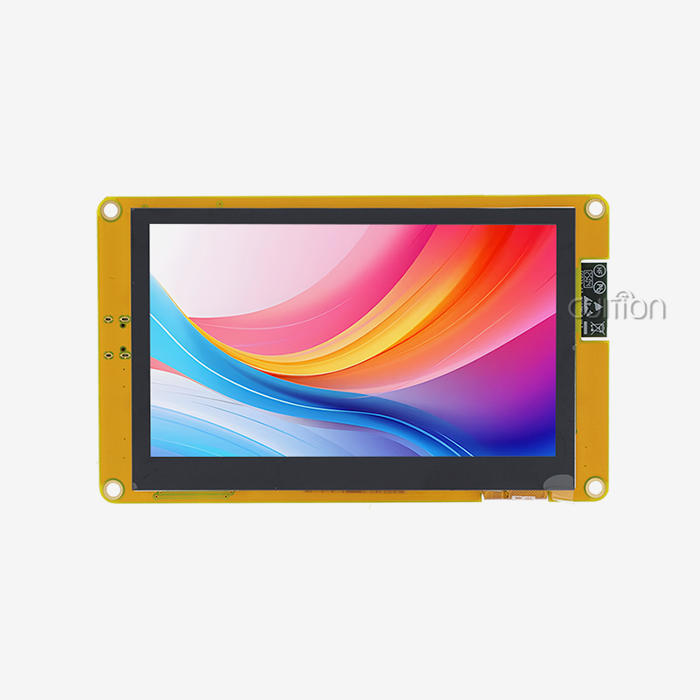
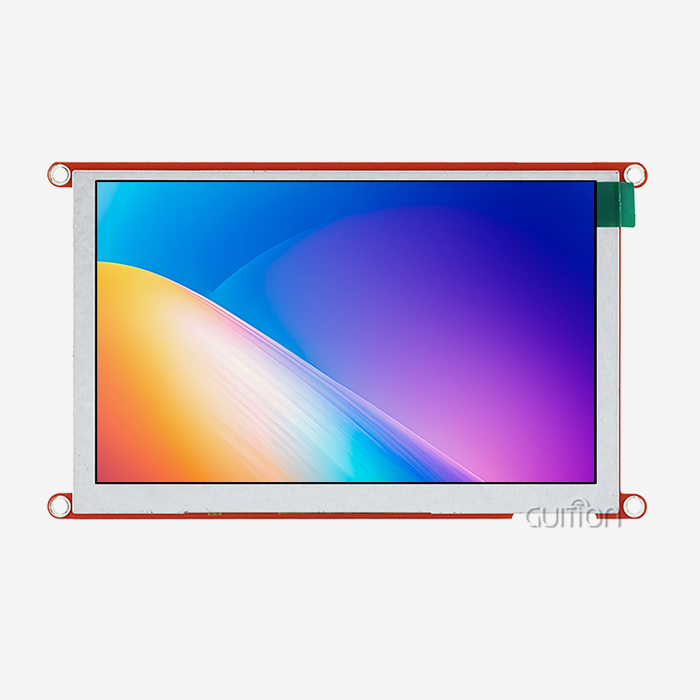
Our Guition JC4880P443C_I_W_Y is a 4.3-inch ESP32P4 screen module with a 16.7 million colour IPS capacitive touchscreen that is 480x800. The ESP32-P4 main control has two cores, a speed of 360 MHz, and 768 KB of HP L2MEM, 32 KB of LP SRAM, and 128 KB of HP ROM. It adds 32 MB of PSRAM and 16 MB of Flash for program code and graphics files. The phone has Wi-Fi and Bluetooth built in. Some other parts on the board are a touch screen control circuit, a TF card interface, and an IO port interface. Each unit comes with a test program already installed, so you can see how the screen and touch work before you write any code.
How an ESP32P4 Screen Module Works
Interfaces and Connectivity
How the ESP32P4 screen module talks to its screen, touch panel, and other devices outside of it depends on how the interface is designed. Different display links, like MIPI DSI and RGB, have different signal speeds, PCB routing, and debugging requirements, so engineers need to make sure they know which one a module uses. I²C, SPI, USB, GPIO, and serial programming pins are all common extras. Sensors, motors, and other tools can be connected to the JC4880P443C_I_W_Y through the special IO port interface. Images, fonts, and data can be stored on the TF card interface. The device can connect to networks and other devices nearby through built-in Wi-Fi and Bluetooth, so you don't need an extra module. Before turning on the unit, I check the voltage levels, pin mapping, connector position, cable length, and backlight control while the unit is being integrated.
Development Tools and Driver Setup
When the hardware, software, and drivers are all the same, it’s easy to make an ESP32P4 screen module project. The JC4880P443C_I_W_Y is compatible with Guition development software, Arduino IDE, ESP-IDF, and MicroPython. ESP-IDF gives you more control, Arduino is good for making quick samples, and Guition lets you create visually. Espressif maintains the Arduino core for ESP32, as well as providing ESP-IDF, its official programming tool for the ESP32 family. A smart workflow starts with a test image and a hardware check. Next steps are the GUI layer, edge tests, and long-term operation. Uploading code is a one-click affair, and you can switch between the three modes as your project develops.
Troubleshooting Common Display Problems
Even a good ESP32P4 screen module can show a blank screen if you mess up the wiring or the configuration. There are a few things that can cause colour errors, flicker, touch offset, slow refresh, and nonsensical resets. I always start with the power supply, since a weak supply is often the cause of flickers and restarts. Then I check the heat, the state of the cable, the display timing, the settings of the driver, and the pin assignments. Generally, coordinate calibration is needed for touch offset. The Guition module includes a test program, so you can quickly determine if a problem is with the hardware or with your own code. Also, online debugging between platforms speeds up the process of finding bugs in software.
Why Use an ESP32P4 Screen Module in Your Product
Benefits of an Integrated Display and Controller
An integrated ESP32P4 screen module cuts down on the number of parts you have to source, wire, and test. All of the processor and display control, touch input, and external ports are on one board. This facilitates early PCB work and allows engineers to test the interface faster. A local screen is better for device setup, status monitoring, data charts, alarms, and operator control. Guition's drag-and-drop design software lets designers place controls, resize and style them, and see how the layout will look before they build it. The basic functions do not require complicated low-level code. Firmware can be updated remotely, removing the need to visit the site. This decreases the expense of post-sale support. The interface is UTF-8 encoded and is prepared for different regions and multi-language switching.
Comparison with ESP32-S3, Raspberry Pi, and OLED
The best platform is more than simply the name of the chip. It is the whole system. ESP32-S3 designs use more mature resources and work with simpler gadgets. When the interface needs more graphics power or processing space, an ESP32P4 screen module is worth looking at. Raspberry Pi displays work well with Linux apps, but a Linux system usually takes longer to boot, uses more power, and needs more maintenance than a microcontroller design. Screens like LCD and OLED have pros and cons when it comes to brightness, contrast, cost, and lifespan. Choose the right panel for the job. This is how you should choose MIPI and RGB links: by PCB layout, software support, and supplier availability. Before making a decision, I think you should rate each choice based on your own needs.
Industrial and Commercial Suitability of an ESP32P4 Screen Module
The ESP32P4 screen module can be used in business kiosks, smart home controllers, energy management displays, farm automation, medical tracking equipment, and industrial control panels as long as the specs are right for the job. Buyers in the industrial sector should consider working temperature, brightness, longevity, resistance to vibration, EMC performance, quality of connection, and supply promises. Products and instruments used in medicine require more testing, paperwork, and review by regulators to ensure they are safe. The JC4880P443C_I_W_Y was built to run reliably for a long time in harsh conditions. Secondary development support allows the team to customise functions and firmware for their needs. Regardless of the industry, I suggest trying out particular applications before mass manufacturing.
Buying and Evaluation Guide for an ESP32P4 Screen Module
Buying and Supplier Selection Checklist
Structuring the buying process minimises technical and business risk. Before you request a quotation for an ESP32P4 screen module, you should describe the application, screen size, resolution, touch method, interface, brightness, surroundings, expected volume, certification needs, and customised needs. The supplier should provide datasheets, pin-outs, mechanical drawings, driver resources, and sample test results. You need to add not only the unit price but also the samples, firmware adaptation, packaging, logistics, duties, warranty, and replacement terms. Learn about quality control, change notices, export experience, and help from pilot to mass production. Our product line includes sizes ranging from 1.28 inches to 21.5 inches, allowing a team to continue to use the same supplier even if a later product requires a different size.
Four-Stage Evaluation Process
Four steps to enable an ESP32P4 screen module. First, screen candidates against the standards for mechanical, electrical, interface, software, and external factors. Second, examine the picture quality, touch accuracy, brightness, boot times, power consumption, stability of the interface, and heat management of the samples. Also, make sure that the samples are produced with parts intended for production. Third, test it to make sure it will last and meet standards. These may include temperature, continuous operation, vibration, touch endurance, ESD, EMC, etc. Fourth, do a pilot build to ensure that the assembly, programming, packaging, labelling, yield, inspection criteria, and delivery performance steps all align. I don't sign off on official production until these steps are done. Everyone gets into a different kind of trouble, and if you skip a step, you’ll usually pay for it later.
Common Mistakes When Selecting an ESP32P4 Screen Module
A lot of delays happen when a team picks a module just because of price or screen size. Others don’t consider things such as driver maturity, interface compatibility, brightness consistency, mechanical clearance, or thermal limits. If the software doesn’t play well with the hardware, it can add a lot of cost to the engineering process. Review things like backup sources, lifetime planning, change control and availability of production early on. Set out the standards for dead pixels, normal brightness, touch accuracy, colour, start-up time, power consumption, cosmetic quality, packaging and delivery. Clear standards help you and the provider work together and avoid problems down the line.
Why Work with an Experienced ESP32P4 Screen Module Supplier
A seasoned supplier will help you decide everything from prototype selection to production start. Interface matching. Integrate display and touch drivers. Adapt firmware sample debugging. Good documentation. All good things, all things that can be done. Check on someone's trustworthiness by looking at things like the quality of the paperwork, the consistency of the samples, production controls, customer references, exporting experience, the response time of engineers, and how they deal with change. The Guition brand is owned by a technology company integrating research, development, production, and sales. We develop our own software for interfaces, provide secondary development interfaces and technical documents, and sell USART-hmi display modules. It has hardware and software, so one team can answer questions about the screen and the code.
Conclusion
An ESP32P4 screen module has an ESP32-P4 processor, a touch screen, and supporting circuits. This makes it faster to go from an idea to an interface that works. The most important things to do are to read the full system specs, make sure the module works with the ESP32-S3 and Raspberry Pi, and compare it to other OLED and ESP32-S3 modules. Commercial and industrial projects still need to be tested for temperature, EMC, and longevity. A staged review lowers the risk before production.
FAQ
Q: Is an ESP32P4 screen module the same as a development board?
A: No, a development board's main job is to evaluate. A screen module combines the screen and touch screen and adds ports for specific products.
Q: Which development tools does the JC4880P443C_I_W_Y support?
A: Software like Arduino IDE, ESP-IDF, MicroPython, and Guition can be used with it. With a GUI tool, you can design an interface with drag-and-drop, debug online across multiple platforms, and program with just one click.
Q: Does the module include Wi-Fi and Bluetooth?
A: Yes, Bluetooth and Wi-Fi are built in. The module also sets aside an IO port interface and a TF card interface for devices and storage.
Q: What should I send when requesting a quotation?
A: Send information about your application, including screen specs, interface preferences, expected volume, mechanical details, compliance needs, customisation goals, and the date you'd like the product to arrive.
Request an ESP32P4 Screen Module Quote from Guition
Are you ready to put an ESP32P4 screen module to the test in your next product? As a provider of ESP32P4 screen modules, Guition has its own UI software, a range of displays from 1.28" to 21.5", and experts who can answer technical questions. Send your application, screen needs, and estimated volume to david@guition.com, and we'll help you find the right model. You can also look at our goods at https://jingcaizhineng.aixdb.cn/.
References
1. ESP32-P4 Datasheet, Espressif Systems, 2024
2. ESP32-P4 Technical Reference Manual, Espressif Systems, 2024
3. ESP-IDF Programming Guide, Espressif Systems, 2024
4. Arduino-ESP32 Documentation, Espressif Systems, 2024
5. LVGL Documentation, LVGL Kft., 2024
6. I²C-bus Specification and User Manual (UM10204), NXP Semiconductors, 2021
Learn about our latest products and discounts through SMS or email