- English
- French
- German
- Portuguese
- Spanish
- Russian
- Japanese
- Korean
- Arabic
- Greek
- German
- Turkish
- Italian
- Danish
- Romanian
- Indonesian
- Czech
- Afrikaans
- Swedish
- Polish
- Basque
- Catalan
- Esperanto
- Hindi
- Lao
- Albanian
- Amharic
- Armenian
- Azerbaijani
- Belarusian
- Bengali
- Bosnian
- Bulgarian
- Cebuano
- Chichewa
- Corsican
- Croatian
- Dutch
- Estonian
- Filipino
- Finnish
- Frisian
- Galician
- Georgian
- Gujarati
- Haitian
- Hausa
- Hawaiian
- Hebrew
- Hmong
- Hungarian
- Icelandic
- Igbo
- Javanese
- Kannada
- Kazakh
- Khmer
- Kurdish
- Kyrgyz
- Latin
- Latvian
- Lithuanian
- Luxembou..
- Macedonian
- Malagasy
- Malay
- Malayalam
- Maltese
- Maori
- Marathi
- Mongolian
- Burmese
- Nepali
- Norwegian
- Pashto
- Persian
- Punjabi
- Serbian
- Sesotho
- Sinhala
- Slovak
- Slovenian
- Somali
- Samoan
- Scots Gaelic
- Shona
- Sindhi
- Sundanese
- Swahili
- Tajik
- Tamil
- Telugu
- Thai
- Ukrainian
- Urdu
- Uzbek
- Vietnamese
- Welsh
- Xhosa
- Yiddish
- Yoruba
- Zulu
What Features Matter in a Colour LCD Display Module?
When selecting a display solution for your embedded system or industrial equipment, understanding what truly matters in a Colour LCD Display Module can save you months of development time and thousands of dollars in procurement costs. The right module delivers vibrant visuals, seamless integration, and reliable performance across demanding environments—from factory floors to medical devices. This guide walks you through the critical features that separate high-performing display modules from underperforming alternatives, helping you make confident procurement decisions that align with your technical requirements and budget constraints.

Key Features to Evaluate When Choosing a Colour LCD Display Module
The success of your procurement depends on how well you match the Colour LCD Display Module's capabilities to the needs of your application. You can get the most out of both cost and speed by knowing which features actually bring benefits and which are just marketing buzzwords.
Display Quality and Visual Performance
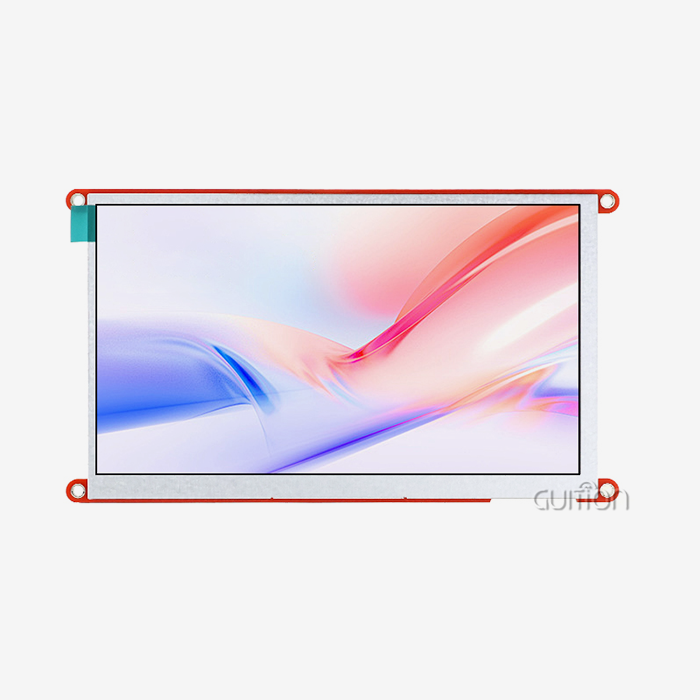
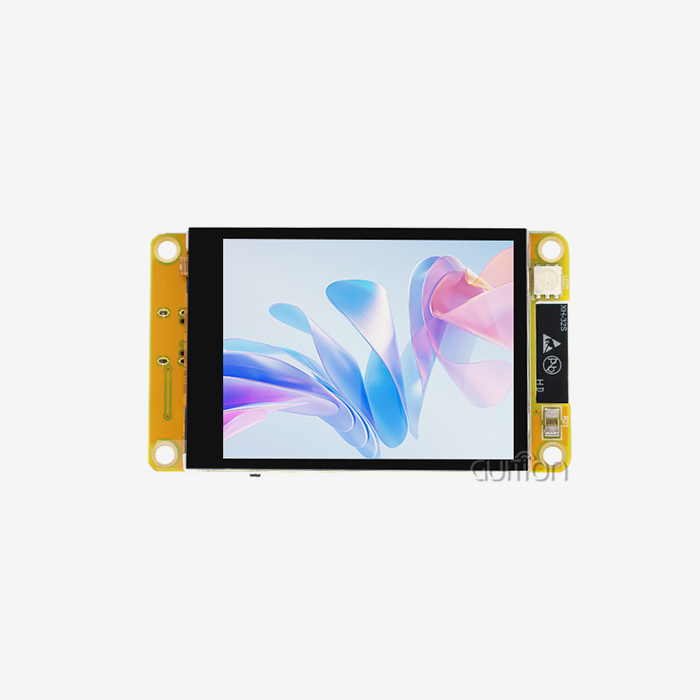
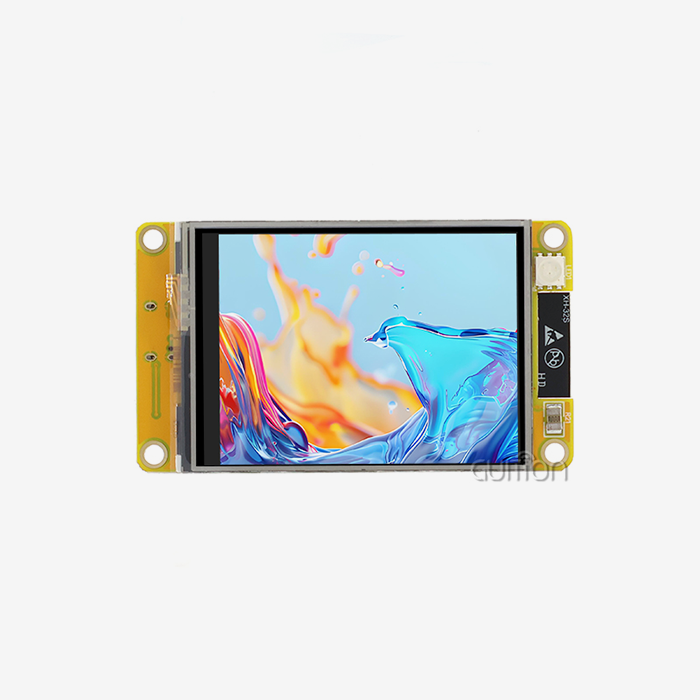
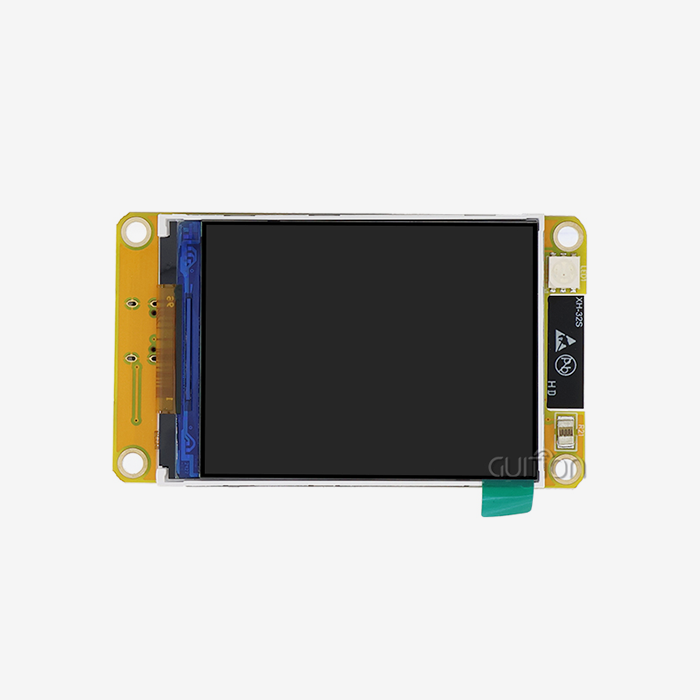
Resolution and color accuracy are the most important parts of the user experience. With its 320x480 resolution and 65K color support, the Guition JC3248S035R shows that even small 3.5-inch screens can produce professional-quality images if they are built correctly. Gradients are handled smoothly by the 16-bit color depth, which stops the banding artifacts that annoy users and make the product look lower quality. The module's contrast ratio specs show how well it can tell the difference between dark and light elements, which is important for keeping reading easy in a variety of lighting situations. In industrial settings, screens are often subjected to harsh lighting, such as direct sunlight coming in through warehouse windows or the dim light inside equipment cabinets. Modules made for these situations have anti-glare coatings on the surface and high-contrast LCD designs that keep the text legible.
Interface Compatibility and Controller Integration
The display module you choose must be able to communicate well with the microcontroller platform you already have or plan to get. SPI-based modules are very compatible; they work perfectly with Arduino, ESP32, STM32, and Raspberry Pi platforms thanks to simple wiring and many driver libraries being available. The 4-wire SPI setup only needs power, MOSI, SCK, CS, and DC connections. This leaves a lot of GPIO resources for other system tasks. With its mature firmware support across multiple development environments and ready-made libraries, the ILI9488 driver IC cuts the time it takes to integrate new software from weeks to days. The development software from Guition speeds up the process even more by giving engineers pre-configured templates and visual UI design tools that get rid of the need to program low-level registers. This lets engineers focus on application logic instead of display setup steps.
Environmental Durability and Industrial Specifications
Consumer-grade modules and industrial-qualified components are separated by the temperature ranges in which they can work. Standard commercial displays work reliably from 0°C to 50°C, which is good enough for climate-controlled spaces but not for factory automation, farm equipment, or installations outside. Industrial-grade units make this range even wider, from -30°C to +85°C. They keep the backlight and liquid crystal response stable in the harshest circumstances. The temperature requirements for storage are just as important, especially for equipment that won't be used for a while or that is being stored in a warehouse until it is needed. Quality modules can be stored at temperatures ranging from -40°C to +90°C without breaking down. This means that they can be used reliably again after long periods of inactivity. In mobile tools, vehicle use, and high-vibration industry settings, vibration resistance and shock tolerance are very important. When you use strong LCD-to-PCB bonding and reinforced connector strain relief in your mechanical design, you can avoid connections that don't work all the time and early failure due to mechanical stress.
Touchscreen Technology Selection
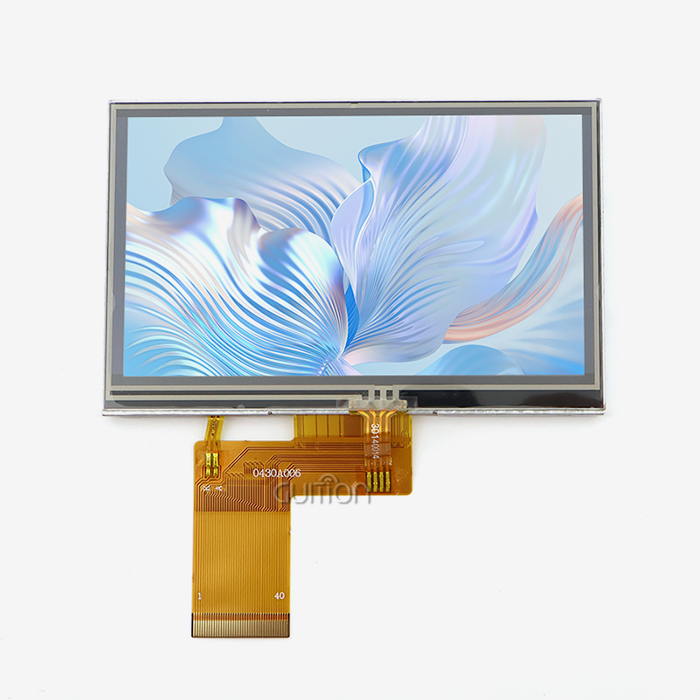
Resistive touch panels are a cheap way to get pressure-sensitive input that works with gloves on, styluses, or anything else that puts enough force on the screen. For example, this technology works really well in factories where workers have to wear safety gear or where dust and liquid splashes could mess up capacitive sensors. Modules like the JC3248S035R offer an optional resistive touch feature that lets you get reliable input without adding a lot of cost or complexity. Although it costs more, capacitive touch makes displays faster and able to recognize gestures. It also supports multi-touch interactions and only needs light finger contact. But capacitive screens don't work well when you're wearing gloves or when the surface is wet, which makes them less useful for some commercial uses. The right technology should be chosen by looking at how your users will be interacting with it (gloved vs. bare hands, clean vs. contaminated surroundings, etc.).
Power Consumption and Efficiency
Devices that run on batteries and are portable need careful power management. The backlight, which uses 70–90% of the total module power, is the main source of power used by LCDs. Modules that have PWM-controllable backlight brightness allow dynamic power saving, which dims screens when there isn't much light or when users aren't doing much. Sleep mode features, in which the module goes into a low-power state while keeping its configuration settings, help batteries last longer in equipment that is only occasionally used. When quality modules are in sleep mode, they use less than 1mA of power, while when they are active, they use 50–150mA of power. This means that portable instruments and IoT devices can have much longer battery lives. Here are the core advantages delivered by well-engineered display modules:
• Efficient 4-wire SPI communication that works well saves GPIO resources, which lets you make complicated systems without having to cut back on the number of peripherals.
• Compact form factors, well-thought-out PCB plans, and smart placement of connectors make mechanical integration easier, which lowers the cost of enclosures and the time it takes to put them together.
• Built-in SD card slots add more features, letting you log data locally, store bitmaps, and change software without using up microcontroller flash memory.
• Comprehensive development resources, like tried code examples, thorough datasheets, and quick technical help, cut down on time-to-market by avoiding common interface problems. All of these benefits help embedded engineers with problems like limited GPIO availability, tight development schedules, limited memory resources, and the never-ending problem of fixing problems with the hardware-software interface.
Comparing Colour LCD Display Modules with Alternative Display Technologies
Choosing the right display technology has effects on the cost of the project, the amount of power it uses, and the quality of the images. These effects last throughout the whole lifecycle of the product. By understanding the pros and cons of LCD, OLED, and e-paper technologies, you can make the best choice for your needs.
LCD Versus OLED Performance Characteristics
When compared to LCD screens, OLED screens have better contrast ratios, true black levels, and faster reaction times. This makes them appealing for consumer gadgets where looks are important. However, OLED technology has higher acquisition costs, usually two to three times the price of similar Colour LCD Display Modules. This has a big effect on bill of materials (BOM) costs in industrial settings that care a lot about price. When equipment is meant to be used constantly for a long time, LCD technology is more likely to last. Over 20,000 to 30,000 hours of use, the organic materials in OLED panels break down, especially the blue emitters. This causes the colors to change and the brightness to drop. LCD panels often have backlight lives of 50,000 hours or more with little performance loss, which is better for the needs of industrial machines. The ways that different systems use power are very different. OLED screens use power based on what they're showing; they use very little power when their screens are mostly dark, but more power than LCD screens when their screens are bright and lively. LCD modules draw about the same amount of power no matter what they're showing. This makes it easier to figure out power budgets and battery sizes for mobile devices.
Size and Resolution Trade-offs
The choice of display size strikes a balance between the need for exposure and the limitations of cost and integration. The 3.5-inch form factor is the best balance between small control panels and mobile devices because it gives you enough screen space for clear text and pictures without making the small enclosures too big. When multiple data streams or detailed schematics need to be shown at the same time, 7-inch or larger displays work best. However, they need more powerful processors to keep responsive UI updates going. Pixel density and clarity are set by how the resolution scales with the size of the monitor. A resolution of 320x480 works well for 3.5-inch screens, giving you about 165 pixels per inch, which is enough for clear text and graphics. When this resolution is scaled up to a 5-inch panel, the pixel density drops to 115 PPI, which makes individual pixels stand out and text lines look less sharp. This could make the user experience worse in situations where detailed visualization is needed.
Brand Comparison and Performance Benchmarks
There are many providers in the display module market, and their quality levels and customer service options vary. Adafruit and Waveshare are well-known companies that sell hobbyist-focused modules with great literature and community support. These modules can be used for testing and small-scale production. But these sellers often get displays from more than one manufacturer, which can be a problem when buying in bulk and making sure that all production runs have the same specs. Guition has a different way of providing display modules. They combine making hardware with their own development software to provide full HMI solutions instead of just parts. This vertical integration makes sure that all production batches are the same, makes technical support easier by keeping hardware and software vendors from blaming each other, and allows customization services that change display size, resolution, and interface configurations to fit the needs of each project. Different suppliers offer a wide range of brightness levels. Low-cost modules can reach 200 to 300 nits, while high-end industrial modules can reach 800 or more nits. Viewing angle performance also varies, from narrow TN models that lose color accuracy beyond 45 degrees to wide-angle IPS models that keep color accuracy across 178-degree viewing cones.
Procurement Considerations: Selecting the Right Colour LCD Display Module Supplier
When choosing a supplier, it's not just about the specs of the parts; stability, support quality, and long-term Colour LCD Display Module supply are also important. These are all things that have a big effect on the success of the project and the total cost of ownership.
Certification, Lead Times, and MOQ Flexibility
Quality providers follow strict approval rules, such as the rules for RoHS and REACH materials, that make sure they are safe to handle and good for the environment. Getting ISO 9001 certification shows that you have a system for managing quality, which makes it less likely that you will get bad batches or see quality drift between production runs. Predictable lead times are very important for project planning because delays in display modules can affect assembly plans and even product launch dates. Reliable suppliers keep safety stock of standard products, so modest amounts can be delivered in two to four weeks instead of the eight to twelve weeks that are usual for build-to-order manufacturing. Minimum order quantities can be very hard for new businesses and producers who only make a small amount of goods. Flexible sellers offer low MOQs for standard goods, sometimes as low as 10–50 units. This lets you do cost-effective prototyping and trial production without having to commit to thousands of units before the design is fully validated. This flexibility is especially helpful when going back and forth between different hardware versions while the software is being developed.
Customization Services and Engineering Support
Standard display units work well in many situations, but they need to be customized for others because of technical limitations, specific weather needs, or different user interfaces. Engineers can change the size of the display, the patterns of the mounting holes, the types of connectors, or add custom touch overlays for customers who buy from capable suppliers. The Guition development platform lets you do more than just change the way the parts work. It also lets you adapt the firmware, make your own UI widgets, and help with system-level integration, including solutions based on spi display module designs. The success of integration is directly linked to the standard of the technical documents. Full datasheets show the electrical properties, timing diagrams, register maps, and startup steps that are needed to make software work well. When compared to vendors who only provide basic datasheets, which force engineers to figure out startup steps by trial and error, those who offer reference designs, tested code examples, and application notes greatly reduce the amount of work that engineers have to do.
Evaluating Supplier Reliability and Support
Concerns about long-term product supply affect companies that make equipment that supports goods that are used for 5 to 10 years. As companies try to make higher resolutions and newer technologies, display panels for consumer electronics become obsolete very quickly. When displays become unavailable, expensive redesigns have to be done to make the products work again. Industrial-focused providers promise longer product lifecycles, keeping standard units in production for 5 years or more and providing migration paths when it's necessary to stop production. Different suppliers offer very different levels of after-sales support. Some of the best companies offer quick technical help via email, phone, and online forums. Their engineering staff can handle complicated integration issues instead of just sending customers to documents. Warranty policies should cover problems with the way the product was made for at least 12 months, and there should be clear RMA procedures and reasonable replacement timelines to keep production running as smoothly as possible. Jingcai Intelligence is a good example of a technology-driven, customer-centered provider model that takes all of these buying factors into account.
Troubleshooting and Optimizing Colour LCD Display Module Performance
Even when correctly described, Colour LCD Display Modules can sometimes have performance problems that need to be systematically found and fixed. Understanding typical failure modes and improvement methods is important for making sure that a product works reliably throughout its entire lifecycle.
Common Operational Issues and Root Causes
Most of the time, flickering screens are caused by power source decoupling issues, noisy power rails, or lighting drivers that can't handle enough current. LCD screens and backlight LEDs have negative resistance, which means that as the source voltage rises, more current is used. This could cause oscillations if the power supplies aren't properly regulated. Flickering problems are usually fixed by adding bulk capacitance near the display module and making sure the power connections have low impedance. Color warping or the wrong hues can happen when the RGB interface timing is off, the color depth is set wrong, or the software driver doesn't match the hardware. The ILI9488 controller works with different color schemes (16-bit, 18-bit, and 24-bit), but the software settings and display controller registers must be perfectly matched for this to work. Configuration errors can be found by carefully comparing the initialization code to the specifications in the datasheet. Full-screen blackouts can be broken down into two groups: backlight failures and LCD controller problems. By checking the backlight voltage and current, you can tell if the LED driver circuit is working correctly. Using an oscilloscope to look at the SPI communication signals shows that data is being sent to the controller IC. Systematic separation of the power, communication, and control subsystems speeds up the process of finding the root cause.
Best Practices for Stable Display Operation
In noisy industrial settings where motors, switches, and switching power sources cause electromagnetic interference, the stability of the wiring is very important. Communication errors that show up as display artifacts or random operation can be avoided by routing SPI signals away from high-current traces, using ground planes as return paths, and putting in series termination resistors on high-speed signals. When managing software drivers, it's important to pay attention to the time limits that are written in the controller datasheets. SPI clock speeds must not go over their highest ratings, which for display controllers are usually 10–20MHz. Inter-command delays must also be long enough to let internal processes finish. When timing standards aren't followed, problems happen in spurts that are hard to figure out, especially when they only happen at certain temperatures or under certain loads.
Maintenance and Lifecycle Extension
Cleaning the screen and touch panel regularly keeps dust and other contaminants from building up and making the screen less sensitive and less bright. It is safe to remove leftovers with isopropyl alcohol and lint-free cloths because they don't damage resistive touch layers or anti-glare coats. Harsh solvents, like acetone, or rough materials can scratch protective layers, leaving marks that can't be fixed. Conditions of storage affect long-term dependability, especially for equipment that is only used during certain times of the year or that is stored in a warehouse between deployments. Keeping the temperature and humidity levels moderate stops the liquid crystal phase separation, polarizer degradation, and connector corrosion that happen after a long period of dormancy. Updates to the firmware, especially for modules with advanced features like WiFi connection or touch tuning, keep the best performance even as the way people use them changes. Guition's remote upgrade feature lets you install software changes without having to physically access the device. This lets you fix bugs, add features, and improve calibrations at any point in a product's lifecycle. This feature is very helpful for deployed equipment because it saves a lot of money on field repair trips. Using supplier support resources to troubleshoot speeds up the process of fixing problems. Quality suppliers have technical support teams that know how to deal with common integration problems and can figure out what the problems are from the symptoms and suggest specific solutions. Keeping lines of contact open with suppliers and keeping systematic records of problems makes help exchanges more efficient.
Conclusion
To get the best integration success and total cost of ownership, choosing the right Colour LCD Display Module requires striking a balance between technical requirements, provider skills, and lifecycle factors. The resolution, color accuracy, brightness, and viewing angles of a display all have a direct effect on how the user feels and how well the system works. How hard and how long it takes to get a product to market depends on how well the development tools and interfaces work together. Environmental requirements and features that make the product last a long time make sure that it works reliably in harsh conditions. Evaluation of the supplier, taking into account things like certification, support quality, ability to customize, and long-term availability, is just as important as specifying the components. The Guition JC3248S035R is a great example of how well-thought-out engineering can solve real-world problems for embedded engineers and industrial equipment makers. It has a 3.5-inch display, a good SPI Display Module connection, and a lot of development tools.
FAQ
What advantages do colour LCD modules offer over monochrome displays?
Color displays make user interfaces more interesting by using color-coded state indicators, complicated data visualizations, and unique graphics and logos for branding purposes. When you can show 65K or 16.7M colors, operator interfaces go from being boring data displays to fun, easy-to-use experiences that cut down on training needs and boost operating efficiency. For example, color gradients are a better way for medical equipment to show physiological parameters than black-and-white ones.
How do I choose between resistive and capacitive touchscreens?
Resistive touch panels work reliably with gloves on, styluses, or any other object that applies pressure. This makes them perfect for places like factories, medical devices, or outdoor gear where workers need to wear protective gear. They can handle dirt and grime better, but they are less clear and can't handle multiple touches as well. Capacitive touch is faster and clearer, and it supports motions like pinch-zoom and swipe. However, you have to touch it with your bare finger, and it costs 30–50% more than resistive options. The right choice depends on the user's situation, such as whether they are wearing gloves or working barehanded, and whether the surroundings are clean or dirty.
What compatibility factors matter when interfacing displays with Arduino or Raspberry Pi?
It is very important that the interface protocols work well together. For example, SPI-based modules are easy to integrate and only need a few GPIO pins. Voltage level compatibility is also important. For example, 3.3V microcontrollers need level shifting or screens that can handle 3.3V to avoid communication mistakes. Having access to driver libraries speeds up development. For example, Adafruit GFX or TFT_eSPI libraries support popular controller ICs like the ILI9488. Because the guidance modules come with tested code examples for common platforms, there is no need to worry about how to integrate them.
Partner with Guition for Superior Colour LCD Display Solutions
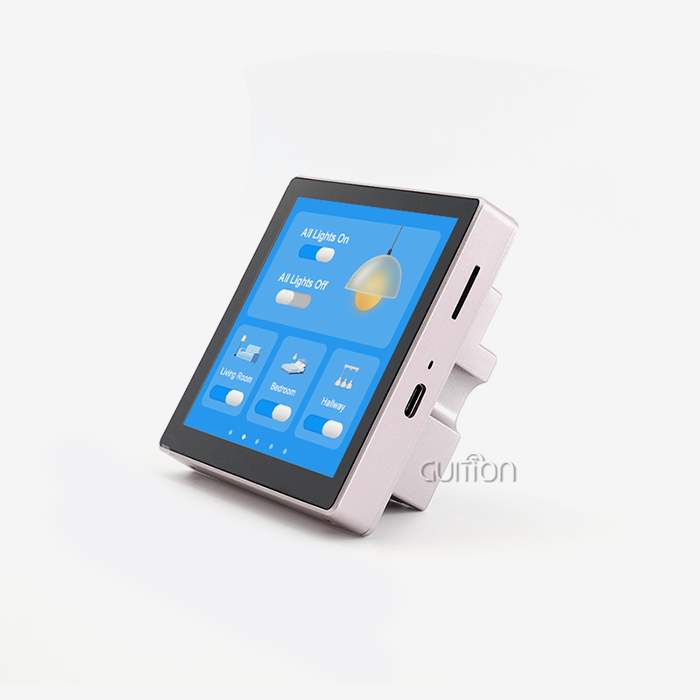
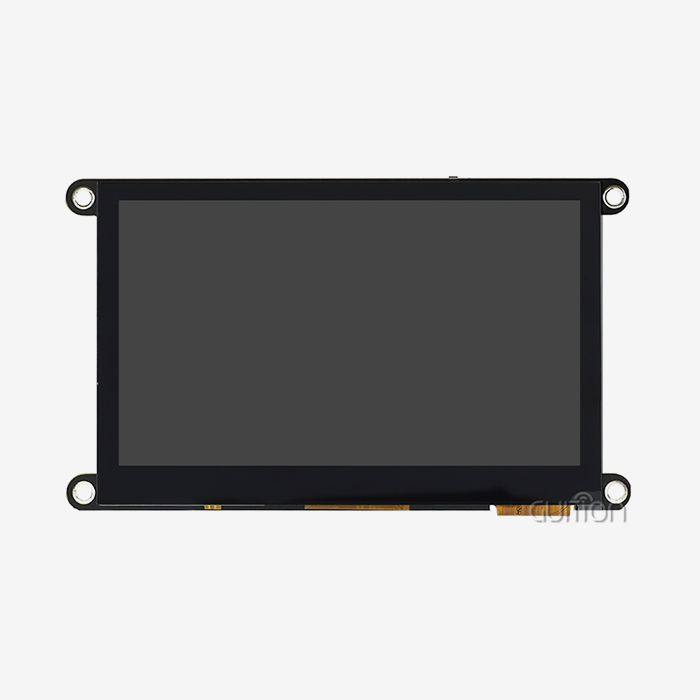
When you work with experienced providers who understand your development challenges, it's easy to find the right Colour LCD Display Module for your industrial automation, medical device, or smart equipment project. Guition offers full HMI solutions that include high-performance Colour LCD Display Modules from 1.28′′ to 21.5′′ and easy-to-use creation software that gets rid of the usual problems with programming. This method is shown by our JC3248S035R module, which has a small 3.5-inch size but offers 320x480 resolution, 65K color depth, and flexible SPI communication. Our team is ready to assist you whether you require a dependable Colour LCD Display Module manufacturer for mass production, customization services for special mechanical needs, or full technical support to speed up integration. For a personalized consultation, full specs, and expert help choosing the best display option for your needs, email david@guition.com.
References
1. Society for Information Display (SID). Handbook of Display Technology: Fundamentals and Applications of TFT-LCD Systems. Academic Press, 2022.
2. International Electrotechnical Commission. IEC 61966-2-1: Multimedia Systems and Equipment - Colour Measurement and Management - Part 2-1: Colour Management - Default RGB Colour Space - sRGB. IEC Standards, 2021.
3. Embedded Systems Engineering Journal. Interface Protocol Selection for Industrial HMI Applications: Comparative Analysis of SPI, I2C, and Parallel RGB. Volume 18, Issue 4, 2023.
4. Institute of Electrical and Electronics Engineers. IEEE Standard for Environmental and Mechanical Testing of Liquid Crystal Display Modules. IEEE Std 2700-2022.
5. TechInsights Research. Global Industrial Display Market Analysis: Technology Trends, Supplier Landscape, and Procurement Strategies 2023-2028. TechInsights Market Reports, 2023.
6. Journal of Display Technology. Power Optimization Techniques for Battery-Operated LCD Display Systems: Backlight Management and Sleep Mode Implementation. Volume 19, Number 7, 2023.
Learn about our latest products and discounts through SMS or email