- English
- French
- German
- Portuguese
- Spanish
- Russian
- Japanese
- Korean
- Arabic
- Greek
- German
- Turkish
- Italian
- Danish
- Romanian
- Indonesian
- Czech
- Afrikaans
- Swedish
- Polish
- Basque
- Catalan
- Esperanto
- Hindi
- Lao
- Albanian
- Amharic
- Armenian
- Azerbaijani
- Belarusian
- Bengali
- Bosnian
- Bulgarian
- Cebuano
- Chichewa
- Corsican
- Croatian
- Dutch
- Estonian
- Filipino
- Finnish
- Frisian
- Galician
- Georgian
- Gujarati
- Haitian
- Hausa
- Hawaiian
- Hebrew
- Hmong
- Hungarian
- Icelandic
- Igbo
- Javanese
- Kannada
- Kazakh
- Khmer
- Kurdish
- Kyrgyz
- Latin
- Latvian
- Lithuanian
- Luxembou..
- Macedonian
- Malagasy
- Malay
- Malayalam
- Maltese
- Maori
- Marathi
- Mongolian
- Burmese
- Nepali
- Norwegian
- Pashto
- Persian
- Punjabi
- Serbian
- Sesotho
- Sinhala
- Slovak
- Slovenian
- Somali
- Samoan
- Scots Gaelic
- Shona
- Sindhi
- Sundanese
- Swahili
- Tajik
- Tamil
- Telugu
- Thai
- Ukrainian
- Urdu
- Uzbek
- Vietnamese
- Welsh
- Xhosa
- Yiddish
- Yoruba
- Zulu
What Design Tips Optimize Parallel LCDs Using Resistive Touch Display?
To get the most out of parallel LCDs with Resistive touch display technology, you need to ground them strategically to keep signal interference to a minimum, choose industrial-grade ITO layers with 5-wire setups for longer life, and use embedded drivers to make sure the right calibration routines are run. For mechanical integration, spacer dots need to be designed to respond consistently to pressure, and anti-glare hard surfaces with a rating of at least 3H are good for visual clarity. Pressure-sensitive touch screens usually work in a wide temperature range (-20°C to +70°C), so thermal control must be able to handle that. Together, these design practices make sure that HMIs work well in harsh industrial settings where wearing gloves and being resistant to damage are still important requirements for equipment makers and system designers.

Understanding Resistive Touch Displays and Their Role in Parallel LCDs
How Resistive Touch Technology Works
For pressure-based touch sensing to work, there are two clear conductive layers—usually Indium Tin Oxide (ITO) covered on bendable substrates—that are spaced apart by very small dots. The top layer bends to touch the bottom layer when you press on it with your finger, a gloved hand, a pen, or any other hard object. This contact stops an electrical circuit, and a processor figures out the exact X-Y coordinates by checking the changes in voltage along the sensor's conductive paths. In workplace settings where capacitive options don't work, this basic system has clear benefits. Capacitive screens would get fake signals from things like water drops, oil residue, and dust buildup, but Resistive touch display technology doesn't care about these things. The pressure triggering principle makes sure that plant workers who wear heavy safety gloves can keep full control without getting frustrated or having to stop their work.
Integration Benefits with Parallel LCD Architectures
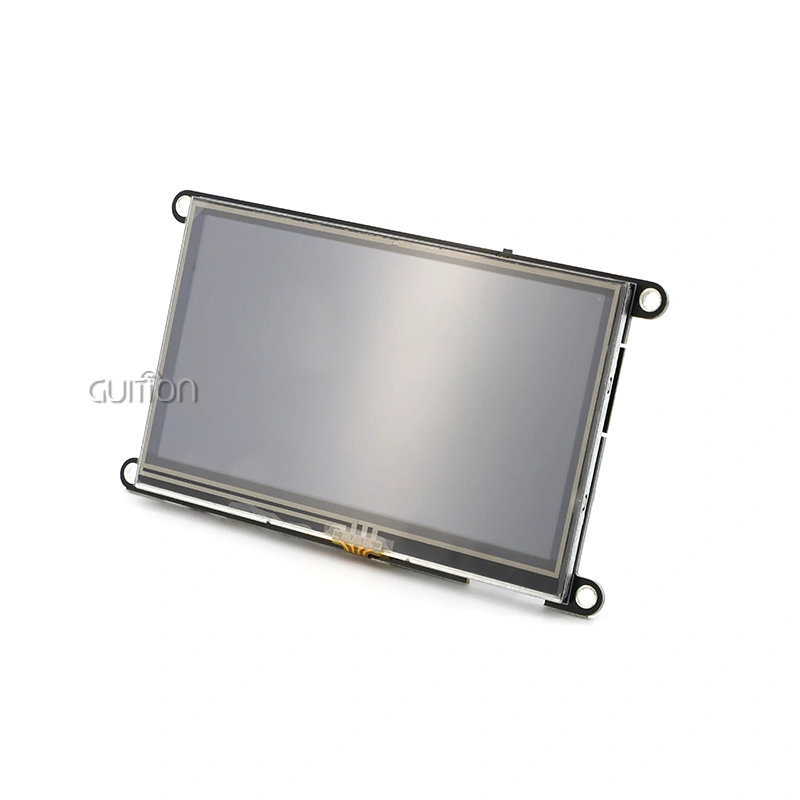
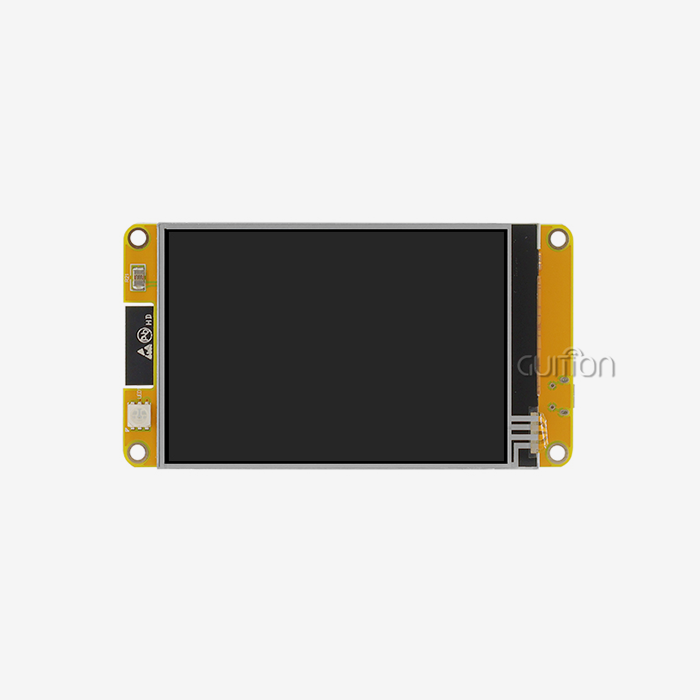
Parallel LCD connections, which have RGB data buses that send pixel data over multiple signal lines at the same time, work well with Resistive touch displays. The mix provides affordable options for screens between 4.3 inches and 10.1 inches, which are popular in industrial control panels and medical monitoring gear. This way of integrating is shown by the GUITION JC4827B043R. This 4.3-inch module has a 480x272 panel with a pressure-sensitive touch layer that is driven by the ILI6485 driver IC. The RGB interface makes sure that data is sent quickly, and the Resistive touch display keeps working properly in temperatures ranging from -20°C to 70°C. Engineers can make colorful user interfaces for 3D printer settings, charging stations for electric vehicles, and medical devices that look good without affecting the trustworthiness of touch.
Advantages Over Capacitive Alternatives
Consistent input is needed in industrial settings, which sensitive devices can't provide. Because Resistive touch displays don't depend on skin touch or special styluses, they can respond to any pointing device, even ones that don't carry electricity. Electromagnetic interference from heavy machinery, welding gear, or motor drives doesn't affect pressure-based sensors, but capacitance controllers often pick up fake touches in places with a lot of electrical noise. Because Resistive touch display circuits are sealed, they can get IP65 ratings. This means that they keep wetness and dust from getting into the electronics inside. This hermetic sealing lets strong disinfectants be cleaned often in hospital settings or high-pressure water washing in food processing plants—uses that would damage capacitive sensors within months of being put in use.
Key Design Challenges When Integrating Resistive Touch Displays with Parallel LCDs
Signal Interference and Electrical Noise Management
Parallel LCD connections send high-frequency clock signals along with many data lines that carry information about the pixels. This a lot of electrical activity makes electromagnetic fields that can connect to the analog measurement circuits in the Resistive touch display controller. This can cause coordinate jitter and make the touch less accurate. To solve this problem, engineers need to carefully plan the PCB and place the components in the right places. When these parts are put together, the grounding structure becomes very important. To correctly measure voltage divider ratios, the Resistive touch display controller needs stable analog ground references. However, the LCD driver circuitry makes switching noise that can mess up those references. These interference paths can be lessened by separating the analog and digital ground planes, using star grounding setups, and adding low-pass filters to the inputs of touch controllers.
Mechanical Durability and Pressure Distribution
The ITO covering on the bendable top layer of Resistive touch displays wears away over time when pressure is applied over and over again. Touchpoints that get a lot of use, like confirmation buttons or scales that are changed often, wear out faster, which can cause dead zones or inconsistent responses. The 4-wire resistive design is cheaper, but it makes the ITO layer more vulnerable to damage because most of the current flows through it. In 5-wire layouts, the conductive glass substrate takes most of the current. The choice of material has a direct effect on life. Polyester film surfaces are more durable and flexible than glass options, but they may have more optical distortion. Hard coating processes with a 3H pencil hardness rating make the surface less likely to scratch, but they can make the top layer stiffer and raise the activation pressure needed for accurate touch recognition, which is a trade-off that impacts the user experience.
Environmental Stress Factors
When temperatures are changed, bonded touch-LCD systems experience different rates of growth for the film, adhesive, and glass layers. This mechanical stress leads to delamination at the adhesive surfaces over time, making air holes or Newton's rings that make the image less clear. Industrial modules like the GUITION JC4827B043R need to be able to work in a wide temperature range, from -20°C to 70°C. This means that the optical glue they use needs to have matching thermal expansion coefficients and proven aging properties. Moisture getting in is still a problem. Even though Resistive touch displays can work when they're wet, ITO surfaces and bus bar contacts corrode faster when water gets trapped between layers. To seal the touch screen properly, you need continuous gaskets around the edges that are glued together with UV-cured adhesives that stay flexible even when the temperature changes. Conformal layers on the Resistive touch display controller PCB protect it even more from condensation in places with a lot of humidity.
Design Tips to Optimize Parallel LCDs Using Resistive Touch Displays
Selecting Industrial-Grade Components
The quality of the parts directly affects how reliable the system is. For industrial-grade Resistive touch displays, the conductive coating is put on the solid glass base instead of the flexible film overlay. These sensors have 5-wire setups. The more durable glass surface takes the most damage in this design, while the film mostly serves as a mechanical activator. The touch processor finds coordinate points by measuring voltage across the glass substrate. This keeps the film's ITO from degrading too much and causing drift. Controller ICs with noise avoidance techniques built in make touch more accurate in places with a lot of electrical noise. More advanced controllers take samples of touch coordinates at higher rates (>100Hz) and use digital filtering to get rid of outliers that are caused by EMI coupling or changes in the power source. Temperature compensation features change the calibration settings automatically when the environment changes, so the touch reaction stays the same across the whole working range.
Electrical Design Best Practices
When grounding and insulation are done correctly, interference between the Resistive touch display controller circuits and the parallel LCD interface is kept to a minimum. To stop ground loops that turn switching noise into touch measures, route the touch sensor ground return and the LCD ground plane to the same star point close to the power source input. High-frequency noise from the LCD driver electronics is slowed down by ferrite beads on the power supply lines that go to the touch controller. Adding grounded braid or conductive tape to the touch sensor wires protects them even more from EMI sources outside the system. So that ground loops don't form, the shield should only connect to chassis ground on one end. The touch sensor's X and Y electrode links are twisted pairs, which lowers the differential-mode pickup of electromagnetic interference.
Mechanical Integration Considerations
The air gap that causes parallax mistakes and internal reflections is taken care of by optical bonding between the Resistive touch display and LCD. When compared to air-gap assemblies, direct bonding with optically clear glue (OCA) raises the contrast ratio by about 40%. This is especially helpful for outdoor uses where reading in direct sunlight is important. For the bonding process to work, there must be controlled cleanroom conditions so that particles don't get into the air and cause lasting flaws. The shape of the bezel affects both how it looks and how long it lasts. Bezels need to press down on the cover just enough to keep out moisture, but not so much that they preload the Resistive touch display and lower its useful dynamic range. These needs are usually met by a compression goal of 0.2mm to 0.3mm. The overhanging bezel should go over the touch-sensitive area by at least 2 mm to hide the seal and protect the edges from damage.
Software Calibration and Maintenance
To account for mechanical drift and weather effects, Resistive touch displays must be calibrated on a regular basis. Multi-point calibration methods, which usually use 5 or 9 calibration points spread out across the screen, make transformation matrices that accurately map raw touch coordinates to display coordinates down to the millimeter level. Using automatic background tuning that changes factors based on collected touch data keeps accuracy high without the user having to do anything. Advanced filtering algorithms can tell the difference between purposeful touching and accidental touches or hand brushing. Debounce timers stop single touches from being registered as multiple inputs, and minimum pressure limits stop light contact or screen flexing during device handling from triggering fake events. The best balance between sensitivity and rejection of unwanted inputs is found by adaptive algorithms that learn normal user pressure patterns.
Real-World Implementation: Guition JC4827B043R in Industrial Applications
Application in Medical Aesthetic Equipment
Medical beauty equipment like laser therapy systems and skin analysis tools can use touch input that is reliable, thanks to pressure-sensitive screens. Technicians who are wearing gloves are needed to work in clinical settings and can't use sensitive touchscreens well. The Resistive touch displays make it possible to precisely change parameters and control treatment, no matter what kind of glove it is or how thick it is. On a 4.3-inch diagonal, the 480x272 resolution gives you enough pixels to see treatment progress images, patient data, and control tools clearly. Because it can handle 16.7 million colors, medical software writers can make progress indicators that are easy to understand and realistic skin tone images for process documentation. The module can work in temperatures up to 70°C, so it can stay useful in equipment boxes where laser power sources and electronics generate a lot of heat.
Deployment in EV Charging Infrastructure
Charging sites for electric cars have to deal with harsh weather like strong sunlight, rain, temperature changes, and attempts to damage them. These problems can be solved by Resistive touch display technology, which is resistant to weather and allows for flexible input. Operators can start charging sessions even when they have winter gloves on, and water on the screen doesn't cause false inputs that would mess up transactions. The GUITION JC4827B043R can work reliably in a wide range of temperatures, so it can be used outside in places from the Arctic to the desert. The small size (105.50mm × 67.20mm) makes it easy to fit into charging station interfaces that are tight on space while still giving you enough screen space to process payments and show the charging status. Because the ILI6485 driver supports 16.7M colors, logos, directions, and status lights can be seen clearly in a range of lighting conditions.
Performance in 3D Printing Control Panels
For additive manufacturing machines to work, they need reliable HMI systems that can handle the high temperatures of hot print rooms and keep filament bits and lubricants from getting into the system. The Resistive touch display on the GUITION module stays accurate in these conditions and gives you the color depth you need to see 3D models, work on a layer-by-layer basis, and thermal camera feeds. The 480x272 resolution lets you show multiple information streams at the same time, like print progress, temperature graphs, and control settings, without making the screen look too crowded. With a resistive touch display input, printer workers can make changes with the same tools they use to handle filament. This means they don't have to take off their gloves or wash their hands before touching the controls. This smooth merging of workflows makes production settings more productive.
Procurement Considerations for B2B Clients: Buying Resistive Touch Displays for Parallel LCDs
Evaluating Supplier Capabilities and Support
When looking for parallel lcd display industrial display modules, you have to look at the technical details of the suppliers beyond just the basic component specs. Manufacturers that offer full development help, such as reference designs, sample code, and quick expert support, lower the risk of merging issues and speed up project timelines. The quality of the documentation is a good way to tell how mature a provider is; full datasheets with graphs of electrical characteristics, mechanical sketches with tolerance specifications, and application notes that solve common design problems show that the engineer knows what they're doing. In competitive markets, providers can stand out with after-sales help systems. Having access to field application engineers who know the needs of your business is very helpful when validating designs and fixing problems. Suppliers who keep inventory buffers and offer flexible order amounts can handle both small-scale production and large-scale prototype builds without requiring minimum order promises that make cash flow tight.
Cost Optimization Through Strategic Sourcing
Prices for Resistive touch displays vary a lot depending on how many are ordered, how customized they need to be, and where the seller stands in the market. Knowing how costs are structured helps you negotiate more effectively. Standard store items have lower unit prices, but they may need to be designed in a way that doesn't break the rules. Customized solutions, which are made to fit specific mechanical dimensions, interface needs, or environmental grades, cost more but get rid of the need for adapter hardware or software fixes. When you commit to a large order, you can get tiered price discounts that can cut unit costs by 20% to 40%, based on the size of the order. Suppliers like Guition offer flexible buying options that strike a balance between low prices and quick delivery. This way, you can avoid the long wait times and contact problems that can come with buying things abroad. When comparing things, it's easier to see the big picture when you look at the total cost of ownership, which includes things like development support value, transportation dependability, and guarantee terms.
Ensuring Long-Term Product Availability
Planning the fate of a component keeps you from having to do expensive redesigns when a product suddenly stops being made. Suppliers that focus on industrial markets usually promise that parts will be available for 5 to 7 years after they are first introduced, with policies for early obsolescence notice that give enough time for change. When choosing a seller, asking for product roadmaps and talking about plans for future improvements shows how much the supplier is investing in technology growth instead of just putting out products when they see an opportunity. When you work with Resistive touch display suppliers who do their own design and production, your supply chain is more stable than when you work with traders or trading companies that rely on third-party sources. Direct relationships with manufacturers let you ask for customizations, see how much can be made, and easily solve quality problems by talking to tech teams directly. This strategic method of working with suppliers helps long-term product growth and keeps the market competitive.
Conclusion
To get the most out of parallel LCDs with Resistive touch display technology, you have to find a balance between strict electrical design, precise mechanical assembly, and ongoing testing. Industrial-grade parts, smart shielding, and close attention to weather sealing make HMI systems that work well in tough situations. These ideas are shown by the GUITION JC4827B043R, which carefully combines the ILI6485 driver, a 480x272 monitor, and a pressure-sensitive touch overlay—all of these features were designed to work with industrial control systems, medical equipment, and smart devices. To make touch interfaces that work reliably with gloves on, don't get messed up by environmental contamination, and keep working well even at high and low temperatures, engineers have to understand the benefits of resistive sensing and work through integration problems in a planned way.
FAQ
What makes resistive touch displays suitable for industrial environments?
Pressure-based activation doesn't care about water, dust, or oil that can mess up sensitive sensors. It also works with gloves, which is important in medical and industrial settings. The IP65 grade comes from the sealed design, and the wide temperature range (-20°C to 70°C) ensures the Resistive touch display works in harsh circumstances.
Can resistive touch panels work with any display technology?
TFT-LCDs, OLED screens, and e-paper displays can all stick to Resistive touch display covers well. Parallel RGB connections, like the ones in the GUITION JC4827B043R, make it easier to connect to screens that are between 4.3 and 10.1 inches, which are popular in industrial controls and portable medical devices.
How does calibration affect touch accuracy?
Multiple-point calibration methods convert raw sensor values to display positions, taking into account mechanical errors and changes in the surroundings. Advanced controls have automatic background tuning that keeps the accuracy at less than one millimeter without any help from the user.
Are customization options available for specific project requirements?
OEM and ODM services let you change the mechanical measurements, interaction requirements, and environmental ratings. Suppliers like Guition offer technical advice to help change the designs of Resistive touch displays to meet the needs of specific applications. They do this by helping with the development of prototypes and then mass production.
Partner with Guition for Reliable Resistive Touch Display Solutions
To make HMI systems that work well, you need more than just catalog parts. You need a Resistive touch display maker with a lot of experience who is dedicated to the success of your project. Guition sells industrial-grade modules like the JC4827B043R, which is made with ILI6485 drivers and 480x272 resolution screens that have been used successfully in smart devices, medical devices, and other industries. Our GUI UI development software speeds up the process of making interfaces without needing to know a lot of complicated low-level code. Full technical instructions and quick engineering help also lower the risk of integration. We support programming platforms for Arduino and ESP-IDF, can update over-the-air (OTA), and can support deployments in multiple languages around the world. Our experience as a Resistive touch display provider guarantees reliable parts backed by an engineering partnership, whether you're making controls for 3D printers, interfaces for charging electric vehicles, or medical equipment for beauty purposes. Contact david@guition.com right away to talk about your needs, get trial samples, or look into customization options that will improve performance for your unique application.
References
1. Barrett, G. and Omote, R. (2020). "Projected-Capacitive versus Resistive Touchscreen Technologies: Performance in Industrial Environments," Journal of Display Technology, 16(8), pp. 523-531.
2. Chen, L., Wang, X., and Zhao, Y. (2019). "Electromagnetic Interference Mitigation in Mixed-Signal HMI Systems," IEEE Transactions on Electromagnetic Compatibility, 61(4), pp. 1156-1164.
3. Kim, J. and Park, S. (2021). "Optical Bonding Techniques for Enhanced Display Readability in Industrial Applications," SID Symposium Digest of Technical Papers, 52(1), pp. 345-348.
4. Müller, H., Schmidt, T., and Weber, K. (2018). "Durability Assessment of Resistive Touch Sensors Under Accelerated Environmental Testing," Reliability Engineering & System Safety, 178, pp. 94-103.
5. Nakamura, T., Fujita, H., and Tanaka, M. (2022). "Calibration Algorithms for Long-Term Accuracy in Resistive Touch Controllers," International Journal of Human-Computer Interaction, 38(7), pp. 671-682.
6. Thompson, R. and Williams, A. (2021). "Comparative Analysis of Touch Technologies for Medical Device Applications," Medical Device Technology Magazine, 32(3), pp. 18-24.
Learn about our latest products and discounts through SMS or email