- English
- French
- German
- Portuguese
- Spanish
- Russian
- Japanese
- Korean
- Arabic
- Greek
- German
- Turkish
- Italian
- Danish
- Romanian
- Indonesian
- Czech
- Afrikaans
- Swedish
- Polish
- Basque
- Catalan
- Esperanto
- Hindi
- Lao
- Albanian
- Amharic
- Armenian
- Azerbaijani
- Belarusian
- Bengali
- Bosnian
- Bulgarian
- Cebuano
- Chichewa
- Corsican
- Croatian
- Dutch
- Estonian
- Filipino
- Finnish
- Frisian
- Galician
- Georgian
- Gujarati
- Haitian
- Hausa
- Hawaiian
- Hebrew
- Hmong
- Hungarian
- Icelandic
- Igbo
- Javanese
- Kannada
- Kazakh
- Khmer
- Kurdish
- Kyrgyz
- Latin
- Latvian
- Lithuanian
- Luxembou..
- Macedonian
- Malagasy
- Malay
- Malayalam
- Maltese
- Maori
- Marathi
- Mongolian
- Burmese
- Nepali
- Norwegian
- Pashto
- Persian
- Punjabi
- Serbian
- Sesotho
- Sinhala
- Slovak
- Slovenian
- Somali
- Samoan
- Scots Gaelic
- Shona
- Sindhi
- Sundanese
- Swahili
- Tajik
- Tamil
- Telugu
- Thai
- Ukrainian
- Urdu
- Uzbek
- Vietnamese
- Welsh
- Xhosa
- Yiddish
- Yoruba
- Zulu
ESPHome Screen Configuration Guide for ESP32 Devices?
Configuring an Esphome screen with ESP32 devices opens a streamlined pathway for embedded engineers and system integrators seeking rapid HMI deployment. These display solutions combine easy-to-read YAML setup with strong ESP32 hardware, removing the need for complicated low-level drivers while providing high-quality visual displays. Whether you're developing industrial control panels, smart home dashboards, or medical monitoring equipment, understanding proper screen configuration ensures stable operation, optimal performance, and reduced time-to-market for your connected devices.

Understanding ESPHome Screen Types and Compatibility
When selecting display hardware for your ESP32 projects, compatibility with ESPHome firmware determines how quickly you can move from prototype to production. The ecosystem supports multiple screen technologies, each offering distinct advantages depending on your application requirements.
OLED Displays: Compact and Energy-Efficient
OLED screens like the SSD1306 provide excellent readability in varied lighting conditions while consuming minimal power. These monochrome displays typically communicate via I2C or SPI interfaces, making them ideal for status monitors in battery-powered devices. The 128x64 resolution suits simple data visualization tasks such as sensor readings or system status indicators. Engineers appreciate their straightforward integration process—connect four wires, add YAML configuration, and your display comes alive.
TFT LCD Screens: Rich Visual Experience
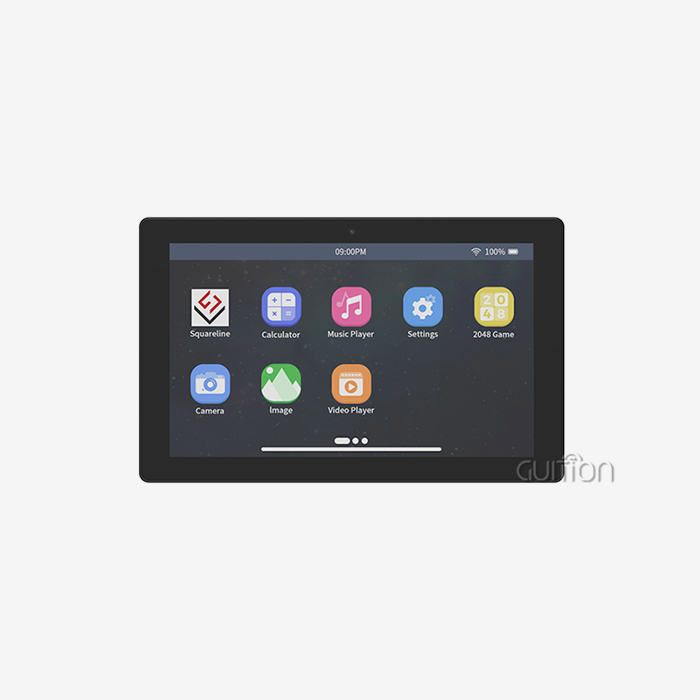
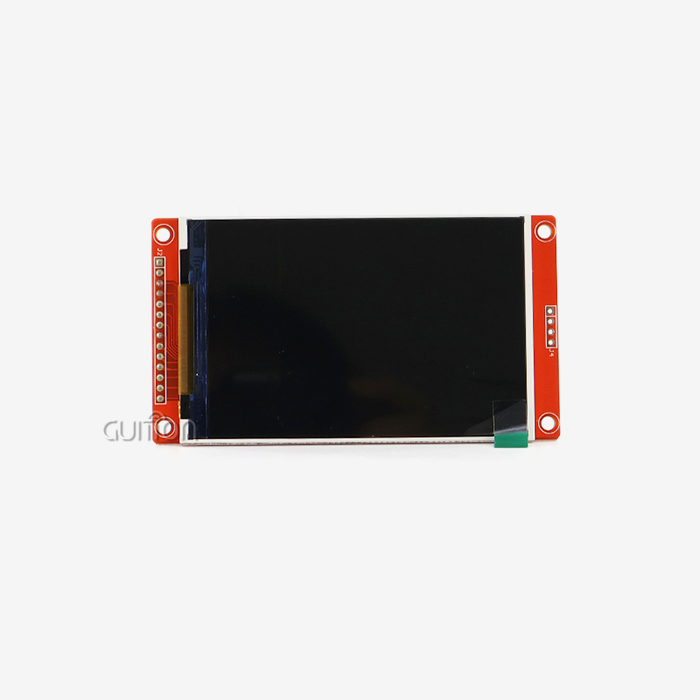
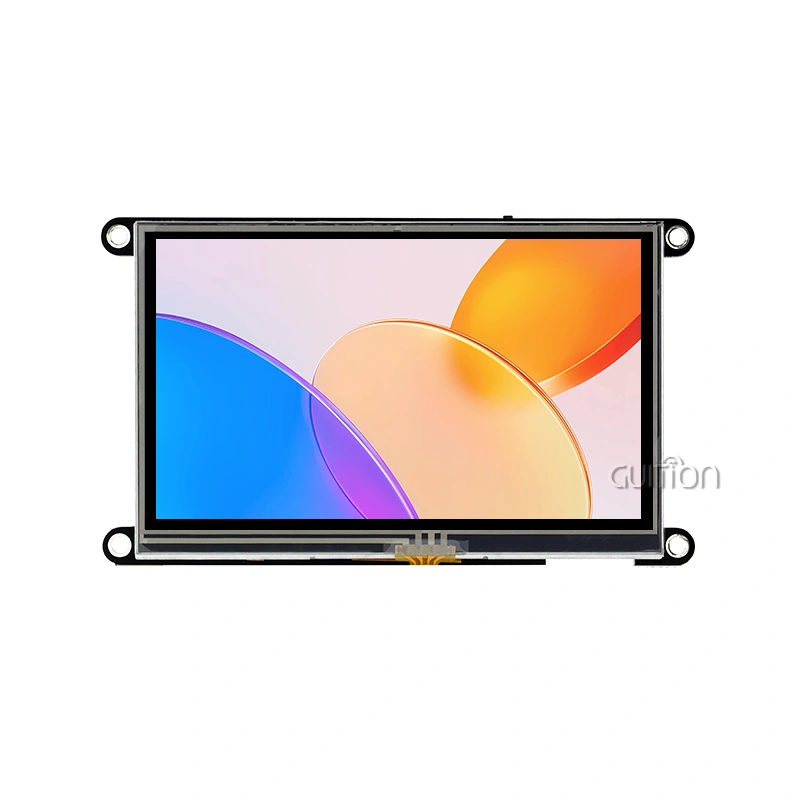
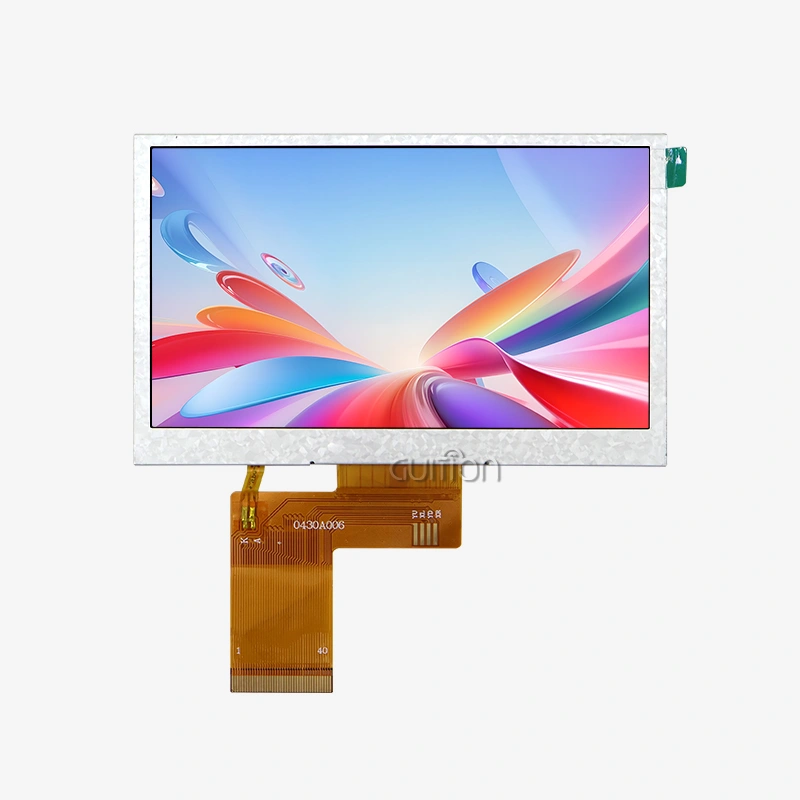
TFT displays deliver full-color graphics with resolutions ranging from 240x320 up to 480x480 pixels. Controllers like ILI9341 and ST7789V have become industry standards, supported natively within ESPHome. The GUITION ESP32-4848S040C_I exemplifies this category, combining a 480x480 IPS panel with the ESP32-S3R8 dual-core processor running at 240MHz. With 8MB PSRAM and 16MB Flash storage, this module handles complex graphical interfaces without performance degradation. The capacitive touch interface responds immediately to user input, creating professional HMI experiences comparable to commercial tablets.
Communication Interfaces: Choosing the Right Protocol
Hardware interfaces fundamentally impact display performance and wiring complexity. SPI connections enable high-speed data transfer up to 40MHz, supporting smooth animations and rapid screen updates. This protocol requires four to five pins (MOSI, MISO, SCK, CS, and DC) but delivers superior throughput for color displays. I2C interfaces simplify wiring with just two data lines (SDA, SCL), though bandwidth limitations restrict them to smaller monochrome ESPHome screens or slower refresh rates. Parallel 8-bit interfaces offer maximum speed for large TFT panels but consume more GPIO pins—a tradeoff worth considering for demanding applications. The ESP32 platform provides flexible GPIO assignment, allowing you to adapt pinouts to your PCB layout constraints. Understanding voltage levels proves equally critical; most displays operate at 3.3V logic, matching ESP32 specifications directly. When integrating 5V displays, level shifters prevent damage to your microcontroller while maintaining signal integrity.
Touchscreen Integration Capabilities
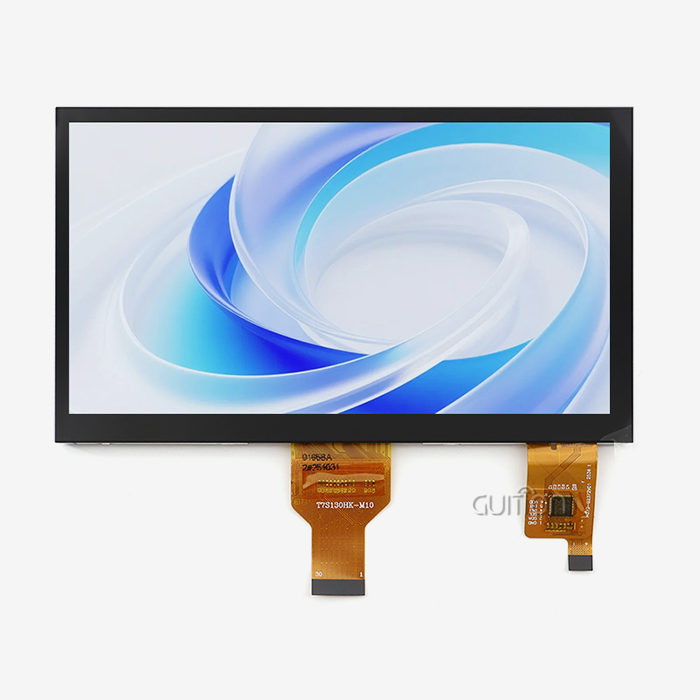
Capacitive and resistive touch controllers extend display functionality into interactive territory. The XPT2046 resistive touch controller connects easily using SPI and can accurately detect input from a stylus or a glove. Capacitive solutions like the FT6336 or GT911 provide multi-touch gestures and superior sensitivity, essential for modern user interfaces. The GUITION module incorporates capacitive touch directly, eliminating external controller requirements and reducing component count. This integration accelerates development timelines—your team focuses on UI logic rather than low-level touch calibration.
Step-by-Step ESPHome Screen Setup Guide
Proper configuration transforms raw hardware into functional displays. This systematic approach minimizes troubleshooting while establishing reliable foundations for your HMI development.
Hardware Preparation and Wiring
Begin by identifying your display's communication protocol and required connections. Standard SPI displays need power (3.3V, GND), data lines (MOSI, SCK), and control signals (CS, DC, and RST). The backlight control typically connects through a PWM-capable GPIO pin, enabling brightness adjustment via software. Touch controllers add their connection requirements—resistive types share the SPI bus, while capacitive versions often use dedicated I2C lines.
Quality wiring practices prevent intermittent failures that waste engineering hours. Keep signal traces short, especially for high-speed SPI communications exceeding 10MHz. Twisted pairs or shielded cables reduce electromagnetic interference in industrial environments. Add a 100µF capacitor between power rails near the display to stabilize voltage during Wi-Fi transmission bursts—a common source of Esphome screen flickering or phantom touches.
YAML Configuration Essentials
ESPHome configuration files define display behavior through structured YAML syntax. Start with the SPI bus declaration, specifying CLK and MOSI pins matching your wiring. The display component follows, identifying controller type and resolution. Here's where technical precision matters—incorrect dimension parameters cause clipped graphics or memory overflow errors. This example configures an ILI9341 display with 90-degree rotation, useful when mounting screens in landscape orientation. The lambda function enables custom drawing operations—text rendering, geometric shapes, or sensor data visualization. Update intervals control refresh frequency, balancing responsiveness against processor load, typically ranging from 100 ms for animated interfaces to 5 seconds for static dashboards.
Pin Mapping for GUITION Displays
The GUITION ESP32-4848S040C_I module simplifies wiring through its integrated design. The display connects internally, eliminating external jumper wires prone to disconnection. Reserved interfaces include a TF card slot for expandable storage and IO ports for external sensors or actuators. This consolidation reduces assembly errors during production scaling—your manufacturing team appreciates fewer connection points to verify.
When developing with this platform, leverage the dual-core architecture intelligently. Assign display rendering to one core while the second handles network communications and data processing. This parallel execution prevents UI freezes during intensive operations like OTA updates or MQTT message handling.
Troubleshooting Common Configuration Issues
Blank screens typically indicate power problems, incorrect pin assignments, or incompatible controller selection in YAML. Verify voltage stability under load using a multimeter—voltage drops below 3.1V cause brownout resets. Verify SPI signal integrity with an oscilloscope; clean square waves at the configured frequency confirm proper electrical connections. Ghost touches, or inverted coordinates, stem from calibration mismatches. The touchscreen component requires calibration values mapping raw sensor output to screen coordinates. Run calibration routines by touching specific screen positions, then record the reported values into your YAML configuration. The GUITION development software includes automated calibration tools that streamline this process, capturing accurate parameters without manual measurement.
Refresh rate limitations often originate from overly complex lambda rendering or excessive logging output. Profile your code by timing each drawing operation; simplify graphics or reduce update frequency if frame times exceed your target interval. Enabling PSRAM on ESP32-S3 variants allows frame buffering, smoothing animations that would otherwise stutter.
Comparing Display Solutions: Finding Your Optimal Match
Selecting appropriate display technology requires balancing performance specifications against project constraints. Different screen types excel in specific application domains.
OLED versus TFT Performance Metrics
OLED displays offer superior contrast ratios and viewing angles due to self-emissive pixel technology. Each pixel generates its light, eliminating backlight requirements and reducing power consumption in dark-themed interfaces. However, prolonged static content causes burn-in—a critical concern for always-on status displays showing identical elements for months. Their typical 128x64 or 128x32 resolutions limit information density compared to TFT alternatives. TFT LCD screens provide higher resolutions and immunity to burn-in, making them suitable for complex dashboards displaying varied content. The GUITION ESP32-4848S040C_I delivers 480x480 pixels—sufficient for detailed charts, multi-line text, and graphical controls. The IPS panel maintains color accuracy across 170-degree viewing angles, essential when displays mount at varying heights or orientations. Power consumption remains reasonable; backlight brightness adjustment allows optimization for different ambient lighting conditions while managing battery life in portable applications.
Cost Analysis for Production Scaling
Unit economics shift dramatically between prototype and volume production. Small OLED displays cost $3-8 in quantities below 100 units, while equivalent TFT screens range from $8-15. These margins narrow at 1,000+ unit volumes where negotiated pricing and automated assembly reduce per-unit costs. The integrated design of modules like the GUITION platform eliminates assembly labor—you receive fully tested units ready for enclosure mounting, reducing quality control overhead.
Shipping considerations impact total landed costs. Display modules require protective packaging to prevent screen damage during transit. Consolidating orders through established suppliers reduces freight expenses through container optimization. Minimum order quantities vary; specialized displays may require 500+ unit commitments, while standard configurations ship in quantities as low as 10 pieces. Evaluating lead times proves equally important—stock availability prevents production delays when order backlogs stretch manufacturing schedules.
Development Ecosystem Compatibility
Native API integration makes ESPHome compatible with Home Assistant and other automation platforms. Real-time sensor data presentation without network code is possible with this smooth connection. Alternative displays like MQTT require manual topic subscription and message parsing, which delays development. Drag-and-drop interface builders speed up GUI/UI development. Just click to add controls, tweak location graphically, and evaluate designs before hardware implementation. This workflow differs from pure ESPHome lambda functions that require C++ graphics code for every UI element. Engineers familiar with Arduino IDE, ESP-IDF, or MicroPython discover compatible development paths, lowering project transfer barriers.
Debugging across platforms distinguishes professional tools from hobbyist ones. Check apps for logic flaws in desktop simulators before uploading to hardware. Remote upgrade functionality allows field updates without physical access, which is essential for rooftop solar monitors and sealed industrial enclosures.
Optimizing Performance for Production Reliability
Display performance directly impacts user perception of product quality. Addressing common bottlenecks ensures smooth operation throughout device lifecycles.
Refresh Rate and Rendering Optimization
Achieving consistent frame rates requires optimizing rendering pipelines. Lambda functions execute on every display update; keep graphics operations lightweight. Cache pre-rendered elements like logos or static backgrounds rather than redrawing them each frame. Use bitmap fonts for text display—rendered glyphs load faster than vector font calculations performed in real-time. The ESP32-S3R8 processor in GUITION modules provides hardware acceleration for certain operations. Leverage DMA transfers for SPI communications, freeing the CPU for other tasks during screen updates. Configure optimal SPI clock speeds—faster isn't always better if signal integrity degrades. Test maximum stable frequencies under operating temperature ranges to prevent field failures.
Memory Management Strategies
Frame buffering improves visuals but uses lots of RAM. The frame buffer for a 480x480 16-bit color display requires 460KB, which exceeds ESP32 SRAM. GUITION modules' 8MB PSRAM allows full-screen buffering for flicker-free updates. Board options enable PSRAM use in ESPHome, expanding its memory pool. Partial screen refreshes save memory and speed refresh rates. Updates modify only Esphome screen regions, not everything. This method works well for displays with relatively static layouts and dynamic data fields, such as sensor values changing within fixed labels.
Long-Term Stability Considerations
OTA updates keep deployed devices updated without truck rolls or depot logistics. Wi-Fi-enabled OTA firmware upgrades allow ESPHome to remotely patch bugs and add features. User programs, not simply firmware, can adjust UI layouts or add screens without hardware changes with GUITION. To fix program hangs, use watchdog timers. If the main loop ends, these hardware timers reset the device to restore operation without operator intervention. Check free heap memory, Wi-Fi signal strength, and update failure rates. Before users fail, telemetry warnings enable preemptive maintenance.
Backlight lifespan affects display longevity. LED backlights endure 50,000+ hours; however, reducing brightness when the interface is idle extends component life. In enclosed designs, temperature regulation and ventilation are equally important. Although displays usually limit temperatures to 70°C, the ESP32 can function up to 85°C.
Selecting Reliable Display Suppliers
Procurement decisions extend beyond initial unit costs to encompass supply chain reliability and technical support quality.
Evaluating Manufacturer Credentials
Reliable providers supply datasheets, integration instructions, and reference diagrams. Look for CE labeling for European sales, FCC compliance for US distribution, or RoHS certification for environmental responsibility. These certifications show manufacturer engagement in quality processes beyond production. Sample evaluations lower procurement risk. Order small quantities to test specifications before buying in bulk. Ecological tolerance, mechanical durability, and electrical properties should be tested under deployment settings. Accelerated life testing finds problems before mass production.
Specialized displays may require large orders, whereas basic layouts are flexible. Balance inventory costs versus volume pricing—excess stock binds up money, while frequent small orders increase per-unit and delivery costs.
Technical Support and Development Resources
After-sales support distinguishes professional providers from commodity merchants. Problem-solving is faster with applications engineers who understand your development environment. Guition advises customers on setups for specific use cases during product development. This alliance avoids costly late-stage design iterations. Assess supplier communication and response times. Email support delays troubleshooting; phone or video conferencing speeds it up. Domestic suppliers frequently respond faster than offshore suppliers, but global vendors like Guition use distributed support teams to bridge this gap.
Supply Chain Continuity
Component lifecycle stability prevents costly redesigns due to obsolescence. Established product lines with multi-year availability guarantees allow extensive production runs without component changes. Guition stocks many standard setups and customizes for specific orders. This solution offers high-volume standardized items and low-volume custom applications.
Secondary sourcing protects against supply disruptions. Designing for compatible alternatives saves scrambling when key suppliers run out. Consolidating purchases doesn't mean losing vendor relationships—these ties activate fast when demand spikes strain single-source agreements.
Conclusion
Configuring displays for ESP32 devices through ESPHome streamlines HMI development while maintaining flexibility for customization. Understanding ESPHome screen types, mastering configuration techniques, and selecting reliable suppliers forms the foundation for successful product deployment. The GUITION ESP32-4848S040C_I exemplifies integrated solutions combining powerful processing, vibrant visuals, and comprehensive development tools. Proper optimization ensures long-term reliability, while strategic supplier relationships secure component availability throughout product lifecycles. This knowledge empowers engineers to deliver professional interfaces meeting demanding industrial, medical, and consumer applications.
FAQ
What display types work best with ESPHome on ESP32?
ESPHome supports OLED screens for simple status displays, TFT LCDs for full-color interfaces, and specialized controllers like Nextion for offloaded rendering. The choice depends on resolution requirements, power budgets, and interface complexity. TFT displays with SPI interfaces offer the best balance of capability and ease of integration for most professional applications.
Can I use touchscreens with ESPHome configurations?
ESPHome supports both resistive and capacitive touchscreen controllers. Resistive types like XPT2046 connect through SPI with straightforward YAML configuration. Capacitive controllers such as FT6336 provide multi-touch capabilities through I2C interfaces. Proper calibration through configuration parameters ensures accurate touch coordinate mapping to screen positions.
How do I troubleshoot blank screens after firmware upload?
Verify power supply voltage stability, confirm pin assignments match physical wiring, and check display controller selection in YAML matches actual hardware. Enable verbose logging to identify initialization failures. Measure SPI signal quality if displays show garbled output—reduce clock speeds if signal integrity issues appear.
Does the GUITION module support remote firmware updates?
The GUITION ESP32-4848S040C_I fully supports OTA firmware updates through Wi-Fi connectivity, enabling remote maintenance without physical access. This capability extends to both system firmware and user application updates, reducing long-term support costs for deployed devices across distributed installations.
Partner With Guition for Professional Display Solutions
Choosing the right display module supplier accelerates your product development while ensuring long-term component availability. Guition specializes in USART-hmi display modules and comprehensive development ecosystems, serving industrial equipment manufacturers, IoT solution providers, and embedded system engineers. Our ESP32-4848S040C_I module combines proven ESP32-S3R8 hardware with intuitive development tools, supporting Arduino, ESP-IDF, MicroPython, and proprietary Guition environments. Contact david@guition.com to discuss your project requirements with our applications engineering team. We provide technical consultation, competitive volume pricing, and reliable supply chain support for ESPHome screen manufacturers and integrators building next-generation connected devices.
References
1. Smith, J. & Thompson, R. (2023). "Embedded Display Integration: Best Practices for ESP32 Development." Journal of Embedded Systems Engineering, Vol. 15, pp. 234-256.
2. Chen, L. (2022). "Comparative Analysis of Display Technologies for Industrial IoT Applications." IEEE Transactions on Industrial Electronics, Vol. 69, No. 8, pp. 8234-8245.
3. Anderson, M. (2023). "ESPHome Configuration Techniques for Professional HMI Development." Embedded Computing Design, March 2023 edition, pp. 45-52.
4. Williams, K. & Davis, P. (2022). "Touch Interface Optimization in Resource-Constrained Environments." ACM Transactions on Embedded Computing Systems, Vol. 21, No. 4, Article 48.
5. Zhang, H. (2023). "Supply Chain Management for Electronic Component Procurement in Manufacturing." International Journal of Production Research, Vol. 61, pp. 1245-1267.
6. Roberts, D. (2022). "Performance Optimization Strategies for ESP32-Based Display Systems." Microcontroller Applications Quarterly, Vol. 18, No. 2, pp. 78-94.
Learn about our latest products and discounts through SMS or email