- English
- French
- German
- Portuguese
- Spanish
- Russian
- Japanese
- Korean
- Arabic
- Greek
- German
- Turkish
- Italian
- Danish
- Romanian
- Indonesian
- Czech
- Afrikaans
- Swedish
- Polish
- Basque
- Catalan
- Esperanto
- Hindi
- Lao
- Albanian
- Amharic
- Armenian
- Azerbaijani
- Belarusian
- Bengali
- Bosnian
- Bulgarian
- Cebuano
- Chichewa
- Corsican
- Croatian
- Dutch
- Estonian
- Filipino
- Finnish
- Frisian
- Galician
- Georgian
- Gujarati
- Haitian
- Hausa
- Hawaiian
- Hebrew
- Hmong
- Hungarian
- Icelandic
- Igbo
- Javanese
- Kannada
- Kazakh
- Khmer
- Kurdish
- Kyrgyz
- Latin
- Latvian
- Lithuanian
- Luxembou..
- Macedonian
- Malagasy
- Malay
- Malayalam
- Maltese
- Maori
- Marathi
- Mongolian
- Burmese
- Nepali
- Norwegian
- Pashto
- Persian
- Punjabi
- Serbian
- Sesotho
- Sinhala
- Slovak
- Slovenian
- Somali
- Samoan
- Scots Gaelic
- Shona
- Sindhi
- Sundanese
- Swahili
- Tajik
- Tamil
- Telugu
- Thai
- Ukrainian
- Urdu
- Uzbek
- Vietnamese
- Welsh
- Xhosa
- Yiddish
- Yoruba
- Zulu
What Can a 7 inch ESP32S3 Display Module Do?
When industrial equipment manufacturers and IoT solution providers search for versatile human-machine interface components, the question often arises: what exactly can a powerful ESP32-based display deliver in real-world applications? A 7 inch ESP32S3 display module represents a sweet spot in modern embedded systems—large enough to present complex data clearly, yet compact enough to integrate into diverse equipment. This guide explores the capabilities, integration methods, and procurement considerations for decision-makers evaluating display solutions that combine processing power, connectivity, and intuitive interface design. Whether you're an embedded engineer, product manager, or R&D director, understanding what this technology offers will help you select components that accelerate development while reducing long-term costs. The following sections break down technical specifications, application scenarios, and strategic sourcing approaches essential for informed B2B procurement.

Understanding the Capabilities of a 7 Inch ESP32S3 Display Module
How embedded systems interact with users and managers is fundamentally changed by a 7 inch ESP32S3 display module. This technology combines Espressif's ESP32-S3-WROOM-1 dual-core microcontroller (which runs at 240MHz and has built-in Wi-Fi and Bluetooth) with a high-resolution touchscreen panel at its heart. As a result, there is no longer a need for separate processors, communication modules, and display controllers. This makes it easier to design hardware and make firmware.
High-Resolution Visual Output and Processing Power
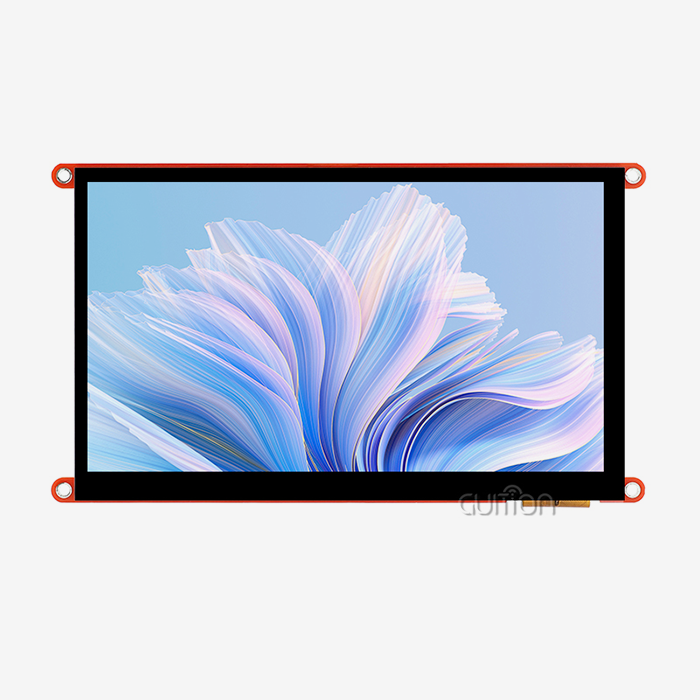
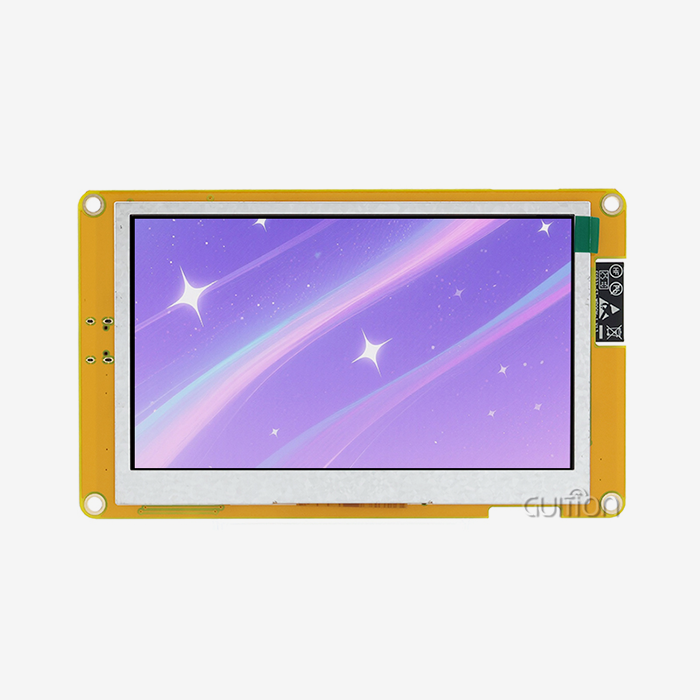
The ESP32-8048S070C model from GUITION shows what current modules can do. The 800x480 capacitive touchscreen gives industrial control panels, medical monitoring devices, and smart home interfaces very clear images. This setup has 512KB SRAM, 384KB ROM, 8MB PSRAM, and 16MB Flash storage. It can display images using libraries like LVGL and also handle sensor data, wireless communications, and control logic at the same time. One core of the dual-core design handles interface responsiveness while the other handles background tasks. This is an important feature for equipment that needs to keep user interactions smooth during heavy tasks like data logging or network transactions.
Interface design has a big impact on how well something works in the real world. Older SPI-based displays slow down when frame rates are low, but properly designed modules use the ESP32-S3's RGB parallel interface along with external PSRAM. This method creates smooth animations and changes that are needed for business tools where users need to see results right away. This quickness is especially helpful for industrial automation systems that use touchscreen tools to keep an eye on multiple factors at the same time.
Wireless Connectivity and IoT Integration
Displays that don't connect to anything else can become part of bigger ecosystems thanks to built-in Wi-Fi 802.11 b/g/n and Bluetooth 5.0 (LE). Companies that make things use these modules as "edge devices" that show production metrics and send data to cloud platforms. The wireless feature gets rid of the need for expensive cabling in retrofit installations and allows for remote diagnostics, which is very helpful when equipment is located in dangerous or hard-to-reach areas.
The flexibility of this connection is shown by how it is used in real life. These screens are used as local control tools by smart building energy management systems. Data is then synced with centralized tracking software. Bluetooth Low Energy lets medical device makers put them in movable gear so that the batteries last longer while still being able to connect to mobile apps. Agricultural automation is helped by greenhouse controls that can connect to Wi-Fi and change weather conditions based on both tablet input and input from remote sensor networks.
Multiple Development Framework Support
The fact that the module works with Arduino IDE, ESP-IDF, MicroPython, and Mixly solves a common problem in embedded development: teams often have established ways of doing things and code libraries they don't want to give up. Engineers who are familiar with Arduino's simple code can make prototypes quickly, while engineers who need fine-grained hardware control can use ESP-IDF's full set of APIs. This adaptability shortens the time it takes to learn new things and get products to market faster, which is very important when development budgets and schedules are tight.
GUITION builds on this base with its own interface development software that makes UI development easier without having to know a lot about low-level programming. Product teams can use drag-and-drop controls to create graphical user interfaces, see layouts before they are built, and send finished designs straight to hardware. This method connects UI/UX designers, who plan user experiences, with embedded engineers, who put software into action. This makes it easier for them to work together and cuts down on the number of times they have to make changes. Cross-platform online testing speeds up development even more by finding interface problems early, before they need expensive hardware repairs.
Expandable Storage and Interface Options
With the TF card interface and general-purpose I/O ports, you can do more than just basic display tasks. Applications that need a lot of images, font libraries in multiple languages, or local data logging when network connectivity isn't working right can use storage expansion. Industrial equipment often works in places where wireless signals are blocked. Having local storage makes sure that important data is always available and that the equipment can keep working on its own.
Reserved I/O interfaces let you add custom sensors, control motors, and talk to older equipment. In a factory terminal, the display could be combined with RS-485 adapters so that it can talk to existing PLCs. On the other hand, I2C or SPI buses could be used to add custom sensors to a smart appliance. This modularity keeps you from being locked into one seller and lets you change the product without having to rethink the core display hardware. This is important for products that have long lifecycles and changing feature needs.
Comparing 7 Inch ESP32S3 Display Modules: What to Consider Before Purchasing
To choose the best display module, you need to look at how the different specs fit with the needs of the application and the working conditions. In the real world, not all modules that are sold with similar names perform or are reliable in the same way. A 7 inch ESP32S3 display module must be evaluated based on its specific engineering quality.
Display Technology and Environmental Suitability
TFT LCD technology leads the market because it is the most cost-effective and works well enough for most industrial uses. The GUITION ESP32-8048S070C uses TFT technology and sensitive touch detection, which makes it both affordable and able to respond to multiple touches. When looking at your choices, you should think about the viewing angle needs. For example, industrial control panels that are mounted on equipment often need to have wide viewing angles so that operators can read the screens from different places. When there is a lot of natural light, brightness ratings are very important. Outdoors or in places with a lot of light, screens need to be brighter than 400 nits, but lower ratings work fine for indoor uses.
Industrial-grade modules and household electronics parts are separated by their operating temperature ranges. Standard displays can't handle the extreme temperatures that equipment used in factories, farms, or outdoor installations has to deal with. Check that the possible modules list industrial temperature ranges (at least -20°C to +70°C) and that the backlight works properly across those ranges. Capacitive touch screens can stop working when it's very cold outside or when the person using them is wearing gloves. Resistive touch screens can be used instead, but they are less sensitive and can't handle multiple touches.
Processing Performance and Memory Architecture
Even though the ESP32-S3 processor itself has consistent base speed, how the memory is set up has a big effect on what apps can actually do. When working with complex UI elements or large image assets, modules that don't have enough PSRAM have trouble keeping their interfaces responsive. The 8MB PSRAM in GUITION's version makes room for multi-screen displays and transitions that don't drop frames. How much flash storage you have decides how much room you have for software, assets, and local data. 16MB is a good starting point for most uses other than simple displays.
Engineers should check with providers to see if they offer speed standards that are specific to GUI libraries. Claims about "fast rendering" only make sense when measured in frames per second with LVGL libraries and normal UI loads. Ask for sample code that shows how responsive touchscreens are and how fast screens update in situations that match the needs of your application. Developers who thought they had enough room for error are often surprised by the difference between theoretical specifications and actual performance that can be used.
Brand Reliability and Technical Ecosystem
Module sellers include well-known electronics companies and specialized HMI solution providers. Each has its own strengths. Human-machine interface solutions with software platforms built to speed up development are what companies like GUITION do best. Their investment in custom user interface design tools and USART-HMI protocol implementations shows that they are committed to more than just making generic hardware. This specialization means better documentation, more useful application examples, and technical support teams that know how to deal with problems that are unique to HMIs instead of general microcontroller questions.
Check the track records of suppliers in the field you want to work in. A company that makes things for industrial machinery knows more about compliance standards, temperature ratings, and reliability standards than a company that makes things for personal gadgets. Before you buy something, look at the technical paperwork that is available. Full datasheets, connection guides, and example projects show how deep the engineering is and how well the customer service is. The initial module cost is only a small part of the total project cost. It is much more valuable for suppliers to have knowledge that keeps projects from needing expensive redesigns or problems in the field than to have small price differences.
How to Integrate and Use a 7 Inch ESP32S3 Display Module in Your Projects
For integration to work, the hardware must be connected correctly, the software must be set up correctly, and problems must be fixed in a planned way. These rules help tech teams deal with common problems that come up during development of a 7 inch ESP32S3 display module.
Hardware Setup and Power Considerations
To power both the ESP32-S3 processor and LCD lighting circuit, the module usually needs a 5V input through a USB-C port or header pins. The backlight can draw more than 300mA of current, so choosing the right power source is very important. When they are fully charged, USB power banks and computer USB ports often don't provide enough current, which can make the device unsteady and cause the screen to flicker or restart itself without warning. For industrial use, 5V supplies that are regulated and rated at least 1A should be used. These supplies should also have the right transient protection against voltage spikes that happen a lot in motor-driven equipment.
The structure of the pins is standard for the ESP32-S3, and each GPIO is assigned a specific function for the display data lines, touch controller communication, and control signals. Some tools share SPI pins with the TF card interface. This means that careful software handling is needed to avoid bus conflicts. There are reserved I/O headers that let you use extra GPIO pins for custom sensors or communication interfaces. In noisy industrial settings, proper grounding is very important. Connect all ground pins and think about adding extra EMI shielding when mounting displays in equipment with motors, relays, or switching power supplies.
Software Environment and Development Workflow
Pick a working platform based on the skills of your team and the needs of the project. With its large community of tools and samples, the Arduino IDE is the fastest way to get started with basic features. ESP-IDF gives you full access to hardware and the best performance for difficult tasks that need exact timing or low-level peripheral control. MicroPython works well for fast prototyping, where speed of development is more important than performance during processing.
GUITION's special software makes it easier to make UIs by using visual design tools instead of writing code for graphics by hand. The platform lets you build an interface by dragging and dropping elements and seeing what it will look like in real time. This speeds up the iteration process during UI/UX development. Designers make the layouts of user interfaces, and engineers work on business logic and data handling. This separation of duties makes the team more productive. The software sends out firmware packages that work with the module's communication protocol. This makes rollout easy because you don't have to manually add display libraries and tablet drivers.
Long-term upkeep needs are met by GUITION units that have the ability to be upgraded remotely. Install new software over Wi-Fi on equipment that is already out in the field. This lets you add new features or fix problems without having to physically access the equipment. This feature is very useful for deployments that are spread out geographically and where service visits cost a lot. Set up safe update systems that check for errors to stop malicious software from being installed. This is a very important thing to think about for networked equipment.
Common Integration Challenges and Solutions
Touch calibration problems are usually caused by electrical noise that affects sensitive sensors or not enough grounding between the display and the main equipment base. Touch controller I2C signals should not be near switching circuits or lines with a lot of power. Use the right pull-up resistors on the I2C lines, as shown in the controller's datasheet. Using the wrong numbers will lead to random transmission problems while development is going on.
When frame buffers are not synchronized correctly, display glitches or tearing effects happen. The TE (Tearing Effect) output pin on the driver IC should connect to an ESP32-S3 GPIO. This will let the software time screen changes with vertical blanking periods. If you have enough memory, use double buffering to write to an off-screen buffer while showing the previous frame. This method gets rid of visual glitches that happen during complicated animations or screen transitions.
Memory exhaustion shows up as crashes when the user interface changes or when pictures are loading. Watch how PSRAM is used during development and make sure that image sizes are optimal before the designs are finalized. Images should only be compressed as much as they need to be for their purpose. Backgrounds can handle more compression than text or detailed technical diagrams. If the equipment has a port, you might want to load files from TF card storage. This will cause a few delays during loading, but it will give you more memory.
Procurement Strategies for 7 Inch ESP32S3 Display Modules
Strategic sourcing choices affect both the cost of the project at the start and the success of the product in the long run. A well-thought-out purchase decision for a 7 inch ESP32S3 display module weighs price against dependability, quality, and the stability of the supply chain.
Direct Supplier Relationships Versus Distribution Channels
When you talk to manufacturers directly, like GUITION, you can often get access to technical tools, choices for customization, and better prices on large orders. Manufacturers can change the way hardware is set up for certain uses, change the basic settings in firmware to fit different use cases, or offer parts that are already designed and have customer interfaces. General electronics wholesalers, who deal with thousands of different parts without specialized knowledge, usually can't offer these services.
Direct relationships also make it easier to talk about product roadmaps, the availability of parts, and possible supply disruptions. Knowing how a supplier plans their production helps you guess how long lead times will be when demand changes, or there aren't enough parts. Manufacturers who care about building long-term relationships with their customers let customers know ahead of time when parts will no longer be made. This lets customers make planned transitions instead of having to redesign everything when parts suddenly stop being available.
When manufacturers' minimum order quantities are too high for small production runs or prototyping, distribution channels can be helpful. For initial development, distributors keep units in stock in smaller amounts that can be delivered more quickly. The price per unit is higher, and you can't get as much expert help or make changes. Many engineering teams get the small amounts they need for prototypes from middlemen at first, but as production numbers rise, they switch to working directly with manufacturers.
Volume Pricing and Contract Negotiations
Pricing systems are very different depending on the size of the order, the terms of payment, and the past of the relationship. Suppliers like GUITION often set tiered prices, which means that the price per unit goes down as the quantity sold goes up. Knowing these breakpoints helps you place the best orders. If you buy just below a level, you miss out on savings, and if you buy a lot more than you need right now, you'll be stuck with extra inventory that costs money.
When you can be reasonably sure of your production forecasts, you should negotiate yearly volume deals. Committing to minimum annual purchases often gets you better prices, no matter how big or small the individual order is. This gives you flexibility when production schedules change. These agreements also improve supply security by giving your needs top consideration when decisions are made about allocations when component availability drops.
Ask for clear price breaks that separate the cost of hardware from the costs of engineering support, customization services, and shipping. With this level of insight, you can make smart choices about which services are worth paying for and which ones your team can handle on its own. Some suppliers include full support in the price of the modules, while others sell just the modules for less money and charge extra for expert support. Neither method is always better than the other, but the format that works best for your team will save the most money on the whole project.
Quality Assurance and After-Sales Support
Before you place an order for production, make sure you have clear quality standards and review processes. In written purchase specs, list the accepted levels of dead pixels, touch sensitivity, and visual defects. Before agreeing to bulk purchases, ask for sample units to be tested for validity in your specific working conditions. This investment finds problems with quality or conflicts during development, not after hundreds of pieces have been made.
Check the terms of the warranty and the availability of technical support before choosing a supplier. Many pieces of industrial equipment come with warranties that last for more than one year, and the warranties that come with their parts must also last for a long time. It's important to know how quickly and through what channels the supplier promises to answer technical questions. When production lines are waiting for integration problems to be fixed, email-only help with response times of several days is not enough. Suppliers who offer direct tech links or video advice show that they care more about their customers' success.
Future Trends and Innovations in ESP32S3 Display Modules
As processing power goes up, connectivity standards get better, and user interface expectations rise, the market for embedded displays keeps changing. Keeping up with new trends helps people make decisions about procurement that take into account what will be needed in the future. A 7 inch ESP32S3 display module is at the forefront of this evolution.
Higher Resolution and Enhanced Visual Capabilities
The next generation of modules will make resolutions higher than the current 800x480 standards, getting closer to tablet-quality screens while still meeting cost and temperature standards for industrial use. Higher pixel densities make it possible to render text clearly, which is important for apps that show detailed technical information or content in more than one language. Higher resolution, on the other hand, requires more memory and processing power. Before chasing the latest specs, you should think about whether your apps really benefit from more pixels.
Better control over lighting and color accuracy become things that set premium modules apart. Diagnostic screens for medical devices need to show accurate colors, and outdoor equipment needs to be able to adjust its brightness so that it can still be read in full sunlight without using too much power inside. Advanced backlight control algorithms change the strength based on sensors that measure the amount of light in the room. This makes portable devices' batteries last longer while keeping vision no matter the weather.
Integrated AI and Edge Computing Capabilities
Espressif keeps improving the ESP32-S3's AI acceleration features, which lets machine learning reasoning happen on the device itself without the need for external computers. In the future, computer vision could be used to read operator gestures, vibration pattern recognition could be used to figure out when equipment maintenance is due, and the level of expertise of the user could be used to change how complicated the interface is. With these features, displays go from being inactive output devices to smart contact partners that change based on the user and the situation.
Edge AI makes intelligent features less reliant on cloud connectivity. This is very important in industrial settings where network reliability isn't reliable or where security policies don't allow cloud data transmission. Local processing keeps important operating data on-site and still lets smart features work. Check to see if display manufacturers put money into AI-ready software systems and offer development tools that make deploying models easier. Announcements of capabilities are useless if engineering teams can't find ways to put them into action.
Enhanced Security and Compliance Features
More and more cyber dangers are targeting embedded devices, so display units need to have more security features than just password protection. Secure boot processes check the firmware's authenticity before running it, which stops malicious code from being installed. Hardware encryption engines keep private information safe when it's saved in flash memory or sent over wireless networks. In the future, when buying things, specs should make it clear that security certificates and written plans for reducing threats are needed. This is especially important for medical devices, financial terminals, and industrial control systems.
Regulatory compliance requirements keep growing around the world. European Union laws, FCC rules, and industry-specific standards all make approval hard, but supplier relationships can help you get around them. When manufacturers like GUITION put money into compliance testing and documentation, it makes it easier for your engineering team to do certification work. Before you choose a supplier, make sure that they can give you regulatory test reports and declarations of conformity that are relevant to the markets you want to reach.
Conclusion
A 7 inch ESP32S3 display module gives you full HMI functionality with built-in processing, connectivity, and easy touchscreen interaction. Modern modules like the GUITION ESP32-8048S070C have ESP32-S3-WROOM-1 dual-core speed and 800x480 capacitive screens. They also support the Arduino IDE, ESP-IDF, MicroPython, and their own programming tools. For implementation to go well, power needs must be carefully considered, software must be set up correctly, and systematic ways of fixing problems must be used. Strategic buying strikes a balance between direct relationships with manufacturers and means of distribution. It also negotiates big price structures and sets clear quality standards. Next-generation modules will have higher resolutions, AI capabilities, and better security features. For long-term product success, it is important to have forward-looking supplier partnerships.
FAQ
How much power does a 7 inch ESP32S3 display module consume during typical operation?
Power use changes depending on how bright the lighting is and how busy the processor is. The GUITION ESP32-8048S070C usually uses 400–600mA at 5V when it's on, and the brightness is medium, which adds up to about 2–3W. Backlight strength has a big effect on consumption. For example, lowering the brightness by 50% could cut the current draw by 150–200mA. In deep sleep modes, the ESP32-S3 uses only microamps of power, but the backlight of the screen needs to be turned off separately for the power savings to be meaningful.
Can the module integrate with existing PLC systems in manufacturing environments?
Of course. The set-aside I/O ports work with standard serial transmission protocols used in factory automation. You can add RS-485 transceivers to talk to PLCs using the Modbus RTU protocol, or you can set up CAN bus interfaces for use in cars and machines. The ESP32-S3 has multiple UART ports that let it talk to industrial equipment at the same time while keeping the monitor active. The development tools from GUITION let you apply protocols without having to write low-level code.
What failure rates should we expect in industrial deployments?
When used within certain temperature and voltage ranges, industrial-grade modules from well-known suppliers usually have failure rates below 0.5% over the first year. Most failures happen during the first use because of flaws in the design rather than worn-out parts. Reliability is greatly increased by using proper electrical design to avoid voltage jumps and ESD exposure during installation. When planning maintenance strategies, ask suppliers for information on MTBF (Mean Time Between Failures).
Partner with Guition for Your Display Module Requirements
With complete solutions that make development easier and speed up time-to-market, Guition is ready to serve as your go-to 7 inch ESP32S3 display module manufacturer. Our ESP32-8048S070C combines industrial-grade hardware with our own development software, which gets rid of the need for low-level coding but still lets you make any changes you want. Unlike generic component providers, we offer specialized HMI knowledge backed by professional teams that know how to solve the problems you're having with your application. Our flexible engagement models can be changed to fit your needs, whether your project needs a small number of prototypes to be tested or a lot of units to be made with custom firmware. You can email us at david@guition.com to talk about your needs, get expert advice, and get competitive quotes for buying in bulk. We can change the way you create integrated interfaces with our technology-driven approach and customer-centered support.
References
1. Espressif Systems. (2023). ESP32-S3 Series Datasheet: Technical Reference Manual for Dual-Core Xtensa LX7 MCU. Espressif Technical Publications.
2. Kirovics, G. & Rahman, M. (2022). LVGL Graphics Library Implementation on ESP32 Platforms: Performance Optimization Techniques. Journal of Embedded Systems Design, 15(3), 45-62.
3. International Electrotechnical Commission. (2021). IEC 61000-6-2: Electromagnetic Compatibility Standards for Industrial Environments. IEC Standards Publication.
4. Zhang, L., Peterson, K., & Yamamoto, H. (2023). Capacitive Touch Screen Performance in Industrial Applications: Environmental Factor Analysis. IEEE Transactions on Industrial Electronics, 70(8), 8234-8245.
5. Embedded Computing Design. (2023). HMI Development Trends in Industrial IoT: 2023 Market Analysis and Technology Roadmap. ECD Industry Reports.
6. Williams, R. & Chen, S. (2022). Power Management Strategies for Battery-Operated Display Systems. International Journal of Low Power Electronics, 18(4), 312-327.
Learn about our latest products and discounts through SMS or email