- English
- French
- German
- Portuguese
- Spanish
- Russian
- Japanese
- Korean
- Arabic
- Greek
- German
- Turkish
- Italian
- Danish
- Romanian
- Indonesian
- Czech
- Afrikaans
- Swedish
- Polish
- Basque
- Catalan
- Esperanto
- Hindi
- Lao
- Albanian
- Amharic
- Armenian
- Azerbaijani
- Belarusian
- Bengali
- Bosnian
- Bulgarian
- Cebuano
- Chichewa
- Corsican
- Croatian
- Dutch
- Estonian
- Filipino
- Finnish
- Frisian
- Galician
- Georgian
- Gujarati
- Haitian
- Hausa
- Hawaiian
- Hebrew
- Hmong
- Hungarian
- Icelandic
- Igbo
- Javanese
- Kannada
- Kazakh
- Khmer
- Kurdish
- Kyrgyz
- Latin
- Latvian
- Lithuanian
- Luxembou..
- Macedonian
- Malagasy
- Malay
- Malayalam
- Maltese
- Maori
- Marathi
- Mongolian
- Burmese
- Nepali
- Norwegian
- Pashto
- Persian
- Punjabi
- Serbian
- Sesotho
- Sinhala
- Slovak
- Slovenian
- Somali
- Samoan
- Scots Gaelic
- Shona
- Sindhi
- Sundanese
- Swahili
- Tajik
- Tamil
- Telugu
- Thai
- Ukrainian
- Urdu
- Uzbek
- Vietnamese
- Welsh
- Xhosa
- Yiddish
- Yoruba
- Zulu
Top Uses and Benefits of Capacitive Touch Display Modules
Capacitive touch display modules represent a significant advancement in human-machine interface technology, combining projected capacitive touch sensors with high-quality display panels to create intuitive interaction experiences. Unlike pressure-based alternatives, these modules detect touch through changes in electrical capacitance when a conductive object approaches the sensor grid, enabling multi-touch gestures and exceptional responsiveness. This technology has transformed industries ranging from industrial automation to medical devices, offering engineers and product developers a reliable foundation for building next-generation interactive systems. As businesses seek faster time-to-market and reduced development complexity, understanding the practical applications and tangible benefits of these modules becomes essential for making informed procurement decisions that align with both technical requirements and business objectives.


Top Uses and Applications of Capacitive Touch Display Modules
Industrial Automation and Control Panels
For factories to work, they need tough HMI systems that workers can depend on during multiple shifts. Capacitive touch display modules work great here because they don't have any problems when you wear gloves to work, which is very important on production lines. The sealed front surface keeps dust, oils, and cleaning agents that are common in factories from getting in. System design is made easier to use by connecting to programmable logic controllers (PLCs) using common protocols like Modbus or CAN bus. Real-time monitoring interfaces show the status of the machine, production metrics, and alarm conditions. Touch navigation makes it easier for operators to find their way around, which cuts down on training time and boosts process efficiency.
Medical Device Interfaces
Healthcare applications have strict requirements for cleanliness and hygiene that Capacitive touch HMI Display Modules meet well. The protected, smooth glass surface doesn't let germs grow and can be cleaned many times with harsh chemicals like alcohol, bleach, and quaternary ammonium compounds without breaking down. Touch controls make it easy for medical staff to quickly use patient tracking systems, testing tools, and infusion pumps when time is of the essence. Glove-compatible tracking makes sure that the device works even when rubber or nitrile examination gloves are worn. Medical device makers have even more faith in their products when they follow the rules set by IEC 60601 for electrical medical equipment.
Smart Home and Consumer Electronics
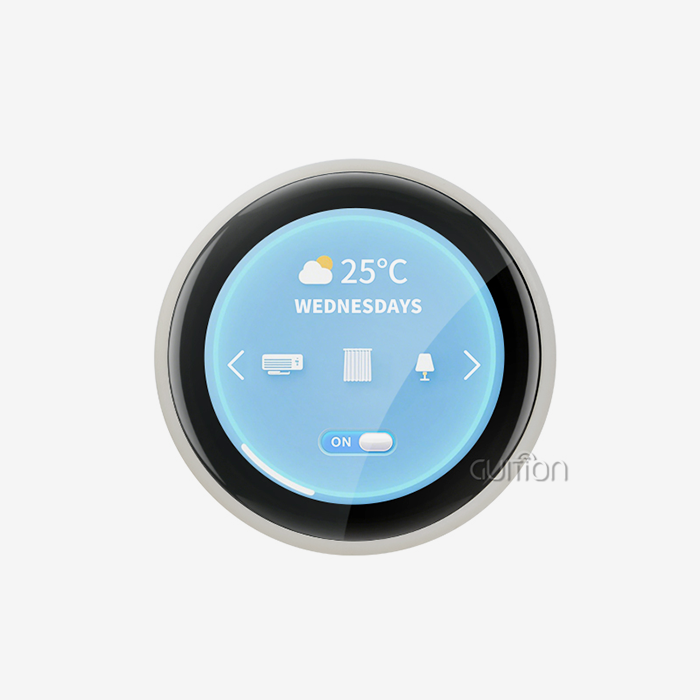
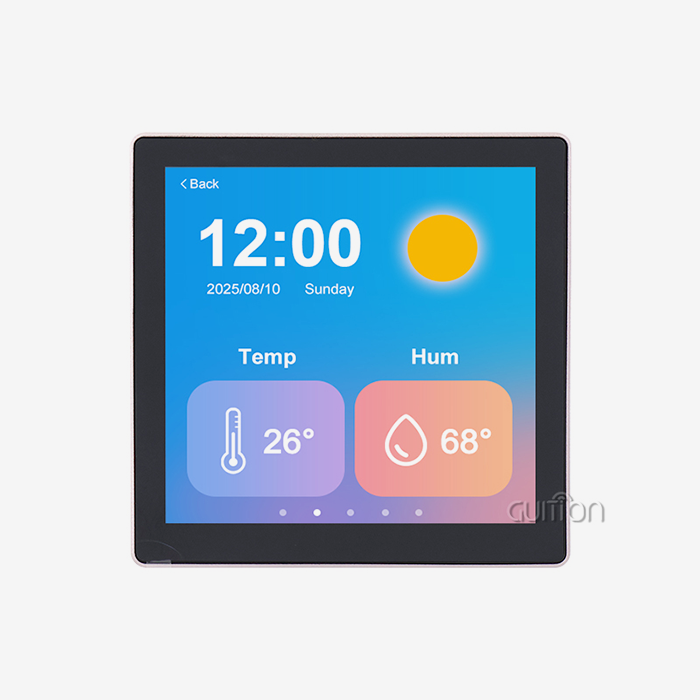
The consumer market drives the need for smart appliances, thermostats, and home automation controllers with sleek, responsive interfaces that make using them easier. With edge-to-edge glass designs and no obvious mechanical buttons, Capacitive touch display modules make it possible for products to have the simple look that customers want. Because so many people use smartphones, multitouch gestures feel natural and easy to use. Portable gadgets' batteries last longer when they use less energy. Manufacturers like how these modules give them design freedom by letting them make custom bezel shapes, glowing effects that are built in, and smooth interaction with device casings that help their brands stand out in competitive markets.
Automotive Dashboard and Infotainment Systems
Modern cars have more and more complex electrical connections that need to work reliably even when the temperature, vibration, and light conditions change. Automotive-grade Capacitive touch display modules deal with these issues by using better gluing methods that stop delamination, anti-glare layers that make the screens easy to read in direct sunlight, and backlighting that is over 1000 nits bright. The touch response stays the same whether the person has wet hands or cold gloves on. Integration with vehicle networks through CAN protocols lets you control navigation, climate, entertainment, and vehicle settings through a single touchscreen interface, which makes the cabin easier to use and reduces the number of buttons that are in the way.
Retail Kiosks and Point-of-Sale Terminals
Public-facing interactive terminals get a lot of use every day from many people, so they need to be very durable and resistant to damage. Chemically stronger glass surfaces on Capacitive touch display modules make them resistant to deliberate damage while still working properly. The responsive, glass-smooth interface makes it easy for customers to interact with self-checkout, wayfinding, product information, and digital signage apps. Hygiene standards are kept up by how easy it is to clean between uses. Security features and the payment interface keep private transaction data safe. Customers are more likely to trust a brand and buy something when the display looks professional, which is especially important in retail settings where first impressions are very important.
Energy Management and Building Automation
Facilities management systems use Capacitive touch display modules to handle lights, HVAC, security, and energy tracking from one place in business and public buildings. Wall-mounted panels make it easy to use complex building functions without having to learn how to do them. Scheduling tools, floor plan displays, and real-time energy consumption panels can all be accessed by touching them. Connecting to a network via Ethernet or WiFi lets you watch and handle things from afar, which lowers the cost of maintenance. Longevity and low failure rates of the technology cut down on service calls, which is important for installations in places that need special access equipment or that could disrupt building operations.
Key Benefits That Drive Procurement Decisions
Exceptional Durability and Longevity
Durability is the most important thing to think about when figuring out the total cost of ownership. Capacitive touch display modules are very resistant to wear because they sense touches through a glass surface that is still intact, rather than through bendable layers that have been physically deformed. This basic difference in design gets rid of the wear processes that make resistive touchscreens only last for about a million hits. Capacitive alternatives can usually handle more than fifty million touch cycles without breaking down. For example, factory HMI panels are used hundreds of times per shift, and retail kiosks serve thousands of customers every month. This long life means lower replacement costs, less downtime for maintenance, and higher equipment availability ratios, all of which improve operational efficiency metrics.
Superior Optical Clarity and Display Quality
The quality of the visual presentation has a direct effect on how easy it is to use, especially for programs that show complex images, fine text, or important state information. When a Capacitive touch display module is used, the optical stack doesn't get in the way of the user's eyes seeing the screen. Light transfer is usually higher than 90%, which keeps the brightness and color accuracy of the LCD or OLED screen low. Thanks to IPS technology, which is often paired with sensitive sensors, contrast ratios stay high even at wide viewing angles. This optical quality makes it easier to read in dim light, lessens eye strain during long viewing sessions, and allows for more advanced graphical user interfaces that clearly communicate complex information—benefits that improve both user satisfaction and operational outcomes.
Enhanced Responsiveness and User Experience
Touch response has a big effect on how users feel about the quality and usability of a gadget. Touches are picked up by Capacitive touch hmi display module modules very quickly—with current touch controls, scan rates can go over 100Hz. This quick response makes it seem like the interface knows what the user wants before they even say it, with UI elements responding as soon as a finger touches them. Multitouch lets you use natural gestures like pinching to zoom in on detailed schematics, rotating 3D models with two fingers, or swiping to move through menus. These gestures make it easier to finish tasks and learn new ones faster. Users are less likely to get frustrated and make mistakes when they interact with an interface that is smooth and fluid. This leads to higher productivity in professional settings where interface efficiency directly affects throughput.
Simplified Integration and Development
Many choices about procurement are based on how to improve development speed. This is because engineering teams have to balance aggressive product roadmaps with limited resources. Modern Capacitive touch display modules with built-in controllers and standard communication protocols make integration a lot easier. Plug-and-play connectivity with host processors, such as microcontrollers and single-board computers, is possible with I2C and USB interfaces. The prototyping process goes faster with detailed datasheets, example code, and expert help. Some companies, like Guition, offer full development environments that include graphic design tools, control libraries, and modeling features that let engineers create complex user interfaces using drag-and-drop methods instead of writing code at the low level. This speeding up cuts months off of development times and lets smaller teams do things that used to require a lot of specialized knowledge.
Long-Term Reliability in Demanding Environments
Reliability engineering tells the difference between industrial and consumer uses. Industrial-grade Capacitive touch display modules go through a lot of tests to make sure they work well in tough conditions. These tests include changing temperatures, exposure to humidity, vibrations, and a short test of their lifespan. Conformal layers keep wetness and other contaminants away from circuit boards. Industrial-temperature parts make sure that they work in a wide range of temperatures. Because of these design features, the mean time between failure (MTBF) rates are higher than 100,000 hours, which means that the device can be used for decades with normal job cycles. This kind of dependability lowers the cost of warranties, protects the brand's image, and gives people the confidence to use goods in rural or important settings where field service is too expensive or impractical.
How to Select the Right Capacitive Touch Display Module for Your Needs
Assessing Display Size and Resolution Requirements
Before choosing a display, you should think about how much information your application needs and how far people will be watching it. Small Capacitive touch display modules—1.28 to 3.5 inches—work well with wearable tech, small instruments, and places with limited space where people have to look at screens up close. Mid-size displays, which are between 4.3 and 7 inches, have the right amount of screen space for handheld devices, controllers that mount on the wall, and embedded systems. Larger screens, between 10.1 and 21.5 inches, can be used for desktop apps, booths, and desks that need to show a lot of information. The size should be right for the job. For example, 480x272 pixels is fine for simple status displays, but 1280x800 or higher is needed for detailed images or text-heavy interfaces that need to be readable.
Evaluating Touch Sensitivity and Glove Compatibility
The touch sensitivity specifications tell you how well a module works in certain situations. Standard sensitivity is fine for consumer applications where the user's fingers are bare, and the surface is clean and dry. In industrial and medical settings, things can go wrong because workers wear gloves made of thin rubber or heavy leather, surfaces can get dirty or wet, and operators may need to use styluses to type accurately. Modern touch controls have sensitivity levels that can be changed and signal processing algorithms that can tell the difference between water droplets and intentional touches through gloves up to 5 mm thick. By comparing your unique use case to these features, you can avoid picking a Capacitive touch display module that doesn't work well in real-world situations.
Controller Compatibility and Interface Options
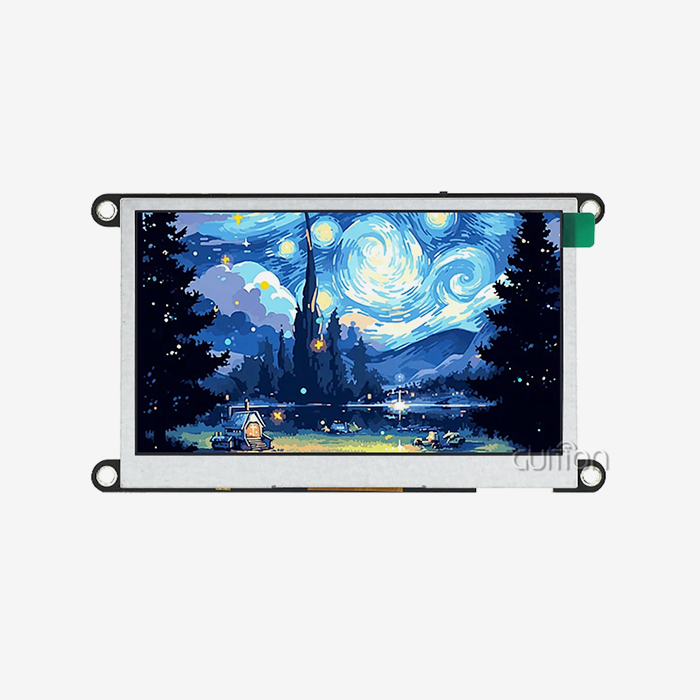
The way your system is built determines what power levels and data ports your Capacitive touch display module needs to be able to handle. Designs that use microcontrollers often use UART serial interfaces or I2C buses that reduce the number of pins and power used, which makes them perfect for devices that run on batteries. Single-board computers that run Linux often like USB connections that use the operating system's built-in support for HID touch devices, so they don't have to make their own drivers. Think about whether your controller has enough processing power to render images or if you need a smart display module with a built-in processor that can handle UI jobs on its own. The Guition JC4827Q343C_I model is an example of this smart display approach. It has a 400MHz D121BAV MCU that handles graphics operations, touch processing, and communication protocols. It also gives the host system a simple UART interface.
Industrial-Grade vs. Consumer-Grade Modules
Because of environmental concerns, industrial modules are different from consumer modules in ways that affect both cost and function. Consumer modules are designed to work best in standard operating conditions, such as at room temperature, in clean environments, and with light handling. Industrial versions have better specs, like being able to work in a wider range of temperatures (-20°C to 70°C or more), being more resistant to impact (IK07 to IK10 ratings), being better at blocking electromagnetic fields (CE/FCC compliance with margin), being better at protecting against electrostatic discharge (contact discharge ratings exceeding 8kV), and being able to handle higher humidity levels for longer. These improvements make each unit more expensive, but they are necessary for use in workplaces, outdoors, cars, and other places where failure risks are higher than the extra cost of industrial-grade parts.
Development Ecosystem and Technical Support
The development tools and support materials that come with a Capacitive touch display module have a big impact on the success of the project and the time it takes to get the product to market. Engineering teams can work quickly and easily when they have all the information they need, like hardware datasheets, schematic references, application notes, and integration guides. It's easier to learn when you have software development kits that include example projects, driver libraries, and API documentation. For more advanced solutions, there are graphical development environments like the Guition platform that let engineers who don't know a lot about graphics programming make displays. This platform has a drag-and-drop user interface design, large control libraries, online debugging, and cross-platform compatibility. When there are problems with merging, responsive technical support methods like email, forums, and application engineering tools can help solve the issues.
Cost Considerations and Supply Chain Reliability
Consumers consider the overall cost of ownership, the supply chain risks, and the upfront cost of a part when making a purchase. The unit price varies according to the size of the screen, the resolution, the kind of touch technology utilised, the quantity of orders, and the certification requirements. As the volume of orders grows, there are significant economies of scale. Find out if the suppliers you’re considering provide deals for bulk orders, engineering samples for prototyping, and consignment inventory programs that cut down on how much working capital you require. For items with extensive life cycles, reliability in the supply chain is highly crucial. Are there any manufacturers that guarantee long-term availability, “last time buy” notification, and consistent quality from batch to batch? Some vendors provide customisation services, including modifying the mechanical dimensions, creating unique firmware, or doing specialised testing. These services might be worth the additional cost since they save time and effort in internal development and help the firm break into new markets quicker.
Troubleshooting Common Issues and Maintaining Optimal Performance
Addressing Unresponsive Touch Areas
If there are portions of the screen that do not respond to touches consistently, you will need to check out a few underlying reasons. Check for physical deterioration such as cracks or chips on the sensor base or adhesive layers beginning to pull apart in areas of the issue. Check any oils, glues, or conductive substances in the area that may have crossed electrode lines and created false ground routes interfering with capacitance measurements. Make sure that no conductive gaskets or mounting hardware are inadvertently bridging the frame of the Capacitive touch display module to an electrical source. • Verify the software calibration settings. Some touch controllers save standard capacitance values, and these values may need to be reset if the environment changes or a part is changed. If the hardware check comes back clean, adjusting the touch threshold or noise reduction settings will typically bring the active area back to full functionality.
Managing Electromagnetic Interference Effects
Electromagnetic noise from heavy equipment, motor drives, and high-frequency switching power sources in an industrial environment may interfere with touch sensing. Symptoms include false touches, touch coordinate jitter, or full loss of touch near interference sources. The first step in fixing difficulties is to ensure that the touch controller ground is linked to chassis ground via low-impedance pathways. The backlight drivers (PWM) generate a lot of high-frequency noise. Put a shield between the LCD backlight inverter and the touch sensor. Do not run the cords of the capacitive touch display module close to power lines and motor cables. If necessary, use shielded wires with grounded covers. More modern touch controllers include spread-spectrum frequency hopping and adaptive filtering algorithms that diminish susceptibility to EMI. These characteristics can correct many of the field interference issues without hardware modification.
Resolving Water Rejection Problems
You may get liquid splashing in kitchen appliances, marine settings, medical gadgets, etc. These locations need dependable water rejection to prevent false touches caused by droplets or liquid coatings. If a Capacitive touch display module is wet and you notice ghost touches, verify that the touch controller software includes water rejection capabilities and make sure they are switched on. These characteristics consider the size and form of the detected touches and do not include touches that seem to have been created by water pools rather than by fingers. Hydrophobic coatings on the cover glass cause water to bead up and flow off instead of creating conductive sheets. Make sure that the drainage tracks and gasket designs are such that water does not build up on the contact area. If things truly go south, moving over to a mutual capacitance touch architecture ( instead of self-capacitance) automatically eliminates more water, as it can distinguish between grounded fingers and floating masses of water.
Maintaining Calibration Accuracy Over Time
The precision of touch coordinates might steadily drift over time as modules age or experience temperature changes that affect the mechanical dimensions of substrates and bonded layers. Users complaining that their touches are a little off from where they want them to be, particularly around the borders of the screen, usually find adjusting cures the issue. Most touch devices may be calibrated in the field by doing the following steps: display target points at known positions on the screen and record the precise touch coordinates recognised when the user taps on each target. The mapping data addresses the issue of geometric distortion between the physical sensor and the logical coordinate system. Include frequent accuracy checks of critical applications in preventive maintenance programs. Some of the more modern models include automated background calibration, which means that the baseline readings are changing all the time without the user having to do anything. This prevents loss of precision from drift.
Best Practices for Cleaning and Surface Care
The life of capacitive touch display modules may be extended and their performance improved by thorough cleaning. Use microfibre cloths that are lint-free. Use isopropyl alcohol solutions with a concentration between 70 and 90%. They will efficiently clean oils and residues without damaging coatings or gasket material. Do not use harsh cleansers or solutions containing ammonia or significant quantities of liquid that may leak into gasket covers. Instead of scraping, wash in soft circles. Scrubbing may wear down the protective layers eventually. If you operate in an area where dirt and grime accumulate fast, schedule frequent cleanings instead of waiting for build-up to be an issue. In difficult situations, utilise replaceable protective films or overlays to prevent wear and dirt on the underlying module. These basic measures keep everything appearing professional and eliminate blunders that otherwise might have been avoided.
Conclusion
Capacitive touch display modules offer great advantages and are the most used in corporate, medical, consumer, and industrial applications. Their extended life, high optical clarity, multi-touch capability, and responsive interactivity provide user experiences that are not conceivable with prior technology. Standardised interfaces and complete development environments make integration easy for engineers, while purchasing teams value the long-term reliability of such modules and the savings they provide in the total cost of ownership. When working with industrial control panels, medical equipment, smart appliances, or interactive kiosks, the environment, the interface, and the development tool support must be carefully considered when selecting the correct capacitive solution. Plus, the technology continues to improve in suppressing noise, being responsive, and having controllers with more complex functions that enable additional usage in new regions and harder situations.
FAQ
1. How does a capacitive touch display module differ from a resistive touchscreen?
The main difference is how the sensors work: Capacitive touch display modules pick up changes in the electrical field when conductive objects come close to the sensor surface, while resistive screens need two conductive layers to touch physically. This difference has a chain reaction effect on performance. Capacitive solutions offer multi-touch, better optical clarity because they have fewer layers, and a touch lifecycle that is almost infinite because detection doesn't involve mechanical deformation. Resistive alternatives are less expensive and work with any stylus or gloved hand, but they let less light through, only allow a certain number of touch cycles, and don't support multiple touches.
2. Can industrial capacitive touch modules operate reliably in extreme temperatures?
Industrial-grade Capacitive touch display modules are qualified by being tested in a wide range of temperatures, usually from -20°C to 70°C, in constant operation. For tough jobs in transportation, outdoor installations, or industrial processes, these temperature ranges can be extended to -30°C or +85°C with special versions. Usually, it's the performance of the LCD panel at high and low temperatures that limits things, not touch recognition itself. When engineers are choosing modules for harsh thermal environments, they should look at all of the thermal specifications, such as the operating temperature, the storage temperature, and the thermal shock tolerance.
3. What communication interfaces do these modules typically support?
Touch sensor interfaces are mostly determined by the size of the Capacitive touch display module and the use it will be put to. I2C interfaces are widely used on capacitive screens smaller than 10.1 inches. These interfaces balance data flow with minimal pin count and power usage, making them perfect for microcontroller-based embedded systems. Larger units and those designed to be integrated with PCs usually come with USB ports that let normal operating systems work with just a plug. Some smart display modules, like the Guition JC4827Q343C_I, have processors that handle graphics and touch processing separately. These processors talk to host systems through UART serial connections, which makes integration easier and lowers the load on the host processor.
4. How do water rejection features work on capacitive touchscreens?
Advanced touch controllers can tell the difference between water and fingertips by looking at the properties of the touch signal. The contact areas on human fingers are pretty small, and they have unique capacitance values and grounding properties. When you touch water drops or pools, they make bigger areas with different electrical properties. The software in the processor looks at the size, shape, and electrical signature of each touch it detects. It then sets thresholds that let real finger touches through but not water profiles. This algorithmic approach makes it possible for the screen to work reliably even when it's wet, which is important for medical devices, marine applications, and industrial equipment that is normally wet.
Partner with Guition for Your HMI Display Solutions
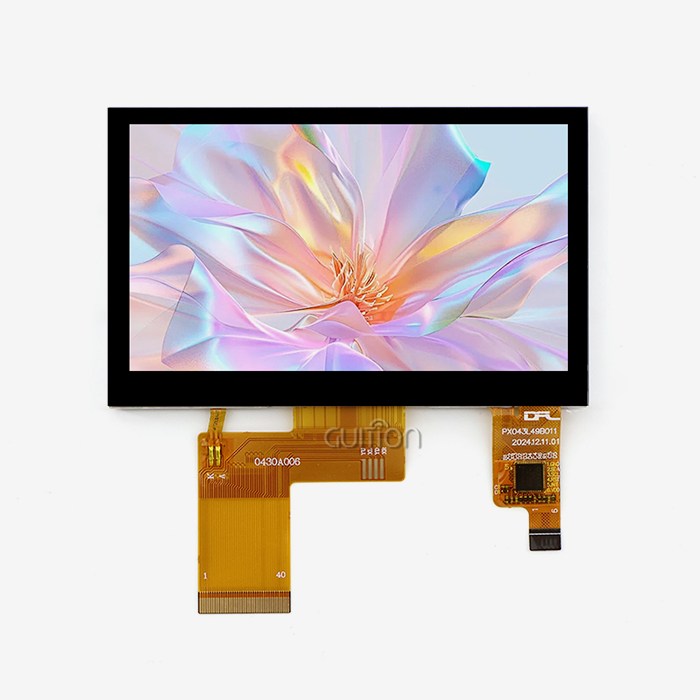
To make next-generation goods, you need to work with a Capacitive touch display module maker that knows your business goals and the technology behind them. With its easy-to-use Guition development platform, which speeds up UI design with drag-and-drop workflows, Guition is a leader in providing complete HMI solutions, ranging from small 1.28-inch displays to large 21.5-inch panels. This is shown by our JC4827Q343C_I model, which has a 4.3-inch 480x272 IPS touchscreen module, a 400MHz processor, WiFi and Bluetooth connections, remote over-the-air (OTA) updates, and multi-language interfaces. We give you detailed technical documentation, quick engineering support, and flexible secondary development options so that your team can create complex user interfaces without having to learn hard low-level programming. Guition has the technology and relationship you need, whether you're an embedded engineer looking for easier development, a product manager trying to cut down on time to market, or a procurement worker looking for trusted suppliers. Email our team at david@guition.com to talk about your unique needs and find out how our solutions can help you save money on development while also making your product better.
References
1. Walker, G. (2019). Touch Technologies for Modern Displays: Principles and Applications. Society for Information Display.
2. Chen, R., & Martinez, K. (2021). "Capacitive Sensing in Industrial Human-Machine Interfaces: Design Considerations and Best Practices." IEEE Industrial Electronics Magazine, 15(2), 34-42.
3. Thompson, J. (2020). Embedded Display Systems: Integration Strategies for IoT and Smart Devices. Elsevier Technical Publications.
4. Liu, H., Patel, S., & Anderson, M. (2022). "Comparative Analysis of Touch Technologies for Medical Device Applications." Journal of Medical Engineering & Technology, 46(3), 218-227.
5. Davis, A. (2021). Industrial Display Solutions: Engineering Reliability into Human-Machine Interfaces. McGraw-Hill Professional.
6. Rodriguez, C., & Kim, J. (2023). "Advances in Capacitive Touch Controller Technologies: Multi-Touch, Noise Immunity, and Power Optimization." Proceedings of the International Display Workshops, 28, 412-417.
Learn about our latest products and discounts through SMS or email