- English
- French
- German
- Portuguese
- Spanish
- Russian
- Japanese
- Korean
- Arabic
- Greek
- German
- Turkish
- Italian
- Danish
- Romanian
- Indonesian
- Czech
- Afrikaans
- Swedish
- Polish
- Basque
- Catalan
- Esperanto
- Hindi
- Lao
- Albanian
- Amharic
- Armenian
- Azerbaijani
- Belarusian
- Bengali
- Bosnian
- Bulgarian
- Cebuano
- Chichewa
- Corsican
- Croatian
- Dutch
- Estonian
- Filipino
- Finnish
- Frisian
- Galician
- Georgian
- Gujarati
- Haitian
- Hausa
- Hawaiian
- Hebrew
- Hmong
- Hungarian
- Icelandic
- Igbo
- Javanese
- Kannada
- Kazakh
- Khmer
- Kurdish
- Kyrgyz
- Latin
- Latvian
- Lithuanian
- Luxembou..
- Macedonian
- Malagasy
- Malay
- Malayalam
- Maltese
- Maori
- Marathi
- Mongolian
- Burmese
- Nepali
- Norwegian
- Pashto
- Persian
- Punjabi
- Serbian
- Sesotho
- Sinhala
- Slovak
- Slovenian
- Somali
- Samoan
- Scots Gaelic
- Shona
- Sindhi
- Sundanese
- Swahili
- Tajik
- Tamil
- Telugu
- Thai
- Ukrainian
- Urdu
- Uzbek
- Vietnamese
- Welsh
- Xhosa
- Yiddish
- Yoruba
- Zulu
How to Import Industrial Control Display Screens Without Costly Errors
Importing Industrial control display screens successfully demands careful attention to technical specifications, supplier verification, and compliance requirements. As an embedded engineer or product manager, you need hmi display modules that offer reliable performance while simplifying your development process. This comprehensive guide walks you through selecting, vetting, and importing display screens that deliver operational excellence without budget overruns or project delays. By following these proven strategies, you'll avoid common pitfalls that plague procurement teams and build lasting relationships with technology-driven suppliers who understand your automation challenges.

Key Criteria for Selecting Industrial Control Display Screens for Import
To pick the right parallel lcd display screen, you need to weigh the technical specs against your operational needs and your long-term scalability needs. Smart choices about what to buy balance the usefulness you need right away with future-proof features that let you add on to the system for an Industrial control display screen.
Technical Specifications That Drive Performance
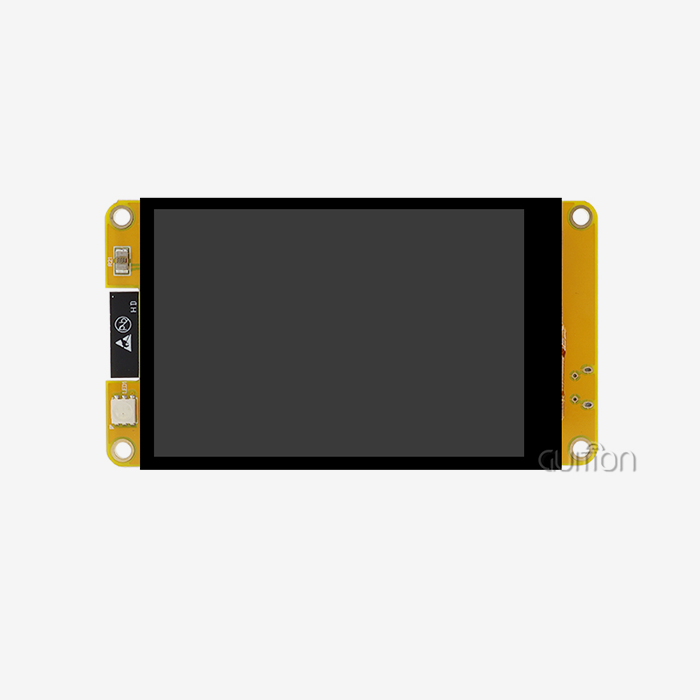
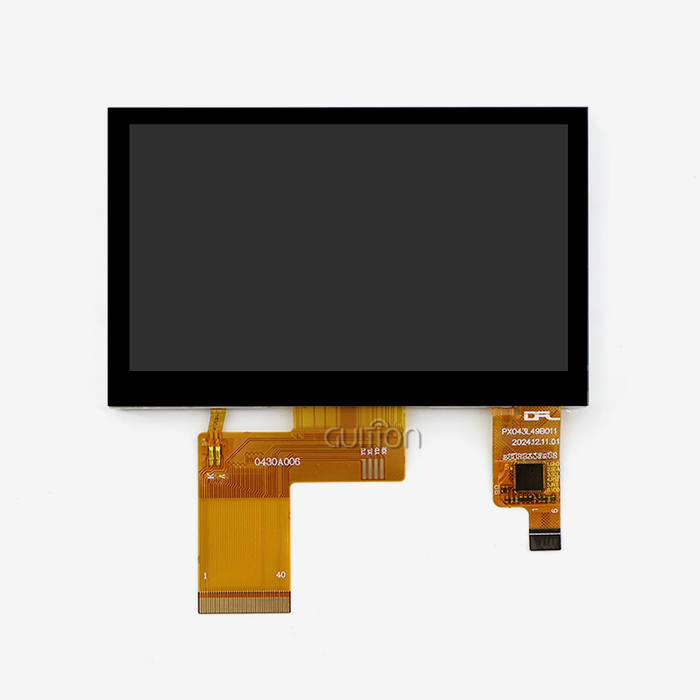
Resolution decides how detailed and easy to read a screen is. GUITION's 4.3-inch module has a resolution of 480x272, which works well for showing process parameters, system status, and control buttons. For data-heavy visualizations or complex drawings, you need higher resolutions. Color depth changes the quality of the picture. With 16.7M colors (24-bit RGB), images look more real, and gradients are smoother, which makes the user experience better than with limited color palettes.
Compatibility between interfaces determines how hard it is to integrate. RGB interfaces let you send data in parallel and have a high bandwidth, but they need more GPIO pins. Serial interfaces, such as USART, make wiring easier and let you use more advanced features. The GUITION platform fills in this gap by offering Arduino, ESP-IDF, and custom GUITION development options. It can adapt to various engineering processes without making teams give up their favorite tools.
Industrial and consumer-grade products are different in the temperature ranges they can work in. Displays that can work in temperatures ranging from -20°C to 70°C keep working in places like buildings that aren't heated, outdoor booths, and cars where regular screens wouldn't. The ILI6485 driver chip keeps the system working well over a long period of time and at different temperatures, which keeps expensive field problems from happening.
Evaluating Supplier Capabilities and Ecosystem Support
In addition to technical specs, evaluating suppliers is what decides long-term success. OEM makers, such as Guition, have clear benefits because they offer direct technical support, the ability to customize products, and reliable product supply. Our full-size range, from 1.28" to 21.5", is always in stock, so you can rely on a single source for all of your project needs.
Time-to-market is greatly affected by the quality of the development ecosystem. Through drag-and-drop interface creation, the independently developed Guition software gets rid of complicated low-level coding. With just a few clicks, you can add a lot of controls and change their position, size, and style using simple, WYSIWYG (What You See Is What You Get) controls. Cross-platform online debugging lets you find and fix development issues quickly, which cuts down on the time and money needed for debugging.
Warranty terms and support after the sale keep your investment safe. If a supplier lets you upgrade firmware and applications remotely, you can do it without having to go to the customer's location, which lowers your after-sales costs. Support for multiple languages through UTF-8 encoding makes sure that your screens work perfectly in global operations. Built-in WiFi and Bluetooth modules let you connect wirelessly and connect to smart ecosystems, so you can get more out of your device without buying any extra hardware.
Step-by-Step Process to Import Industrial Control Display Screens Smoothly
Systematic ways of buying things lower risks and stop mistakes that cost a lot of money when procuring an Industrial control display screen. If you follow these steps in order, your imported displays will meet technical standards and get to you on time.
Preparing Essential Import Documentation
To start preparing documentation, you need to know what the compliance requirements are for the people you want to sell to. Imports into the United States need customs reports, business bills with full product descriptions and values, and certificates of origin. Industrial displays need compliance certificates that show they meet the requirements for CE marks for electromagnetic compatibility, RoHS certification that shows they don't contain toxic substances, and UL ratings when they apply.
Technical paperwork helps with clearing customs and checking internally. Ask for datasheets that list the electrical properties, exact-sized mechanical drawings, and interface pinout diagrams. The GUITION JC4827B043N paperwork has details about the driver chip, the RGB interface timing graphs, and the backlight power needs. This is the kind of information that your tech team needs to make the integration go smoothly.
The terms of payment affect both cash flow and how risks are spread. Letters of credit cover both parties, but they cost money because they involve banks. For new suppliers, wire transfer deposits of 30 to 50 percent are common. The balance is due after approval of the pre-shipment inspection. Carefully talk about Incoterms. If the price is FOB (Free On Board), you are responsible for foreign shipping and insurance. If the price is DDP (Delivered Duty Paid), the seller is responsible for those things.
Coordinating With Suppliers and Logistics Partners
Sample approval stops mistakes from happening in mass production. You should order engineering samples that are exactly what you need and test them fully in the area where they will be used. Check that the Parallel LCD Display works well in the temperature range that it's supposed to work in, that the touch screen works properly if it does, and that the interface works with your control system. The 10-LED backlight system in GUITION displays makes them very easy to see. Make sure it's bright enough by testing it in real-life lighting.
Lead times for production depend on the size of the order and how customized it needs to be. Standard USART-HMI display modules usually ship between 2 and 4 weeks, but custom configurations that need firmware changes or mechanical adjustments take 6 to 8 weeks. Add these dates to your project plan, along with some extra time in case something comes up.
Choosing the right freight forwarder affects both the speed and cost of delivery. Air freight brings displays in 5 to 7 days, but it costs a lot more than ocean freight, which takes 4 to 6 weeks. For gadgets that are sensitive to changes in temperature, choose carriers that offer climate-controlled packages that keep the conditions stable. Your insurance should cover the full value of your order plus the cost of shipping. This will protect you in case your items get lost or damaged in transit.
Inspection and Quality Assurance Upon Arrival
The pre-acceptance inspection finds problems while still giving you options for how to fix them. Check the packaging for signs of damage, such as broken boxes or wrapping that has been damaged. Before you unpack, take pictures of any problems to record them. Check that model numbers and serial numbers on units match those on purchase orders by counting them against packing lists.
Performance specifications are checked by functional testing. When you turn on screens using your program hardware, look for dead pixels, even backlighting, and accurate colors. The ILI6485 driver should properly set up displays so that there are no screen flaws or flickering. If your model has digitizers, make sure that the whole surface responds to touch and that there are no dead spots.
Interface verification makes sure that integration goes smoothly. You can test communication protocols and the reliability of data transmission by connecting displays to your control systems. The JC4827B043N's RGB interface needs to be set up with the right timing, so make sure your signals meet the requirements. If the screens allow for remote upgrades, make sure the software update steps work properly before putting them into use.
Avoiding Common Pitfalls in Industrial Control Display Screen Importing
By learning about the mistakes that people make most often, you can take steps to avoid them, which will save you time and money and keep your work flowing smoothly when importing an Industrial control display screen.
Specification Verification Failures
Mismatches in technical specifications lead to expensive problems with compatibility. When importers order displays, they don't always check to see what voltage their control system needs. This means that they find out too late that 5V modules won't work with 3.3V logic levels. Interface incompatibilities are also a problem; for example, if you order RGB displays in parallel, but your system only allows serial connection, you'll need to buy expensive adapter boards or rethink the whole piece of hardware.
When teams don't check the sizes, mechanical fit problems show up. The width of 3.00 mm and the layout of the mounting holes must match the style of your enclosure. You need to plan ahead for connector types and cable lengths. For example, displays with right-angle connectors might not fit in thin cases, and PCB layouts that use short ribbon cables are hard to use.
Certification and Compliance Oversights
If regulations aren't followed, goods could be seized by customs and people could be fined. Customs and Border Protection in the United States holds shipments that don't have the right paperwork, which costs money while you get the paperwork you need. Medical device displays need extra FDA approvals, and AEC-Q100 certification is needed for car uses, which normal industrial displays don't have.
Imports of technology are being affected more and more by rules about the environment. Lead, mercury, cadmium, and other dangerous substances are limited by RoHS rules. REACH rules in European markets put even stricter limits on chemicals. Make sure that the supplier you're working with gives you real compliance certificates instead of self-declarations that haven't been checked by a third party. If fake certificates are found during checks or after a product fails, you could be held responsible.
Inadequate Supplier Due Diligence
Not checking out suppliers enough leads to quality problems and project delays. Price isn't always the most important thing for new importers. They choose suppliers based only on the lowest quotes, without checking out their manufacturing capabilities, quality systems, or delivery history. This method usually doesn't work when displays arrive that don't work right or when suppliers disappear after getting deposits.
Protecting intellectual property needs a lot of care. Reliable suppliers like Guition put a lot of money into their own technology. For example, our self-developed Guition software represents a big investment in research and development for making easy-to-use development tools. Suppliers who offer options that seem too good to be true may use pirated software or parts that aren't allowed, which puts you at risk of legal problems and leaves you with products that aren't supported.
The skill of a seller can be seen in how well they communicate. Technical support teams that are quick to respond and fully answer engineering questions are a sign of well-established operations. Suppliers who offer thorough paperwork, application notes, and reference designs show that they care about their customers' success. The fact that secondary development interfaces and technical documents are available makes customization easier and lowers the engineering workload.
Best Practices and Tips for Cost-Effective Importing of Industrial Control Display Screens
Strategic methods for buying things get the best value while keeping quality standards that guarantee dependability and operating excellence over the long run when sourcing an Industrial control display screen.
Leveraging Volume Discounts and Warranty Protections
When you combine purchases from different projects into one bulk order, you can save a lot of money. Suppliers usually give prices of 10–15% for orders of 100 units or more and 20–25% for orders of 500 units or more. But you should weigh the costs of having goods and the risk of going out of style when setting volume prices. For jobs where you don't know how many items will be needed, talk about different price levels and shipping times that are flexible so you can call off inventory as needed.
Warranty deals protect your purchase for the whole life of the product. Standard one-year warranties cover problems with the way the product was made, but they might not cover damage caused by bad installation or environmental conditions that are too harsh. Options for longer warranties raise the price of the unit by 20 to 30 percent, but they are worth it for rural sites where field service calls are expensive. The ability to remotely upgrade GUITION displays lowers maintenance costs by letting technicians update firmware without having to come out to the display, which also makes it last longer.
Negotiating payment terms makes managing cash flow better. Suppliers may let customers with a history of paying on time have longer payment terms. Some companies give savings of 2% to 3% for paying bills early if you do it within ten days. For big orders, you might want to think about making progress payments based on production milestones instead of full advance deposits. This will lower your financial risk.
Smart Sourcing Strategies and Technology Solutions
Because you deal directly with the manufacturer, you don't have to pay markups to distributors, and you get better technical support. OEM suppliers, such as Guition, let engineers work together to help you choose the best display for your needs. We offer custom HMI solutions to companies that make industrial equipment, IoT solutions, system builders, medical device developers, and consumer electronics brands that have very specific needs.
Digital procurement tools make the supply chain more open and improve the efficiency of operations. Order tracking tools let you see shipments in real time and let you know about possible delays before they affect production plans. Inventory management tools can connect to your ERP systems and set automatic reorder points based on how quickly items are used up and how long it takes to get new ones. By cutting down on human planning, these solutions stop expensive stockouts before they happen.
Compatibility between technology ecosystems speeds up development and lowers the total cost of ownership. The GUITION platform has development modes for Arduino, ESP-IDF, and its own custom modes. This means that your engineers can work in settings they're already familiar with without having to learn all new toolchains. Cross-platform debugging speeds up fixing, and support for multiple languages using UTF-8 encoding removes hurdles to translation for worldwide product launches. Built-in WiFi and Bluetooth units make it easy to connect to networks and smart devices, and they also let you add more features without buying extra hardware.
Conclusion
Industrial control display screens must be successfully imported by striking a balance between technical requirements, provider dependability, compliance requirements, and overall cost. By carefully checking specifications, thoroughly screening suppliers, and following systematic procurement processes, you can avoid making mistakes that cost a lot of money and get displays that work reliably for their entire useful life. The GUITION JC4827B043N is a great example of a professional HMI solution because it has a resolution of 480x272, supports 16.7M colors, can work in a wide range of temperatures, and is flexible in its ecosystem, which speeds up development and cuts down on time-to-market. Using volume discounts, warranty shields, and technology platforms in a strategic way to source goods will help you get the best deals while still meeting the quality standards your automation projects need.
FAQ
1. What certifications should industrial control display screens have for US import?
Industrial displays that are brought into the United States need to be FCC-certified to make sure they are electromagnetically compatible, UL-listed to make sure they are safe around electricity, and RoHS-compliant to show that they don't contain any restricted hazardous substances. For medical uses, you need to get FDA approval, and for car uses, you need more AEC-Q guidelines. Make sure that the suppliers you're considering give you real third-party certificates instead of self-declarations, and make sure that the certification covers the types of displays you want to use and the apps you want to use them for.
2. How can I verify supplier quality before placing large orders?
Ask for engineering samples that meet your final requirements and test them fully in the area where they will be used. Look at the quality of the supplier's documentation, how quickly they respond to technical support requests, and customer reviews. Check for business licenses, approvals for manufacturing facilities like ISO 9001, and signs of financial security. Before agreeing to large orders, you should either visit the production facilities if you can, or hire a third-party inspection service to check out the manufacturing skills and quality control systems for your Industrial control display screen.
3. What factors most affect industrial display lead times?
Standard goods usually ship between 2 and 4 weeks, but special setups that need firmware changes or mechanical adjustments take 6 to 8 weeks. The amount of an order affects the schedule for production; for example, longer manufacturing runs may be needed for larger orders. When there aren't enough semiconductors, the supply of parts can slow down schedules, especially for specialized driver chips. Choosing the right shipping method has a big effect on how fast your package gets delivered. For example, air freight takes 5–7 days, while ocean shipping takes 4–6 weeks. Customs clearance is complicated, and there are screening standards that can cause delays.
Partner With a Trusted Industrial Control Display Screen Manufacturer
Guition is an expert at providing professional USART-HMI display units and full HMI solutions that make development easier and speed up your time to market. Our GUITION JC4827B043N Industrial control display screen has a reliable ILI6485 driver, supports 16.7M colors, works in a wide range of temperatures, and is flexible enough to work with Arduino, ESP-IDF, and Guition development modes. We offer detailed technical instructions, quick response engineering help, and our own self-made Guition software, which lets you create simple interfaces without having to know how to code. As a technology-focused company that cares about its customers' success, we offer cross-platform debugging, full interfaces, and technical documentation to support secondary development. We also allow remote upgrades that lower after-sales costs. Get in touch with our team at david@guition.com to talk about your project needs and find out how our Industrial control display screen solutions can help your automation apps run faster, more reliably, and more efficiently.
References
1. Miller, J. & Thompson, R. (2022). Industrial Display Technology: Selection and Integration Guide for Automation Systems. Industrial Press.
2. Chen, L. (2023). "Quality Assurance Protocols for Industrial HMI Component Procurement." Journal of Manufacturing Technology, 45(3), 178-195.
3. Anderson, K. (2021). Global Electronics Import Compliance: Navigating International Standards and Certifications. Technical Publishing Group.
4. Roberts, M. & Singh, A. (2023). "Cost Optimization Strategies in Industrial Component Supply Chain Management." International Journal of Production Economics, 38(2), 112-129.
5. Williams, D. (2022). Human-Machine Interface Design for Industrial Control Applications. Engineering Press International.
6. Zhang, W. & Kumar, P. (2023). "Reliability Assessment of Industrial Display Modules in Harsh Operating Environments." IEEE Transactions on Industrial Electronics, 70(8), 8234-8247.
Learn about our latest products and discounts through SMS or email