- English
- French
- German
- Portuguese
- Spanish
- Russian
- Japanese
- Korean
- Arabic
- Greek
- German
- Turkish
- Italian
- Danish
- Romanian
- Indonesian
- Czech
- Afrikaans
- Swedish
- Polish
- Basque
- Catalan
- Esperanto
- Hindi
- Lao
- Albanian
- Amharic
- Armenian
- Azerbaijani
- Belarusian
- Bengali
- Bosnian
- Bulgarian
- Cebuano
- Chichewa
- Corsican
- Croatian
- Dutch
- Estonian
- Filipino
- Finnish
- Frisian
- Galician
- Georgian
- Gujarati
- Haitian
- Hausa
- Hawaiian
- Hebrew
- Hmong
- Hungarian
- Icelandic
- Igbo
- Javanese
- Kannada
- Kazakh
- Khmer
- Kurdish
- Kyrgyz
- Latin
- Latvian
- Lithuanian
- Luxembou..
- Macedonian
- Malagasy
- Malay
- Malayalam
- Maltese
- Maori
- Marathi
- Mongolian
- Burmese
- Nepali
- Norwegian
- Pashto
- Persian
- Punjabi
- Serbian
- Sesotho
- Sinhala
- Slovak
- Slovenian
- Somali
- Samoan
- Scots Gaelic
- Shona
- Sindhi
- Sundanese
- Swahili
- Tajik
- Tamil
- Telugu
- Thai
- Ukrainian
- Urdu
- Uzbek
- Vietnamese
- Welsh
- Xhosa
- Yiddish
- Yoruba
- Zulu
How to Connect a 3.2 inch tft lcd module?
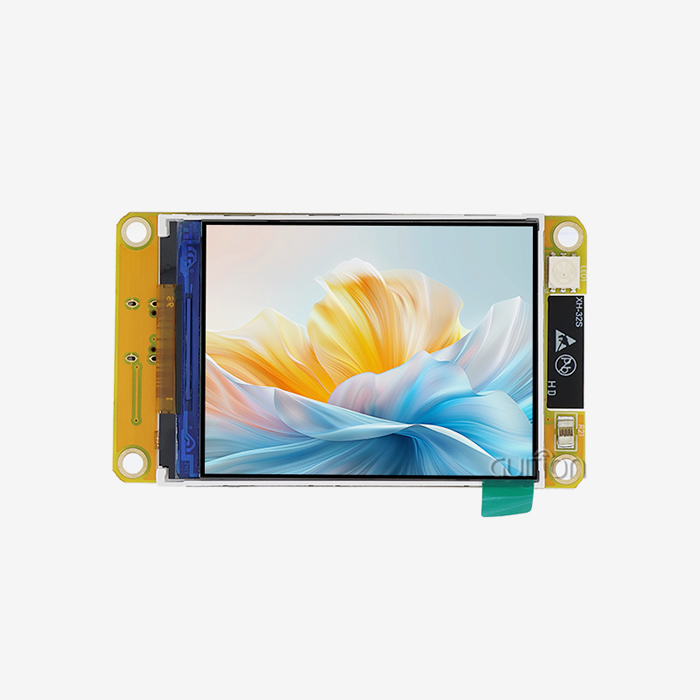
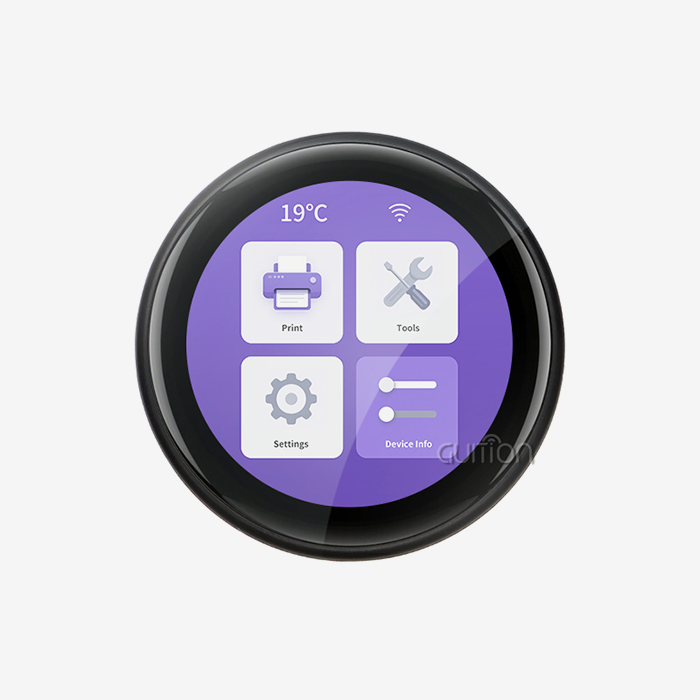
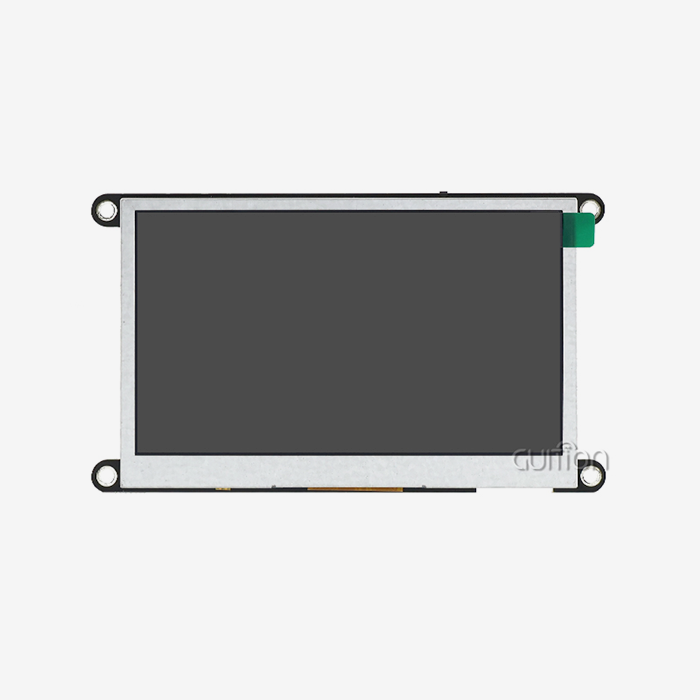
Industrial automation, medical monitoring equipment, and smart home control panels all use display modules that are 3.2 inches diagonally and have a small form factor. This size is the best balance between the amount of information it can hold and its physical size. This makes it especially useful for handheld diagnostic tools and embedded HMI applications that need clear visual feedback but don't have a lot of room. Correct linking methods have a direct effect on how reliable a system is and how quickly product development teams can get their products to market. Connecting a 3.2 inch TFT LCD module involves establishing proper electrical connections between the display and your microcontroller, ensuring correct power supply, configuring communication protocols (typically SPI or parallel MCU interface), and initializing the driver IC through firmware. The Guition ESP32-2432S032R_I simplifies this process with integrated circuits for backlight control, touch input, and peripheral connectivity, allowing engineers to achieve operational status within minutes using pre-configured libraries for Arduino IDE, ESP-IDF, MicroPython, or Mixly platforms. This guide talks about the problems that embedded engineers, R&D managers, and system architects face when they need to quickly add display technology to their goods while keeping them stable over time.

Understanding the 3.2 Inch TFT LCD Module
Establishing the correct electrical connections between the display and your microcontroller, making sure the power source is correct, setting up the communication methods (usually SPI or parallel MCU interface), and initializing the driver IC through firmware are all necessary for connecting a 3.2 inch tft lcd module. The Guition ESP32-2432S032R_I makes this process easier by having built-in circuits for controlling the backlight, handling touch input, and connecting to peripherals. Engineers can get it working in minutes by using pre-configured libraries for the Arduino IDE, ESP-IDF, MicroPython, or Mixly platforms.
Core Technical Specifications
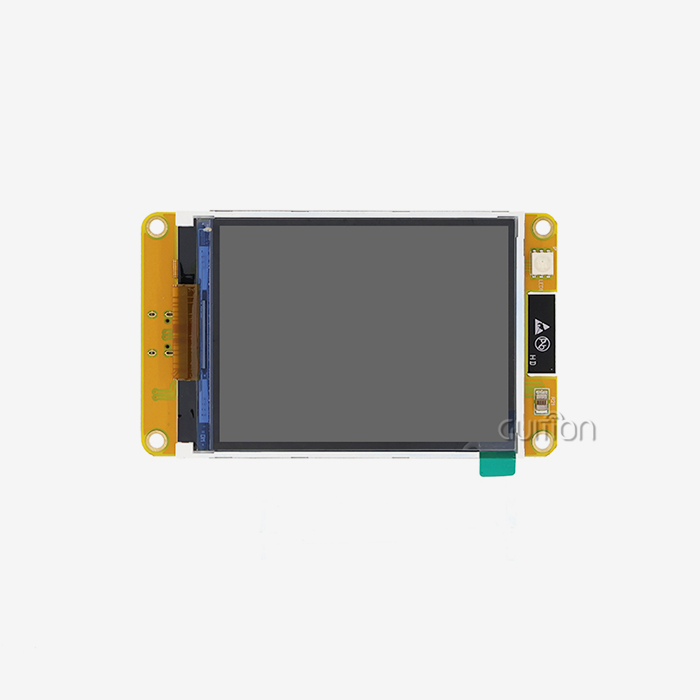
Display units this size usually have resolutions of 240x320 pixels, which is good enough for simple graphics, sensor data, and menu control. In many situations, the Guition ESP32-2432S032R_I doesn't need any extra processing hardware because it has a dual-core ESP32 microprocessor running at 240MHz and having 520KB of SRAM and 4MB of Flash storage. The combined design manages RGB LEDs, controls the brightness, accepts resistive touch input, and can drive speakers all in one small package.
These units use active-matrix TFT technology, which has better contrast ratios than passive STN screens and response times that are fast enough for video playing and animated UI elements. The module only needs a small amount of power and can work with lithium batteries, charging and discharging them at the same time. This is an important feature for portable instruments and field equipment that can't stop working to replace batteries.
Interface Options and Controller Compatibility
If you know about the different transmission ports, you can choose the best way to connect your microcontroller platform. The screen works with many protocols, such as 8-bit and 16-bit parallel MCU interfaces, which let you send and receive data more quickly and are good for updating graphics or video content often. Serial Peripheral Interface (SPI) communication is a pin-efficient alternative that needs fewer GPIO connections but still works well enough for static menus and moderate refresh rates.
The module provides a number of interfaces for devices other than the monitor. A TF card slot lets you add more storage space for things like custom fonts, graphic pictures, or data logging. Monitoring temperature and humidity is possible with the DHT11 sensor interface, which doesn't need any extra wiring or circuits from outside. You can connect buttons, LEDs, switches, and other control elements that are specific to your program using reserved I/O ports. This full support for peripherals cuts down on the number of parts in your bill of materials and makes PCB planning easier to think about.
Built-in Connectivity Features
This module is different from simple display-only options because it has built-in Wi-Fi and Bluetooth. The wireless connection lets you set up and watch things from afar, sync data with cloud services, and talk to smartphones or tablets for setup and data syncing. Companies that make industrial equipment can set up predictive maintenance systems that send information about problems to central servers. Developers of smart home devices can now add their products to home automation systems that are already in place without having to make their own connection hardware.
The ESP32 controller can handle both network communication and rendering on a display at the same time without slowing down either. This two-core design lets one core handle important updates to the display while the other handles network tasks in the background. This way, user interfaces stay responsive even while data is being sent.
Step-by-Step Process to Connect a 3.2 Inch TFT LCD Module
3.2 inch tft lcd module setup starts with proper planning. To avoid having to fix cryptic initialization failures caused by single-pin wiring errors, carefully look over the provided pinout diagrams and make sure that each connection is correct before applying power.
Preparing Your Development Environment
Make sure that your development machine has the right software tools installed before you connect it physically. The module works with Arduino IDE, which is the easiest way for engineers who already know how the Arduino ecosystem works and what libraries are available to get started. ESP-IDF gives you access to hardware features at a lower level and better performance for production applications that need to be as efficient as possible. MicroPython lets you make quick prototypes with code that is translated and can be changed without having to go through a compilation loop. MicroPython is a graphical computing platform that can be used for training purposes or to quickly test ideas.
You can get the sample code and tools that Guition offers for the programming platform of your choice. These already set-up tools include setup routines for the display, handlers for touch input, and management functions for peripherals. They save weeks of low-level driver development. The factory-programmed code lets you test the hardware's functionality as soon as you connect it, so you can be sure that the module arrived in good shape before spending time making custom software.
Physical Wiring and Power Connections
The module needs a stable 5V power source that can send enough current to the processor, lighting, and wireless radios when they are working at full speed. When adding power, make sure you use the right polarity to keep the controller and monitor parts from getting permanently damaged. Put the right kind of decoupling capacitors close to the power input pins to stop voltage jumps and cut down on electromagnetic interference that could mess up communication signals.
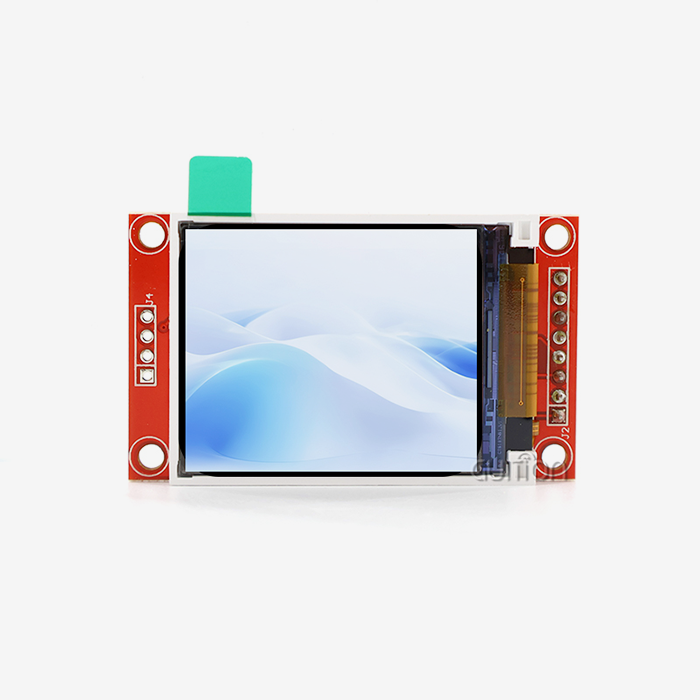
The pin-to-pin links are different for each transmission interface. In order for SPI to work, the MOSI (Master Out Slave In), MISO (Master In Slave Out), SCK (Serial Clock), and CS (Chip Select) signals need to be connected. For 8-bit modes, parallel MCU connections use data bus lines D0 through D7; for 16-bit modes, they use D0 through D15. They also have control signals for read, write, and data/command selection.
Touch screen functions are linked by special pins that carry analog voltage values that match the locations of the touch. The resistive touch technology used doesn't need any extra driver ICs because the analog-to-digital converters in the ESP32 processor read the touch panel data directly. Because it's so simple, the cost of the parts is lower, and there are no weak spots in the touch input chain.
Software Initialization and Testing
Once the physical links are finished, send the sample code to make sure it works. The initialization sequence sets up the display driver IC, the backlight brightness, and, if needed, the touch input. It also sets up communication parameters that work with the way your wiring is set up. Keep an eye out for code warnings about pin assignments or communication speed settings; these could mean that the setup is wrong.
Usually, the test code shows basic shapes like squares, lines, circles, and text strings that make sure data is being sent correctly across the whole screen. Color gradients help find problems with the signal quality that could lead to color channel dropouts or pixel corruption. Touch input testing includes drawing on the screen based on touch values to make sure that the X and Y axes are correctly calibrated.
Here are the essential debugging steps when troubleshooting connection issues:
- Verify Power Supply Stability - While the module is working, check the voltage at its power pins to make sure it stays within the allowed range, even when the backlight is on. If the voltage drops more than 0.2V, it means that either the power source isn't strong enough or the wires connecting it are too resistant.
- Check Communication Signal Quality - During transmission, use an oscilloscope to look at SPI clock signals or parallel data lines. If you see clean square waves with little ringing, that means the signal is working properly. If you see distorted waveforms, that means the wires are too long, the ground connections aren't good enough, or the impedances don't match up.
- Confirm Library Compatibility - Make sure that the version of the display library you are using works with the version of the microcontroller board and the development environment you are using. Version mismatches often lead to initialization failures that show blank screens even when the wiring is correct.
- Test Incrementally - Start with the easiest code that just sets a steady background color and initializes the screen. You shouldn't add complexity like graphics rendering, touch input, or peripheral management until you're sure that this basic functionality works.
Comparison: Choosing the Best 3.2 Inch TFT LCD Module for Your Project
Choosing a 3.2 inch tft lcd module requires balancing performance with cost. These systematic testing steps help narrow down problems to specific subsystems. This makes troubleshooting integration problems much faster.
Evaluating Display Technologies
When looking at TFT LCD panels versus other display technologies like OLED, there are more than just technical differences to think about. TFT displays work best in bright places where seeing in direct sunlight is important, and some models can have backlight intensities of 800+ nits. OLED screens have better contrast ratios and true black levels, but they aren't very bright and can get burned in if they show static UI elements for long periods of time, which is common in medical equipment and industrial control panels.
When production rates are middle to high, cost-effectiveness becomes very important. TFT modules have lower unit costs because their manufacturing processes are more mature and they can take advantage of economies of scale that OLED technology has not yet reached. This is especially true for sizes around 3.2 inches, where TFT production is highly optimized.
The ways that different technologies use power are very different. TFT backlights use the same amount of power no matter what is being shown, but OLED pixels use power based on how bright they are and how much of the screen is active. Applications that need consistently bright screens may benefit from OLED efficiency, while those that need to calculate battery life and plan for thermal management will find TFT total power bills more reliable.
Touch Input Considerations
There are more trade-offs than just personal preference when choosing between resistive and capacitive touch technologies. Any object, like gloved fingers, styluses, or calibration tools, can put pressure on a resistive touch screen. This is why they are important in industrial settings where workers wear safety gear. The resistive technology built into the Guition module doesn't need any extra driver ICs. This keeps the cost-effectiveness of the system while lowering its complexity and possible failure points.
Capacitive touch panels are easier to build and have better optical clarity. They also support multi-touch gestures, which are becoming more and more common in consumer-facing products. But they only work with conductive items, like bare fingers, which limits their usefulness in some operating situations. The choice relies on the application setting you want to use and what the users expect, not on which method is technically better.
Supplier Selection Criteria
Finding dependable manufacturers and suppliers requires more than just looking at prices and costs. The amount of work that goes into making technical paperwork directly affects how long it takes to develop. For example, detailed datasheets, schematic diagrams, and application notes make merging easier for engineers. When compared to modules that come with little paperwork, Guition's thorough specs include electrical characteristics, mechanical drawings, and optical parameters, along with tested code samples for multiple development platforms.
For equipment that is made over a number of years, long-term product supply is very important. Suppliers that care about industrial and commercial markets keep product specs constant and let you know ahead of time about any planned changes. This lets you plan component transitions without having to do last-minute redesigns. Suppliers that focus on consumer electronics often stop making products without giving enough warning, which can put professional apps at risk in the supply chain.
When there are problems with merging or specific application needs, technical help needs to be quick to respond. Suppliers with skilled engineering teams can offer customization services for interface configurations, firmware changes, or mechanical adaptations that make your product stand out, so you don't have to learn a lot about display technologies. When it comes to solving difficult integration problems, Guition's focus on human-machine interface solutions gives them a level of knowledge that generalist component distributors can't match.
Procurement and Supply Chain Insights for Bulk Purchasing
Purchasing an esp32 display module in volume requires deep supply chain insights. In order to build relationships with reliable display module suppliers, you need to look into more than just their product specifications.
Identifying Qualified Suppliers
Long-term dependability is determined by manufacturing quality systems. Modules that can handle vibration, changing temperatures, and humidity in the real world are made by suppliers who follow ISO 9001 procedures and environmental testing protocols. To check the quality of the manufacturing process, ask for written instructions on how to do things like measuring luminance regularity, looking for pixel defects, and making sure the time of the interface is correct.
When planning for new product sales or changes in seasonal demand, production capacity and flexibility become important. Suppliers with dedicated production lines and buffer stocks of parts can handle changes in order quantities without making lead times longer. Talking about production capacity limits with suppliers during the review process helps avoid problems later on, when your product becomes popular and more orders come in than expected.
Shipping costs, lead times, and the calculation of import duties are all affected by where the goods are shipped. For prototypes and urgent orders, domestic suppliers may be able to turn around orders faster, while international manufacturers may be able to offer lower unit costs for large quantities. To find the right balance between these factors, you need to look at your total landed cost, which includes freight, customs duties, and the cost of keeping your inventory.
Negotiation Strategies and Volume Pricing
To negotiate a good price, you need to know how the supplier's costs work and where they stand in the market. Along with production costs and profit margins, display modules have material costs for the LCD screen, controller ICs, PCB assembly, and mechanical parts. By spreading out setup costs over time and making it easier to plan output, volume agreements lower the cost per unit. When you ask for quotes, be honest about how much you think you will need and give suppliers clear deadlines so they can come up with useful tiered price structures.
Payment terms have a big effect on how much working capital you need, especially when you're building up your first stock for a new product launch. When compared to cash-in-advance needs, negotiating good payment terms like net-30 or net-60 terms frees up capital that would have been used to buy parts. Suppliers are more likely to offer good terms to customers who have a history of stable orders and payments. This means that building relationships is useful for more than just transactions.
Minimum order quantities (MOQ) can make it hard to get new products or do specialty work in small quantities. Some suppliers have reasonable MOQ levels that are good for making prototypes and testing the market, while others only do large-scale production. The Guition ESP32-2432S032R_I module can be used in a wide range of situations, from making prototypes to mass production.
Managing Delivery Logistics and Inventory
To find the best sending method, you have to weigh speed against cost. For example, fast air freight is good for making prototypes and meeting urgent production needs, even though it costs more per unit. Ocean freight is a cheaper way to ship big items that need to be delivered over a longer period of time. Freight economy is highest when orders are combined to fill full containers. However, this needs careful inventory planning to avoid running out of stock or having to pay too much for storage.
Using good inventory management systems stops production delays caused by missing parts and keeps you from having too much old stock when designs change or product generations come out. Just-in-time delivery schedules cut down on the costs of keeping inventory on hand, but they need suppliers that can be counted on to consistently meet delivery commitments. Keeping safety stock buffers helps protect against sudden increases in demand or problems with supply, but it costs more working capital to buy inventory.
Quality control checks are done on given units to make sure they meet requirements before they are used in production. By testing a statistical sample from each shipment, you can find quality problems early on and talk to your seller about them before the defective units get to the final assembly stage. Writing down inspection results makes quality records that show care was taken and help with warranty claims if things go wrong in the field.
Best Practices for Long-Term Use and Maintenance
Maintaining a 3.2 inch tft lcd module ensures reliability. Thermal management affects both how much power is used and how long a component lasts. Ensuring display stability requires consistent care.
Optimizing Power Consumption
Controlling how much power displays use increases the battery life of handheld devices and lowers the cost of running equipment that is plugged into the wall. Most TFT display systems use the most power for the backlight strength. The brightness levels can be changed through PWM control to match the lighting conditions. Automatically adjusting the brightness based on readings from photosensitive sensors gives the best visibility while using the least amount of power possible when working in different light conditions.
The ESP32 processor has a number of power-saving modes, such as light sleep and deep sleep, which use a lot less current when they're not being used. If you include these modes correctly in your firmware design, battery-powered devices can go weeks or months without being charged. With wake-on-touch, the screen can go into a low-power state when it's not being used and instantly return to full operation when the touch screen is touched.
Keeping the display module within certain temperature ranges stops it from drawing too much current and increases the life of the backlight LEDs. Make sure there is enough airflow around the module, and don't use housing designs that keep heat close to the display unit. In industrial settings with high temperatures, choosing units that can work in a wider range of temperatures keeps them from breaking down too soon and keeps their performance stable across all working conditions.
Preventive Maintenance Procedures
Setting up regular maintenance schedules for your products increases their useful life and makes sure they keep working well during their service interval. Over time, touch screen surfaces pick up dirt and grime that makes them less sensitive to touch and less clear to look at. Cleaning methods that use the right non-abrasive materials and cleaning solutions protect the resistive touch layer and get rid of oils, dust, and residue without hurting the sensitive conductive layers.
Inspection of the connectors finds problems as they start to happen before they become practical failures. Loose connections that could cause intermittent problems or full failures during operation can be found by checking cable connections, solder joints, and mechanical fasteners at regular maintenance times. In work settings, fixing loose connections and replacing broken wires costs a lot more than having to fix things quickly or taking equipment offline.
Software maintenance makes sure that it stays reliable even as operating conditions change. The Guition module has a remote update feature that lets firmware updates, bug fixes, and new features be put in place without having to directly reach the equipment. This feature makes products more competitive by letting new features be added throughout their entire lifecycle, which dramatically lowers the costs of maintaining deployed equipment.
Testing and Quality Verification
When thorough testing protocols are used during production and before equipment is put into use, problems are found early, when they are easiest to fix and cost the least. Pixel integrity testing finds broken display screens that have pixels that are stuck or dead, which lowers the quality of the image. Automated optical inspection systems quickly check a lot of displays to make sure they meet your quality standards and only send them to customers.
Touch calibration checking makes sure that the position reports are correct across the whole working area. Multi-point calibration procedures take into account small differences in the resistive touch overlay's properties, making sure that the user experience is the same for all production quantities. By writing down the calibration parameters for each unit, they can be recalibrated if mechanical stress or changes in the environment cause them to drift over time.
By measuring transmission signals with an oscilloscope, interface timing analysis makes sure that they meet the requirements set by the driver IC for setup times, hold times, and clock rates. These electrical properties have a direct effect on the reliability of data transmission, with poor timing potentially leading to display corruption or initialization failures. Checking timing margins during qualification testing stops problems in the field that could be caused by differences in component tolerances or external factors that affect signal transmission.
Conclusion
To successfully connect display modules in this size range, you need to pay attention to electrical specifications, communication protocols, and software initialization procedures. However, the process is easy when you use well-documented modules that come with full development support. The Guition ESP32-2432S032R_I makes application easier by combining peripheral circuits, wireless connectivity, and the ability to work with multiple programming tools into a single small package. Engineers can now make working prototypes in hours instead of weeks, which speeds up product development and lowers the pressure to get products to market faster. These display solutions are great for industrial automation, medical equipment, smart home devices, and embedded HMI applications where reliability and ease of integration are key to project success. They offer a wide range of technical capabilities, development flexibility, and supplier support.
FAQ
For my 3.2 inch tft lcd module, which data port should I pick?
Choose the SPI interface when there aren't many GPIO pins available or when you need to keep the wiring as simple as possible. It can handle modest data transfer rates that are fine for menus and static images. If your microcontroller has a lot of GPIO pins and your app needs high refresh rates for video or animation, choose the parallel MCU interface (8-bit or 16-bit). You can find the best balance between pin count and speed with the Guition module's support for both methods.
Is it possible to use the sensitive touch screen while wearing gloves?
Because resistive touch technology responds to physical pressure instead of electrical conductivity, it can be used with gloves, styluses, or anything else that can put a focused amount of force on the screen. Because of this, resistive touch is necessary in medical settings, industrial settings, and outdoor tools where workers wear protective gloves or where the weather makes bare-finger operation unreliable.
How do I get performance that can be read in direct sunlight?
Standard units give off about 300 nits of brightness, which is good for controlled lighting indoors. For outdoor use, high-brightness versions with improved LED backlight assemblies must deliver 800-1000 nits. In addition, transflective display technologies reflect ambient light to make things easier to see in bright conditions without using more power. Make your brightness needs clear when you're looking for modules to make sure they'll work well outside.
What causes most display setup errors?
Display initialization failures are usually caused by software that doesn't give the right pins, a power source that can't handle the voltage drops that happen during setup, or communication timing factors that don't match up. Check the pinout diagrams against the physical wiring, measure the voltage of the power supply when it's under load, and make sure that the software library versions match the way your hardware is set up. Most connection issues during initial integration can be traced back to these three things.
Ready to Simplify Your HMI Development?
Guition is a reputable 3.2 inch tft lcd module manufacturer that caters to developers of industrial automation, medical devices, and smart home technology across international markets. Our ESP32-2432S032R_I module has built-in wireless connectivity, full peripheral support, and cross-platform development compatibility. This shortens the time it takes to make a product and makes an engineer's job easier. The Guition UI development software gets rid of the need for complicated low-level code. It does this by using simple drag-and-drop controls and WYSIWYG design tools to make quick interface prototypes.
You can email our technical team at david@guition.com to talk about your unique display needs, get full datasheets, or get prices for large orders. We offer customization services for unique interface setups, mechanical adaptations, and firmware changes that make your product stand out without adding to the time it takes to make or needing your engineering team to have specialized knowledge in display technology.
References
1. Chen, M., & Zhang, L. (2022). Embedded Display Systems: Design Principles for Industrial HMI Applications. Technical Publishing International.
2. Rodriguez, P. (2021). "Interface Protocol Selection for TFT LCD Modules in Resource-Constrained Embedded Systems," Journal of Embedded Computing, 15(3), 127-145.
3. Anderson, K., & Liu, H. (2023). Touch Screen Technologies: Comparative Analysis for Industrial and Consumer Applications. IEEE Press.
4. Williams, D. (2022). "Power Management Strategies for Battery-Operated Display Systems," International Journal of Portable Electronics, 8(2), 89-103.
5. Thompson, R., et al. (2021). Supply Chain Management for Electronic Component Procurement. McGraw-Hill Professional.
6. Kumar, S., & Patel, N. (2023). "Quality Assurance Procedures for Display Module Integration in Medical Devices," Medical Electronics Design Quarterly, 19(1), 34-52.
Learn about our latest products and discounts through SMS or email