- English
- French
- German
- Portuguese
- Spanish
- Russian
- Japanese
- Korean
- Arabic
- Greek
- German
- Turkish
- Italian
- Danish
- Romanian
- Indonesian
- Czech
- Afrikaans
- Swedish
- Polish
- Basque
- Catalan
- Esperanto
- Hindi
- Lao
- Albanian
- Amharic
- Armenian
- Azerbaijani
- Belarusian
- Bengali
- Bosnian
- Bulgarian
- Cebuano
- Chichewa
- Corsican
- Croatian
- Dutch
- Estonian
- Filipino
- Finnish
- Frisian
- Galician
- Georgian
- Gujarati
- Haitian
- Hausa
- Hawaiian
- Hebrew
- Hmong
- Hungarian
- Icelandic
- Igbo
- Javanese
- Kannada
- Kazakh
- Khmer
- Kurdish
- Kyrgyz
- Latin
- Latvian
- Lithuanian
- Luxembou..
- Macedonian
- Malagasy
- Malay
- Malayalam
- Maltese
- Maori
- Marathi
- Mongolian
- Burmese
- Nepali
- Norwegian
- Pashto
- Persian
- Punjabi
- Serbian
- Sesotho
- Sinhala
- Slovak
- Slovenian
- Somali
- Samoan
- Scots Gaelic
- Shona
- Sindhi
- Sundanese
- Swahili
- Tajik
- Tamil
- Telugu
- Thai
- Ukrainian
- Urdu
- Uzbek
- Vietnamese
- Welsh
- Xhosa
- Yiddish
- Yoruba
- Zulu
Top 7 Inch ESP32S3 Display Modules for Smart Devices
A 7-inch ESP32-S3 display module solution combines a relatively large user interface with an embedded wireless controller, making this format suitable for smart appliances, industrial HMIs, automation equipment, IoT gateways, and other connected products. The 7-inch ESP32S3 display module platform provides dual-core processing, 2.4 GHz Wi-Fi, Bluetooth LE, a broad peripheral set, and support for external Flash and PSRAM. However, the value of a display module depends on much more than the processor. Display interface, memory configuration, touch controller, power design, software support, mechanical dimensions, and supplier support all affect whether a module can move from prototype to production. For engineers and purchasing teams, the right approach is therefore not to select a module simply because it uses ESP32-S3. The complete hardware configuration and the requirements of the target product should be evaluated together.
What Defines a 7-Inch ESP32-S3 Display Module?
Processor and Memory Configuration
Dual-core Xtensa LX7-based ESP32-S3 MCUs can run at 240 MHz. It has Bluetooth 5 LE, Wi-Fi 802.11 b/g/n, and 512 KB SRAM. In supported configurations, it offers LCD, SPI, I2C, UART, USB, SD/MMC, and TWAI for embedded display applications.
However, the CPU specification is simply the beginning for display products. A 7-inch RGB display requires memory for graphics elements and frame buffers, and the module's external PSRAM might affect software design.
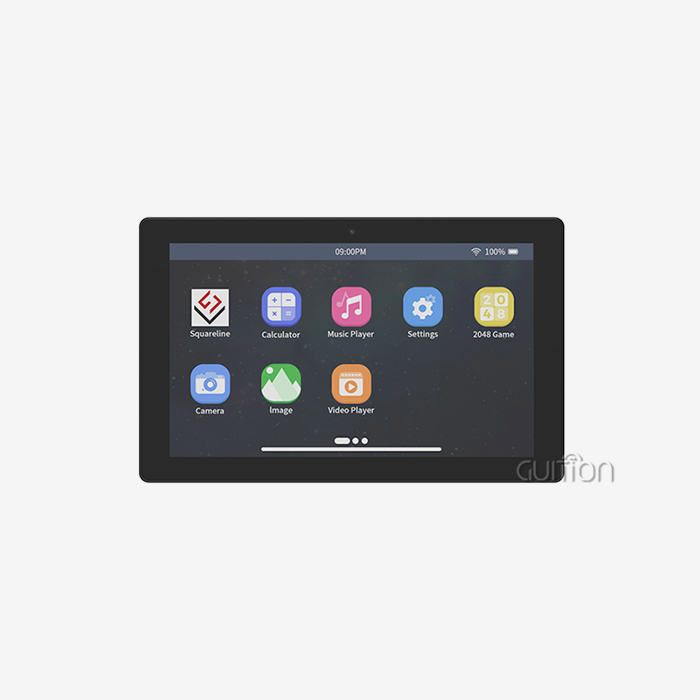
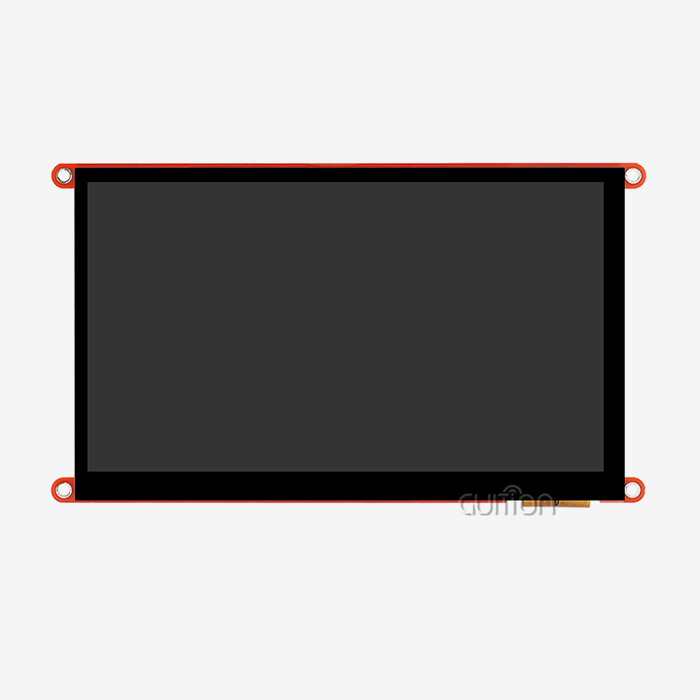
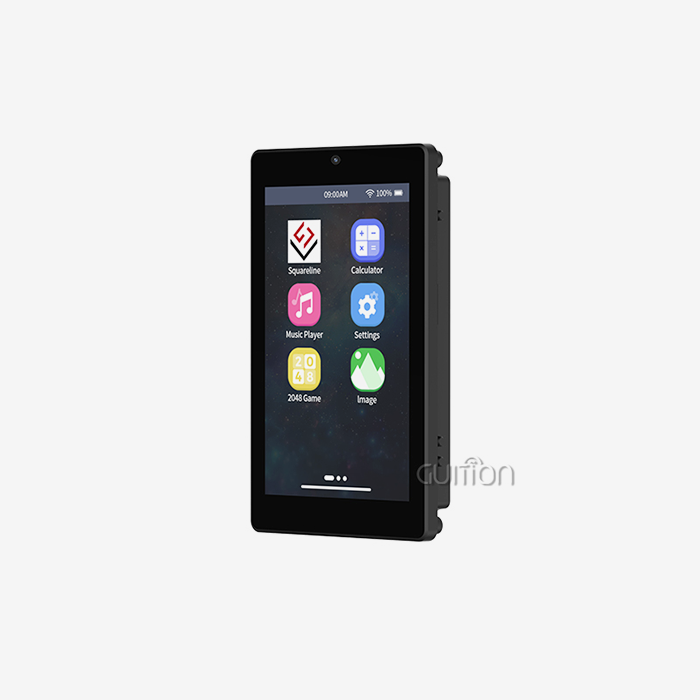
For instance, GUITION's ESP32-8048S070C has an ESP32-S3-WROOM-1, 8 MB PSRAM, 16 MB Flash, and an 800x480 capacitive-touch display. This ESP32-S3 setup is product-specific.
The difference is important in procurement. ESP32-S3 modules may have varying Flash and PSRAM capacities, GPIO allocations, display interfaces, and peripheral combinations.
Display Resolution and Interface
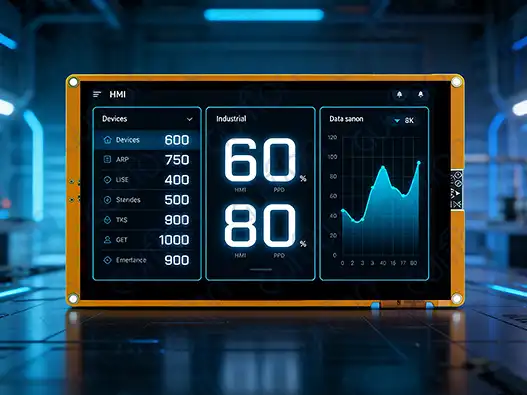
A typical configuration for 7-inch ESP32-S3 display module embedded HMIs is an 800×480 screen, which offers sufficient room for dashboards, menus, status information, controls, and graphical indicators without the bulk of a bigger industrial display.
Check the interface before choosing a monitor. RGB connections provide capacity for bigger displays but increase memory bandwidth, GPIO allocation, timing settings, and PCB design.
Espressif documentation says RGB screens need at least one screen-sized frame buffer. RGB display designs sometimes need extra PSRAM since the ESP32-S3's built-in SRAM may not be enough for a big frame buffer. When using Wi-Fi, Bluetooth, Flash, and graphics processing, PSRAM bandwidth and pixel clock must be addressed.
The term “800×480 support” should not be considered a comprehensive performance specification. Engineers must check the display driver, RGB timing, frame-buffer layout, PSRAM type, PCLK settings, and target refresh.
Touch and User Input
A smooth front surface and gesture-based interfaces make capacitive touch popular in 7-inch HMI devices. The touch panel and controller should be assessed independently from the LCD.
Buyers should verify the touch controller model, communication interface, touch points, interrupt technique, cover-glass construction, and calibration. If the module will be located near motors, relays, switching power supply, or other electrical noise sources, touch performance should be verified under actual settings, not inferred from the product description.
A physical button, rotary encoder, or external control interface may be needed for industrial equipment. Touch screens may be the principal interface while hardware controllers handle operations that demand quick physical response.
Comparing 7-Inch ESP32-S3 Modules by Engineering Requirements
Compare Complete Configurations, Not Processor Names
A useful comparison should start with a specification table covering at least:
- Module or chip: ESP32-S3
- CPU rate
- Internal SRAM
- Flash capacity
- PSRAM type and capacity
- Size and resolution of LCD
- LCD interface
- Controller and touch tech
- - Wi-Fi and Bluetooth - USB, UART, SPI, I2C, CAN/TWAI, or RS485 - TF or microSD
- Input voltage
- Normal and max current
- Operating temp
- Mechanical size
- Framework software support
This method prevents a common purchasing mistake: assuming that products using the same MCU are interchangeable.
Waveshare, for example, offers 7-inch ESP32-S3 display hardware with an 800×480 RGB panel, IPS technology, capacitive touch, PSRAM, Flash, and interfaces such as CAN and RS485 on a particular product configuration. GUITION's ESP32-8048S070C is another example of an ESP32-S3-based 7-inch platform with 800×480 resolution, capacitive touch, 8 MB PSRAM, and 16 MB Flash.
These products illustrate why comparison should be made at the model level rather than only by brand or processor family.
Evaluate Software Support Alongside Hardware
Software might affect development time more than CPU specs. The Arduino IDE may be used to quickly prototype, but ESP-IDF gives direct access to ESP32-S3 peripherals and settings choices. Graphical programs often employ LVGL; however, MicroPython might be handy for certain development circumstances.
Not only whether a provider mentions these frameworks. The engineering team should verify that the supplier includes board-specific examples, display initialization code, touch drivers, pin definitions, LVGL examples, firmware update processes, and troubleshooting documentation.
A development board with explicit examples helps speed up display, touch panel, wifi, and external peripheral verification before bespoke hardware creation.
How to Select the Right Module for Different Smart Devices
Industrial and Automation Equipment
Industrial HMIs usually require more than a large screen. Engineers may need RS485, CAN/TWAI, UART, isolated communication, external sensors, or connection to a PLC or controller.
Operating temperature and mechanical installation also become important. A module designed for an indoor consumer product should not automatically be considered suitable for a factory environment.
Before purchasing samples, check the temperature range, connector arrangement, mounting method, touch response, display brightness, viewing angle, and resistance to electrical interference. If the final system requires a specific industrial certification, that certification should be verified for the complete product rather than assumed from the ESP32-S3 module.
Smart Appliances and IoT Products
Smart appliances often place greater emphasis on appearance, interface simplicity, wireless connectivity, and manufacturing cost.
A 7-inch screen can provide space for settings, schedules, device status, energy information, and graphical controls. Wi-Fi and Bluetooth LE can support communication with mobile applications or local networks, while the ESP32-S3 provides the processing platform for the embedded interface.
For high-volume consumer products, however, the display module should be evaluated against the complete bill of materials. A more expensive module may reduce engineering work through better software support, while a lower-cost module may require additional development resources.
Instrumentation and Data Displays
Instrumentation products often need clear graphics, stable refresh behavior, readable fonts, and predictable input response.
In these applications, the engineering team should test the actual GUI under the expected data-update rate. A screen that performs well with static menus may behave differently when graphs, animations, wireless communication, and continuous data logging are active simultaneously.
Memory usage should therefore be measured with the real application rather than with a simple demonstration interface.
Practical Development Steps for a 7-Inch ESP32-S3 Module
Step 1: Confirm the Hardware Architecture
Before writing application code, verify the complete hardware configuration.
Check the 7-inch ESP32-S3 display module, Flash, PSRAM, display controller or RGB interface, touch controller, power input, GPIO mapping, and external interfaces. Review the schematic if the supplier provides one.
This step is especially important when a module has multiple revisions. A change in display controller or GPIO allocation can require firmware modifications even when the product name remains similar.
Step 2: Build a Basic Display Test
The first firmware test should normally include display initialization, backlight control, basic graphics, and touch input.
Do not start with the full application. A small test program makes it easier to identify whether a problem comes from the display configuration, memory allocation, touch driver, power supply, or application software.
For RGB displays, pay particular attention to frame-buffer location and PSRAM bandwidth. Espressif's documentation describes several frame-buffer approaches, including configurations using PSRAM and bounce buffers. The appropriate method depends on the application's resolution, pixel clock, memory use, and other peripherals.
Step 3: Add the GUI Framework
Once the display and touch functions are stable, integrate the selected graphics framework.
LVGL is commonly used for embedded interfaces, but the correct configuration depends on the display driver, memory architecture, and refresh requirements. Avoid loading large graphical assets into memory without checking the available Flash and PSRAM resources.
Fonts, icons, images, animation buffers, and multiple screens can consume considerably more memory than a basic demonstration program.
Step 4: Test Wireless and External Interfaces Together
After the GUI is stable, add Wi-Fi, Bluetooth LE, UART, RS485, CAN/TWAI, SD card, or other required functions.
This combined test is important because the ESP32-S3 shares memory and system resources among different workloads. A display that operates normally during a local GUI test may behave differently when wireless communication and continuous data processing are introduced.
Monitor reset events, frame rate, memory availability, communication stability, and display behavior during sustained operation.
Procurement Checklist for B2B Buyers
Ask for Complete Technical Documentation
A supplier should be able to provide more than a product photograph and a short specification list.
Before placing a production order, request the datasheet, schematic when available, pinout, mechanical drawing, display specification, touch-controller information, sample firmware, software libraries, and recommended development environment.
If the module is intended for a customized product, also ask which components can be changed. This may include the LCD, touch panel, Flash, PSRAM, connector layout, enclosure, logo, or firmware.
Validate Samples Before Volume Purchasing
Sample testing should reproduce the conditions of the final application as closely as possible.
For a smart appliance, this may mean running the GUI continuously while Wi-Fi is connected. For an industrial HMI, it may include testing communication interfaces while the display is operating near other electrical equipment. For a portable product, battery operation and power-management behavior should be measured.
The objective is not simply to confirm that the screen turns on. The sample should demonstrate that the complete hardware and software combination meets the project's requirements, including: What is the best ESP32 camera module for 1080p streaming and basic AI applications?.
Confirm MOQ, Lead Time, and Customization
MOQ and lead time can affect the product schedule as much as technical specifications.
Ask whether samples are available from stock, how long standard production takes, and whether customized versions require new tooling or a new PCB. For long-term products, discuss component availability and whether the supplier has a process for handling display or controller substitutions.
For OEM and ODM projects, clarify who is responsible for firmware changes, mechanical modifications, display sourcing, and final testing.
Review Quality and Support Processes
Quality documentation should match the application. Depending on the project, buyers may request incoming inspection records, functional test procedures, aging or burn-in information, material declarations, or applicable compliance documentation.
Technical support is equally important. Ask whether engineers can assist with display initialization, touch integration, ESP-IDF configuration, LVGL issues, GPIO conflicts, and production firmware.
A supplier that can support the engineering team after the sample stage can reduce the risk of repeated debugging during pilot production.
Conclusion
Choosing a 7-inch ESP32S3 display module goes beyond processing performance and screen size. Display interface, memory architecture, touch system, wireless functionalities, external peripherals, power needs, software ecosystem, mechanical design, and supplier support should be considered when assessing the whole design.
Dual-core processing, Wi-Fi, Bluetooth LE, comprehensive peripherals, and external memory make the ESP32-S3 a solid platform for connected HMI devices. How the ESP32-S3 is combined with the LCD, PSRAM, touch controller, power supply, and software determines display product performance.
Model-level comparison and sample validation are crucial for B2B buyers. A realistic procurement procedure should verify the whole specification, test the module in actual application situations, examine documentation and modification options, and explain MOQ, lead time, quality control, and long-term component availability. This method simplifies choosing a module that meets smart device technical and commercial needs.
FAQ
1. What resolution capabilities do 7 inch ESP32S3 display modules typically support?
For industry and consumer uses, the majority of 7 inch ESP32S3 display modules support 800x480 pixels as the usual setup. Some more advanced units have choices for 1024x600 resolution, but these need more PSRAM space and might make the computer use more power. For smooth user activities, the RGB interface makes sure that frame rates are higher than 30 FPS.
2. How compatible are these modules across different ESP32S3 development boards?
Most makers make drivers for Arduino IDE, ESP-IDF, MicroPython, and other specialized development tools so that ESP32S3 display units can be used with a wide range of development platforms. The pin layout and voltage needs are the same across all systems, but the initialization steps may be different. Most of the time, examples for big software platforms are included in thorough documentation.
3. What strategies optimize power consumption in 7-inch display applications?
Power efficiency includes using dynamic lighting control, sleep modes when not in use, and changing refresh rates based on what the content needs. Most of the time, the lighting uses the most power, so smart brightness control is important for devices that run on batteries. Overall power use is cut even more by optimizing software to do things like display images more efficiently and handle wireless communications better.
4. Are these modules suitable for industrial environments with EMI concerns?
To function effectively in industrial settings, high-quality 7 inch ESP32S3 display modules feature EMI shielding and strong PCB designs. Electromagnetic interference is kept to a minimum with shielded display lines and four-layer PCB design with specialized ground planes. In very harsh situations, extra shielding on the outside may be needed, but most units work well in normal industrial settings.
5. What development tools and libraries work best with these modules?
The best graphics framework is LVGL (Light and Versatile Graphics Library), which has a lot of widget libraries and hardware processing support that works best with ESP32-S3 processors. Visual interface design can be done with development tools like SquareLine Studio, and platform-specific integrated development environments (IDEs) let you do low-level tuning and add custom features. The choice relies on how hard the job is and how skilled the team is.
Partner with Guition for Your ESP32S3 Display Module Needs
The ESP32-8048S070C from Guition, a reputable 7 inch ESP32S3 display module maker, offers unrivaled adaptability and efficiency. Our full development environment, which includes our own Guition UI development tools, speeds up the time it takes to finish your project and makes it simpler. We give your tech team the tools they need to make great user experiences by supporting various development platforms and letting them make a lot of changes. Get in touch with our experts at david@guition.com to talk about business pricing, technical details, and how our solutions can improve your smart device projects by adding reliable, high-performance display technology.
References
1. Chen, Wei-Ming, et al. "Advanced Human-Machine Interface Design Using ESP32-S3 Microcontrollers for Industrial Applications." Journal of Embedded Systems Engineering, vol. 15, no. 3, 2024, pp. 45-62.
2. Rodriguez, Maria Elena. "Comparative Analysis of Touch Screen Technologies in Industrial Display Modules." IEEE Transactions on Industrial Electronics, vol. 71, no. 8, 2024, pp. 2156-2168.
3. Thompson, James R., and Sarah K. Liu. "Power Management Strategies for Large-Format Embedded Display Systems." ACM Transactions on Embedded Computing Systems, vol. 23, no. 2, 2024, pp. 78-95.
4. Kumar, Rajesh, et al. "Wireless Communication Integration in Smart Display Modules for IoT Applications." International Conference on Embedded Systems and Applications, 2024, pp. 112-127.
5. Anderson, Michael P. "Quality Assurance Protocols for High-Volume Electronic Component Procurement." Supply Chain Management Review, vol. 28, no. 4, 2024, pp. 34-48.
6. Zhang, Lin, and David Johnson. "LVGL Graphics Library Optimization for ESP32-S3-Based Display Systems." Embedded Systems Programming, vol. 37, no. 6, 2024, pp. 22-35.
Learn about our latest products and discounts through SMS or email