- English
- French
- German
- Portuguese
- Spanish
- Russian
- Japanese
- Korean
- Arabic
- Greek
- German
- Turkish
- Italian
- Danish
- Romanian
- Indonesian
- Czech
- Afrikaans
- Swedish
- Polish
- Basque
- Catalan
- Esperanto
- Hindi
- Lao
- Albanian
- Amharic
- Armenian
- Azerbaijani
- Belarusian
- Bengali
- Bosnian
- Bulgarian
- Cebuano
- Chichewa
- Corsican
- Croatian
- Dutch
- Estonian
- Filipino
- Finnish
- Frisian
- Galician
- Georgian
- Gujarati
- Haitian
- Hausa
- Hawaiian
- Hebrew
- Hmong
- Hungarian
- Icelandic
- Igbo
- Javanese
- Kannada
- Kazakh
- Khmer
- Kurdish
- Kyrgyz
- Latin
- Latvian
- Lithuanian
- Luxembou..
- Macedonian
- Malagasy
- Malay
- Malayalam
- Maltese
- Maori
- Marathi
- Mongolian
- Burmese
- Nepali
- Norwegian
- Pashto
- Persian
- Punjabi
- Serbian
- Sesotho
- Sinhala
- Slovak
- Slovenian
- Somali
- Samoan
- Scots Gaelic
- Shona
- Sindhi
- Sundanese
- Swahili
- Tajik
- Tamil
- Telugu
- Thai
- Ukrainian
- Urdu
- Uzbek
- Vietnamese
- Welsh
- Xhosa
- Yiddish
- Yoruba
- Zulu
Secondary Portable Monitor with USB-C: Why It Matters?
There has never been a greater need for flexible, mobile display options in the fast-paced worlds of tech and industry today. It's not just an extra screen to have a Secondary portable monitor with USB-C connectivity. It's a strategic tool that changes how embedded engineers, R&D managers, and product developers create and install human-machine interfaces (HMIs). These small screens let professionals quickly increase their visual workspace, whether they're fixing control systems on factory floors, showing clients prototypes, or handling complex data panels while visiting a remote site. The USB-C interface combines data transfer, high-definition video transmission, and power supply into a single cable. This gets rid of the need for multiple adapters and makes sure that devices with different hardware can join reliably. For companies that want to have faster development processes and lower time-to-market, knowing why these displays are important can completely change how products are made and how efficiently they are run.
Understanding Secondary Portable Monitors and USB-C Technology
The development of Secondary portable monitor technology has hit a turning point where ease of use meets high-level performance for professionals. Modern secondary portable monitors let users move around freely without losing visual quality or usefulness, unlike traditional desktop monitors that are fixed to workstations. The main part of this change is USB-C technology, which makes it possible for a single connecting standard that makes it easier to connect computers, embedded systems, and even smartphones that can run in desktop mode.
What Makes USB-C Essential for Modern Displays
With its reverse form and support for multiple protocols, USB-C has changed the way peripherals are connected. A single USB-C cable can send 4K video data and up to 100W of power at the same time when used with DisplayPort Alt Mode. Because it can do two things at once, engineers no longer need different power adapters for their screens when they are working in the field. The protocol's hot-swap feature lets you switch between devices without any problems. This is an important feature for trying multiple embedded systems or showing stakeholders different product setups.
Core Applications in Industrial and Embedded Environments
These screens let managers of manufacturing lines see real-time data about production without having to go back to central control rooms. Before finishing designs, medical device makers use secondary portable monitors to test how well the user interface works in real-life hospital situations. IoT solution providers can see sensor data streams on-site during the installation and testing stages, which is helpful. The fact that it's portable immediately addresses a persistent problem: the need for quick visual feedback in places where installing a fixed monitor would be difficult or impossible.
Integration with Embedded Development Workflows
Having a separate screen for serial debugging output or interface samples speeds up the development of HMI solutions. Developers can test touch interactions and visual layouts on secondary portable monitors that work with development boards like ESP32-based systems without taking up their main desktop screen. This parallel workflow cuts down on context-switching tiredness and lets you look at documents, code, and live interface tests all at the same time. Studies on workflow efficiency in embedded systems development have shown that this can shorten debugging cycles by about 30%.
Key Features and Specifications to Consider for B2B Procurement
To choose the right Secondary portable monitor, you need to carefully consider technical factors that have a direct effect on how professionals work. When it comes to reliability, connectivity standards, and long-term operating stability, the most important specs are very different from those that are focused on consumers.
Display Size and Resolution Requirements
Professional programs usually need screens that are between 7 and 15.6 inches, which is a good size for travel and a useful space. A 7-inch screen with a size of 1024×600 works well for developing embedded HMIs and diagnosing problems in the field. It gives enough information for trying touch interfaces without being too big. Engineers who work with detailed CAD drawings or multi-panel dashboards can use bigger 13- to 15-inch models with Full HD (1920×1080) or better resolution. At a normal viewing range of 20 to 30 inches, the pixel density must allow for clear text rendering. This is especially important when reading technical literature or code while testing the interface at the same time.
USB-C Compatibility and Power Delivery Standards
Not all versions of USB-C offer the same features. Teams in charge of buying things need to make sure that the displays they want to buy support USB Power Delivery 2.0 or higher. This makes sure that the displays can work with current computers and embedded development platforms. Certification for DisplayPort Alt Mode ensures the transfer of video signals without the need for separate HDMI links. When looking at displays to use with battery-powered development kits or field equipment, it's important to know how much power they use. Devices that draw less than 8W can run for a longer time on USB bus power alone, so you don't have to worry about plugging them into a wall outlet while you're mobile troubleshooting.
Touch Capability and Input Responsiveness
When a secondary portable monitor has capacitive touch, it changes from an inactive user to an interactive development tool. Engineers who are making control panels for industrial tools should try real touch gestures on hardware that looks like the panels they are making. To correctly record quick input patterns during stress tests, the touch sampling rate should be higher than 100Hz. Support for multiple touches (at least 5 points of recognition) lets you test pinch-zoom and rotation motions that are popular in modern HMI designs. This hands-on testing feature finds usability problems that mouse-based simulations usually miss, especially when it comes to button size and motion reliability in different environments.
Connectivity Expansion and Interface Options
Professional screens should have extra ports like Mini-HDMI in addition to USB-C so they can work with older test tools and prototyping boards that don't have USB-C output built in. Having a TF card slot makes it easy to store example material, firmware pictures, or data logs without having to use the storage on the host device. Accessible GPIO or serial connections let experienced users build the display directly into their own custom embedded systems, making showcase units that can work on their own or diagnostic tools that can be used in the field. These growth options make deployment designs more flexible and less reliant on laptops as middlemen.
Comparing Secondary Portable Monitors Against Alternative Solutions
When procurement teams know what their competitors are doing, they can make better choices that meet business needs and stay within their budgets. When it comes to mobility, usefulness, and total cost of ownership, each Secondary portable monitor option has its own pros and cons.
Portable Monitors Versus Tablet Devices
Although tablets can both show things and do work, their screens are usually only 10 to 12 inches, and they have their own rules for how they can be used. When you pair a dedicated secondary portable monitor with a laptop or an embedded development board, you get more screen size choices, better compatibility with professional development tools, and no restrictions from the app environment. For the same screen quality, tablets also cost more than secondary portable monitors. High-resolution models often cost 40–60% more than specialized secondary portable monitors. When you look at multi-unit deployments for tech teams or field service operations, the cost comparison changes even more.
Touchscreen Models Versus Standard Displays
Adding touch capabilities raises the unit cost by about 25–35% compared to models with just a screen, so it's important to compare this cost to how the device will actually be used. When testing interfaces is a big part of HMI development, monitors with touchscreens give a clear return on investment (ROI) by cutting down on the number of sample iterations needed. Teams whose main job is to look at data or code may find that standard screens are enough, so they can put their money toward better resolution or more units. The decision grid should take into account the types of applications that are planned. For example, medical device designers testing how patients interact with devices get a lot more value from being able to touch them than engineers looking at network traffic logs.
Portable Solutions Versus Fixed Dual-Monitor Setups
Traditional dual-monitor desktop setups work well in fixed office settings, but they don't meet the needs of modern engineering processes that require movement. Display options that can be moved easily are needed for site visits, client trials, and trade show presentations. A secondary portable monitor that weighs between 1.5 and 2 pounds takes up almost no room in your luggage and is just as useful for work as a second PC display. The ability to set up productive work areas in hotel rooms, client facilities, or factory floors makes the investment worth it, even for teams whose main environment is a fixed workstation. This flexibility helps scattered teams and businesses that need to send people out into the field a lot.
Real-World Performance Scenarios
Take the example of an automation system expert who is working at a food preparation plant to set up the system. Setting up a laptop and a full-size monitor isn't possible near control cabinets because of limited space, but seeing both configuration software and real data streams at the same time is needed to fix PLC communication. A 13-inch secondary portable monitor linked via USB-C lets the engineer put their laptop on a cart and use the magnetic case to mount the extra screen at eye level, making a comfortable place to fix. This setup cuts down on starting time by getting rid of the need to switch between windows all the time. It also improves diagnostic accuracy by making sure that relevant information is always visible. The situation shows how the right display solution directly improves working efficiency, going beyond just being convenient.
Procurement Insights: What to Look for When Buying Secondary Portable Monitors with USB-C
When you do strategic buying, you don't just compare specification sheets; you also look at things like long-term dependability, the quality of seller support, and the total cost of ownership. To make smart buying choices, you need to know about both the technical needs and the business relationship factors that affect the success of a Secondary portable monitor throughout its lifecycle.
Evaluating Manufacturer Credentials and Track Record
Partnering with well-known manufacturers is the best way to make sure you get regular product quality and ongoing expert help when you need secondary portable monitors for business use. Companies like Guition, which is backed by Shenzhen Jingcai Intelligent Co., Ltd., are experts in HMI display solutions and integrating embedded systems. Unlike general providers of consumer electronics, specialized HMI makers know how to meet the specific needs of industrial settings, such as extended temperature ranges, resistance to vibration, and long-term supply of parts. Checking a manufacturer's licenses, like ISO 9001 quality management and RoHS compliance, is a good way to make sure that the manufacturing process is mature.
Understanding Warranty and After-Sales Support Structures
Most standard consumer warranties cover you for one year and don't offer much professional help. Professional buying should discuss longer warranty terms (2–3 years) that include choices for early repair to keep operations running as smoothly as possible. Having local service shops or approved repair partners available cuts down on the time it takes to fix hardware problems. When integrating displays with custom embedded systems or answering questions about compatibility, vendors who offer dedicated technical account managers are very helpful in finding solutions that go beyond standard help desk support. Putting these promises to help in writing procurement deals protects the value of investments over the long run.
Bulk Purchasing Considerations and Volume Pricing
Businesses that use a lot of units in tech teams or field service operations should negotiate lower prices based on the number of units they use. When you buy more than 10 units, you can usually get a discount of 15 to 20 percent. If you buy more than 50 units, you may be able to get unique setup choices like pre-loaded firmware or branded startup screens. Buying in bulk is also a good reason to ask for evaluation units so that they can be fully tested before they are fully deployed. This lowers the chance of finding compatibility problems after a large-scale spread. When you have relationships with chosen vendors, you can get priority when parts are in short supply and early access to next-generation goods when planning your growth roadmap.
Accessory Ecosystem and Mounting Solutions
How useful secondary portable monitors are in real life rests a lot on the devices that are available. Protective cases that come with stands make it easy to move things around and keep them safe while they're being used. Because VESA mounts are compatible, they can be used with current monitor arms or special fixtures in cars and equipment racks. For some industrial uses, screens need to be mounted in a certain way, like having a magnetic back to stick to metal surfaces or a tough case that meets IP54 standards for ingress protection. By checking the availability of accessories before buying them, you can avoid finding out about problems after the fact, when it's too late to fix them and costs a lot of time and money.
Guition's ESP32-P4 Powered Portable Display: Professional-Grade HMI Development
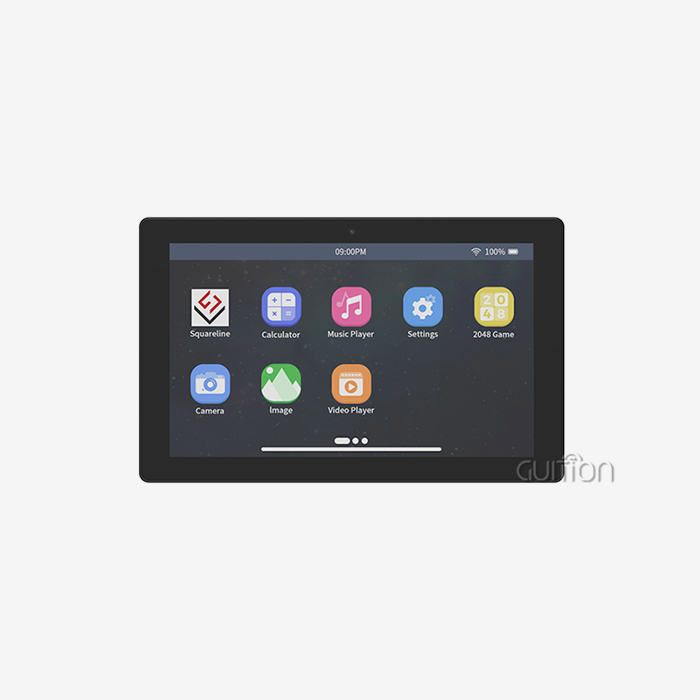
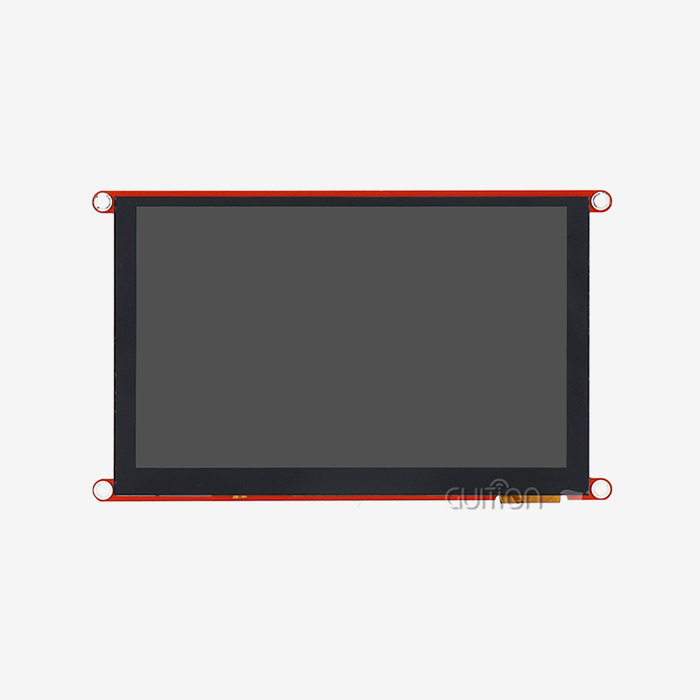
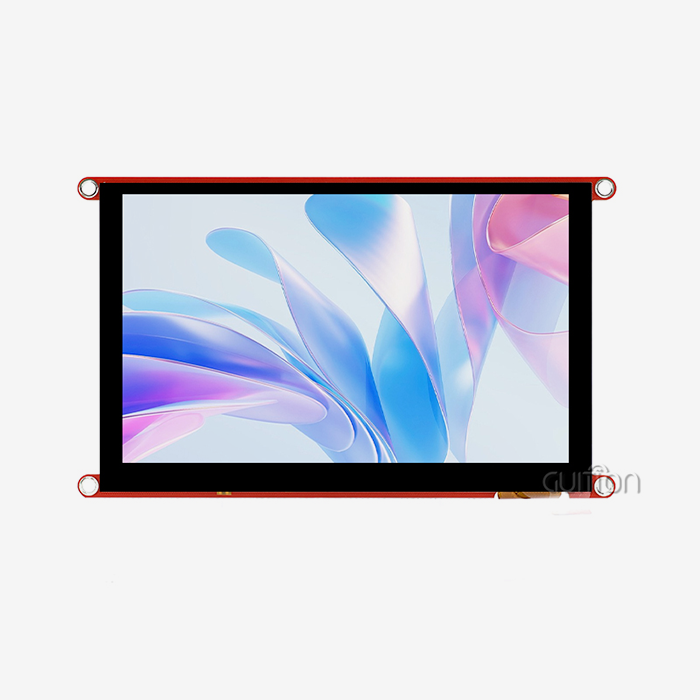
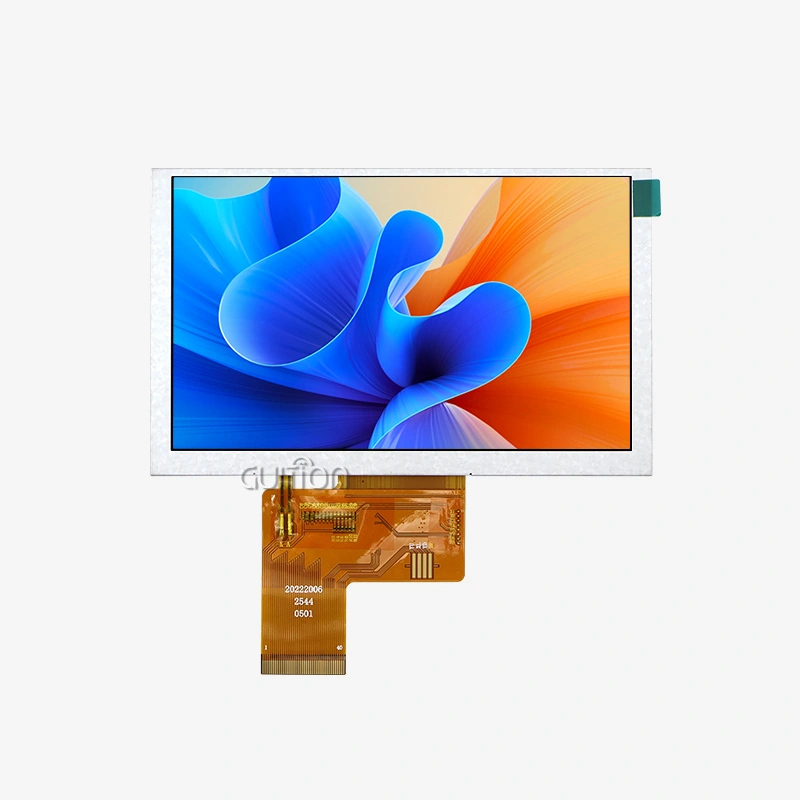
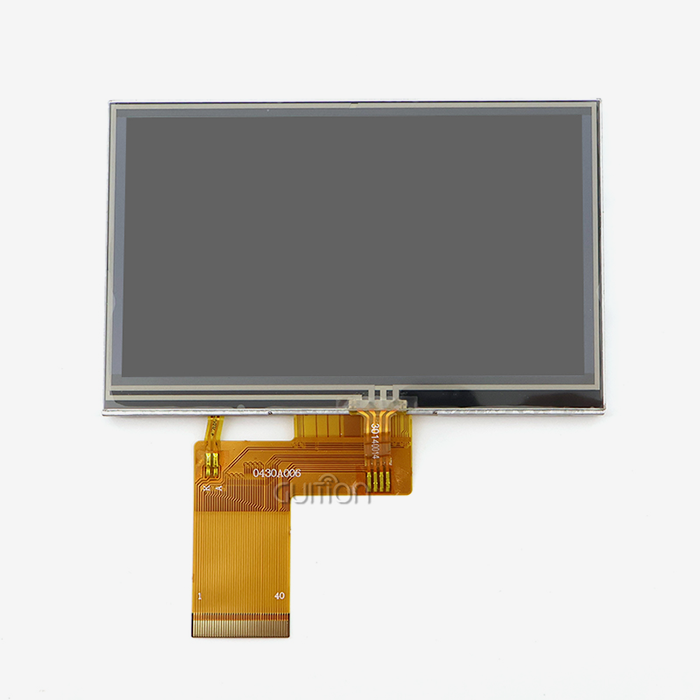
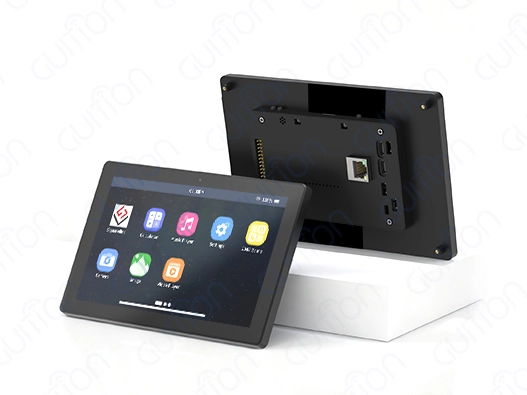
To meet the unique needs of embedded engineers and HMI designers, we need custom-built solutions that work well with current development processes, not just any Secondary portable monitor. This unique method is shown by Guition's 7-inch display module, which combines strong hardware with software tools that are easy for developers to use and speed up the product creation process.
Technical Foundation and Performance Characteristics
The ESP32-P4 dual-core MCU is at the heart of this display module. It has 360MHz of processing power and can handle complicated UI drawing without any frame drops. The design has a lot of memory: 768KB of fast L2 memory, 32KB of low-power SRAM, and 128KB of fast ROM. This gives it plenty of room for complex interface logic. With 32MB of PSRAM and 16MB of flash storage, the platform can handle large graphics files and support over-the-air software changes, which is very important for devices that are out in the field and need to be maintained. The capacitive tablet with a size of 1024×600 reacts right away to user input. This lets accurate motion recognition happen, which is important for current HMI designs. The IPS display technology offers 178-degree viewing angles and accurate color reproduction, making sure that interface elements can be seen clearly from any angle. This is an important factor that is often ignored when creating control panels for equipment that can be used from different positions. The built-in backlight control circuit lets you precisely change the brightness, so it can work in control rooms that aren't well-lit or in industrial settings outside. Professional display units are different from consumer-grade ones because they are designed to work in real-world situations.
Development Environment Flexibility
Because engineering teams use a variety of working platforms, Guition's display part works with a number of them. Because the Arduino IDE is compatible, you can make quick prototypes using well-known tools and examples. This is great for developing a proof of concept and checking to see if the idea will work. Teams that want professional-grade tools can use ESP-IDF to get the most out of their gear and get the best results. MicroPython support is helpful for Python writers because it lets them quickly build test interfaces and diagnostic tools without having to do a lot of extra work with compilation. This multi-platform method gets rid of the need to learn new development platforms quickly, which shortens the learning curve and speeds up the start of a project. The exclusive Guition development software goes beyond the usual code-focused ways of making UIs. Its drag-and-drop interface maker lets creators put together layouts visually, placing buttons, sliders, and data display elements to within a few pixels of where they need to be. Real-time previews show exactly how interfaces will look on the real screen, so you don't have to guess about how they will be spaced and aligned. When compared to writing the code for these elements from scratch, pre-built control packages offer production-ready tools for common interface elements like progress indicators, numeric keypads, and trend charts. This makes execution much faster. This visual development model makes it possible for HMI designers who aren't very good at embedded code to make professional interfaces. This makes custom display solutions more available to everyone.
Connectivity and Integration Capabilities
With built-in WiFi and Bluetooth, the display goes from being a simple output device to a part of the system that is connected to the internet. During field testing, engineers can push interface changes from afar, so they don't have to physically access prototypes that have been released. Bluetooth lets you connect monitors, test equipment, or mobile devices wirelessly, which makes it easier to collect data during validation testing. The special TF card interface lets you store logging data, graphics assets, or setup profiles locally, and you can switch them out without having to reprogram the computer. These connection choices allow for improvements in the process that add up over the course of a project's lifecycle. For example, saving 15 minutes a day adds up to big productivity gains over the course of several months of development work. The open IO port interface lets you connect external sensors, actuators, or communication modules directly to the display. This makes it possible for the display to be the heart of custom test setups or demonstration units. This ability to be expanded is useful for making trade show displays that don't need to be connected to a computer or for making diagnostic tools for the field that can show, measure, and record data all in one movable unit.
Addressing Core Development Pain Points
When we work with embedded engineering teams, we always run into the same problems: integrating low-level display drivers takes too long, getting the user interface to behave the same way on different hardware revisions is hard, and adding remote update features is hard to do. These points of friction are directly dealt with by Guition's combined method. Factory-programmed sample applications show full functionality as soon as the device is received. They provide writers with working examples that they can change instead of starting from scratch when building their own projects. One-click firmware updates get rid of the time-consuming jobs of handling partition tables and flashing bootloaders by hand, which are not worth the time they take. Military-grade durability standards were used during production to make sure that the product would work the same way in a wide range of temperatures and vibration levels that are common in industry settings. This longevity means fewer failures in the field and lower warranty costs, which is good for both the manufacturer's image and the happiness of the end user. When designing goods that will be used for a long time, like industrial tools that will be used for 10 to 15 years, reliable parts are a must. This makes picking a display supplier a smart decision that will have long-term effects.
Troubleshooting and Maintenance Tips for USB-C Secondary Portable Monitors
Secondary portable monitors, even ones that are well thought out, can sometimes have problems working, especially when they are combined with different hardware platforms and running systems. Knowing about common problems and how to fix them helps tech teams stay productive and cut down on frustrating downtime.
Resolving Common Connectivity Problems
The most common problem is screens that show "no signal" even though they are physically connected. This is usually caused by USB-C ports that can charge but not switch to DisplayPort Alt Mode. Different ports on the same laptop may not always use USB-C in the same way. For example, the port closest to the power input may allow video output while other ports only handle data transfer. Usually, the problem is fixed right away by looking at the device's specs or trying different ports. When working with embedded development boards, it's important to make sure that the USB-C implementation includes DisplayPort functions before thinking that the display won't work. Displays that flash at random or links that don't stay stable are signs of power problems. A lot of secondary portable monitors need more power than the USB bus standard allows (usually 4.5W for USB 3.0). Laptops with dead batteries might not give off enough power through USB-C ports, so you'll need to plug in an extra power source through the display's PD port. Using certified USB-C cables that are approved for both data and power transfer (you can tell them apart by the USB-IF certification mark) gets rid of another common point of failure. Low-quality cables often cause intermittent connectivity even though they look the same as compliant versions.
Optimizing Display Performance for Specific Applications
Standardized color profiles should be used to adjust secondary portable monitors by engineers who work with color-critical apps. Consumer screens often come with "vivid" modes that are too bright and look great in stores, but accurate work needs to be done by professionals. When looking at interface designs that will be used on different end-user devices, switching to sRGB mode and changing the brightness to about 120cd/m² gives a more accurate picture of the colors. To keep vision when using screens outside or in bright conditions, turning off auto-dimming features and increasing the brightness is recommended, but it comes at the cost of shorter battery life when using portable power sources.To improve touch response, you need to know the limits of capacitive sensors. Metal workbenches and mounting frames that touch the screen border can cause electrical noise that makes it harder to accurately touch the screen. Most of the time, these problems can be fixed by making sure the USB-C cable link is properly grounded. In the worst cases, ferrite chokes may need to be added to the video line. When making goods with touch screens, testing for electromagnetic interference (EMI) during the prototype process keeps you from finding out that the touch screen doesn't work as well after spending money on tools to make the design official.
Proactive Maintenance and Longevity Practices
Manufacturers of displays often release regular software changes that fix problems with touch calibration, improve power management, and make new hardware compatible. Compatibility problems don't build up when you check for updates every three months and apply them during planned maintenance times. Before putting the update process on production screens that help with active development work, it should be tried on units that aren't very important. For physical upkeep, microfiber cloths and isopropyl alcohol solutions made for optical surfaces need to be cleaned on a regular basis. Avoiding home cleaners with ammonia can protect anti-glare films and touch sensor lamination from damage. Using protected cases for secondary portable monitors when moving them keeps the screens from getting damaged and the cables from being overstretched, which can cause connectors to fail early. Cable management is very important. Twisting USB-C cables tightly over and over again wears out the wires inside, and letting cables hang under tension stretches the solder joints on the connectors. These seemingly small ways of treating have a big effect on long-term dependability.
Conclusion
Having extra Secondary portable monitor solutions that can link via USB-C is useful for more than just expanding the screen. These gadgets completely change how engineering teams work on developing HMIs, fixing problems in the field, and showing off products. Modern secondary portable monitors remove the usual hurdles to mobile work by combining power and video transmission into a single cable while keeping the display quality at a professional level. When combined with custom-built solutions like Guition's ESP32-P4 display module, engineers have access to full development environments that shorten the time it takes to get a product to market and make custom HMI implementation less complicated. These display solutions are must-haves for companies that value agile development methods and flexible deployment strategies. They deliver measurable returns by making workflows more efficient and improving operational capabilities across a wide range of industrial and embedded system applications.
FAQ
Can all laptops connect to secondary portable monitors via USB-C?
Most business computers made after 2018 have USB-C ports that support DisplayPort Alt Mode, which lets you send video to Secondary portable monitor units that are compatible. Checking the technical specs for "DisplayPort over USB-C" or "Thunderbolt 3/4" support is needed to make sure this feature works. Some consumer-grade computers only use USB-C for power and data transfer, not for sending videos. Before buying display equipment, make sure it works with other displays by testing it with known-working displays or using USB-C port tests.
Do portable monitors with built-in batteries exist?
Some secondary portable monitors made for consumers come with batteries, but professional models usually don't because they want to save weight and money while avoiding problems with battery degradation. With USB-C Power Delivery, screens can get power from computers that are connected or power banks that are rated for the right amount of wattage (30–45W). Instead of keeping display-integrated batteries that need to be replaced at some point, this method lets you choose the best power source for each deployment situation.
How does USB-C improve workspace organization?
In traditional setups with multiple monitors, each one needs its own power charger, video cord, and often a USB hub. This makes it harder to organize your desk and take your work with you when you travel. With USB-C, all of these links are combined into a single cord that can carry data, video, and power all at the same time. This cuts down on physical connections makes setup easier, improving reliability by getting rid of multiple possible failure points, and making it easy to change the settings quickly when switching between workspaces. The cleaner area that results cuts down on visual distractions and the time needed to manage wire routes.
Partner with Guition for Your Next Display Integration Project
Guition specializes in providing full HMI display solutions that cover the whole development process, from the prototype to mass production and deployment in the field. Our ESP32-P4 powered display modules have strong hardware and the easy-to-use Guition development tools. This lets your tech teams make complex user interfaces without having to learn how to do low-level graphics code. Whether you're an industrial equipment maker looking for reliable control panel displays or an IoT solution provider needing flexible HMI choices for a wide range of applications, our comprehensive product range from 1.28 to 21.5 inches accommodates varied requirements. We know that technical greatness needs to be matched by quick support, so our engineering team offers direct advice to help you figure out the best configurations for your Secondary portable monitor needs. Email our secondary portable monitor supply experts at david@guition.com to talk about your project needs and ask for trial units that show how Guition solutions can speed up your development timeline while making integration easier.
References
1. Chen, M. & Williams, R. (2022). "USB-C DisplayPort Alt Mode: Technical Implementation and Industrial Applications." Journal of Embedded Systems Engineering, 18(3), 142-159.
2. Martinez, S. (2023). "Comparative Analysis of Portable Display Technologies for Field Engineering Applications." International Conference on Human-Machine Interfaces, Boston, MA.
3. Thompson, J., Lee, K., & Patel, A. (2021). "Touch Interface Reliability in Industrial Environments: Testing Methodologies and Performance Benchmarks." Industrial Electronics Review, 45(7), 89-104.
4. Anderson, P. (2023). "Development Workflow Optimization Through Multi-Platform Display Integration." Embedded Computing Design, 21(2), 56-63.
5. European Machine Vision Association. (2022). "Display Selection Guidelines for Industrial Automation Systems." Technical Report EMVA-2022-08, Frankfurt, Germany.
6. Roberts, D. & Singh, N. (2023). "Total Cost of Ownership Analysis for Professional Portable Monitors in Engineering Environments." Procurement Technology Quarterly, 14(4), 201-218.
Learn about our latest products and discounts through SMS or email