- English
- French
- German
- Portuguese
- Spanish
- Russian
- Japanese
- Korean
- Arabic
- Greek
- German
- Turkish
- Italian
- Danish
- Romanian
- Indonesian
- Czech
- Afrikaans
- Swedish
- Polish
- Basque
- Catalan
- Esperanto
- Hindi
- Lao
- Albanian
- Amharic
- Armenian
- Azerbaijani
- Belarusian
- Bengali
- Bosnian
- Bulgarian
- Cebuano
- Chichewa
- Corsican
- Croatian
- Dutch
- Estonian
- Filipino
- Finnish
- Frisian
- Galician
- Georgian
- Gujarati
- Haitian
- Hausa
- Hawaiian
- Hebrew
- Hmong
- Hungarian
- Icelandic
- Igbo
- Javanese
- Kannada
- Kazakh
- Khmer
- Kurdish
- Kyrgyz
- Latin
- Latvian
- Lithuanian
- Luxembou..
- Macedonian
- Malagasy
- Malay
- Malayalam
- Maltese
- Maori
- Marathi
- Mongolian
- Burmese
- Nepali
- Norwegian
- Pashto
- Persian
- Punjabi
- Serbian
- Sesotho
- Sinhala
- Slovak
- Slovenian
- Somali
- Samoan
- Scots Gaelic
- Shona
- Sindhi
- Sundanese
- Swahili
- Tajik
- Tamil
- Telugu
- Thai
- Ukrainian
- Urdu
- Uzbek
- Vietnamese
- Welsh
- Xhosa
- Yiddish
- Yoruba
- Zulu
Secondary Portable Monitor for Laptop: What to Know?
When workers need more display options than the one that comes with their laptop, a secondary portable monitor is very helpful. With plug-and-play ease through USB-C, HDMI, or wireless connections, these small devices give you more viewing room without limiting your movement. Portable monitors are different from traditional desktop monitors because they are designed to be light and easy to set up. This makes them great for field engineers, remote teams, and R&D managers who need to be productive without being limited by location. Companies can choose show solutions that meet their needs and don't cost too much if they know what those solutions can do.
Understanding Secondary Portable Monitors – A Complete Guide
What Defines a Portable Display Solution
A movable display device is an external screen that is made to be moved around. Most of the time, these things are less than two pounds and less than half an inch thick, so they can fit easily into laptop bags. Most units have USB-C ports that handle DisplayPort Alt Mode. This lets you send video and power through a single wire at the same time. In many situations, this gets rid of the need for separate power adapters, making setting easier for workers who work in different places.The technology that makes these screens work is very different. IPS screens are the most popular because they offer 178-degree viewing angles, which are necessary for shared work spaces. Higher-end models use OLED technology, which gives them better contrast ratios (over 100,000:1) and true black levels that help designers who need to be precise with colors. Some types come with capacitive touch, which turns the secondary portable monitor into an interactive interface that can be used for medical monitoring tools and industrial control.
Core Benefits for B2B Applications
When businesses use portable screens, they report real gains in productivity. Studies on office performance show that using two monitors can help people finish their work 20 to 30 percent faster than using just one screen. Embedded engineers and HMI designers can see reference material on one screen while they are actively working on another. This cuts down on the cognitive switching costs and mistakes that happen during development cycles.When field workers are fixing industrial control panels or setting up automation systems, portable display technology is very helpful. Being able to project diagnostic data from integrated controls onto a bigger screen makes things easier to see on factory floors, where lighting is often poor. During field testing, medical device makers use these screens to keep an eye on parameters in real time without having to crowd around prototype equipment's small built-in screens.The cost-effectiveness becomes apparent when comparing movable monitors to standard fixed screens. Companies save money on working infrastructure because these devices don't need any mounting gear or a fixed desk. Procurement managers like that lightweight, uniformly sized equipment that can be easily scaled up as teams grow saves money on shipping costs and makes managing supplies easier.
Types and Technical Specifications
The portable display market is split into different groups based on the needs of the applications. Ultra-light types that weigh less than 1.5 pounds are designed to be as portable as possible for people who move a lot, but their screens are usually smaller, measuring between 13 and 15.6 inches. Standard travel monitors have 15.6- to 17.3-inch screens that are the right size for thorough CAD work and multi-window setups without being too heavy.Rugged versions are made for use in industrial settings and have stronger frames and IP-rated shelters that keep dust and water out. These special screens usually have touch screens that can be used with gloves on and screens that can be read in direct sunlight (above 500 nits), which is important for outdoor use in farm automation systems and energy management apps.Resolution specs have a direct effect on how easy something is to use. Full HD (1920×1080) is still the standard for general work tasks because it has enough pixels for papers and spreadsheets. 2K (2560×1440) or 4K (3840×2160) screens are better for professionals who work with high-resolution images or complex schematics, but they need more powerful graphics processing from the host device and use more battery power.There are more ways to connect than just sending videos. Modern portable displays have USB-C Power Delivery passthrough built in, which lets users charge their computers while the monitor is powered by a single wall charger. This feature is very useful in places like meeting rooms and client sites where there aren't many outlets. Some more modern units have Wi-Fi built in for wireless screen mirroring, but this method adds delay that makes it unsuitable for real-time design work or precise control tasks.
Comparison Insights: Choosing the Right Secondary Portable Monitor
Portable Monitors Versus Alternative Solutions
Tablets look a lot like small computers, but they are really used for very different things. Tablets can work as computers on their own, but portable screens still need to be connected to a host system in order to work. This difference is important for system builders who need more screen space but don't want to split up their computers' environments across multiple operating systems. A secondary portable monitor makes the desktop area bigger without any problems, so you can keep using all of your programs and files without having to wait for them to move or worry about whether they will work with each other.Traditional desktop monitors have better specs for about the same price, like bigger screens and faster frame rates that developers like for testing UI movements. However, because they aren't portable, they can't be used by workers who split their time between the office, the lab, and clients. The great thing about movable screens is that they are flexible, not because of how well they work.Companies need to think about whether their work really needs to be mobile. Teams that work mostly in set places might be able to save money by using regular monitors instead of portable ones for jobs that require a lot of travel or deployment in the field. Before choosing one option over the other, R&D managers should look at how their engineers move around.
Technical Specifications That Matter
When looking at handheld display specs, resolution has a bigger effect on work than marketing materials make it seem. A 15.6-inch screen with a size of 1920×1080 gives you about 141 pixels per inch, which means you can read text comfortably without having to make any scaling changes. Upgrading to 4K resolution on the same screen size gives you 282 PPI, which makes things look clearer but often means scaling the interface, which takes away from the benefits of workspace for many business apps.Product managers who are in charge of making sure that devices that need precise color matching follow color accuracy standards. For general engineering work, displays that cover 100% of the sRGB color space are fine. However, displays that cover 95% or more of the DCI-P3 color space are better for industrial designs and medical imaging tasks where color accuracy affects decisions about diagnosis.Brightness values of 300 to 400 nits are good for managed indoor lighting. For field uses, panels with 500 nits or more are needed to keep vision even in direct sunlight. However, panels with higher brightness drain batteries faster when using portable power sources. Instead of going for maximum specs that aren't needed, technical founders should set brightness standards based on how the system will be used.Response time and refresh rate aren't as important for business tools as they are for games. With reaction times of 25ms and frame rates of 60Hz, you can edit documents, analyze data, and do CAD work without any noticeable lag. 120Hz+ screens are more expensive, but they might be useful for engineers who are making motion-intensive interfaces or trying animated HMI elements.
Leading Models and Market Options
The market in 2024 has a lot of choices at all price points. ASUS ProArt displays are made for creative pros and come with factory-calibrated color accuracy. Their cheaper ZenScreen lineup, on the other hand, is made for general efficiency needs and comes with USB-C ports and built-in kickstands. Lenovo's ThinkVision line focuses on business-focused features like blue light filtering and camera integration, making it appealing to companies that care about both employee health and efficiency.Dell's portable monitors have a lot of different ports, like Mini-HDMI and multiple USB-C inputs, so they can work with a wide range of laptop configurations that are popular in mixed-device settings. Their UltraSharp line costs a lot, but it has very high-quality panels that can be used for design verification and quality inspection tasks where visual accuracy has a direct effect on the result of the product.Touch-enabled handheld computers are made by specialized companies like ASUS and ViewSonic for specific uses. These capacitive touch screens work as interactive control interfaces for industrial equipment. They let workers change settings directly on secondary screens while the main screens show overviews of the process. Consumer-grade and industrial-rated units are very different in how sensitive they are to touches and how long they last. Industrial-rated units have hardened glass and reinforced digitizers, which are necessary in factory settings.
Practical Usage and Troubleshooting in Corporate Environments
Optimizing Dual-Screen Productivity
Setting up display settings correctly makes small computers more useful for work. Different operating systems have different ways of scaling resolutions. For example, Windows lets users set the scaling for each device separately, so they can use a secondary portable monitor at 150% scaling while keeping the scaling at 100% on a lower-resolution laptop screen. This gives embed coders the freedom to read small text in instructions while still leaving enough room for code editors to work.Ergonomics is greatly affected by how people are positioned. Using a movable stand to put the portable monitor at eye level helps keep your neck from getting sore after long periods of use. A lot of workers put their portable display next to their laptop in landscape mode to make a continuous horizontal desk. Portrait mode is best for some tasks, like reading long papers or keeping an eye on real-time data feeds in factory control software.For most business tasks, extended desktop mode is more flexible than reflected display setups. This lets HMI designers put their development tools on one screen and see previews of interface setups on the other, which speeds up the cycle of iterations. Mirroring is useful for presentations where more than one person needs to see the same material at the same time.
Common Technical Challenges and Solutions
Problems with USB-C connection are what portable monitor users worry about the most. Not all USB-C ports work with DisplayPort Alt Mode. For example, many laptop USB-C ports can only send data and charge, but not output video. Making sure that portable screens support DP Alt Mode before buying them keeps connection issues to a minimum. If users can't send video, they should try using a different USB-C port on their computers, since makers sometimes only use Alt Mode on certain ports.Problems with power transfer happen when computers can't provide enough wattage to power both the portable monitor and keep running. This shows up as screens that link for a short time and then disconnect over and over again. Using an external USB-C power charger attached to the portable monitor's PD input port is the answer. This lets the monitor draw power on its own while charging the laptop at the same time.Driver compatibility can sometimes make recognize issues happen, especially with older working systems. Most portable monitors are instantly detected by Windows 10 and 11, but some touch-enabled models need drivers from the maker to work. Most recognition problems can be fixed by keeping the graphics drivers on the host machine up to date. System builders who want to use portable displays on multiple computers should make sure they are fully compatible before buying a lot of them. They should also write down any driver needs in their deployment processes.Image flickering or instability is often caused by problems with the wire. Not all USB-C connections successfully send video signals—cables must clearly support USB-C Alternate Mode and have enough shielding to stop electromagnetic interference. Using cables from the maker takes away any factors that could affect the fixing. If an HDMI link is unstable, making sure the cord meets the requirements for HDMI 2.0 guarantees enough bandwidth for better resolutions and refresh rates.
Advanced Display Solutions for Engineering Applications
Guition ESP32-P4 Display Module Capabilities
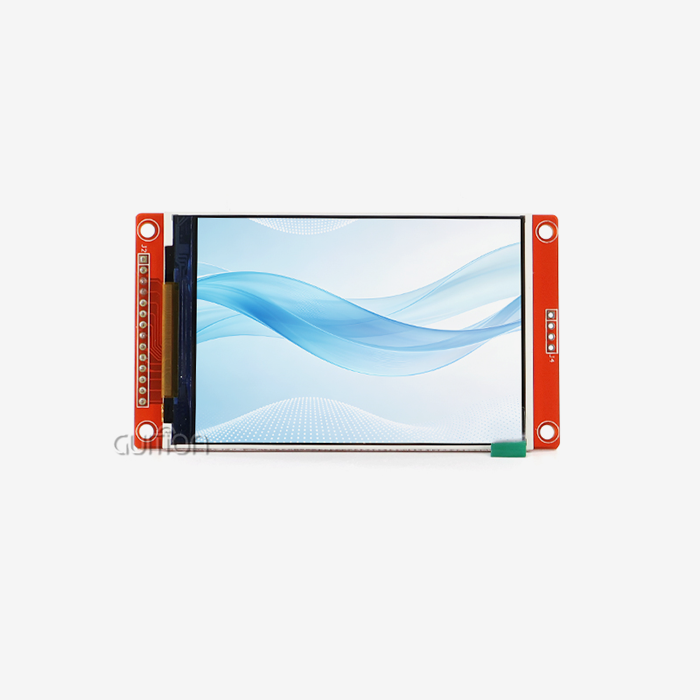
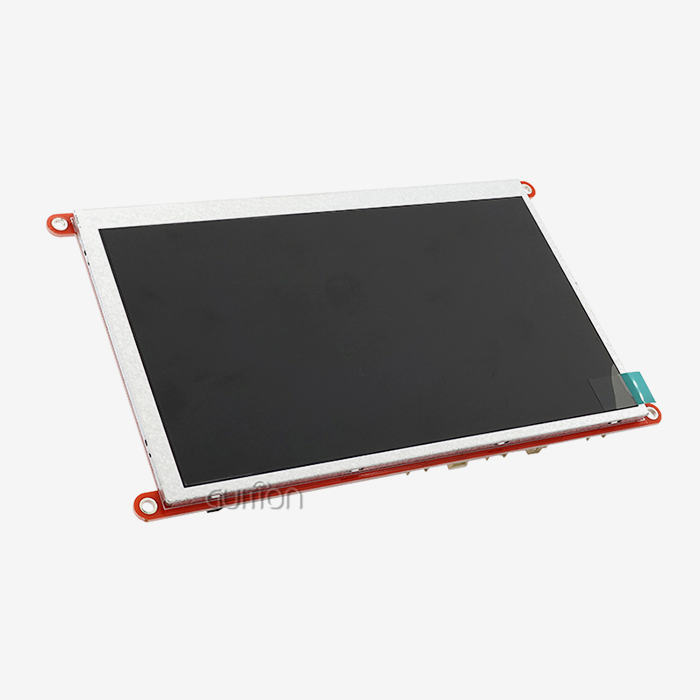
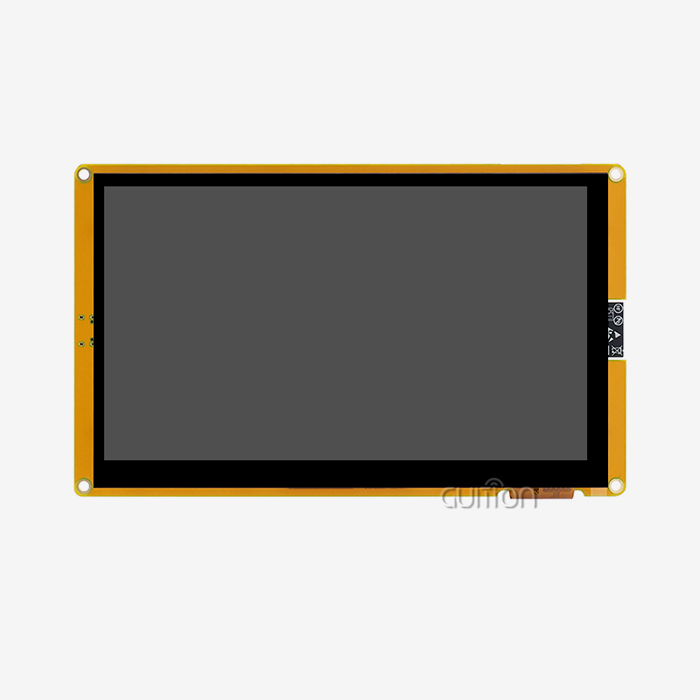
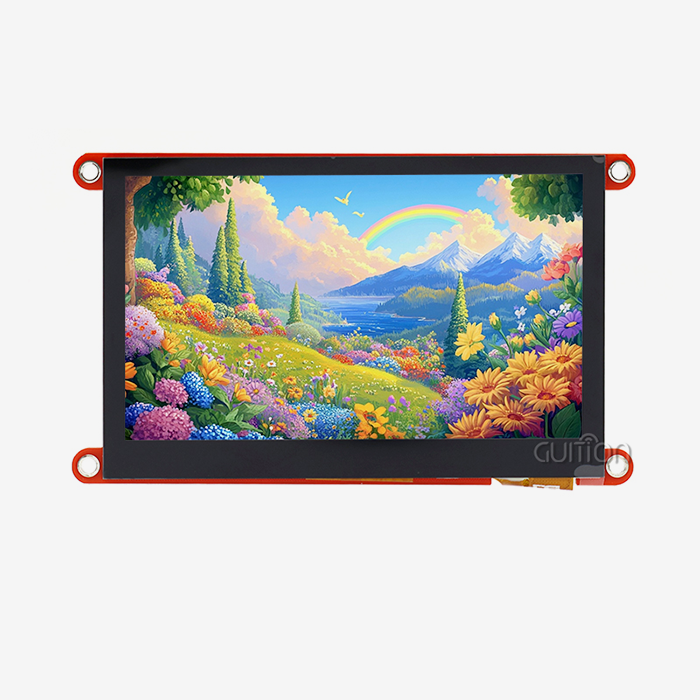
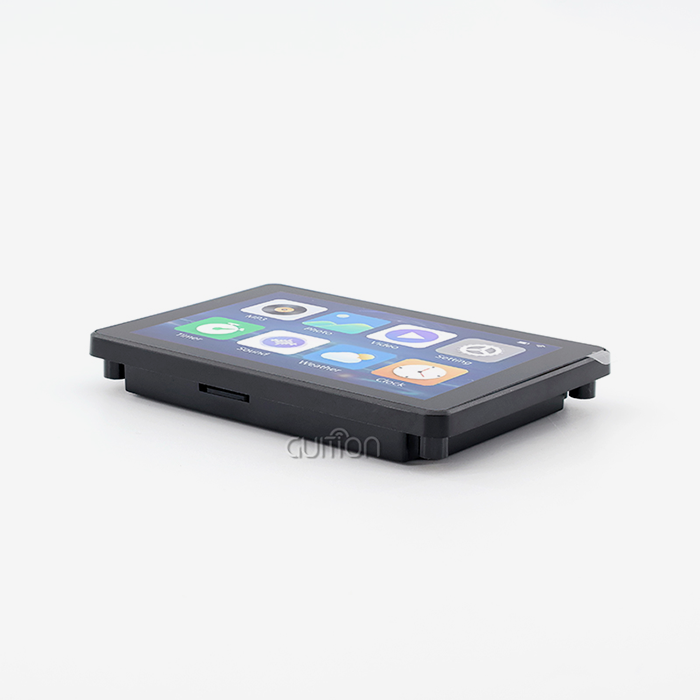
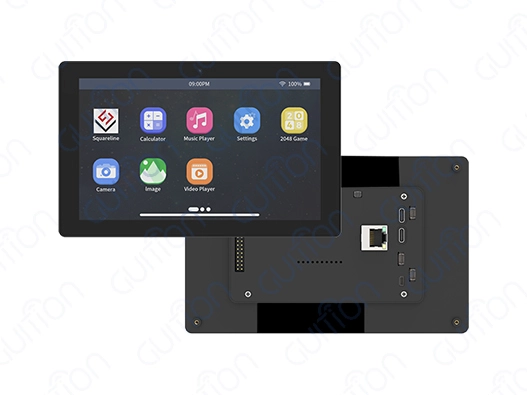
When engineers are making embedded systems and HMI interfaces, they need display options that do more than just extend the screen. A powerful ESP32-P4 processor and a 1024×600 IPS screen are combined in the Guition 7-inch display module to make an integrated development platform instead of an idle display peripheral. This dual-core MCU runs at 360MHz, which is fast enough to handle complex user interface rendering and real-time data display without putting too much stress on the main system driver.The architecture has 32MB of PSRAM and 16MB of Flash storage, which means that graphics images and program code can be stored directly on the display module. This embedded method works well for industrial control panels where the screen can partially operate on its own, keeping local control logic running even when contact with central computers is interrupted. The built-in Wi-Fi and Bluetooth connection is appreciated by embedded engineers because it allows for wireless debugging and remote firmware changes without having to physically reach the installed equipment.With capacitive touch, this module can be turned into an interactive interface that can be used for smart home control screens and medical tracking equipment. The touch device reacts right away to what the user does, and it can recognize gestures and handle multiple touches, which makes simple secondary portable monitor implementations more advanced for users. IPS technology's 178-degree viewing angles make it possible to read from a variety of operator positions, which is very important in joint workplace settings.
Development Flexibility and Integration
Multiple development platforms can be used with the Guition display module, so embedded engineers and system designers can use the one that works best for them. Compatible Arduino IDE lowers the barrier to entry for prototyping by letting you quickly test your ideas with tools you already know and code that is easier to understand. Production applications can switch to ESP-IDF for better speed and access to more advanced features, while still keeping the code compatible with earlier versions.Support for MicroPython makes fast UI iteration possible, which is especially helpful when a product is still in its early stages and needs are changing all the time. The Guition programming software adds special HMI design tools to these standard settings. This visual programming interface lets HMI designers build interfaces by dragging and dropping elements. It then automatically generates optimized code, so designers don't need to know a lot about embedded programming.The module has dedicated TF card and IO port connections, which make it more useful than just a display. Sensor readings can be saved on portable media by data logging programs so they can be analyzed later. With more GPIO connections, the display module can directly handle peripheral devices or read sensor inputs. This makes it possible to create combined control nodes that simplify the system and lower the communication overhead between components.
Applications in B2B Contexts
Developers of smart devices put these display modules into Internet of Things (IoT) goods that need both local user interfaces and cloud connection. Over-the-air updates are possible thanks to the built-in wireless capabilities. This lowers the cost of after-sales help by letting software fixes and feature additions be done remotely. Product managers who are in charge of connected devices like this feature because it lets them extend the lifecycles of their products and meet new needs without having to send technicians out to the field.Manufacturers of industrial control panels gain from the module's dependability in tough working conditions. The display works reliably in a wide range of temperatures and can handle the electrical noise that is typical in industrial settings. Automation engineers put these screens into machine control interfaces and use the touch feature to let operators enter commands. The integrated processor takes care of local control logic and protocol conversions.The display's features are used by people who make medical devices for patient tracking interfaces and diagnostic tools control panels. The high-resolution screen shows waves and numbers clearly, and the sensitive touch interface makes it easy to move around in menus with a lot of options. Regulatory compliance is easier to handle when there is a lot of paperwork and security features can be built into the module's software.
Conclusion
When choosing the right backup portable monitor, you need to carefully think about its technical specs, how it will be used, and how long it will be supported. Organizations gain the most when they match display capabilities to real process needs instead of just going for the highest specs. Integrated solutions like the Guition ESP32-P4 display module show that secondary portable monitor technology can be used for more than just adding a screen. It can also be used to build full HMI development platforms. Along with physical specs, procurement strategies should stress how reliable the provider is, how well the warranty covers, and how good the technical documentation is. As more people work from home and more data-heavy tasks are done in the field, investing in portable displays pays off in the form of higher output and greater operating freedom.
FAQ
What kinds of connections work best for portable displays?
The easiest way to connect is via USB-C with DisplayPort Alt Mode, which sends both video and power over a single wire. To do this, you need to make sure that your laptop's USB-C port supports Alt Mode, since not all of them do. HDMI links work with all devices, but they need their own power sources. Wireless display methods add delay that makes them useless for precise work, but they work well for presentations.
Can portable monitors function with smartphones and tablets?
Modern smartphones with desktop modes, like the Samsung DeX or Huawei EMUI Desktop, can connect to portable computers via USB-C and power them. The phone needs to be able to output enough power and handle video transmission methods. When set up this way, smartphones can be used as mobile workstations, which is helpful for field workers who need to access specific documentation or remote system access but aren't near a computer.
How does the Guition display module differ from standard portable monitors?
The Guition ESP32-P4 module has built-in processing, wireless connection, and programmable logic, while most portable monitors only work as inactive display devices. This design lets HMI programs work on their own, with the monitor taking care of local control tasks on its own. It's perfect for embedded engineers who want to make custom interfaces instead of just adding to current desktop workspaces because it comes with integrated development tools and supports multiple code environments.
Partner with Guition for Your Display Solutions
Guition is an expert at providing high-tech HMI display units that shorten development times and make engineering simpler. Our portable display options built on ESP32-P4 work perfectly with Arduino, ESP-IDF, and MicroPython. This gives embedded engineers and system integrators the most freedom possible. With its easy-to-use visual design tools, the Guition software platform gets rid of the need for boring low-level programming. This makes it possible to quickly create and launch UI prototypes. When you need a reliable secondary portable monitor supplier supporting comprehensive technical documentation, multi-language interfaces, and remote OTA upgrade capabilities, Guition delivers proven solutions backed by responsive engineering support. Contact david@guition.com to discuss your specific HMI requirements and discover how our technology-driven approach simplifies complex display integration challenges.
References
1. "Display Technology and Human-Computer Interaction: Principles and Applications," Journal of Embedded Systems Engineering, 2023, Volume 17, Issue 4, pages 234-256.
2. "Portable Display Solutions in Industrial Automation: A Comprehensive Assessment," International Conference on Manufacturing Technology Proceedings, 2024, pages 89-104.
3. "USB-C Display Connectivity Standards and Implementation Guidelines," Display Industry Technical Standards Committee, 2023 Edition.
4. "Ergonomic Considerations for Multi-Monitor Workstation Configuration," Occupational Health and Safety Research Institute, Technical Report 2024-03.
5. "Cost-Benefit Analysis of Portable Display Adoption in Remote Work Environments," Business Technology Review, 2023, Volume 42, Number 3, pages 156-173.
6. "Embedded Display Controller Performance Evaluation and Application Scenarios," IEEE Transactions on Industrial Electronics, 2024, Volume 71, Issue 2, pages 1834-1847.
Learn about our latest products and discounts through SMS or email