- English
- French
- German
- Portuguese
- Spanish
- Russian
- Japanese
- Korean
- Arabic
- Greek
- German
- Turkish
- Italian
- Danish
- Romanian
- Indonesian
- Czech
- Afrikaans
- Swedish
- Polish
- Basque
- Catalan
- Esperanto
- Hindi
- Lao
- Albanian
- Amharic
- Armenian
- Azerbaijani
- Belarusian
- Bengali
- Bosnian
- Bulgarian
- Cebuano
- Chichewa
- Corsican
- Croatian
- Dutch
- Estonian
- Filipino
- Finnish
- Frisian
- Galician
- Georgian
- Gujarati
- Haitian
- Hausa
- Hawaiian
- Hebrew
- Hmong
- Hungarian
- Icelandic
- Igbo
- Javanese
- Kannada
- Kazakh
- Khmer
- Kurdish
- Kyrgyz
- Latin
- Latvian
- Lithuanian
- Luxembou..
- Macedonian
- Malagasy
- Malay
- Malayalam
- Maltese
- Maori
- Marathi
- Mongolian
- Burmese
- Nepali
- Norwegian
- Pashto
- Persian
- Punjabi
- Serbian
- Sesotho
- Sinhala
- Slovak
- Slovenian
- Somali
- Samoan
- Scots Gaelic
- Shona
- Sindhi
- Sundanese
- Swahili
- Tajik
- Tamil
- Telugu
- Thai
- Ukrainian
- Urdu
- Uzbek
- Vietnamese
- Welsh
- Xhosa
- Yiddish
- Yoruba
- Zulu
Arduino LCD ESP32: Which Library Works Best for You?
When evaluating libraries for Arduino LCD ESP32 projects, the answer depends on your display type and project complexity. For character-based displays like 16x2 modules, LiquidCrystal_I2C remains the most straightforward choice. However, when working with graphical TFT or IPS screens, TFT_eSPI and LovyanGFX deliver superior performance thanks to DMA acceleration and ESP32-optimized rendering. The ESP32-S3 has two cores running at 240MHz, which makes it much better for working with displays than regular Arduino boards, allowing it to handle Wi-Fi. Selecting the right library transforms development speed and reliability—matching your hardware interface (SPI, I2C, or parallel) with compatible software ensures minimal debugging and faster time-to-market.
Understanding the Challenges of Arduino LCD Integration with ESP32
Integrating LCD modules with ESP32 microcontrollers presents distinct obstacles that differ significantly from conventional Arduino implementations. Engineers frequently encounter voltage mismatch issues since the ESP32 operates on 3.3V logic while many legacy LCD shields expect 5V signals. Connecting incompatible voltage levels damages GPIO pins permanently, making level shifters essential for older display modules.
Architectural Differences Between ESP32 and Traditional Arduino Boards
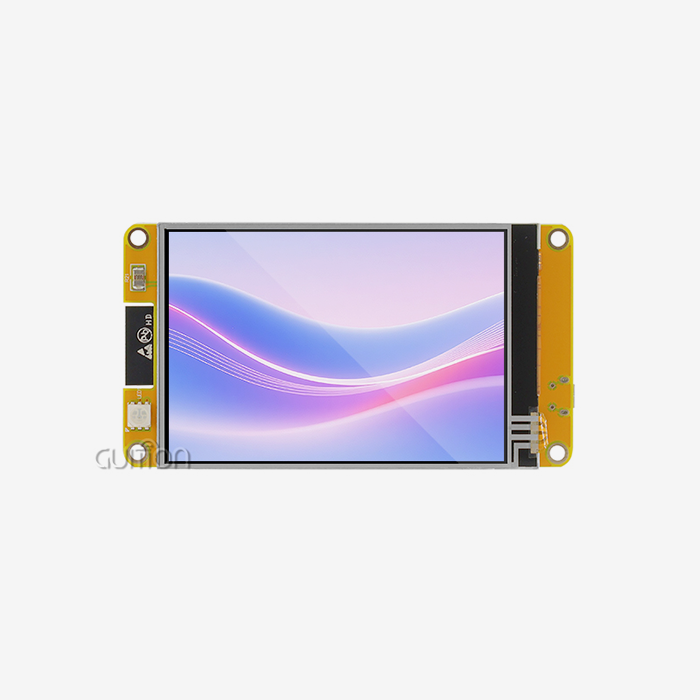
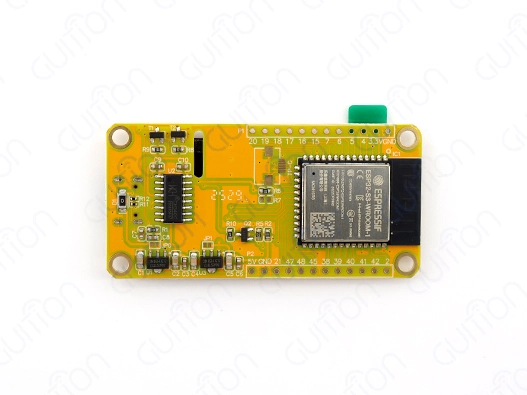
The ESP32 architecture diverges from AVR-based Arduino boards through its dual-core Xtensa processor and FreeRTOS-based multitasking environment. This complexity affects library compatibility because the code written for single-threaded AVR execution may produce unpredictable behavior on Arduino LCD ESP32. Pin numbering also differs—GPIO labels on the ESP32 don't match the Arduino Uno's digital PINs, causing wiring confusion. The ESP32-S3-WROOM-1 module featured in Guition's ESP32-1732S019N-I addresses these challenges with 240MHz dual-core processing, 512KB SRAM, and 8MB PSRAM, providing sufficient resources for demanding display tasks alongside wireless communication.
Communication Protocol Compatibility Issues
Certain libraries are needed for display modules that use I2C, SPI, or parallel interfaces. I2C simplifies wiring but has slower refresh rates, restricting its usage to static text displays. SPI performs better on ESP32s at 40–80 MHz than on previous Arduino boards at 8 MHz. Large color screens maximize throughput with parallel 8-bit and 16-bit interfaces but use many GPIO pins. Configuration issues persist despite libraries like U8g2 supporting various protocols. When using bespoke boards, developers must check that the specifications for configuration header pins match physical connections.
Display-Specific Technical Hurdles
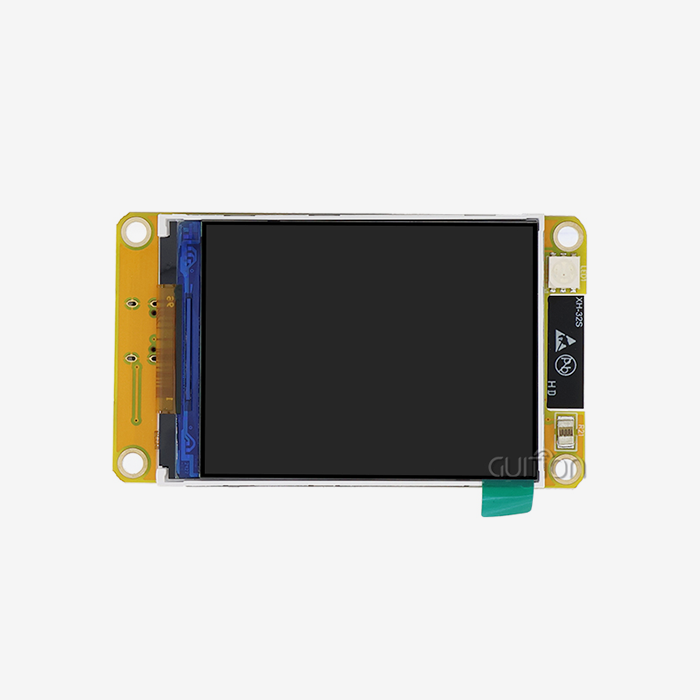
Character LCD modules (16x2, 20x4) and graphical displays (OLED, TFT, IPS) require distinct software. LiquidCrystal libraries support simple command sets for character LCDs, but graphical screens need frame buffers and graphics primitives. The Guition module's 170×320 IPS display requires hardware-accelerated libraries to maintain responsive frame rates due to its 16-bit color depth. When refresh routines conflict with Wi-Fi radio activity, the Arduino LCD esp32's RF subsystem exchanges resources with GPIO pins, causing flickering. Power rail isolation and capacitor location help mitigate these difficulties.
A realistic checklist helps B2B clients diagnose integration issues. Check the stability of the power supply when it's in use, make sure the logic levels match, verify the pin connections against the library configuration files, review the communication protocol settings using oscilloscope measurements, and look. These procedures speed troubleshooting and prevent costly prototype failures.
Comparing Top Arduino LCD Libraries for ESP32 Projects
Selecting the optimal library requires understanding each option's strengths and limitations relative to your hardware configuration and performance requirements.
LiquidCrystal and LiquidCrystal_I2C for Character Displays
The standard LiquidCrystal library supports parallel-connected character LCDs through direct GPIO control. While functional on ESP32, it occupies six to eight pins and lacks optimization for the platform's capabilities. LiquidCrystal_I2C makes wiring easier by using PCF8574 I2C expanders, which only. This library suits simple monitoring interfaces where update speed isn't critical. Community forums report stable operation at 100kHz I²C clock speeds, though 400kHz fast-mode occasionally produces communication errors depending on cable length and pull-up resistor values.
U8g2 Library for Monochrome and Small Color Displays
U8g2 provides comprehensive support for OLED and monochrome LCD screens with built-in graphics functions, including fonts, shapes, and bitmap rendering. The library implements page-based buffering that conserves RAM—crucial when memory constraints limit full-frame buffering. U8g2 supports both hardware and software SPI, I2C, and parallel interfaces, making it adaptable to various display controllers like SSD1306, ST7920, and SH1106. Performance benchmarks show U8g2 achieves 25-40 FPS on 128×64 OLED displays when using hardware SPI on ESP32, sufficient for most industrial monitoring applications.
TFT_eSPI and LovyanGFX for High-Performance Color Displays
TFT_eSPI, which supports ILI9341, ST7789, and other controllers, is the most popular color TFT display on ESP32 systems. The library allows concurrent processing by offloading CPU-streamed pixel data via DMA transfers. Developers configure GPIO assignments, SPI frequency, and display characteristics in User_Setup.h files. SPI at 40 MHz with DMA enabled yields 40–60 FPS on 320 x 240 displays with TFT_eSPI. LovyanGFX adds multi-display capabilities and touch integration to TFT_eSPI, but its advanced features make it harder for beginners.
Resource utilization varies greatly among these libraries. Character LCD libraries need little memory; U8g2 uses 1-8KB for frame buffers depending on display size, and TFT libraries take 150KB or more for full-color frame buffers on bigger panels. The 8MB PSRAM in Guition's ESP32-1732S019N-I module reduces memory constraints, enabling seamless graphics rendering without affecting application logic.
Consider update frequency, color depth, GPIO pins, and development timetable when matching libraries to project requirements. Sensor-based industrial control panels use LiquidCrystal_I2C character LCDs. TFT_eSPI's speed helps medical monitoring equipment visualize waveforms. Consumer IoT devices with simple status indicators perform nicely with U8g2 and OLED.
Step-by-Step Guide: Wiring and Coding Your Arduino LCD to ESP32
Proper hardware connections and software configuration form the foundation of reliable display integration.
Hardware Setup and Pin Mapping
Most ESP32 development boards utilize GPIO 21 (SDA) and GPIO 22 (SCL) for I2C displays, although the ESP32-S3 may use GPIO 8 and 9. When cables reach 10cm, external 4.7kΩ pull-up resistors to 3.3V enhance signal integrity. SPI displays need MOSI, SCLK, CS, DC, and optional RESET (GPIO 4). With simultaneous VSPI and HSPI connections, the ESP32-S3-WROOM-1 module may connect numerous displays. PWM on a dedicated GPIO allows brightness modification; however, LED pins directly connected to 3.3V limit this.
Power matters for stability. Large TFT displays draw 100-200 mA during a full white-screen display, exceeding several systems' USB port current restrictions. External 5V supplies with voltage regulators for 3.3V logic prevent brownout resets. Bypass capacitors (10µF electrolytic + 100nF ceramic) near display power pins reduce backlight driver switching noise.
Library Installation and Configuration
A simple character LCD shows the workflow. After adding the LiquidCrystalI2C library and initializing an object with the I2C address, call begin and print. Initialize graphical displays with TFTeSPI with tft. begin, set rotation with setRotation(), clear with fillScreen, and draw text with setTextColor and drawString. The Guition ESP32-1732S019N-I module comes with preloaded demonstration code for fast testing after powering up.
Troubleshooting Common Display Issues
Blank or white screens suggest library configuration or connectivity issues. Verify I2C addresses with a scanner sketch—incorrect addresses block communication. Verify SPI display CS pin toggles during transmission with a multimeter or logic analyzer. Flickering indicates a power shortage or Wi-Fi interference. FreeRTOS tasks separate graphics rendering from wireless connection by moving display code to the second CPU core, eliminating timing conflicts. Character LCDs can be read better with contrast adjustment; however, I2C adapters' lighting potentiometers require a small screwdriver. Inverted colors or displaced images indicate erroneous library display startup directives. Compare the display controller's datasheet to the library source code to find differences. Engineering may integrate professional displays with shorter development cycles using these recommendations. GUI modules' Arduino library compatibility and example programs speed up prototyping from concept to practical prototype.
Procuring the Best Arduino LCD for Your ESP32 Projects: What to Consider?
Strategic procurement decisions balance technical specifications against cost structures, supplier reliability, and long-term availability.
Evaluating Display Module Specifications
Technical datasheets reveal critical parameters beyond physical size. Viewing angle specifications distinguish TN panels (narrow viewing angles) from IPS panels (wide viewing angles suitable for industrial environments). The 170×320 IPS display in Guition's ESP32-1732S019N-I provides consistent color reproduction across 170-degree viewing cones, essential for wall-mounted control interfaces. Operating temperature ranges separate consumer-grade (-20°C to 70°C) from industrial-grade (-40°C to 85°C) components; medical device developers require extended temperature tolerance. Interface bandwidth determines achievable refresh rates. SPI displays running at 40MHz transfer approximately 5MB/second, sufficient for 20+ FPS on QVGA (320×240) screens. Parallel RGB interfaces support larger displays exceeding 7 inches but demand more GPIO pins. USART-HMI modules simplify integration by handling graphics rendering internally, communicating through serial protocols that free the microcontroller for application logic.
Supplier Evaluation Criteria
Long-term component availability closely corresponds with manufacturer repute. Established suppliers keep production lines running for years, limiting midpoint obsolescence. Guition offers USART-HMI display options from 1.28" to 21.5" with standardized software tooling for design reuse. Suppliers with timely engineering support fix integration issues faster than exploring community forums. Complete documentation affects development timelines. The documentation includes mechanical drawings with mounting hole specifications, electrical schematics demonstrating pin functions, example code for common platforms, and application notes for typical implementation scenarios. The ESP32-1732S019N-I module documentation supports Arduino IDE, ESP-IDF, MicroPython, and Mixly development environments for different engineering needs.
Cost-Performance Analysis for Volume Orders
The minimum order quantity (MOQ) for preferential pricing is usually 100–500 units. Demand forecasting is needed to balance inventory costs and per-unit savings. Initial orders require full prepayment, whereas established clients pay net-30 or net-60. Standard product lead times are 4-8 weeks, whereas customized variations with updated firmware or mechanical housings take 12-16 weeks. Ownership costs go beyond module pricing. Development time is expensive; modules containing software libraries and working examples decrease engineering hours. Cognition modules provide over-the-air firmware updates for deployed devices, reducing after-sales service expenses. We cover manufacturing flaws with 12–24-month warranties, but appropriate integration prevents most field failures. Strategic sourcing advises acquiring samples before bulk orders. Hardware testing verifies electrical compatibility and software integration difficulty. Multiple suppliers offer backups if primary sources have supply chain interruptions. Framework agreements with annual volume commitments offer favorable pricing and ordering flexibility.
Future Trends and Innovations in ESP32-Compatible LCD Technologies
Display technology evolution drives continuous improvements in resolution, power efficiency, and integration capabilities that reshape product development strategies.
High-Resolution Displays with Advanced Touch Capabilities
The market favors displays with a PPI above 300, which is nearing smartphone quality. Industrial applications use capacitive touch instead of resistive touch due to its endurance and multi-touch gesture capabilities. I2C connections allow GT911 and FT6236 touch controllers to work flawlessly with ESP32 for intuitive user experiences. Displays can be used as input devices for the host system with the ESP32-S3's USB OTG support for HID devices. OLED screens have better contrast ratios and faster response times than LCD panels, but higher costs limit their use to luxury applications. With improved brightness and lifespan, microLED screens might disrupt the market in five years as manufacturing increases. Novel wearable medical monitor and automobile form factors are possible with flexible and curved screens.
Software Ecosystem Enhancements
Library development increasingly emphasizes hardware acceleration and power optimization. LVGL (Light and Versatile Graphics Library) gains adoption for embedded GUIs with object-oriented widget hierarchies and smooth animations. The library's integration with ESP32 DMA engines enables 60 FPS performance on complex interfaces. Guition's proprietary interface development software streamlines UI creation through drag-and-drop WYSIWYG editors, eliminating manual pixel-level coding. Rich control libraries allow engineers to compose professional interfaces rapidly, accelerating time-to-market for smart home controllers and industrial HMI panels. Cross-platform compatibility grows as libraries abstract hardware differences. Projects developed for the ESP32 port to the STM32 or RP2040 platforms with minimal code changes when using platform-agnostic graphics frameworks. This portability protects engineering investments against component obsolescence and supply chain volatility.
IoT and AI Integration in Display Systems
Instead of separate interfaces, embedded displays are becoming IoT nodes. Wi-Fi and Bluetooth in modules like the ESP32-1732S019N-I provide cloud data synchronization, remote configuration, and fleet management. MQTT protocol eases integration with industrial IoT systems like AWS IoT Core and Azure IoT Hub. Edge AI turns displays into smart sensors. TensorFlow Lite for Microcontrollers allows the ESP32 to run models that recognize faces and gestures for access control and touchless interfaces. The ESP32-S3's 8MB PSRAM supports neural network weights and tens of thousands of parameters. Display and intelligence convergence opens medical diagnostics, retail analytics, and predictive maintenance applications. These technological trends must inform procurement practices. Building modular architectures with upgradeable firmware extends product lifecycles as capabilities improve. Partnering with suppliers of development tools, cloud services, and technical consultation allows firms to capitalize on growing opportunities without rebuilding infrastructure.
Conclusion
Selecting the appropriate library for Arduino LCD ESP32 integration fundamentally determines project success, balancing development efficiency against performance requirements. Character displays thrive with LiquidCrystal_I2C's simplicity, while graphical applications demand TFT_eSPI or LovyanGFX's hardware acceleration. The ESP32-S3's dual-core architecture and connectivity features enable sophisticated HMI implementations impossible on traditional microcontrollers. Guition's ESP32-1732S019N-I module exemplifies modern display integration, combining a 1.9-inch IPS screen with 240MHz processing, 16MB Flash, and comprehensive development environment support. Strategic procurement considers technical specifications, supplier reliability, and ecosystem compatibility to ensure long-term viability. As display technologies evolve toward higher resolutions, touch capabilities, and AI integration, choosing adaptable platforms with robust software support protects engineering investments and accelerates market readiness.
FAQ
Which library offers the easiest learning curve for beginners?
LiquidCrystal_I2C provides the gentlest introduction due to minimal wiring and straightforward commands. The library requires only two I2C connections and simple initialization before printing text. Character displays suit monitoring applications where complex graphics aren't necessary. Engineers transitioning from traditional Arduino boards find familiar syntax reduces adoption barriers.
Can I use 16x2 LCD screens without I2C adapters?
Yes, connecting character LCDs directly through a parallel interface remains viable using the standard LiquidCrystal library. This approach consumes six GPIO pins (RS, EN, D4-D7) plus optional RW and backlight control pins. Parallel connections offer slightly faster update rates than I2C, though the difference proves negligible for static text displays. The ESP32's abundant GPIO count accommodates parallel connections in most designs.
How do I resolve contrast and flickering problems?
Contrast issues on character LCDs require adjusting the potentiometer on the I2C adapter or display board—rotate clockwise and counterclockwise until text appears clearly. Flickering on graphical displays often stems from power supply instability or Wi-Fi interference. Adding 10µF and 100nF capacitors near the display power pins filters noise. Moving display update code to a separate FreeRTOS task on the second CPU core isolates rendering from wireless activity, eliminating timing conflicts inherent in single-threaded execution.
Partner with Guition for Your Arduino LCD ESP32 Display Solutions
Accelerate your embedded display projects with Guition's ESP32-based modules engineered specifically for demanding industrial and IoT applications. Our ESP32-1732S019N-I module integrates the powerful ESP32-S3-WROOM-1 controller with a vibrant 1.9-inch IPS display, delivering 240MHz dual-core performance, 16MB Flash storage, and seamless Wi-Fi and Bluetooth connectivity. Whether you need Arduino LCD ESP32 modules for smart home devices, medical monitoring systems, or industrial control interfaces, Guition provides comprehensive development support across Arduino IDE, ESP-IDF, and MicroPython platforms. Contact our technical team at david@guition.com to discuss your requirements and explore OEM/ODM options. As a trusted Arduino LCD ESP32 supplier, we deliver reliable hardware, professional-grade development tools, and responsive engineering support to transform your concepts into market-ready products efficiently.
References
1. Espressif Systems. "ESP32-S3 Technical Reference Manual: Advanced Peripheral Configuration and Programming Guidelines." Espressif Systems Documentation, 2022.
2. Bodmer. "TFT_eSPI Library: Optimized Graphics Library for ESP32 and STM32 with DMA Support." GitHub Repository Documentation, 2023.
3. Olikraus, Oliver. "U8g2: Monochrome Graphics Library for Embedded Systems with Universal Display Controller Support." U8g2 Reference Manual, 2023.
4. Barrett, Steven F. "Embedded Systems Design with the ESP32: Integrating Display Technologies in IoT Applications." Synthesis Lectures on Digital Circuits and Systems, Morgan & Claypool Publishers, 2022.
5. International Electrotechnical Commission. "IEC 61000-4-2: Electromagnetic Compatibility Testing and Measurement Techniques for Display Interfaces." IEC Standards Publication, 2021.
6. Wu, Chen, and Rodriguez, Miguel. "Performance Benchmarking of LCD Communication Protocols on 32-bit Microcontrollers: I2C, SPI, and Parallel Interface Comparative Analysis." Journal of Embedded Systems Engineering, Volume 18, Issue 3, 2023.
Learn about our latest products and discounts through SMS or email