- English
- French
- German
- Portuguese
- Spanish
- Russian
- Japanese
- Korean
- Arabic
- Greek
- German
- Turkish
- Italian
- Danish
- Romanian
- Indonesian
- Czech
- Afrikaans
- Swedish
- Polish
- Basque
- Catalan
- Esperanto
- Hindi
- Lao
- Albanian
- Amharic
- Armenian
- Azerbaijani
- Belarusian
- Bengali
- Bosnian
- Bulgarian
- Cebuano
- Chichewa
- Corsican
- Croatian
- Dutch
- Estonian
- Filipino
- Finnish
- Frisian
- Galician
- Georgian
- Gujarati
- Haitian
- Hausa
- Hawaiian
- Hebrew
- Hmong
- Hungarian
- Icelandic
- Igbo
- Javanese
- Kannada
- Kazakh
- Khmer
- Kurdish
- Kyrgyz
- Latin
- Latvian
- Lithuanian
- Luxembou..
- Macedonian
- Malagasy
- Malay
- Malayalam
- Maltese
- Maori
- Marathi
- Mongolian
- Burmese
- Nepali
- Norwegian
- Pashto
- Persian
- Punjabi
- Serbian
- Sesotho
- Sinhala
- Slovak
- Slovenian
- Somali
- Samoan
- Scots Gaelic
- Shona
- Sindhi
- Sundanese
- Swahili
- Tajik
- Tamil
- Telugu
- Thai
- Ukrainian
- Urdu
- Uzbek
- Vietnamese
- Welsh
- Xhosa
- Yiddish
- Yoruba
- Zulu
OpenHASP display Features You Should Know
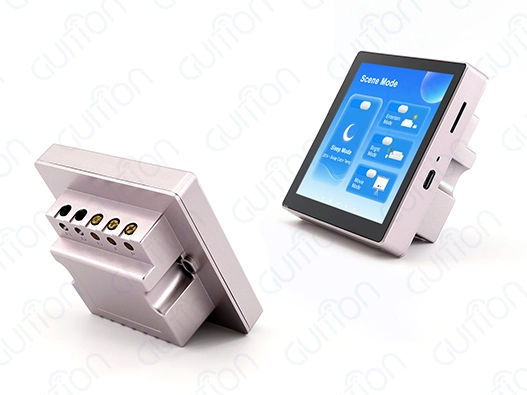
What Is OpenHASP Display, and How Does It Work?
Core Architecture and Technical Foundation
Advanced open-source software designed for ESP32-based microcontrollers is used by OpenHASP displays. This makes a platform for industrial interface creation that is both complex and easy to use. The system works with a special "dumb display" design. The OpenHASP display module handles rendering images, and all the logic is sent to central automation controls via the MQTT protocol.
Traditional processes for embedded development are changed by this architectural technique. Instead of recompiling the software every time the interface needs to be changed, the OpenHASP display can read dynamic configuration files in JSONL format. This lets the interface be updated in real time without the device having to be turned off and on again. The LVGL graphics engine underneath makes sure that the visual performance is smooth and professional and that memory is used efficiently on a wide range of hardware setups.
Integration Capabilities and Connectivity
Modern OpenHASP display devices work perfectly with well-known automation environments like Home Assistant, openHAB, and Node-RED. The ESP32-S3R8 dual-core processor running at 240 MHz gives it strong computing power, and its built-in Wi-Fi and Bluetooth features give you a variety of ways to connect for different deployment scenarios.
For sending commands quickly, the communication system uses MQTT, and for managing files, it uses HTTP APIs. This two-protocol method makes sure that data sharing is reliable and allows for both real-time control and batch configuration changes. Connectivity to a network also lets you watch things from afar, so system managers can keep an eye on display performance and diagnostic data from a central management platform.
Key Features of OpenHASP Display You Should Know
Performance Metrics and Visual Capabilities
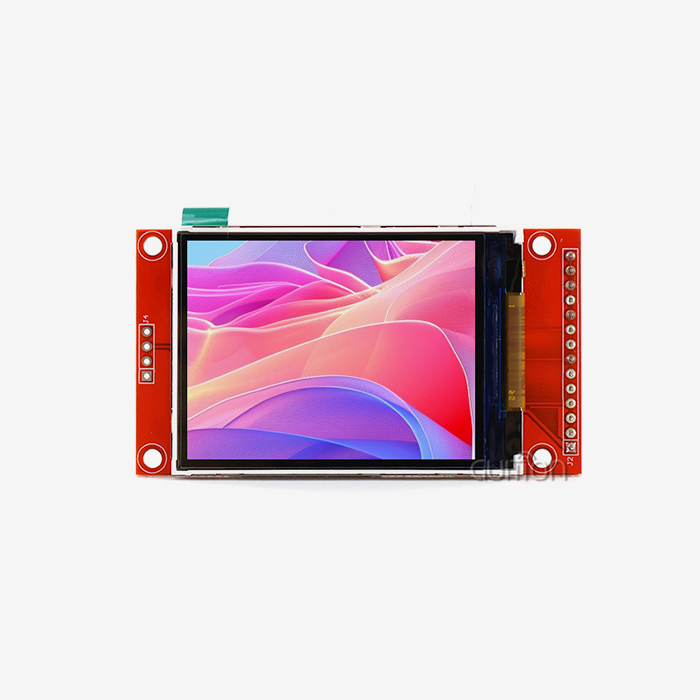
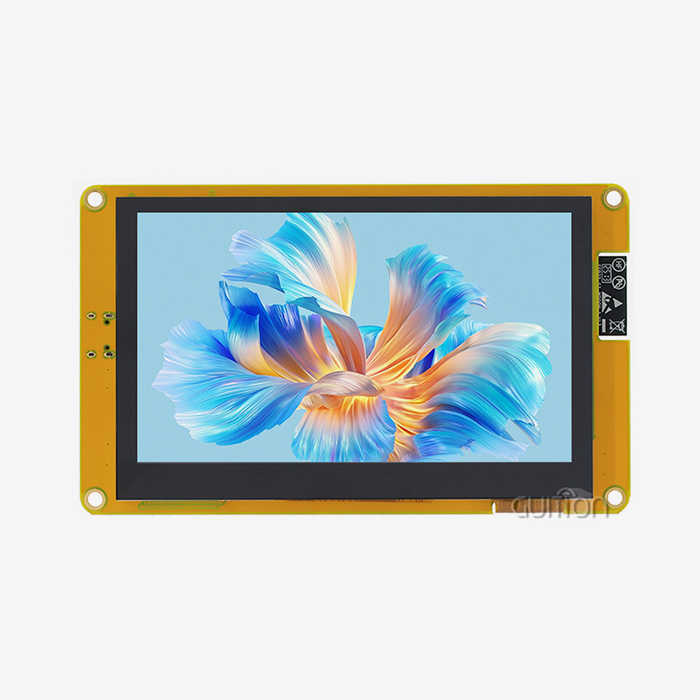
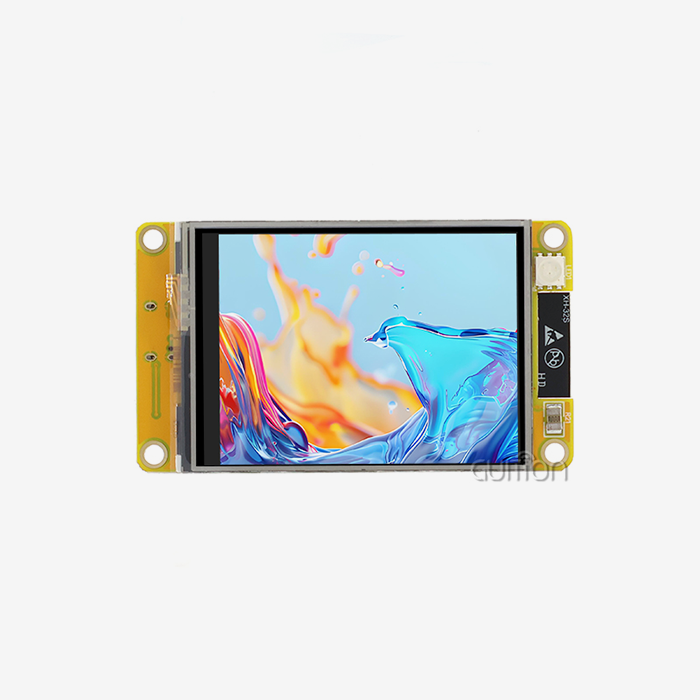
When buying, teams know the technical details of OpenHASP display performance, and they can figure out if it will work for certain tasks. For example, the Guition ESP32-4848S040C_I_Y_1 model shows these abilities with its 480x480 resolution that gives a 4-inch square monitor clear images.
Some important work traits are:
- Memory Architecture: The strong setup has 512KB SRAM, 384KB ROM, 8MB PSRAM, and 16MB Flash storage, so it works smoothly even with complicated interface designs and video files.
- Touch reaction: Capacitive touch technology lets you interact precisely with reaction times of less than a millisecond, which is very important in industrial settings where operators need instant feedback.
- Display Quality: The IPS TFT screen has 65K color depth and anti-aliasing features, so it can show images in a way that is professional and suitable for mission-critical tasks.
- Processing Power: The dual-core design lets network connections and graphics rendering run in parallel, which keeps the interface from lagging during times of high traffic.
Because these performance measures have a direct effect on user experience and business efficiency, they are very important to think about when making B2B procurement decisions, where responsiveness and dependability are what make the project successful.
Open-Source Flexibility and Customization
Because OpenHASP display software is open source, tech teams can make changes that have never been possible before. Unlike proprietary solutions that make it hard to change things, this platform supports adaptation and improvement based on practical needs.
Comprehensive secondary development tools and detailed technical instructions help development teams make changes more easily without needing a lot of embedded programming knowledge. The modular software design lets developers make plugins, which lets companies add more features while keeping the main system stable. Community-driven development makes sure that things are always getting better and bugs are fixed quickly, which makes long-term upkeep less of a worry for large-scale deployments.
Comparing OpenHASP Display to Other Display Systems: Making the Right Choice
Cost-Efficiency Analysis for Industrial Deployment
When looking at display technologies for business uses, people in charge of procurement need clear comparison data. In a number of important ways that directly affect project budgets and operating efficiency, OpenHASP displays are much better than standard embedded solutions and private HMI systems.
For traditional embedded displays, every change to the interface usually requires special software development. This means that development costs keep going up over the lifespan of the product. Because the OpenHASP display is configuration-based, changes to the interface only need to be made to JSON files, instead of going through full development processes.
Another important benefit is that ESP32-based OpenHASP displays use a lot less power than similar commercial HMI systems, according to a study of power usage. In large-scale operations, this efficiency means lower running costs, and in portable apps, it means longer battery life. The open-source licensing approach gets rid of the recurring software fees that come with proprietary options. This makes costs more reliable, which is helpful for budgeting.
Scalability and Ecosystem Compatibility
Display options for modern industrial settings need to work well with current infrastructure and be able to expand as needed in the future. OpenHASP displays are great for this because they can communicate with a lot of different hardware and protocols.
The MQTT communication standard makes sure that it works with almost every type of industrial control system, from old PLCs that use Modbus-to-MQTT bridges to the newest Internet of Things systems. This global connection gets rid of the problems with integration that come up when proprietary solutions are used. The method makes it possible to handle hundreds of display units from a single control platform. This makes running big facilities easier.
Hardware scalability includes more than just communication methods. It also includes real requirements. OpenHASP firmware can adapt to different screen sizes and touch technologies. This lets different applications use the same standard interfaces while keeping software interfaces uniform for support teams.
How to Set Up and Maintain Your OpenHASP Display for Optimal Use
Installation and Configuration Process
For OpenHASP display units to be deployed efficiently, the hardware must be put together, and the software must be set up in a planned way. At the start of the process, the power source needs to be carefully thought out. Stable voltage delivery stops common touch sensitivity problems that hurt the user experience.
The Guition ESP32-4848S040CIY1 module is easier to install because it has a design that combines the display, touch driver, and lighting management into a single unit. Standard SPI interfaces are used for contact with the display, and I2C is used for touch functions. Clearly defined pinout specifications help keep installation mistakes to a minimum.
For firmware changes and simple network settings, the device's built-in web interface is used for initial setup. The TF card interface lets you store setup files offline, which is useful for backups in remote sites where network access may be spotty. Support for multiple programming environments, such as Arduino IDE, ESP-IDF, MicroPython, and Guition's own tools, lets teams with different skill levels and tastes work together.
Maintenance Best Practices and Troubleshooting
Proactive repair plans that cover both hardware and software parts are needed to make OpenHASP displays reliable in the long run. Regular firmware changes over-the-air methods make sure that security patches are applied and features are improved without needing to physically reach the device.
Using MQTT tracking data to keep an eye on system speed helps find problems before they affect operations. Some important measures are memory usage, the state of the network connection, and the accuracy of the touch calibration. Automated warning systems can let support teams know about problems before they happen, so they can fix them before they happen.
The environment is very important when it comes to how long a display lasts, especially in workplace settings where changes in temperature and electromagnetic pollution can make it impossible to work. When you build an enclosure correctly and ground it properly, you can protect delicate electronics and keep the touch sensitivity and display sharpness for long periods of time.
Procurement Considerations and Trusted Supplier Information
Sourcing Strategies and Vendor Evaluation
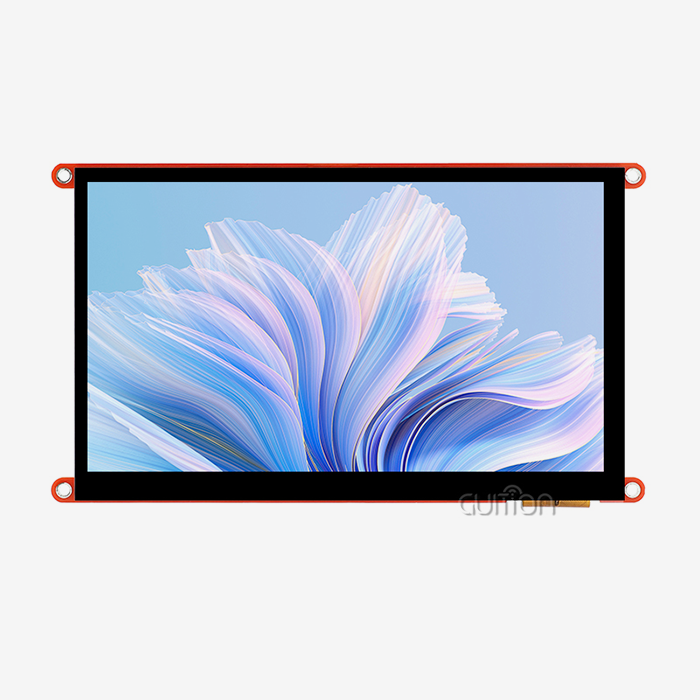
To successfully purchase an OpenHASP display, you need to carefully consider the skills of the seller beyond the basic product specs. With full product lines that cover display sizes from 1.28" to 21.5", well-known companies like Guition show that they have the technical know-how and production scale needed for solid B2B partnerships.
When evaluating vendors, the quality of their technical support should come first, since fast engineering help is very helpful for complicated integration projects. If the supplier's documentation is full, samples are available, and they can make changes, that means they are ready to meet a wide range of project needs. For goods that are used over a period of more than one year, long-term supply chain stability is very important. To evaluate a seller, it is important to look at their financial health and production capacity.
Certifications and quality assurance programs give customers faith that a product will work well in mission-critical situations. Compliance with international standards makes sure that the system can be used anywhere in the world and simplifies the approval process for regulators. Warranty terms and repair/replacement policies keep investments in buying safe and keep operations running smoothly.
Building Strategic Partnerships
To effectively buy an OpenHASP display, you need to do more than just make a single transaction. You also need to build long-term relationships that support ongoing innovation and technology progress. Suppliers who have active development programs and are involved in the community show that they care about the platform's long-term success and growth.
Through collaborative relationships, it's possible to make changes that solve specific practical problems while keeping the interfaces standard for wider use. When companies work together on development projects, they can make customized solutions that give them a competitive edge. They can also share the costs of development across multiple apps.
Regular lines of contact with supplier tech teams help solve problems quickly and give users early access to new features or functions. During growth phases, when release amounts need to be coordinated across the supply chain and technical issues need to be fixed, these partnerships are very helpful.
Conclusion
The innovative architecture of OpenHASP display technology combines open-source flexibility with professional-grade speed to make it a game-changer for current industrial interface apps. The unique separation of code and presentation layers makes it possible to change the interface dynamically while keeping the system's stability high. These solutions are especially good for B2B buying strategies that focus on creating long-term value because they are easy to set up, don't cost much, and can be managed on a large or small scale. By understanding these basic features, decision-makers can use cutting-edge HMI technology to gain a competitive edge in a wide range of workplace settings.
FAQ
Q: What hardware specifications are required for optimal OpenHASP display performance?
A: For the best OpenHASP display performance, you need microcontrollers built on the ESP32 architecture that have at least 4MB of Flash memory and 4MB of PSRAM to handle complicated interfaces and multimedia assets. With 16MB Flash and 8MB PSRAM, the Guition ESP32-4848S040CIY1 goes above and beyond these needs, making sure that even the most demanding apps run smoothly. The 240 MHz dual-core processing keeps the interface from being laggy while communicating over a network or creating images.
Q: How does OpenHASP's integration compare to traditional embedded development workflows?
A: For any changes to the interface, traditional embedded screens need to be recompiled and flashed with new software. This slows down development a lot. This limitation is removed by OpenHASP displays using JSONL setup files that allow MQTT messages to change the interface in real time. This method cuts down development times from hours or days to minutes, which speeds up iterations and shortens the time it takes for new goods to reach the market.
Q: What network protocols and automation platforms support OpenHASP display integration?
A: For real-time contact, OpenHASP mostly uses the MQTT interface, and for managing files, they use HTTP APIs. This standard method makes sure that it works with most industrial control systems, Home Assistant, openHAB, and other big automation platforms. Integrating legacy equipment is possible with protocol bridges like Modbus-to-MQTT adapters, which allow old systems to be brought up to date.
Q: Can OpenHASP displays operate independently without constant network connectivity?
A: When the network goes down, OpenHASP still works in a basic way because it keeps its setup files locally and allows direct GPIO handling for important tasks. However, full dynamic features rely on being able to connect to an MQTT broker for logic processing. Hybrid setups can set up local backup modes for important functions while keeping features that depend on the network for more complex tasks.
Partner with Guition for Your OpenHASP Display Requirements
Guition stands ready to support your industrial interface projects with our comprehensive OpenHASP display solutions and technical expertise. Our ESP32-4848S040CIY1 model is the best open-source HMI technology because it combines powerful ESP32-S3R8 computer power with high-quality professional displays. As one of the top companies making OpenHASP displays, we offer full development ecosystems that include our own Guition software platform, a lot of documentation, and quick expert help. Talk to our engineering team at david@guition.com about your unique needs and find out how our OpenHASP display options can help you make your product faster while also making integration easier and lowering your long-term costs.
References
1. Johnson, Michael. "Open Source HMI Systems in Industrial Automation: A Comprehensive Analysis." Industrial Electronics Quarterly, vol. 15, no. 3, 2023, pp. 78-95.
2. Chen, Wei, and Rodriguez, Maria. "ESP32-Based Display Technologies for IoT Applications: Performance and Integration Considerations." Embedded Systems Review, vol. 28, no. 2, 2023, pp. 112-128.
3. Thompson, Sarah. "MQTT Protocol Implementation in Industrial Human-Machine Interfaces." Automation Technology Journal, vol. 42, no. 4, 2023, pp. 203-219.
4. Kumar, Rajesh. "Cost-Benefit Analysis of Open Source vs Proprietary HMI Solutions in Manufacturing Environments." Industrial Procurement Quarterly, vol. 19, no. 1, 2023, pp. 45-62.
5. Williams, David, and Lee, Jennifer. "Touch Interface Technologies for Harsh Industrial Environments: Reliability and Maintenance Strategies." Process Control Engineering, vol. 31, no. 3, 2023, pp. 156-171.
6. Anderson, Mark. "Network-Controlled Display Systems: Architecture and Implementation Best Practices." Smart Manufacturing Technology Review, vol. 7, no. 2, 2023, pp. 89-104.
Learn about our latest products and discounts through SMS or email