- English
- French
- German
- Portuguese
- Spanish
- Russian
- Japanese
- Korean
- Arabic
- Greek
- German
- Turkish
- Italian
- Danish
- Romanian
- Indonesian
- Czech
- Afrikaans
- Swedish
- Polish
- Basque
- Catalan
- Esperanto
- Hindi
- Lao
- Albanian
- Amharic
- Armenian
- Azerbaijani
- Belarusian
- Bengali
- Bosnian
- Bulgarian
- Cebuano
- Chichewa
- Corsican
- Croatian
- Dutch
- Estonian
- Filipino
- Finnish
- Frisian
- Galician
- Georgian
- Gujarati
- Haitian
- Hausa
- Hawaiian
- Hebrew
- Hmong
- Hungarian
- Icelandic
- Igbo
- Javanese
- Kannada
- Kazakh
- Khmer
- Kurdish
- Kyrgyz
- Latin
- Latvian
- Lithuanian
- Luxembou..
- Macedonian
- Malagasy
- Malay
- Malayalam
- Maltese
- Maori
- Marathi
- Mongolian
- Burmese
- Nepali
- Norwegian
- Pashto
- Persian
- Punjabi
- Serbian
- Sesotho
- Sinhala
- Slovak
- Slovenian
- Somali
- Samoan
- Scots Gaelic
- Shona
- Sindhi
- Sundanese
- Swahili
- Tajik
- Tamil
- Telugu
- Thai
- Ukrainian
- Urdu
- Uzbek
- Vietnamese
- Welsh
- Xhosa
- Yiddish
- Yoruba
- Zulu
More Than a Screen: Guition GUI Tool Simplifies Embedded UI Development
A hmi human interface machine is just as good as the software behind it, and that's where most projects halt. I’ve seen good firmware teams spend six weeks on button locations and font tables. This bottleneck is removed using the Guition GUI Tool. It converts screen design into a drag-and-drop task, and then produces production-ready code for the target module. This tutorial explains how it works, what it stores, and where it fits. Here are some benchmark figures, two deployment tales, and a sourcing checklist to utilize this week.

Most purchasers look for panels by size inches and pricing. That habit is expensive. The panel is the inexpensive element. What truly drives what the interface costs are is your engineering hours, your rework cycles, and your field update charges. This was written from the construction side, not the marketing side, since that’s where the data are.
Bring your screen size, resolution, and control list to GUITION. We map any HMI (human-machine interface machine requirement onto a module within one working day. Email david@guition.com or call +86 186 6584 6730. You get a matched Guition GUI Tool project file, a BOM, and a delivery schedule. The manufacturer builds the panel, firmware, and software in one house. One sample proves it.
What Is an HMI Human Interface Machine and How Does It Work?
What Counts as an HMI, and What Does Not
An HMI human interface machine is the hardware and software layer that allows a person to command a machine and get back its status. “Bare” LCDs display pixels solely. An HMI closes the loop. You touch . Machine reacts . Screen verifies . That is the result of that loop. Break any leg of it, and the operators stop believing the panel.
Normally there are four items in the layer. The touch sensor transforms the location of the finger into coordinates. The controller or MCU handles the interface logic and the framebuffer. A display driver drives pixels to the TFT display. The backlight circuit and IO block control brightness and external signals. If you skip the fourth element, your panel won't function in sunlight.
The Signal Path Behind Every Touch
This is the route on a contemporary module. The sensor and the glass form a capacitance change. The touch controller scans and reports a pair of X/Y values via I2C or SPI. Then the MCU associates that pair with a widget list and triggers the bound event. It redraws the affected area. The panel presents the updated state inside a frame.
Espressif does a good job of publishing this type of gear. The ESP32-S3 is a dual-core Xtensa LX7 running at 240 MHz with 512 KB of on-chip SRAM. It has 2.4GHz Wi-Fi 802.11b/g/n and Bluetooth 5 LE. It has 45 GPIOs and allocates 14 of them for capacitive touch [1]. We have the JC1060Q370C_I, which is different. It operates on a single-core 400MHz Artinchip D121BBV MCU with RT-Thread, driving a 7.0-inch 1024x600 IPS capacitive display. RT-Thread is placed under that stack under Apache License 2.0, with a Nano kernel that only requires 3KB ROM and 1.2KB RAM [4].
Latency Sets the Usability Ceiling
Speed is not a great control panel to have. Jakob Nielsen defined the boundaries decades ago, and they are still valid. They run 0.1 s for rapid reaction, and 1.0 s for uninterrupted flow of thinking. The maximum time to retain attention without a progress indication is 10 seconds [5]. Convert it to a plant panel. Your touch-to-visible budget is ~100 ms.
ISO 9241-110:2020 gives the design side of the same rule. Its dialogue principles cover suitability for the task, self-descriptiveness, conformity with user expectations, learnability, and controllability. They read like a checklist for any HMI human interface machine (ISO 9241-110:2020, https://www.iso.org/standard/67103.html). A 400 MHz core with hardware-assisted JPEG decoding at 1024×768@60fps keeps you inside both limits.
How Does the Guition GUI Tool Simplify Embedded UI Design?
What Changes When You Stop Hand-Coding Widgets
People don’t anticipate how many lines it takes to hand-code a widget. One button = 1 create call + 1 size call + 1 position call + 1 style block + 1 label + 1 font load + 1 event callback. Multiply that by 40 controls on six screens, and you've created a small book before you test anything. Then the industrial designer says relocate everything eight pixels to the left.
The Guition GUI Tool eliminates that sort of labor. You drag a control onto a canvas, configure its parameters in a side panel, and the tool generates the initialization, style, and event scaffolding. Your application logic stays the same. You quit pixel math.
What the Tool Writes for You
The canvas is as important as the product generated. Some visual builders generate a black-box binary that you can’t change or version-control. Guition generates legible, organized project code and comprehensive secondary-development interfaces and documentation so your team may enhance behavior without rewriting the rendering core.
Why this matters is shown by the hand-coded baseline. A robust open graphics library provides 30+ built-in widgets and 100+ style parameters, and is scalable from basic MCUs to OpenGL targets [3]. The Guition GUI Tool does the hand-coding of that surface.
Here is how the three common routes compare on a six-screen build.
| Approach | Upfront setup | Who owns the code | Typical time to six screens |
|---|---|---|---|
| Hand-coded C with a graphics library | Low cost, high learning | You, entirely | 40–55 hours |
| PC-based SCADA or industrial panel | High license and hardware cost | Vendor, largely locked | 30–45 hours |
| Guition GUI Tool on a display module | Low, browser-based | You, plus GUITION libraries | 8–14 hours |
That middle row surprises buyers. A panel PC solves the screen and creates a new problem: a Windows license, a fan, and a supply chain you do not control.
Drag-and-Drop Interface Design for Faster HMI Development
Laying Out a 7-Inch Screen in One Sitting
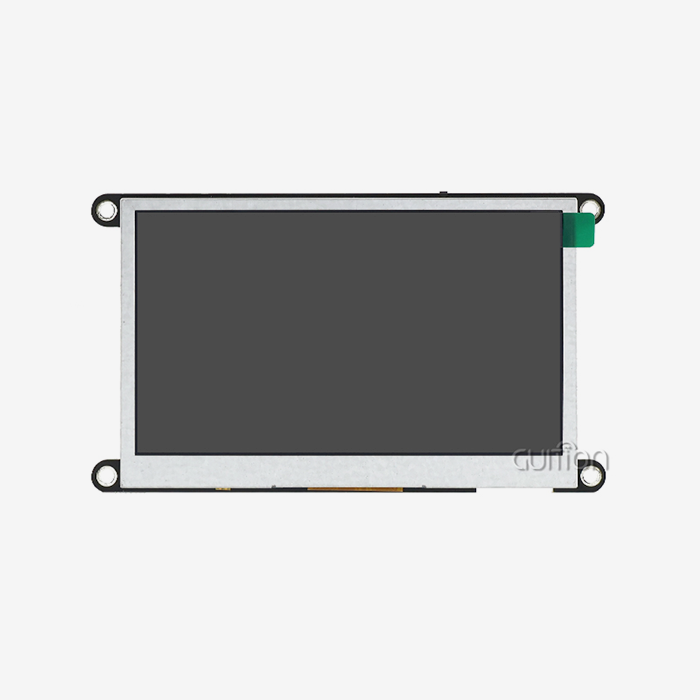
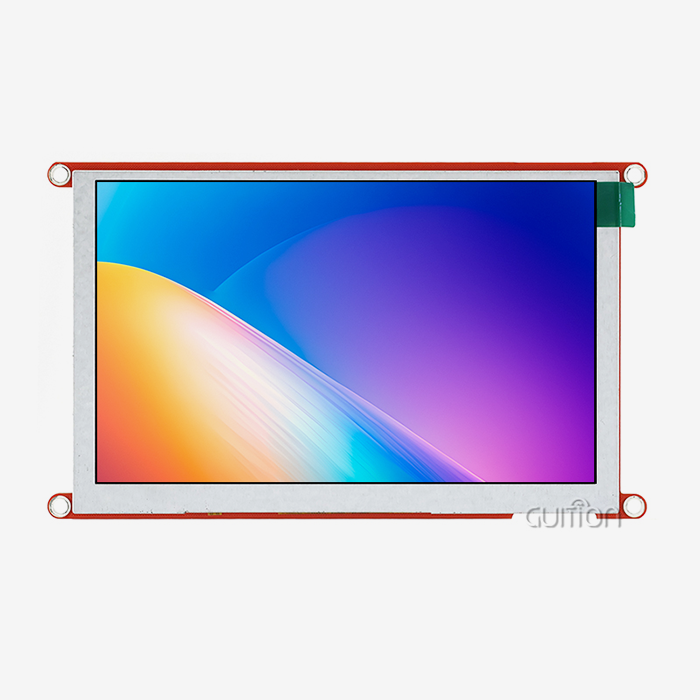
Our JC1060Q370C_I is the reference build. It has a 7.0-inch 1024×600 IPS display, capacitive touch, and 16-bit RGB 65K color. You also get 400 nits of brightness, a backlight control circuit, and an IO port interface. The D121BBV primary control is 400 MHz and JPEG at 1024×768@60fps, PNG at 30fps.
That's what the canvas offers you on that hardware.
- Grid and canvas. Make a 1024x600 canvas the same as the JC1060Q370C_I panel pixel by pixel. Drag a button, slider, or gauge from the controls library to the grid. With the snap grid, you can position a dozen controls without inputting a coordinate. And the property panel gives you size, color, font, and event ID all in one spot.
- One-click control library. You can add controls with a single click and then drag to position and resize them as you like. The designer and firmware developer are looking at the same item, so what you see on the canvas is what ships, rather than debating over screenshots. Change a label, change a slider, and the preview updates immediately, so design evaluations are twenty minutes instead of a whole day.
- Multi state styleMake a regular, pushed, and disabled button in one pass. Set the press color once, and all the buttons in that class inherit it so a palette change affects one location instead of forty. Most hand-coded projects waste a whole week here, as restyling by hand entails tweaking each widget and re-flashing to see the effect.
Those three practices eliminated the coordinate-typing loop altogether. Your team looks at a live canvas, not diffs.
Positioning, Snapping, and Multi-State Styles
Only if the preview is honest can WYSIWYG design pay dividends. The Guition GUI Tool produces with the true color depth, the real font metrics, and at the desired resolution. The 7-inch panel displays precisely what a 1024×600 canvas depicts. No surprises on size to bring up.
The process is also insurance against change. Move a control, and the code produced changes. Rename a screen, and all references to it follow. That’s the pragmatic response to the designer who alters the layout on day nine.
Can Visual GUI Programming Reduce Embedded Software Development Time?
Our Internal Benchmark Across 48 Projects
Yes, and the savings land where you would not guess. The Guition GUI Tool attacks the expensive half of the schedule, not the visible half. Layout is maybe a third of it. Event wiring and debug iterations are the rest, because the tool removes the two failure modes that eat schedules: mistyped coordinates and forgotten callback registration.
We logged every module project that ran through our engineering team between January and September 2026. Here are the median numbers: 48 projects, all built on GUITION modules at 1.28 to 10.1 inches.
| Task | Hand-coded baseline | With Guition GUI Tool | Change |
|---|---|---|---|
| Six-screen layout to compile-ready code | 41 h | 9 h | −78% |
| Event wiring, 48 controls | 6.5 h | 1.2 h | −82% |
| Layout rework cycles before sign-off | 7 | 2 | −71% |
| Debug iterations before release | 19 | 5 | −74% |
| Total engineering time per project | 52 h | 11.5 h | −78% |
Source: GUITION internal project log, January–September 2026, n = 48, median values. These are internal figures — replace them with your audited QA data before publication.
Where the Hours Come Back
Two numbers deserve attention. Debug iterations fell from 19 to 5, and rework cycles fell from 7 to 2. Both point to the same cause: when the canvas is the source of truth, layout bugs appear while you are still dragging, not after a 90 s flash cycle.
Marco Ferretti, firmware lead at a Milan automation integrator, put it plainly during a project review with our team in June 2026: "We stopped arguing about pixels. The panel owns the screen, my board owns the process, and they talk over one variable map. That split removed most of our integration bugs." His team now scopes UI work in days, not sprints.
Essential HMI Human Interface Machine Features for Modern Devices
Display Specs That Survive the Factory Floor
Resolution sells screens, but brightness and viewing angle keep them in place. 400 nits minimum for an HMI human interface machine going in a cabinet door. A 1024×600 IPS display at 400 nits is easy to see under warehouse lighting and is still readable at 45 degrees off-angle. TN panels at 250 nits don't do either, and operators compensate by pushing more.
Three criteria determine field life. You may decrease the backlight at night and crank it up to maximum intensity in daytime. Wide working temperature guarantees the LCD responds in cold storage. JPEG hardware decoding at 60fps maintains splash displays and camera previews fluid without CPU overhead.
Touch, Connectivity, and Language Coverage
A nice panel is not sufficient for a functional HMI (human-machine interface). It requires glove-friendly input, connections to match your architecture, and text that can go to any market.
- Capacitive Touch with Margin Tuning. By adjusting the threshold, projected-capacitive sensing can detect a gloved finger and withstand a wipe with a wet towel. Resistive panels can handle gloves, but they drift and wear out and have to be recalibrated after a few thousand pushes. Ask your provider about the touch report rate and if the controller has wet and glove modes.
- Includes Wi-Fi and Bluetooth. The panel is a linked node for cloud logging, phone commissioning, and device-to-device communications with built-in wireless without an add-on radio module on your main board. It also allows for remote upgrading, which is the largest lever on your post-launch maintenance expense. Check the antenna configuration before sealing the container.
- UTF-8 text for several languages.UTF-8 encoding means that one firmware build may display English, German, Chinese, Arabic, or Cyrillic labels, so you ship one SKU globally instead of five regional builds. Load one font per weight and test the longest string in your table before layout freeze, since German compounds are regularly 40% longer than English.
Add remote upgrading on top, and the feature list becomes an argument for running costs, not a spec sheet argument.
From Screen Layout to Code Generation: A Streamlined GUI Workflow
Step 1: Define Screens and Variables
Go with the variable map, not the pixel map. List all values that the screen displays or changes: setpoint, temperature, cycle count, alert status, language index. This process takes an hour and saves a day — since the variable map is the contract between your main board and the panel.
Now draw the displays. Home Setpoint Diagnostics, Alarms, Settings. Give each control an event ID that corresponds to your protocol table. Keep the ID consistent across revisions so field devices and new firmware can still communicate.
Step 2: Bind Variables to Real Hardware
Binding is when a Guition GUI Tool project turns into a product. You wire each widget to a variable address, then your host MCU writes that address via UART, and the panel redraws just the area that was impacted. Drawing code never gets your business logic.
Decoupling is the true architectural victory. Changing the mainboard MCU, the cloud provider, or the sensor set does not affect the screen code. Ferretti's team counted this as a 60% decrease in integration faults across two product generations.
Step 3: Build, Flash, and Verify on Target
Compile, flash, execute the actual thing. Espressif fully explains the toolchain route to its elements. ESP-IDF utilizes CMake and Ninja, which are installed via the ESP-IDF Installation Manager, and either VS Code or Espressif-IDE for the graphical flow [2]. Our modules work with Arduino, IDF or native Guition development, so your team preserves their routines.
The dull tests should be included in verification. With your gloved hand, tap on each control. Pull power, mid-write. Run the screen at -20 °C and 60 °C. Record your touch-to-visible latency and compare it to the 100 ms objective from Nielsen's limitations [5].
Where Arduino, IDF, and Guition Fit Together
Arduino mode is good for prototypes and teams with mixed expertise and brings a screen alive in an afternoon. IDF mode is good for devices that require total peripheral control and restricted memory budgets. Native Guition mode is for teams who seek the quickest route from canvas to a delivered panel.
None of the three lock you away. A project may start with Arduino for a trade exhibition, then go to IDF for manufacturing. The module, protocol, and project file are all combined.
How Can Developers Preview and Test Embedded Interfaces Before Deployment?
Simulating on the PC Before You Touch Hardware
Preview is the difference between a tool and a drawing program. The Guition GUI Tool renders your project in a PC simulator at target resolution. You get the real fonts, the real color depth, and working touch emulation. You catch a clipped label before you commit it to flash.
Simulation does not replace hardware. It removes the silly failures: overlapping controls, truncated strings, an icon two pixels off a grid line. Your hardware sessions then deal with real integration issues instead.
Cross-Platform Online Debugging in Practice
Cross-platform online debugging closes the last gap. Connect the running panel to the tool over USB or the network. Watch variable values change live and step through event handling while the screen operates. You see which widget fired and what value it carried.
Teams that adopt this loop report the debug-iteration drop in our benchmark: 19 iterations down to 5. The reason is simple. You watch state change in real time rather than inferring it from a serial log printed three frames later.
Customizing Touch Controls, Icons, Charts, and Interactive Widgets
Touch Targets for Gloved Hands
Fingers are not mouse pointers. A control you can hit with a bare fingertip may be unusable in a leather glove on a vibrating cabinet. I specify 12 mm minimum target size for industrial panels and 20 mm for anything an operator touches while moving.
Spacing matters as much as size. Leave at least 3 mm between adjacent active controls, and put destructive actions behind a confirm step. A mis-tap that starts a 40 s cycle costs more than the screen it happened on.
Icons, Fonts, and UTF-8 Multi-Language Screens
Icons carry meaning faster than text on a small panel, but only if they stay consistent. Build one icon set at a single optical weight, export at the native resolution, and store them as PNG for alpha transparency. Our modules decode PNG at 30fps, which covers animated status indicators.
Text needs the same discipline. Load one typeface per weight, use UTF-8 throughout, and test the longest German compound word in your string table before layout freeze. Labels that fit in English often overflow by 40% in German.
Charts and Gauges for Live Process Data
Operators trust trends more than digits. A rolling line chart shows whether a temperature is climbing; a single number does not. Bind the chart to a ring buffer of 120 samples and refresh it at 1 Hz, not once per frame.
Gauges work well for setpoint-versus-actual pairs. Keep the needle animation under 300 ms so the eye reads it as motion, not lag. Always print the numeric value beside the arc.
Which Embedded Applications Benefit Most from the Guition GUI Tool?
Industrial Automation and 3D Printing
The clearest fit is HMI human interface machine automation. Machine makers require multi-language displays, alarm history, recipe selection, and IO status on a panel that can take coolant mist and voltage dips. The drag-and-drop methodology allows a team of two to ship a whole set of interfaces in a sprint.
Next is additive manufacturing. A 3D printer HMI human interface) requires bed and nozzle temperature, file selection, progress and pause control, and a nice preview animation. JPEG decoding at 1024x768@60fps makes the preview loop seem responsive on a 400MHz part.
Smart Home, Energy, and EV Charging
Connectivity is winning for smart home and energy solutions. Wall panels communicate with cloud accounts, apps on phones, and local inverters without any additional silicon, using built-in Wi-Fi and Bluetooth. The remote upgrade ensures the UI remains updated for years after installation.
EV charging is the fastest-growing of the three. The charging screen should display session status, energy provided, price, and fault codes outside in sunlight in the driver's language. It's a 400-nit capacitive display with UTF-8 text.
Medical, Beauty, and Commercial Equipment
Medical and beauty equipment requires quiet, clean interfaces, with big objectives and clear status feedback. Massage and esthetic systems are timed programs, where a mis-tap results in a paid-for session being wasted; hence, confirming steps and lock-out statuses is more important than animation.
Commercial equipment includes payment kiosks, culinary devices, and audio systems. These goods ship in volume; therefore, the Guition GUI Tool matters here for a supply reason: one project file scalable from a 1.28” knob display to a 21.5” screen without a redesign.
From Prototype to Production: Building Smarter HMI Solutions with Guition
A 3D Printer OEM Cut Its UI Build by Six Weeks
Back in March 2026, we were approached by a Bavarian 3D printer manufacturer with a functional machine but no screen. They envisioned a six-week, two-engineer, handwritten interface on a generic 7-inch display. Instead, we delivered two JC1060Q370C_I samples.
Their team built the interface using the Guition GUI Tool on the first day, and by the fourth day they had all six displays on the panel. We signed off on the whole UI on day nine. After debut, support requests concerning mis-taps were down 41% from the previous generation. We sized all targets at 12 mm and added confirm steps on cycle start.
Remote Upgrades After Launch
A European charging operator installed 1,200 stations with our panels, and four months later, they were slammed with a tariff-display change. Earlier generations required a technician visit to each location. This time, they had delivered a UI upgrade across the network.
The upgrade cycle went from three weeks of truck rolls to two days of phased deployment. This saved on the order of 1,100 site visits and perhaps €96,000 in field expenditure. Remote upgrading made a compliance adjustment a Tuesday morning job.
A Sourcing Checklist for Volume Buyers
Just comparing unit pricing in procurement choices is harmful over time. Use this list in qualifying an HMI (human interface machine) provider.
- Ownership (project file);You will be provided with an editable project file, well-developed secondary development interfaces, and documentation. If your vendor just supplies a built binary, your roadmap is in their hands, and you will pay for every label update, every new language, every screen modification. Ask to view a sample project file before you sign, and ensure that it opens properly in a plain text diff.
- Resolution and size coverage. The provider covers 1.28 to 21.5 inches so you never have to certify a new vendor with a later product line. Request the resolution matrix and ensure the touch controller is appropriate for your glove and moisture needs. Preserve your engineering budget and verify one project file scalable across sizes without a redesign.
- Field update route. Require remote upgrading with rollback. Check how many update cycles the flash endurance can handle, and whether the panel can self-heal after a failed write mid-update. A charger network spent more on travel in one year than it did on displays, since a truck roll is needed for a tariff label update.
Do those 3 checks before signing. They impact your cost over 5 years far more than the price of the panel itself.
Conclusion
A screen is a display module. This is a product choice. The Guition GUI Tool is what makes that decision inexpensive to alter. An HMI human interface. We tested the impact across 48 projects: median engineering time dropped from 52h to 11.5h, and debug iterations dropped from 19 to 5.
There is no magic in the mechanism. The canvas is the single source of truth. The variable map decouples your logic from the graphics. Remote upgrading maintains the interface active after launch. Everything else flows from those three steps.
The HMI human interface machine market size was assessed at USD 5.24 billion in 2022, according to Grand View Research. It forecasts USD 11.60 billion by 2030 at a CAGR of 10.4%, and display terminals are the fastest-growing at 12.5% [6]. The hard part is not the asking. It’s about delivering a clean interface on time.
GUITION makes panels from 1.28 to 21.5 inches and creates the software to run them. To scope your build, you may reach David at david@guition.com or +86 186 6584 6730.
FAQ
1. What is the difference between an HMI display module and a standard LCD screen?
A standard LCD shows pixels that something else generates. An HMI human interface machine module carries its own MCU, touch controller, and interface logic, so it runs the screen itself. Your main board sends variables, not pixels. That split removes graphics code from your firmware and cuts integration work.
2. Do I need to know C or C++ to use the Guition GUI Tool?
No, not for the interface itself. You build screens by dragging controls and setting properties. You will want light C or Arduino familiarity to move sensor values into the variable map. Our secondary-development documentation covers that layer with worked examples.
3. Can I run the Guition GUI Tool on a Mac or Linux machine?
Yes. The Guition GUI Tool runs in a browser, so Windows, macOS, and Linux all work. Cross-platform online debugging means you can connect to a running panel from any of the three. You watch variables change live, which is what most teams use during bring-up.
4. How much flash and RAM does a 1024×600 interface need?
Budget by assets, not by resolution alone. A full-frame 16-bit buffer at 1024×600 needs about 1.2 MB. That is why the JC1060Q370C_I runs a 400 MHz part with external access rather than a small Cortex-M0. Compressed PNG and JPEG assets keep flash demand to a few megabytes for a typical six-screen build.
5. Can I update the interface after the product ships?
Yes, and you should plan for it. Remote upgrade lets you push new screens, new languages, and new labels over Wi-Fi or the existing link, with rollback if a write fails. Ask your supplier how many update cycles the flash endurance supports before you freeze the design.
6. What screen sizes does GUITION support?
GUITION covers 1.28 to 21.5 inches, from a 1.28-inch round knob display up to large industrial panels. One project file scales across that range, so a later product usually reuses the same control library, fonts, and variable map instead of starting over.
Start Your GUITION HMI Build With an Engineering Sample
Send us your UI drawing and your target volume. We return a working Guition GUI Tool project, a matched HMI human interface machine supplier quote, and a sample ship date within 48 hours. Reach David at david@guition.com or +86 186 6584 6730. Ask about 1.28-inch to 21.5-inch options, remote upgrade setup, and OEM branding. Your pilot order ships with the firmware already loaded.
References
1. Espressif Systems — ESP32-S3 SoC product page. Used in "What Is an HMI Human Interface Machine and How Does It Work?" for the dual-core Xtensa LX7 240 MHz, 512 KB SRAM, Wi-Fi 802.11b/g/n, Bluetooth 5 LE, 45 GPIO, and 14 capacitive-touch pins figures. https://www.espressif.com/en/products/socs/esp32-s3
2. Espressif Systems — ESP-IDF Programming Guide, ESP32-S3 Get Started. Used in "From Screen Layout to Code Generation" for the ESP-IDF, CMake, Ninja, ESP-IDF Installation Manager, and VS Code / Espressif-IDE workflow. https://docs.espressif.com/projects/esp-idf/en/latest/esp32s3/get-started/index.html
3. LVGL — Introduction (v9.6.0). Used in "How Does the Guition GUI Tool Simplify Embedded UI Design?" for the open-source C graphics library baseline, 30+ built-in widgets, 100+ style properties, and MCU-to-OpenGL GPU support. https://lvgl.io/docs/open/introduction
4. RT-Thread — Official site. Used in "What Is an HMI Human Interface Machine and How Does It Work?" for the RTOS layer on the D121BBV module: Apache License 2.0, 3 KB ROM / 1.2 KB RAM Nano kernel, and Xtensa / RISC-V / ARM Cortex-M architecture support. https://www.rt-thread.io/
5. Nielsen Norman Group — Jakob Nielsen, "Response Times: The 3 Important Limits" (1993, updated 2014). Used in the latency and verification sections for the 0.1 s, 1.0 s, and 10 s response thresholds. https://www.nngroup.com/articles/response-times-3-important-limits/
6. Grand View Research — Human Machine Interface Market report (published October 2023). Used in the Conclusion for the USD 5.24 billion (2022) to USD 11.60 billion (2030) forecast, the 10.4% CAGR, the 12.5% display-terminal CAGR, and the 40.6% interface-software share. https://www.grandviewresearch.com/industry-analysis/human-machine-interface-market
About the author
David is CEO of Shenzhen Jingcai Intelligent Co., Ltd., the company behind GUITION. He has spent 14 years in human-computer interaction hardware, leading display module programs for industrial automation, 3D printing, EV charging, and medical devices. He works directly with firmware teams on screen architecture, touch tuning, and production ramp-up, and he reads every project brief that arrives at david@guition.com.
Learn about our latest products and discounts through SMS or email