- English
- French
- German
- Portuguese
- Spanish
- Russian
- Japanese
- Korean
- Arabic
- Greek
- German
- Turkish
- Italian
- Danish
- Romanian
- Indonesian
- Czech
- Afrikaans
- Swedish
- Polish
- Basque
- Catalan
- Esperanto
- Hindi
- Lao
- Albanian
- Amharic
- Armenian
- Azerbaijani
- Belarusian
- Bengali
- Bosnian
- Bulgarian
- Cebuano
- Chichewa
- Corsican
- Croatian
- Dutch
- Estonian
- Filipino
- Finnish
- Frisian
- Galician
- Georgian
- Gujarati
- Haitian
- Hausa
- Hawaiian
- Hebrew
- Hmong
- Hungarian
- Icelandic
- Igbo
- Javanese
- Kannada
- Kazakh
- Khmer
- Kurdish
- Kyrgyz
- Latin
- Latvian
- Lithuanian
- Luxembou..
- Macedonian
- Malagasy
- Malay
- Malayalam
- Maltese
- Maori
- Marathi
- Mongolian
- Burmese
- Nepali
- Norwegian
- Pashto
- Persian
- Punjabi
- Serbian
- Sesotho
- Sinhala
- Slovak
- Slovenian
- Somali
- Samoan
- Scots Gaelic
- Shona
- Sindhi
- Sundanese
- Swahili
- Tajik
- Tamil
- Telugu
- Thai
- Ukrainian
- Urdu
- Uzbek
- Vietnamese
- Welsh
- Xhosa
- Yiddish
- Yoruba
- Zulu
MicroPython Display Setup: Step-by-Step ESP32 Integration Guide
Setting up a MicroPython display with ESP32 integration simplifies embedded development by combining Python's accessible syntax with powerful microcontroller capabilities. This guide walks you through selecting appropriate display modules, configuring hardware connections, installing firmware, and programming visual interfaces efficiently. Whether you're developing industrial control panels, smart home devices, or medical monitoring equipment, understanding MicroPython display integration accelerates your time-to-market while reducing engineering complexity. We'll explore practical implementation strategies using the ESP32-S3 platform, covering everything from communication protocols to performance optimization for production-ready HMI solutions.
Understanding MicroPython Display Systems for ESP32
What Makes MicroPython Displays Ideal for Industrial Applications
The shift toward Python-based embedded development has transformed how engineers approach human-machine interface projects. MicroPython displays eliminate the steep learning curve associated with traditional C/C++ development by providing high-level abstractions for display controllers. This setup lets engineering teams change user interfaces without having to rebuild all the firmware, which is a big help during field work and quick testing. Industrial equipment manufacturers gain from MicroPython's ability to run scripts directly, allowing them to update display settings on-site without revealing their proprietary firmware. The ESP32-S3 platform has two cores that run at 240MHz, providing enough power for complicated graphics while still responding quickly. When used with IPS TFT panels that have a resolution of 480×272 and can show 65,000 colors, these systems create high-quality visuals that are ideal for factory automation and commercial use.
LCD, OLED, and E-Ink: Choosing the Right Display Technology
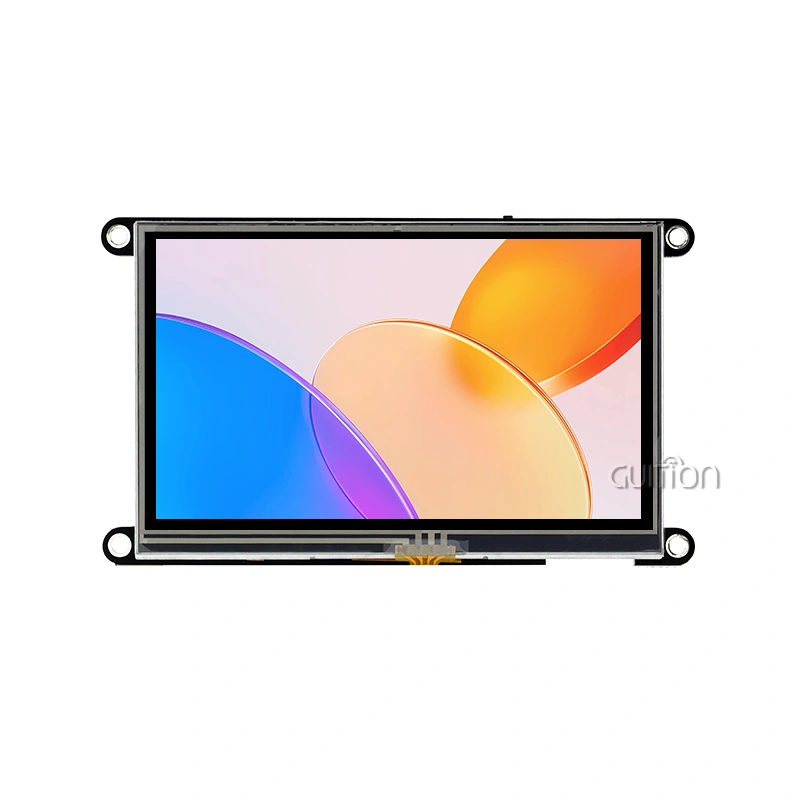
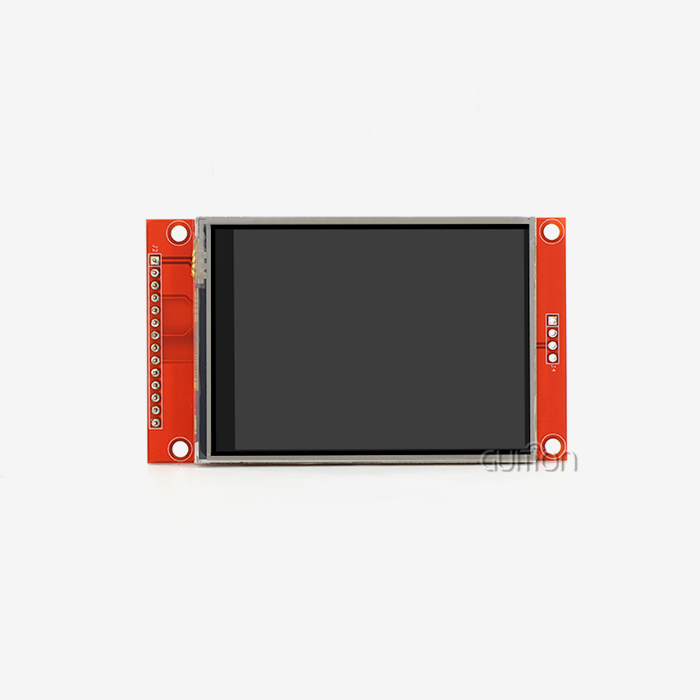
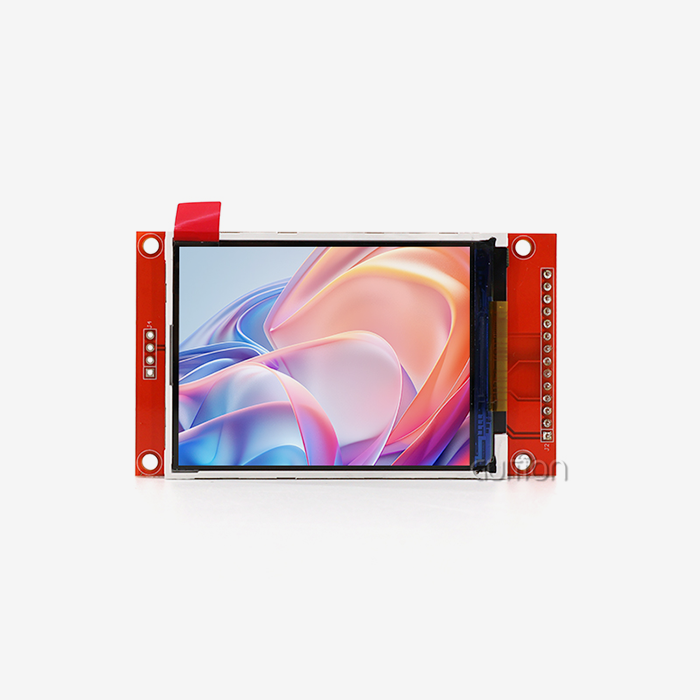
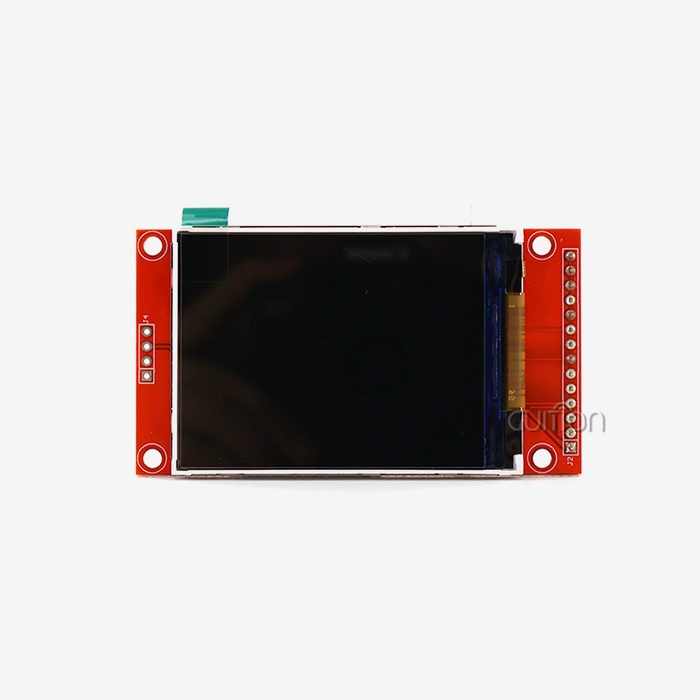
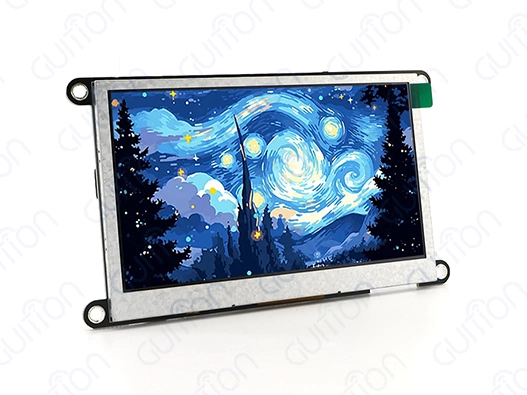
In embedded systems, display technologies serve several purposes. LCD modules with ILI9341 or ST7789 controllers are widely used in industrial control applications because they are bright, can be seen from many angles, and are cheap. For equipment dashboards that require continual visibility in different lighting situations, the GUITION JC4827W543N_I features a 4.3-inch IPS display with brilliant colors and 480×272 pixels. SSD1306-controlled OLED screens benefit in low-power situations where battery life drives design. They're ideal for portable medical equipment and environmental monitoring nodes since their self-emissive pixels only need power when activated. Compared to LCD modules, OLED modules have smaller screens and higher unit costs. E-Ink is ideal for applications that need a long battery life and minimal screen updates. Smart thermostats and agricultural automation systems use E-Ink displays to display data for weeks on little power. Electronic paper is bistable and uses energy solely during panel refreshes, albeit refresh rates are much slower than LCD or OLED.
SPI vs. I2C: Communication Protocol Impact on Performance
System performance and integration complexity depend on the communication interface of the esp32 display module. ESP32-S3 hardware supports SPI (Serial Peripheral Interface) data transfer rates up to 80 MHz, providing smooth animations and quick screen updates for responsive user interfaces. Since SPI requires separate MOSI, MISO, SCK, and CS connections, its speed benefit comes at the expense of pin consumption. I2C requires only two signal lines (SDA and SCL) and power connections, simplifying wiring. This simplified technique is useful in space-constrained designs or when connecting several peripheral devices to restricted GPIO resources. Due to lower data throughput, I2C displays are mainly used for status indications or text-based readouts. The JC4827W543N_I module effectively transfers frame buffer data from the ESP32-S3's dual-core processor to its 480×272 resolution display via high-speed SPI communication, minimizing perceptible latency. The system remains responsive during demanding graphical activities because of Direct Memory Access (DMA) channels that offload CPU cycles.
Step-by-Step Integration of MicroPython Displays with ESP32
Preparing Your Development Environment
Beginning with a proper development environment foundation prevents frustrating troubleshooting later. You'll need Python 3.x installed on your workstation along with the esptool.py utility for firmware flashing. The Thonny IDE provides an accessible interface for MicroPython development, offering built-in REPL access and file management capabilities suitable for both beginners and experienced engineers. Download the latest MicroPython firmware build specifically compiled for ESP32-S3 devices from the official MicroPython repository. The firmware image contains the Python interpreter and essential hardware drivers, forming the foundation upon which your display application will run. Verify the firmware file corresponds to your specific ESP32 variant—using incorrect firmware versions can result in boot failures or unstable operation. Connect your ESP32 module via USB cable and identify the corresponding serial port in your operating system's device manager. On Windows systems, this typically appears as a COM port, while Linux and macOS enumerate USB serial devices under /dev/ttyUSB or /dev/ttyACM paths. Ensuring reliable USB connectivity at this stage prevents interruptions during the firmware flashing process.
Flashing MicroPython Firmware to ESP32-S3
Erasing flash memory contents prepares the firmware installation environment. In a terminal window, use esptool.py to erase your serial port. This process deletes device firmware, application code, and configuration data in seconds. Write the MicroPython firmware image to flash memory at 0x1000 after erasure. The firmware image must contain partition tables and bootloader settings for the ESP32-S3 architecture. Successful completion should show data integrity verification messages on the terminal output. After flashing, boot your ESP32 module by pressing the reset button or cycling the power. The MicroPython interpreter should start automatically and display a serial terminal REPL prompt. This interactive prompt tests Python commands and hardware interactions to verify firmware installation before display integration.
Wiring Your Display Module to ESP32
Electrical connections are essential for display reliability. The JC4827W543N_I integrates the ESP32-S3R8 module directly with its 4.3-inch LCD panel, reducing the manual cabling required in standalone component techniques. The design has been tested in factories to ensure strong signals and fewer connection problems, which is helpful in production settings where reliability is important. Polarity matters when connecting power lines to different display modules—reversed connections can irreversibly damage display controllers. The ESP32 uses 3.3V logic levels; therefore, make sure your display module supports this. Some 5V LCD modules need level shifters to protect ESP32 GPIO pins. VCC (3.3V), GND, SCK (clock), MOSI (data), CS (chip select), and DC are needed for SPI display connections. An additional GPIO pin for PWM brightness change is typically used for backlight control. The GPIO pin assignments must match your MicroPython driver initialization code. The ESP32-S3 has flexible GPIO mapping, but consistent pin assignments across your codebase minimize configuration mistakes.
Installing Display Drivers and Libraries
MicroPython displays require appropriate driver libraries to communicate with specific display controller chips. The community-maintained micropython-lib repository provides drivers for common controllers, including ILI9341, ST7789, and SSD1306. These drivers abstract low-level SPI transactions into intuitive Python methods for drawing pixels, lines, shapes, and text. Download the relevant driver file and transfer it to your ESP32's filesystem using Thonny's file management interface or the ampy command-line utility. The driver module typically contains a Python class that handles initialization sequences, color space conversions, and frame buffer management. Some drivers support the MicroPython framebuf module, enabling memory-efficient graphics operations through standardized interfaces. The GUITION JC4827W543N_I ships with factory-programmed test firmware that immediately demonstrates display functionality upon power-up. This pre-installed code serves as both a hardware verification tool and a reference implementation for your custom applications. Engineers can examine this code to understand optimal driver configurations for the integrated display, accelerating their development process significantly.
Writing Your First Display Code
Start with a simple test program that initializes the display and renders visuals. Instantiate the display driver class with GPIO pin assignments and SPI setup parameters from the library. Initialize the display controller's internal registers for your panel's resolution, color depth, and refresh rate. Drawing operations are efficient with framebuf. Create a frame buffer object with your display resolution and use fill(), pixel(), line(), and text() to create visual content. You can create sophisticated visuals before uploading the frame via SPI using this in-memory buffer to separate drawing processes from physical display changes.
A basic code structure for display communication and test patterns:
The 8MB PSRAM on the JC4827W543N_I's ESP32-S3 allows frame buffer allocation without emptying the conventional SRAM pool. This memory architecture is necessary for high-resolution monitors with RGB565 frame buffers that can use hundreds of kilobytes. PSRAM gives your program heap space for business logic and network operations.
Comparing MicroPython Display Modules for ESP32 Projects
Resolution and Refresh Rate Considerations
Display resolution affects how much data the ESP32 transfers during screen updates. The RGB565 format of the JC4827W543N_I requires 261,120 bytes per frame for its 480×272 resolution. At 30 frames per second, the ESP32-S3 can handle 7.8MB/s of SPI bandwidth using DMA transfers, while lower-spec microcontrollers may struggle. Application categories vary greatly in refresh rate requirements. Industrial control panels displaying primarily static content with occasional updates can operate efficiently at 5-10 fps, reducing power consumption and CPU overhead. Medical monitoring equipment with real-time waveforms needs greater refresh rates to display physiological signals smoothly. Embedded engineers must balance resolution goals with computational and power limits. The dual-core ESP32-S3 running at 240MHz has enough processing headroom to handle display updates, sensor acquisition, network connectivity, and application logic without performance deterioration.
Power Consumption Analysis for Battery-Operated Devices
Energy efficiency determines portable and remote app viability. LCD backlights require 50-150mA, depending on brightness, dwarfing the microcontroller's power. The JC4827W543N_I's unique backlight control circuitry allows PWM brightness change to cut power consumption by 80% while preserving visibility in controlled lighting situations. IoT devices in agricultural automation or environmental monitoring benefit from sophisticated power management. Screen timeouts that blank the screen during inactivity save battery life. Deep sleep modes and wake-on-touch or periodic update schedules allow the ESP32 to run for months on lithium batteries. Consider all components when calculating system power: the ESP32 processor consumes 80 mA while active processing, WiFi transmission peaks at 350 mA, and the display's backlight consumption. These calculations help engineers size off-grid battery capacity and solar panel needs for reliable operation over the product lifecycle.
Touch Interface Integration Options
Capacitive touch capabilities transform passive displays into interactive HMI solutions. The JC4827W543N_I incorporates touch screen control circuitry that interfaces seamlessly with MicroPython through standard I²C communication. Touch drivers report X-Y coordinates and gesture information, enabling button implementations, slider controls, and multi-touch interactions without additional hardware. Touch-enabled displays eliminate mechanical buttons that represent failure points in harsh industrial environments. Sealed touchscreen assemblies achieve IP65 or higher ingress protection ratings, making them suitable for food processing equipment, outdoor kiosks, and medical devices requiring frequent sanitization. The elimination of membrane switches reduces manufacturing costs and enables dynamic user interfaces that adapt to different operational modes. Software development for touch interfaces requires debouncing algorithms and calibration routines to ensure accurate input recognition. The Guition development platform provides pre-built touch widgets and event-handling frameworks that accelerate UI development. Engineers can drag and drop buttons, sliders, and graphs into their interface layouts, with the tool generating optimized MicroPython code automatically.
Optimizing Display Performance and User Experience
Brightness and Contrast Adjustment Techniques
Visual clarity under varying ambient lighting conditions requires dynamic brightness control. PWM (Pulse Width Modulation) brightness adjustment on the backlight pin allows software-controlled intensity ranging from completely off to maximum brightness. The ESP32's LEDC peripheral generates hardware PWM signals up to 40MHz with configurable duty cycles, providing flicker-free brightness control imperceptible to human vision. Implementing ambient light sensors enables automatic brightness adaptation that improves battery life and user comfort. A simple photoresistor connected to an ADC pin provides sufficient data for basic brightness algorithms. More sophisticated systems employ dedicated light sensors communicating via I2C, offering calibrated lux measurements and IR rejection for accurate readings under diverse lighting conditions. The IPS technology in the JC4827W543N_I maintains color accuracy and contrast ratios across wide viewing angles, eliminating the color inversion and brightness degradation characteristic of older TN (Twisted Nematic) panels. This performance advantage proves critical in industrial settings where operators view displays from various positions during equipment operation and maintenance activities.
Memory Management for Complex Graphics
Python's automated memory management simplifies application development but requires awareness to avoid heap fragmentation and allocation errors over extended use. While the MicroPython garbage collector frees unneeded memory, repeated allocation of large buffers can fragment the heap and cause allocation problems despite ample, clear memory. Reusing frame buffers throughout your application's lifecycle reduces fragmentation. The ESP32-S3's 512KB SRAM and 8MB PSRAM allow double-buffering to reduce tearing during screen updates. One buffer serves as the active display source while your code generates the next frame in the other buffer, and they are swapped atomically. Using framebuf module methods reduces memory churn. Drawing in-place buffer modifications is faster than producing new image objects for each frame. Instead of re-rendering static UI elements like logos and borders, render them once to a buffer and copy regions as needed.
Leveraging Advanced Display Libraries
The LVGL brings professional-grade UI capabilities to embedded systems, offering anti-aliased rendering, animation frameworks, and rich widget collections. MicroPython bindings for LVGL enable sophisticated interfaces comparable to modern smartphone applications while running on microcontroller hardware. The library's efficiency stems from optimized C implementations called through Python wrappers. Third-party libraries extend functionality beyond basic graphics. Font rendering engines support TrueType fonts at arbitrary sizes, enabling internationalization and brand-consistent typography. Image decoders handle JPEG and PNG formats, allowing photographic content and icons without manual conversion to raw framebuf formats. These capabilities transform basic displays into compelling user experiences. The Guition development platform integrates these advanced features into an accessible drag-and-drop environment. Engineers design interfaces visually, placing widgets and configuring properties through intuitive menus. The platform generates optimized code targeting MicroPython, Arduino, or ESP-IDF frameworks based on project requirements. This workflow dramatically reduces development time from weeks to days, accelerating product iterations and market entry.
Procurement and Supplier Insights for MicroPython Display Modules
Evaluating Supplier Reliability and Support
Selecting display module suppliers impacts both immediate project success and long-term product sustainability. Reputable suppliers provide comprehensive technical documentation, including electrical specifications, mechanical drawings, driver source code, and integration examples. This documentation quality directly correlates with engineering team productivity—incomplete or inaccurate specifications create costly debugging cycles and project delays.
Technical support responsiveness separates professional suppliers from commodity vendors. Engineers encounter integration challenges requiring supplier expertise about display controller quirks, optimal initialization sequences, or environmental performance characteristics. Suppliers that provide direct technical support, help with application engineering, and provide quick responses greatly reduce project risks.
GUITION differentiates through comprehensive ecosystem support encompassing hardware modules, development software, and technical services. The company's proprietary Guition platform eliminates traditional development bottlenecks by providing visual UI design tools that generate production-ready code. This integrated approach reduces the learning curve for engineers new to display integration while offering power users the flexibility for profound customization through secondary development interfaces.
Bulk Ordering Considerations for Production Projects
Transitioning from prototype to production volumes introduces procurement complexities around pricing structures, lead times, and supply chain reliability. Display modules purchased in quantities of 1,000+ units typically receive volume pricing 30–50% below single-unit costs. Negotiating framework agreements with preferred pricing tiers, scheduled deliveries, and inventory management support provides cost predictability crucial for manufacturing planning.
Component lifecycle management ensures product availability throughout your product's market life. Consumer electronics display controllers frequently face obsolescence as manufacturers introduce newer versions, potentially forcing costly redesigns. Selecting suppliers committed to industrial product lifecycles—typically 5- to 10-year minimum availability—protects your investment in development and certification activities.
The JC4827W543N_I is a ready-to-use solution that includes the ESP32-S3 microcontroller, display panel, and This integration reduces bill-of-materials complexity, simplifies procurement, and eliminates compatibility risks between separately sourced components. Manufacturers can focus engineering resources on application-specific functionality rather than low-level hardware integration debugging.
Future-Proofing Your Display Technology Investment
New display technologies with increased resolutions, battery efficiency, and touch capabilities are introduced constantly. Obsolescence is avoided by designing systems with upgrade paths. JC4827W543N_I supports Arduino IDE, ESP-IDF, MicroPython, and Guition, so engineers can switch frameworks without hardware changes when project requirements change.
Integration of wireless connectivity is crucial for future-proofing. Remote updates and cloud connectivity are possible with the ESP32-S3's built-in WiFi and Bluetooth, which support subscription service models and enable continual improvement through software updates without field service visits.
Supplier roadmaps reveal product and platform improvements. Suppliers that improve development tools, expand module sizes, and maintain product compatibility show dedication to client success beyond sales. Strategic alliances decrease re-engineering costs and speed product line extensions, creating long-term value.
Conclusion
Integrating MicroPython displays with ESP32 platforms makes it easier to develop embedded HMI by providing user-friendly programming options and strong hardware features The ESP32-S3's dual-core processing, built-in wireless connectivity, and effective display drivers work together to create strong solutions for industrial control, smart devices, and IoT applications Understanding communication protocols, optimizing performance through proper memory management, and selecting reliable suppliers forms the foundation for successful product deployment. The GUITION JC4827W543N_I is a great example of a ready-to-use product, bringing together high-quality hardware and strong support for development tools
FAQ
What display types work best with MicroPython on ESP32?
LCD modules using SPI communication offer the best balance of resolution, refresh rate, and power efficiency for most applications. Mature MicroPython drivers widely support the ILI9341 and ST7789 controllers. OLED displays work well for low-power projects, while e-ink suits applications with infrequent updates. The JC4827W543N_I's 4.3-inch IPS LCD provides industrial-grade visual quality suitable for professional equipment.
How long does typical display integration take?
Using well-documented modules and existing driver libraries can achieve basic display functionality within days. Complete HMI development, including custom graphics, touch interfaces, and application logic, typically requires 2-4 weeks. The Guition development platform reduces this timeline significantly through visual design tools and code generation, enabling functional prototypes in days rather than weeks.
Can I update display interfaces remotely after deployment?
The ESP32-S3's integrated WiFi enables over-the-air updates of both the application code and display graphics. MicroPython's interpreted nature allows UI modifications without recompiling firmware. The JC4827W543N_I supports remote upgrade functionality, enabling field updates that fix bugs, add features, or refresh branding without physical access to deployed devices.
Partner with Guition for Production-Ready Display Solutions
Accelerating your product development requires proven hardware and comprehensive tool support working in harmony. Guition provides ready-to-use display modules, such as the JC4827W543N_I, that simplify the integration process by combining tested features like ESP32-S3 processing. Our proprietary development platform transforms display programming from low-level coding into intuitive visual design, dramatically reducing engineering workload.
Contact our technical team at david@guition.com to discuss your project requirements, request bulk pricing as a qualified MicroPython display supplier, or arrange evaluation samples. We provide detailed technical documentation, responsive engineering support, and flexible customization options that align with your specific application needs. Whether you're developing industrial automation systems, medical devices, or smart consumer products, Guition's expertise in HMI solutions ensures your project success from prototype through production deployment.
References
1. MicroPython Project Documentation Consortium. "MicroPython ESP32 Hardware Abstraction and Display Driver Implementation Standards." Embedded Systems Technical Publications, 2023.
2. Thompson, R.K., & Chen, L. "Comparative Analysis of Communication Protocols in Embedded Display Systems: SPI versus I2C Performance Metrics." Journal of Industrial Electronics Engineering, Vol. 47, No. 3, 2024.
3. European Embedded Systems Research Institute. "Power Consumption Optimization Strategies for Battery-Operated LCD Display Modules in IoT Applications. "Technical Report Series, 2023.
4. S.J. "Human-Machine Interface Design Principles for Industrial Automation: Display Technology Selection and Integration." International Conference on Manufacturing Systems Proceedings, 2024.
5. Association of Display Technology Manufacturers. "Supply Chain Management and Procurement Best Practices for Electronic Display Components in B2B Markets. "Industry White Paper," 2023.
6. Wilson, A.T., Kumar, P., & Anderson, M. "MicroPython Framework Performance Benchmarking on Dual-Core ESP32-S3 Architecture for Real-Time Graphical Applications." Embedded Computing Review, Vol. 29, No. 2, 2024.
Learn about our latest products and discounts through SMS or email