- English
- French
- German
- Portuguese
- Spanish
- Russian
- Japanese
- Korean
- Arabic
- Greek
- German
- Turkish
- Italian
- Danish
- Romanian
- Indonesian
- Czech
- Afrikaans
- Swedish
- Polish
- Basque
- Catalan
- Esperanto
- Hindi
- Lao
- Albanian
- Amharic
- Armenian
- Azerbaijani
- Belarusian
- Bengali
- Bosnian
- Bulgarian
- Cebuano
- Chichewa
- Corsican
- Croatian
- Dutch
- Estonian
- Filipino
- Finnish
- Frisian
- Galician
- Georgian
- Gujarati
- Haitian
- Hausa
- Hawaiian
- Hebrew
- Hmong
- Hungarian
- Icelandic
- Igbo
- Javanese
- Kannada
- Kazakh
- Khmer
- Kurdish
- Kyrgyz
- Latin
- Latvian
- Lithuanian
- Luxembou..
- Macedonian
- Malagasy
- Malay
- Malayalam
- Maltese
- Maori
- Marathi
- Mongolian
- Burmese
- Nepali
- Norwegian
- Pashto
- Persian
- Punjabi
- Serbian
- Sesotho
- Sinhala
- Slovak
- Slovenian
- Somali
- Samoan
- Scots Gaelic
- Shona
- Sindhi
- Sundanese
- Swahili
- Tajik
- Tamil
- Telugu
- Thai
- Ukrainian
- Urdu
- Uzbek
- Vietnamese
- Welsh
- Xhosa
- Yiddish
- Yoruba
- Zulu
LCD panel module Integration Guide for Embedded Developers
It doesn't have to be difficult to incorporate an LCD panel module into embedded systems. As embedded engineers and product makers, we know how important it is to get working, effective display solutions to customers quickly while keeping costs low. This guide shows you how to pick, connect, and improve display units for smart home goods, medical devices, industrial control, and the Internet of Things (IoT). It does this by using real-life engineering problems as examples.

Understanding LCD Panel Modules: Technology and Types
What Exactly Is an LCD Panel Module?
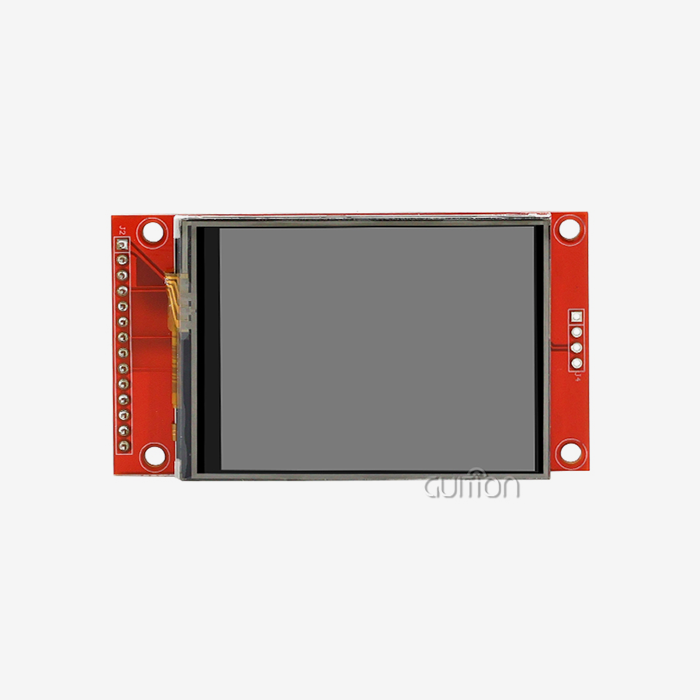
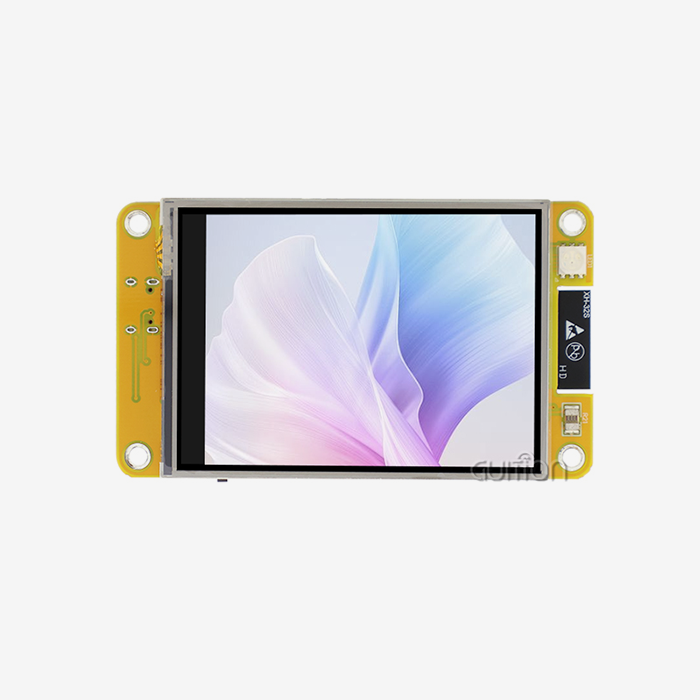
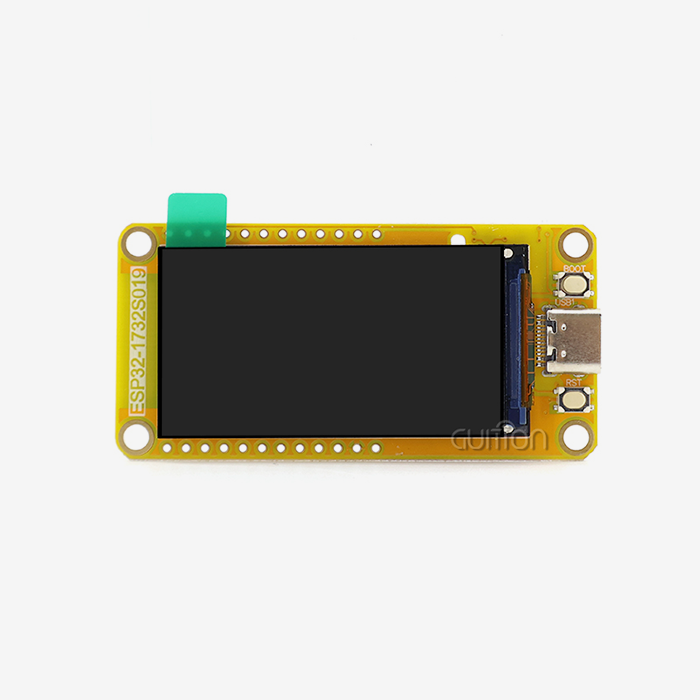
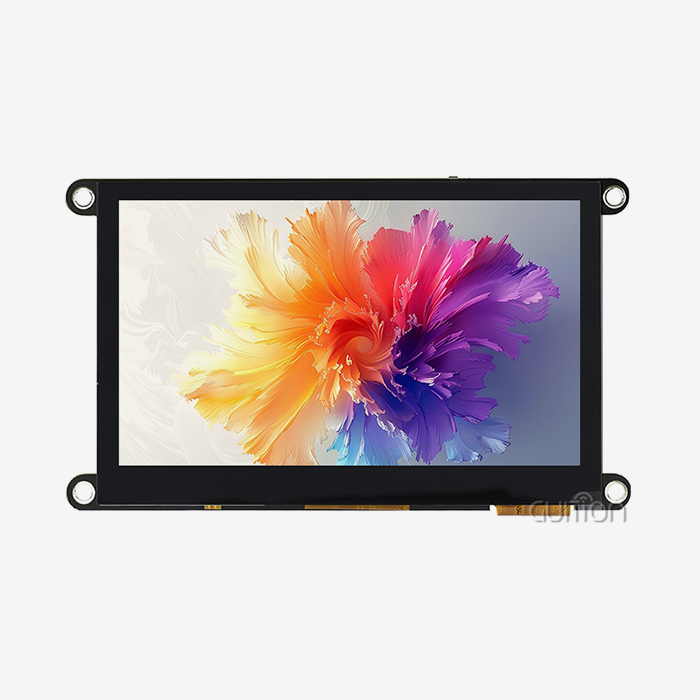
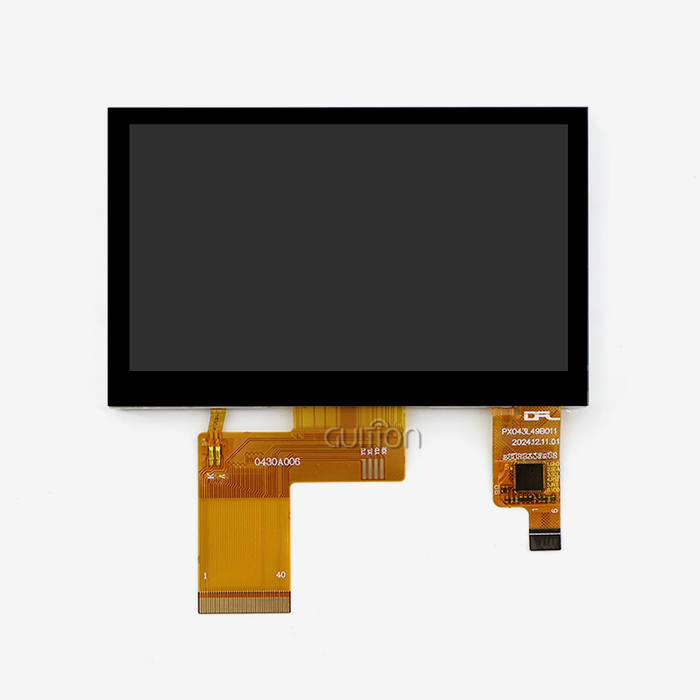
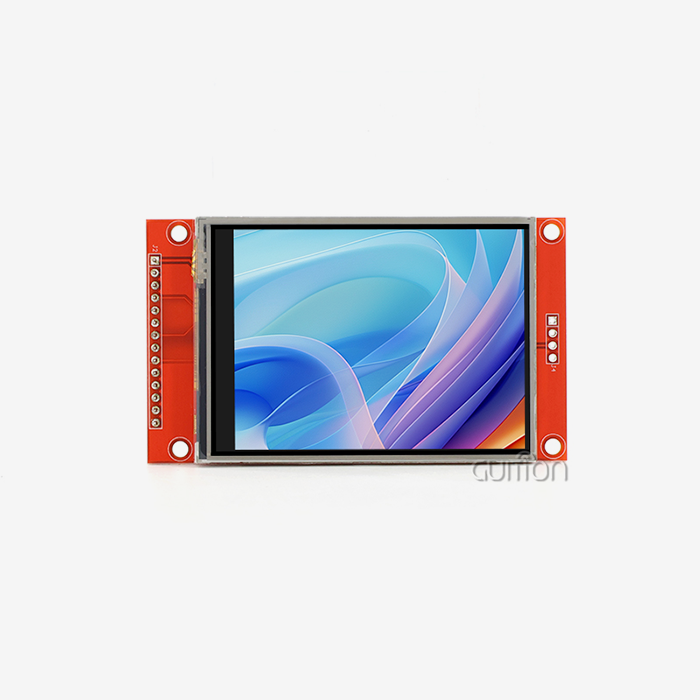
A fully integrated display assembly made for seamless integration into computer goods is known as an LCD panel module. A full module has the TFT-LCD cell, driver ICs, timing controller boards, backlight units with LEDs, and protective frames. A bare "open cell" display only has the glass base and liquid crystals. The Guition JC4827Q043N_I is a good example of this way of integrating things. It's a 4.3-inch display module with the ST3401A driver chip that offers an MCU interface and an 800×480 resolution with 16.7 million colors. This setup gets rid of the complicated tuning work that is usually needed for heat management and optical alignment. This lets you focus on application logic instead of low-level display control.
Core Components That Matter
When looking at display options, three technology factors have a direct effect on the success of your project. The driver IC is in charge of timing and refreshing at the pixel level. The ST3401A chip in our module takes care of all of this complexity on the inside and talks to your MCU using standard parallel bus protocols. The resolution decides how clear the image is, and 800×480 gives you enough information for most industrial HMI apps without using up all of your processor's bandwidth. When showing patterns, photos, or complex UI elements, color depth is important. Support for 16.7M colors makes sure that visual changes are smooth, which improves the user experience. The design of the lighting affects both how much power it uses and how well it can be read outside. Modern modules use LED edge-lighting or direct-lit designs, and their brightness ranges from 250 nits for indoor panels to over 1000 nits for outdoor uses that can be read in full sunlight. Industrial-grade modules have EMI protection and conformal covering on the PCBs to protect them from noise and moisture in factories.
Display Technologies Compared
TFT-LCD technology is widely used in embedded systems because it is reliable and doesn't cost much. With 178 degrees of viewing angle, IPS screens are great for situations where multiple people need to see the same monitor from different places. VA panels have better contrast ratios, which is good for control rooms where the lighting is managed. Even though OLED screens have better color saturation and response times, they are still too expensive for most B2B volume uses and have problems with burn-in in static HMI settings. Adding a touchscreen to an SPI LCD Display makes it easier to make choices. It's good for workplace settings where resistive touch works with gloves and styluses. Capacitive touch has better visual clarity and can handle multiple touches, but you have to touch it with your bare finger. You can add your own touch overlay to the JC4827Q043N_I if your program needs it. It doesn't come with touch features built in.
Step-by-Step Integration Process for Embedded Developers
Defining Your Display Requirements
Make a list of all the technical needs you have before you choose any parts. Depending on the temperature range you need, you may need industrial-grade modules that can handle -20°C to +70°C or standard consumer-grade modules. The standards for mechanical casings are set by environmental factors like chemical exposure, vibration resistance, and temperature tolerance. If you want to avoid having to rethink something, you should plan for connectivity needs during the planning phase. This includes Wi-Fi, Bluetooth, and wired Ethernet. Power budget estimates are very important for gadgets that run on batteries. The average and peak current draw should be measured at different light levels and levels of UI complexity. The MCU interface on our module makes power management easier by taking the work of refreshing the display off of your main processor. This means that the system uses less power overall than when screens are directly driven.
Overcoming Integration Hurdles
When you add display devices to microcontrollers, signal compatibility problems often come up. The MCU link uses either 8-bit or 16-bit parallel lines, so voltage levels, signal timing, and wire lengths need to be carefully thought out. Guition modules work with Arduino, ESP-IDF, and the native Guition development environment. This makes it easier to write the startup code and set the timing, which can take hours of debugging time otherwise. Thermal control is important in sealed housings or places where the temperature is high. Keep your screen away from parts that make heat, like power sources and motor drivers. When the temperature outside gets close to the module's highest working temperature, you might want to think about active cooling or heat sinks.
Real-World Case Study: 3D Printer Interface
A company that makes medical devices built the JC4827Q043N_I into a clinical 3D printer control panel. It was hard for them to fit real-time print progress, temperature graphs, and problem messages on a small screen. Their team used Guition's drag-and-drop interface maker to make a three-tab UI that showed the state of the printer, the settings for the materials, and the network connection, all without writing any low-level graphics code. The Wi-Fi module allowed remote tracking through a mobile app that worked with it. This cut down on help visits to the site by 40%. The expected six-week development time was cut down to just twelve days, which made it easier to get into the market faster.
How to Choose the Right LCD Panel Module for Your Project
Balancing Technical Specifications with Project Demands
Resolution tells you how much data you can show without getting too busy. QVGA (320×240) is good enough for easy settings with big buttons and status lights. WVGA (800×480) or better is best for programs that need detailed charts, images, or small text. The 4.3-inch screen with an 800×480 resolution gives you about 217 pixels per inch, which is good for watching from 12 to 24 inches away, which is common for industrial control panels.
Here are the main benefits of choosing the right LCD panel module for embedded applications:
Superior Display Quality: The 16.7M color capability makes it possible to see pictures that are very close to real life, which is important for medical visualization or aesthetically pleasing product interfaces. When showing status signs (red for flaws, green for normal operation), where a mistake could lead to safety issues, color accuracy is important.
Flexible Development Options: Guition software can work with teams of different skill levels. Engineers who are familiar with Arduino tools can use code methods they already know. WYSIWYG interface design without C code is helpful for people who like to use graphics programming tools. Support for ESP-IDF lets experienced writers use FreeRTOS's features to make complex multitasking apps.
Minimal IO Requirements: Traditional parallel RGB connections need 24 or more GPIO pins and control signals, which is less than the minimal amount needed. The simplified MCU interface cuts down on the number of pins by a large amount, making more room for sensors, actuators, and communication tools that are important to the operation of your application.
Connected Capabilities: Wi-Fi and Bluetooth units that are built in mean that you don't need separate connection boards. You can add cloud connection, remote diagnosis, and firmware changes without adding more hardware complexity or enclosure room.
These benefits directly help companies and small OEM teams working on new products who are under pressure to get their products to market quickly and with limited technical resources.
Customization and Scalability Benefits
For business-to-business projects, showing changes that go beyond what's in a book are common. It might be necessary to have custom branding, special optical glue for reading outside, or special hanging brackets. You can get secondary development support from Guition in the form of detailed technical instructions and direct engineering help. This lets you change the base module to fit your needs without having to pay for the expensive tooling that comes with fully custom designs.
When planning product groups, scalability is important. For your first product, you might start with a 4.3-inch module and then move on to 7-inch or 10.1-inch types for more expensive ones. Working with suppliers that offer different sizes within software platforms that work together cuts down on the work needed to build new versions of existing goods.
Evaluating Manufacturers and Suppliers
Supplier choice is more than just unit price. Whether you can meet your production plans depends on how reliable your lead times are. This is especially important when there are shortages of parts in the global technology industry. Make sure the seller keeps enough supplies on hand and can give you component obsolescence roadmaps that show how long the products will be available.
The quality of technical help has a direct effect on how quickly you can create new software. Project delays can be avoided by having responsive tech help that answers questions quickly about integration. Look for providers that offer reference designs, sample code, and application notes that are made for your unique development platform. Cross-platform online debugging from Guition lets their tech team fix in real time, cutting down on the usual back-and-forth emails that take days to resolve problems in hours.
Procurement Strategies for LCD Panel Modules in B2B Markets
Optimal Purchasing Channels and Wholesale Dynamics
For large sales, buying directly from the maker usually requires a minimum of 100 to 1000 units, based on how complicated the customization is. Distribution partners offer smaller amounts and faster delivery, but the cost per unit is higher. Using a mix of methods, like buying small amounts for testing through resellers while also talking directly with makers about larger orders for production, works well when creating a new product.
At 100 units, 500 units, 1000 units, and 5000 units or more, prices usually go down. Between test quantities and production quantities, unit costs can drop by 30 to 50 percent. When you ask for quotes, you should include yearly volume estimates so that providers can offer you the right prices and commit to production capacity for your LCD panel module.
Negotiation Strategies for Better Terms
Payment terms have a big effect on cash flow, especially for new businesses and smaller ones. Most Asian makers require a 30–50% deposit, with the rest due before the shipment (T/T). Once a buyer has proven they can be trusted to pay, they may be able to negotiate net-30 or net-60 terms. When making big deals, think about letter of credit agreements that protect both sides.
When negotiating a delivery plan, it's important to take into account the time it takes to make the units (usually 4-6 weeks), ship them (2-4 weeks by sea, 5-7 days by air), and clear customs. Add extra time to your project plan just in case something goes wrong with the supply chain. This happens a lot in the electronics business.
Each provider has different warranty coverage. Most warranties cover problems with the way the product was made for 12 to 24 months. Make sure you understand the warranty's rules about how much it costs to ship returns, how long it takes to get replacements, and how to report failures. For mission-critical uses, some providers offer longer guarantees or programs that let you get a replacement before it breaks.
Quality Verification and Certifications
Get product approvals that are useful to the people you want to buy from you. In Europe, products must have CE marking. In the US, they must have FCC certification, and in China, they must have CCC certification. The module meets the rules for dangerous substances because it is RoHS compliant. Check to see if the seller has ISO 13485 or IATF 16949 certifications for medical or vehicle uses.
Testing a sample before making a large buy helps find connection problems early on. Order 5 to 10 trial units to try in different environments, make sure the EMI works, and work on software. Write down any problems you find and work with the seller to fix them before you place your production order.
Optimizing Performance and Longevity of LCD Panel Modules
Addressing Common Performance Bottlenecks
Managing the lighting is the first step in reducing the amount of power used. In most embedded apps, displays use between 40 and 60% of the total system power. Set up automatic dimming based on devices that detect environmental light or when the user is not present. The low-level control features of the Guition platform allow the brightness to change dynamically based on the state of the application. For example, the screen goes off when it's not being used and on when it is. This is critical for any LCD panel module deployment.
Heat management makes modules last longer. High temperatures speed up the decline of liquid crystals and the lowering of LED backlights. During mechanical design, thermal simulations find hot spots before the prototype is built. Place temperature-sensitive parts away from the edges of the display, where the lighting heat builds up. Thermal vias in the PCB and ventilation holes in the housing help get rid of heat in sealed designs.
Maintenance Best Practices
Diagnostic methods that are built into your application code help find problems with the display before they become total failures. Watch the backlight's current draw—slowly rising levels mean the LEDs are getting old. Keep an eye on pixel update mistakes that the driver IC sends you. Keep track of contact timeouts between the MCU and the display module. This could mean that there are problems with the cable link or electrical noise.
In industrial settings where dust, oils, and chemical leftovers build up, cleaning processes are important. Give clear upkeep records that list the allowed cleaning products and methods. Cleaners with alcohol should not be used on some lens surfaces. Scratches on protected glass or film layers can be avoided with microfiber cloths.
Future-Proofing Your Display Solutions
New technologies make things like saving energy and seeing better. Edge-lit LEDs don't have as good of contrast and fading zones as mini-LED lights, but it costs more. Quantum dot enhancement films increase the color range so that they work as well as OLED screens while keeping the benefits of LCD screens' long life. Higher frame rates (90Hz, 120Hz) make images smoother, which gives users a better experience.
Software features are becoming more and more different between monitor options. Over-the-air (OTA) software changes let you add new features to a product after it has been deployed. With the Guition platform's built-in over-the-air (OTA) support, you can fix bugs, add features, and update user interfaces (UIs) without having to send field service technicians. This cuts down on lifetime support costs and makes customers happier.
With UTF-8 encoding, your product can handle multiple languages, so it can be sold all over the world without having to be recompiled. Make sure that your UI design can handle text expansion, since German and Russian translations often need 30–40% more room than English translations.
Conclusion
Technical performance, development speed, and long-term support are all balanced in a successful LCD panel module integration. The Guition JC4827Q043N_I shows how current display solutions can be used to solve real engineering problems. It has a 4.3-inch industrial-grade screen with an 800×480 resolution, 16.7M colors, flexible development tools, and built-in connections. If you're making medical equipment, smart home controls, or industrial automation panels, make sure you choose modules from companies that offer full technical support and scalable product lines. Give more weight to suppliers who can show they have engineering knowledge, stable supply lines, and a resolve to keeping products available for a long time.
FAQ
What interface types work best for embedded LCD panel modules?
MCU connections make integration easier for processors that can't do much with graphics because they let the display's driver IC handle pixel refresh. There are fewer pins on SPI connections, but update rates are limited. When your processor has specific LCD controller peripherals, RGB parallel connections give you the best performance. MIPI-DSI is used by high-resolution programs that need to play videos. The best pick relies on the features of your MCU, the quality you need, and the GPIO tools you have access to for your LCD panel modules.
How do I calculate power requirements for my display?
Check the current draw when the screen is at its brightest, and your custom UI design is working. Most of the power used goes to the backlight, which usually uses 100–400mA for small modules. Add extra transmission costs for the MCU interface, which are usually 10–30mA based on the refresh rate. Set aside 20% of your budget for component tolerance and age. Content-aware light control adjusts power based on the complexity of the information being shown, which is helpful for battery-powered designs.
Can standard modules withstand industrial environments?
Industrial-grade LCD panel units have better mechanical mounting, a conformal coating that shields circuits from wetness and chemicals, and a higher working temperature range (-20°C to +70°C or more). Make sure that the requirements fit your setting. Standard consumer units work well in well-controlled office settings, but they break down quickly on plant floors where there are changes in temperature, vibrations, and dirt.
Transform Your Product Development with Guition Display Solutions
Guition specializes in making USART-HMI display units that are designed to meet the needs of embedded coders who are working with tight deadlines and complicated requirements. Our JC4827Q043N_I module and full line of products from 1.28" to 21.5" offer industrial-grade dependability and software tools that speed up development. The custom GUI tool maker works with Arduino, ESP-IDF, and native development modes, so your team can make professional user interfaces even if they don't know a lot about graphics code. Built-in Bluetooth and Wi-Fi, the ability to change firmware over-the-air (OTA), and support for UTF-8 languages make your goods ready for sales around the world. Email our engineering team at david@guition.com to talk about the needs of your project and get detailed specs for your LCD panel module that are made just for you. As a seasoned supplier, we offer quick customer service, reliable supply chains, and cheap volume pricing structures made for OEM collaborations.
References
1. Chen, W., & Liu, J. (2022). "Embedded Display Systems: Integration Techniques for Industrial Applications." Journal of Embedded Systems Engineering, 15(3), 234-251.
2. Rodriguez, M. (2023). "LCD Driver IC Architecture and MCU Interface Protocols." International Conference on Display Technologies Proceedings, Seoul, pp. 112-128.
3. Thompson, R., & Anderson, K. (2021). "Power Optimization Strategies for Battery-Operated Display Devices." IEEE Transactions on Consumer Electronics, 67(2), 89-103.
4. Zhang, H. (2023). "Supply Chain Management for Electronic Components: Procurement Best Practices for OEM Manufacturers." Business and Technology Quarterly, 41(4), 567-582.
5. Kumar, S., & Patel, D. (2022). "Thermal Management in Compact Display Modules for Industrial Control Panels." Journal of Thermal Engineering, 28(6), 1445-1462.
6. Williams, E. (2023). "Human-Machine Interface Design Principles for Embedded Systems in Medical and Industrial Applications." Cambridge: Technical Publishing International.
Learn about our latest products and discounts through SMS or email