- English
- French
- German
- Portuguese
- Spanish
- Russian
- Japanese
- Korean
- Arabic
- Greek
- German
- Turkish
- Italian
- Danish
- Romanian
- Indonesian
- Czech
- Afrikaans
- Swedish
- Polish
- Basque
- Catalan
- Esperanto
- Hindi
- Lao
- Albanian
- Amharic
- Armenian
- Azerbaijani
- Belarusian
- Bengali
- Bosnian
- Bulgarian
- Cebuano
- Chichewa
- Corsican
- Croatian
- Dutch
- Estonian
- Filipino
- Finnish
- Frisian
- Galician
- Georgian
- Gujarati
- Haitian
- Hausa
- Hawaiian
- Hebrew
- Hmong
- Hungarian
- Icelandic
- Igbo
- Javanese
- Kannada
- Kazakh
- Khmer
- Kurdish
- Kyrgyz
- Latin
- Latvian
- Lithuanian
- Luxembou..
- Macedonian
- Malagasy
- Malay
- Malayalam
- Maltese
- Maori
- Marathi
- Mongolian
- Burmese
- Nepali
- Norwegian
- Pashto
- Persian
- Punjabi
- Serbian
- Sesotho
- Sinhala
- Slovak
- Slovenian
- Somali
- Samoan
- Scots Gaelic
- Shona
- Sindhi
- Sundanese
- Swahili
- Tajik
- Tamil
- Telugu
- Thai
- Ukrainian
- Urdu
- Uzbek
- Vietnamese
- Welsh
- Xhosa
- Yiddish
- Yoruba
- Zulu
Is Round lcd display arduino Good for Beginners?
Round LCD display Arduino modules are excellent for beginners. These circular displays offer an intuitive starting point for new developers, featuring straightforward 4-wire SPI communication and comprehensive library support. The round LCD display Arduino technology combines user-friendly setup processes with extensive documentation, making complex visual projects accessible even for those new to embedded systems development and microcontroller programming.
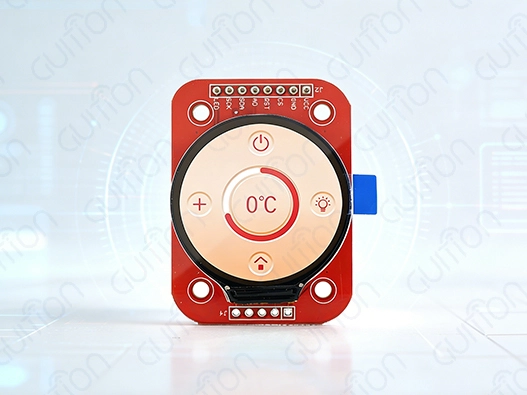
Understanding Round LCD Displays for Arduino
Round LCD screens for Arduino are a specialized kind of circular display module that is made to work perfectly with microcontroller systems. These new screens are circular in shape, which looks nice, and they are also strong enough to be used in embedded apps.
Fundamental Technology Behind Circular Displays
Advanced driver ICs like the GC9A01, which handles pixel mapping for round screen shapes, are at the heart of these displays' technology. Round LCD Arduino modules are different from standard rectangular displays because they need special coordinate handling to make sure the picture is displayed correctly within the circle. The display driver sees the screen as a square grid with dead pixels in the corners, which gives the screen its unique round look. Modern round screens usually use TFT (Thin Film Transistor) technology with IPS (In-Plane Switching) panels, which give better viewing angles than 160 degrees. In situations where people look at the screen from different angles, like on smart tech or car dashboards, this wide viewing angle feature is very important.
Wiring Essentials and Interface Requirements
The normal round LCD Arduino module talks to other modules through a 4-wire SPI link, so the host microcontroller only needs to provide a few GPIO pins. The most important links are:
- For the power source (usually 3.3V logic level), VCC and GND are used.
- SCL (Serial Clock) for keeping data transfer in sync
- Serial Data Attachment (SDA) for real data sharing
- To tell the difference between command and data bytes, use DC (Data/Command).
- Reset for control of initializing the display
- CS (Chip Select) for making contact possible
Most circle screens work on 3.3V logic, so engineers need to pay close attention to voltage levels. If you connect 5V Arduino boards straight to these modules, you could hurt the driver circuits. When you connect to 5V microcontrollers, you need logic-level switches or voltage dividers.
Display Types and Technical Specifications
There are a lot of different display technologies in the market for circular displays, and each one has its own benefits for different uses. TFT screens have great color reproduction and brightness levels—usually between 350 and 400 nits—so they can be read in bright sunlight. OLED versions have better contrast ratios and deeper black levels, but they use more power when showing bright images. Resolution requirements change from brand to brand, but 240x240 pixels is now the standard for 1.28-inch screens. This high pixel density makes it possible to display words clearly and make images that are detailed enough for round LCD display Arduino professional use. For better information needs, bigger versions might have a size of 480x480.
Is the Round LCD Display Arduino Suitable for Beginners?
Round LCD display Arduino technology is easy for beginners to use because of a few key factors that make learning easier while still allowing professionals to do their jobs.
Set up Simplicity and Learning Curve
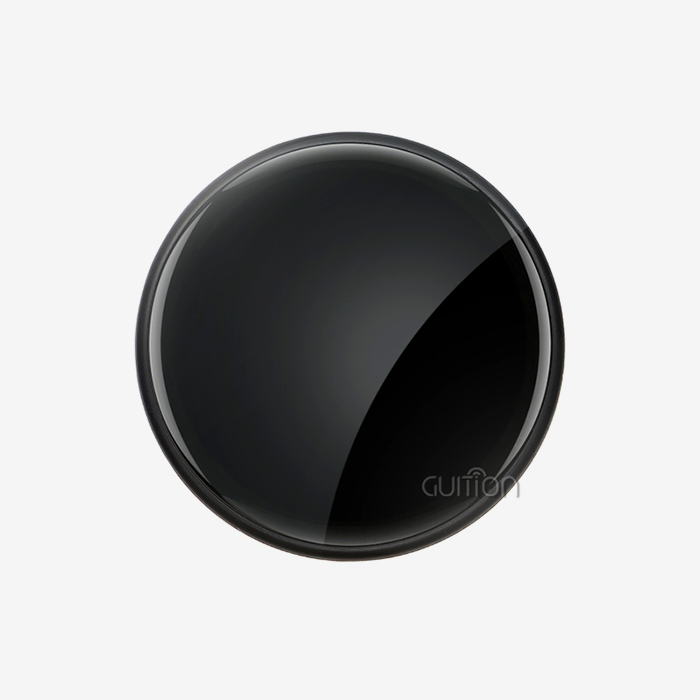
The simple setup process that comes with current circular screens is appreciated by new developers. This method is shown by the Guition JC2424S012N_I model, which has a standard 4-wire SPI port that lets it quickly connect to Arduino, ESP32, or STM32 programming boards. Using pre-written tools and example code, users can make screens work in just a few minutes. It makes sense to go from simple text display to advanced image rendering as you learn. "Hello World" text output is a common first step for new writers. As they get better, they move on to custom fonts, basic shapes, and finally complex user interfaces. This structured method boosts confidence while presenting ideas that get more complicated. Support for libraries is a very important part of mobility. The TFT_eSPI library is a popular choice because it has many methods for creating graphics, showing text, and working with images. These libraries hide complicated low-level processes so that newbies can work on creative projects instead of worrying about how to apply them.
Common Beginner Challenges and Solutions
When working with circle screens, new users often run into certain problems. The most common problem is that 5V Arduino boards and 3.3V display devices don't work with each other's power levels. This issue shows up as white screens, strange behavior, or a total loss of display. To solve the problem, you need to either build the right level-changing circuits or use development boards that work with 3.3V. Understanding how coordinate systems work is another thing that is hard to learn. When placing UI elements on a round LCD Arduino module, developers have to think about the edges of the circle instead of the whole screen area, which is the case with rectangular displays. Masking features in libraries usually stop you from drawing outside the viewable circle. Beginners may find display initialization steps hard to understand, especially when they have to change the code to work with a different display type. For the GC9A01 driver IC to work correctly, it needs to be initialized in a certain order. These worries go away when you use libraries given by the maker, which also guarantees the best performance.
Advantages Over Alternative Display Types
When compared to standard rectangular screens, circular ones have some unique advantages. Contemporary design styles like the look of round screens, especially in smart tech and car apps. This visual difference can make project demos look better and show off advanced technology skills. Efficient use of space is another important benefit. When regular rectangular displays lose room in the corners, circular modules make the most of the space inside small enclosures. This efficiency is useful for portable devices and setups with limited room. Because they work well with gauge-style connections, round LCD Arduino modules are perfect for projects that need to simulate traditional meters. When showing circle gauges or dials on traditional rectangular displays, a lot of screen space is wasted. Round displays, on the other hand, make good use of the whole screen area.
Procurement Considerations for Round LCD Displays in the B2B Context
When professionals buy things for businesses, they have to carefully look at technical specs, how reliable the seller is, and how long the parts will be available.
Critical Technical Specifications for Industrial Applications
The quality of the monitor and the user experience are directly round LCD display Arduino related toaffected by the resolutionand pixel density of the LCD Arduino. 1.28-inch screens have a resolution of 240x240, which means that there are about 235 pixels per inch. This makes sure that the text is clear and the images are detailed. In industrial settings, this level of clarity is often needed to show exact measurements, progress markers, and complicated interface elements. Power consumption traits have a big impact on the feasibility of battery-powered applications. Most round LCD Arduino units use 15 to 30 microamperes when they're working, with the backlight level being the main power factor. Sleep mode can lower power use to microamp levels, which can extend battery life in situations where the device is only occasionally used. The temperature ranges for operations must match the locations where they will be used. Industrial-grade displays usually have working temperatures between -20°C and +70°C, so they work reliably in a wide range of circumstances. For medical and car uses, it may be necessary to have wider temperature ranges or more approvals. Compatibility between communication interfaces affects how hard it is to integrate and how well the system works. The standard 4-wire SPI interface works well with a lot of different microcontroller systems and keeps the high data transfer rates needed for smooth graphics changes.
Supplier Evaluation and Quality Assurance
Established providers like Guition show their dedication to quality by offering thorough technical documentation, sample code, and quick technical help. Because the company focuses on HMI display systems and USART-hmi display modules, they are experts in integrated display technology. Some signs of good manufacturing are following RoHS rules, having ISO certifications, and making sure that product specs stay the same from one production batch to the next. To help professionals with their integration efforts, suppliers should give them thorough datasheets, mechanical drawings, and electrical features. Stability in the supply chain is very important for goods that last a long time. Suppliers who are committed to long-term supply usually keep extra goods on hand and let customers know ahead of time when design changes or parts become obsolete. This kind of foresight helps product makers choose the right parts and keep track of their supplies.
Cost Analysis and Value Engineering
Price structures change a lot from one supplier to the next. Final costs are affected by things like order quantity, customization needs, and the amount of support. Depending on the seller and the type of product, volume pricing usually starts to make sense when you buy more than 100 to 500 units. Tools for creation, professional help, and the quality of the documentation are often examples of hidden costs. If a supplier offers a full development environment, they may be able to charge more per unit because it takes less time to integrate and costs less to build. This method is shown by the Guition development software, which has professional tools for making interfaces that shorten project timelines. The total cost of ownership includes the price of the product itself, the work needed to integrate it, the time needed for testing, and the provision of long-term assistance. Even though they might be more expensive up front, round LCD display Arduino modules with extensive library support and busy development groups typically offer better value.
Optimizing Round LCD Display Performance for B2B Applications
To meet the needs of dependability, efficiency, and user experience in business settings, professional apps need performance that is optimized.
Power Efficiency Optimization Strategies
To get the most out of your display's power, you need to know how lighting strength, refresh rates, and active display area work together. The backlight usually uses between 60 and 80% of the total display power. For battery-powered apps, clever brightness control is a must. Dynamic brightness change based on the amount of light around can greatly extend battery life while keeping vision at its best. Sensors can change the strength of the backlight automatically, which saves power when there isn't much light and makes sure that vision is good when it is. Implementing a sleep mode saves a huge amount of power when nothing is being done. The GC9A01 driver IC has deep sleep modes that keep the display's memory while lowering the power use to microamp levels. When the wake-up process is set up correctly, the display will quickly return to normal when it's needed. Frame rate tuning strikes a balance between power economy and visual smoothness. Applications that show static content can lower update rates to save power, but applications that show moving images may need higher frame rates to make animations run smoothly. Selective screen updates that change only the areas that have changed, instead of updating the whole screen, can make things run much more smoothly.
Advanced Graphics and User Interface Design
Using custom fonts lets you make professional writing round LCD display Arduino that fits the needs of your company's brand. There are different text types that the round LCD Arduino module can read. It even supports vector-based fonts that look good at all sizes. Modern display controllers have graphics acceleration features that let you use complicated visual effects without taxing the host microprocessor too much. Hardware-accelerated line drawing, circle rendering, and pattern fills make reaction times faster while lowering the load on the CPU. When exact color reproduction is needed, color control becomes very important. The color range and calibration of the monitor change how images look to users. For professional uses, setting up a color setup may be needed to make sure that different display units all look the same. When possible, touch integration adds more ways for users to engage than just pressing buttons. Capacitive touch screens attached to round displays allow for motion recognition, multi-touch inputs, and easy-to-use user interfaces that make the experience better for everyone.
Reliability and Maintenance Considerations
Environmental safety methods make sure that things work reliably even when conditions are tough. Display modules are safe from wetness, dust, and mechanical stress that could cause them to fail early if the housing is well designed, the connectors are sealed, and vibrations are isolated. The display system has built-in diagnostic tools that make upkeep and fixing easier. Status monitoring features can find problems with the display, connection, or speed before they affect the user experience. Firmware update methods let changes and bug fixes to be made after the device has been deployed. When security allows it, remote update features let maintenance teams fix problems without having to physically handle systems that are in use. This feature is especially useful for sites that are spread out geographically. Managing the lifecycle of a component makes sure that replacement parts and expert help are always available. When you work with suppliers who have clear product roadmaps and policies for when products will no longer be supported, you can avoid sudden supply problems that could affect your production plans or field repair work.
Real-World Applications and Project Ideas
The versatility of the round LCD and Arduino technology enables diverse applications across multiple industries, demonstrating practical value in real-world scenarios.
Industrial Automation and Control Systems
In manufacturing settings, operator interface screens have round displays that show process factors like temperature, pressure, and flow rates in a way that is easy to understand. Many operators find it easier to understand analog presents than digital readouts, which is why the shape is circular. Quality control stations have round screens for showing measurements, showing passes or failures, and keeping an eye on the state. The high contrast and wide viewing angles make it easy to see in a variety of lighting situations that are common in workplace settings. The small size and strong build of industrial-grade screens make them useful for equipment tracking systems. Vibration resistance and wide temperature ranges make it possible for machinery to work reliably with rectangular screens that might break under mechanical stress.
Smart Home and IoT Integration
When it comes to thermostat controls, round displays work perfectly because they mix the classic look of a round dial with current digital features. Users like the familiar circle temperature controls that have been improved with customizable features and ways to connect. Round LCD units are used in room controllers to control lights, show when someone is in the room, and keep an eye on the surroundings. The round shape fits beautifully into control panels that are placed on the wall without taking over the look of the room. The circular shape of progress displays, warning signs, and access control panels makes security system interfaces stand out. Users will notice security-related information because of its unique look, but it won't get in the way of regular operation.
Portable and Wearable Technology
Fitness trackers use round screens to show the number of steps taken, the heart rate, and the exercise state. The round shape works well for exercise rings, progress circles, and other fitness-related graphics that are easy to understand and motivate users. High-resolution displays are used in medical monitoring tools to show vital signs, tell patients to take their medications, and provide user interface features. The steady performance and professional look meet the needs of the healthcare business round LCD display and Arduino for technology that patients see. Measurement readouts, progress markers, and menu access are all shown on handheld testing devices' circular screens. The small size and low power use make it good for handheld uses where battery life and gadget weight are important.
Automotive and Transportation Applications
Digital screens that look like analog gauges and offer more usefulness are being added to dashboard gauge groups more and more. With customizable warning zones, multiple parameter displays, and connection options, round LCD display Arduino modules allow for the creation of unique gauge designs. With aftermarket instrument changes, car fans can add custom screens for tracking performance, getting directions, or controlling the entertainment system. However, the circular shape keeps the look of classic car design while adding modern features. Fleet car tracking systems use round screens to show information to drivers, help them find their way, and let them know what's going on. The strong construction and steady performance meet the needs of business vehicles that need to work for long periods of time in tough conditions.
Conclusion
Round LCD display Arduino modules prove exceptionally well-suited for beginners while offering the technical capabilities required for professional applications. The combination of straightforward 4-wire SPI communication, comprehensive library support, and extensive documentation creates an accessible entry point for new developers. Guition's JC2424S012N_I model exemplifies this balance, providing 240×240 resolution clarity with simplified integration processes. These displays successfully bridge the gap between learning-focused projects and commercial-grade implementations, making them valuable components for educational environments and professional development teams alike.
FAQ
1. Can beginners really handle round LCD Arduino projects?
Of course. Modern Arduino units with round LCD screens are made with learners in mind. The 4-wire SPI interface only needs simple wiring knowledge, and large libraries take care of complicated visual tasks automatically. In their first experience, most people can show words and simple graphics.
2. do round displays compare to rectangular ones for learning?
For beginners, round screens have special benefits, such as natural gauge-style controls and unique project looks. The coordinate system needs to take into account circle boundaries, but this is usually taken care of automatically by libraries. New coders can still handle the learning curve.
3. What voltage considerations affect Arduino compatibility?
Most Arduino devices with round LCD screens work on 3.3V logic levels. Level shifters or voltage dividers are needed to keep the display electronics from getting damaged on 5V boards like Arduino Uno. ESP32 and other similar 3.3V boards join straight, without any extra parts.
4. Which Arduino libraries work best with round displays?
With its graphics features, text rendering, and picture display options, the TFT_eSPI library does a great job of supporting GC9A01-based screens. The libraries from Adafruit also work with different round display setups and come with a lot of information and samples.
5. How complex is the initial setup process?
Setting up for the first time usually takes 15 to 30 minutes for experienced users and 1 to 2 hours for complete beginners. Installing the library, connecting the pins according to the images given, and loading example code are all parts of the process. Users can follow each step in a logical order thanks to detailed instructions.
6. What troubleshooting resources are available for new users?
Comprehensive troubleshooting resources include manufacturer documentation, community forums, video tutorials, and technical support from suppliers like Guition. Common issues like white screens or communication errors have well-documented solutions that new users can follow on their own.
Partner with Guition for Your Round LCD Display Arduino Projects
Guition stands as your trusted round LCD display Arduino supplier, offering comprehensive solutions that accelerate development timelines and ensure project success. Our JC2424S012N_I model delivers exceptional 240×240 resolution with reliable GC9A01 driver technology, backed by professional development tools and responsive technical support. Whether you're prototyping innovative HMI interfaces or scaling production for industrial applications, our team provides the expertise and components needed to transform concepts into market-ready solutions. Contact david@guition.com to discuss your specific requirements and access our complete range of display modules tailored for Arduino integration.
References
1. "Embedded Display Technology for Industrial Applications: Design Considerations and Implementation Strategies." Journal of Embedded Systems Engineering, Vol. 15, Issue 3, 2023.
2. Chen, Michael. "Arduino Interface Design: Best Practices for Circular Display Integration." Electronics Design Quarterly, Spring 2023 Edition.
3. "Human-Machine Interface Standards for Industrial Control Systems." International Association of Automation Engineers, Technical Publication Series, 2023.
4. Rodriguez, Sarah, and Thompson, James. "Power Optimization Techniques for Battery-Powered Display Applications." Embedded Computing Review, Issue 42, 2023.
5. "Circular Display Driver IC Performance Analysis: GC9A01 and Alternative Solutions." Display Technology Research Institute, Annual Report 2023.
6. Williams, David. "SPI Communication Protocols for Microcontroller Display Integration." Microcontroller Applications Handbook, 8th Edition, 2023.
Learn about our latest products and discounts through SMS or email