- English
- French
- German
- Portuguese
- Spanish
- Russian
- Japanese
- Korean
- Arabic
- Greek
- German
- Turkish
- Italian
- Danish
- Romanian
- Indonesian
- Czech
- Afrikaans
- Swedish
- Polish
- Basque
- Catalan
- Esperanto
- Hindi
- Lao
- Albanian
- Amharic
- Armenian
- Azerbaijani
- Belarusian
- Bengali
- Bosnian
- Bulgarian
- Cebuano
- Chichewa
- Corsican
- Croatian
- Dutch
- Estonian
- Filipino
- Finnish
- Frisian
- Galician
- Georgian
- Gujarati
- Haitian
- Hausa
- Hawaiian
- Hebrew
- Hmong
- Hungarian
- Icelandic
- Igbo
- Javanese
- Kannada
- Kazakh
- Khmer
- Kurdish
- Kyrgyz
- Latin
- Latvian
- Lithuanian
- Luxembou..
- Macedonian
- Malagasy
- Malay
- Malayalam
- Maltese
- Maori
- Marathi
- Mongolian
- Burmese
- Nepali
- Norwegian
- Pashto
- Persian
- Punjabi
- Serbian
- Sesotho
- Sinhala
- Slovak
- Slovenian
- Somali
- Samoan
- Scots Gaelic
- Shona
- Sindhi
- Sundanese
- Swahili
- Tajik
- Tamil
- Telugu
- Thai
- Ukrainian
- Urdu
- Uzbek
- Vietnamese
- Welsh
- Xhosa
- Yiddish
- Yoruba
- Zulu
Is HMI Human Machine Interface Easy to Implement?
HMI human interface machine systems are the backbone of modern industrial automation. They make it easier for workers to use complicated machines by giving them simple screens and buttons to press. "How hard is it really to implement an HMI human interface machine solution?" is the question I hear most often from procurement managers, embedded engineers, and R&D directors across industries. This is a valid concern, as the implementation process has a direct effect on operational efficiency, integration complexity, time-to-market, and long-term scalability.
Understanding HMI Human Machine Interface: Basics and Benefits
At its core, an HMI human interface. This is the way that people and automatic systems talk to each other. An HMI human interface machine is different from SCADA systems and PLCs because it has a visible dashboard and a control interface that users can directly use. SCADA systems collect data across distributed networks, while PLCs handle machine-level logic. It's the screens, keys, and graphical displays that turn raw sensor data into information that you can use. Think of it as the face of your automation system.
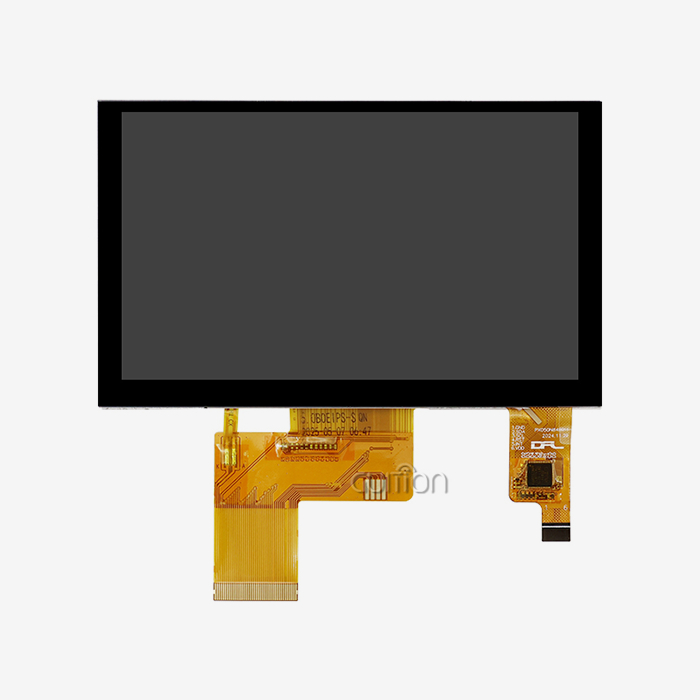
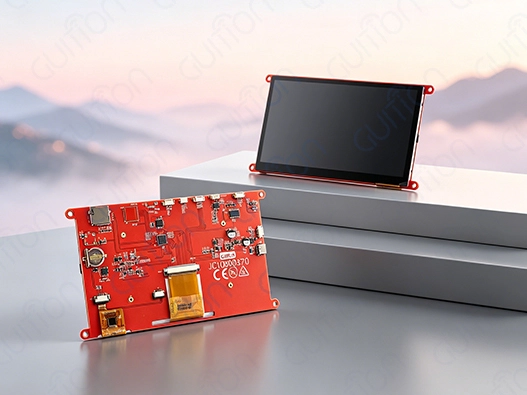
Today's display interfaces are made up of hardware parts like LCD screens, touch panels, and computers, as well as complex software that handles data transfer and control orders. The technology has come a long way since the panels with lots of buttons that were used decades ago. Today's capacitive touchscreens are as responsive as smartphones, and they have powerful computers built in that let them display images instantly and without any lag.
The main reasons why businesses are adopting B2B are strong. Real-time monitoring features that let operators see the state of a system right away lead to higher operating efficiency. Response times drop by a huge amount when a worker can quickly see changes in temperature, production counts, and the health of the equipment. Clear visual signs and easy-to-understand control layouts help cut down on human mistakes, which improves safety. A well-thought-out layout keeps users from pressing buttons by mistake and walks them through complicated steps one by one.
Having as little rest as possible is probably the most important benefit. Features of predictive control let repair teams know about possible breakdowns before they happen. Experts can figure out what's wrong without having to go to faraway places because WiFi and Bluetooth connectivity allow for remote tracking. In competitive industrial settings, automation methods that work always include a strong HMI (human-machine interface) as a core part. Companies that use smart device solutions say that when they buy good display modules, they can fix problems faster and train their employees less.
Is Implementing an HMI Human Machine Interface Easy? A Problem-Solving Approach
The honest answer is that the level of difficulty of implementation depends a lot on how you go about it. In the past, making an HMI human interface machine meant writing thousands of lines of low-level code to handle things like rendering the screen, handling touch input, and setting up communication channels. Engineers worked for months to make graphical user interfaces better and spent weeks fixing problems with serial communication. Integrating legacy systems made things even more complicated, since older PLCs and control systems often had their own standards that wouldn't be standardized.
Customization problems made a lot of development teams angry. To make a unique user interface, you needed to know a lot about both graphics code and hardware specs. Because complex development tools made displays that were just as hard to use, teaching operators became a high cost. These problems are the reason why procurement managers are right to wonder why execution is so hard.
Problems with implementation are usually caused by three things: parts that don't work with each other, no standard communication methods, and not enough vendor help. When microcontrollers, display modules, and development software are bought from different companies with different design ideas, putting them all together is like putting together a puzzle where the pieces don't fit together. Proprietary protocols lock you into one provider and make it harder to change in the future.
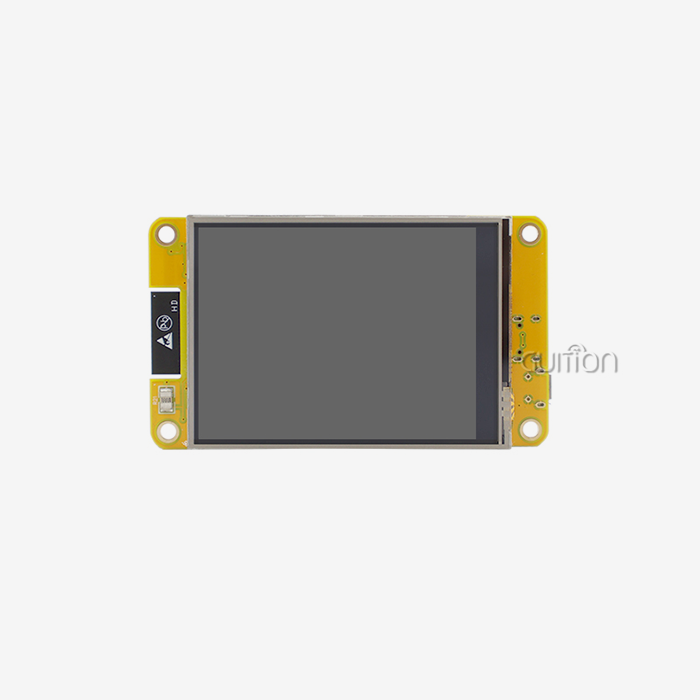
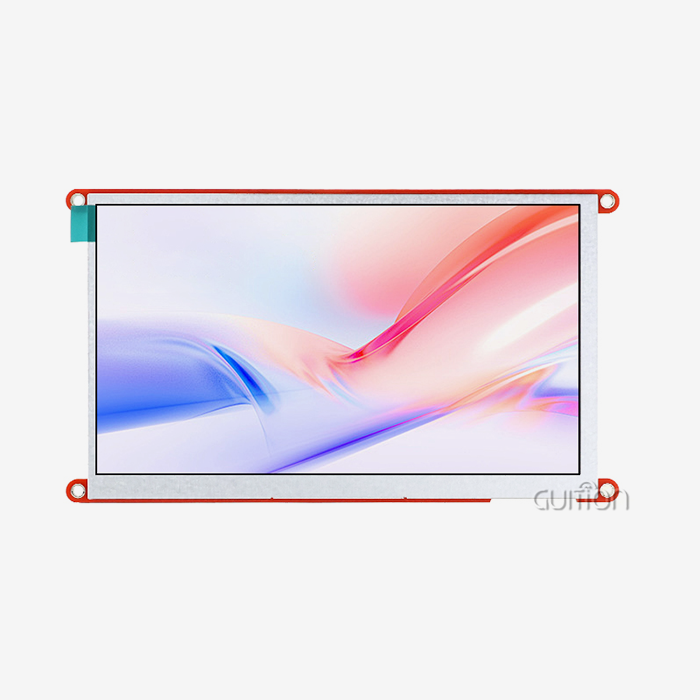
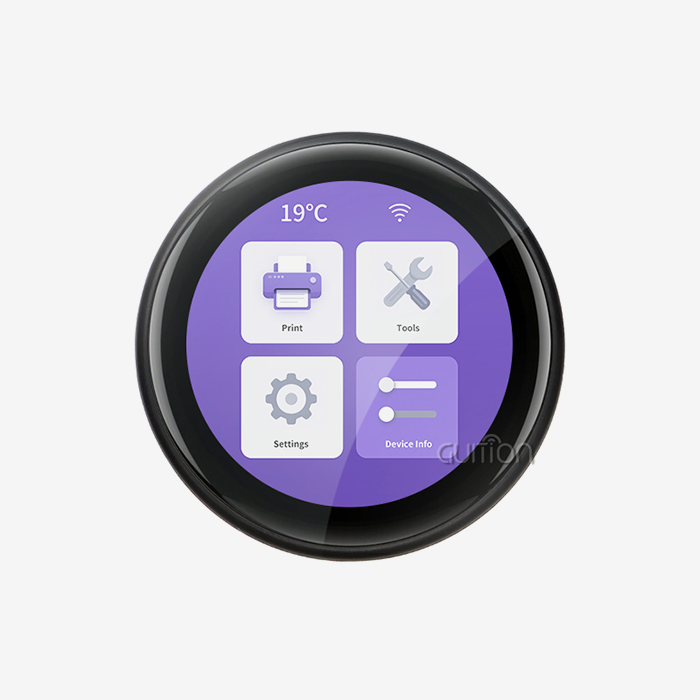
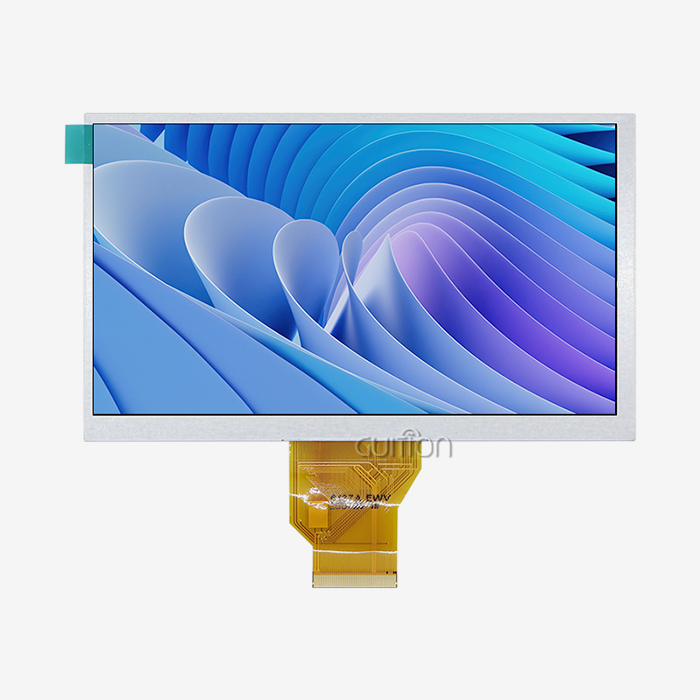
These problems are solved in modern methods by making smart design choices. The display hardware and the application logic are kept separate in modular designs. This lets writers swap parts without having to rewrite code. With its 7.0-inch IPS display module made around the Artinchip D121BBV single-core MCU running at 400MHz, the GUITION JC1060Q370C_I is a good example of this method. This setup gives you a 1024x600 screen with capacitive touch sensing and works with many programming platforms, such as Arduino and IDF.
When open standards are used, merging goes from being a problem to a simple process. Communication methods like I2C, SPI, and UART have become standard in the industry. They make sure that different parts can safely share data. The RT-Thread operating system on devices like the JC1060Q370C_I gives developers a safe base that takes care of low-level hardware management, so they can focus on making features for applications instead of drivers.
It is very important to carefully evaluate vendors. Implementation risk is greatly reduced by suppliers who offer thorough technical documents, helpful customer service teams, and track records of success. I've seen automation projects work or fail based on the level of vendor help. As always, questions come up during merging. Having experts who know both hardware and software can make the difference between a one-day delay and a one-month setback. These best practices are based on the experience of hundreds of successful operations in business, medicine, and consumer goods.
Types and Features of HMI Human Machine Interface Machines
Knowing the range of choices helps buying teams match technology to the needs of the application. In new applications, touchscreen displays have mostly replaced button-based ones because they are more flexible than real buttons. Software-defined settings can change how they work without having to change the hardware. During normal operation, a single screen can show production data. When needed, it can change into a repair interface.
The difference between industrial-grade and consumer-grade is more important than most people think. Temperature changes, vibrations, and electromagnetic interference that are common in manufacturing sites quickly break down consumer screens that were designed to work in stores. Industrial screens are made with stronger materials, can work in a wide range of temperatures, and block electromagnetic waves (EMI). The 400-nit brightness level of displays like the JC1060Q370C_I makes them visible in bright workplace lighting, where other screens would wash out.
Another choice point is between standalone and combined models. Standalone units have their own processor, storage, and I/O ports, so they can work as full computers with just power and network links. Processing is done by external controls for integrated parts like display-only panels. Which one to use depends on how the system is built and how jobs should be split up.
Screen size and quality are not the only important features. Display resolution has a direct effect on information density. For example, a 7-inch screen with 1024x600 pixels can show complex images and many data fields at the same time. Support for communication protocols decides how easy it is to integrate. In industrial settings, USART serial transmission is still widely used, and WiFi and Bluetooth make it possible to connect IoT devices and watch them from afar.
Platforms that give writers more freedom and platforms that limit their abilities can be told apart by the ability to customize software. Drag-and-drop GUI development tools, such as HMI human interface machine, make interfaces much faster. Instead of writing code for each button and graphic element by hand, developers use simple choices to arrange controls visually and set properties. Programming something that used to take a week now only takes hours. Well-documented APIs for secondary development support let you make changes without changing the core system code.
As more manufacturing systems connect to networks, security steps have become more important. Firmware updates make it possible to add security fixes and improve features after the device has been installed. The ability to remotely change software cuts down on upkeep costs by getting rid of the need for site visits to install updates. Support for UTF-8 encoding meets the needs of globalization by allowing multilingual platforms that serve markets around the world. These differences in technology have a direct effect on the long-term costs of running systems and their ability to keep hackers out.
Choosing the Right HMI for Your Business: A Decision-Support Guide
To match display interface technology to specific use cases, you need to carefully look at the practical requirements. For sensors and actuators to work together, highly automated production floors need rugged connections with a lot of I/O access. For example, simple tracking systems might only need basic show features and a few control options. Regulatory compliance standards for medical device use affect the choice of hardware and the process of validating software.
Choosing the right screen size means weighing the need to show information against the available room and viewing distance. The range of sizes, from small 1.28-inch screens for personal tech to huge 21.5-inch panels for control room use, shows how different industries need to meet their needs. A 7-inch screen like the JC1060Q370C_I is just the right size for many uses—it's big enough to show detailed information but small enough to fit into existing equipment.
Processing power needs go up as applications get more complicated. The 400MHz single-core MCU can handle communication, graphics drawing, and touch processing all at the same time. This makes it fast for common industry and smart home uses. The RT-Thread operating system handles multiple tasks well, making sure that user inputs are immediately responded to, even when screens are being updated, and data is being sent and received between linked devices.
The choice of touch technology affects both the user experience and the longevity. Capacitive touch screens enable multi-touch movements and only need light contact, giving users the responsiveness they expect from smartphones. Other types of resistive touch work with gloves on and styluses, but they feel less sensitive. This choice is based on things in the environment, such as dust, wetness, and high temperatures. Modern screens use IPS display technology, which makes them better at color clarity and viewing angles than older TN displays.
When figuring out costs, you have to think about all the costs of ownership, not just the original buy price. Quality display units cost more up front, but they pay for themselves in the long run through stability, vendor support, and faster development. Engineers spend less time troubleshooting when they have access to complete technical paperwork from a source. Responding to customer questions quickly keeps work from being held up. Risk judgment is directly affected by warranty coverage and the availability of assistance after the sale.
When product makers use displays across multiple production runs, bulk purchasing rewards become useful. Lack of parts can be avoided with volume prices, help with inventory management, and long-term supply promises. As global logistics problems have made devices less available, judging sellers based on how stable their supply chains are has become more important. When making a choice, these real business factors go along with technical specs. The goal is to find answers that meet the technology needs of the present while also allowing for future product development and market growth.
Technical Support and Resources to Facilitate Easy HMI Implementation
Getting the right hardware is only one part of a successful rollout. The whole development environment is also important. Programming tools have a direct effect on how fast products are made and how productive engineers are. The drag-and-drop interface maker in the Guition software platform makes the hmi display module a great example of a modern development environment. It gets rid of the need to write code by hand to make UIs. Engineers create screens by looking at them, adding controls like buttons and gauges with a few clicks, and setting up how things work by using property panels instead of code tools.
Cross-platform compatibility gives you more choices. Supporting Arduino development environments makes it easier for a big group of engineers and makers who already know how to use this tool. ESP-IDF support helps writers who use Espressif microcontrollers in Internet of Things (IoT) projects. Native GUI mode gives people the best speed possible by using all of the GUITION hardware's features. This multi-mode method takes into account different coding styles and codebases that are already in place.
When evaluating a provider, you should pay close attention to how they handle firmware updates. Over-the-air changes let modern systems send new software to devices that are already in use. With this feature, repair can be done in the background from central offices instead of having to pay for expensive field service calls. A big practical benefit is being able to fix bugs, add features, and improve security across an installed base without having to physically handle each computer.
Full user guides and technology paperwork speed up troubleshooting and cut down on the time it takes to train new team members. The level of documentation changes a lot between suppliers. The best tools have information about hardware specs, electrical interfaces, command protocols, and application examples with written code. Engineers can quickly learn the best ways to do things by using interactive training materials like video lessons and sample projects.
Development tools that have testing and fixing built in find problems quickly. Online debugging features let writers keep an eye on variable values, track how programs run, and find problems without having to buy expensive lab tools. Engineers can try interface designs in simulation modes before the hardware comes, which speeds up the development process. These tools, taken together, determine whether execution goes smoothly or becomes a frustrating battle. Giving this information to engineering and buying teams lowers risk and improves long-term business success in a wide range of industrial settings.
Conclusion
Because of flexible hardware designs, standardized communication protocols, and advanced development tools like Guition that get rid of the need for low-level code, it is now much easier to put an HMI (human-machine interface) together. Today, there are solutions for a wide range of problems, such as industrial control screens, medical devices, and smart home apps. These solutions range in how complicated they are. To be successful, you need to carefully match technical skills to application needs and choose sellers who offer full support throughout the development process. Integrated hardware-software solutions, like the GUITION JC1060Q370C_I display module, fix problems from the past by offering features like cross-platform support, drag-and-drop interface creation, and the ability to update from afar. When makers and system developers buy automation solutions, the best choices are made when beginning costs are weighed against total ownership costs, which include development time, support quality, and long-term reliability.
FAQ
What distinguishes HMI systems from SCADA platforms?
HMI human interface machine systems are based on local operator interfaces that let you handle and watch machines directly at the equipment level. SCADA platforms collect data from different systems so that they can be analyzed and controlled centrally. While SCADA monitors entire facilities or multiple sites at once, an HMI human interface) usually links to individual machines or cells.
Can modern display modules integrate with legacy PLC infrastructure?
No, not through normal methods for serial communication. Older industrial controls can be connected thanks to USART interfaces that handle RS-232 and RS-485 standards. Modern HMI human interface machine display units act as protocol bridges, translating between older serial connections and newer Ethernet or wireless protocols so that the whole system can work together better.
What timeline should we expect for typical HMI implementation projects?
How long it takes to implement depends on the details of the project, but current programming tools have greatly sped up the process. Within days, simple tracking tools can be up and running on platforms like Guition. Complex multi-screen apps with custom logic usually only take a few weeks to make, instead of the months that regular apps took. Buying hardware and putting the system together takes more time than just making software.
Partner with Guition for Streamlined HMI Development
Embedded engineers and product managers who want to cut down on time-to-market should work with development partners who know all about the problems that come up during implementation. As a full-service HMI human interface machine provider, Guition offers hardware, software, and expert support. With built-in WiFi and Bluetooth connections, cross-platform compatibility, and drag-and-drop UI creation tools, our JC1060Q370C_I display module mixes industrial-grade stability with ease of development. We are an HMI human interface machine provider that wants to reduce the amount of work that engineers have to do. That's why we offer full secondary development support, the ability to work with multiple languages, and the ability to update remotely. Email our technology team at david@guition.com to talk about how our display options can help you speed up the process of making new products. Whether you need screens for IoT, medical devices, or industrial automation, we can help you succeed from the prototype stage through production thanks to our knowledge of USART-HMI human interface machine display modules and track record in global markets.
References
1. Johnson, M. (2023). Industrial Automation Interface Design: Best Practices for Modern Manufacturing Systems. Technical Publishing International.
2. Chen, L. & Rodriguez, A. (2024). Embedded Systems Development: From Prototype to Production. Industrial Electronics Press.
3. National Institute of Standards and Technology. (2023). Guidelines for Human-Machine Interface Design in Industrial Control Systems. U.S. Department of Commerce.
4. Williams, R. (2024). IoT Device Integration: Communication Protocols and Development Strategies. Embedded Systems Journal, 18(2), 45-67.
5. European Committee for Standardization. (2023). Industrial Control Panels and Operator Interfaces: Safety and Performance Requirements. CEN Technical Report 2024-1.
6. Martinez, S. (2024). Cost-Benefit Analysis of Modern HMI Implementation in Manufacturing Environments. International Journal of Production Research, 62(4), 1123-1145.
Learn about our latest products and discounts through SMS or email