- English
- French
- German
- Portuguese
- Spanish
- Russian
- Japanese
- Korean
- Arabic
- Greek
- German
- Turkish
- Italian
- Danish
- Romanian
- Indonesian
- Czech
- Afrikaans
- Swedish
- Polish
- Basque
- Catalan
- Esperanto
- Hindi
- Lao
- Albanian
- Amharic
- Armenian
- Azerbaijani
- Belarusian
- Bengali
- Bosnian
- Bulgarian
- Cebuano
- Chichewa
- Corsican
- Croatian
- Dutch
- Estonian
- Filipino
- Finnish
- Frisian
- Galician
- Georgian
- Gujarati
- Haitian
- Hausa
- Hawaiian
- Hebrew
- Hmong
- Hungarian
- Icelandic
- Igbo
- Javanese
- Kannada
- Kazakh
- Khmer
- Kurdish
- Kyrgyz
- Latin
- Latvian
- Lithuanian
- Luxembou..
- Macedonian
- Malagasy
- Malay
- Malayalam
- Maltese
- Maori
- Marathi
- Mongolian
- Burmese
- Nepali
- Norwegian
- Pashto
- Persian
- Punjabi
- Serbian
- Sesotho
- Sinhala
- Slovak
- Slovenian
- Somali
- Samoan
- Scots Gaelic
- Shona
- Sindhi
- Sundanese
- Swahili
- Tajik
- Tamil
- Telugu
- Thai
- Ukrainian
- Urdu
- Uzbek
- Vietnamese
- Welsh
- Xhosa
- Yiddish
- Yoruba
- Zulu
Is a Serial HMI display Right for Your Automation Project?
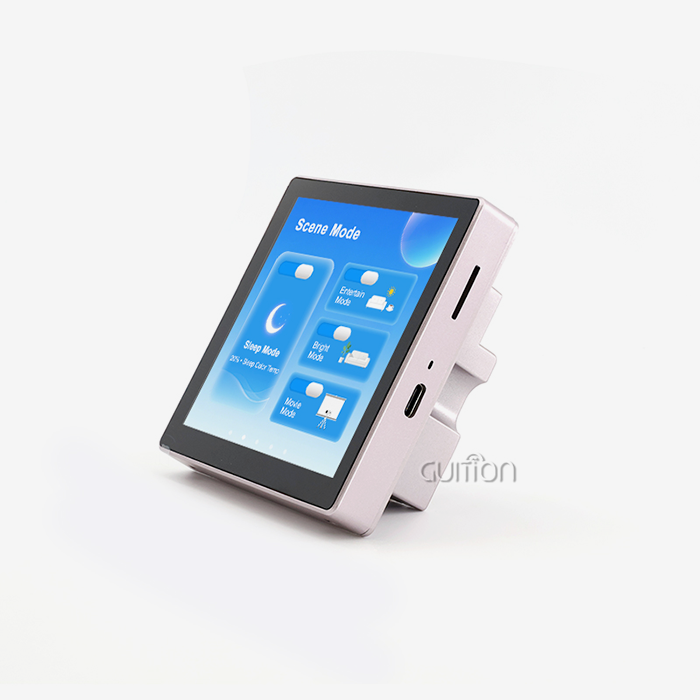
If you are evaluating display solutions for your next automation build, a serial HMI display is likely already on your radar. These intelligent modules handle UI rendering locally, communicate with host controllers via lightweight UART or RS485 commands, and dramatically reduce the coding burden on embedded engineers. Whether you are building an industrial control panel, a medical monitoring device, or a smart home appliance, a serial HMI display can compress your development timeline, lower your BOM cost, and deliver a polished operator interface without requiring deep graphics programming expertise.

Comparing Serial HMI Displays to Other Interface Technologies
It depends on three things: how hard it is to integrate, the environment, and your budget, whether you choose a Serial HMI display, an Ethernet-based panel, or a direct PLC touchscreen.
Serial vs. Ethernet HMI
Ethernet HMI panels offer faster speeds and remote access, but they require network infrastructure, IP configuration, and stronger security. A Serial HMI display, on the other hand, only needs one cable to connect to almost any MCU or PLC. You don't have to install any tools or plan the network's layout. This method is easier to use and less expensive for medium-sized robotic projects that don't require real-time pixel streaming.
RS232 vs. RS485: Picking the Right Signal Level
When prototyping on a bench or installing something in a cabinet, RS232 works perfectly. When the wire runs longer than 15 meters or when more than one node shares the same bus, RS485 becomes the best option. A lot of electromagnetic interference is created in industrial settings by variable-frequency drives, motors, and relay banks. RS485's differential signaling blocks common-mode noise that would mess up RS232 messages.
How to Choose the Best Serial HMI Display for Your Industrial Automation Project?
Choosing an esp32 display module is not simply a matter of comparing products; it's an organised choice. Before you look at any products, you should know what resolution you need, what working temperature range you want, what touch technology you like, and what host platform you want to use.
Key Parameters to Evaluate
A clear plan helps with the choosing process. Here are the most important technical details that every expert should check before making a purchase:
- Resolution and panel size: Match the display area to the operator's viewing distance and information density. Guition's product range covers 1.28" through 21.5", giving procurement managers genuine flexibility across product families.
- Touch technology: Resistive touch withstands gloved operation and harsh industrial conditions. Projected capacitive touch delivers a smartphone-grade experience for consumer-facing kiosks.
- Protocol compatibility: Confirm TTL, RS232, or RS485 signal levels match your host MCU's GPIO voltage to avoid damaging either device.
- Development ecosystem: Evaluate whether the supplier supports your preferred IDE — Arduino, ESP-IDF, MicroPython, or a proprietary GUI builder.
By checking these parameters ahead of time, you can avoid expensive redesigns that slow down development or make the product less reliable over time.
Why the GUITION JC4827W543C_I Stands Out
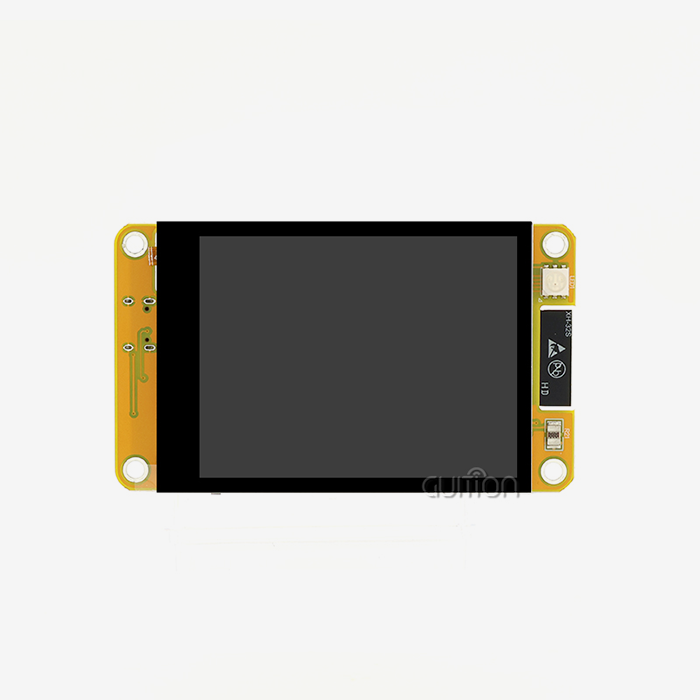
The GUITION JC4827W543C^_I is a strong standard in this field. An ESP32-S3R8 dual-core MCU with 8 MB of PSRAM and 4 MB of flash is used. It can run at up to 240 MHz. The 4.3-inch screen has a resolution of 480x272 pixels and a sensitive touchscreen that can be used with gloves on. Built-in Wi-Fi and Bluetooth get rid of the need for separate wifi units. This module is very flexible because it has up to 10 I/O pins that can be configured and a TF card slot for adding more storage space. It comes pre-loaded with test software, so engineers can check that the hardware is connected within minutes of opening the box, which is very helpful when sprint deadlines are short.
Benefits and Challenges of Using Serial HMI Displays in Automation
There is a lot of information out there about how useful it is to use a Serial HMI display in an automation system.
In production settings, these are the main benefits this design brings:
- Reduced host CPU overhead: Because the display processes touch events and renders graphics locally, a low-cost MCU like an ESP32 can manage sensor polling, PID loops, and communication stacks simultaneously without frame-rate degradation.
- Accelerated UI development: WYSIWYG drag-and-drop tools, such as Guition's proprietary development platform, let HMI designers build multi-page interfaces without writing a single line of layout code. Guition supports secondary development with complete API documentation and ready-to-run sample sketches.
- Remote OTA upgrade capability: Guition modules support wireless firmware updates, allowing field engineers to push UI revisions or feature additions without traveling to the installation site — a direct reduction in after-sales service costs.
- Multi-language UTF-8 encoding: Global deployments require interfaces that switch languages at runtime. Guition's platform handles UTF-8 character rendering natively, covering European, East Asian, and right-to-left scripts.
These benefits can help automation teams with the problems they most often have, like long iteration cycles, a lot of work that needs to be done to fix bugs, and expensive on-site support trips.
Having said that, Serial HMI screens have their own limitations. Real-time streaming of high-resolution video material is limited by maximum baud rate caps. To keep data from getting lost, shielding and termination resistors must be used correctly on long cable runs. When engineers move from proprietary PLC HMI environments to new GUI tools, they may need some time to get used to them. When teams are honest about these trade-offs, they can plan around them instead of finding out about them in the middle of a project.
Procurement Insights: Where and How to Buy Serial HMI Displays
Finding the right outlet to buy a Serial HMI display has a big effect on unit cost, lead time, and the quality of long-term assistance. When you buy in bulk from a direct maker, you can usually get better prices, faster customization, and access to technical support that you can't get from a wholesaler.
Evaluating Suppliers
A reputable company that makes Serial HMI displays should offer complete hardware schematics, software libraries, cross-platform IDE support, and a clear warranty policy. Guition is a technology-driven HMI display supplier with a product line that includes displays from 1.28" to 21.5". It offers all of these along with its own Guition development software, which speeds up the process of getting new engineering teams up to speed. Guition's tech team handles all requests for customization, such as branding splash screens, custom enclosures, and different protocol versions.
Conclusion
A serial HMI display is the right choice when you need a reliable, cost-effective, and rapidly deployable operator interface without burdening your host MCU with graphics rendering. The GUITION JC4827W543C_I, with its ESP32-S3R8 processor, integrated Wi-Fi and Bluetooth, resistive touchscreen, and multi-IDE support, represents a mature and future-proof solution for industrial automation, medical devices, smart appliances, and commercial terminals. If development speed and total cost of ownership matter to your team, this module deserves serious evaluation.
FAQ
What communication protocol does a serial HMI display use?
Most Serial HMI screens can talk to each other through UART (TTL), RS232, or RS485. The algorithm is chosen based on the host platform, the line distance, and the noise level. RS485 is the standard for plant floors with a lot of long wire runs.
Can I use the GUITION JC4827W543C_I with Arduino?
Yes. The module works with MicroPython, Arduino IDE, ESP-IDF, and Guition's own GUI development platform. There are sample files and working sketches included, which make the original integration process much easier.
How does a serial HMI display differ from a standard TFT LCD module?
For a normal TFT module to work, the host CPU must keep refreshing each pixel. The host only gives value-update commands to a Serial HMI display, which greatly reduces the amount of work that the CPU has to do and the amount of code that needs to be written.
Is resistive touch suitable for industrial applications?
In many industrial settings, resistive touch is better than capacitive touch because it responds to physical pressure, works with gloves, and is not affected by electrical noise. In harsh environments, electrical noise can cause capacitive screens to give false triggers.
Does Guition support remote firmware updates?
Yes, OTA (over-the-air) upgrades are possible with Guition modules. This means that you can wirelessly change UI projects and firmware without having to physically touch the installed device.
Partner With Guition for Your Next Serial HMI Display Project
Guition is a well-known company that makes Serial HMI displays. They offer smart display units from 1.28" to 21.5" for use in medical, robotics, and IoT settings. The JC4827W543C^_I has two ESP32-S3R8 cores that work together to make it fast, join wirelessly, and work with multiple IDEs. It has everything your team needs to ship faster. Please get in touch with us right away, and our engineering team will help you find the best display solution for your project. Email us at david@guition.com.
References
1. Berge, Jonas. Fieldbuses for Process Control: Engineering, Operation, and Maintenance. ISA — The Instrumentation, Systems, and Automation Society, 2002.
2. Bolton, William. Programmable Logic Controllers. 6th ed. Newnes/Elsevier, 2015.
3. Hughes, John M. Arduino: A Technical Reference. O'Reilly Media, 2016.
4. Liptak, Béla G. Instrument Engineers' Handbook: Process Control and Optimization. 4th ed. CRC Press, 2006.
5. Piguet, Christian. Low-Power CMOS Circuits: Technology, Logic Design and CAD Tools. CRC Press, 2006.
6. IEEE Standard for Low-Rate Wireless Networks (IEEE 802.15.4). IEEE Standards Association, 2020.
Learn about our latest products and discounts through SMS or email