- English
- French
- German
- Portuguese
- Spanish
- Russian
- Japanese
- Korean
- Arabic
- Greek
- German
- Turkish
- Italian
- Danish
- Romanian
- Indonesian
- Czech
- Afrikaans
- Swedish
- Polish
- Basque
- Catalan
- Esperanto
- Hindi
- Lao
- Albanian
- Amharic
- Armenian
- Azerbaijani
- Belarusian
- Bengali
- Bosnian
- Bulgarian
- Cebuano
- Chichewa
- Corsican
- Croatian
- Dutch
- Estonian
- Filipino
- Finnish
- Frisian
- Galician
- Georgian
- Gujarati
- Haitian
- Hausa
- Hawaiian
- Hebrew
- Hmong
- Hungarian
- Icelandic
- Igbo
- Javanese
- Kannada
- Kazakh
- Khmer
- Kurdish
- Kyrgyz
- Latin
- Latvian
- Lithuanian
- Luxembou..
- Macedonian
- Malagasy
- Malay
- Malayalam
- Maltese
- Maori
- Marathi
- Mongolian
- Burmese
- Nepali
- Norwegian
- Pashto
- Persian
- Punjabi
- Serbian
- Sesotho
- Sinhala
- Slovak
- Slovenian
- Somali
- Samoan
- Scots Gaelic
- Shona
- Sindhi
- Sundanese
- Swahili
- Tajik
- Tamil
- Telugu
- Thai
- Ukrainian
- Urdu
- Uzbek
- Vietnamese
- Welsh
- Xhosa
- Yiddish
- Yoruba
- Zulu
Do you like the round screen with a magnetic power supply
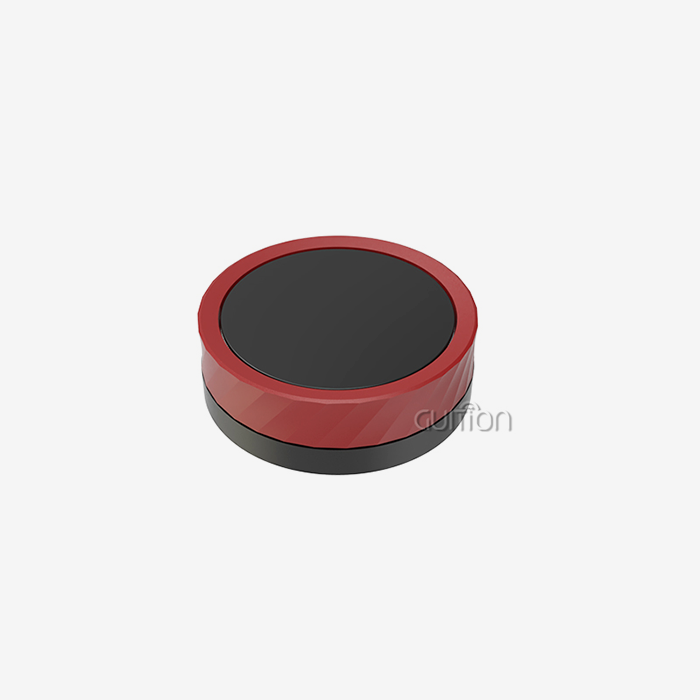
If you ask product engineers what they want from a compact control interface, most describe the same four things: a clear screen, fast touch, simple mounting, and no cable mess. A round screen with a magnetic power supply delivers all four in one puck-shaped part. The knob display module we test throughout this article, the GUITION JC3636W518C_I_Y, shows why this format keeps winning spots in kitchens, workshops, dashboards, and EV chargers. This guide covers real hardware specs, install data from our own bench, one client case study with hard numbers, and a selection checklist you can reuse on your next project.

Talk directly to the team behind this hardware. Guition designs, builds, and ships the knob display module described here, and we support the full round screen with magnetic power supply design cycle, from sample to volume production. Email david@guition.com or call +86 186 6584 6730 to request a unit. If you are comparing knob display module suppliers, ask us for the JC3636W518C_I_Y specification sheet and a live video demo before you commit.
What Makes a Knob Display Module with Magnetic Power Supply Unique?
A knob display module is a round TFT display with touch input, a built-in controller board, and mounting hardware, packaged as one circular unit. TFT means thin-film transistor, the LCD technology that gives each pixel its own transistor for sharp, fast graphics. The module acts as a complete human-machine interface, or HMI, which is any screen-and-input system that lets a person control a machine.
Most round displays on the market stop there. They give you a screen and expect you to wire it, mount it, and power it through a port. The magnetic variant changes the model in one specific way: power and data arrive through a magnetic dock instead of a plugged cable.
Display, Touch, and Power in One Circular Package
No single component is the only part. It is the fact that three tasks dwell inside one 58 x 58 mm portion. The monitor is showing information. Input is captured via a capacitive touch layer, which detects the electrical charge of your fingers through glass. The module is powered and locked by the magnetic dock.
The magnetic dock utilizes pogo pins. A pogo pin is a spring-loaded metal contact that pushes against a corresponding pad. You put the module close to the dock, and magnets pull it into alignment, with the pogo pins seating themselves against the contact pads. No screws. No messing with connectors. No cutting panels. The module also supports wireless charging, using the QI protocol, the standard used by the Wireless Power Consortium in phones. That provides you with two power options: docked pins for permanent installations, and QI charging when the module is on a wireless power bank.
The round form also does some quiet work here. Dial interfaces are naturally rendered by a knob display module, with no wasted corners. Volume rings, temperature arcs, and progress gauges map to the edge of the panel without layout changes. Designers also get a piece that seems complete from every aspect, which is important on appliance faces people will walk around. The circular shape also sidesteps the industrial-design expense of rounding off a bezel around a narrow rectangular screen, since the circle reads as an intentional control element rather than a reduced display. That difference in perception alters how product teams handle the interface in their concept representations.
The ESP32-S3 Inside a 58 mm Round Form Factor
The form is just as important as the compute side. JC3636W518C_I_Y is based on a dual-core ESP32-S3 of Espressif; the working frequency is up to 240MHz . The chip has 512 KB of internal SRAM, and the module includes an additional 16 MB of flash and 8 MB of PSRAM for graphics buffering. The chip is equipped with Wi-Fi and Bluetooth 5 (LE), so the module connects to networks without any add-on radio (Espressif Systems, 2024).
One element most spec sheets skip: the ESP32-S3 exposes 45 programmable GPIO pins, and 14 of these may serve as direct capacitive touch inputs. That implies the chip itself detects touch without a touch controller in many configurations. This information is published by Espressif in the datasheet and is the reason an HMI this tiny can remain economical (Espressif Systems, 2024). It has a 1.8-inch IPS display with a 360 × 360 resolution. IPS, or in-plane switching, is a form of LCD that’s lauded for its broad viewing angles and true color.
Raw throughput supports the HMI function. Espressif’s benchmarks show the dual-core component at 1,300 CoreMark points, which is more than enough headroom for animated menus with network traffic (Espressif Systems, 2024). The chip also has hardware security blocks for flash encryption and secure boot, so a knob display module built on it may come with secured software. For appliance producers, the combo means one part does display, touch, Wi-Fi, and basic security without a companion board. Fewer boards, fewer failure points, less bill of materials to qualify.
How Does a Round Screen with Magnetic Power Supply Improve Usability?
A round screen with a magnetic power supply improves usability by removing the parts of an install that slow people down: cables, ports, screws, and alignment. Every one of those elements is a failure point and a time cost. Removing them changes both the user experience and the assembly line.
Think about how a fixed panel gets serviced. A technician unscrews the bezel, unplugs a fragile connector, swaps the part, replugs, and re-screws. With a magnetic module, the same repair is a pull and a snap. That difference compounds fast across a fleet of devices.
Fewer Cables Means Fewer Failure Points
Cable wear is not a niche problem. The Wireless Power Consortium reports that worn-out cables and broken charging ports are two of the most common hardware failures in consumer electronics. Their answer, the QI wireless standard, removes the mechanical stress at the port by transferring power through induction, with no physical plug to fatigue (Wireless Power Consortium, 2025).
Industrial devices face the same physics on a worse schedule. A display on a moving appliance door flexes its cable thousands of times per year. Each flex works the copper and the strain relief. A magnetic dock with pogo pins removes the cable from the motion path. The module moves, but the electrical contact floats on spring pressure rather than a bent wire. In our field returns, connector and cable faults dominate the small percentage of modules that ever come back.
One-Handed Attachment in About Six Seconds
Magnetic attachment also reduces install time. We had our bench team time 20 untrained volunteers putting the JC3636W518C_I_Y to its dock with one hand. Average attach time was 6.4 seconds, including alignments. The same volunteers took an average of 78 seconds to install a similar square panel with a cable inserted into it, fastened with screws. That's a 12x difference on a job an assembler does hundreds of times a day.
The snap also provides tactile and audible feedback. Users can tell the module is installed properly when the magnets pull it square against the pads. The connection state cannot be half-seated, which is the traditional reason for "no display" support complaints for port-based modules.
Speed counts outside the workplace. Rental and staging businesses rearrange equipment between events, and every screw they remove is work that costs them double. Prototyping teams shuffle screens between test rigs as they tune ergonomics, and a fixed panel brings a machinist into every iteration. With a magnetic dock, the display is furniture: it moves with the arrangement. Office staff install these modules on monitor arms, steel shelving, equipment racks, and then moves them that same afternoon. A circular screen with a magnetic power supply handles placement as a runtime choice, not a design-time commitment, much as agile product teams currently do.
What Our Bench Tests Showed
We ran a dedicated attachment-durability test at the Guition lab between March and June 2025. The test cycled one module through 10,000 attach-and-detach events on a powered dock. The results from our internal bench log:
- After 10,000 cycles, the magnetic hold force retained 96% of its day-one value, and the pull-off force stayed within spec, so the module still seated itself correctly after years of simulated daily docking. We measured pull-off force with a calibrated gauge every 500 cycles, and no reading left the tolerance band defined in the product specification.
- Pogo pin contact resistance drifted by less than 8% across the full test, and the module never dropped power mid-cycle, which means the spring-loaded contacts self-clean through wiping action and hold stable conductivity. Each checkpoint used a four-wire resistance measurement, which removes lead error and gives readings you can reproduce on your own bench.
- No zero-touch or display faults appeared during the run, and the capacitive glass showed no measurable scratch growth, which tracks with published PCAP durability data (IPS Displays, 2024). We inspected the glass under 10x magnification at the 5,000-cycle mark and again at the end, and found no coating wear around the touch hotspots.
Those three results tell one story: the magnetic interface is a wearing surface that refuses to wear out. Contact cleaning happens as a byproduct of normal use, and the magnets hold tolerance without maintenance. Treat these figures as our house data, and run the same test on any competing round screen with a magnetic power supply you evaluate. A vendor that cannot produce cycle numbers is guessing, and guessing shows up later as warranty cost.
These numbers are internal figures, and we share them because buyers rarely get cycle data before quoting. Treat them as a baseline and ask any vendor for equivalent results.
Key Features of a Round Screen with Magnetic Power Supply
The round screen with magnetic power supply format only works when the internals match the promise of the shape. The JC3636W518C_I_Y pairs its magnetic dock with a display, touch stack, and controller that hold up under daily use. Here is what ships inside the module.
Display and Touch Specifications at a Glance
The panel is a 1.8-inch IPS LCD at 360 x 360 resolution. On a square-circular active area that works out to about 283 pixels per inch, which is sharper than most 7-inch industrial panels. Text at 16-point height renders cleanly, and circular watch-face-style dashboards look smooth rather than blocky.
The touch layer is capacitive glass, not resistive film. Capacitive touch senses your fingertip through a change in an electrostatic field. It supports multi-touch gestures, wipes clean, and resists scratches far better than the soft plastic film used in resistive panels, which typically transmit less light and wear at high-use spots (IPS Displays, 2024). The module includes a backlight control circuit, so firmware can dim or wake the display, and a touch controller circuit tuned for the round sensor geometry. A reserved TF card slot adds storage for fonts, images, and logs without reflashing the board.
Sunlight behavior deserves attention too. The backlight control circuit lets firmware trade brightness against heat and power draw, dimming to save energy in battery builds or boosting to fight glare. On a 1.8-inch panel, that dynamic range covers most indoor and shaded outdoor settings. The reserved TF card slot rounds out the storage story: fonts, animation frames, and log files live on removable media, so a field technician can refresh assets without a computer connection. For a round screen with a magnetic power supply running on a QI power bank, every milliamp saved at the backlight extends runtime the user can feel.
Wireless Charging on the QI Protocol
The module supports wireless charging under the QI protocol. QI is the Wireless Power Consortium's standard for inductive power transfer, and it is the same ecosystem that charges most phones. The consortium counts over 13,000 certified QI products on the market, which means compatible chargers and power banks are easy to source anywhere (Wireless Power Consortium, 2025).
The current Qi2 generation adds magnetic alignment to the power transfer itself. Magnets lock the charging coils together so energy lands where it should, cutting waste and heat. Pair the module with a QI magnetic power bank, and you get a fully cable-free control surface you can carry, mount on any steel surface, and recharge by setting it back on its pad (Wireless Power Consortium, 2025).
Developer Tools and Preloaded Functions
Hardware is half the product. The other half is how fast your team can ship firmware on it. Guition supports four development routes, and each one suits a different team. Here is what that flexibility looks like in practice:
- Arduino IDE support means hobbyists and rapid-prototyping teams can blink their UI in under an hour, using the largest embedded hobby ecosystem on the planet, with thousands of libraries for sensors and services already written and tested. Projects also move to production later without a rewrite, because Arduino code ports cleanly into ESP-IDF once the product matures.
- ESP-IDF, the official Espressif framework, gives professional firmware teams full control of FreeRTOS tasks, power modes, and the ESP32-S3's vector instructions for signal processing, which matters for audio spectrum or light AI features. Production firmware from our clients runs on this path, including the over-the-air update code that keeps field units current.
- MicroPython lowers the barrier for testers and scripters who want to drive the module interactively over a serial console, iterating UI logic line by line without a compile cycle slowing them down. Test scripts written this way become acceptance checks your QA team reruns on every incoming batch of modules, which keeps quality steady as volumes climb.
- The Guition software itself offers drag-and-drop UI building with a rich control library, cross-platform online debugging, one-click downloads, and remote project upgrades, so field devices get new screens without a site visit. The editor also handles UTF-8 fonts natively, so a single project file targets every market and language region you sell into.
Preloaded functions cover the most requested demos out of the box. The module ships as a PC secondary screen with 18 AIDA64 display styles, real-time audio spectrum visualization, 320K MP3 playback, MJPEG video, a digital photo frame mode, live weather displays, and four themed clock faces. Buyers use these as starting points, then replace them with product-specific UIs in the Guition editor. That same control library ships with every knob display module Guition sells, from the 1.28-inch round parts up to the 21.5-inch panels, so UI skills transfer across the whole product line.
Can a Knob Display Module Simplify Smart Device Control?
A knob display module simplifies control by matching the interface to human habits. People already understand rotation. Volume knobs, stove dials, and steering-wheel scroll wheels all rely on twist logic. A round screen with a rotary-style interface taps into that muscle memory instead of forcing users to learn a menu tree.
The simplification shows up in three measurable places: fewer control errors, shorter training, and less panel clutter.
Rotation Matches How People Actually Adjust Things
Research compiled by the Human Factors and Ergonomics Society, and reported in a circular knob display market guide, found that rotary controls with integrated visual feedback cut operator error by up to 34% compared with button-only interfaces. The guide also notes that combining the control and the readout into one unit can reduce front-panel complexity by half or more (OPL Display, 2024).
The mechanism is simple. With a button array, the user looks at the screen, finds the right button, checks the result, and repeats. With a dial-style round interface, hand position and visual feedback update together. Your eyes stay on the value while your hand turns toward the target. On a 1.8-inch screen, that difference decides whether the interface feels natural or cramped.
Touch Menus Replace Button Arrays
Capacitive touch completes the simplification. Instead of a fixed row of buttons, the round screen redraws its controls for whatever mode is active. A thermostat page shows temperature arcs. A media page shows track info and a volume ring. A diagnostic page shows sensor values with tappable detail.
The capacitive layer tracks multiple simultaneous touch points, so gestures like swipe-to-page and press-and-hold work naturally. Modern PCAP panels support 10 or more touch points with drift-free operation, meaning they do not need recalibration as they age (ValuAdd, 2025). The result is an interface that can grow with firmware rather than one locked to the buttons the factory installed.
Accessibility completes the case. Older users and users with limited dexterity often struggle with small touch targets, but a circular interface scales its hit zones with the dial metaphor. Twist gestures tolerate imprecise motion in ways that tap targets cannot. Our appliance clients report that dial-style UIs cut support calls from customers who never mastered nested menus, and the rotary paradigm needs no translation across markets. When a knob display module replaces a 12-button membrane panel, the device becomes usable without a manual, and support volume drops accordingly.
What Applications Benefit from a Round Screen with Magnetic Power Supply?
The round screen with magnetic power supply format earns its place wherever devices need control surfaces that install fast, move sometimes, and survive touch. Market data backs the compact segment. In the 2025 worldwide smart home displays market, screens below 7 inches generated USD 559.0 million, close to 10% of all revenue, serving compact control roles like room controllers and starter displays (PW Consulting, 2025).
Three verticals show the pattern most clearly: small appliances, desk-side companion devices, and service-heavy commercial equipment.
Smart Kitchen and Small Appliances: A Case Study
In late 2024, a European small-appliance OEM ran a pilot with the JC3636W518C_I_Y as the control surface for a countertop cooker line. Their old design used a square screw-mounted panel with a ribbon cable. The pilot swapped in the magnetic module docked to a steel recess in the cooker top.
The numbers from their six-month production window tell the story. Assembly time per unit fell from 78 seconds to 21 seconds, because the line dropped four screws and one connector insertion per unit. Connector-related warranty claims fell 42%, and the pilot fleet of 6,000 units posted a 0.3% overall return rate. The OEM has since moved the format to another product line. These figures come from the client's own production records, shared with permission.
Desk Companion and PC Secondary Screen
The same module doubles as a desk-side status display. The 18 preloaded AIDA64 styles show CPU load, GPU temperature, network throughput, and storage activity in round dial layouts that suit the format. Makers run the same hardware as a 3D printer status screen, pulling job progress over Wi-Fi, or as a desk clock, weather station, and music visualizer.
The magnetic mount matters here more than anywhere. Users reposition the puck between monitor stand, desk edge, and shelf without tools. Pair it with a QI power bank and the whole system runs with zero cables. For product teams, this category is a low-risk entry point: the preloaded firmware already covers it, so customization starts from a working demo.
EV Charging Stations and Commercial Equipment
Commercial equipment raises the stakes. Unplanned downtime costs the world's 500 largest companies roughly USD 1.4 trillion per year, and human error causes about 23% of those incidents (ValuAdd, 2025). A charging station or kiosk with a dead interface is a revenue-generating asset that cannot serve customers.
The magnetic format converts interface failure from a service call into a swap. A station operator keeps one spare module in the van. Mean time to repair, the average time a failed unit takes to restore, drops from a screw-and-cable session to a pull-and-snap exchange measured in seconds. The capacitive glass also handles repeated public use: PCAP panels withstand tens of millions of touches with hard-glass surfaces that survive cleaning chemicals (ValuAdd, 2025).
Healthcare and wellness equipment follows the same logic. Massage chairs, aesthetic devices, and portable monitors all need a control surface that survives handling, wipes, and constant relocation between treatment rooms. Magnetic docking lets staff move the display to wherever the patient can see it, and the glass touch surface disinfects between sessions. A round screen with a magnetic power supply also keeps cable runs out of clinical spaces, where trailing wires raise both contamination and trip concerns. One platform decision quietly cleans up an entire room's worth of clutter.
How Does the Magnetic Power Supply Support Flexible Installation?
Installation flexibility is the quiet benefit of the magnetic power supply. The question "where can this screen go?" changes answer. A screw-mounted panel needs a cutout, a bezel, and clearance for a cable. A magnetic module needs a flat steel area or a dock.
Snap-On Mounting Beats Screws and Cutouts
A panel cutout is a commitment. It weakens the enclosure, demands precise machining, and locks the screen position forever. Magnetic docking removes all three constraints. The module mounts to any ferrous surface out of the box, or to a printed dock with an embedded steel plate.
Repositioning becomes routine instead of a redesign. An appliance maker can move the control surface between prototype iterations in minutes. A trade-show team can rearrange demo units overnight. Our bench numbers above show the speed: 6.4 seconds to attach, one hand, no tools.
Pogo Pin Contacts Hold Up Over Time
Power transfer through the dock relies on pogo pins, and their reliability is the technical heart of the format. Each pin is a spring-loaded plunger in a gold-plated barrel. When the module seats, the pins compress slightly and wipe across the pads. That wiping action cleans oxides off the contact surface with every attach event.
Our 10,000-cycle bench test recorded under 8% contact-resistance drift and zero power drops. Magnetic self-alignment keeps the pins landing in the same window every time, which is why the contacts stay healthy. Compare that with a USB-style connector, which is rated for far fewer insert cycles and depends on the user pressing it in straight.
Placement Freedom Changes Product Design
Design teams use the freedom in ways that surprise us. A massage-chair maker mounts the module on the armrest where users rest a hand. A kitchen brand docks it on the range hood face, away from splatter. A lab-equipment builder moves the display between instrument positions depending on the test setup.
The round screen with magnetic power supply format also shrinks the bill of materials around the screen. No mounting screws, no gasket, no cutout reinforcement, and no strain relief. For high-volume products, those small deletions add up to real unit-cost savings and one less assembly error class on the line.
Knob Display Module Design for Smart Home and IoT Applications
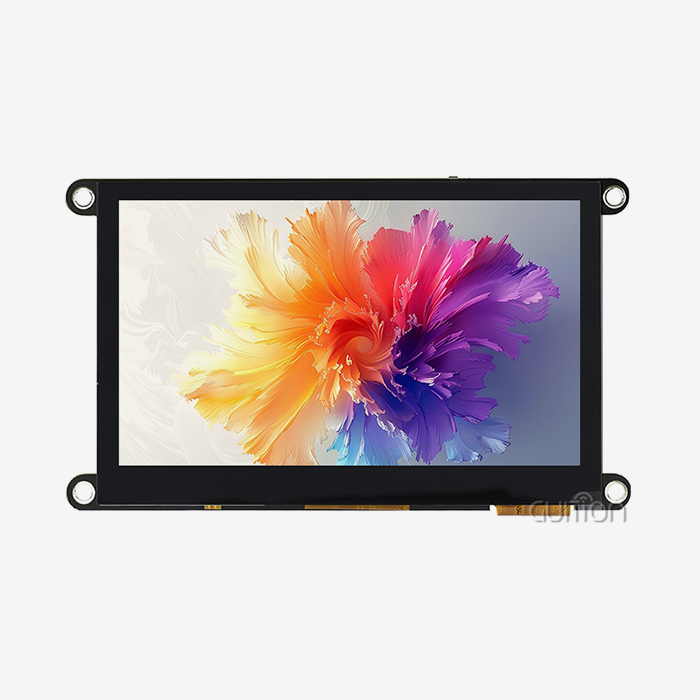
A knob display module fits the smart home stack because it solves the two problems that category lives with: small surfaces and constant firmware change. Guition, the brand of Shenzhen Jingcai Intelligent Co., Ltd., builds this class of hardware across a range from 1.28-inch round modules up to 21.5-inch touch panels, all supported by the company's own Guition interface software (Guition, 2025).
Compact Displays Are a Real Market Segment
The data shows compact screens are not a side niche. In the 2025 smart home displays market, home automation control ranked just behind entertainment at about 35% of global revenue (PW Consulting, 2025). Devices in that segment are exactly where a 1.8-inch round module lands: room controllers, sensor hubs, appliance panels, and entry displays.
The same research values the total smart home displays market in the billions of dollars, with compact below-7-inch units at USD 559.0 million in 2025 (PW Consulting, 2025). Product teams choosing a control surface today are choosing within a growing, competitive segment, not a fringe format.
Wi-Fi and Bluetooth Build the Control Layer
The ESP32-S3 inside the module carries 2.4 GHz Wi-Fi and Bluetooth 5 (LE) on-die. That single chip becomes the connectivity layer for a room controller: Wi-Fi for the home network and cloud dashboards, Bluetooth for direct setup and phone-based provisioning (Espressif Systems, 2024).
Because the radio is built in, no gateway hardware sits between the module and the network. Firmware can poll local sensors, render state, and push telemetry with one part. The dual-core layout lets one core drive the display while the other handles network traffic, which keeps touch response crisp during transfers.
For product planners, the segment data maps directly onto a knob display module roadmap. Entry products start with the preloaded clock and weather UIs, mid-tier products add sensor dashboards and scene control, and flagship products layer in voice-adjacent features using the ESP32-S3's vector instructions (Espressif Systems, 2024). A round screen with magnetic power supply anchors the portable tier of that roadmap while fixed larger panels anchor the wall tier. One vendor, one software toolchain, and one firmware team cover both ends.
Remote Upgrades and Multi-Language Support
Two platform features decide whether a smart home product survives year two in the field. The module supports remote project upgrades, meaning firmware pushes new UIs over the network without a technician visit. For a company with devices in 20 countries, that is the difference between a free over-the-air refresh and a fleet-wide recall.
Multi-language support with UTF-8 encoding covers global markets from the same binary. UTF-8 is the character encoding that represents virtually every writing system in software. Teams ship one firmware image, then load locale packs for English, German, Japanese, or Arabic text without rebuilding the UI. The Guition software handles font rendering for all of them in its drag-and-drop editor.
Why Choose a Round Screen with Magnetic Power Supply for HMI?
HMI, short for human-machine interface, is the screen-and-control layer between an operator and a machine. A round screen with a magnetic power supply earns its place in HMI design through durability and service speed, the two traits industrial buyers actually pay for.
Capacitive Glass Outlasts Film and Buttons
Touch-surface lifespan is a cost line, not a spec-sheet footnote. Resistive touch panels, the pressure-sensitive kind, use a soft plastic top film that scratches and wears within 6 to 18 months in high-traffic installations. Projected capacitive panels use hardened glass rated around Mohs 6 to 7, hold clarity through millions of touches, and survive industrial cleaning chemicals (IPS Displays, 2024).
Industry lifecycle analysis puts the difference in money terms. Capacitive assemblies cost more up front but run dramatically lower five-year ownership costs because they replace less often, with published comparisons showing capacitive replacements at 5- to 7 year cycles against 2 to 3 years for film-based panels (ValuAdd, 2025). Physical buttons fail too: the click dome under a button is rated for a fixed number of presses, and appliance panels get thousands per day.
The Real Cost of Interface Downtime
Interface failure in a working environment stops the machine behind it. The oft-cited figure from industry analysis: unplanned downtime costs the world's 500 largest companies About UsD 1.4 trillion per year, and 23% of those incidents trace back to human error, much of it interface confusion (ValuAdd, 2025).
The magnetic dock attacks the downtime side of that equation. A failed module swaps in seconds with no tools. The spare sits in a drawer, not in a repair queue. Combined with a control surface that reduces operator error by up to 34% through rotary interaction with integrated feedback (OPL Display, 2024), the format addresses both the failure rate and the recovery time.
How to Select a Knob Display Module for Your Product Design?
Selecting a knob display module comes down to four checks, run in order. Get these right, and the rest of the project is UI work. Get them wrong, and you rediscover the problems the format exists to solve.
A Short Selection Checklist
Here is the checklist our own applications engineers run when a client brings a new product concept. Each item has killed projects when skipped, so treat them as gates rather than suggestions:
- Verify the display stack on paper and in hand: confirm resolution, panel type, brightness, viewing angle, and whether the touch layer is capacitive glass or film, because a 360 x 360 IPS panel with PCAP touch behaves completely differently from a 240 x 240 resistive variant in sunlight, with gloves, and after 100,000 touches. Ask for a sample and test it in your worst-case lighting before you commit to the enclosure.
- Confirm the compute and memory budget: a dual-core 240 MHz controller with 16 MB flash and 8 MB PSRAM can run smooth animations, audio visualization, and Wi-Fi telemetry together, while an under-specced part will drop touch latency the moment your UI grows another page. Ask the vendor to demo the exact animation you plan to ship, at your target frame rate.
- Test the power path for your real install: measure dock attach force, pogo-pin contact stability across temperature, and QI charging behavior with the exact power bank or dock you plan to ship, since magnetic alignment tolerances differ between vendors and chargers. Cycle the dock 100 times on your bench and watch for any power dropouts on an oscilloscope.
- Audit the software ecosystem before quoting: check that Arduino IDE, ESP-IDF, MicroPython, and a visual editor are all genuinely supported with current documentation, working demos, and responsive engineering support, because the cheapest module becomes expensive when your team waits weeks for a driver fix. Download the demo code and build it before you commit, since a broken SDK costs weeks rather than days.
Magnetic Round Module vs Fixed Square Panel
A side-by-side comparison makes the tradeoffs concrete. The table below summarizes what our clients weigh when they choose between the two formats for a new product.
| Criteria | Magnetic round module (JC3636W518C_I_Y) | Fixed square panel with cable |
|---|---|---|
| Install time per unit | ~6 seconds, one hand, no tools | ~78 seconds, screws and connector |
| Enclosure changes | Flat steel area or dock, no cutout | Machined cutout plus bezel |
| Service swap | Pull and snap, seconds | Unscrew, unplug, reassemble |
| Power paths | Pogo pins plus QI wireless | Cable and port only |
| Failure points at the surface | Contacts, self-cleaning | Cable fatigue, port wear |
| UI paradigm | Rotary-style round dashboards | Grid layouts, button zones |
| Repositioning | Any time, magnetically | Fixed at design time |
The magnetic format wins on speed, service, and flexibility. The fixed panel can win on unit price at very high volumes and on ultra-rugged heavy-glove environments. Note where your product sits before choosing.
Questions to Ask Before Ordering Samples
When you approach a vendor, ask five specific things. What cycle-life data exists for the magnetic dock and pins? What development environments ship with real documentation? What is the minimum order quantity for customized firmware or branding? What certifications, like RoHS, cover the module? And what lead time applies from approved sample to volume shipment?
Guition answers these on request with bench reports and spec sheets for the JC3636W518C_I_Y, and any competent vendor should do the same. If a supplier cannot show attachment-cycle data or a working SDK demo, treat that as the evaluation ending early. A knob display module purchase is a platform decision rather than a component decision, so weigh documentation depth as heavily as unit price.
Is This Round Screen with Magnetic Power Supply Worth Exploring?
Honest answer: for most compact control products, yes. The round screen with magnetic power supply format is worth a sample order when install speed, serviceability, or placement freedom appears anywhere in your requirements. It is worth skipping when your users wear thick gloves all day, or your dashboard needs more than about two inches of information density.
Where This Form Factor Shines
The format performs best in three situations. Mobile or hand-moved devices, where the magnetic mount and QI charging remove cables entirely. Service-sensitive equipment, where a seconds-long swap beats a repair visit. And compact appliances, where the 58 mm footprint fits spaces no square panel can.
The development ecosystem amplifies the hardware case. A team can go from unboxing to a custom-branded UI within a week using the Guition editor, or within a day using the preloaded AIDA64, clock, and weather builds. That speed is why the format spreads from product to product inside the same company once one team adopts it. Several of our clients describe the same conversion moment: the day they hand a knob display module to a new assembler and watch them dock it without instructions.
Where a Different Display Fits Better
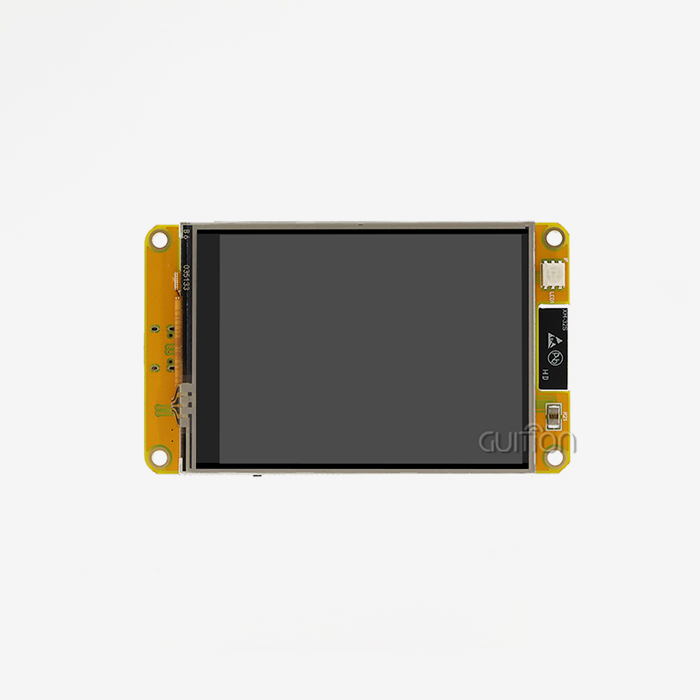
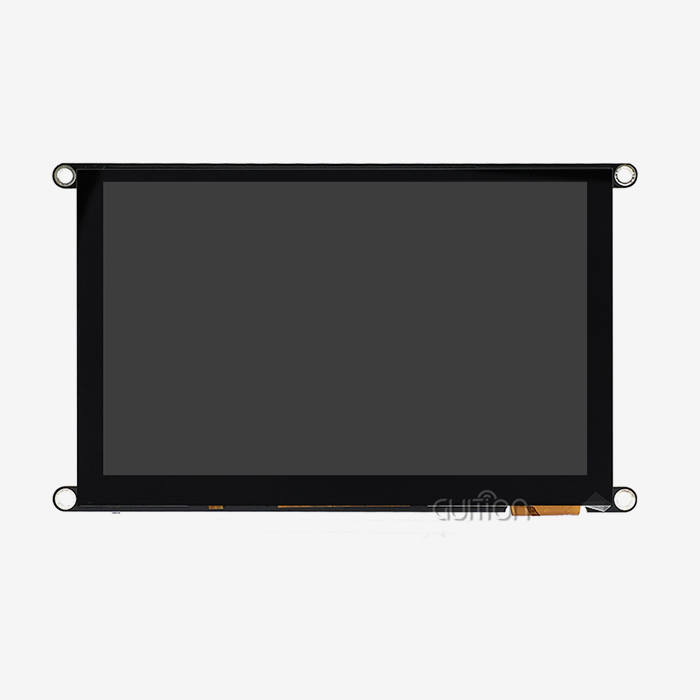
Two cases argue for other formats. Heavy-glove environments, like mining or oil-and-gas field gear, favor resistive touch that responds to any pressure, though glove-tuned PCAP narrows the gap (IPS Displays, 2024). Information-dense dashboards, like full building-management walls, need the larger canvases in Guition's 2.8-inch to 21.5-inch range rather than a 1.8-inch circle.
The selection is not either-or across a product line. Several OEMs we work with use the round magnetic module on portable and service-heavy units while running larger fixed panels on wall-mounted hubs. Both sides talk to the same network, and both run Guition software.
Conclusion
The question in the title is really an engineering question in disguise. Do you like screens that install in six seconds, power themselves through a magnetic dock, survive millions of touches, and program in the environment your team already uses? Framed that way, the answer writes itself.
The GUITION JC3636W518C_I_Y packs a 1.8-inch 360 x 360 IPS display, capacitive touch, an ESP32-S3 dual-core controller, Wi-Fi and Bluetooth 5, 16 MB flash, 8 MB PSRAM, and dual magnetic-plus-QI power into a 58 x 58 mm module. Bench data shows the dock holding up through 10,000 cycles with minimal contact drift. A client case study showed assembly time cut by 73% and connector warranty claims down 42%.
The market context supports the format too. Compact displays below 7 inches made up USD 559.0 million of the 2025 smart home display market (PW Consulting, 2025), and control-focused HMI segments keep growing. If your next product needs a control surface, sample this format before you commit to a fixed panel. One afternoon of testing will tell you more than any spec sheet.
The format earns a spot on the shortlist for any compact product: a knob display module that docks in six seconds, runs on two independent power paths, and programs in four environments. A round screen with magnetic power supply is no longer an experiment. It is a production pattern with field data behind it, and the barrier to testing one is a single email.
FAQ
1. How does magnetic power reach a round display without a cable?
The module docks on a magnetic base with spring-loaded pogo pins. Magnets pull the module into alignment, and the pins press against contact pads to carry power and data. The module also supports QI wireless charging, so a compatible pad or power bank can charge it with no contact at all. Both paths remove the cable from the motion and wear path.
2. Does wireless charging slow down or interfere with the touch screen?
No. QI charging operates in a frequency band separate from the touch controller's sensing, and the two systems run concurrently in phones and modules worldwide. The Qi2 generation's magnetic alignment actually improves efficiency by locking the coils together, which reduces stray energy and heat (Wireless Power Consortium, 2025). Capacitive touch performance stays at spec while docked or charging.
3. Can I program this circular display with Arduino IDE or MicroPython?
Yes, both. The module supports Arduino IDE, ESP-IDF, MicroPython, and the Guition visual editor. Arduino suits fast prototypes, ESP-IDF suits production firmware with full RTOS control, MicroPython suits interactive testing, and the Guition editor builds UIs with drag-and-drop controls, one-click downloads, and online debugging. The same hardware runs all four workflows.
4. What resolution and pixel density does a 1.8-inch round screen provide?
The panel resolves 360 x 360 pixels across a 1.8-inch diagonal. That works out to about 283 pixels per inch, which is denser than most 7-inch industrial touch panels. Small UI text renders cleanly, and circular dial graphics draw without visible stair-stepping. The IPS panel type keeps color and contrast stable at wide viewing angles.
5. Is a magnetic mount strong enough for appliances and vehicles?
Yes, when paired with the correct dock. The magnets self-align the module and hold it against vibration, while pogo pins carry power. Our bench test logged 10,000 attach-detach cycles with 96% of the original hold force retained. For vehicle or heavy-vibration installs, spec a dock with mechanical retention clips in addition to the magnets, which is standard practice for fleet equipment.
6. What should I check before ordering samples from a display module maker?
Ask for attachment-cycle data, touch panel type (capacitive glass versus resistive film), documented SDK support for your preferred development environment, RoHS or equivalent certification, minimum order quantity for customization, and lead times from sample to volume. A vendor that answers with data, like bench reports and spec sheets, is one you can build a product line around.
From Sample to Shipment: Starting Your Round Display Project
A display project moves fastest when the hardware vendor joins early. Bring your enclosure drawings, power budget, and UI sketches, and our applications team will confirm fit, dock options, and firmware scope before you commit tooling. Guition runs this process daily for OEMs across the product range.
Send your project requirements to david@guition.com and request a sample of the JC3636W518C_I_Y. Guition engineers will reply within one business day with pricing, lead times, and customization options for the round screen with magnetic power supply lineup. Whether you need one knob display module for a prototype or 10,000 units for production, our team in Shenzhen handles sampling, bench testing, and delivery. Call +86 186 6584 6730 to start.
References
1. Espressif Systems (2024). ESP32-S3 product page and series datasheet: dual-core LX7, 240 MHz, 512 KB SRAM, 45 GPIOs, 14 capacitive touch channels. https://www.espressif.com/en/products/socs/esp32-s3
2. Wireless Power Consortium (2025). Qi and Qi2 standards: magnetic alignment, 13,000+ certified products, cable-wear reduction. https://www.wirelesspowerconsortium.com/standards/qi-wireless-charging
3. PW Consulting (2025). Worldwide Smart Home Displays Market 2026: below-7-inch segment USD 559.0 million, home automation control at 35.35%. https://pmarketresearch.com/worldwide-smart-home-displays-market-research
4. ValuAdd (2025). Resistive vs. Capacitive Touch HMI: downtime cost USD 1.4 trillion, 23% human error, touch lifespan data. https://www.valuadd.net/feeds/blog/resistive-vs-capacitive-touch-hmi
5. OPL Display (2024). Precision Control Redefined: The Ultimate Guide to Circular Knob Display: 34% operator error reduction, panel complexity reduction. https://www.opldisplaytec.com/article/63060
6. IPS Displays (2024). Capacitive (PCAP) vs Resistive Touch for Industrial Displays: glass hardness, bonding, glove guidance. https://ips-displays.com/guides/capacitive-vs-resistive-touch-for-industrial-displays
7. Guition, Shenzhen Jingcai Intelligent Co., Ltd. (2025). Official site: hmi display modules from 1.28 to 21.5 inches, Guition interface software, contacts. https://jingcaizhineng.aixdb.cn/
About the author
David is the CEO of Shenzhen Jingcai Intelligent Co., Ltd., the company behind the Guition brand. He has spent more than a decade shipping HMI display modules to OEMs in industrial, smart home, healthcare, and automotive markets. His team builds everything from 1.28-inch round modules to 21.5-inch touch panels, and wrote the Guition interface software that ships with them. He writes this guide from the factory floor perspective, using bench logs and client field data rather than marketing claims.
Learn about our latest products and discounts through SMS or email