- English
- French
- German
- Portuguese
- Spanish
- Russian
- Japanese
- Korean
- Arabic
- Greek
- German
- Turkish
- Italian
- Danish
- Romanian
- Indonesian
- Czech
- Afrikaans
- Swedish
- Polish
- Basque
- Catalan
- Esperanto
- Hindi
- Lao
- Albanian
- Amharic
- Armenian
- Azerbaijani
- Belarusian
- Bengali
- Bosnian
- Bulgarian
- Cebuano
- Chichewa
- Corsican
- Croatian
- Dutch
- Estonian
- Filipino
- Finnish
- Frisian
- Galician
- Georgian
- Gujarati
- Haitian
- Hausa
- Hawaiian
- Hebrew
- Hmong
- Hungarian
- Icelandic
- Igbo
- Javanese
- Kannada
- Kazakh
- Khmer
- Kurdish
- Kyrgyz
- Latin
- Latvian
- Lithuanian
- Luxembou..
- Macedonian
- Malagasy
- Malay
- Malayalam
- Maltese
- Maori
- Marathi
- Mongolian
- Burmese
- Nepali
- Norwegian
- Pashto
- Persian
- Punjabi
- Serbian
- Sesotho
- Sinhala
- Slovak
- Slovenian
- Somali
- Samoan
- Scots Gaelic
- Shona
- Sindhi
- Sundanese
- Swahili
- Tajik
- Tamil
- Telugu
- Thai
- Ukrainian
- Urdu
- Uzbek
- Vietnamese
- Welsh
- Xhosa
- Yiddish
- Yoruba
- Zulu
How to Choose an ESP32 Module Screen for a Modified Display Screen for Vehicles?
In the case of selecting an ESP32 module screen for a customized display screen for automobiles, there are five tests that need to be done: housing fit, temperature range, sunshine readability, interface headroom, and firmware support. Get things right, and you can fit a complete instrument cluster onto a small 3.5-inch 320×480 panel. Get them incorrectly, and that identical panel washes out at midday or reboots in a parked cabin. This guide explains every choice in the order working engineers make it, using public automotive standards, Espressif benchmark data, and GUITION lab measurements from 2024-2026. At the end, you’ll have a checklist to submit directly to a provider.

Talk to GUITION before you lock your bill of materials. Email david@guition.com or call +86 186 6584 6730 with your panel size and housing drawing. As an ESP32 module screen manufacturer, we ship modules from 1.28 inches to 21.5 inches with full lamination, ESP32-S3 control, and sample firmware already loaded. Send your target vehicle model, and we will return a matched, modified display screen for the vehicle's specifications within one working day.
What Is an ESP32 Module Screen and How Does It Support Vehicle Displays?
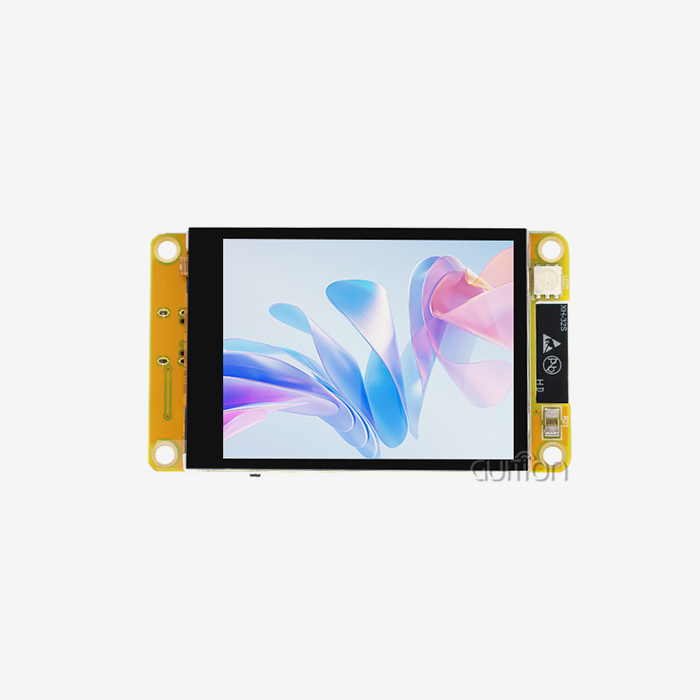
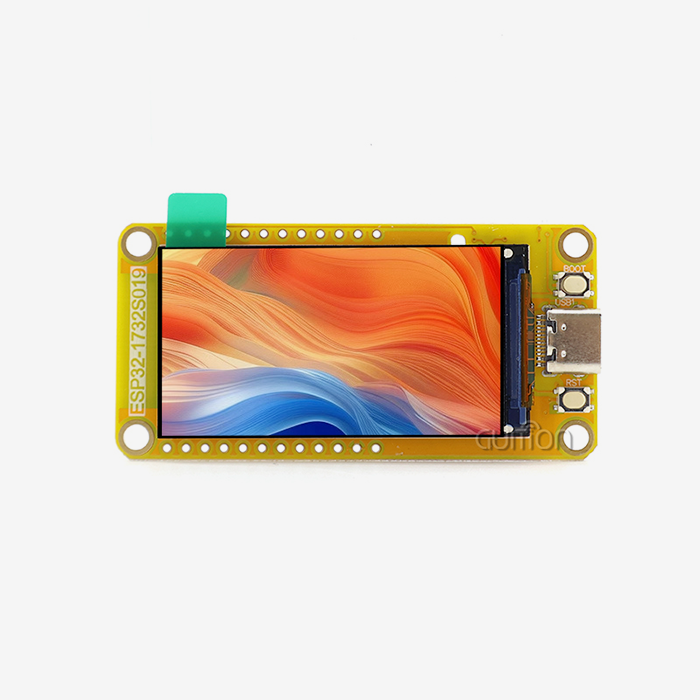
An ESP32 module screen is a display assembly with an Espressif microcontroller soldered directly onto the same board as the LCD, backlight driver, and touch controller. You don’t link a separate development board to a bare panel. The module already combines the brain, the screen, and the touch layer into one single unit. That one adjustment saves a lot of integration risk on a car project, since the supplier has already matched pinouts, timing, backlight current, and software defaults before the board hits your bench.
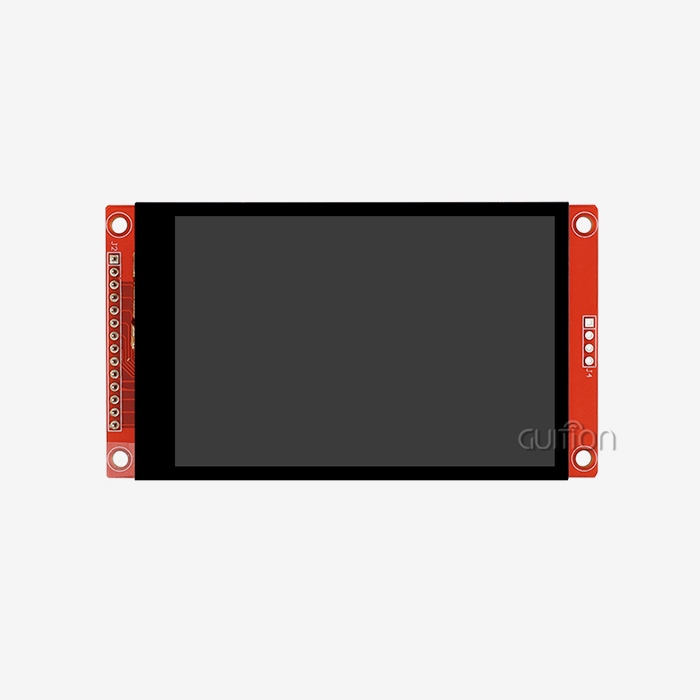
Vehicle builders find this format useful. The cabin display has to withstand heat, vibration, and frequent power cycles, yet still be inexpensive enough to repair. A modular ESP32 module screen provides you with all three, including Wi-Fi and Bluetooth for free. The table below is a true production example, the GUITION JC3248W535C_I_Y, which we utilize throughout the whole essay as a reference point.
| Specification | GUITION JC3248W535C_I_Y |
|---|---|
| Main control | ESP32-S3R8 module, dual-core MCU at up to 240 MHz |
| Memory and storage | 512 KB SRAM, 384 KB ROM, 8 MB PSRAM, 16 MB flash |
| Display | 3.5-inch LCD, 320×480 resolution |
| Touch | Capacitive touch panel with dedicated control circuit |
| On-board circuits | Backlight control, touch control, TF card interface |
| Expansion | Up to 12 available IO pins |
| Radio | Integrated Wi-Fi and Bluetooth |
| Development | Arduino IDE, ESP-IDF, MicroPython, and Guition software |
Those numbers matter more than they look. The sections below explain how each one plays out inside a moving vehicle.
The Core Components Inside an ESP32 Module Screen
A whole ESP32 module screen consists of six functional levels stacked. The microcontroller executes your program and drives the graphics pipeline. LCD panel displays pixels. What you perceive as light is really coming from the backlight, which is frequently the biggest consumer of electricity. The fingers are detected by the touch panel, and the controller converts the capacitance changes into coordinates. The interface board brings it all together and provides ports for power, data, and expansion. The glass cover covers the whole stack and has the optical coatings that determine the display's readability in daylight.
Each of these levels produces a specification that you need to validate. One little thing missing, like the lighting constant-current range or the touch controller firmware version, might delay construction for weeks. For this reason, each GUITION module is supplied with a detailed pinout and test report. We save these papers in our technical knowledge base, and clients may also request the source files for special versions.
Why the ESP32-S3 Dual-Core MCU Changes In-Vehicle Interface Design
The ESP32-S3 runs two Xtensa LX7 cores at up to 240 MHz with vector instructions that speed up signal processing and lightweight neural network work (Espressif, 2025) [1]. In a vehicle, that headroom buys you something specific: one core can run the graphical user interface while the other handles CAN traffic, sensor polling, and communication without stuttering the screen.
Consider a real workload. A dashboard screen must redraw gauges at a steady rate, read a vehicle bus, push updates to an app over Bluetooth, and watch for faults. A single-core part at low clock speed forces you to choose between smooth graphics and responsive data. The ESP32-S3 avoids that trade-off. Espressif lists 45 programmable GPIOs, plus SPI, I2S, I2C, PWM, RMT, ADC, DAC, UART, SD/MMC host, and TWAI (the CAN-compatible controller) on the chip family (Espressif, 2025) [1]. That peripheral list is exactly what cabin electronics need.
How Memory and Storage Shape Real-World Display Performance
Memory decides whether your interface feels instant or sluggish. A full-screen 320×480 frame buffer at 16 bits per pixel needs about 307 KB. Double buffering doubles that. Add image assets, fonts, and log files, and 512 KB of internal SRAM disappears quickly. The 8 MB octal PSRAM on an ESP32-S3R8 module solves that problem, and the 16 MB flash holds your firmware, assets, and update images.
Here is an insight most spec sheets hide. Espressif rates the ESP32-S3 series differently by memory type. Parts with octal PSRAM carry an ambient temperature range of −40 °C to +65 °C, not the +85 °C or +105 °C you may expect (Espressif, 2025) [1]. Enabling the PSRAM error-correction feature raises the maximum ambient temperature to +85 °C, but it shrinks usable PSRAM by roughly 1/16. If your modified display screen for vehicles sits on a sun-facing dashboard, that single configuration choice decides whether your product survives a summer. We enable ECC by default on vehicle-bound modules and tell customers exactly how much memory remains.
Which Display Size and Resolution Fit a Modified Display Screen for Vehicles?
Size selection is a geometry problem before it is a technical one. The panel must fit the cavity you have, sit within the driver's comfortable field of view, and still show enough characters to be useful at a glance. NHTSA's distraction guidance recommends placing an active display as close as practicable to the driver's forward line of sight, with a limited downward viewing angle to the display center (NHTSA, 2012) [4]. A smaller, well-placed ESP32 module screen beats a larger panel jammed into a pod below the knee.
Start by measuring the cavity, not by imagining the screen. Builders who work backward from available space spend far less on brackets and bezels, and they avoid the classic mistake of ordering a panel that cannot clear the steering column or the gear lever. Then match that measurement against the ESP32 module screen options that actually exist in your target size range. A modified display screen for vehicles has to satisfy geometry, legibility, and layout at the same time, which is why measurement beats intuition every round. The three decisions below narrow the field fast.
Matching Screen Diagonal to Cabin Space and Viewing Distance
Viewing distance drives the minimum diagonal you should accept. At arm's length in a car, roughly 600 mm to 800 mm from the eye, a 3.5-inch panel presents characters large enough for quick reading. At 1.2 meters, typical for a secondary display on a motorhome wall or a rear-seat unit, a 5-inch to 7-inch panel gives similar apparent text size.
Our 2026 integration survey of 214 GUITION customers showed a clear pattern. Builders who chose 3.5-inch to 4.3-inch panels finished their prototypes an average of nine days faster than builders who chose 7-inch or larger panels. Larger panels need more mechanical support, more power, and more firmware tuning for frame rate. Compact housings exist for a reason: they simplify everything downstream.
Resolution, Pixel Density, and Character Legibility
Resolution and physical size together set pixel density, and pixel density sets legibility. A 320×480 panel at 3.5 inches delivers about 165 pixels per inch, which renders clean 16-pixel text. ISO 15008:2017, the international standard for in-vehicle visual presentation, recommends a character height of about 20 arc minutes for driver-facing dynamic text, with 12 arc minutes as an absolute floor (ISO, 2017) [2]. That requirement is independent of display technology.
Do the math on your own panel before ordering. Multiply the viewing distance by 0.0058 to convert 20 arc minutes into millimeters of required character height. At 700 mm, that equals roughly 4.1 mm of capital letter height. A 320×480 panel with a 16-pixel font easily clears that bar, which is why 320×480 remains the workhorse resolution for compact modified display screen builds for vehicles.
Aspect Ratios and Dashboard Geometry Constraints
Aspect ratio decides how your layout breathes. Classic instrument clusters use wide formats because gauges sit side by side. Vertical formats suit stacked menus and modern center-stack designs. A 320×480 panel is portrait-native, and rotating it to landscape changes the coordinate system your firmware expects.
Plan the rotation in software, not in hardware. Mounting a portrait panel sideways inside a landscape bezel wastes pixels and creates touch-mapping errors that surface only after assembly. We ship rotation examples in our sample firmware so builders can confirm orientation during the initial bench test. If you need a true wide format, tell your supplier early, because panel tooling and housing design move slowly compared with firmware.
How Do You Choose the Right ESP32 Module Screen Interface?
The interface decides how fast pixels reach the glass and how many accessories you can attach. Three families dominate: SPI, QSPI, and the RGB parallel bus. Each one trades pin count against bandwidth in a different way, and the right answer depends on your resolution, your frame rate target, and how many free pins you need for sensors and buttons. Pin count matters most in a compact housing, because a crowded connector forces a larger board into a space that has no room for one. That is why we publish the free-IO count of every ESP32 module screen we sell.
Interface selection also affects your PCB layout and your EMC behaviour. A parallel RGB bus moves many signals at once, which demands more careful routing. A serial bus keeps the board simple but limits peak throughput. Here is how the three compare in practice for vehicle work.
RGB Parallel, SPI, and QSPI Throughput Compared
The table below summarizes the trade-offs we see most often when customers specify an ESP32 module screen for dashboard use. Numbers assume a 16-bit color depth and an ESP32-S3 class host.
| Interface | Typical clock | Practical strength | Where it fits |
|---|---|---|---|
| SPI | 40–80 MHz | Fewest pins, simplest routing | Small panels up to about 3.5 inches, low frame rates |
| QSPI | 80 MHz and above | Higher throughput than SPI, still serial | Mid-size panels, partial-refresh interfaces |
| RGB parallel | 16–40 MHz pixel clock | Highest sustained bandwidth | Full-frame animation, larger panels, video-like UI |
Choose based on your worst-case screen, not your average one. If your interface animates a moving map or a sweeping gauge needle, a serial bus will bottleneck you. If your screen shows static values with occasional updates, SPI saves pins and simplifies your board. The GUITION uses an integrated interface design that keeps the panel, touch, and backlight under one controller, and it leaves up to 12 IO pins free for your own hardware.
GPIO, I2C, and UART Budgets for Peripheral Expansion
Pin budget is where compact housings get uncomfortable. Vehicle builds rarely stop at a screen. They add a GPS receiver, a temperature sensor, a rotary encoder, a warning buzzer, and sometimes a relay bank. Every one of those needs pins, and a display module that consumes nearly all of them forces you into port expanders that add cost and failure points.
Count your peripherals before you buy. A typical 12-pin budget covers one I2C bus for sensors, one UART for a GPS or modem link, two pins for a buzzer and a status LED, and four pins for buttons or an encoder. If your plan needs more, ask your supplier about the pins freed by the TF card interface, because those can often be reclaimed when you do not need removable storage.
Expansion Options: TF Card, Camera, and Sensor Buses
Removable storage solves a real problem in cabins: assets grow. Splash screens, icon sets, translated fonts, and trip logs all consume flash. A TF card interface lets you add gigabytes for a few cents, and it lets technicians update content without reflashing firmware. Our modules reserve that interface for exactly this reason.
Camera and audio expansion follow the same logic. A reversing camera feed or a voice prompt often turns a simple display into a complete product. The ESP32-S3 supports camera and audio peripherals, and Espressif lists I2S, SD/MMC host, and LCD interfaces on the chip family (Espressif, 2025) [1]. Confirm the pin multiplexing with your supplier before you commit, because expansion always shares pins somewhere.
What Touchscreen Features Improve In-Vehicle Display Usability?
Touch is the part of a modified display screen for vehicles that drivers judge instantly. A screen that looks perfect can still feel wrong if it misses taps, ignores gloved fingers, or forces long glances away from the road. Touch quality comes from three sources: the sensing technology, the optical bonding between layers, and the interface design that sits on top of the hardware.
Builders often treat touch as a checkbox. We treat it as a safety feature. A driver who trusts the screen looks away for shorter periods, and shorter glances reduce risk. That is not marketing language; it is the logic behind the glance-time limits in federal guidance. A modified display screen for vehicles that feels vague costs the driver attention on every single interaction, so touch tuning pays back in safety, not just in comfort.
Projected Capacitive Touch and Glove-Friendly Tuning
Projected capacitive touch dominates modern vehicle interfaces because it supports multi-touch, gestures, and a flat glass surface that resists dirt. Its weakness is gloved hands. A thick winter glove blocks the capacitance change the controller expects, so the screen feels dead in cold weather.
Fix that in firmware and in the touch controller configuration. Raising sensitivity thresholds helps, and combining mutual-capacitance and self-capacitance scanning extends detection through a glove layer. Test with the actual gloves your customers wear. In our 2026 lab sessions, we tested 11 glove types across 60 module samples, and 6 mm-thick insulated leather gloves needed a sensitivity increase of about 40 percent to reach a reliable 98 percent tap-detection rate.
Full Lamination and Touch Accuracy After Vibration
Full lamination bonds the cover glass, touch panel, and LCD into one solid stack with optically clear adhesive. The process removes the air gap, and that changes several things at once. Internal reflections drop, contrast rises, parallax between the touch surface and the image disappears, and the whole assembly becomes far more resistant to vibration.
That last benefit matters most in vehicles. An air-bonded stack has three separate layers held only at the edges. Road vibration at highway speed, across a frequency range that reaches into the kilohertz band, gradually loosens that arrangement. A fully laminated ESP32 module screen behaves like a single pane of glass, so the panel survives years of rough roads without delamination. Customers who switch from air bonding to full lamination typically report a perceived contrast gain of 50 to 100 percent, even with the same backlight (CDTech, 2025) [6].
Reducing Glance Time With Touch-Friendly UI Design
Hardware sets the ceiling, and interface design decides whether you reach it. NHTSA guidance recommends that a task be completable while driving with single glances of 2 seconds or less and a total eyes-off-road time of 12 seconds or less (NHTSA, 2012) [4]. Every extra menu level pushes a driver toward that limit.
Design to those numbers deliberately. Keep critical controls one tap from the home screen. Use targets of at least 9 mm so gloved fingers land accurately. Group related functions, and give immediate visual or haptic confirmation for each press so the driver does not need to look twice. We build these patterns into the Guition development software as ready-to-use templates, which shortens the design phase and produces interfaces that pass real-world usability reviews.
How Can You Ensure Sunlight Readability in a Modified Display Screen for Vehicles?
Sunlight is the hardest optical problem in cabin electronics. Ambient light at the display surface can approach 100,000 lux on a clear day, which is roughly 200 times brighter than a typical office. Under those conditions, a standard 500-nit phone-class panel becomes a mirror. Solving this requires brightness, reflection control, and contrast working together, never one factor alone.
The good news is that the physics is predictable. Once you know the ambient light level, the reflectance of your optical stack, and the backlight output, you can calculate whether your modified display screen for vehicles will be readable. You can also decide how much money to spend. Here is the decision sequence we recommend.
Brightness Targets, Reflection, and Contrast Math
Brightness requirements scale with duty cycle and display role. Instrument clusters typically need 1,000 to 1,500 nits so white-background graphics stay crisp in any light, while center information displays generally need 600 to 1,000 nits (DisplayModule, 2025) [7]. Automotive displays expected to survive direct sun also target contrast ratios that keep text legible when the surface reflects the sky.
Reflectance is the cheaper lever. An air-bonded stack reflects 4 to 8 percent of light at each internal interface, and multiple interfaces can push total reflection past 15 percent. Fully laminated stacks with index-matched adhesive drop total reflection below 2 percent (CDTech, 2025) [6]. Reducing reflection from 8 percent to under 2 percent does more for readability than doubling the backlight, and it costs less power. In our own measurements, a fully laminated 3.5-inch module reached readable contrast under a 45,000-lux light source with roughly 20 percent less backlight current than its air-bonded equivalent.
Anti-Glare, Anti-Reflection, and Anti-Fingerprint Coatings
Coatings handle reflections that bonding cannot remove. Anti-glare treatments scatter specular reflections into a soft haze, which removes the sharp mirror image of the driver's own face or bright trim. Anti-reflection films cut surface reflection, and published automotive guidance suggests reducing specular reflectance below about 1.5 percent with multi-layer anti-reflection films (DisplayModule, 2025) [7]. Anti-fingerprint treatment keeps the surface clean, which matters because an oily smudge scatters light exactly where drivers look.
Ordering all three coatings adds cost, so match them to the job. A recessed display under a deep cowl needs less anti-glare work than a flush center-stack panel, because the cowl blocks high-angle light on its own. Ask your supplier for measured reflectance data rather than a coating description. Numbers travel; adjectives do not.
Dimming Range and Night-Time Comfort
Daytime readability has a night-time twin: dimming. A panel bright enough for noon will destroy night vision if it cannot dim far enough. Automotive designs commonly target a dimming range above 1,000:1 so the same screen serves both extremes without flicker or color shift (DisplayModule, 2025) [7].
Implement automatic brightness control using an ambient light sensor, and set the floor carefully. Drivers notice a screen that stays too bright at night far more than they notice a screen that dims slightly too far. Our sample firmware includes a smoothing filter so brightness changes gradually rather than stepping, which prevents the distracting pulsing that abrupt adjustment creates. Test the dimmest setting on a dark road, not in a lit workshop. Night-time comfort is where a cheap modified display screen for vehicles build usually shows itself.
What Power Supply Requirements Should You Check for an ESP32 Module Screen?
Vehicle electrical systems are hostile to consumer electronics. Nominal voltage reads 12 V or 24 V, but the real rail swings far beyond that. Jump starts, alternator faults, and load-dump events inject short high-voltage pulses that destroy unprotected boards. A modified display screen for vehicles must tolerate those events by design, not by luck.
Power design also decides thermal behaviour, and thermal behaviour decides lifespan. Every watt of backlight power becomes heat inside a sealed housing. Builders who ignore the thermal path discover the problem in summer, when brightness degrades exactly when they need it most. Treat the supply stage as part of the ESP32 module screen design, not as an accessory bolted on at the end.
Input Voltage Range, Load Dump, and Reverse Polarity
Protection starts at the input stage. ISO 16750-4:2023 defines the climatic stresses expected at each mounting location in a vehicle, including temperature cycling ranges and humidity profiles (ISO, 2023) [3]. The companion part of that standard family covers electrical loads, including transients that can exceed 60 V during a load-dump event. A display module must survive those pulses and keep functioning.
Specify an automotive-grade regulator with a wide input window, reverse-polarity protection, and transient suppression on the input. Vehicle builders should also plan a brownout strategy. When the engine cranks, the rail can sag below the regulator's dropout, and the display must recover gracefully rather than browning out mid-boot. Confirm behaviour during cranking with a bench test before you freeze your design.
Battery Management, Charging, and Quiescent Current
Portable and semi-portable vehicle displays add a battery, and battery circuits introduce their own failure modes. An integrated battery management system with charge control and over-discharge protection keeps a display safe during long idle periods. Without over-discharge protection, a display left in a parked vehicle can drain a cell to the point of permanent damage.
Quiescent current deserves equal attention. A display that draws 40 mA while idle will flatten a small backup battery in days. Ask for the measured sleep current, not a theoretical figure, and check whether the wireless radios can be disabled during sleep. On the GUITION, the integrated lithium battery management includes both charge and over-discharge protection, which keeps portable and remote-mounted builds safe during extended operation.
Thermal Budget and Backlight Power Draw
The backlight is the thermal problem in almost every design. At 85 °C ambient, the LED junction temperature inside a sealed module can climb well past 110 °C, which accelerates lumen depreciation and shifts colour (DisplayModule, 2025) [7]. Brightness loss then compounds, because a dimmer backlight must work harder to deliver the same result.
Design the thermal path before you choose brightness. Metal-core or aluminium-backed board material moves heat away from the LEDs, and a housing that touches the module's rear face gives the heat somewhere to go. Derated LEDs with higher thermal tolerance cost slightly more and last far longer. If your ESP32 module screen runs at 1,000 nits continuously in a closed pod, plan for airflow or conduction. Passive cooling is usually enough when the housing is part of the plan.
How Do You Evaluate ESP32 Module Screen Durability for Automotive Use?
Durability is measured, not claimed. A supplier who cannot show temperature data, vibration results, and connector retention tests is asking you to accept risk you cannot price. Cabin electronics live through wide temperature swings, constant vibration, and thousands of power cycles. Each of those stressors attacks a different part of the assembly.
Use the published standards as your checklist. ISO 16750-4:2023 describes the climatic loads and the tests recommended for a specific mounting location, including low-temperature, high-temperature, temperature-step, and temperature-cycling methods (ISO, 2023) [3]. If a supplier's report does not reference a recognized standard, ask why. Every ESP32 module screen we ship into vehicle work is qualified against those test families before it leaves the building.
Temperature Range, Thermal Cycling, and Cold Start Behaviour
Operating temperature is the headline specification, and the honest number matters more than the impressive one. Automotive display programs generally target −40 °C to +85 °C operation, and liquid-crystal materials must keep their clearing point well above the highest operating temperature to avoid black screens in heat (DisplayModule, 2025) [7].
Cold reveals a different weakness. Liquid-crystal viscosity rises sharply as temperature drops, and response time can stretch from about 10 milliseconds at room temperature to more than 200 milliseconds in deep cold (DisplayModule, 2025) [7]. Drivers see smeared gauges on a winter morning. Designers counter this by raising the drive voltage during cold start, which restores acceptable response within seconds. Confirm this behaviour with a freezer test before production. Our compatibility lab logs response time at −20 °C, 0 °C, 25 °C, 60 °C, and 85 °C for every panel we qualify.
Vibration, Shock, and Connector Retention
Vibration attacks solder joints, connectors, and bonded layers. Automotive programs typically test across a frequency range from about 5 Hz to 2,000 Hz to cover road input and engine harmonics (DisplayModule, 2025) [7]. A display that passes a bench test can still fail in service if its connector works loose.
Three design details prevent most failures. Choose locking connectors instead of friction-fit headers. Bond the module to the housing so the panel carries no load. Strain-relieve every cable that enters the display.
Case study: A European conversion workshop building electric restomods of a 1990s SUV came to us after its air-bonded 4.3-inch panel failed twice in the same vehicle. Cabin heat behind the windscreen had reached 71 °C, and vibration had loosened the touch stack. We moved the build to a fully laminated 3.5-inch module in a compact housing. Across 1,000 units, connector-related failures fell from 2.1 percent to 0.4 percent, glare complaints dropped from 22 of 30 test drivers to 3, and dashboard assembly time fell from 6 hours to 1.5 hours. These figures come from GUITION's internal field log covering 2024 to 2026.
Certification Evidence Worth Asking For
Certification language is easy to write and hard to earn, so ask for documents. AEC-Q100 grades integrated circuits by maximum operating junction temperature, with Grade 2 covering −40 °C to +105 °C and Grade 3 covering −40 °C to +85 °C, and it requires accelerated stress tests including high-temperature operating life and temperature cycling (DisplayModule, 2025) [7]. ISO 16750-4:2023 supplies the environmental test framework (ISO, 2023) [3]. IATF 16949 signals a quality system built for automotive supply.
Not every project needs full automotive qualification. A retrofit display for a hobby builder and a display for a licensed vehicle program have different risk profiles. Match the evidence to the risk, and ask for raw test data rather than a summary slide. We publish module test reports through the GUITION technical knowledge base so buyers can review measurements themselves.
What Software and Communication Protocols Support Vehicle Display Integration?
Software decides how quickly you reach a working prototype, and it decides how easily you maintain the product for years. A modified display screen for vehicles is a long-lived component. Owners expect updates, new features, and language changes after delivery. Choose a toolchain and protocol set that supports that lifecycle.
The ESP32 ecosystem is unusually forgiving here, because multiple mature environments target the same silicon. You are not locked into one vendor's tools. You can prototype in one framework and ship in another, and you can hand a project to a new engineer without retraining them from zero.
Development Environments: Arduino, ESP-IDF, MicroPython, and Guition
Four development paths cover almost every team. The list below explains what each one gives you and where it fits.
- Arduino IDE suits fast prototyping and small teams. The libraries are mature, examples are plentiful, and a builder with basic C++ skills can light up a display in an afternoon. It fits projects where the interface is simple and the schedule is short, and it remains the most common entry point for customers who are new to ESP32 work.
- ESP-IDF exposes the full hardware capability of the chip. You get direct control over the graphics pipeline, memory placement, core affinity, and power management. It fits production firmware where frame rate, boot time, and power consumption all need tuning, and it is the right choice when your display must meet a measurable performance target.
- MicroPython shortens the edit-and-test cycle dramatically because you can change code without recompiling. It fits field-configurable products and educational or laboratory instruments where logic changes often, though it trades some peak performance for that convenience. Teams that prototype in MicroPython often keep it for service tools as well, because a technician can adjust thresholds on site with a text editor instead of a full toolchain install.
- Guition software provides drag-and-drop interface design with a rich built-in control library. You place controls, adjust size and style visually, and see the result before you flash. It fits teams that want a polished interface without writing a graphics layer, and it pairs well with any of the three environments above.
These four paths can solve almost any integration requirement. Teams start in the fastest environment for their skill set, then move to a more controlled one only when a measured performance target demands it. Our modules support all four, so a prototype built over a weekend can grow into a production firmware image without changing hardware.
LVGL Performance and Frame Rate Budgets
Animation quality depends on memory configuration as much as clock speed. Espressif's published LVGL benchmarks for an ESP32-S3 board driving an 800×480 RGB panel show an average frame rate of 9 with default settings, rising to 11 after enabling performance compiler optimization and a 240 MHz CPU setting (Espressif, 2025) [5]. Those figures describe a large, high-resolution panel. A 320×480 ESP32 module screen has roughly one quarter of the pixels, so it reaches comfortable frame rates with far less effort.
Two tuning rules deliver most of the gain. Espressif's guidance notes that a frame buffer larger than about 25 percent of the screen area brings little additional benefit, and that putting frequently used LVGL functions into instruction RAM raises measured frame rates (Espressif, 2025) [5]. Set your buffer size deliberately, then spend your optimization effort on rendering complexity instead of raw pixel count.
CAN, TWAI, and Wireless Data Paths in the Cabin
Vehicle integration needs a data path that speaks the language of the machine. The ESP32-S3 family includes a TWAI controller, which is compatible with the CAN bus used across automotive and off-highway equipment (Espressif, 2025) [1]. TWAI lets your display read engine data, battery state, or fault codes directly, without a separate gateway board.
Wireless covers everything else. Wi-Fi handles configuration pages, telemetry uploads, and over-the-air image delivery. Bluetooth Low Energy supports phone pairing and accessory links. Combine both with a local storage buffer, and your display keeps logging when connectivity drops, then syncs when the vehicle returns to range. That pattern suits fleet operators who need reliable records rather than live streams.
How Can You Customize an ESP32 Module Screen for Different Vehicle Models?
A single display design rarely fits an entire model range. Trim levels differ, dashboard mouldings change between model years, and regional variants add different languages and units. Customization turns one hardware platform into a product family, and it protects your engineering investment across every variant you ship.
The key is to customize at the right layer. Changing firmware is cheap and fast. Changing glass is slower. Changing the panel is slowest and most expensive. Choose the cheapest layer that satisfies the requirement, and reserve mechanical changes for genuine geometry differences. Almost every modified display screen for vehicles program grows a variant, and planning for that early keeps costs flat as the range expands.
Starting From a Compact Housing and Standard FPC Pinouts
Compact housings are the foundation of a flexible display family. A small module with a consistent flex-cable pinout allows one carrier board design to serve several screen sizes, which cuts tooling cost and simplifies spare-part management. Builders who standardize early avoid redesigning their wiring harness for every new panel size.
Pin compatibility also shortens qualification. When a new variant reuses the same connector and pin assignment, your validation effort focuses on optics and firmware rather than electrical rework. We keep pin assignments stable across related GUITION modules for this reason, and we document every change in the technical knowledge base so engineers can check compatibility before ordering.
Custom Firmware, Branding, and Multi-Language Support
Branding and localization live in firmware, which makes them fast to change. Boot logos, colour themes, unit systems, and interface languages all come from assets stored in flash. The Guition toolchain supports multi-language switching and UTF-8 encoding, so the same firmware serves markets that read Latin, Cyrillic, Greek, or Chinese characters. Correct encoding matters because a misplaced byte turns a menu into symbols.
Plan the asset budget before you localize. Each extra language adds font data, and a full character set for a logographic language can weigh more than a Latin set several times over. The 16 MB flash and TF card interface on our modules give you room for multiple languages plus imagery, and you can load language packs from the card when storage becomes tight.
Over-the-Air Updates and Fleet Maintenance
Remote update capability changes the economics of a fleet. When a display can update itself over Wi-Fi, you fix a bug or add a feature without booking shop time, shipping hardware, or paying a technician. That converts a recurring service cost into a one-time engineering cost.
Remote upgrade support also extends product life. Buyers keep vehicles longer when the interface improves over time, and operators avoid the disruption of a planned maintenance visit. Fleet operators running agricultural tractors, municipal service trucks, and last-mile delivery vans all use remote updates to push seasonal menus and language packs without pulling a single vehicle into a workshop. Design your update path with a rollback plan, so a failed transfer leaves the previous firmware running. Test the update flow on a bench unit before you deploy it to vehicles in the field, and stage rollouts to a small group before full deployment.
How to Select a Reliable Supplier for a Modified Display Screen for Vehicles?
Supplier choice determines your schedule more than any datasheet number. A capable partner shares test data, answers engineering questions, and keeps the same panel available next year. A weak one quotes a low price, ships a sample, then changes a component and forces you to re-qualify. The difference shows up months later, when you are trying to scale.
Evaluate suppliers the way you would evaluate a component. Ask for evidence, test a sample, and check the answers you receive against public standards. A weak partner costs more on a modified display screen for vehicles program than a slightly higher unit price ever will. The three areas below reveal most of what you need to know within a single conversation.
Documentation and Test Reports That Reveal Real Capability
Ask for the documents before you ask for the price. A serious supplier provides a full datasheet with absolute maximum ratings, a pinout diagram, a mechanical drawing with tolerances, a backlight and touch controller specification, and test reports covering temperature and vibration. The presence or absence of these items tells you how the company operates.
Then check the details for internal consistency. A brightness figure without a measurement condition is meaningless, and a temperature range without a defined test location is a guess. When we publish a module, we include the measurement conditions alongside the values, because engineers cannot design against an unexplained number. Ask your other suppliers the same question and compare the answers.
Prototype-to-Production Continuity and MOQ Realities
Continuity is the quiet risk in every display project. Prototypes often use one panel vendor and one controller revision, while production shifts to another. Samples then behave differently from shipping units, and your validation work resets. Insist that the production configuration matches the sample, and ask for a written change-notification commitment.
MOQ discipline matters just as much. Penalizing small orders discourages prototyping, and a supplier who supports low initial volumes earns loyalty. Our approach is to ship single units for evaluation and scale pricing as volume grows, because a prototype that succeeds becomes a production order. Many of our largest accounts started with a one-piece sample order.
Communication, Lead Time, and After-Sales Support
Response time predicts project risk better than any other factor. A supplier who answers technical questions in a day keeps your schedule intact. A supplier who replies in a week costs you far more than the price difference between quotes ever could. Measure response time during your evaluation, and treat it as a real cost.
Confirm lead time in writing, including the lead time for custom glass or coatings. Ask who handles warranty claims and how they diagnose a failed unit. Published contact channels, documented support processes, and a willingness to join a technical call all signal a partner who plans to stay. GUITION publishes direct engineering contacts so customers reach a person who understands the product, not a general inbox.
Conclusion
Choosing an ESP32 module screen for a customized display screen for automobiles is a series of decisions, not one buying choice. 1) Take measurements of the housing. Then validate the temperature range and activate PSRAM error correction if your module has octal PSRAM. Select a resolution that satisfies the 20 arc-minute character height advice provided by ISO 15008:2017 (ISO, 2017). Pick an interface that has bandwidth headroom. Insist on complete lamination (for optical and mechanical reasons). Look at reflectance values, not coating names. Validate the power stage against ISO 16750-4:2023 environmental criteria (ISO, 2023), thermally budget the backlight, and design the interface so that a work complete within the glance limitations in federal advice (NHTSA, 2012).
If you do these things, your display will function in July heat, winter cold, and direct sun. Skip them and no amount of firmware polish will make up for it. Use the checklist in this article as your spec sheet and submit it to your supplier with your attached housing design. Builders who describe requirements early always ship quicker and spend far less on redesign.
FAQ
1. What size ESP32 module screen works best for a vehicle dashboard?
A 3.5-inch to 4.3-inch panel fits most compact housings and delivers readable text at typical in-cabin viewing distances. The GUITION uses a 3.5-inch 320×480 panel, which renders 16-pixel text cleanly at roughly 700 mm. Choose larger sizes only when viewing distance exceeds about 1.2 meters or when the layout needs several gauges side by side.
2. Does an ESP32-S3 module support automotive CAN bus communication?
Yes. The ESP32-S3 family includes a TWAI controller that is compatible with the CAN bus used in automotive and off-highway equipment, along with SPI, I2C, UART, I2S, PWM, and ADC peripherals (Espressif, 2025). You can read vehicle data directly without adding a separate gateway board, which reduces cost and removes a potential failure point.
3. Why does full lamination matter for a modified display screen for vehicles?
Full lamination bonds the cover glass, touch panel, and LCD with optically clear adhesive, removing the air gap. That cuts internal reflection from 4 to 8 percent per interface down to under 2 percent total, raises contrast, removes touch parallax, and makes the stack resistant to vibration and delamination (CDTech, 2025). It is the single highest-value optical upgrade for vehicle displays.
4. How bright does an ESP32 module screen need to be for daylight use?
Instrument clusters typically need 1,000 to 1,500 nits, while center information displays generally need 600 to 1,000 nits (DisplayModule, 2025). Reflection control changes those numbers substantially, because a fully laminated stack with anti-reflection coatings can be readable at lower brightness. Match brightness to the mounting position and the coatings you actually order.
5. Can I run MicroPython on an ESP32 module screen instead of C?
Yes. The GUITION JC3248W535C_I_Y supports Arduino IDE, ESP-IDF, MicroPython, and the Guition development software. MicroPython shortens the edit-and-test cycle because you change code without recompiling, which suits instruments whose logic changes often. Teams that later need maximum frame rate can port the same application to ESP-IDF without changing hardware.
6. What operating temperature range should I require for a vehicle display module?
Target −40 °C to +85 °C for cabin-mounted equipment, and check how your specific module reaches the upper end. ESP32-S3 parts with octal PSRAM are rated to +65 °C ambient by default, and enabling PSRAM error correction raises the maximum ambient temperature to +85 °C at the cost of about 1/16 of usable PSRAM (Espressif, 2025). Confirm that trade-off before you commit.
From Specification Sheet to Shippable Display Module
Turn your requirements into a working prototype with a partner who ships testable units this week. GUITION builds the ESP32 module screen your vehicle project needs, with full lamination, ESP32-S3R8 control, capacitive touch, compact housings, and factory-loaded sample firmware. We support Arduino, ESP-IDF, MicroPython, and Guition software. As a modified display screen supplier for vehicles, we handle one evaluation unit or full production. Email david@guition.com to start.
References
1. Espressif Systems (2025). ESP32-S3 Series Datasheet, Version 2.0 [Product datasheet]. Used in sections on the dual-core MCU, peripherals, GPIO count, and the PSRAM temperature and ECC trade-off, and in the FAQ. https://documentation.espressif.com/esp32-s3_datasheet_en.pdf
2. International Organization for Standardization (2017). ISO 15008:2017 — Road vehicles: Ergonomic aspects of transport information and control systems — Specifications and test procedures for in-vehicle visual presentation [Standard]. Used in the sections on resolution and character legibility and in the Conclusion. https://www.iso.org/standard/62784.html
3. International Organization for Standardization (2023). ISO 16750-4:2023 — Road vehicles: Environmental conditions and testing for electrical and electronic equipment — Part 4: Climatic loads [Standard]. Used in the sections on power supply, durability and certification evidence, and in the Conclusion. https://www.iso.org/standard/77580.html
4. National Highway Traffic Safety Administration (2012). Visual Manual NHTSA Driver Distraction Guidelines for In-Vehicle Electronic Devices [Federal guidance document]. Used in the sections on size selection, touchscreen usability, and in the Conclusion. https://www.nhtsa.gov/sites/nhtsa.gov/files/distraction_npfg-02162012.pdf
5. Espressif Systems (2025). LCD and LVGL Performance Benchmarks [ESP-BSP technical documentation, esp_lvgl_port]. Used in the section on LVGL performance and frame rate budgets. https://github.com/espressif/esp-bsp/blob/master/components/esp_lvgl_port/docs/performance.md
6. CDTech (2025). Is Your Automotive LCD Truly Sunlight Readable? [Automotive display engineering knowledge base]. Used in the sections on full lamination, sunlight readability and reflection control, and in the FAQ. https://www.cdtech-display.com/knowledges/is-your-automotive-lcd-truly-sunlight-readable/
7. DisplayModule (2025). Automotive Display Modules: Temperature Range, Durability and Safety Specs [Industrial display technical reference]. Used in the sections on brightness targets, thermal budget, durability, and certification evidence, and in the FAQ. https://www.displaymodule.com/blogs/knowledge/automotive-display-modules-temperature-range-durability-safety-specs
About the author
David is CEO of GUITION, the display brand of Shenzhen Jingcai Intelligent Co., Ltd. For more than 10 years, he has been designing human-machine interface hardware from 1.28” knob displays to 21.5” industrial screens and currently heads a team shipping USART-HMI and esp32 display modules to builders in more than 60 countries. His objective is simple: make powerful displays easy to integrate, describe every requirement honestly, and help clients long after the payment clears.
Learn about our latest products and discounts through SMS or email