- English
- French
- German
- Portuguese
- Spanish
- Russian
- Japanese
- Korean
- Arabic
- Greek
- German
- Turkish
- Italian
- Danish
- Romanian
- Indonesian
- Czech
- Afrikaans
- Swedish
- Polish
- Basque
- Catalan
- Esperanto
- Hindi
- Lao
- Albanian
- Amharic
- Armenian
- Azerbaijani
- Belarusian
- Bengali
- Bosnian
- Bulgarian
- Cebuano
- Chichewa
- Corsican
- Croatian
- Dutch
- Estonian
- Filipino
- Finnish
- Frisian
- Galician
- Georgian
- Gujarati
- Haitian
- Hausa
- Hawaiian
- Hebrew
- Hmong
- Hungarian
- Icelandic
- Igbo
- Javanese
- Kannada
- Kazakh
- Khmer
- Kurdish
- Kyrgyz
- Latin
- Latvian
- Lithuanian
- Luxembou..
- Macedonian
- Malagasy
- Malay
- Malayalam
- Maltese
- Maori
- Marathi
- Mongolian
- Burmese
- Nepali
- Norwegian
- Pashto
- Persian
- Punjabi
- Serbian
- Sesotho
- Sinhala
- Slovak
- Slovenian
- Somali
- Samoan
- Scots Gaelic
- Shona
- Sindhi
- Sundanese
- Swahili
- Tajik
- Tamil
- Telugu
- Thai
- Ukrainian
- Urdu
- Uzbek
- Vietnamese
- Welsh
- Xhosa
- Yiddish
- Yoruba
- Zulu
IPS Display Module Reliability in Harsh Environments
When choosing displays for medical tools, charging stations, or industrial control panels, it's important to know how well an IPS display module works in tough circumstances. Industrial monitors, on the other hand, are constantly exposed to high and low temperatures, vibrations, wetness, and electromagnetic interference. Modern display modules have In-Plane Switching technology that solves these problems by aligning the liquid crystals in a way that keeps the colors correct and the viewing angles stable even when external stresses get worse. This basic design lets businesses rely on visual interfaces that won't fail during important tasks. This cuts down on downtime and guarantees claims while increasing the life of equipment in medical facilities, outdoor sites, and factories.

Understanding IPS Display Modules and Their Reliability
What Makes IPS Technology Superior for Industrial Applications
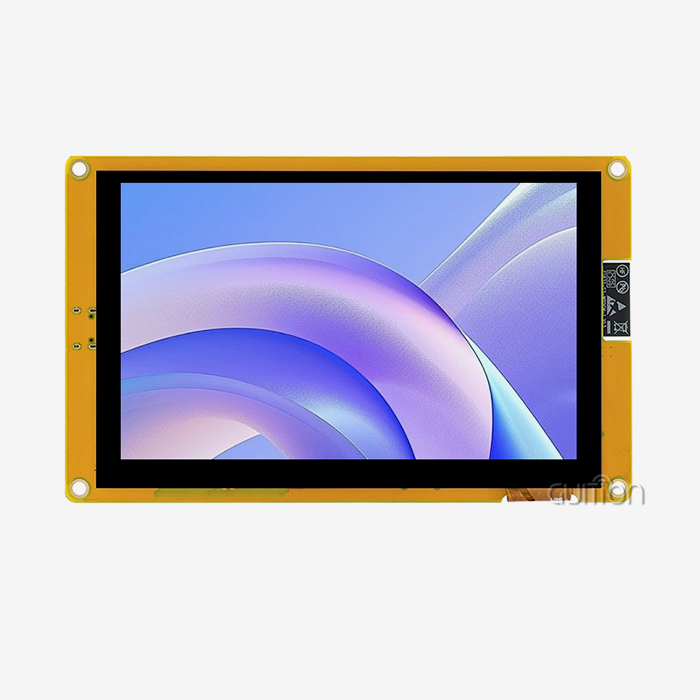
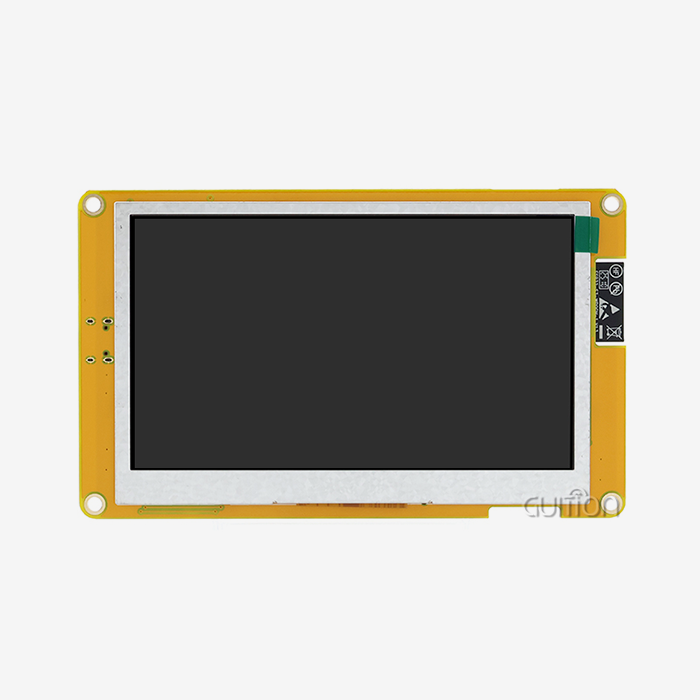
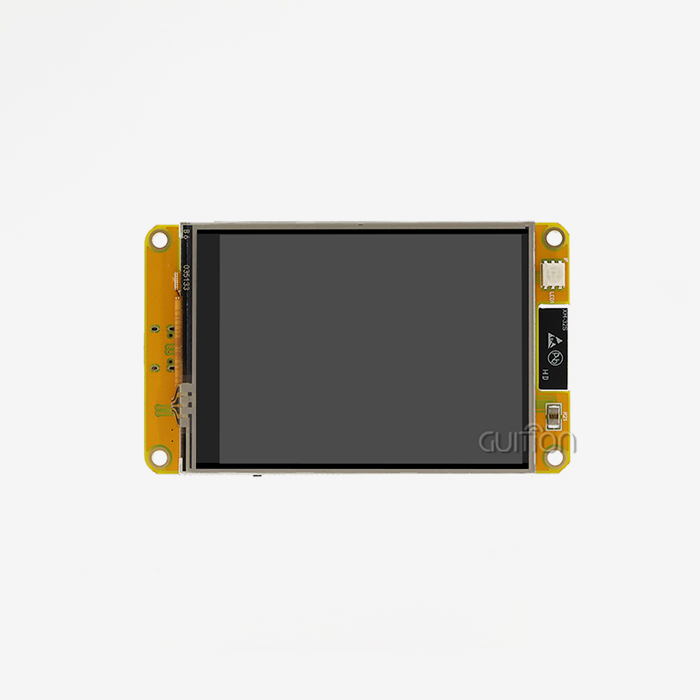
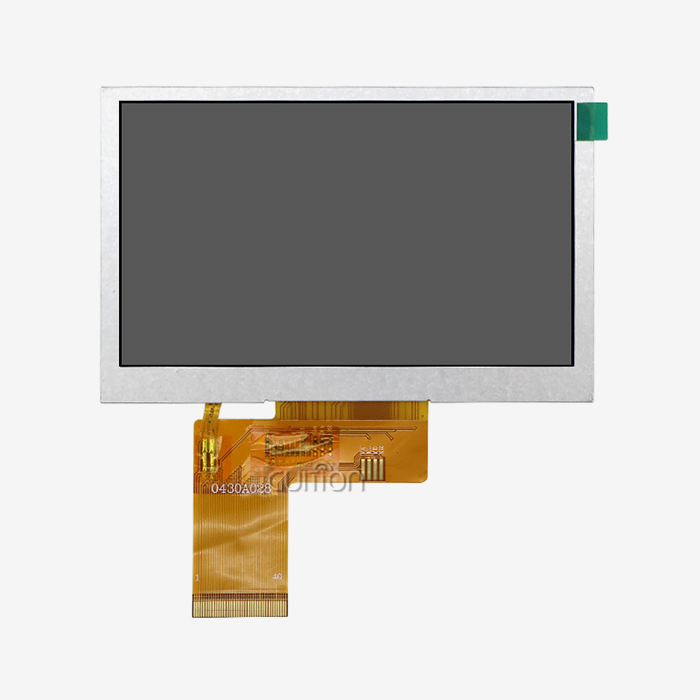
In-Plane Switching technology is very different from Twisted Nematic screens because it lines up liquid crystals so they are parallel to the glass base. This design allows for wide viewing angles (usually 178 degrees) without color shift or grayscale inversion, which is useful for workers who look at control screens from different angles. This benefit is shown by the GUITION JC4848B040C_I, which has a ST7701 driver chip and an 800x480 monitor with 24-bit RGB processing that supports 16.7 million colors. This 4.0-inch module combines sensitive touch technology with a MIPI DSI interface to make a responsive interface that works well in harsh industrial settings where regular screens would fail. IPS modules of good quality are made up of toughened glass bases, improved polarizing films, and edge-sealed liquid crystal layers that keep water out. When properly designed, IPS panels don't have the "water ripple" effect when they are touched, as some soft-screen options do. This means that the picture stays the same even after thousands of daily contacts in touchscreen applications like 3D printer controls or charging station interfaces.
Key Reliability Features That Matter
Industrial screens can only work within a certain range of temperatures. The JC4848B040C_I works steadily from -20°C to +70°C, so it can be used in both cold storage areas and heated industrial zones without losing any performance. This range stops common problems that happen with screens that aren't rated properly, like the liquid crystal freezing or the backlight lowering. Mechanical resilience is more than just being able to withstand contact. Quality modules have stronger fixing structures and designs that reduce vibrations so that electrical links stay strong while the equipment is running. The capacitive touch layer reacts right away to user input and doesn't have the mechanical wear points that resistive layers do. This means that it can last longer in high-use situations.
Common Failure Modes and Root Causes
Flickering on the screen is usually caused by bad power management or electromagnetic interference that affects the backlight drivers. When closing gaskets break down, humidity can fog up internal layers or weaken connection traces, causing moisture damage. Knowing how these things fail helps procurement teams set the right levels of safety and ask providers about design fixes while they're being evaluated. When the temperature changes, things expand and shrink, which puts stress on solder joints and laminate adhesives. Ips display module that doesn't have good thermal control ages faster, which shows up as color changes or groups of dead pixels. By looking for these trends while checking equipment, you can tell if a module meets standards for long-term reliability.
Challenges of Using IPS Display Modules in Harsh Environments
Environmental Stressors That Compromise Functionality
In industrial settings, problems arise at the same time that people who use consumer gadgets never have to deal with. Thermal stress cycles happen when temperatures change from areas that are cold to areas that are hot for output. Frequencies of shaking caused by heavy machines can break substrates or loosen connections. Airborne contaminants, such as metal dust or chemical fumes, get into areas that aren't protected, covering sights and shorting circuits. In outdoor energy management systems or farm automation systems, the humidity changes a lot. When humid air comes in touch with cool screens, condensation forms on cold surfaces, which could cause electrical traces to become disconnected. Unshielded signal lines pick up noise from motor drives or welding equipment, which messes up touch input or picture data.
Material Degradation and Thermal Management Issues
In outdoor settings, long-term UV radiation breaks down plastic frames and polarizing films. When used at high temperatures without enough heat sinking, backlight LEDs lose their brightness more quickly. When the temperature changes, the adhesive layers between touchscreen laminates break down. This can cause optical flaws or touch dead zones. Problems with thermal management get worse in small spaces where screens and processing electronics both make heat. Localized hot spots speed up the aging of parts that don't have convection routes or thermal surfaces. This is taken care of by the GUITION module's wide working range and stable performance across its stated temperature range, thanks to its internal thermal design.
Real-World Failure Scenarios and Lessons Learned
A company that makes medical beauty equipment had touch failures that happened from time to time. These failures were caused by poor grounding that allowed ESD events to happen in dry winter circumstances. The problem was fixed by using the right shielding and ground lines, which shows how electrical design affects the stability of a display. When charging stations were put in place, they found that units that were in full sunlight had backlight breakdowns because the temperatures inside were too high. By keeping working temperatures within safe limits, redesigning frames with ventilation and sunshades made displays last longer. These examples show how decisions made at the system level affect the lifespan of parts in ways that go beyond the standards of individual modules.
Best Practices for Selecting Reliable IPS Display Modules
Durability Certifications and Protection Standards
IP scores show how well something is protected against solids and liquids getting in. A cover with an IP65 rating keeps dust from building up and shields against water jets. It can be used in food processing or outside. Standardized shock, vibration, and temperature tests that mimic military-grade outdoor exposure are used to make sure that MIL-STD-810 compliance is met. Check to see if testing documentation comes with specs when you're considering suppliers. Reliable makers give thorough test results that show how well the displays worked when they were exposed to changes in temperature and humidity, and when they were shaken. This level of openness sets engineered solutions apart from goods that weren't tried well enough and break down early in the field.
Comparing IPS Against Alternative Panel Technologies
Panels made of twisted neon have quick response times, but they have limited viewing angles and don't show colors well. OLED screens have great contrast, but they get burned in with static material and are a lot more expensive. Vertical Alignment screens have good contrast, but they respond more slowly than IPS panels. Ips display module strikes a good mix between performance and cost-effectiveness for industrial uses that need wide viewing angles, accurate colors, and long life. The GUITION monitor can handle 16.7 million colors, which makes sure that colors are shown correctly in medical imaging or quality control units where color accuracy is important. The capacitive touch application allows for immediate contact without the parallax mistakes or pressure needs of resistive options, which makes the job of the operator easier.
Supplier Evaluation and Warranty Provisions
Suppliers that have been around for a while offer a lot of scientific information, such as interface specs, mechanical drawings, and application notes. They provide quick technical help during merging and make sure that products are always available for projects that last more than one year. Manufacturer's flaws should be covered by the warranty, and steps should be given for how to handle problems in the field. When creating goods that will last five to ten years, long-term supply reliability is important. Industrial suppliers keep track of component sources and design stability, which keeps makers from having to deal with aging problems that happen with consumer-focused manufacturers. When you buy something, asking for product roadmaps and lifetime promises lowers the risks of future sourcing.
Maintenance and Lifecycle Optimization of IPS Display Modules
Preventive Care and Inspection Routines
When you clean it regularly, dust doesn't build up and block air flow or make electrical paths between parts. If you use the right cleaning products, you won't damage anti-glare films or touchscreen surfaces. Before they break, inspection plans should look for signs of wear and tear in electrical connections, sealing seals, and mounting bolts. Monitoring the environment helps find factors that speed up wear. Temperature and humidity sensors inside shelters show if thermal management is still good even when ventilation screens get full of dust and other pollutants. Tracking these factors lets you know when maintenance is needed before the screens show any signs of it.
Inherent IPS Features Supporting Sustained Performance
The monitor looks the same from cold startup to long-term use because the colors stay stable across the working temperature range. With good IPS screens, you don't have to worry about static interface elements burning in over years of constant use because they don't retain images. These built-in features make care easier than with technologies that need to be calibrated or given breaks every so often. Because IPS liquid crystal cells are structurally strong, they can handle mechanical stress without getting the pressure marks that happen on other panel types. This durability is helpful in touchscreen apps where users will be touching the same parts of the screen over and over again as the equipment lasts.
Firmware Updates and Calibration Techniques
Modern display modules with built-in controls can get software updates that make them more compatible or add new features without having to change the hardware. Engineers can improve speed by making changes to software in the GUITION development environment, which works with Arduino and ESP-IDF frameworks. This adaptability makes the product more useful as system needs change. Touch calibration methods account for differences in how the device was mounted and the limits used during production. When calibration processes are done correctly, they make sure that the touch reaction is correct across the active area. This keeps the quality of the user experience high throughout the equipment's service life. Documentation should show people working on-site how to use built-in troubleshooting modes to do the tuning steps.
Troubleshooting Common Display Issues
Inconsistencies in the backlight are usually caused by problems with the LED drivers or power sources, not by problems with the screen itself. Electrical problems can be separated from optical failures by checking the input voltages and the temperatures of the driver ICs on the parallel lcd display while the system is running. Problems with touch responses could be caused by electromagnetic interference instead of sensor faults. This can be fixed by making the grounding or covering better. When displays show color changes, checking the working temperature lets you know if the conditions outside are too high. If the temps stay in the right range, checking the signal integrity on the RGB data lines shows if electrical noise changes the picture data. Systematic analysis based on failure signs speeds up fixes and cuts down on downtime.
Procurement Insights: Buying and Partnering for IPS Display Modules
Sourcing Strategies for Volume Procurement
Authorized wholesalers make sure the quality of the product by using established supply lines and getting help from the maker. They keep track of inventory amounts to make sure production schedules are met and provide technical help during integration. High-volume OEMs benefit from direct manufacturer ties because they can make changes, get better prices, and get priority when parts are in short supply. Total cost of ownership analysis looks at more than just the unit price. It also looks at things like development support, guarantee management, and supply stability. When suppliers offer detailed paperwork and quick engineering help, integration time and troubleshooting costs go down. This makes up for higher starting prices by reducing failure rates and speeding up time to market.
Supplier Comparison and Market Positioning
Leading makers set themselves apart by coming up with new technologies, having more output capacity, and having better customer service systems in place. The Guition UI development program makes GUITION stand out because it speeds up the process of making interfaces without requiring complicated low-level code. This set of tools cuts development time from weeks to days, which makes it possible to make prototypes and changes quickly. The range of products, from 1.28 inches to 21.5 inches, gives designers more options for making personal tech and industrial control screens. USART-HMI communication makes it easier to connect to microcontrollers, and the built-in WiFi and Bluetooth units let IoT devices join without any extra hardware. Because of these skills, GUITION is now seen as a full-service solution source rather than a seller of parts.
Building Trusted Partnerships
Engineers can test how well sample review programs work in real-world situations before committing to large orders. Asking for personalized setups, like specific mechanical measurements, interface variants, or software changes, shows how flexible and skilled the provider is as an engineer. Support quality throughout production is likely to be high if there is responsive contact during review. Consistent product quality, careful obsolescence management, and working together to solve problems in the field are all things that lead to long-term relationships. Suppliers who care about their customers' success offer application tech help, share what they've learned from similar deployments, and give priority to requests from established accounts when there are capacity issues.
Conclusion
When choosing screens for tough industrial uses, you need to look at how well IPS technology handles external stresses while still providing reliable visual performance. Wide viewing angles, accurate color, and high mechanical strength are some of the main benefits of In-Plane Switching design that help solve problems in tough working situations. When making a procurement choice, it's important to weigh technical requirements against the skills of the supplier, as well as lifecycle costs that go beyond the initial unit price. The GUITION JC4848B040C_I shows how current display modules combine features like touchscreen responsiveness, wide temperature range, and connection into small units that can be used for many things. Understanding how things break, doing preventative maintenance, and working with reliable providers are the best ways to make sure that displays work well for as long as the equipment lasts. As industrial automation improves, picking the right display solutions keeps costly breakdowns from happening and allows for more complex interactions between humans and machines.
FAQ
Can IPS modules withstand extreme temperature variations in industrial settings?
Depending on the design, good IPS display panels work consistently in a wide range of temperatures, usually from -20°C to +70°C. The GUITION JC4848B040C_I is designed to work at these extremes, keeping graphic performance and touch response the same across the board. This ability is extended by avoiding localized hot spots that speed up aging inside equipment casings with good thermal management.
What certifications should procurement teams verify for durability assurance?
IP grades show how well something protects against dust and water getting in. For example, IP65 seals out dust and protects against water jets. MIL-STD-810 compliance shows that the product can survive harsh outdoor tests like changing temperatures, vibrations, and shocks. By asking for real test results instead of claims of compliance, buyers can be sure that suppliers have checked performance using standard methods.
Are customization options available for specific application requirements?
Well-known companies offer hardware changes like changing the form of the mounting holes or the bezel, electrical variations such as different interface types, and software modifications that support specific protocols. The Guition software ecosystem's built-in development freedom lets you make custom user interfaces without having to remake hardware, which makes it easy to meet the needs of each application.
Partner with Guition for Reliable Industrial Display Solutions
Guition makes complete HMI display units that are designed to work in harsh industrial settings where dependability can't be compromised. Our USART-HMI displays use tried-and-true IPS technology and smart connection features, like WiFi and Bluetooth integration, which make IoT adoption easier. The exclusive Guition UI development tool speeds up the process of making interfaces by using a simple drag-and-drop design. This gets rid of the need for weeks of low-level code and lets changes be made quickly. With secondary development support for both Arduino and ESP-IDF platforms, engineers can work with tools they already know without having to learn how to use new systems.
During production, we stick to strict quality standards that make sure every IPS display module provider relationship provides consistent performance across large deployments. You can talk about your specific needs, ask for trial samples, or get full technical specs by emailing david@guition.com. Our tech team works directly with customers to set up the best solutions, whether that means using normal catalog goods or making custom implementations for specific uses.
References
1. Chen, L., & Wang, M. (2023). Comparative Analysis of LCD Technologies in Industrial Automation Environments. Journal of Display Technology and Applications, 19(4), 287-301.
2. Industrial Display Standards Committee. (2024). Environmental Testing Protocols for Embedded Display Systems: Guidelines for Harsh Environment Applications. International Electronics Manufacturing Association.
3. Roberts, K. J. (2023). Thermal Management Strategies for High-Reliability HMI Systems. IEEE Transactions on Industrial Electronics, 70(8), 8234-8246.
4. Nakamura, H., & Schmidt, P. (2024). Failure Mode Analysis of Touchscreen Displays in Manufacturing Environments: A Ten-Year Field Study. Reliability Engineering & System Safety, 241, 109-123.
5. European Industrial Display Consortium. (2023). Best Practices for Display Module Procurement in Critical Applications: A Comprehensive Buyer's Guide. Brussels: EIDC Publications.
6. Martinez, S. A. (2024). Lifecycle Cost Optimization for Industrial Display Systems: Balancing Initial Investment Against Long-Term Reliability. Journal of Manufacturing Systems Engineering, 56(2), 145-162.
Learn about our latest products and discounts through SMS or email