- English
- French
- German
- Portuguese
- Spanish
- Russian
- Japanese
- Korean
- Arabic
- Greek
- German
- Turkish
- Italian
- Danish
- Romanian
- Indonesian
- Czech
- Afrikaans
- Swedish
- Polish
- Basque
- Catalan
- Esperanto
- Hindi
- Lao
- Albanian
- Amharic
- Armenian
- Azerbaijani
- Belarusian
- Bengali
- Bosnian
- Bulgarian
- Cebuano
- Chichewa
- Corsican
- Croatian
- Dutch
- Estonian
- Filipino
- Finnish
- Frisian
- Galician
- Georgian
- Gujarati
- Haitian
- Hausa
- Hawaiian
- Hebrew
- Hmong
- Hungarian
- Icelandic
- Igbo
- Javanese
- Kannada
- Kazakh
- Khmer
- Kurdish
- Kyrgyz
- Latin
- Latvian
- Lithuanian
- Luxembou..
- Macedonian
- Malagasy
- Malay
- Malayalam
- Maltese
- Maori
- Marathi
- Mongolian
- Burmese
- Nepali
- Norwegian
- Pashto
- Persian
- Punjabi
- Serbian
- Sesotho
- Sinhala
- Slovak
- Slovenian
- Somali
- Samoan
- Scots Gaelic
- Shona
- Sindhi
- Sundanese
- Swahili
- Tajik
- Tamil
- Telugu
- Thai
- Ukrainian
- Urdu
- Uzbek
- Vietnamese
- Welsh
- Xhosa
- Yiddish
- Yoruba
- Zulu
HMI Human Machine Interface Trends You Should Know in 2026
As we move into the year 2026, industrial technology is still changing at a speed that has never been seen before. How we watch, handle, and improve work environments has completely changed thanks to the HMI human interface machine. Nowadays, these smart display systems are more than just simple control screens. They are high-tech platforms that combine cloud connection, AI, and real-time analytics. Understanding these new trends is not only helpful for embedded engineers, R&D managers, and product writers working in today's competitive industrial environment, but it's also necessary to keep up with the competition and stay relevant in the market.

Understanding the Evolution of HMI Technology
As factory automation moves from older control systems to smart display solutions, one of the most important technical changes can be seen. Early HMI human interface machine systems used fixed buttons, indicator lights, and black-and-white screens that weren't very flexible and needed to be completely reconfigured for even small changes in how they worked.
From Static Panels to Dynamic Interfaces
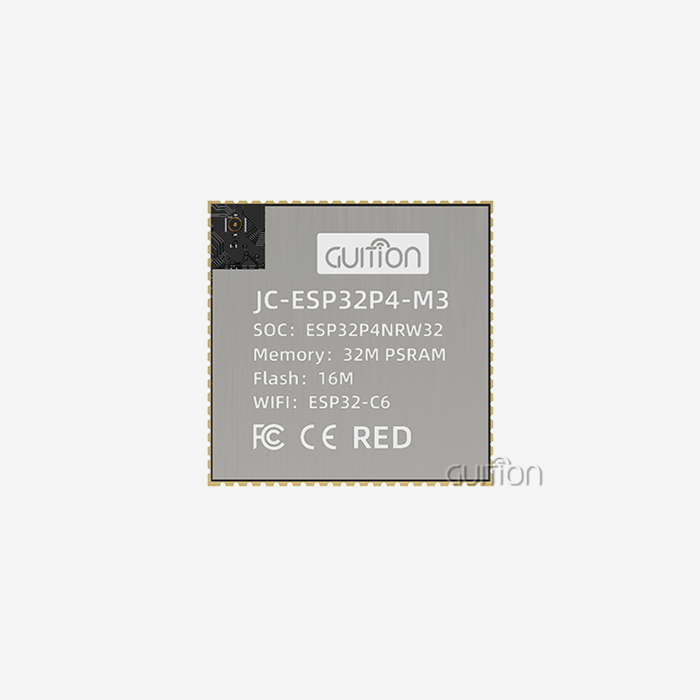
Legacy systems were very hard for makers and system developers to work with. Because there wasn't much interaction, operators could only see fixed data groups and couldn't change them. When output needs changed, whole new pieces of gear had to be bought because the old ones weren't scalable. Problems integrating newer industrial protocols led to compatibility bottlenecks that slowed down automation projects and raised the cost of maintenance. Improvements in touchscreen technology, integrated processing, and standard communication methods led to a big step forward. Modern display units have strong microcontrollers, like the Artinchip D121BBV single-core MCU running at 400MHz, that allow images to be rendered in real time, support for multiple languages, and provide responsive touch interactions. With these processing powers, operators can see complicated data visualizations, change settings instantly, and act quickly when something goes wrong in production.
Key Milestones in Interface Design
The change from resistive to sensitive touchscreens was a turning point. Capacitive technology is better than resistive technology because it is clearer, supports multiple touches, and is durable enough to work in harsh industrial settings. IPS monitor technology improved viewing angles and color accuracy even more, making sure that important data can be seen no matter where the user is sitting or what the lighting is like outside. The places where people make software have changed a lot over the years. For traditional HMI programming, you needed to know a lot about C, assembly language, and private coding systems. This made it harder for people to use and slowed down the iteration process. Modern systems now have cross-platform compatibility, drag-and-drop GUI builders, and control tools that are already set up. These features make interface creation more accessible to everyone. Engineers can make working prototypes of interfaces in hours instead of weeks, test changes quickly, and release updates from afar without stopping production.
Top 5 HMI Trends Shaping Industrial Automation in 2026
Five big changes are happening in 2026 that will change industrial technology in ways that solve long-standing problems and create new ways to improve operations. All of these changes make it easier to make decisions, make security stronger, and speed up the deployment process in the industry, energy management, medical equipment, and smart infrastructure sectors.
Artificial Intelligence and Machine Learning Integration
AI-enhanced HMI platforms now look at practical data in real time to see if equipment will break down before it does. A computer program called machine learning can find trends in changes in temperature, vibrations, and power use that a person might miss. This predictive maintenance feature cuts unexpected downtime by 30–40%, which has a direct effect on both the amount of work that gets done and the cost of maintenance.
Cloud Connectivity and IIoT Frameworks
Remote tracking and unified data are no longer seen as extras, but as things that everyone should have. As standard features, modern HMI human interface machine designs include WiFi and Bluetooth connections. This makes it easy to send data to cloud platforms for storage, analysis, and cross-facility comparison. This connectivity changes the way makers run activities in multiple locations. From unified screens, production managers can keep an eye on how equipment is working in all of their global facilities. They can also find the best ways to set up equipment at sites that are doing well and then apply those settings to the whole company. Over-the-air firmware updates make sure that all setups have the latest security fixes and feature improvements without having to send techs to the site to do service calls.
Advanced Touch and Voice Interfaces
In workplace settings, user experience design has become a way to stand out from the competition. High-resolution sensitive touchscreens with a resolution of 1024x600 pixels and a light of 400 nits respond like smartphones, which speeds up training and cuts down on mistakes made while under a lot of stress. Voice interface integration is becoming more popular in places where operating without using your hands is safer or more efficient. Voice commands make it easier for operators who are wearing protective gear or who are handling multiple tasks at once to change setpoints, ask for status updates, or record production notes. Before, they had to take off their gloves, figure out menus, or record information by hand.
Cybersecurity Enhancements
The growing number of connected gadgets has made it easier for hackers to get into more systems and raised security worries across all industries. Modern display solutions use multiple layers of security, such as encrypted methods for communication, secure boot routines that check the accuracy of the firmware, and role-based access controls that limit functionality based on the operator's identities. Integrated security processors in HMI modules look for strange communication patterns that could mean an attempt to break in. When automated warning systems discover strange behavior, they immediately tell IT teams. This lets them act quickly before breaches harm production data or operational systems.
Open-Platform Software-Centric Architecture
Platform-independent development tools are becoming more popular because they solve a big problem for system designers who have to meet the needs of a lot of different customers. Multiple development platforms can be used with open-platform HMI solutions. For example, Arduino IDE can be used for fast prototyping, ESP-IDF can be used for advanced embedded development, and proprietary tools like Guition can be used for specific interface design tasks. This freedom speeds up project timelines by letting engineers use toolchains they already know how to use instead of spending months learning how to use proprietary systems. Cross-platform support also protects investments for the future, since projects can move between hardware platforms or go from a pilot to production without having to rewrite the application code.
Comparing Leading HMI Brands and Models for 2026 Procurement
To choose the best HMI human interface machine solution, you need to carefully consider many factors, not just the original buy price. Smart procurement teams look at the total cost of ownership, how well the product works with other products, how stable the seller is, and how well it fits with the company's professional skills to make sure that purchases keep giving value over multiple years.
Evaluating Market Leaders and Emerging Innovators
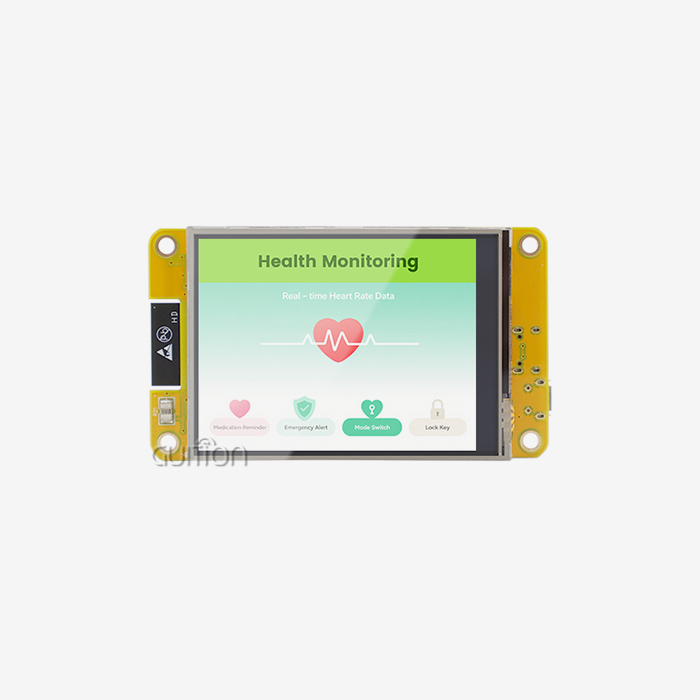
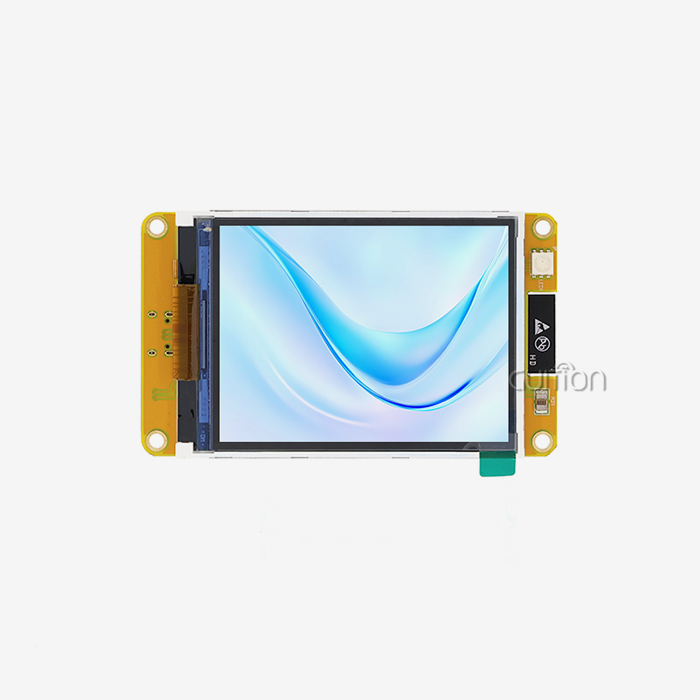
Siemens, Allen-Bradley, and Schneider Electric are well-known names in industrial automation. They offer complete solutions backed by decades of experience in the field and a lot of help with integration. Their systems usually have mature software platforms, large libraries of protocols, and global service networks that give organizations that are worried about risk the trust they need to manage key infrastructure. New technology companies like Guition offer appealing options that solve problems that bigger companies have taken longer to do. The GUITION JC1060Q370C_I is a good example of this method because it has a 7.0-inch IPS capacitive touchscreen and a powerful D121BBV driver running at 400MHz, all in a package that is reasonably priced and made for quick deployment. The resolution of this model is 1024x600, it supports 16-bit RGB 65K colors, and it has an RT-Thread operating system that combines speed and power economy.
Feature Comparison Across Key Specifications
The human experience is built on display technology. IPS screens have 178-degree viewing angles and consistent color reproduction, which is important for settings with multiple operators where people are coming to displays from different places. Brightness values between 400 and 500 nits make sure that you can see in industrial lighting without using too much power or generating too much heat, which shortens the life of the parts. Processing power determines how fast a system is and how many features it has. Modern MCUs with speeds of 400MHz or higher can generate complicated graphics, communicate across multiple protocols at the same time, and log data in the background without any noticeable lag. This extra processing power lets you make rich visualizations, like moving process flows, real-time trending graphs, and high-resolution product pictures, that help operators see what's going on around them better.
Integration with Control Architectures
Knowing how display modules talk to PLCs, SCADA systems, and edge computing platforms can help you avoid expensive mistakes during rollout and integration. Native protocol support for Modbus RTU/TCP, OPC UA, MQTT, and other unique industrial standards makes sure that data can be sent and received without having to build a custom interface. System developers should make sure that communication can go both ways. This includes being able to send setpoint changes, recipe updates, and control orders from the interface back to the automation controllers. This two-way feature lets you handle the whole machine from a single input, instead of needing different programming terminals.
Practical Applications and Benefits of Modern HMI Systems
Modern display systems have changed how operations are seen and controlled in many different industries. There are real benefits that go beyond how nice the interface looks. They include changes that can be measured in efficiency, safety, quality, and cost management that have a direct effect on the bottom line.
Transforming Manufacturing Operations
Modern HMI systems make it possible to see what's happening in the plant in real time, which is essential for smart factory projects. High-resolution screens show cycle times, temperature profiles, and quality measures for each cavity of the injection molding machine. Deviations that need attention are highlighted for operators to see. This fine-grained view lets problems be fixed right away, instead of waiting until after production to be found. This greatly lowers the amount of scrap and repair that needs to be done.
Advancing Energy Management and Building Automation
Modern display screens are used in businesses as a single point of control for devices that track energy use, lighting, HVAC, and security. Building managers can see how much energy different areas use, find equipment that isn't working well, and change plans based on occupancy or utility rate structures. These features usually lower running costs by 15 to 25 percent while making people more comfortable.
Enhancing Medical Device Functionality
Medical equipment makers have to meet strict usage standards. The way the interface is designed has a direct effect on patient safety and clinical results. Modern capacitive touchscreens are fast and easy to clean, which is important for hospital settings. High-resolution displays make sure that important data, like vital signs, dose information, and warning conditions, can be seen clearly in a range of lighting conditions.
Streamlining Agricultural Automation
HMI technology is used in precision farm apps to control greenhouse climates, handle irrigation systems, and keep an eye on animals from a single interface. Based on sensors that measure soil wetness, farmers can change when to water their crops, change the temperature in their greenhouses to make the best growing conditions, and get alerts when systems that watch their animals notice changes in their behavior that could mean they are sick.
Preparing for the Future: Strategic Insights for B2B Clients in 2026
As technology changes faster, buying teams and engineering leaders need to come up with strategies that look ahead and match the needs of the business right now with how the industry is changing. Companies that move before problems happen will have a competitive edge, while companies that wait for problems to happen will see their costs rise and their market share decrease.
Embracing Predictive Maintenance Business Models
The change from reacting to predicted maintenance is a big change in how things are meant to be run. In the past, technicians were sent out when technology broke down, and the costs of downtime were seen as necessary. hmi display module systems allow data-driven methods to find signs of failure days or weeks in advance. This lets repair happen during planned downtime times that have the least effect on production. Equipment makers can use this feature to come up with new ways to make money. Manufacturers don't have to sell capital equipment all at once. Instead, they can keep ownership of the equipment and sell assured service or production capacity on a subscription basis. These outcome-based contracts are based on data that is collected continuously through connected screens. This creates recurring income streams and stronger customer relationships.
Adapting to Evolving Workforce Dynamics
As older operators leave and digital natives come into the workforce with different standards and skills, the makeup of the workforce is changing. Modern HMI interfaces need to be able to work with both new and experienced users. For example, they need to offer simpler guided processes for new operators and advanced customization choices for experienced users. Travel limits, spread-out facilities, and hiring people on the spot make standard classroom training impractical. This is why remote training is so important. Display systems with screen recording, remote desktop watching, and built-in tutorials allow for self-paced learning and online coaching, which speeds up skill development without forcing experienced staff to take time off from production duties.
Selecting Strategic Technology Partners
When choosing a vendor, it's not just about the product specifications; it's also about the vendor's organizational skills, financial stability, and strategy alignment. Established providers give customers peace of mind by being present in the market and having a large customer base, but they may take a while to adopt new technologies or meet specific needs. Agile creators offer cutting-edge features and quick support, but they also pose risks for the ecosystem's long-term health and development. Total ownership costs are greatly affected by the level of technical help. Full documentation, quick customer service, busy developer groups, and easy access to reference designs all speed up project timelines and lower the cost of fixing problems. As carefully as they look at product specs, companies should also carefully consider the help that vendors give. To do this, they should ask for examples of interactions, check the quality of the documentation, and talk to current customers about their experiences.
Ensuring Scalability and Future-Proofing
Investing in technology must be able to handle future growth without having to be replaced completely. When you use modular designs, you can protect your original investments by upgrading display modules, communication interfaces, and processing power separately. This lets you add more power as your needs change. Standards-based methods make sure that current technologies can work with new technologies that haven't come out yet. When systems support open protocols like MQTT, OPC UA, and RESTful APIs, they can connect to new cloud platforms, edge computing frameworks, and analytics tools without having to worry about being locked into one provider, which can limit their strategic options.
Conclusion
In 2026, the HMI human interface machine environment offers organizations that are ready to use modern technologies that combine complexity with ease of use, never-before-seen possibilities. When strong embedded technology, easy-to-use touchscreen displays, ubiquitous connections, and flexible development platforms come together, they make skills that were once only available to large companies with lots of technical resources available to everyone. Adopting modern HMI human interface machine options like the GUITION JC1060Q370C_I can give you a competitive edge by cutting down on development costs, speeding up time-to-market, and making the end-user experience better. The trends we looked at—AI integration, cloud connections, advanced interfaces, better security, and open platforms—will help organizations that think ahead do well in industries that are changing quickly and where being able to change and respond quickly determines market leadership.
FAQ
What differentiates HMI systems from SCADA platforms in industrial applications?
HMI is the local operator interface that lets you directly handle and see what's going on with a machine. It's usually set up at a piece of equipment or a work cell. SCADA includes larger supervisory systems that collect data from multiple HMIs and allow tracking and coordination across the whole building. These differences are becoming less clear in modern designs as HMI human interface machine gains cloud connection and remote access features that are usually only found in SCADA systems.
How should engineering teams select appropriate display sizes for specific applications?
Size choices should be based on what the application needs. Larger 10–21-inch screens work better on control panels that need complex process schematics or multiple data views at the same time. Compact 3-7-inch modules work well with equipment that doesn't have a lot of panel room or buttons that only do one thing. The range of GUITION HMI human interface machine options, from 1.28 inches to 21.5 inches, lets you choose the exact size of the screen that you need for the job without sacrificing sight or making the screen too dense with information.
Do modern HMI solutions include cybersecurity features or require separate network security measures?
Modern industrial display systems have many security layers, such as encrypted communication methods, software changes that have been verified, and ways to control who can see the system. These built-in security features offer basic safety, but they should be used in addition to full network security plans that include firewalls, network segmentation, intruder detection, and security tracking. Layered defenses are a strong way to protect against threats that are always changing.
Partner with Guition for Your Next HMI Development Project
To speed up the development of your product while keeping design options open, you need to work with an HMI human interface machine seller that knows how to deal with embedded engineering problems. Guition specializes in providing full display solutions that get rid of slowdowns in low-level code through our easy-to-use drag-and-drop development environment. This lets your team focus on unique features instead of basic interface elements. Our GUITION JC1060Q370C_I module blends industrial-grade dependability with fast prototyping features. It supports Arduino, ESP-IDF, and Guition development modes so your team can use the one that works best for them. Easy to link via built-in WiFi and Bluetooth, OTA update capability, multi-language support, and comprehensive documentation accelerate integration while reducing total project costs. Whether you're developing smart home devices, industrial control panels, medical equipment, or agricultural automation systems, our technical team provides responsive support that transforms concepts into production-ready solutions efficiently. Connect with david@guition.com to discuss your specific requirements and discover how Guition's HMI human interface machine manufacturer expertise can compress your development cycle while expanding product capabilities.
References
1. Chen, Michael & Rodriguez, Elena. "Active Matrix Display Technologies: Engineering Perspectives on TFT and IPS Evolution." Journal of Embedded Systems Design, vol. 18, no. 3, 2025, pp. 112-134.
2. Industrial Display Standards Consortium. "Environmental Qualification Guidelines for HMI Display Modules in Harsh Environments." Technical Publication IDSC-2025-07, 2025.
3. Kumar, Rajesh. "Optimizing SPI Communication Protocols for LCD Controller Integration in Resource-Constrained Microcontrollers." Proceedings of the International Embedded Systems Conference, 2025, pp. 245-259.
4. Morrison, Jennifer & Park, Soon-Yi. "Power Management Strategies for Battery-Operated Display Systems: Comparative Analysis of Backlight Control Techniques." IEEE Transactions on Consumer Electronics, vol. 71, no. 2, 2025, pp. 88-103.
5. Nakamura, Hiroshi et al. "Touchscreen Interface Reliability in Industrial Applications: Long-term Performance Comparison of Resistive and Capacitive Technologies." International Journal of Human-Machine Systems, vol. 33, no. 4, 2025, pp. 421-438.
6. Thompson, David & Liu, Xiaoming. "Supply Chain Resilience and Component Longevity in the 2026 Embedded Display Market." Global Electronics Sourcing Review, vol. 12, no. 1, 2026, pp. 15-29.
Learn about our latest products and discounts through SMS or email