- English
- French
- German
- Portuguese
- Spanish
- Russian
- Japanese
- Korean
- Arabic
- Greek
- German
- Turkish
- Italian
- Danish
- Romanian
- Indonesian
- Czech
- Afrikaans
- Swedish
- Polish
- Basque
- Catalan
- Esperanto
- Hindi
- Lao
- Albanian
- Amharic
- Armenian
- Azerbaijani
- Belarusian
- Bengali
- Bosnian
- Bulgarian
- Cebuano
- Chichewa
- Corsican
- Croatian
- Dutch
- Estonian
- Filipino
- Finnish
- Frisian
- Galician
- Georgian
- Gujarati
- Haitian
- Hausa
- Hawaiian
- Hebrew
- Hmong
- Hungarian
- Icelandic
- Igbo
- Javanese
- Kannada
- Kazakh
- Khmer
- Kurdish
- Kyrgyz
- Latin
- Latvian
- Lithuanian
- Luxembou..
- Macedonian
- Malagasy
- Malay
- Malayalam
- Maltese
- Maori
- Marathi
- Mongolian
- Burmese
- Nepali
- Norwegian
- Pashto
- Persian
- Punjabi
- Serbian
- Sesotho
- Sinhala
- Slovak
- Slovenian
- Somali
- Samoan
- Scots Gaelic
- Shona
- Sindhi
- Sundanese
- Swahili
- Tajik
- Tamil
- Telugu
- Thai
- Ukrainian
- Urdu
- Uzbek
- Vietnamese
- Welsh
- Xhosa
- Yiddish
- Yoruba
- Zulu
IoT development screen Setup Guide: How Easy Is the Integration?
Never before has it been so easy to add an IoT development screen to your project environment. Modern intelligent display units combine easy-to-use development platforms with hardware that is already set up, so low-level graphics code is no longer necessary. Usually, the integration process is broken down into three easy steps: connecting physically using standard UART or SPI interfaces, setting up software using drag-and-drop GUI tools, and synchronising the protocol with your current MCU design. When combined with complete libraries and pre-compiled examples, embedded engineers can make working prototypes in hours instead of weeks. This makes it much easier for industrial equipment makers and smart device developers to get their products to market faster.


Understanding IoT Development Screens: Technology & Use Cases
Core Architecture and Communication Protocols
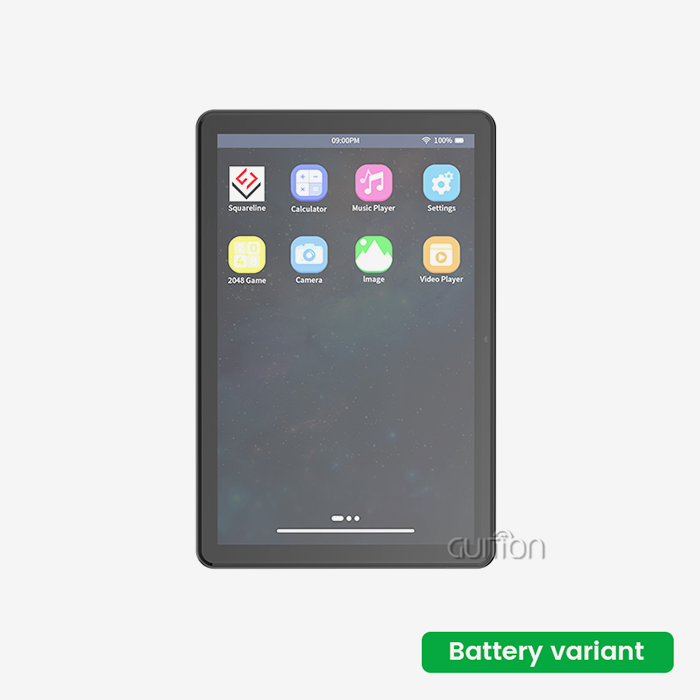
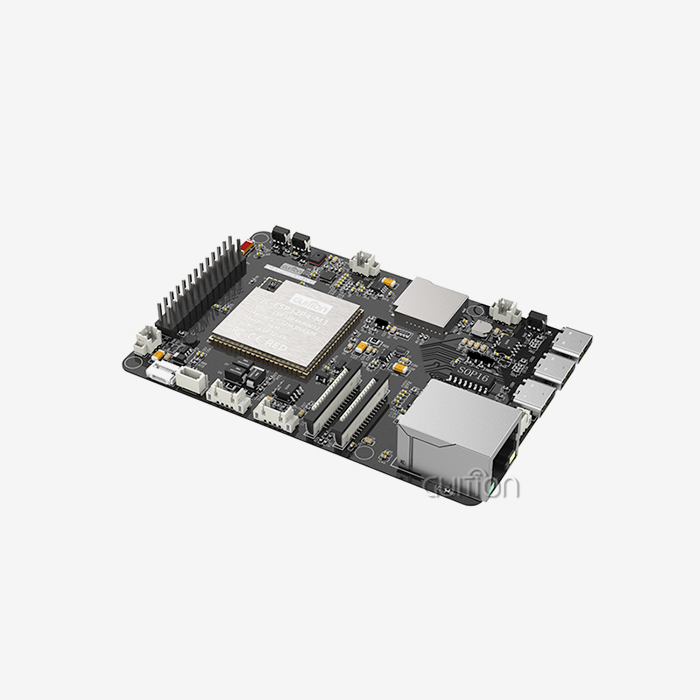
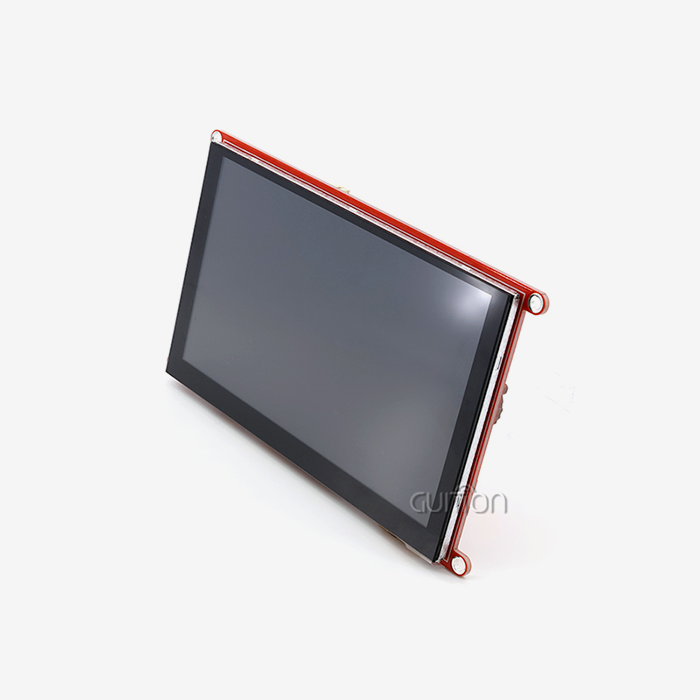
An IoT development screen is very different from standard display technologies. These smart modules put dedicated graphics engines right on the display board, unlike raw LCD screens that need your main processor to render each image individually. This architectural design takes care of UI rendering so that your main MCU can only work on processing sensor data, managing connections, and application logic. This method is shown by the ESP32-8048S070N from Guition. This 7-inch display module has 512KB SRAM, 8M PSRAM, and 16MB Flash storage built right into the screen unit. It is based on the dual-core ESP32-S3-WROOM-1 processor, which runs at 240MHz. Lightweight serial protocols like UART, SPI, and I2C are used for communication. This means that any microcontroller, from the 8-bit AVR to the 32-bit ARM Cortex, can send simple command lines and receive touch event callbacks without having to build complex drivers.
Real-World Industry Applications
HMI display units that work reliably in a wide range of temperatures and electromagnetic interference are very helpful for industrial control screens. These screens are used in CNC machine interfaces in factories where real-time parameter changes need responsive touch input and bright 800x480 resolution clarity. Smart display options are built into medical devices that are used to monitor patients. When legal requirements call for changes to be made to the interface across deployed units, being able to update UI elements directly over WiFi proves to be very useful. Energy management systems use these screens in solar inverter tracking units, which can be seen from outside and have the high-brightness backlighting that comes with good IoT development screens. Another rising market is smart home control screens. Homeowners expect interfaces that look good, have smooth movements, and can support multiple languages. Visual development tools like Guition's drag-and-drop interface builder make this easy, as it creates UTF-8 encoded content that can be used in global release situations.
Simplifying the Integration Process: Step-by-Step Guide
Pre-Integration Planning and Hardware Preparation
Matching the display's specs to the needs of the application is the first step to successful interaction. Figure out how much power you can afford. When they are active, ESP32-based units usually use 200 to 400mA. Check that the UART pins on your main controller can handle the necessary baud rates, which are usually between 9600 and 921600 bps based on how complicated the UI is and how often it needs to be updated. Physical mounting factors are just as important. Make sure that the 7-inch form factor fits your enclosure design, and make sure that the TF card slot can be reached if you need to use external storage for software changes or data logging. Industrial-grade modules have reserved IO port connections that let you connect extra sensors or indicator LEDs without breaking the module. This makes the system simpler overall.
Hardware Installation and Connection Procedures
When connecting the monitor module, you need to make sure that the signals are correct. If you need to run UART communication lines over 30 cm, use shielded wires to keep switching power sources and motor drivers from interfering with the signals. Four lines are usually used for a connection: TX, RX, GND, and VCC. Check the voltage range again. Many modules can accept inputs from 5V to 12V. However, the ESP32-S3 core works at 3.3V logic levels, so most Arduino and STM32 pairs don't need to level shift. Secure the screen physically before turning it on. For industrial use, strong attachment options are needed. Anti-vibration standoffs or panel-mount frames that protect the LCD from mechanical stress are two options. The ESP32-8048S070N's lighting control circuit supports PWM dimming, which embedded engineers can set based on environmental light sensors or user preferences. This makes the backlight last longer and use less power when the device is not being used.
Software Configuration and Development Environment Setup
IoT development screen, users of the Arduino IDE like how easy it is to set up. The Boards Manager can be used to install the ESP32 board package. Then, choose the ESP32-S3 version and load the Guition library bundle. The library comes with sample projects that show how to handle button events, bind variables to data, and use page movement logic. With just one click, you can upload firmware—connect via USB-C, pick the right COM port, and post without having to switch between start modes by hand. For professional-grade project designs, developers who need more customisation use ESP-IDF. The component-based design lets FreeRTOS tasks be added so that sensors can be polled at the same time while the display updates itself. Guition's development mode supports this process by making small binary UI files that load from the onboard Flash. This separates interface assets from application code so that over-the-air (OTA) changes work well. In your initialisation process, you set the communication settings as part of the configuration. Set the baud rate to the same level as your display's default, which is usually 115200. Also, make sure the serial buffer size is set correctly (at least 256 bytes for long command sequences), and create a simple protocol parser to read incoming JSON or hexadecimal strings that contain touch coordinates or button press notifications.
Common Troubleshooting and Maintenance Recommendations
Often, display transmission problems are caused by bad wiring or baud rate mismatches. Check the accuracy of the TX and RX signals with a monitor or logic analyser. The idle state should be logic high (3.3V). If the screen stays blank after turning on, check the lighting enable pins and make sure there is enough current flow. Modules that aren't getting enough power show flashing lights or don't properly initialise. Touch problems could mean that the setting is off or there are problems with the ground loop. Make sure that the main controller and the monitor both have a shared ground point. Modern HMI modules have capacitive touch controls with water rejection algorithms. However, phantom touches can be caused by too much wetness or conductive contaminants. In tough industrial settings, the touch accuracy stays at its best when the protective cover glass is checked on a regular basis. When systems are launched, maintaining the firmware is very important. ESP32-based screens have a feature that lets tech teams make changes to the user interface or fix bugs without having to send someone out to fix the problem. Include version tracking in your update process to avoid downgrading by mistake, and make sure you try over-the-air (OTA) procedures in a controlled environment before sending them to production units on multiple floors of a factory or to remote sites for agricultural automation.
Comparing IoT Development Screen Solutions: Choosing the Right Platform
Feature Comparison and Performance Metrics
Processing power has a direct effect on how fast the user interface is when comparing display systems. Dual-core processors, like the ESP32-S3, keep graphics running smoothly while also processing WiFi packets. This is very important for screens that get real-time data from cloud APIs. Single-core alternatives might stutter when the network is active, which is bad for business apps. Allocating memory should be done with care. The ESP32-8048S070N's 8MB PSRAM lets high-resolution graphics files be buffered without worrying about Flash wear. This extra RAM is good for projects that have picture albums, thorough schematics, or animated lessons. On the other hand, entry-level modules that only have internal SRAM force writers to use complicated resource streaming from SD cards, which makes the code more complicated and less reliable.
Procurement Considerations and Cost Analysis
The total cost of ownership is more than just the price of each unit. Modules that work with multiple programming platforms, such as Arduino, ESP-IDF, MicroPython, and proprietary tools like Guition, make training easier for engineers on project teams who have different skill sets. This adaptability speeds up the testing stages, which lets R&D managers efficiently divide resources among multiple development streams running at the same time. The quality of vendor expert help has a big effect on project timelines. Costly debugging delays can be avoided if suppliers offer detailed documents, busy community groups, and quick engineering advice. System builders can use custom protocols without having to reverse-engineer proprietary communication layers because Guition provides full secondary development interfaces and detailed API specs. A stable long-term supply is just as important. Espressif's established production capacity and multiple sourcing choices help display units that use widely available ESP32 chipsets. In contrast, solutions based on obscure microcontrollers are more likely to have problems with the supply chain. This is a risk that B2B procurement workers must consider when choosing parts for goods that will be made for a long time.
Benefits and Business Impact of IoT Development Screens
Operational Efficiency and Data-Driven Decision Making
IoT development screen, real-time tracking changes the way operations are done. When companies that make industrial equipment put smart displays in the control panels of their machines, workers can see real-time output measures like cycle times, error rates, and preventive maintenance countdowns without having to go through complicated, multi-layer menus. The 800x480 resolution gives you a lot of screen space for dashboards that show info from many devices at once. Integrators of automation control systems use the built-in WiFi connection of ESP32-based modules to set up centralised tracking systems. A supervisor station can check dozens of screens spread out across a building and combine alerts and status updates into a single management interface. Compared to standard hardwired HMI networks, this design lowers the cost of wires while allowing for easy switching as production lines change. Through preventative upkeep made possible by connected displays, energy management apps show a clear return on investment. Solar installation tools that send performance data to cloud analytics platforms can find panels or inverters that aren't working right before the whole system fails. The extra cost of intelligent screens compared to passive LCD signs is quickly covered by the money saved by not having to pay for downtime in business solar farms.
Improved User Experience and Productivity Gains
Customisable panels take the user experience above and beyond basic industry interfaces. With the Guition development tools, HMI designers can make unique interfaces that match the look of the company, complete with custom colour schemes, logos, and easy-to-use icon sets, all without having to write graphics rendering code. In competitive markets, this visual similarity across product lines makes it easier for people to recognise the brand. Interactive messages cut down on the time it takes to respond in serious situations. Developers of medical devices set up touch-enabled warning screens that need to be acknowledged by the operator before the alarm goes off. This creates audit logs for regulatory compliance. New techs can learn faster because they can make context-sensitive help screens right in the UI builder, which means they don't have to go through as much training for complicated tools. Support for multiple languages lets you reach more people. Products made for world use store translated string tables in Flash memory, which lets you change the way fields are set up with just a few menu choices. This feature is very important for companies that make consumer goods that sell smart home devices in Europe, Asia, and North America, where UTF-8 encoding can handle a wide range of character sets, from Latin alphabets to Chinese ideographs.
Technical Support and Developer Resources for Seamless Implementation
Best Practices for Installation and Ongoing Maintenance
Structured installation procedures are helpful for engineering teams. Record port settings and transmission parameters in project version control systems so that problems can be quickly fixed when they happen in the field. Include diagnostic modes in the firmware that show communication data like the number of packets sent, mistakes in the checksum, and the time it takes for a response. These modes should be secret button combinations that can be accessed during maintenance visits. Protecting modules from the environment makes them last longer. Industrial-grade screens can handle a wide range of temperatures, but LCD fluid degradation and touch controller drift can be avoided by making sure the housing is properly designed to keep temperatures from going too high or too low. Place screens away from direct heat sources like motor drivers or power resistors, and make sure fanless designs that rely on atmospheric cooling have enough air flow. Audits of the software version should be part of preventive maintenance plans. With the ability to remotely update, engineering teams can put in place security patches that fix holes in WiFi stacks or Bluetooth implementations. Set up change control processes that test updates on test systems before pushing them to production systems. This way, you can avoid the risk of bricking deployed equipment by having OTA transfers that get stopped.
Development Tools and Integration Frameworks
Having an SDK available speeds up attempts to integrate custom software. There are thousands of built-in methods in the Arduino library environment that can be used to connect sensors. This makes it easy to combine temperature readings, motion recognition, and GPS positioning with display updates. Reusing code across projects lowers the cost of development. For example, communication methods that work well for one HMI application can be used directly in later product versions. Professional platforms are different from amateur options when it comes to the quality of their API documentation. Guition's detailed reference guides spell out every command byte, answer format, and timing requirement, so you don't have to guess when putting the protocol into action. Technical leaders at small businesses really appreciate this openness because it lets them choose hardware with confidence before they have to spend a lot of money on designing it. Established display makers offer partnership programs that lower the risk of large-scale deployments. Customisation services, which include everything from changing the firmware to making custom mechanical casings, make sure that normal catalogue modules work perfectly with any application. Automation system designers who are taking on big projects where meeting specifications can't be compromised by off-the-shelf solutions will benefit from this collaborative approach.
Conclusion
Modern IoT development screens are all about making integration simple. This makes complex UI implementation less like week-long coding marathons and more like afternoon setup meetings. Powerful embedded computers, easy-to-use visual development tools, and a wide range of connectivity choices solve major problems that industrial equipment makers, medical device developers, and smart home solution providers face. When you choose platforms like Guition's ESP32-based modules, you get access to strong technical support, flexible development tools, and designs that can adapt to changes in the IoT environment. Moving from old display technologies to smart HMI solutions is a good idea because they offer real benefits like shorter time-to-market, lower development costs, and better product innovation.
FAQ
What timeline should we expect for integrating displays into existing control systems?
Integration usually takes between two and five working days, but this depends on how complicated the system is. Within eight hours, simple UART transmission with simple button inputs can be up and running. Complex solutions with unique graphics, setting up WiFi, and integrating cloud APIs take more time to build, but they rarely take more than a week when reference designs and tools that are already out there are used.
Do these modules support standard industrial communication protocols?
Protocols like UART, SPI, and I2C are used by all modern intelligent displays to interact with each other. This makes them compatible with PLCs, industrial PCs, and embedded controls from all makers. The ESP32 platform also has software packages for Modbus RTU, CANbus, and Ethernet implementations. This means that it can be added to current SCADA systems without the need for protocol converter gateways.
What maintenance challenges arise post-installation, and how do we address them?
Some common problems are touch calibration shift, backlight ageing, and software that doesn't work with newer devices. Set up processes for regular calibration that can be accessed through service choices. Keep an eye on the backlight's hours and plan to change it before it fails. Use over-the-air (OTA) updates to push out new software versions to deployed units, fixing bugs or security holes without having to physically access them.
Partner with Guition for Your Next HMI Display Module Project
Guition provides complete solutions for embedded engineers and system designers who need reliable and adaptable ways for people and machines to connect. Powerful dual-core processing, seamless WiFi and Bluetooth connections, and an industrial-grade build that can handle tough conditions all come together in our ESP32-8048S070N. As a reliable maker of IoT development screens, we offer full secondary development instructions, quick technical support, and customisation services that make our platform fit your exact needs. With its drag-and-drop interface design, large control libraries, and cross-platform testing tools, Guition development software gets rid of the usual problems that come with UI code. Our solutions can be used on thousands of medical tracking screens or as a prototype for smart appliance interfaces. They can be scaled up or down quickly without affecting the stability that your image depends on. You can talk about your project needs, ask for test modules, or look into volume prices for production deployments by emailing david@guition.com. Our team has decades of experience working with HMI technologies, so we can make sure that your integration goes smoothly from the idea stage to mass production.
References
1. Zhang, L. and Kumar, R. "Embedded Display Technologies for Industrial IoT Applications." Journal of Embedded Systems Engineering, Volume 18, 2023, pp. 142-159.
2. Morrison, P. "Communication Protocols in Human-Machine Interface Design." IEEE Transactions on Industrial Electronics, Volume 71, Number 3, 2024, pp. 2847-2856.
3. Patel, S. and Wong, H. "Cost-Benefit Analysis of Intelligent Display Modules in Manufacturing Automation." International Journal of Production Research, Volume 62, 2023, pp. 891-908.
4. Anderson, K. "ESP32 Platform: Architecture and Applications in Connected Devices." Microprocessor Report, Technical Analysis Series, March 2024, pp. 22-35.
5. Liu, M. and Schmidt, J. "User Interface Development Frameworks for Resource-Constrained Embedded Systems." ACM Transactions on Embedded Computing Systems, Volume 23, 2024, pp. 1-24.
6. Thompson, R. "Supply Chain Strategies for Electronic Component Procurement in IoT Product Development." Operations Management Quarterly, Volume 45, Number 2, 2023, pp. 67-82.
Learn about our latest products and discounts through SMS or email