- English
- French
- German
- Portuguese
- Spanish
- Russian
- Japanese
- Korean
- Arabic
- Greek
- German
- Turkish
- Italian
- Danish
- Romanian
- Indonesian
- Czech
- Afrikaans
- Swedish
- Polish
- Basque
- Catalan
- Esperanto
- Hindi
- Lao
- Albanian
- Amharic
- Armenian
- Azerbaijani
- Belarusian
- Bengali
- Bosnian
- Bulgarian
- Cebuano
- Chichewa
- Corsican
- Croatian
- Dutch
- Estonian
- Filipino
- Finnish
- Frisian
- Galician
- Georgian
- Gujarati
- Haitian
- Hausa
- Hawaiian
- Hebrew
- Hmong
- Hungarian
- Icelandic
- Igbo
- Javanese
- Kannada
- Kazakh
- Khmer
- Kurdish
- Kyrgyz
- Latin
- Latvian
- Lithuanian
- Luxembou..
- Macedonian
- Malagasy
- Malay
- Malayalam
- Maltese
- Maori
- Marathi
- Mongolian
- Burmese
- Nepali
- Norwegian
- Pashto
- Persian
- Punjabi
- Serbian
- Sesotho
- Sinhala
- Slovak
- Slovenian
- Somali
- Samoan
- Scots Gaelic
- Shona
- Sindhi
- Sundanese
- Swahili
- Tajik
- Tamil
- Telugu
- Thai
- Ukrainian
- Urdu
- Uzbek
- Vietnamese
- Welsh
- Xhosa
- Yiddish
- Yoruba
- Zulu
How Does Touch screen HMI with PLC Support Remote Control Operations?
A Touch screen HMI with PLC allows remote control operations by combining visual interface technologies with programmable logic controllers using network communication protocols like Modbus TCP, Ethernet/IP, and OPC UA. When properly set up with WiFi or Bluetooth modules, these integrated systems send real-time operational data to remote monitoring stations, enabling engineers to adjust parameters, troubleshoot issues, and execute control commands from almost any location without needing to be physically present at the equipment site.

Understanding Remote Control Architecture in HMI-PLC Systems
Core Communication Between Interface and Controller
Touchscreen interfaces visualise process factors, alarms, and control choices through easy-to-understand graphics. The main control reasoning is done by PLCs, which run structured text code or ladder programs that tell machines what to do based on sensor inputs and conditions. Touchscreen interfaces, visualised-based networks let these two parts share information. The HMI sends operator orders upstream and receives status reports downstream.
Adding network connection layers to remote control makes this local communication model bigger. When an HMI module has WiFi or cellular connections built in, it creates a bridge that only authorised users can use to access the interface from afar. The PLC keeps running its control program on its own, while the HMI sends real-time data to clients in other locations and takes verified control inputs, turning them into orders that the PLC can understand.
Standard Protocols Enabling Remote Access
Modbus TCP/IP is still widely used because it is easy to use and works with many different devices. It lets HMIs ask PLC registers over normal Ethernet networks. Ethernet/IP offers producer-consumer models that work well for time-sensitive tasks that need reliable communication. OPC UA lets you share information across platforms and has built-in security features that make it more useful for Industrial IoT projects that need to work with devices from different vendors.
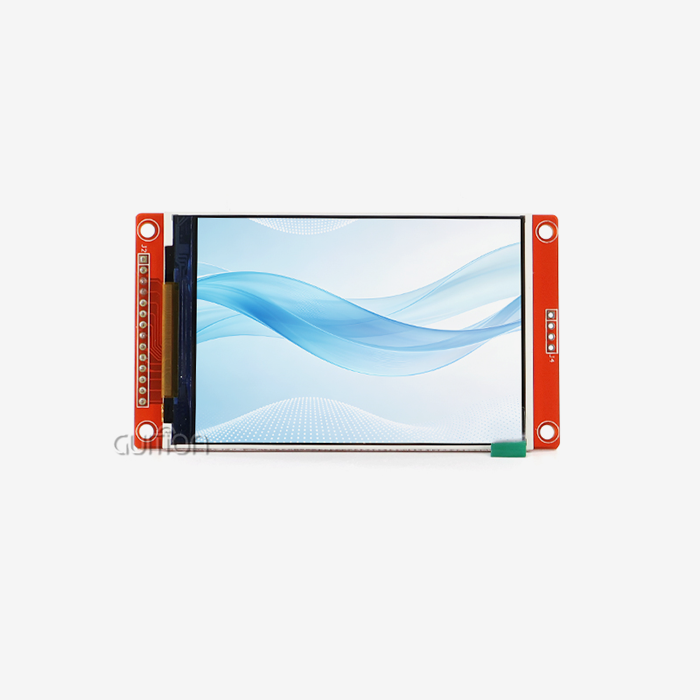
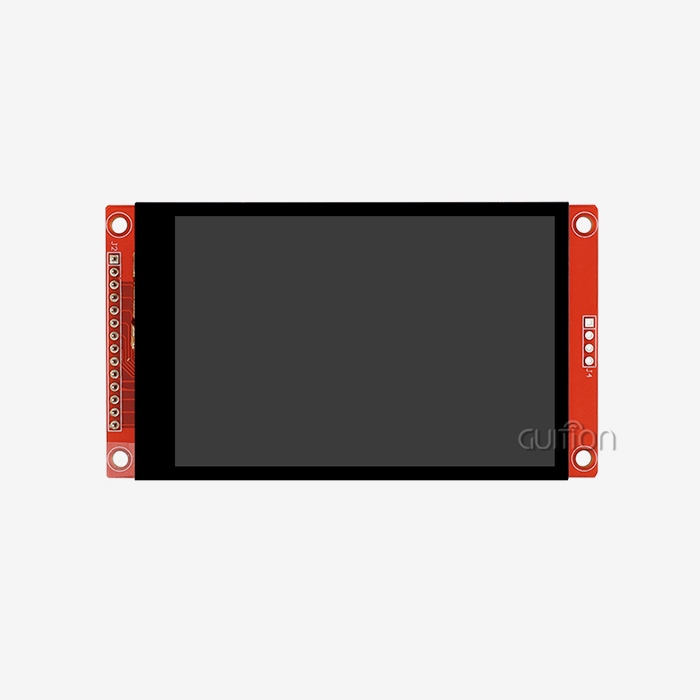
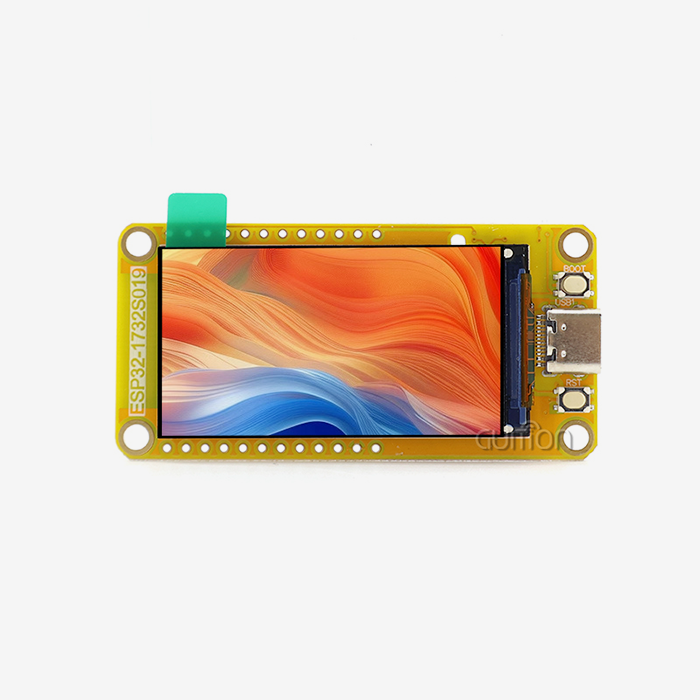
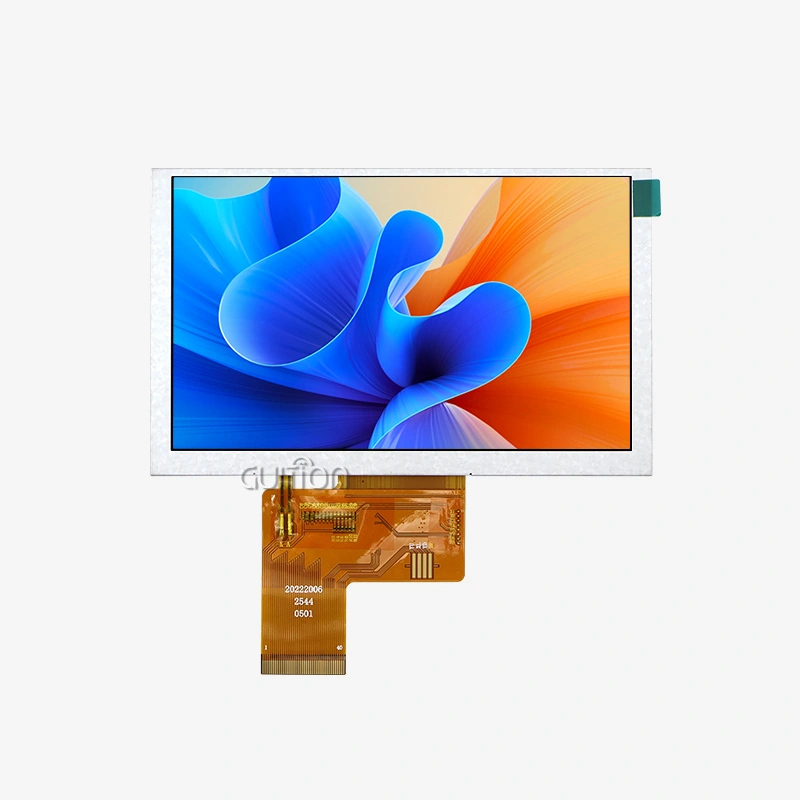
By building WiFi connections right into the display module, the Guition JC8048Q350C_I shows how these ideas work in real life. This 5.0-inch capacitive touchscreen has an 800x480 IPS resolution and is based on the D121BBV single-core MCU that runs at 400MHz. It also supports WiFi and Bluetooth connections natively. Engineers can use standard TCP/IP connections to set up online meetings and access the interface just like they would if they were in front of the actual panel.
Critical Components Enabling Remote HMI-PLC Operations
Hardware Requirements for Reliable Remote Control
For remote processes to work, the tools must meet certain requirements. Industrial-grade Touch Screen units have to be able to handle the stresses of the surroundings while still being responsive to touch and easy to see in different lighting conditions. Capacitive touch technology is better than resistive screens because it can handle multiple touches and lasts longer. This is especially helpful when users need to recognise motion movements or use the interface with gloves on.
Processing power has a direct effect on how quickly the system responds during online conversations. As part of Guition's answer, a 400MHz engine handles complex graphics rendering while also handling network connections and translating protocols. With 8MB of PSRAM and 16MB of Flash memory, the system keeps enough buffer room for data logging and saves graphic assets locally, which lowers the amount of network traffic needed for remote visualisation.
Connectivity units determine how reliable and possible online access is. Built-in WiFi lets you connect to current plant networks, and Bluetooth lets you pair directly with mobile devices for setup and debugging. Reserved expansion ports can hold extra communication interfaces, like RS485 for Modbus RTU networks or Ethernet jacks for direct links when wireless doesn't work.
Software Architecture Supporting Remote Interaction
When adding capabilities to a remote control, multiplatform online testing tools are helpful. Virtual access from development PCs lets engineers test interfaces and networks before installing hardware. Development modes include Arduino, IDF, and Guition's native environment. These modes let you employ familiar toolchains with the platform's powerful HMI features.
Spread automation improvements are difficult because they can't be done remotely. The technology allows over-the-air firmware changes, so techs don't have to travel to installed equipment. Without halting work or spending money on travel, teams can correct faults, add features, or alter user interface layouts on whole groups of installed systems.
Comparing Modern Touchscreen Solutions Against Traditional Interfaces
Advantages Over Keypad-Based Control Panels
With traditional keypad interfaces, operators can only use number codes and obscure acronyms to move through tiered options. This method takes longer to learn and makes setup mistakes more likely because operators have to remember code steps to get to certain functions. Touch Screen displays get rid of these problems by placing buttons in the right place and using pictures that make it clear right away what they do without needing extra information.
One more important difference is flexibility. Changing the way a keypad interface works usually means redesigning the actual panel overlays and maybe even rewiring the links between the buttons. Touch Screen interfaces split the hardware from the layout of how it works. This lets engineers change how things work and add new features just by updating the software. This flexibility is especially useful when production needs change or when equipment serves more than one product line.
Remote viewing greatly increases these benefits. Traditional screens need to be touched to be used, but touchscreen HMIs with PLCs can have their interfaces spread across networks when they are set up correctly. From remote monitoring stations, engineers can figure out what's wrong, change setpoints, or accept alarms without having to go to the equipment locations. This speeds up reaction times during off-hours incidents or when handling geographically spread-out sites.
Selection Criteria for Industrial Display Modules
When it comes to operator efficiency and interface usage, display clarity has a direct effect. IPS technology ensures accurate colour reproduction and viewing angles greater than 170 degrees, so workers can read the screens correctly, no matter where they are in relation to the panel. The 800x480 resolution has enough pixels per inch to show clear text and detailed graphics without making the computer work too hard or making parts pricier than they need to be.
Touch responsiveness affects how well an application works, especially when it needs to handle quick patterns of input or a lot of contact. Capacitive touch screens register contacts right away with little to no pressure, so they can be used faster than resistive ones that need to be pressed on purpose. Multitouch lets you use zoom gestures to look more closely at trend data or pinch-to-expand features that make the device easier to use in complicated tracking situations.
Ratings for the environment are critical in the workplace. The given specifications are mostly about the display and processing features. However, buying teams should ensure that the working temperature ranges, ingress protection ratings, and shock resistance specifications are compatible with the conditions of deployment. Equipment that will be installed outside or in a washdown area requires more safety than equipment that will be kept in a climate-controlled room.
Real-World Applications Demonstrating Remote Control Value
Manufacturing Automation and Production Monitoring
Touch screen HMIs, hmi display modules with PLC solutions, are being used more and more in production cells. These create unified monitoring systems that combine data from various PLCs. In central control rooms, operators can see production metrics, equipment state, and quality signs from all systems that are linked at the same time. When problems occur, operators can access specific machine interfaces directly, view detailed data, and change settings without needing to walk to each station.
The Guition tool works well in a variety of production settings. Interface units in 3D printer farms monitor the progress of builds on multiple machines and alert workers when filament runs out or when there are temperature problems that need to be fixed. For injection moulding tasks, HMI screens show cycle times, hole pressures, and melt temperatures. They can also show past trends that help process engineers find the best settings for creating new types of products.
A remote control is especially helpful when setting up new tools and making the process run more smoothly. Engineers can watch how machines work while changing PLC settings in real time. They can see the results of tuning changes right away, without having to go back and forth between programming terminals and equipment places. This iterative method shortens commissioning time and makes the process more stable by letting you try edge cases and fault recovery behaviours more thoroughly.
Medical and Laboratory Equipment Integration
Medical equipment companies have particular requirements for user interface design, paperwork, and compliance. Touch-screen HMIs isolate display logic from control method logic, making legal interfaces easier. You may test and validate each layer separately. To meet design history and traceability requirements, the visual development environment creates records immediately as interfaces are constructed.
Remote diagnostic features extend device utilisation in healthcare, where gadget availability affects patient care. Service professionals can remotely access integrated diagnostics to view error logs and system state signals without initially checking the site. This remote view ensures personnel have the proper replacement parts and a good understanding of failures, speeding up troubleshooting.
Medical equipment companies frequently deploy globally, and the Guition development platform supports numerous languages. Interfaces can display controls and directions in the operator's preferred language with minimal setup changes. This eliminates the requirement for regional firmware builds. UTF-8 encoding ensures character sets are shown appropriately in Latin and Asian scripts.
Energy Management and Building Automation
A lot of the time, distributed control networks are what keep HVAC equipment, lighting controllers, and energy tracking devices working together. Touch Screen HMIs collect data from multiple PLCs that control different building systems and display it on a single panel. Through these centralised platforms, facility managers can see full pictures of how much energy is being used, the state of the surroundings, and the status of all the equipment.
The way that building automation systems are handled in various locations has changed with the advent of remote access. Property management teams can keep an eye on how much energy their properties use from central offices. This way, they can find patterns of inefficiency and fix them without having to go to each site. Scheduling changes, temperature setpoint changes, and occupancy mode changes can all be done remotely, which lowers the management costs of handling assets that are spread out in different places.
Because the Guition system already supports WiFi and Bluetooth, it's easier to connect to building networks that are already in place. Installers can turn on systems digitally with laptops or tablets, setting up network parameters and making sure they can talk to related PLCs without having to use hardwired programming links. This wireless completion feature cuts down on installation time and gets rid of the need for temporary wires that can be a tripping danger during the building process.
Procurement Strategies for Implementing Remote-Capable HMI Systems
Identifying Qualified Suppliers and Evaluating Offerings
Choose suppliers based on more than just their technical skills. You must also consider supply chain security and after-sales support. By helping engineering teams learn new platforms, manufacturers with full development environments with software tools, literature resources, and reference designs can speed up project schedules.
Processing requirements, connectivity options, and software freedom should be thoroughly reviewed during a technical evaluation. The D121BBV controller design in Guition modules provides good computational capacity for basic HMI activities without the hassle and cost of multi-core processors, which are too powerful for most interfaces. So regular apps don't need external storage; integrated memory should handle graphic assets and data logging.
How many communication interfaces available affects automation system integration flexibility. Find units that support several serial standards and are wired or wireless. Reserved extension ports allow projects to add CAN bus adapters or industrial Ethernet protocols without replacing the primary display modules.
Implementation Best Practices and Technical Support Considerations
Successful deployment starts with proper network design and security planning. Remote-accessible HMI systems must be network split to isolate operating technology networks from general IT infrastructure and prevent security gaps from influencing production systems. VPNs and multi-factor authentication will ensure that only permitted users may access production equipment.
Training improves execution and long-term efficiency. Teams should practise development tools before meeting production deployment targets. The Guition platform's drag-and-drop interface reduces training time, but it's still important to practise protocol setup and problem correction.
Technical support is crucial for long-term supplier relationships. Tech practice using development resolves interface issues, minimising project delays. Good API references, protocol implementation guides, and worked examples allow tech teams to solve problems without asking vendors for simple answers.
Conclusion
With remote control, touchscreen HMIs with PLC systems go from being localised control screens to being networked assets that can be used for proactive tracking and quick action across processes that are spread out. The technology that makes these features possible—processing power, wireless connection, and easy-to-use development environments—has grown to the point where application complexity isn't a big problem anymore. Solutions like the Guition JC8048Q350C_I show how combined methods make setup easier while still providing professional-level performance that can handle tough industrial uses. Adopting these technologies puts businesses in a good situation to gain operational benefits through less downtime, faster problem-solving, and more responsive process optimisation.
FAQ
Can different HMI brands communicate with various PLC manufacturers?
Modern industrial communication methods make sure that tools from different makers can work with each other. Modbus, Ethernet/IP, and OPC UA are all communication formats that can be used by HMIs and PLCs from different makers. Which protocol to use depends on the application's speed needs and the infrastructure that is already in place, but standard protocols make most applications less vulnerable to vendor lock-in.
What security measures protect remote HMI access from unauthorised users?
Multiple levels of security are used together to make robust remote access security. As part of network-level security, VPN tunnels encrypt information between remote clients and HMI devices. This keeps control orders or process data from being intercepted. Application-level security includes user authentication, role-based access controls that limit the functions that different types of users can access, and audit logs that keep track of all interactions that happen remotely so that security staff can review them later.
How do the features of remote HMI affect the time it takes for the system to respond?
Monitoring functions have very little delay when using well-designed remote access implementations; this latency is usually measured in milliseconds over good network links. Due to network transit times, control order processing takes a little longer, but this is still fine for most industry processes. Time-critical control loops should run directly in PLCs instead of relying on commands sent from afar. This way, if the network goes down, safety-critical functions won't be affected.
Partner with Guition for Advanced Remote-Capable HMI Solutions
Guition offers full tablet HMI systems that are designed to solve problems in industrial automation. The D121BBV 400MHz processor and built-in WiFi and Bluetooth connectivity in our JC8048Q350C_I module make for a strong platform for remote tracking and control apps. If you use the drag-and-drop interface design and cross-platform testing features of the simple Guition development environment, you can speed up the time it takes to finish your projects.
As a reliable touchscreen HMI with PLC provider, we help your team from the first idea to long-term operation with detailed technical documentation, quick engineering support, and over-the-air (OTA) firmware updates that lower the cost of maintenance over the system's lifetime. Our products are used by makers, system developers, and original equipment manufacturers (OEMs) around the world in the medical devices, smart building systems, and industrial automation sectors. Get in touch with our team at david@guition.com to talk about your unique application needs and find out how our remote-capable display units can make your next automation project easier.
References
1. Chen, Y., & Wang, L. (2022). Industrial Human-Machine Interface Design and Implementation Using Embedded Systems. Journal of Manufacturing Systems Integration, 45(3), 287-301.
2. Rodriguez, M., Thompson, K., & Singh, A. (2021). Remote Monitoring Architectures for Distributed Industrial Control Systems. IEEE Transactions on Industrial Informatics, 17(8), 5634-5647.
3. Nakamura, H., & Schmidt, P. (2023). Communication Protocols for Industrial Automation: Comparative Analysis of Modbus, EtherNet/IP, and OPC UA. Automation Technology Review, 39(2), 112-128.
4. Williams, D. R. (2022). Cybersecurity Considerations in Remotely Accessible HMI Systems. Industrial Control Systems Security Journal, 14(4), 89-103.
5. Foster, J., Martinez, C., & Zhou, X. (2021). Touchscreen Interface Technologies for Harsh Industrial Environments. Display Technology and Applications, 28(6), 445-462.
6. Anderson, T. M., & Kumar, R. (2023). Cost-Benefit Analysis of Remote Diagnostic Capabilities in Manufacturing Equipment. Production Economics Quarterly, 51(1), 76-91.
Learn about our latest products and discounts through SMS or email