- English
- French
- German
- Portuguese
- Spanish
- Russian
- Japanese
- Korean
- Arabic
- Greek
- German
- Turkish
- Italian
- Danish
- Romanian
- Indonesian
- Czech
- Afrikaans
- Swedish
- Polish
- Basque
- Catalan
- Esperanto
- Hindi
- Lao
- Albanian
- Amharic
- Armenian
- Azerbaijani
- Belarusian
- Bengali
- Bosnian
- Bulgarian
- Cebuano
- Chichewa
- Corsican
- Croatian
- Dutch
- Estonian
- Filipino
- Finnish
- Frisian
- Galician
- Georgian
- Gujarati
- Haitian
- Hausa
- Hawaiian
- Hebrew
- Hmong
- Hungarian
- Icelandic
- Igbo
- Javanese
- Kannada
- Kazakh
- Khmer
- Kurdish
- Kyrgyz
- Latin
- Latvian
- Lithuanian
- Luxembou..
- Macedonian
- Malagasy
- Malay
- Malayalam
- Maltese
- Maori
- Marathi
- Mongolian
- Burmese
- Nepali
- Norwegian
- Pashto
- Persian
- Punjabi
- Serbian
- Sesotho
- Sinhala
- Slovak
- Slovenian
- Somali
- Samoan
- Scots Gaelic
- Shona
- Sindhi
- Sundanese
- Swahili
- Tajik
- Tamil
- Telugu
- Thai
- Ukrainian
- Urdu
- Uzbek
- Vietnamese
- Welsh
- Xhosa
- Yiddish
- Yoruba
- Zulu
Industrial Control Display Screen vs HMI: Which Fits Your Factory?
Choosing between a dedicated industrial control display screen and a full human-machine interface (HMI) system ultimately depends on your operational complexity, environmental conditions, and development resources. An industrial control display screen typically provides robust visual output with optional touch capability, engineered specifically for rugged environments and continuous monitoring tasks. These display modules excel when your application demands reliable visual feedback without extensive interactive control. HMI systems, conversely, integrate advanced software layers that enable complex process control, real-time data analytics, and sophisticated operator interaction. The right choice aligns with your factory's automation maturity, budget constraints, and scalability plans—balancing immediate functionality with future growth requirements.

Key Dimensions to Compare: Industrial Control Display Screen vs HMI
To choose the right interface technology, you need to look at a lot of scientific and practical factors. The following comparison factors will help you figure out which option meets your factory's needs the best.
Hardware Robustness and Durability
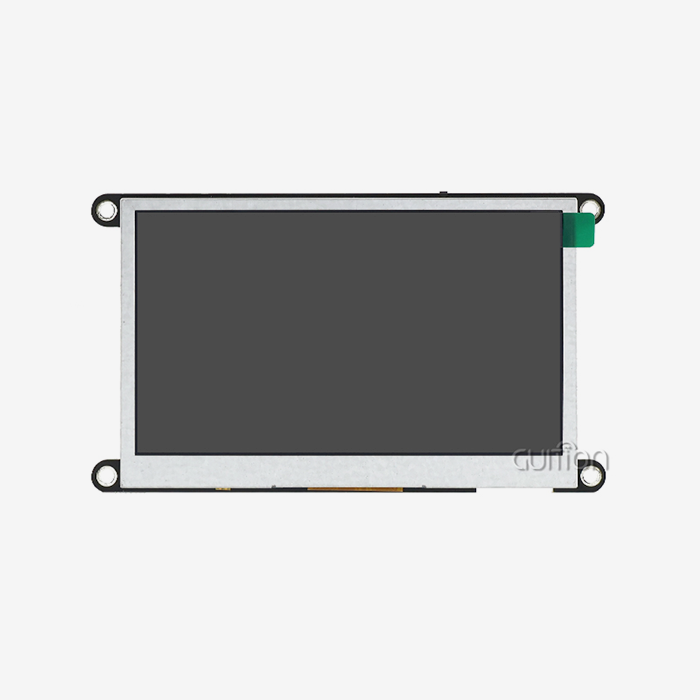
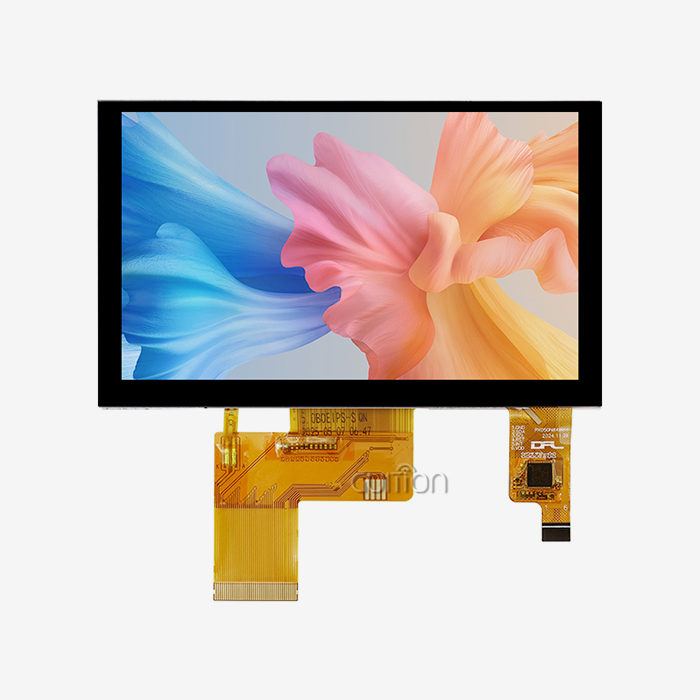
In industrial settings, equipment is constantly under mechanical stress, changing temperatures, and being exposed to contamination. Industrial control display screens have bezels made of aluminum alloy or stainless steel and can be mounted in ways that don't cause shock. These screens often meet MIL-STD-810G vibration requirements. The panel technology—usually an industrial-grade TFT-LCD with LED backlighting—goes through tough high-temperature age tests that last 24 to 72 hours at 60°C to find problems before they happen. The GUITION JC4827B043N works steadily from -20°C to 70°C, and it keeps its 16.7M color reproduction even when workplace temperatures change during production shifts. Its 3.00 mm thickness makes it easy to fit into equipment designs that don't have a lot of room without losing structural strength. HMI systems have the same environmental problems as PCs, but they also have to keep CPUs, memory modules, and storage drives safe from power spikes and electromagnetic interference. This needs more shielding and power conditioning circuitry, which makes the whole system more complicated. Both technologies should meet CE, FCC, and RoHS standards. However, HMI systems designed for medical use need tighter EMC approval to make sure they don't interfere with equipment that helps people stay alive. When you're comparing options, make sure to check the IP ratings (IP65 is standard for front panel protection), the temperature requirements against the conditions you will be using the display in, and the warranty terms that match the expected service life. Industrial displays usually come with a warranty that lasts 5 to 10 years to cover long-term maintenance cycles.
Display Quality and Visual Performance
Operator efficiency and error rates are directly affected by how clear the vision is. How much information you can show at once without making it hard to read depends on the display quality. The GUITION model's 480x272 resolution works well for showing simple process data like numbers, simple graphics, and progress indicators without giving users too much information. HMI panels with higher resolutions (800x600, 1024x768, or 1920x1080) can handle complicated HMI software interfaces with lots of data widgets, trend charts, and detailed schematics. Equally important is color depth: 16.7 million colors (24-bit RGB) offer smooth curves and accurate color coding, which is needed for quality control tasks where color difference shows pass/fail conditions. Specifications for brightness change depending on the lighting around you. For sunlight readability, indoor factory settings usually need 250 to 400 nits, while outdoor installations like solar farm monitoring stations or agricultural automation systems need 1000 to 2500 nits. The GUITION display's 10-LED lighting method makes sure that the brightness is the same across the whole panel, so there are no blind spots. Using optical clear resin to fill in the gaps between the cover glass and LCD panel, optical bonding technology improves brightness and clarity while also making the screen more resistant to damage. When looking at displays, you should think about viewing angles (most industrial panels have 160°/140° horizontal/vertical viewing angles) and anti-glare coatings that cut down on reflections in situations where there is overhead factory lighting.
Software Capabilities and Development Flexibility
It's the software design that makes the biggest difference between simple show screens and full HMI systems. Your microcontroller or embedded computer sends color data straight to an Industrial control display screen like the GUITION JC4827B043N via a Ran GB interface connection. Your own firmware takes care of all the graphics rendering, screen updates, and user interface logic. This method gives you full control over the visual presentation, but you need to know how to code to use it. This problem is solved by Guition's own development software, which lets engineers make interfaces using drag-and-drop tools instead of writing a lot of low-level code. You can quickly make prototypes of UI layouts by adding text fields, buttons, gauges, and other elements. Then, you can export the design as code that can be used on Arduino, ESP-IDF, and other embedded platforms. Compared to rendering pixels by hand, this cuts time-to-market by a huge amount. Full HMI systems come with strong software suites that let you manage alarms (set thresholds, rules for when alarms go off, and notification systems), recipes (store and recall sets of production parameters), and trends (see how process data changes over time). These systems usually work with a number of different communication methods, such as Modbus RTU/TCP, EtherNet/IP, PROFINET, and OPC UA. This makes it easy to connect them to different types of automation equipment. In exchange, learning curves are steeper, and licensing prices are higher. When speed of development and freedom to make changes are most important, display screens and easy-to-use design tools like Guition are the best choice. Full-featured HMI platforms are more valuable in the long run when your application needs complex process control and a lot of system interaction.
Connectivity and Remote Management
Networked systems that allow centralized monitoring and predictive maintenance are becoming more and more important in modern manufacturing. Industrial control display screens used to work as stand-alone parts that could receive video data but not connect to a network. The GUITION display module has built-in WiFi and Bluetooth support, which turns it into an IoT input device. You can send process data wirelessly to cloud platforms, get reports on configurations from afar, and fix problems without having to physically reach the equipment. This ability to remotely upgrade saves a lot of time and money during maintenance cycles. For example, you could update the firmware on dozens of charging stations spread out in different locations without sending technicians to each one. HMI systems have long had Ethernet ports that let them connect to SCADA networks and enterprise resource planning (ERP) systems that are used across the whole plant. Modern HMI systems have web-based interfaces that can be accessed through regular browsers. This lets supervisors keep an eye on production data from their desks or their phones. When networked interfaces are used, security becomes very important. Make sure that the solution you choose can handle encrypted communications (TLS/SSL protocols), user authentication, and regular security patch delivery. Cross-platform online debugging lets you test your app on a variety of hardware setups from afar, which speeds up development and lowers the cost of debugging. This way of working is supported by Guition's development environment, which lets you improve how the interface works without having to keep making hardware prototypes.
Procurement Considerations: Which Solution Fits Your Factory Needs?
When choosing the right interface technology for your business, you need to think about how complicated the application is, how much money you have, and how reliable the vendor is. The following things help people make useful choices about procurement.
Application Complexity Assessment
First, put your automation needs into groups. Complex HMI systems are rarely needed for simple monitoring tasks like showing sensor readings, machine status, or production counts. An Industrial control display screen has enough features for a lower price and less work to integrate. The GUITION JC4827B043N works great for 3D printer interfaces that show the bed temperature and print progress, or for charging station screens that show the state of the charge and payment information. For these uses, reliable visual output is needed without a lot of complicated operator input. Touchscreen-enabled display modules and simplified development tools work best for moderately complicated apps that need to change parameters, choose a mode, or navigate between multiple screens. This is where Guition's interface software comes in; it offers easy-to-use UI design tools without the extra costs of enterprise HMI platforms. Full HMI systems with alarm management, data logging, and multiple user access controls are needed for very complicated automation tasks like controlling chemical processes, coordinating the assembly of cars, or making medicines. These settings make it worth the money to buy full program licenses and get specific training. Look at your current wants and plan for future growth at the same time. Your technology investment will be safe as operational complexity rises if you choose modular solutions that can be expanded from simple displays to complex HMI features.
Budget Planning and Total Cost of Ownership
The initial buying price is only one part of the real cost of ownership. When you compare prices, don't just look at hardware. Also look at development time, integration costs, training needs, and ongoing maintenance costs. Industrial control display screens usually cost less up front—between $50 and $300, depending on size and features—and there aren't many licensing fees. Because the GUITION model works with both Arduino and ESP-IDF platforms, it can use existing engineering knowledge instead of costly proprietary training programs. Development time has a direct effect on project costs. Guition's drag-and-drop interface design cuts development processes from weeks to days, which speeds up time-to-market and increases return on investment (ROI). Full HMI systems require bigger initial expenses, like $500 to $5,000 or more for industrial-grade screens, as well as ongoing software licensing fees. These systems need specific computer skills, which could mean hiring an expert or giving your staff more training. Different types of maintenance have very different prices. For example, display screens with tested driver chips like the ILI6485 are very reliable and don't need much service after ten years. On the other hand, HMI systems may need software updates, database maintenance, and expert support contracts from time to time. Think about the costs of downtime. A broken display screen could stop one machine, while a broken HMI system could stop whole production lines. Warranty terms and the availability of extra parts are both important. Suppliers like Guition that promise product supply for a long time (5–10 years) and quick technical help lower the risks of products going out of date and long downtimes. When you're making a procurement proposal, you should include the total cost of ownership over five years. This includes hidden costs like delays in system integration, staff training, and emergency replacement scenarios.
Vendor Evaluation and Supply Chain Reliability
Your supplier of interface technology becomes a long-term partner in keeping your production running. Look at sellers in more than just terms of their products when judging them. The quality of technical documentation has a direct effect on how quickly and easily software is developed. Full datasheets, integration guides, software examples, and application notes speed up execution and lower the number of help requests. Guition gives you a lot of information, like hardware specs, software API references, and sample projects that show you how to do things the right way. It's just as important that technical support responds quickly. Check the support methods (email, phone, online chat), response times, and the availability of engineering help for difficult integration problems. Talk to sellers during the review process to find out how good their customer service is. Supply chain security makes sure that replacement parts will always be available for your tools. Ask about commitments for the product's lifecycle, manufacturing capacity, and plans for what to do if there aren't enough parts. Supply problems happen from time to time in the global semiconductor business. Vendors with a wide range of component sources and store buffers are better able to keep your production going. Processes for quality control show that manufacturing is mature. Reliable suppliers test for aging at high temperatures, environmental stress (such as thermal shock and salt spray), mechanical stress (such as vibration and impact), and thorough optical inspections to get rid of any defective units before they are shipped. Ask for quality standards (ISO 9001 or ISO 13485 for medical uses) and information on the failure rate. Lead times and emergency substitute options are affected by how close things are to each other and how easy it is to ship them. Even if an international supplier has competitive prices, you should look at how long it will take to deliver and how hard it is to import. Building relationships with trustworthy Industrial control display screen manufacturers and suppliers makes the buying process go more smoothly and lowers the risks of the project.
Case Studies: Successful Factory Implementations
Using examples from real life shows how picking the right interface technology can help many different types of industries.
Heavy Manufacturing: Rugged Display Deployment
A metal fabrication plant that made parts for cars had a lot of equipment breakdowns because of the harsh environment, which included metal dust, coolant mist, daily temperature changes of more than 40°C, and heavy machinery that was always moving. Their old panels were made for consumers and broke down after a few months, which stopped production and cost a lot of money. The engineering team looked at industrial-grade options and chose ruggedized parallel lcd display units with surrounds that were IP65-rated and supported a wide range of temperatures. These Industrial control display screens are connected directly to existing programmable logic controllers via LVDS interfaces, giving clear visual feedback on machine state, part counts, and maintenance alerts. The displays worked continuously through three-shift production schedules and didn't break down in the harsh environment. After implementation, there were measurable improvements: unplanned downtime due to display problems went from 120 hours a year to zero over 18 months of measurement. Maintenance costs went down by $15,000 a year because monitors didn't have to be replaced as often. Operator satisfaction went up significantly when reliable displays stopped frustrating equipment breakdowns during important production runs. All of the production lines at the facility used the same industrial-grade display technology. This made the operator interfaces consistent and helped the facility build long-term ties with suppliers that ensured parts would be available for future equipment builds.
Automated Assembly: HMI Integration Success
A company that makes consumer goods that was updating its assembly line for smart home gadgets needed advanced process control tools. When workstations were manual, they slowed down production and led to quality problems. Robotic pick-and-place systems, automatic optical screening, and real-time quality tracking were all part of the automation project. The operators had to be able to easily control all of these systems. Each computer was given an HMI system with a 10.4-inch capacitive display that ran custom software made with industry-standard HMI platforms. With the help of clear graphical interfaces, operators could quickly change production recipes, tweak quality parameters, and react to danger conditions. The HMI systems were linked to the building's EtherNet/IP network, which allowed for centralized monitoring and data collection for projects that aim to make things better all the time. The technology investment was justified by the results of the implementation: production throughput went up by 35% thanks to shorter switching times and better process parameters. The number of quality problems dropped by 40% when operators could see right away when something went wrong with the process. The system's data logging features made it possible to find the root cause of quality problems, which led to regular process changes. New workers only needed three days of training instead of two weeks because the touchscreen screens were easy to use and didn't require much technical understanding. The success led to the spread of HMI technology to nearby production areas. This standardized the user interfaces and built a solid base for future investments in automation.
Summary and Final Recommendations: Choosing Between Industrial Control Display Screen and HMI
Your decision framework should turn the needs of the application, the realities of the budget, and the abilities of the organization into selection criteria that can be used.
Decision Checklist
When picking between monitor screens and HMI systems, think about these things. When you need a reliable visual output for monitoring applications without a lot of interaction, choose Industrial control display screens. These options are good for projects that need to stay within a tight budget and time frame, especially if your tech team is good at embedded programming and likes having power over customization. Display screens like the GUITION JC4827B043N work great in equipment designs that are limited in room and need to be small and work in tough conditions. This is the way to go if your app values simplicity, dependability, and quick release over complex control features. Choose full HMI systems if your application needs a lot of contact with operators, control of processes in real time, and connection to automation networks that span the whole plant. If you are in charge of several production lines that need standard interfaces, centralized data collection, and the ability to be monitored from afar, you should invest in HMI technology. The higher price of HMI platforms is justified by the fact that they have more features that make complex automation strategies and programs for continuous improvement possible. The best choice strikes a balance between the needs of the current project and the needs of future scalability. Start with the right technology today and make sure there are ways to improve as operational complexity rises.
Future Technology Trends
Interface technology is still changing very quickly, thanks to efforts like Industry 4.0 and the rise of IoT. New trends include displays with higher resolutions that can play 4K content, edge computing that can process data locally instead of needing to connect to the cloud, and AI features that can automatically predict when maintenance is needed and improve process parameters. Support for multiple languages and UTF-8 encoding, which come standard with platforms like Guition's, bbecomesmore important as companies ship equipment around the world. Remote upgrade options go from being nice-to-haves to being necessary, so software can keep getting better without having to have field service calls. Touchscreen technology is getting better at making solutions that work reliably on wet surfaces, with gloves on, and in very cold or very hot temperatures. Standardized software frameworks and open communication protocols lower the risk of being locked into one vendor while also making it easier for different types of equipment to work together. When choosing interface technology today, give more weight to vendors who show they are committed to these new standards. Pick systems that offer adaptable development modes (Arduino, ESP-IDF, or custom tools) that can keep up with changing engineering practices. Investing in technology that can be used in the future protects against premature failure and sets up your business to use new technologies as they become available.
Conclusion
Choosing between HMI systems and Industrial control display screens comes down to how well the technology fits the needs of the business. Display screens offer ruggedized visual output that works well for monitoring-focused apps. They are cost-effective and easy to integrate. HMI systems give you full control over a lot of things, which makes them perfect for automated settings that need complex operator contact. The GUITION JC4827B043N is a great example of modern display screen technology because it combines industrial-grade dependability with features that make it easy for developers to use, such as WiFi connectivity, remote upgrades, and Parallel LCD Display technology for flexible visual solutions. Your best option will balance the features you need right away with your plans for future growth, and it will always look at the total cost of ownership instead of just the initial purchase price. You should carefully evaluate vendors to make sure you only work with those who can provide you with good products, quick help, and long-term availability
FAQ
What distinguishes industrial control display screens from standard monitors?
Industrial control display screens are built to last, with IP-rated enclosures that keep dust and moisture out and operating temperatures that range from -20°C to +70°C. They are also resistant to vibration and shock, making them more durable. These screens go tthrougha lot of quality control steps, such as being aged at high temperatures and put through outdoor stress tests that aren't done on market goods. The GUITION display module is an example of industrial specifications made to work continuously 24 hours a day, seven days a week in tough production settings.
Can I use the GUITION display for touchscreen applications?
The GUITION JC4827B043N model is a display-only module that doesn't have built-in touch capability. This makes it perfect for uses that need visual feedback without direct operator interaction. You can connect it to external touch panels if your app needs touch input in the future, or you can choose from other models in the Guition line that have resistive or capacitive touchscreens that can handle different types of interactions.
How does Guition software simplify interface development?
For simple implementations, Guition's own development platform has drag-and-drop interface design tools that get rid of the need for complicated low-level code. You can set controls, buttons, and gauges visually, and then export code that works with Arduino, ESP-IDF, and other embedded systems. This method cuts development time from weeks to days while still letting advanced users who prefer direct code access make changes.
Get Professional Industrial Control Display Screen Solutions from Guition
Guition, a reputable manufacturer specializing in rugged hmi display modules designed for rigorous automation applications, is the place to look for reliable Industrial control display screen technology. The GUITION JC4827B043N has been tested and shown to work well in 3D printing, EV charging infrastructure, medical esthetics equipment, and many other industrial control situations where durability and clear visibility are important. In addition to selling hardware, we also offer full development help tthroughGuition's easy-to-use interface design software, cross-platform debugging tools, and remote update features that lower your total cost of ownership. We have a lot of experience working with industrial equipment makers, system designers, and embedded solution engineers all over the United States, so we know how important it is for you to get your products to market quickly and in a way that fits your needs. Get in touch with our engineering team at david@guition.com to talk about your unique application needs and find out how our Industrial control display screen solutions can help you speed up product development while also guaranteeing long-term supply stability and reliability.
References
1. Smith, J. & Anderson, K. (2022). Industrial Display Technologies: A Comprehensive Guide for Automation Engineers. Manufacturing Technology Press.
2. Thompson, R. (2021). HMI System Design Principles for Modern Factory Automation. Industrial Engineering Journal, 45(3), 112-128.
3. Chen, L., Williams, P., & Davis, M. (2023). Ruggedized Display Solutions for Harsh Industrial Environments. Applied Manufacturing Technology, 18(2), 67-85.
4. Martinez, A. (2022). Comparing Display Technologies in Industrial Control Applications. Automation Systems Quarterly, 34(1), 45-61.
5. Johnson, T. & Brown, S. (2023). Human-Machine Interface Evolution in Smart Manufacturing. Industrial IoT Review, 12(4), 201-218.
6. Parker, D., Liu, H., & Kumar, V. (2021). Cost-Benefit Analysis of Industrial Display and HMI Investments. Production Economics Journal, 29(3), 134-152.
Learn about our latest products and discounts through SMS or email