- English
- French
- German
- Portuguese
- Spanish
- Russian
- Japanese
- Korean
- Arabic
- Greek
- German
- Turkish
- Italian
- Danish
- Romanian
- Indonesian
- Czech
- Afrikaans
- Swedish
- Polish
- Basque
- Catalan
- Esperanto
- Hindi
- Lao
- Albanian
- Amharic
- Armenian
- Azerbaijani
- Belarusian
- Bengali
- Bosnian
- Bulgarian
- Cebuano
- Chichewa
- Corsican
- Croatian
- Dutch
- Estonian
- Filipino
- Finnish
- Frisian
- Galician
- Georgian
- Gujarati
- Haitian
- Hausa
- Hawaiian
- Hebrew
- Hmong
- Hungarian
- Icelandic
- Igbo
- Javanese
- Kannada
- Kazakh
- Khmer
- Kurdish
- Kyrgyz
- Latin
- Latvian
- Lithuanian
- Luxembou..
- Macedonian
- Malagasy
- Malay
- Malayalam
- Maltese
- Maori
- Marathi
- Mongolian
- Burmese
- Nepali
- Norwegian
- Pashto
- Persian
- Punjabi
- Serbian
- Sesotho
- Sinhala
- Slovak
- Slovenian
- Somali
- Samoan
- Scots Gaelic
- Shona
- Sindhi
- Sundanese
- Swahili
- Tajik
- Tamil
- Telugu
- Thai
- Ukrainian
- Urdu
- Uzbek
- Vietnamese
- Welsh
- Xhosa
- Yiddish
- Yoruba
- Zulu
Industrial Control Display Screen Uses in Smart Factory Automation
In smart factories, the industrial control display screen acts as the visual nerve center that connects operators with automated machinery and processes. These specialized HMI (Human-Machine Interface) devices enable engineers to monitor production parameters, adjust settings in real-time, and receive immediate alerts when systems deviate from optimal performance. Unlike consumer monitors, these ruggedized displays withstand extreme temperatures, vibrations, and dust while maintaining crystal-clear visibility across 24/7 production environments—a fundamental requirement for manufacturers seeking uninterrupted operations and data-driven decision-making.

Key Features and Benefits of Industrial Control Display Screens for Smart Factory Automation
Choosing the right Industrial control display screen technology has a direct effect on how well things are made, how much they cost to maintain, and how reliable the system is. Knowing these basic skills helps make sure that choices about buying things are in line with long-term business goals.
Environmental Resilience and Durability
Consumer gadgets can't handle the unique problems that come up in manufacturing settings. Standard monitors would be destroyed in weeks by the constant vibrations from pressing presses, metal bits in the air, coolant mist, and changing temperatures. Industrial displays are put through a lot of tests, which include:
- Thermal shock cycling: Quick changes in temperature between extremes check the integrity of the seal and the strength of the internal bonding
- Vibration testing: Simulated transport and machine operation conditions make sure that the connector is stable and that the parts can be mounted correctly
- Salt spray exposure: Exposure to salt water is very important for places near the coast or where toxic chemicals are present
Our screens are approved by CE, FCC, and RoHS, which means they meet the safety and environmental standards that makers around the world demand. This certification makes it easier to get permission to use tools in more than one country.
Advanced Development and Customization Capabilities
The Guition software platform turns interface development from a process that requires a lot of coding into one that is easy to understand. You can drag and drop tools like buttons, sliders, gauges, and graphs right onto the page to see how your interface will look when it's being used. This WYSIWYG (What You See Is What You Get) method gets rid of the need to guess and speeds up the testing process. Developer teams benefit greatly from being able to test on multiple platforms. Before going live, you can test how the interface responds, how fast data updates, and how the control logic works on different hardware configurations. According to automation system integrators who have used our platform, this level of flexibility cuts debugging time by about 40% compared to traditional ways of making embedded displays. Support for UTF-8 encoding makes sure that companies that send equipment around the world can show Chinese, Japanese, Korean, Arabic, and European languages without losing any characters. When your smart factory does business in more than one country, this multilingual feature gets rid of the need for hardware versions that are specific to each country.
Connectivity and Remote Management
Displays and control systems can talk to each other wirelessly thanks to built-in WiFi and Bluetooth units. Production data is sent automatically and in real time to cloud-based analytics systems. This lets managers see operational metrics right away. Bluetooth connection makes setting up equipment easier—technicians can set up displays using tablets or smartphones instead of connecting computers via cords, which cuts down on the time it takes to set up each unit. The ability to upgrade remotely is very useful in the long run. Updates are sent over the network, so you don't have to physically touch each display to add new features, change control methods, or fix security holes. With this feature alone, facilities with hundreds of control points can save thousands of dollars a year on maintenance labor costs.
Comparing Industrial Control Displays: Choosing the Right Solution
When working on smart factory projects, it's important to carefully consider the different display options so that technical needs are met while also keeping budgets and operational priorities in mind.
Standalone Displays Versus Integrated HMI Units
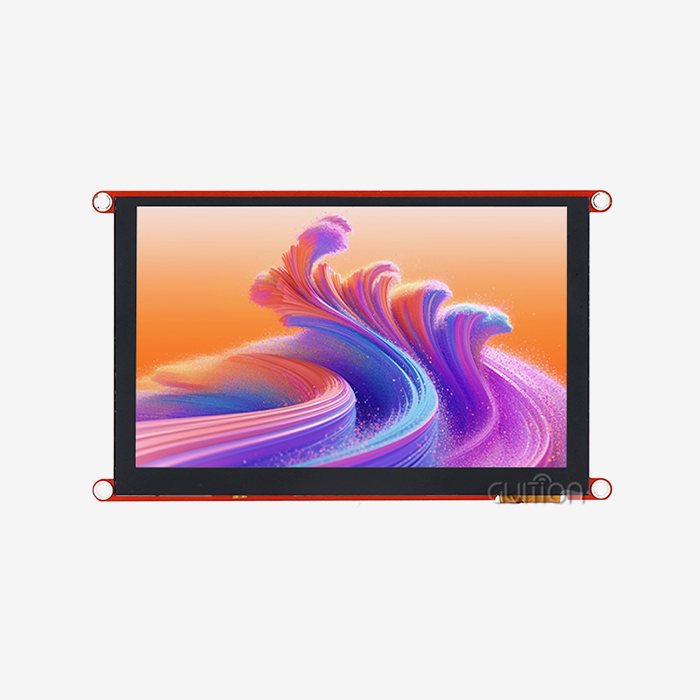
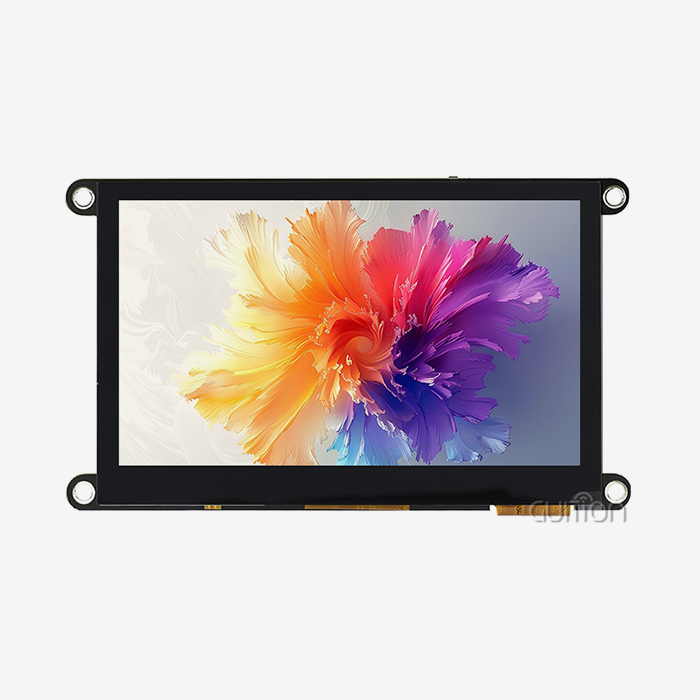
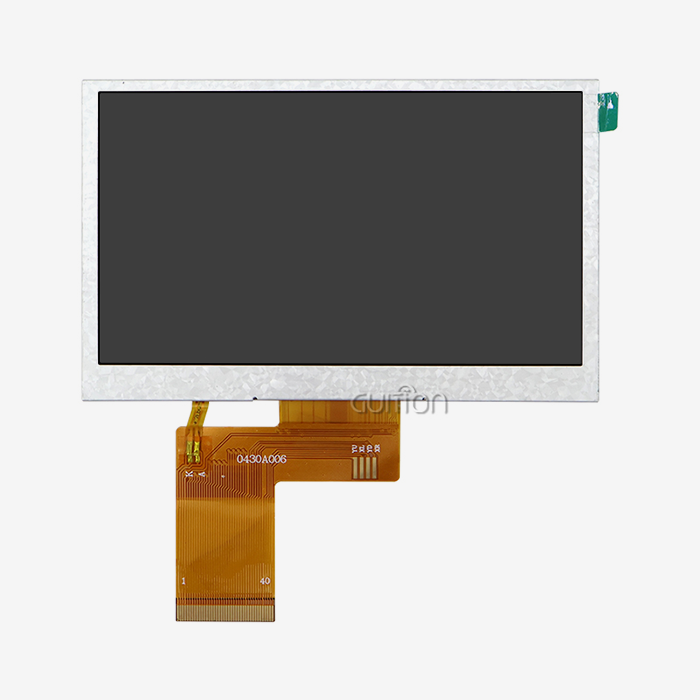
Displays that work on their own, like the GUITION JC4827B043N, can connect to different driver boards, which gives you options for how the system is built. You can update the technology in the display without updating the hardware in the control software, which makes the system last longer. This modular approach is helpful in places where the display panels are exposed to harsher conditions than the control electronics because it lets parts be replaced individually instead of the whole system being rebuilt. Integrated HMI units put both the display and the processing in one case, which makes installation easier and cuts down on the number of parts needed. These all-in-one options work well in places where room is limited, like on machine-mounted panels, mobile equipment, and small production cells. The trade-off is less freedom to improve and possibly higher costs for replacing as technology changes.
Touch Versus Non-Touch Considerations
Touchscreen interfaces make it easy to interact with things and make quick changes to parameters. Operators can change settings without having to use real buttons to navigate through complicated menu structures. Touch technology, on the other hand, adds more ways for things to go wrong: screen calibration drift, digitizer damage from sharp objects, and less visibility from fingerprint buildup. With non-touch screens, none of these problems arise. The GUITION JC4827B043N gives you solid visual output and doesn't have any upkeep problems linked to touches. It is easy to tell the difference between watching and controlling features because control inputs come from external buttons, rotary encoders, or networked directions. When working in harsh conditions, like when you're wearing gloves or being around chemicals, this architecture works perfectly.
Evaluating Supplier Capabilities
Reputable makers offer detailed technical documents, quick engineering help, and promises that parts will be available for a long time. When looking at possible suppliers, check to see if they offer secondary development help, such as access to software development kits, thorough interface protocols, reference designs, and application notes. Guition gives you full development tools that shorten the learning curve for your tech team and speed up the project's completion. Warranty terms and the ability to get help after the sale are very important for equipment that is used in production. Look for suppliers that offer warranties that last more than one year, advance replacement programs for broken units, and technical support in the time zones where you do business. When downtime costs thousands of dollars an hour, these things become very important.
Procurement Guide: How to Buy Industrial Control Display Screens for Smart Factories
When you strategically source Industrial control display screen technology, you have to think about more than just the original buy price. Total cost of ownership includes work that goes into development, time spent integrating, upkeep needs, and how long the system works.
Technical Specification Alignment
Before you ask for quotes, write down exactly what you need in these areas:
- Environmental parameters: Temperature range, humidity levels, vibration frequencies, and ingress protection ratings that are needed for each installation site
- Optical requirements: Minimum brightness level for the lighting, viewing angles for the operator positions, and anti-glare solutions for windows or skylights that cause reflection problems
- Interface compatibility: The communication protocols that your PLC or controller supports, the refresh rates that dynamic data displays need, and the number of data points that can be shown at the same time
The GUITION JC4827B043N works reliably from -20°C to 70°C, can handle normal industrial vibrations, and has an RGB interface that can send 16.7 million colors. These specs are the same as what's needed for control panels for 3D printers, charging stations for electric vehicles, medical equipment displays, and other general industrial automation uses.
Supplier Selection Criteria
Before you hire an industrial display seller, you should find out if they can help you with your project throughout its entire lifecycle:
- Customization capabilities: Can you change the brightness of the lighting, add protected covers, add your own mounting hardware, or change the software to work with your specific protocols?
- Inventory management: Do they keep enough stock on hand to support your production ramp, or will lead times cause problems during growth stages?
- Geographic logistics: How long does it really take to ship goods to your factories, how do you handle taxes, and how much does it cost when the goods arrive?
As a technology-based business, Guition keeps its production facilities, R&D teams, and sales operations all in the same organizational structure. Because of this vertical merger, you can talk to engineers directly who know a lot about display technology instead of going through dealers who might not know as much.
Cost Considerations Beyond Unit Price
To find the total cost of acquisition, you need to add up the costs of licensing development software, engineering support hours, help with certification, and the need to keep an inventory of spare units. Some providers offer cheaper unit prices, but they charge extra for things like development tools or technical help, which makes the total cost of the job higher. In our method, the Guition software platform, full documentation, and technical support are all included in the price of the display module. Being clear about prices helps you stick to your budget and avoids surprises during the development process.
Installation, Troubleshooting, and Maintenance Best Practices
To get the most out of your investment in Industrial control display screens, you need to pay attention to the right way to install them and how to keep them in good shape. Proper setup of components such as a parallel lcd display can help ensure stable performance, reliable operation, and a longer service life.
Installation Guidelines
Places where the display is mounted should allow enough airflow around the areas where it loses heat and keep the ports from coming into direct contact with dirt or dust. Cable routing needs to take movement and shaking into account, and strain relief is used to keep connectors from getting stressed. To keep electromagnetic interference to a minimum, keep high-voltage switching equipment away from screens that are being installed in control boxes. We need to pay close attention to signal integrity on the RGB interface on our JC4827B043N. To avoid display artifacts or communication mistakes, keep interface cables within the recommended maximum lengths, use protected cables in places with a lot of electrical noise, and make sure they are properly grounded. Eighty percent of problems that techs face in the field can be avoided by following these basic installation steps.
Common Issues and Diagnostic Approaches
Display problems usually show up as no backlight, messed-up graphics, or operation that comes and goes. These steps make up a methodical diagnosis:
- Verify power supply stability: Measure the voltage at the display connector when it's under load, looking for big changes in voltage that could mean the power supply isn't working right
- Inspect cable connections: Reseat the connectors, look for corrosion or bent pins, and make sure the cables are oriented correctly if keying is used
- Review communication signals: Use oscilloscopes or logic analyzers to make sure that the timing and voltage levels of the RGB data signals match the protocol's rules
The ILI6485 driver chip in our module has built-in debugging features that can be accessed by reading registers. This helps engineers figure out whether problems are coming from the host controller or the display module.
Preventive Maintenance Strategies
Regular checks make displays last longer and keep them from breaking down during production shifts. Quarterly maintenance should include:
- Visual inspection of seals and gaskets: Check the seals and gaskets visually for damage that could lower the entry protection values
- Connector examination: Look for signs of rust, loose retention, or broken pins that happen over time in damp places
- Firmware version verification: Make sure displays use the most up-to-date software with the most recent bug fixes and feature additions
Remote upgrades make it easier to maintain software across multiple installs that are spread out. Instead of sending technicians to each site, you can make updates directly, making sure that all of your computers have the same version of software. Cleaning procedures should use approved solvents compatible with the display's front panel material. Harsh chemicals can damage anti-reflective coatings or protective layers, which lowers their optical performance. Follow what the maker says to keep your guarantee valid and your visibility at its best.
Conclusion
For smart workplace technology to work, the visual interfaces need to be both tough and complex. The Industrial control display screen is the most important link between people and complicated automatic systems. It needs to be reliable, which is something that regular consumer technology can't do. Manufacturers build automation infrastructure that works well for years after it has been used continuously. They do this by carefully choosing display specifications, carefully choosing supplier partnerships, and following the right installation procedures. The GUITION JC4827B043N offers engineered solutions made just for these tough uses. It has a 4.3-inch screen with 480×272 resolution, supports Parallel LCD Display technology, can handle a wide range of temperatures, and gives you more development options that speed up the time it takes to go from idea to production.
FAQ
What distinguishes industrial control displays from commercial monitors?
Industrial displays are made with stronger materials and come with IP-rated cases. They can work in a wider temperature range, usually from -20°C to 70°C, and they have industrial communication protocols like UART, SPI, or RGB interfaces. Unlike commercial monitors made for offices, they are tested for vibration and use parts that can work nonstop, 24 hours a day, seven days a week. The GUITION JC4827B043N has these qualities: a metal housing, a wide thermal working window, and an RGB interface that works with industrial controls.
Can the GUITION display integrate with existing automation systems?
Yes, the RGB port makes it easy to connect to most industrial computers and microcontrollers. Our module works with both Arduino and ESP-IDF frameworks, which means it can be used with most embedded development environments. The Guition software makes interface code that works with these platforms, and detailed documentation shows how to connect it to custom control systems. During implementation, technical support helps with questions that are specific to the protocol.
How does remote upgrade functionality work in production environments?
Displays with built-in WiFi or Bluetooth can get firmware updates over the network without physical access. You upload new interface designs or software patches to a central server, which then distributes updates to selected displays during scheduled maintenance windows. This capability proves valuable for facilities with distributed installations or difficult-to-access mounting locations.
Partner with Guition for Your Industrial Display Screen Requirements
Guition is an expert in USART-HMI display units and full HMI systems. They help with automation projects from the first idea to long-term production. Our JC4827B043N Industrial control display screen has been tested and proven to work well in 3D printers, charging stations, medical devices, and other automation tasks where clear visibility and reliable operation have a direct effect on your bottom line. Our Guition software platform's RGB interface, ILI6485 driver, and full development ecosystem give embedded engineers the tools they need to get products to market faster while keeping the design open to future improvements. We make full display options with screen sizes from 1.28 inches to 21.5 inches, so you can be sure to find the right one for your needs. As an Industrial control display screen maker, we deal directly with clients, so there are no markups or contact delays. Email our technical team at david@guition.com to talk about your unique needs, get full specs, or set up trial units for your next smart workplace project. Our engineering support helps you quickly solve technical problems so that you can stay on schedule and within your budget.
References
1. Chen, M., & Zhang, L. (2022). Human-Machine Interface Design for Industrial Automation Systems. Industrial Engineering Press.
2. Peterson, R. (2021). "Display Technology Selection for Harsh Manufacturing Environments," Journal of Manufacturing Systems, 58(4), 312-328.
3. Wang, H., et al. (2023). Smart Factory Implementation Guide: Integration Strategies for Automation Components. Automation Technology Publishers.
4. Martinez, A. (2022). "Reliability Engineering of Industrial Display Systems Under Extreme Conditions," IEEE Transactions on Industrial Electronics, 69(7), 7145-7156.
5. Thompson, J., & Kumar, S. (2021). Embedded Display Systems: Design, Integration, and Troubleshooting. Technical Engineering Publications.
6. Li, Q. (2023). "Cost-Benefit Analysis of HMI Solutions in Modern Manufacturing," International Journal of Production Research, 61(9), 2834-2851.
Learn about our latest products and discounts through SMS or email