- English
- French
- German
- Portuguese
- Spanish
- Russian
- Japanese
- Korean
- Arabic
- Greek
- German
- Turkish
- Italian
- Danish
- Romanian
- Indonesian
- Czech
- Afrikaans
- Swedish
- Polish
- Basque
- Catalan
- Esperanto
- Hindi
- Lao
- Albanian
- Amharic
- Armenian
- Azerbaijani
- Belarusian
- Bengali
- Bosnian
- Bulgarian
- Cebuano
- Chichewa
- Corsican
- Croatian
- Dutch
- Estonian
- Filipino
- Finnish
- Frisian
- Galician
- Georgian
- Gujarati
- Haitian
- Hausa
- Hawaiian
- Hebrew
- Hmong
- Hungarian
- Icelandic
- Igbo
- Javanese
- Kannada
- Kazakh
- Khmer
- Kurdish
- Kyrgyz
- Latin
- Latvian
- Lithuanian
- Luxembou..
- Macedonian
- Malagasy
- Malay
- Malayalam
- Maltese
- Maori
- Marathi
- Mongolian
- Burmese
- Nepali
- Norwegian
- Pashto
- Persian
- Punjabi
- Serbian
- Sesotho
- Sinhala
- Slovak
- Slovenian
- Somali
- Samoan
- Scots Gaelic
- Shona
- Sindhi
- Sundanese
- Swahili
- Tajik
- Tamil
- Telugu
- Thai
- Ukrainian
- Urdu
- Uzbek
- Vietnamese
- Welsh
- Xhosa
- Yiddish
- Yoruba
- Zulu
How to Choose an ESP32-P4 Display Module for HMI Projects?
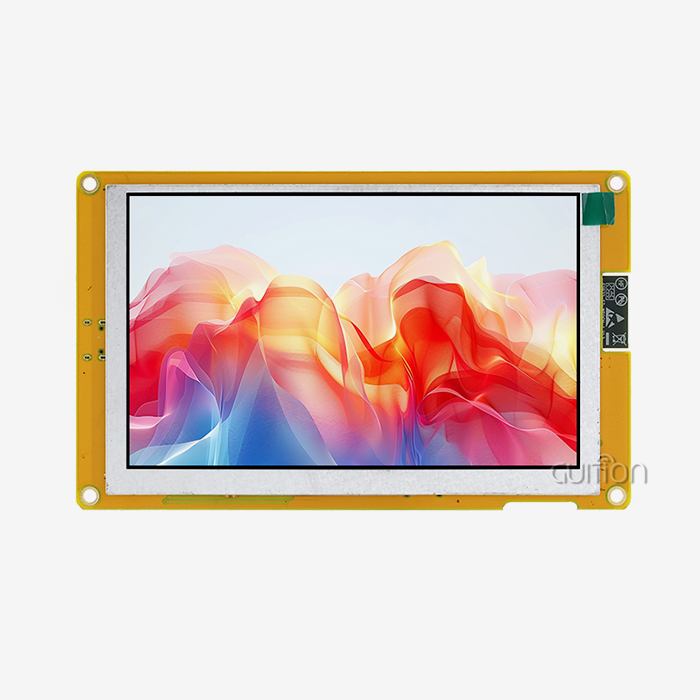
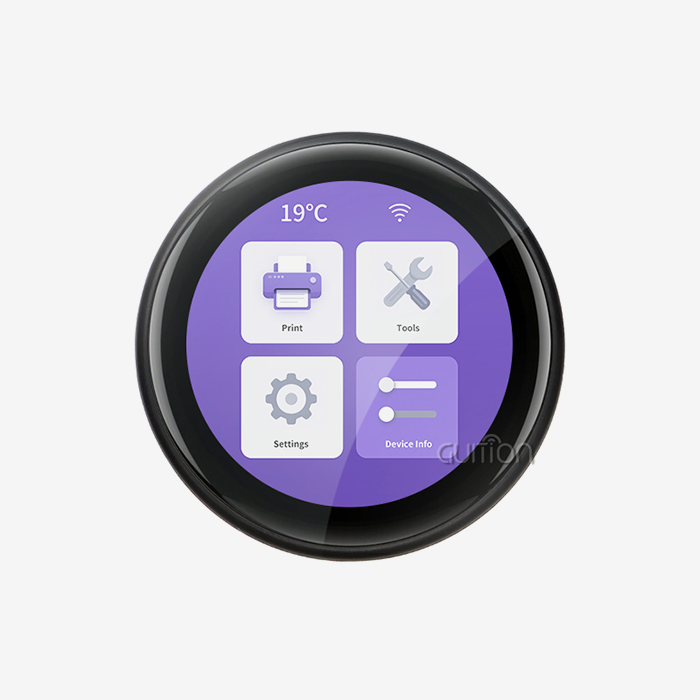
Choosing the right esp32p4 display module for human-machine interface applications requires careful evaluation of technical specifications, performance requirements, and long-term project goals. The ESP32-P4 microcontroller brings powerful dual-core RISC-V processing at 400MHz, dedicated multimedia peripherals including MIPI-DSI and MIPI-CSI interfaces, hardware H.264 encoding capabilities, and enhanced security features. When selecting a display module built around this chipset, focus on resolution compatibility, interface flexibility, wireless connectivity options, development ecosystem support, and supplier reliability to ensure your industrial control panel, smart home device, or medical equipment delivers responsive user experiences while meeting strict time-to-market and budget constraints.


Technical Insights into ESP32-P4 Display Modules
Knowing the technology scene lets you match the module's features to the needs of the project without spending too much or giving up features.
Display Technology Comparison
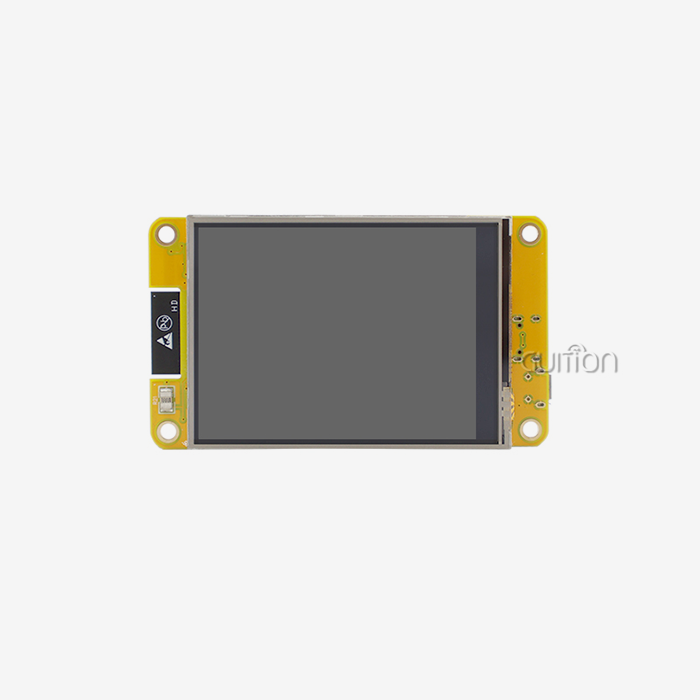
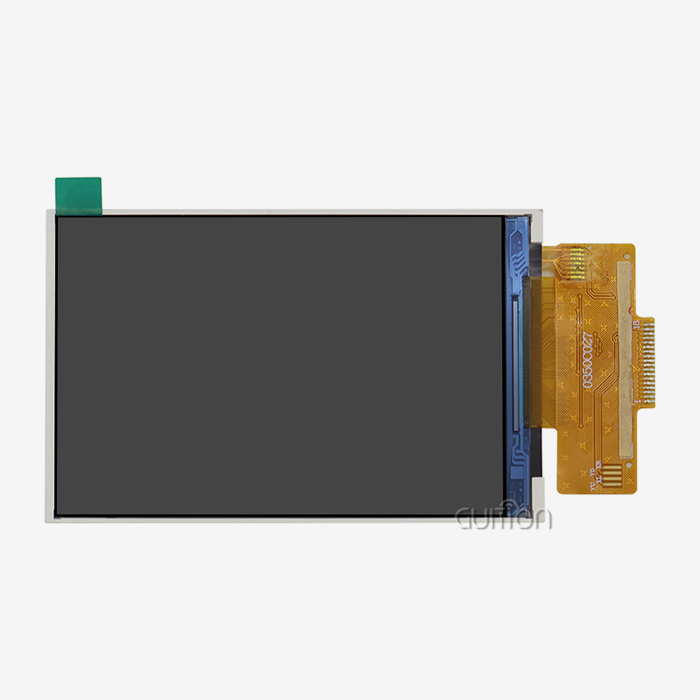
OLED technology has great viewing angles and contrast ratios, which make it perfect for medical devices and high-end consumer electronics. Since each cell gives off its own light, there is no need for a backlight, and true black levels are possible. But OLED screens are more expensive and don't last as long in high-brightness situations, where static interface elements could get burned in. TFT LCD screens are the most common type used in industry because they are reliable, can be read in direct sunlight, and are cheap. With IPS technology, modern TFT panels offer wide viewing angles that are getting closer to OLED performance. Through MIPI-DSI connections, the ESP32-P4 display module architecture works with TFT screens from 4.3 inches to 10.1 inches, making it possible for animations and scrolling to be fluid even when there are a lot of complex graphics. E-Ink screens work well in places that need very little power and good visibility outside, like farm automation monitors or warehouse terminals. These screens update slowly but keep the information they show even when the power goes out. This makes them perfect for data presentations that don't change often.
Hardware Integration and Pinout Configuration
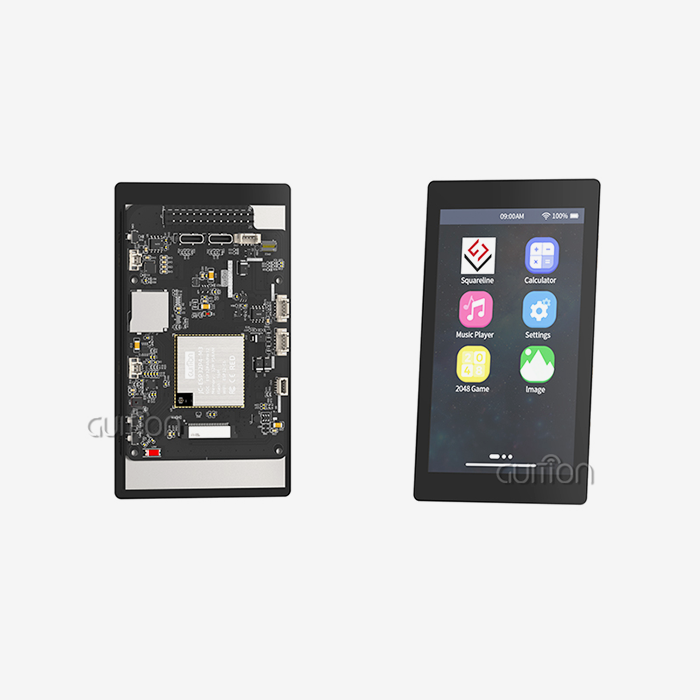
To successfully integrate hardware, you must first understand the pinout requirements and signal integrity issues. When compared to parallel RGB connections, the MIPI-DSI interface has less electromagnetic interference because it uses differential signaling over dedicated data lanes. A good PCB structure with controlled impedance lines and enough ground planes makes sure that the processor and display panel can reliably and quickly talk to each other. Adding a touchscreen makes things even more complicated. Capacitive touch devices link through I2C ports and need firmware drivers to handle multi-touch gestures, palm rejection, and setup. Because the ESP32-P4 can handle interrupts, it can respond to touch events without constantly polling, which frees up CPU cycles for application tasks.
Software Libraries and Development Frameworks
Mature software environments are important for making development go more quickly. The ESP32-P4 platform works with a number of different development environments, such as the Arduino IDE for quick prototypes, the ESP-IDF for professional firmware development, and different GUI frameworks. LVGL (Light and Versatile Graphics Library) is now the standard for developing embedded GUIs because it has a lot of tool libraries, supports motion, and has hardware acceleration hooks. With Guition software, UI development goes from being boring code to being fun visual design work. Engineers can use this special tool to preview designs in real time, drag and drop interface elements, and change properties using simple menus. The software makes code that works best with the JC-ESP32P4-M3-DEV module, so you don't have to spend weeks writing the GUI by hand. Built-in control sets include buttons, sliders, gauges, charts, and custom graphics, as well as other standard HMI elements. This greatly shortens the time it takes to get a product to market.
Power Consumption Optimization
Power management that works well can make batteries last longer in handheld devices and cut down on the costs of running always-on setups. The ESP32-P4 has different power modes that let the frequency change based on the amount of work that needs to be done. PWM control of the display backlight lets the brightness change automatically based on sensors that pick up light levels in the room. This can cut power use by up to 40% without affecting usability. Using frame buffer techniques cuts down on unnecessary screen changes. When you use partial refresh, you only redraw the changed parts of the screen instead of the whole thing. This makes the processor less busy and the power use lower. The ESP32-P4 has a Pixel Processing Accelerator that handles common graphics tasks in hardware. This keeps the CPU cores in low-power states for longer.
Comparative Analysis to Aid Decision-Making
In order to make smart decisions, you need to know how the different choices compare across important evaluation factors.
ESP32-P4 versus Earlier ESP32 Variants
Earlier versions of the ESP32, like the popular ESP32-S3, only had SPI or parallel RGB interfaces for connecting to displays. SPI links can only handle clock speeds of about 40MHz, which means that the highest resolution that can be used at a good frame rate is 320x480 pixels. The ESP32-S3's parallel RGB interface can handle higher images, but it uses a lot of GPIO pins and sends out a lot of electromagnetic noise. With built-in MIPI-DSI support, the ESP32-P4 completely changes this equation. This serial link has enough bandwidth for 1024x600 screens at 60 frames per second, and it only needs six signals, two of which are differential data lanes. The Pixel Processing Accelerator takes care of graphics tasks like scaling, rotation, and color space conversion instead of the CPU cores. This lets more complex user interfaces work on chips that weren't as powerful before. Differences in processing power are also important. The ESP32-P4's dual-core RISC-V architecture at 400MHz and specialized FPU can handle multimedia jobs, like decoding videos, that older models had trouble with or couldn't do at all. The built-in ISP (Image Signal Processor) and H.264 hardware encoder are very helpful for projects that need to integrate a camera with real-time image processing.
TFT versus OLED: Cost, Longevity, and Visual Quality
Cost factors go beyond the original price of components. TFT screens are often 30–50% less expensive than OLED panels of the same size, which makes them a good choice for situations where cost is important. TFTs last longer than 50,000 hours of use, even in harsh industrial settings where temperatures change and vibrations happen.OLED screens have better contrast ratios than TFT panels, which are usually around 800:1. This means that market goods and high-end medical devices can have stunning visuals. But organic materials break down over time, especially blue subpixels, which causes the color to change after 20,000 to 30,000 hours. OLED screens can burn in static UI elements, which makes them less useful for apps that need status bars or navigation elements that don't change. Practical changes can be seen in the quality of vision in different lighting situations. TFT screens with backlights that are very bright (500+ nits) can still be read in direct sunlight, which is important for outdoor equipment and car dashboards. Even though OLED screens work very well indoors, they lose some of their brightness and may show white gaps when the room is very bright.
Evaluating Third-Party Compatible Modules
The ESP32-P4 environment has products from many different companies, ranging in quality and number of features. Suppliers with a good reputation offer detailed instructions, tried-and-true examples, and quick expert help. Cheaper options might save you money at first, but they often don't come with proper EMC testing, heat validation, or long-term guarantees that the parts will be available. Compatibility isn't just about electrical and physical interfaces. The speed at which software is developed depends on how well it is supported. Modules with mature drivers, example code, and active developer communities make troubleshooting much faster. Guition's JC-ESP32P4-M3-DEV module has been tested to work with common frameworks and gets firmware changes all the time that fix bugs and add new features based on what users say.
Touchscreen Capabilities and User Experience
Modern HMI applications need touch interfaces that are responsive and feel natural to people who are used to using smartphones. When compared to resistive technologies, capacitive ones are more sensitive and allow more than one touch, which lets you do things like pinch-to-zoom and two-finger movement. The choice of touch device has a big effect on the user experience. Good devices take touch input at 100Hz or faster, so there isn't much delay between moving your finger and seeing something on the screen. When people rest their hands on the screen, palm rejection algorithms keep them from touching it by accident. This is especially important for larger screens in industrial settings.
Procurement Considerations for ESP32-P4 Display Modules
Smart buying strategies find a good mix between keeping costs low, lowering risks, and building long-term relationships with suppliers.
Sourcing from Verified Suppliers
The supply chain is full of fake gadgets that pose serious risks, such as poor performance, safety dangers, and worries about intellectual property. Authorized makers and wholesalers guarantee that the parts they sell are original and can be traced back to the production batches where they were made. Guition is a reliable ESP32-P4 display module manufacturer with close ties with makers of parts and strict quality control procedures. Before it is shipped, each module is functionally tested, thermally cycled to make sure it works, and checked for ESD protection. When compared to lower-tier suppliers who cut corners during production, this dedication to quality greatly lowers the number of failures in the field and warranty claims.
Pricing Trends and Bulk Order Strategies
The price of a display module changes depending on the availability of panels, the cost of memory, and the supply of semiconductors. Building ties with sellers who are open about market conditions helps you make accurate budgets for projects and plans for your inventory. When you make more than 500 units, the volume price starts to matter. By negotiating yearly purchase deals, you can lock in good prices and make sure that parts will be available during times of high demand. Flexible order quantities and reasonable minimum order volumes allow for the transition from prototyping to production without having to keep too much inventory on hand.
Global Shipping and Logistics
Buying things from other countries can make planning more difficult because of things like clearing customs, paying import taxes, and shipping times that can vary. Suppliers with a lot of experience take care of the paperwork needed and work with dependable freight forwarders to keep delays to a minimum. Knowing the total landed cost, which includes duties, freight, and handling fees, keeps the budget from being a surprise as the project is carried out. Planning the lead time takes into account buying parts, putting modules together, testing, and sending them internationally. Depending on the number of orders and the level of customization needed, standard lead times are between 4 and 8 weeks. When time constraints require faster delivery, rush services like faster production and air freight can cut wait times to two to three weeks.
After-Sales Support and Warranty Terms
Professional providers and commodity vendors can be told apart by the quality of their technical help. Having access to experienced application engineers who understand your use case speeds up the process of fixing problems during development and production. When problems come up out of the blue, projects stay on track thanks to support teams that respond quickly and answer questions within one business day. The supplier's faith in the quality of the product shows in the warranty coverage. Standard guarantees cover flaws in the way the product was made for 12 to 24 months after shipment. Extended guarantee programs and failure analysis services show that you care about your customers' success after the sale is over.
Best Practices for Integrating ESP32-P4 Display Modules into Your HMI Project
Careful planning, methodical execution, and thorough validation are all parts of successful integration that produce reliable goods on time.
Hardware Connection and Wiring Guidelines
When wiring is done right, faults don't happen all the time, which makes fixing harder. For MIPI-DSI connections longer than 10 cm, use shielded cables to keep electromagnetic interference and signal degradation to a minimum. Keep the differential resistance of 100Ω for the MIPI data lanes under control by carefully designing the PCB stackup or choosing the cables. It's important to make sure that the logic power comes before the display panel power, and that this order is reversed when the power is turned off to avoid backflow current and possible damage. When placed within 5 mm of the power pins, decoupling capacitors stop voltage drops during current spikes that happen when the backlight goes on or the processor load changes quickly. Common-mode noise can't get into sensitive analog circuits like touch controllers and audio codecs if the ground plane is connected. To avoid ground loops that slow things down, connect the module ground to system ground at a single point close to the power source.
Software Initialization and Configuration
Setting up the right working modes and avoiding conflicts between peripherals sharing resources is done by the initialization process. Before turning on output, make sure that the MIPI-DSI interface's settings, such as lane count, pixel format, and timing, are in line with what your display screen needs. The Guition development environment makes setting up easier with graphical wizards that create initialization code on their own. The software sets the time parameters, color depth, and rotation settings correctly after you choose your display model from the available panel database. This automation gets rid of the mistakes that often happen when programming registers by hand. When allocating a frame buffer, you have to balance how much memory you use with how fast you need to go. Single buffering uses less RAM, but it increases the chance of screen tearing during changes. By rendering to an off-screen buffer while showing the previous frame, double buffering gets rid of tearing, but it needs twice as much memory. The ESP32-P4 can handle up to 32MB of PSRAM, which is enough memory for 800x480 screens with a 24-bit color depth.
Troubleshooting Common Integration Challenges
Problems with the display output are often caused by time factors that are off or signal integrity issues. Check that the display's clock speeds match the specs within the allowed ranges. Check MIPI data signals with an oscilloscope to make sure they have the right eye diagram shape, which means they have good signal quality with little jitter and noise. Mistakes in interrupt configuration or I2C address conflicts are common reasons why touch input doesn't work. Make sure that the interrupt from the touch controller is connected to a GPIO that is set up as an input and has the right pull-up resistor. Check the I2C bus to make sure that the touch controller responds at the right address and that other peripherals aren't interfering with it. Performance problems happen when the CPU is overworked and not enough working power is available. Profile the execution of code to find functions that take too long. Use hardware acceleration for graphics tasks with the Pixel Processing Accelerator and direct memory access (DMA) for data movement to keep the CPU from having to do as much. The ESP32-P4 has two cores, so you can divide jobs between them. For example, you could use one core to render the user interface while the other handles program logic and communication.
Real-World Implementation Examples
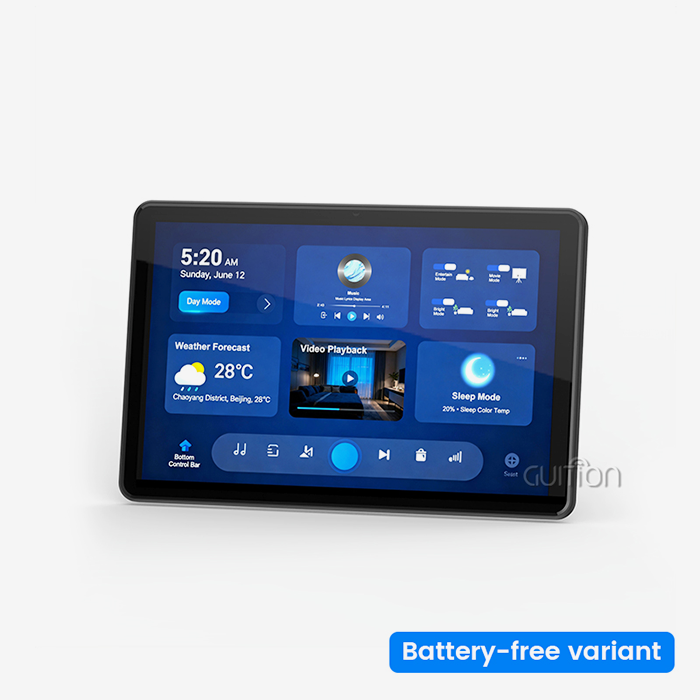
The JC-ESP32P4-M3-DEV module is used in a smart thermostat project that shows how useful it is for integration. The 4.3-inch TFT screen shows temperature graphs, schedule timelines, and control buttons that move smoothly. Wi-Fi 6 connectivity lets you connect to the cloud for tracking and firmware changes from afar. Two AA batteries can last for 18 months thanks to power-saving features like display sleep mode and dynamic CPU frequency scaling. The platform's strength is shown by an industrial automation HMI that controls a packing line. The 10.1-inch high-resolution screen shows specific information about the machine's state and helps with troubleshooting. The results of a real-time object check are shown on a MIPI-CSI camera input. Modbus protocol over UART can connect to older PLCs, and Ethernet can be used to connect to SCADA systems. The system works reliably in places where the temperature changes from 0°C to 50°C and where nearby machines are vibrating. A medical infusion pump interface shows how mission-critical applications can work well. The display makes it easy to see the drug dosage, infusion rate, and alarm conditions. Hardware security features, such as secure boot and flash encryption, keep patient data safe and stop illegal software changes. The device meets IEC 60601-1 standards for medical safety and will continue to work correctly for the full 10 years that it is supposed to.
Conclusion
To choose the optimal ESP32-P4 display module, you have to weigh technical skills, development efficiency, cost constraints, and the dependability of the provider. The ESP32-P4 platform has great multimedia performance, a lot of interface choices, and strong security features that make it ideal for challenging HMI applications in the medical, consumer, and industrial sectors. Modules like Guition's JC-ESP32P4-M3-DEV combine strong processing with full communication. They are backed by easy-to-use development tools that cut project timelines by a large amount. You should carefully consider the display technology, resolution needs, touch capabilities, and interface complexity of the part you choose to make sure it fits with the project's goals. Your product is more likely to do well in the market if you work with experienced providers who offer good hardware, quick help, and long-term supply guarantees.
FAQ
How does the ESP32-P4 differ from the ESP32-S3 for display applications?
The ESP32-P4 has built-in support for the MIPI-DSI interface, which lets it work with high-resolution screens up to 1024x600 pixels or higher at 60 frames per second. On the other hand, the ESP32-S3 only works with SPI or parallel RGB connections, which limits the resolution to 800x480. The 400MHz dual-core RISC-V processor, Pixel Processing Accelerator, and H.264 hardware encoder built into the P4 make it much faster for complicated graphical user interfaces and video apps.
What display sizes work with ESP32-P4 modules?
Through MIPI-DSI links, ESP32-P4 devices can work with screens that are 4.3 inches to 10.1 inches or bigger. The JC-ESP32P4-M3-DEV module works well with resolutions up to 800x1280 pixels. Instead of technology limits, the choice of screen size is based on the needs of the application, the viewing distance, and the amount of information that needs to be shown.
Does the module require external PSRAM for display applications?
External PSRAM is needed for screens with a resolution higher than 480x320 when double buffering is used or when running graphics-heavy programs with complicated layered user interfaces. The ESP32-P4 can handle up to 32MB of PSRAM, which is enough memory for full-color frame buffers and smooth graphics output without slowing down the processor.
Can I update the firmware from afar after deployment?
Over-the-air (OTA) methods for updating firmware from afar are fully supported. Modules like the JC-ESP32P4-M3-DEV have built-in Wi-Fi 6 connectivity, which lets you securely load new firmware on devices that have already been set up. This lowers upkeep costs and lets you add new features without having to physically access the devices. The development framework for Guition software includes the ability to update over-the-air (OTA).
Partner with Guition for Your Next HMI Project
Are you ready to speed up the development of your HMI with a trusted ESP32-P4 display module provider? Guition has years of experience with display systems ranging from 1.28" to 21.5". We use high-performance hardware and our own development tools to make complicated user interface design easy to understand. Our JC-ESP32P4-M3-DEV module gives your industrial, medical, or smart device project the processing power, connection, and interface options it needs. We offer detailed technical documentation, quick engineering support, and volume discounts that can be changed to fit your project's budget and schedule. Email our team at david@guition.com to talk about your unique needs, get samples, or look into special solutions that are made for your application. Let us work together to make something amazing.
References
1. Espressif Systems. "ESP32-P4 Technical Reference Manual." Espressif Documentation Center, 2024.
2. Anderson, Michael. "Advanced HMI Design Principles for Industrial Applications." Journal of Embedded Systems Engineering, Volume 18, 2023.
3. Chen, Wei and Roberts, Sarah. "Comparative Analysis of Display Technologies for IoT Devices." International Conference on Human-Computer Interaction, 2024.
4. Thompson, James. "Power Management Strategies in Multimedia Embedded Systems." IEEE Transactions on Industrial Electronics, Volume 71, 2023.
5. Martínez, Carlos. "MIPI Display Serial Interface Implementation Best Practices." Embedded Computing Design Magazine, March 2024.
6. Zhang, Li, and Kumar, Rajesh. "Security Considerations in Connected Medical Devices." Journal of Medical Device Technology, Volume 15, 2024.
Learn about our latest products and discounts through SMS or email