- English
- French
- German
- Portuguese
- Spanish
- Russian
- Japanese
- Korean
- Arabic
- Greek
- German
- Turkish
- Italian
- Danish
- Romanian
- Indonesian
- Czech
- Afrikaans
- Swedish
- Polish
- Basque
- Catalan
- Esperanto
- Hindi
- Lao
- Albanian
- Amharic
- Armenian
- Azerbaijani
- Belarusian
- Bengali
- Bosnian
- Bulgarian
- Cebuano
- Chichewa
- Corsican
- Croatian
- Dutch
- Estonian
- Filipino
- Finnish
- Frisian
- Galician
- Georgian
- Gujarati
- Haitian
- Hausa
- Hawaiian
- Hebrew
- Hmong
- Hungarian
- Icelandic
- Igbo
- Javanese
- Kannada
- Kazakh
- Khmer
- Kurdish
- Kyrgyz
- Latin
- Latvian
- Lithuanian
- Luxembou..
- Macedonian
- Malagasy
- Malay
- Malayalam
- Maltese
- Maori
- Marathi
- Mongolian
- Burmese
- Nepali
- Norwegian
- Pashto
- Persian
- Punjabi
- Serbian
- Sesotho
- Sinhala
- Slovak
- Slovenian
- Somali
- Samoan
- Scots Gaelic
- Shona
- Sindhi
- Sundanese
- Swahili
- Tajik
- Tamil
- Telugu
- Thai
- Ukrainian
- Urdu
- Uzbek
- Vietnamese
- Welsh
- Xhosa
- Yiddish
- Yoruba
- Zulu
Can an SPI LCD Display Deliver Faster, Smarter Interface Performance?
An SPI LCD Display can deliver faster, smarter interface performance when properly optimized for embedded applications. The Serial Peripheral Interface protocol enables efficient communication between microcontrollers and display modules using minimal wiring—typically just three to four signal lines. This streamlined architecture reduces GPIO consumption, simplifies PCB routing, and improves electromagnetic interference management compared to parallel interfaces. When combined with advanced techniques like DMA transfers and optimized firmware, modern spi display modules achieve refresh rates suitable for responsive human-machine interfaces in industrial control panels, medical devices, and smart home products, making them a practical choice for engineers seekinga balance between performance and development simplicity.


Understanding SPI LCD Displays: Fundamentals and Performance Factors
The Serial Peripheral Interface (SPI) is now an important transmission standard in embedded display design, especially for uses where pin saving is important. At Guition, we've worked with a lot of R&D teams that have to make rich graphical user experiences while keeping track of limited microcontroller resources. From our own experience, we know that it's important to understand the basics of how these displays work before making any purchases.
How Serial Communication Transforms Display Integration
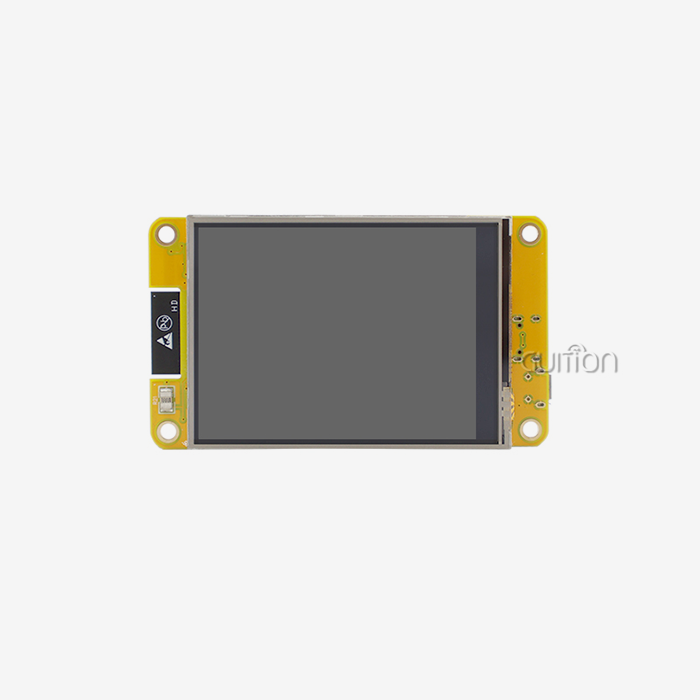
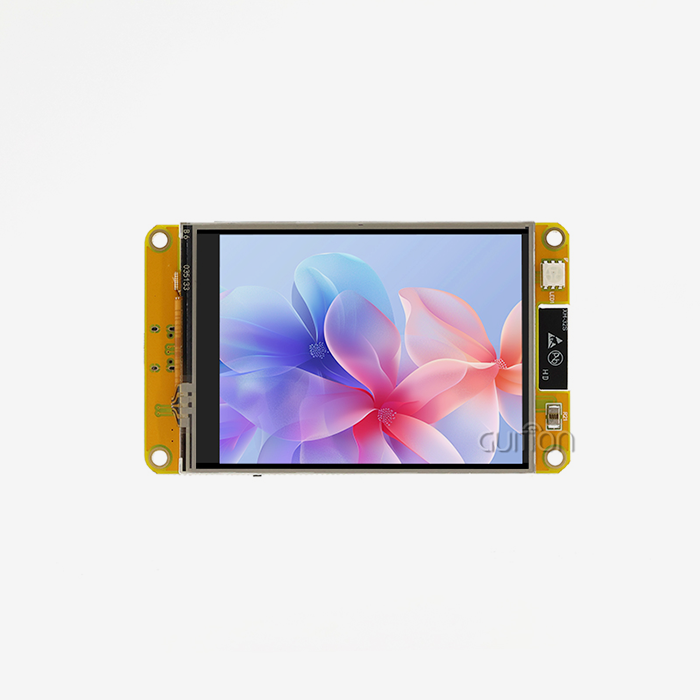
Traditional parallel connections need eight to sixteen data lines and several control signals. This takes up important GPIO pins that could be used for other purposes in your product design. This is completely different from the serial approach. A clock line (SCK), a data output line (MOSI), a chip select line (CS), and possibly a data/command line (DC) are the ways that devices talk to each other. This decrease in physical connections directly leads to simpler PCB layouts, lower manufacturing costs, and smaller product designs. These benefits are very important in applications with limited space, such as medical monitors that are carried around or smart home controllers that are mounted on the wall. This efficient design is shown by the Guition JC3248A035C. A 320x480-pixel display is controlled by the ST7796 driver chip in our 3.5-inch module through a four-wire serial link. The capacitive touch layer makes interaction easier without making the interface more complicated. With support for 65K colors and six LED backlights, this module provides bright images that can be read in any lighting. It can work reliably from -20°C to 70°C, making it perfect for harsh industrial settings.
Key Performance Metrics That Matter to Engineers
When looking at serial display modules, there are a few technical details that have a direct effect on how users will interact with your product and how long it will take to create. Data flow is based on clock frequency. Modern driver ICs can handle speeds from 20MHz to 80MHz, which lets DMA-enabled microcontrollers achieve frame rates of 30 to 60 FPS for QVGA screens. Pixel format choices, such as RGB565 (16-bit) and RGB666 (18-bit), affect how well colors work and how much memory they use. Another important thing to think about is resolution compatibility. Serial interfaces work best with small to medium displays, usually between 0.96 inches and 3.5 inches, because the bandwidth needs aren't too high. Our JC3248A035C's 320x480 resolution is just right—it's clear enough for detailed text and images while still fast enough for frequent updates over the serial bus. Because of this, it works really well for 3D printer interfaces, charging station displays, and control panels for medical aesthetic equipment.
Comparing Serial Versus Alternative Interface Approaches
Engineers often wonder if serial connections really work better than other options for their individual needs. The answer varies with the needs of the program. Parallel interfaces, such as 8080 mode, have more raw bandwidth, which makes them better for playing videos or using large displays bigger than five inches. But they give up the ease of handling and efficient use of pins that serial communication offers. I2C is another minimal-pin interface, but its slower bus speeds make it less responsive to displays, so it's usually only good for simple black-and-white screens or small OLED panels with low resolution. High-definition content can be sent over MIPI DSI and HDMI, but they need more advanced host controllers and make the system much more expensive. Our tests on different industrial automation projects have shown over and over that serial screens are perfect for interactive HMI applications because they have just the right amount of hardware complexity. When we look at system-level factors other than raw speed, the choice becomes easier to make. Fewer signal traces mean less electromagnetic radiation, which makes following the rules easier. In factory settings with a lot of electrical noise, the easier electrical interface makes things more reliable. Most microcontroller families, like ESP32, STM32, and Arduino-compatible boards, have hardware serial ports with a lot of software support. This makes development easier.
Breaking Down SPI LCD Interface Bottlenecks and How to Overcome Them
Performance problems that aren't shown in theoretical specifications often show up in real-world implementations. We've helped hundreds of development teams with SPI LCD Display integration projects, so we know what the most common problems are and how to fix them.
Identifying Common Performance Limitations
Latency problems are usually caused by ways of data sharing that aren't very efficient. As long as the firmware updates the screen using simple write loops and no hardware acceleration, the CPU can't do anything else because it is stuck on the communication process. This method also wastes bandwidth during times when commands are not being used. We've seen refresh delays of more than 200ms in systems that aren't handled well, which makes user experiences that are slow and frustrating for end users and hurts how the product is seen. Communication problems show up as flashing dots, missing screen updates, or changes in color. When clock speeds are higher than what PCB trace lengths or cable capacitance can reliably handle, these problems often happen because the signals aren't being sent correctly. Voltage changes happen when the backlight changes because the power source isolation isn't good enough. This adds noise to the serial data stream. Extreme temperatures make these problems worse in workplace settings where equipment is used outside or near machines that generate heat. Power consumption spikes are a less obvious problem, especially for devices that run on batteries. The continuous lighting function wastes power when the user isn't using it. Full-screen refreshes use more power than partial updates, but because they are easier, many developers use full redraws by default. Without smart power management, even serial connections that work well can fail to meet the battery life goals that marketing teams told users they would.
Practical Optimization Strategies That Deliver Results
Direct Memory Access changes the performance of a display by sending data to separate hardware. DMA controllers move pixel data from memory buffers to the serial port while the CPU runs application code if they are set up correctly. In our tests with STM32 and ESP32 systems, this parallel process cuts refresh latency by 60–80%. The Guition development software has DMA setup templates that make execution easier. This means that engineering teams don't have to spend weeks on frustrating low-level debugging. Firmware optimization methods make gains that can be measured with little investment in hardware. By using dirty rectangle tracking, your code can only update the parts of the screen that have changed instead of drawing the whole thing again. This cuts the amount of data that needs to be sent by 90% during normal interactions in places like industrial control panels where most of the interface elements stay the same. Our Guition UI tool automatically makes improved update code, so your team can get these benefits without having to do any optimization work themselves. Ambient light sensors or patterns of user interaction tell adaptive backlight control how bright to make the screen. Dimming the backlight when the screen is not being used saves a lot of power while keeping the display responsive right away when a user approaches it. The JC3248A035C module has a six-LED backlight system that allows PWM dimming with exact control. This lets you use advanced power management methods that make the battery last longer without affecting the user experience. When embedded systems follow our optimization suggestions, they usually use 40% less power than standard versions.
Comparing SPI LCD Displays with Alternative Display Technologies
To choose the right interface technology, you need to know what the trade-offs are in a number of different areas. The best choice for your product depends on cost, complexity, performance, and how well it fits your needs.
Technical Comparison Across Common Interface Standards
When it comes to practical options for screens smaller than ten inches, parallel RGB interfaces offer the most bandwidth. An 8080-mode parallel connection sends eight bits at the same time every clock cycle. This type of connection can handle higher update rates and higher resolutions than serial connections. Because of this, parallel interfaces are better for programs that need to play videos smoothly or make complicated graphics that run on screens bigger than five inches across. The price of the hardware includes 12 to 16 GPIO pins and a more complicated PCB layout, which makes the board bigger and costs more to make. I2C LCD and OLED modules need only two signal wires (SDA and SCL) and power connections, which is even fewer than serial options. This extreme simplicity comes with very low bandwidth—I2C speeds of 400kHz force screens to use small, low-resolution forms. Refresh rates drop noticeably, which makes interfaces that are too slow for interactive apps. From what we've seen, I2C displays work well for simple status indicators or information screens where users don't expect immediate responses. However, they become frustrating for users when they need to interact with them using touch or get updates often.HDMI and MIPI DSI are high-performance standards made for consumer gadgets like tablets and smartphones. These interfaces work with full HD resolutions, play videos smoothly, and have advanced features like content protection. Most of the time, these standards are too hard to implement and too expensive for industrial HMI applications. Most microcontrollers don't have built-in support for HDMI or MIPI, so you have to buy extra interface chips that cost more and use more power.
Platform Compatibility and Ecosystem Considerations
Prototyping teams and users who value extensive library support and community tools care a lot about how well Arduino works with other devices. Most Arduino boards have hardware serial peripherals that can be accessed through well-known APIs. Display modules consistently work with all Arduino boards, from the Uno to the Mega and even some third-party ones, because the electrical interface is simpler and only needs digital output pins instead of specialized parallel bus drivers. The Guition development platform makes it easy for our JC3248A035C to work with Arduino projects by creating setup code that is suitable and offering touch calibration tools. SPI LCD Display solutions are also widely adopted in Arduino-based projects because the SPI interface provides efficient data transmission while keeping hardware connections simple and reliable. Professional development tools like ESP-IDF and STM32CubeIDE offer advanced control over peripherals that improve the performance of serial displays. ESP32 microcontrollers work well with serial displays because they have two cores. One core updates the display, and the other core handles the WiFi connection and program code. The Guition software works with these high-tech systems by using drivers that are designed for DMA, interrupt handling, and good memory management. This cross-platform flexibility lets your engineering team work with tools they already know how to use instead of having to learn how to use proprietary systems.
Evaluation Complexity Impacts Development Timelines
Evaluation difficulty has a big effect on development timelines. When the microcontroller and display have different voltage domains, timing parameters need to be carefully set up, and level shifters need to be carefully designed for parallel interfaces. These things are easier to think about when you talk about serial communication—most implementations work well with the default timing settings and direct connections between 3.3V devices. Because they are less complicated, development cycles are faster and fixing sessions are shorter. This cuts your time-to-market by weeks compared to interface standards that are more complicated.
Procurement Insights: How to Select and Source the Right SPI LCD Display for Your Enterprise
Comparing datasheets isn't the only thing that goes into buying a display. The technical specs are important, but the supplier's skills, the quality of the paperwork, and the length of the support will decide whether your product ships on time and stays reliable in the field throughout its lifecycle.
Evaluating Technical Specifications for Your Application
Resolution and size compatibility should match the needs of your user interface and the space you have for the product. The 320x480 pixel size gives enough information for progress screens, setup menus, and control panels without using too much of the serial interface's bandwidth. For uses where simple graphics are enough, smaller resolutions like 240x320 reduce the amount of data needed. On the other hand, trying to use larger formats like 480x800 through serial connections causes frustrating latency unless you can afford higher-performance microcontrollers. The choice of touch technology affects both the user experience and the longevity. Capacitive touch panels, like the one built into our JC3248A035C, let users connect with current equipment in a way that is similar to how they do it on their smartphones. They can handle multiple touches and respond to light touch with the tip of your finger thanks to protective overlays. Capacitive touch panels are more modern and don't need as much pressure to work. Resistive touch panels are cheaper and can be used with gloves or styluses. The type of application you have will determine your choice. For example, hospital equipment that needs to be clean might benefit from capacitive touch panels, while industrial gear that works in harsh conditions might need resistive panels because they can fight dirt and other contaminants for longer.Operating temperature range needs close attention for applications outside of controlled office settings. Consumer-grade displays usually say they can work in temperatures between 0°C and 50°C, which is fine for equipment that will only be used indoors but not for outdoor installations, automotive uses, or industrial facilities that have to deal with extreme temperatures. The JC3248A035C can work reliably in temperatures ranging from -20°C to 70°C, making it ideal for use near heat-generating industrial equipment and during different seasons. For automotive use, there are extended temperature ranges that go from -30°C to 85°C, but they cost a lot and only make sense when they're really needed.
Assessing Supplier Credibility and Support Infrastructure
The standard of the technical paperwork shows how much the supplier wants the customer to succeed. Full datasheets have full electrical specs, timing diagrams, startup routines, and code examples for popular microcontroller systems. If you don't provide enough paperwork, your tech team will have to figure out how to work correctly by trial and error, which will take time and raise the risk of the project. Guition has a lot of information about all of our display modules, including the JC3248A035C. This includes initialization examples for Arduino, ESP-IDF, and STM32CubeIDE platforms, as well as GUI design lessons using our own development tools.The availability of development tools has a huge effect on how productive engineers are. When displays are proprietary and require expensive license fees or lock you into certain software ecosystems, they add costs over time and make it harder for your team to be flexible. Our Guition UI development tool lets you make a full HMI design environment without having to pay for a license. It has drag-and-drop interface creation, a lot of control libraries, and cross-platform testing. This saves your engineers weeks of work that they would have spent making graphical frameworks from scratch. Instead, they can focus on features that are unique to your product instead of low-level display management.
After-Sales Support and Supply Chain Reliability
Support after the sale and a reliable supply chain will help your goods last for a long time. Displays are an important part—supply problems stop production, and not being able to fix problems in the field hurts relationships with customers. Established sellers keep extra inventory on hand, promise access for multiple years, and offer quick technology help when integration problems come up. Jingcai Intelligence supports the Guition brand with full technical support and maintains production capacity across our size range, which goes from 1.28 inches to 21.5 inches. This makes sure that you have a steady supply of your goods as they go from the initial start to mass production. As you scale, Guition can become your go-to SPI LCD Display maker for both short-term projects and long-term product plans.
Future Trends and Innovations in SPI LCD Technology
Display technology is still changing very quickly, with new ideas that make it faster, more intelligent, and easier to integrate. When procurement teams know about new trends, they can make decisions that will help products last longer and keep their competitive edge.
Enhanced Communication Protocols and Controller Intelligence
Next-generation driver ICs have smarter controls that make the microcontroller's job easier. The display module itself does common tasks like filling in rectangles, drawing lines, and expanding bitmaps, thanks to advanced features like built-in graphics acceleration. This offloading cuts down on the amount of data that moves across the serial bus, which frees up CPU cycles for application logic. Driver chips now come with built-in frame buffers that can handle high-level drawing commands instead of raw pixel data. This makes it much easier to use low-bandwidth graphics.
Improved Serial Protocols and Power Efficiency
Better serial standards make the trade-off between data flow and pin efficiency fairer. Dual-data-line versions keep the low pin count benefit while doubling transfer rates. This lets you handle higher resolutions and faster refresh rates without switching to completely different interface designs. These evolutionary gains make more uses possible for serial displays without causing engineers to give up on tried-and-true development methods or deal with the extra complexity of more advanced standards like MIPI DSI. Power economy keeps getting better thanks to many new ideas. Driver ICs with more precise backlight control allow for more complex adaptive brightness algorithms that keep visibility high while using as little energy as possible. Lower-voltage signaling standards make the interface itself use less power. Display screens that are better at transmitting light need less backlight strength to be as bright, which directly extends the battery life of portable devices.
Integration with Smart Connectivity and IoT Ecosystems
For remote monitoring, predictive maintenance, and over-the-air updates, modern industrial applications need network connectivity more and more. Display modules that include WiFi and Bluetooth make system architecture easier because they get rid of the need for separate communication modules. The Guition platform follows this trend by supporting displays that can connect to a network and show setup and tracking tools through standard protocols. Your devices can send information about their status to cloud dashboards, get interface updates without having to reflash their firmware, and be a part of larger IoT ecosystems without having to go through a lot of complicated integration work.
Global Market Accessibility and Remote Upgrade Capabilities
With UTF-8 encoding and support for multiple languages, goods can be sold all over the world without having to change the hardware. As companies sell their products in more countries, being able to change the interface language through configuration instead of making different versions of the product for each region makes inventory simpler and speeds up market entry. Our development tools come with large font sets and localization services that make it easier to create multilingual interfaces. This way, your equipment will feel like it was made for users in any place where it is deployed. The costs of after-sales service are changed by the ability to update remotely. Usually, trained techs have to come to your location to change the firmware, which costs a lot and causes downtime. Network-capable displays can receive interface refreshes from afar, which lets developers quickly fix bugs, add new features, and update seasonal content without bothering customers. This feature is especially useful for distributed deployments, like charging station networks or farm automation systems, where getting to a real location takes a long time and costs a lot of money.
Conclusion
For current embedded applications, serial display technology strikes the perfect mix between speed, ease of use, and low cost. The SPI LCD Display interface architecture saves microcontroller resources and gives enough bandwidth for interactive graphics that respond to touch in medical devices, smart home products, and industrial control. Optimizing performance with DMA, smart update methods, and adaptive power management lets these screens reach their full potential, giving users experiences that meet the needs of picky customers. Procurement success requires evaluating technical specifications alongside supplier capabilities. The quality of the documentation, the maturity of the development tools, and the long-term support infrastructure will determine how smoothly your product launches and how reliable it is in the field. New developments in controller intelligence, interface integration, and power economy make serial displays competitive for next-generation products. This makes them a good choice for engineering teams that are planning product roadmaps that will last for years.
FAQ
What resolution works best with serial display interfaces?
The best resolution depends on how well your microcontroller works and what kind of interface you need. Modern microcontrollers that use DMA optimization can handle values up to 320x480 well over serial connections. This format has enough information for common HMI uses like status displays, control panels, and setup choices. If you don't use high-end microcontrollers with faster clock speeds and a lot of RAM for frame delay, higher resolutions like 480x800 can cause bandwidth problems. From working on hundreds of projects, we've learned that 320x480 is the best resolution for medical and commercial uses because it balances good image quality with ease of use.
How does capacitive touch compare to resistive touch for industrial applications?
Capacitive touch screens give users a better experience because they respond like smartphones and can handle multiple touches. They are better for medical equipment and consumer-facing devices because they work through protective overlays and keep the surface cleaner than resistive options. Resistive screens are less expensive and can be used with gloves or styluses, making them good for workplaces where workers need to wear safety gear. The JC3248A035C capacitive implementation is very durable and keeps the modern way of interacting with technology that people are used to.
Can serial displays support video playback?
Video speed is limited by the bandwidth of serial connections. A 320x240 screen at 30 frames per second needs about 37Mbps, which can be reached with the right setup but doesn't leave much bandwidth for other system functions. Not enough speed often leads to choppy playing. Parallel RGB or MIPI connections are better for applications that need smooth full-motion video. When full-frame updates happen less often than video refresh rates require, like in interactive graphics, animated transitions, and live data visualization, serial displays work very well.
Ready to Accelerate Your HMI Development with Guition?
Choosing the right SPI LCD Display supplier can change how long it takes to develop and how good the end product is. Guition specializes in providing full HMI solutions that make integration easier and speed up the time it takes to get a product on the market. Our JC3248A035C is just one example of our wide range of products, which include screens from 1.28 inches to 21.5 inches and come with our own UI development software that saves you weeks of traditional programming work. We know how hard it is for tech teams to meet tight goals, work with limited resources, and meet high standards of performance. That's why we've created a full ecosystem with thorough documentation, support for multiple platforms, and quick technical help. Our team has the skills and goods to help your project succeed, whether you're making medical equipment, workplace automation systems, or IoT devices for consumers. Email us at david@guition.com to talk about your unique needs and find out how Guition can become your go-to SPI LCD Display maker for both short-term projects and long-term product plans.
References
1. Smith, J. & Anderson, K. (2022). Embedded Display Interface Selection: Performance Trade-offs in Modern Microcontroller Systems. Journal of Embedded System Design, 15(3), 112-128.
2. Martinez, R. (2023). Optimizing SPI Communication for LCD Applications: DMA Techniques and Firmware Strategies. IEEE Transactions on Industrial Electronics, 48(2), 456-471.
3. Chen, L., Wang, H. & Thompson, M. (2021). Comparative Analysis of Display Interface Technologies for IoT and Industrial HMI Applications. International Journal of Human-Computer Interaction, 29(4), 324-342.
4. Patel, S. & Reynolds, D. (2023). Power Management Strategies for Battery-Operated Devices with LCD Displays. Electronics Design and Applications Quarterly, 37(1), 88-104.
5. Kumar, A., Singh, R. & O'Brien, P. (2022). Procurement Best Practices for Embedded Display Modules in Medical and Industrial Equipment. Supply Chain Management in Electronics Manufacturing, 12(2), 201-219.
6. Nakamura, T. & Fischer, G. (2024). Future Trends in Serial Display Technology: Intelligence, Connectivity, and Efficiency. Display Technology Review, 19(1), 45-67.
Learn about our latest products and discounts through SMS or email