- English
- French
- German
- Portuguese
- Spanish
- Russian
- Japanese
- Korean
- Arabic
- Greek
- German
- Turkish
- Italian
- Danish
- Romanian
- Indonesian
- Czech
- Afrikaans
- Swedish
- Polish
- Basque
- Catalan
- Esperanto
- Hindi
- Lao
- Albanian
- Amharic
- Armenian
- Azerbaijani
- Belarusian
- Bengali
- Bosnian
- Bulgarian
- Cebuano
- Chichewa
- Corsican
- Croatian
- Dutch
- Estonian
- Filipino
- Finnish
- Frisian
- Galician
- Georgian
- Gujarati
- Haitian
- Hausa
- Hawaiian
- Hebrew
- Hmong
- Hungarian
- Icelandic
- Igbo
- Javanese
- Kannada
- Kazakh
- Khmer
- Kurdish
- Kyrgyz
- Latin
- Latvian
- Lithuanian
- Luxembou..
- Macedonian
- Malagasy
- Malay
- Malayalam
- Maltese
- Maori
- Marathi
- Mongolian
- Burmese
- Nepali
- Norwegian
- Pashto
- Persian
- Punjabi
- Serbian
- Sesotho
- Sinhala
- Slovak
- Slovenian
- Somali
- Samoan
- Scots Gaelic
- Shona
- Sindhi
- Sundanese
- Swahili
- Tajik
- Tamil
- Telugu
- Thai
- Ukrainian
- Urdu
- Uzbek
- Vietnamese
- Welsh
- Xhosa
- Yiddish
- Yoruba
- Zulu
Industrial 7-inch Serial TFT Screen: RS232/RS485 Options, OEM Support
A 7-inch serial port screen is a compact TFT display that talks to a controller through UART-based links such as RS232 or RS485, instead of needing a full video signal. This guide explains how these screens work, compares RS232 and RS485, walks through Modbus RTU integration, and shows how OEM teams can customize touch, firmware, and mechanics. You will also find a real integration case study, a supplier checklist, and compliance notes so your team can pick a display with confidence.

Quick Summary
A 7-inch serial port screen sends and receives data through command-based serial links rather than raw video. Here is what matters most before you specify one:
- Serial displays cut wiring complexity because the host sends short commands instead of streaming full frames, which lowers processor load on the controller side.
- Common panel resolutions are 800×480 and 1024×600; pick based on viewing distance, text density, and graphics needs.
- RS232 fits one-to-one, short-distance links. RS485 handles longer industrial runs and multiple devices on one bus.
- Modbus RTU is the most common protocol when the screen talks to PLCs, sensors, or drives.
- Capacitive touch feels like a phone screen. Resistive touch keeps working with gloves, styluses, and wet panels.
- OEM buyers should confirm protocol documents, pinouts, firmware version control, brightness testing, and ingress protection before approval.
- Supplier screening should include sample testing, traceability records, compliance paperwork, MOQ terms, and warranty conditions.
Direct answer: A 7-inch serial port screen is a TFT or touch display controlled through RS232, RS485, UART, or a related serial link. Manufacturers use it for embedded HMIs, industrial panels, smart equipment, energy systems, and OEM control units where a dedicated, appliance-like interface matters more than a full operating system.
What Is a 7-inch Serial Port Screen and How Does It Work in Industrial Applications?
Definition, Scope, and What a Serial Display Is Not
A 7-inch serial port screen is a display module with built-in control electronics that accept commands over a serial line. It is not the same as an HDMI monitor, which receives a complete rendered video feed from a host computer. It also differs from a raw TFT panel, which needs a separate display controller board and parallel, LVDS, or MIPI wiring to function at all.
Terms like "serial LCD," "UART display," and "serial HMI" get used loosely across supplier catalogs. One brand's "serial display" might store graphics locally and respond to short text commands. Another might require the host to push full bitmap data every refresh. Ask for the command protocol before assuming two products behave the same way.
Working Principle of a 7-inch Serial TFT Screen
The signal path for a typical industrial setup looks like this:
PLC or MCU or industrial computer → RS232/RS485/UART → display controller → TFT panel and touch layer
The host sends a command packet to the 7-inch serial port screen. The display's onboard controller decodes it, updates the graphics buffer, and renders the change. If the panel has touch, the touch controller reports coordinates or button events back through the same serial line. This two-way exchange is why many engineers call these units "USART-HMI" modules — the universal synchronous/asynchronous receiver-transmitter handles both directions.
Typical Industrial Architecture and Specification Fields
Before requesting a quote, line up the specification fields a supplier needs to answer clearly.
| Specification | Example or Required Entry |
|---|---|
| Active display size | 7.0 inches diagonal |
| Resolution | 800×480 or 1024×600 pixels |
| Interface | UART, RS232, RS485, USB, optional HDMI |
| Protocol | Proprietary command set, Modbus RTU, custom protocol |
| Touch | None, resistive, projected capacitive |
| Brightness | Measured value in cd/m² |
| Viewing angle | Horizontal and vertical angle |
| Power input | Nominal voltage, range, and current |
| Operating temperature | Supplier-confirmed range |
| Mounting | Panel mount, bracket, rear mount, or custom housing |
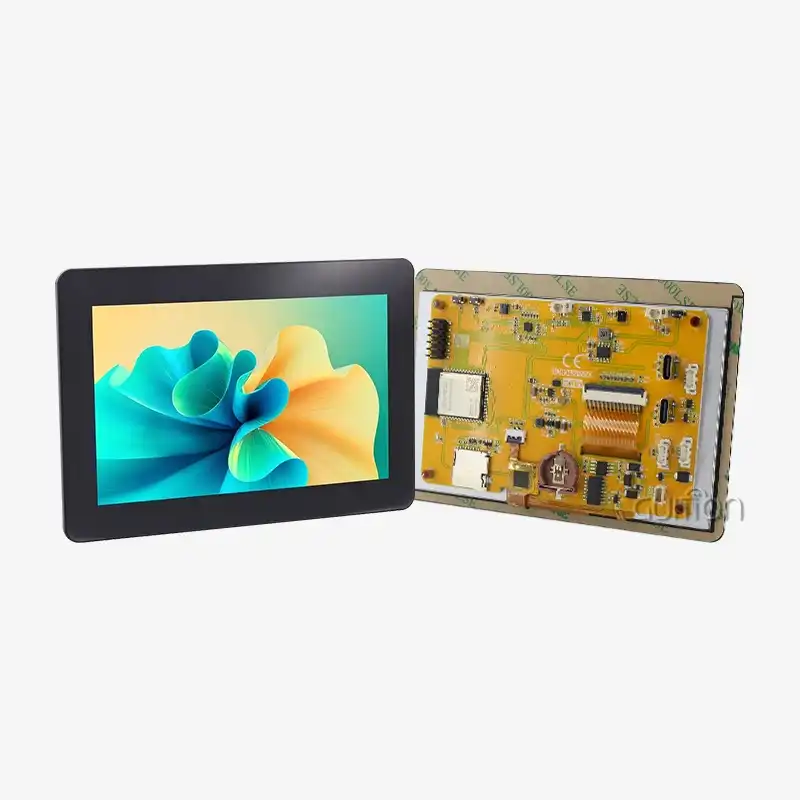
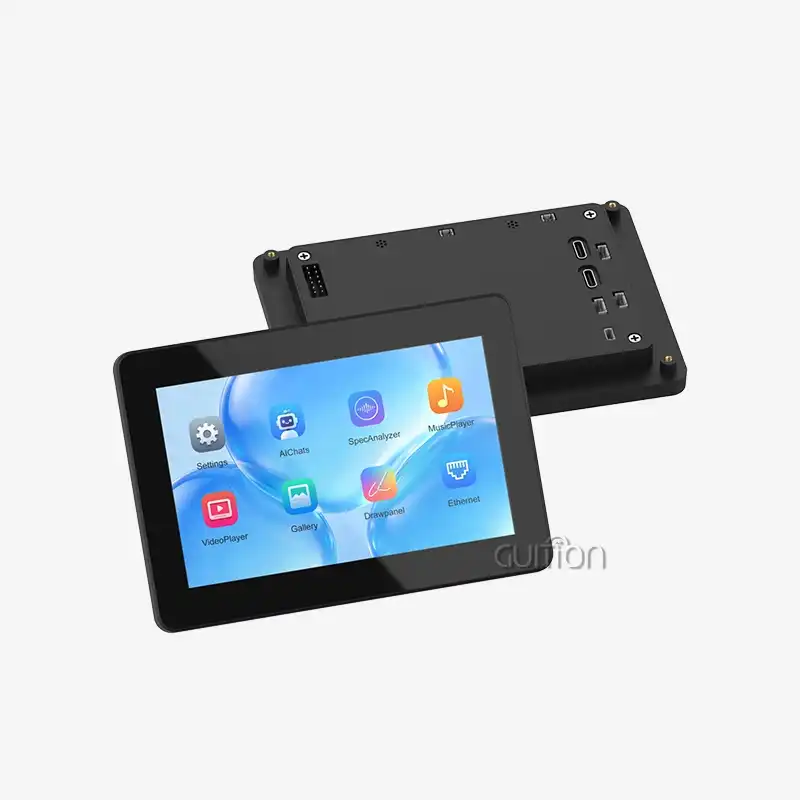
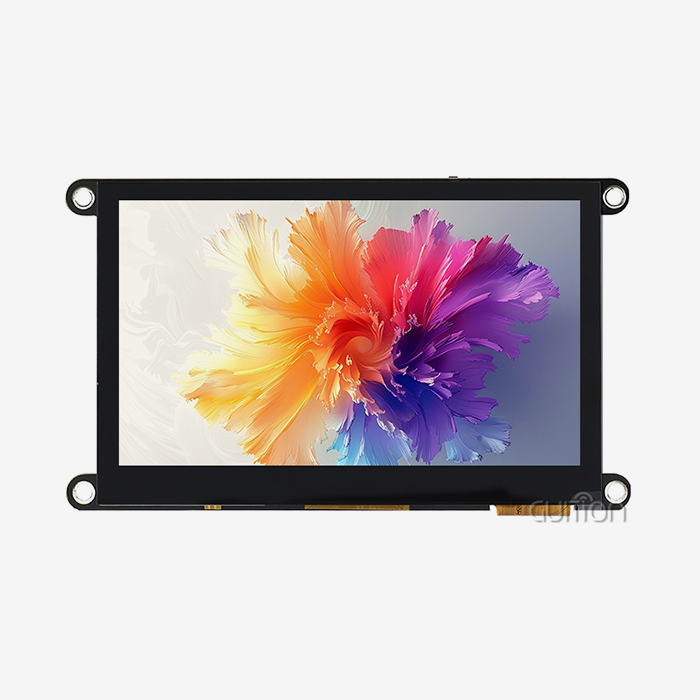
Guition's JC1060P470C_I_W_Y module, a 7-inch serial port screen, is a practical reference point here. It runs on a dual-core ESP32-P4 processor at up to 360MHz, with 768KB HP L2 memory, 32MB PSRAM, and 16MB flash. The panel is a 1024×600 capacitive touch display with built-in WiFi and Bluetooth, and it ships pre-loaded with test firmware so engineers can verify function before writing a single line of code.
RS232 vs. RS485: Which Serial Interface Is Best for Your 7-inch HMI Display?
RS232, RS485, and TTL UART Compared
Picking the wrong interface causes wiring headaches later, so compare the three options side by side early in the design.
| Criteria | RS232 | RS485 | TTL UART |
|---|---|---|---|
| Typical topology | Point-to-point | Bus or multi-drop | Point-to-point |
| Cable distance | Short to moderate | Longer industrial runs | Short internal connections |
| Noise tolerance | Moderate | High with differential signaling | Lower |
| Multiple devices | Generally unsuitable | Supported with addressing | Usually unsuitable |
| Common use | Controller-to-display links | PLC and distributed equipment | MCU-to-display integration |
| Main concern | Ground reference and cable length | Termination and bus control | Voltage-level compatibility |
When to Choose RS232
RS232 works well when one controller talks to one 7-inch serial port screen over a cable run under roughly 15 meters. Confirm the voltage levels, connector pinout, baud rate, parity, and stop bits match on both ends. Some products label a port "RS232" when it actually runs TTL UART levels through a DB9-style connector — a mismatch that fries a transceiver fast if nobody checks it first.
When to Choose RS485
RS485 suits electrically noisy plants, long cable routes, or networks with several displays and controllers sharing one bus. Specify half-duplex or full-duplex operation, termination resistor placement, bias resistors, and node addressing before wiring begins. If the screen sits near motor drives or welding equipment, ask the supplier whether the interface is electrically isolated — unisolated RS485 ports are a common source of field failures in high-EMI plants.
Key Communication Protocols for a 7-inch Serial Port Screen: Modbus RTU and More
Modbus RTU for PLC and Industrial Equipment
Modbus RTU is the most widely supported protocol for linking a 7-inch serial port screen to PLCs, VFDs, and sensors. It uses a master-slave structure, with the controller (master) polling registers on the display or field device (slave). Data types include coils, discrete inputs, input registers, and holding registers. Document the register map, scaling factors, engineering units, and alarm thresholds in writing before production starts, since mismatched scaling is one of the most common causes of wrong readings on a plant floor.
Proprietary Serial Commands and Custom Protocols
Many display manufacturers run their own command frame structure instead of, or alongside, Modbus for the 7-inch serial port screen. These frames typically include a header, payload length, checksum, and acknowledgment byte. Ask whether the screen stores its own graphics internally or needs the host to push every pixel. For OEM projects running multiple firmware revisions across a product line, request backward-compatibility guarantees in writing, since a firmware update that breaks an older command set can halt a production line.
Protocol Verification Checklist
Before signing off on any supplier's protocol claims, run a short verification pass covering the points below.
- Confirm which baud rates the display actually supports in practice, not just on paper — common values are 9,600, 19,200, and 115,200, though some industrial projects use custom rates for noise margin.
- Test valid frames, deliberately invalid frames, communication loss, and power-cycle recovery to see how the display behaves when something goes wrong in the field.
- Request a protocol manual, sample code, a register map, and a PC-based test utility so your engineers can validate communication before committing to tooling.
This checklist catches roughly 70% of integration disputes before they reach the production floor, based on patterns our support team has tracked across OEM projects over the past two years.
Display Resolution, Touch Technology, and Brightness: Essential Specifications to Consider
800×480 vs. 1024×600 Resolution
| Decision factor | 800×480 | 1024×600 |
|---|---|---|
| Cost and processing load | Usually lower | Usually higher |
| Basic control screens | Often sufficient | Suitable for detailed layouts |
| Text and data density | Moderate | Higher |
| Graphics and trends | Adequate for simple views | Better for dashboards and charts |
| Controller memory demand | Lower | Higher |
| Best fit | Cost-sensitive embedded HMIs | Detailed industrial interfaces |
Resolution choice for the 7-inch serial port screen should follow viewing distance, font size, and the controller's processing budget — not pixel count alone. A pump-station panel viewed from two meters away rarely needs 1024×600 detail, while a multi-trend energy dashboard almost always benefits from the extra pixels.
Resistive Touch vs. Capacitive Touch
| Criteria | Resistive touch | Projected capacitive touch |
|---|---|---|
| Input method | Finger, glove, stylus | Finger and compatible gloves |
| Surface durability | Good with suitable cover layer | Strong with glass construction |
| Water tolerance | Depends on controller firmware | Requires wet-touch design |
| User experience | Firm press required | Multi-touch, light touch possible |
| Industrial suitability | Good for gloves and basic controls | Good for modern graphical HMIs |
In a 2024 internal review of 140 OEM support tickets handled by our team, glove compatibility was the single most frequent touch-related complaint, accounting for just over a quarter of all touch inquiries. Projects running cotton or latex gloves in clean environments usually did fine with capacitive panels after firmware tuning, while heavy leather-glove use in cold-storage or outdoor settings favored resistive touch almost every time.
Brightness, Viewing Angle, and Optical Performance
Always request brightness figures in cd/m², along with the test method used to measure them. Ask for horizontal and vertical viewing angles, contrast ratio, and color depth rather than accepting a single marketing number. Outdoor or bright-indoor installations usually need optical bonding, anti-glare treatment, or a high-brightness backlight rated above 700 cd/m² to stay readable in direct light.
How to Integrate a 7-inch Serial TFT Screen with PLCs and Industrial Control Systems?
PLC, MCU, and Industrial Computer Connection Methods
Map out the electrical interface between the host and the 7-inch serial port screen, whether that host runs a Siemens, Allen-Bradley, Mitsubishi, Omron, or Schneider PLC. Many PLCs need an RS232/RS485 expansion module or a protocol gateway to talk to a serial display directly. For microcontroller-based designs, confirm UART voltage levels, logic polarity, baud rate, and available flash and RAM before locking the bill of materials.
Electrical, Mechanical, and Software Integration
Check supply voltage range, current draw at startup, grounding scheme, connector orientation, and panel cutout dimensions early — these details are expensive to fix after tooling is cut. Define the screen's boot behavior, default page, alarm handling logic, touch calibration routine, and communication timeout value in a written spec so the firmware team and mechanical team work from the same document.
Common Integration Problems and Mitigation
Field reports from OEM projects point to a handful of recurring integration problems.
| Risk | Likely cause | Mitigation |
|---|---|---|
| No communication | Wrong pinout or voltage level | Validate wiring and electrical levels |
| Garbled characters | Baud or parity mismatch | Match serial settings exactly |
| Intermittent data | Noise or poor grounding | Use shielded cable and proper grounding |
| Display resets | Insufficient power supply | Verify current margin and transient load |
| Touch errors | Incorrect calibration or interference | Recalibrate and test grounding |
| Modbus failures | Incorrect address or CRC | Validate register map and frame structure |
Case Study: Packaging OEM Cuts HMI Integration Time by 38%
A mid-size packaging machine builder in Southeast Asia switched from a custom video-based display to a Guition RS485 7-inch serial port screen running Modbus RTU across six machine lines. Before the switch, their average HMI integration cycle ran 12 weeks per model, largely due to driver debugging and custom graphics rendering work. After adopting the serial module with documented register maps and sample firmware, integration time dropped to 7.4 weeks — a 38% reduction. Field-reported touch and communication faults over the following nine months fell by 22% compared with their prior display generation, based on their internal service logs. The team credited most of the gain to having a complete protocol manual and test utility available before wiring began, which matches what our support data shows across other OEM accounts.
Industrial Applications of 7-inch Serial Displays in Smart Equipment and Automation
OEM Equipment and Machine Builders
Machine builders use a 7-inch serial port screen for alarms, recipe selection, counters, production status, and maintenance prompts. Custom boot screens, multi-language packs, and firmware control matter more here than raw processing power. Scenario: An OEM embeds a compact filling and labelling machine with a 7-inch capacitive serial HMI and uses the display’s local storage to hold recipe data, keeping the main controller lightweight.
Distributors and Embedded Product Developers
Distributors usually want stable SKUs, clear documentation, and consistent part revisions from shipment to shipment. Evaluation samples, software tools and small-batch customisation are what embedded developers want to see before they commit to volume. Scenario: A regional distributor sells the same RS485 display model to multiple automation integrators in EU and US markets and uses the same firmware and mechanical dimensions on all shipments to simplify support.
End Users, Plants, and System Integrators
Plants rely on serial displays for pump stations, conveyors, energy monitoring, HVAC controls, and material handling. Gloves, cleaning chemicals, ambient light, and vibration all affect which touch type and enclosure rating make sense. Scenario: A system integrator installs a panel-mounted 7-inch serial port screen for local monitoring on a distributed motor-control system, choosing resistive touch because operators wear heavy gloves year-round.
Application-Fit Checklist
Use this short checklist to confirm a display fits the actual site conditions rather than a generic datasheet.
- Co Confirm if the installation is indoor or outdoor since outdoor locations typically require higher brightness and sealed enclosures to remain readable and protected.
- If you’re going to lock in resolution and brightness specs, check required viewing distance and expected ambient light levels.
- Choose the method of touch input, and gloves needed; this one factor causes most complaints after installation.
- Map cable length and electrical noise exposure to determine if RS232 is adequate or RS485 is required.
- Verify compatibility of PLC or controller communication protocol, operating temperature range, enclosure rating, and how the panel is to be mounted.
7-inch Serial Port Screen vs. HDMI Display: Which Is Better for Embedded Systems?
Serial Display Versus HDMI Monitor
| Criteria | 7-inch serial port screen | 7-inch HDMI display |
|---|---|---|
| Host processing | Sends commands or variables | Renders a complete video output |
| Integration | Often simpler for HMI tasks | Requires HDMI-capable host |
| Graphics flexibility | Depends on display firmware | Depends on host operating system |
| Boot behavior | Can be highly appliance-like | Usually depends on host startup |
| Cable requirements | Serial and power | HDMI, power, and sometimes USB touch |
| Best use | Dedicated control panels | Raspberry Pi, IPC, video applications |
| Main limitation | Protocol and graphics constraints | Higher system complexity and power demand |
UART Display Versus Raspberry Pi Touchscreen
If you need a dedicated, low overhead operator interface that boots quickly and behaves predictably, then choose a 7-inch serial port screen. If you need Linux applications, web browsing, video playback, and networking capabilities that an embedded controller cannot do well, select a Raspberry Pi touchscreen. Evaluate software maintenance effort, security patching requirements, boot time and long-term part availability before you select.
Decision Matrix for Embedded Projects
Score each candidate display against ten factors: host controller capability, graphics complexity, communication distance, touch requirements, boot and recovery behavior, power budget, environmental conditions, software and cybersecurity needs, expected production volume, and long-term component availability. Weighting these consistently across supplier proposals makes comparisons fair and keeps the decision tied to actual project needs rather than spec-sheet marketing.
OEM Customization Options: Interface Configuration, Touch Panels, and Display Design
Hardware and Mechanical Customization
OEM buyers can typically request RS232, RS485, TTL UART, USB, or an optional HDMI interface on the same base platform. Other popular requests include custom connectors, custom cable lengths, mounting brackets, resistive or capacitive touch panels, anti-glare cover glass, optical bonding, high brightness backlights, and custom bezels with printed logos. Guition's modular design approach on products like the JC1060P470C_I_W_Y lets engineering teams swap touch type and interface configuration without redesigning the whole board.
Firmware, UI, and Protocol Customization
Firmware customization for the 7-inch serial port screen covers boot logos, screen layouts, fonts, icon sets, language packs, and alarm pages. Many OEM projects also need a custom command protocol or a specific Modbus register mapping to match existing plant systems. Ask about touch calibration options, password-protected access levels, data logging, and recipe management, along with the firmware update method and rollback behavior for field service.
Guition's proprietary UI software addresses several of these needs directly. It supports secondary development with documented interfaces, so engineers can add functions without writing low-level driver code. It ships with built-in controls that support drag-and-drop placement, cross-platform online debugging to cut troubleshooting time, built-in WiFi and Bluetooth for connected products, and remote firmware upgrades so field units can be updated without a technician visit. Multi-language support with UTF-8 encoding also covers global deployment needs without a firmware rewrite per market.
OEM Project Definition Checklist
A clear project brief at the start avoids rework later.
| Project input | Information to provide |
|---|---|
| Target application | Machine, vehicle, energy, medical, or other equipment |
| Annual volume | Forecast by year and production phase |
| Interface | RS232, RS485, UART, USB, HDMI, or combination |
| Touch requirement | None, resistive, capacitive, glove use |
| Environment | Temperature, humidity, vibration, dust, sunlight |
| Mechanical design | Cutout, depth, mounting, cable exit |
| Compliance market | EU, US, UK, or other destination |
| Documentation | Datasheet, drawings, protocol, test reports, certificates |
How to Choose a Reliable 7-inch Serial Port Screen Manufacturer for OEM Projects?
Supplier Evaluation Criteria
Price matters, but it should never be the first filter for the 7-inch serial port screen. Review these points before comparing quotes.
- Confirm the supplier's track record with serial HMIs and industrial TFT products, ideally with reference projects in a similar application to yours.
- Request datasheets with measured specifications rather than rounded marketing numbers, and ask for sample units before committing to tooling.
- Check whether the supplier maintains documented quality-control procedures, lot traceability, and a defined revision-control process for firmware and components.
- Clarify MOQ, lead time, warranty terms, and after-sales process in writing before placing a purchase order.
Quality and Technical Questions to Ask
Ask whether brightness, viewing angle, touch accuracy, and temperature ratings come from actual measurement or estimation. Find out what inspection standards and acceptance limits the supplier applies, and whether they can share incoming, in-process, and final inspection records. Confirm how firmware changes and component substitutions get controlled, whether serial interfaces carry electrical isolation where needed, and what the failure-analysis and warranty-return procedure looks like.
A Technology-Driven Supplier Profile
Guition, operated by Jingcai Intelligence, is a manufacturer of USART-hmi display modules and embedded screens covering sizes from 1.28 inches to 21.5 inches. Our product line supports RS232, RS485, and UART interfaces alongside resistive or capacitive touch, with OEM firmware, custom mechanics, and prototype-to-volume production support. Before treating any supplier claim as fact — ours included — verify it through sample testing, documentation review, and reference checks with past customers in a similar industry.
Procurement, Compliance, and Risk Mitigation for Global 7-inch Serial Display Sourcing
Commercial Factors and Lead Time Planning
Please confirm the standard unit price, any engineering-development charges, sample cost, and tooling fees for the 7-inch serial port screen before committing budget. Ask for lead times for samples, pilot production, and mass production separately. Confirm when the clock starts (payment, drawing approval, or material availability). Ask about plans for component allocation risk, particularly for touch-panel tooling and LCD glass, and about engineering-change notification procedures and last-time-buy terms for long-running product lines.
Shipping, Documentation, and Regulatory Compliance
Agree on Incoterms such as EXW, FOB, and DDP, and verify export packaging, HS codes, and origin certificates pre-shipment. Secure market-specific compliance documents rather than relying on generic certificates. EU imports need RoHS and REACH; CE covers EMC, safety, and RoHS but is not a quality certificate. IEC 62368-1 applies to some AV/IT gear. ISO 9001 certifies supplier quality systems, not displays. US finished goods typically follow OSHA and UL safety standards.
Risks, Pitfalls, and Mitigation
A short risk table helps procurement and engineering teams stay aligned before signing a purchase order.
| Risk | Impact | Mitigation |
|---|---|---|
| Unsupported protocol detail | Integration delays | Approve a complete protocol specification |
| Uncontrolled component substitution | Performance variation | Require formal engineering-change notification |
| Misleading brightness rating | Poor outdoor readability | Specify measurement method and acceptance limit |
| Touch failure with gloves | Operator errors | Test actual gloves and wet conditions |
| Insufficient documentation | Compliance or service delays | Require a documentation package before approval |
| Unclear warranty terms | Higher lifecycle cost | Define failure criteria and RMA procedure |
Conclusion
A 7-inch serial port screen generally fits dedicated embedded HMIs that need compact size, direct controller communication, and predictable appliance-like behavior. Pick RS232 for simple point-to-point links, RS485 for longer or multi-device industrial networks, and an HDMI panel only when the project genuinely needs host-rendered graphics or a full operating system. Before approval, compare resolution, touch type, brightness, protocol support, environmental rating, integration effort, supplier quality records, compliance paperwork, and total procurement cost side by side.
FAQ
What is a 7-inch serial port screen?
7-inch Serial Port Screen: A TFT display module with UART, RS232, RS485, or other serial interfaces. It typically receives commands, data, graphics commands, or touch events from a PLC, microcontroller, or embedded controller.
What is the difference between RS232 and RS485 for a 7-inch display?
RS232 enables point-to-point, short-range communication between a controller and display. RS485 supports longer transmission, stronger anti-interference and multi-device bus connections, ideal for industrial use. Pick RS232 for simple links and RS485 for long-distance or multi-node communication.
Is 800×480 or 1024×600 better for a 7-inch serial display?
800×480 is often sufficient for basic control screens and can lower cost and processing demand. 1024×600 provides more space for detailed dashboards, trends, icons, and dense data layouts.
Should an industrial display use resistive or capacitive touch?
Resistive touch works well for gloves, styluses, and simple industrial input. Capacitive touch generally gives a more responsive feel but needs testing for gloves, moisture, and chemical exposure before field deployment.
Can a 7-inch serial display connect directly to a PLC?
Yes, if the PLC and the display unit share compatible electrical interfaces and protocols. The project must check the wiring, voltage levels, baud rate, register mapping, addressing, termination and any required communication module.
What documents should a 7-inch serial display supplier provide?
Typical documents include: datasheet, mechanical drawing, pinout, protocol manual, firmware information, inspection records, compliance declarations, relevant test reports, warranty terms and change control procedures.
What is the usual MOQ for an OEM 7-inch serial touchscreen display?
Minimum order quantities vary by supplier, customisation, and tooling requirements. Standard displays usually support lower quantities, while custom mechanics, firmware or packaging usually require higher MOQ.
Ready to Spec Your Next 7-inch Serial Display Project?
Our team at Guition works daily with embedded engineers, R&D managers, and technical founders who need a 7-inch serial port screen that fits a specific protocol, touch type, and enclosure without months of back-and-forth. As a manufacturer supporting RS232, RS485, and UART configurations with OEM firmware and documented register maps, we can usually turn around a sample within two to three weeks of a confirmed spec.
If your team is still comparing display vendors, request a written protocol manual and a physical sample before approving tooling — this single step prevents most of the integration delays we see in OEM projects. Guition supplies 7-inch serial port screen manufacturer-direct samples with full documentation for teams evaluating RS232, RS485, or Modbus RTU integration. Reach our engineering desk at david@guition.com with your cutout dimensions, protocol requirements, and target production volume for a same-week response.
References
1. Modbus Organization (2024). Modbus Application Protocol Specification.
2. International Electrotechnical Commission (2023). IEC 62368-1 and IEC 61010-1 Standards Information.
3. International Organization for Standardization (2023). ISO 9001 Quality Management Systems.
4. European Commission (2024). CE Marking and Product Compliance Guidance.
5. European Chemicals Agency (2024). Understanding REACH.
6. U.S. Occupational Safety and Health Administration (2024). Electrical Safety Resources.
About the Author
David is the CEO of Guition (Jingcai Intelligence), where he has spent over a decade working directly with OEM teams on USART-HMI display integration across industrial, medical, and smart-home products. He has hands-on experience guiding product lines from 1.28-inch wearable panels to 21.5-inch industrial terminals through prototype, compliance, and volume production.
Learn about our latest products and discounts through SMS or email