- English
- French
- German
- Portuguese
- Spanish
- Russian
- Japanese
- Korean
- Arabic
- Greek
- German
- Turkish
- Italian
- Danish
- Romanian
- Indonesian
- Czech
- Afrikaans
- Swedish
- Polish
- Basque
- Catalan
- Esperanto
- Hindi
- Lao
- Albanian
- Amharic
- Armenian
- Azerbaijani
- Belarusian
- Bengali
- Bosnian
- Bulgarian
- Cebuano
- Chichewa
- Corsican
- Croatian
- Dutch
- Estonian
- Filipino
- Finnish
- Frisian
- Galician
- Georgian
- Gujarati
- Haitian
- Hausa
- Hawaiian
- Hebrew
- Hmong
- Hungarian
- Icelandic
- Igbo
- Javanese
- Kannada
- Kazakh
- Khmer
- Kurdish
- Kyrgyz
- Latin
- Latvian
- Lithuanian
- Luxembou..
- Macedonian
- Malagasy
- Malay
- Malayalam
- Maltese
- Maori
- Marathi
- Mongolian
- Burmese
- Nepali
- Norwegian
- Pashto
- Persian
- Punjabi
- Serbian
- Sesotho
- Sinhala
- Slovak
- Slovenian
- Somali
- Samoan
- Scots Gaelic
- Shona
- Sindhi
- Sundanese
- Swahili
- Tajik
- Tamil
- Telugu
- Thai
- Ukrainian
- Urdu
- Uzbek
- Vietnamese
- Welsh
- Xhosa
- Yiddish
- Yoruba
- Zulu
Key Uses of the 1.8 Inch ESP32S3 Display Module
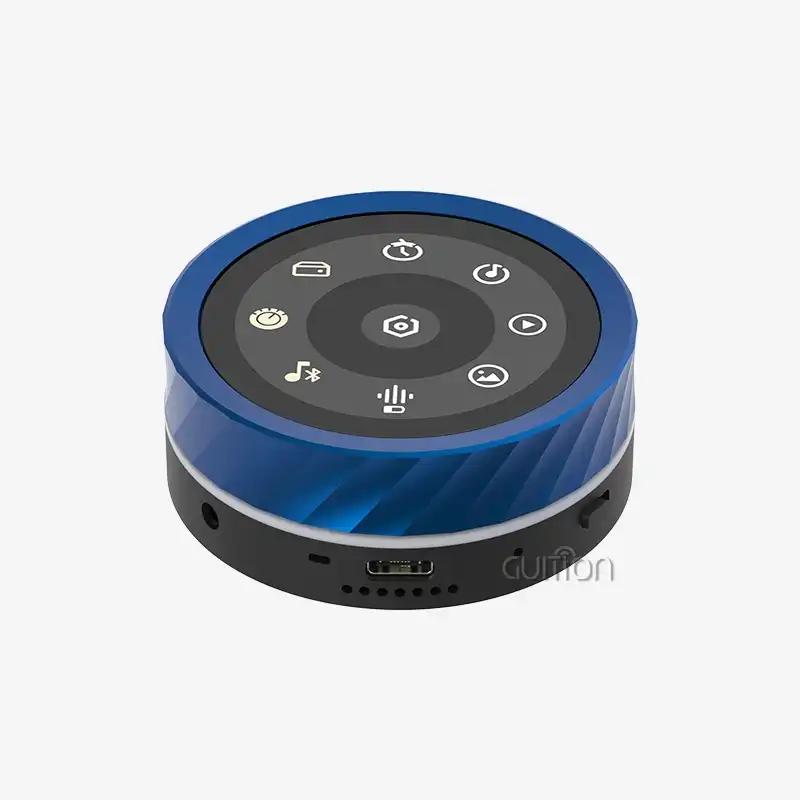
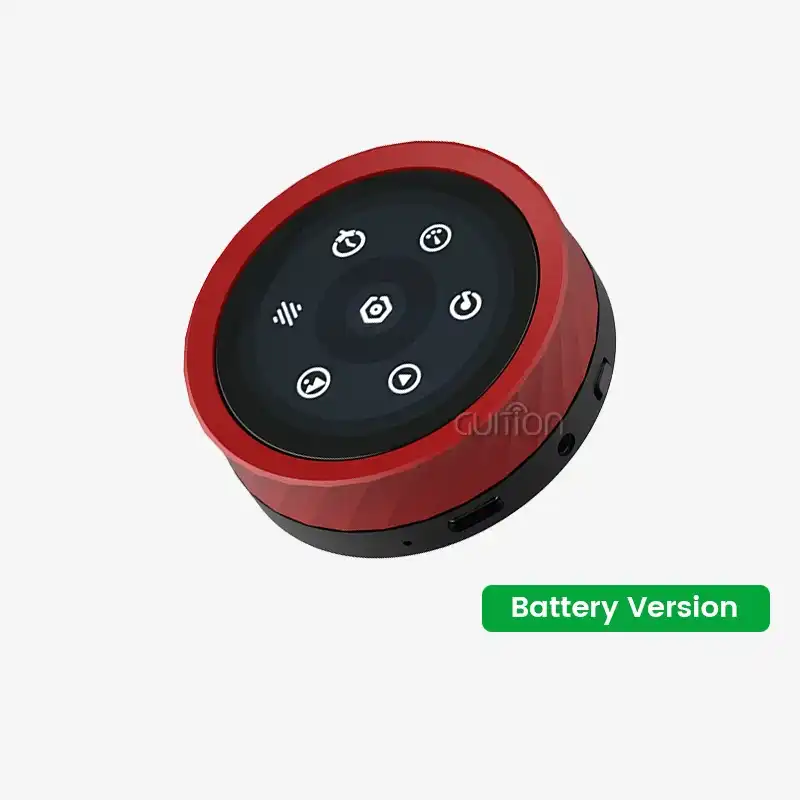
The key uses of the 1.8 inch ESP32S3 display module include smart home panels, IoT status screens, industrial machine indicators, handheld meters, 3D printer controls, and creative projects such as digital clocks and photo frames. We built the Guition JC3636W518C_I_Y to put a 360×360 IPS screen, capacitive touch, Wi-Fi, and Bluetooth on one compact board. A dual-core ESP32-S3 runs at up to 240MHz and handles graphics, touch input, and wireless tasks together. In this guide, I explain where the module fits, how to develop with it, and what to check before you buy.

Essential Specifications of the 1.8 Inch ESP32S3 Display Module
Processor, Memory, and Wireless Connectivity
The 1.8 inch display module (type JC3636W518C_I_Y) is mainly driven by an ESP32-S3. The MCU has two cores and can run up to 240 MHz. It has 512KB of SRAM, 384KB of ROM, 8MB of PSRAM and 16MB flash. Picture buffers, fonts and screen buffers require more memory than a simple computer can provide. More PSRAM helps graphics. The Espressif datasheets refer to the chip as "2.4 GHz Wi-Fi and Bluetooth 5 (LE)". Both of those are already in our module. The chip also includes vector instructions to speed up some AI tasks. One core can handle network data. The other core handles rendering the interface. This ensures that the touch response remains unchanged during data modification.
Display and Capacitive Touch
This 1.8 inch ESP32S3 display module has a 360x360 screen resolution, which is 129,600 pixels. Most 1.8 inch TFT screens have a resolution of 20,480 pixels (128x160). There are some six times more pixels on this IPS screen. You can read the writing, the small buttons and clean charts better. All in one little package you get the LCD, backlight control circuit and touch screen control circuit. People can swipe and tap with capacitive touch instead of buttons. That could help reduce the amount of moving parts inside a case. Discuss mounting measurements, viewing conditions and light requirements with our team before deciding on a design.
Storage and Development Options
The 1.8 inch ESP32S3 display module features a TF card interface for extra storage of pictures, music, videos or logs. That one works with the media player and photo frame features that we’ll discuss later. The module is compatible with the Guition writing tool, Arduino IDE, ESP-IDF and MicroPython. Engineers who love code can remain in a place they know, and artists can use computers to build their own. It reduces the time to test after changes because you can download programs with just one click and debug them online on many platforms. Always check the datasheet to make sure you have the right revision before you design a PCB or case for the board.
Key Uses of the 1.8 Inch ESP32S3 Display Module
Smart Home and IoT Devices
Things that are used in smart homes need a small screen that can show data and take input. This 1.8 inch ESP32S3 display module, which can be linked to a network via Wi-Fi and paired with nearby devices via Bluetooth, can be used for indoor thermostat controls and security panels. It works well as a weather station or a screen for IoT sensors. The feature comes with a live weather screen that lets you see changes right away, so you don't have to start from scratch. Teams can send new features to devices that are already out in the field for less money if they can do it from afar. People who make smart devices don't need to add a second interface in order to connect a screen.
Industrial, Medical, and Automotive Interfaces
A small screen is often needed by machine builders to show status messages like "run", "stop", "fault", and "temperature". Using a 1.8 inch ESP32S3 display module with a 360° touch screen, these numbers can be shown, and simple orders can be placed. It can also be used for dashboard or charging-load screens in car projects and monitoring screens in medical equipment. At each of these points, there are laws and safety rules that teams must follow to make sure that the whole product follows those rules. The module gives you the means to show and handle things, but it doesn't check that they are correct. The screen on a 3D printer can be used to control the machine and see how the print is going. Setting changes and checking on the print can be done with the finger.
Multimedia, Audio, and Creative Projects
More than just a progress screen, this part of the app does other things too. It comes with an extra screen for your computer that works with AIDA64 and is already set up to monitor your system in 18 different ways. An MP3 player that can play up to 320 kbps files is also included, as well as a real-time spectrum analyser for seeing how sound is changing. It comes with four clock faces that are all about anime. You can connect the module to a Qi-compatible wireless charging base to use it without a cord. The spectrum display and control interface can be used by people who make audio equipment to make portable meters and testing tools. The touch screen can be used by financial hardware teams to make trade devices.
How to Use the 1.8 Inch ESP32S3 Display Module in a Project
Choosing a Development Mode
There are four ways to connect the 1.8 inch ESP32S3 display module: the Arduino IDE, ESP-IDF, MicroPython, and Guition. The Arduino IDE is good for quickly making demos and for teams that already have code for Arduino. ESP-IDF is the name of Espressif's official development software for ESP32 chips. It lets you handle drivers, tasks, and memory better. You can write Python code with MicroPython, which makes it simple to run tests quickly. It is more important to create the interface in GUI mode than to do low-level work. The same hardware works in all four modes, so you can use the right tool for the job. Select the one that will help your team and get the project delivered on time.
Designing Interfaces with the Guidion Tool
It is possible to add controls and move them around with a single click using a GUI. This design is "what you see is what you get", so you can change the size and style of each control while you are working. Cross-platform online testing makes it easy to find bugs, and you can send the program to the module with just one click. Products used in different places require multi-language switches and UTF-8 codes. This is important for American brands that sell to people in Asia or Europe or Spain. Teams can get special features without having to learn difficult low-level coding. We also offer teams extra development tools and technical papers.
Testing, Updates, and Common Risks
The most common reasons for integration delays with a 1.8 inch ESP32S3 display module are wrong pin assumptions, power problems, and mechanical mismatches. Don't rely on general pictures you can find on the internet; check the exact version of the gear. You can look at a prototype to see how well it works with Wi-Fi and Bluetooth, how well it responds to touches and how well it keeps the screen fresh over time. Approve production only if the cover fits well and the viewing angle is correct. Lights and wireless features use a lot of power, so you should check how much you are using them. If there is anything wrong with the software, you can fix it remotely. But you have to plan out the update process and test it out before you send it out.
Comparing and Selecting 1.8 Inch ESP32S3 Display Module Options
Match the Module to the Application
Don't start with the size of the screen; start with the thing. A thermostat, a 3D printer controller, and a desktop computer screen all require different things. Writing it down will help you understand what you need: a touchscreen, Wi-Fi, storage, media playback capability, and graphics memory. If you need touch, Wi-Fi, Bluetooth and 16MB of flash in a small size, use a 1.8 inch ESP32S3 display module like the JC3636W518C_I_Y. Your product may not need a wireless link and only has to display a few numbers. If that’s the case, a simple display could save you money. You can keep track of the bill of materials and software work as features are matched to needs.
Touch, Panel, and Storage Trade-offs
You have to add touch to make it more interactive. That said, it means more software work and testing, so make sure your design needs it. The module uses an IPS panel, which typically offers broader viewing angles compared to TFT panels. This is useful for things that are on a wall or desk and can be seen from the side. OLED has a lot of problems in terms of power and burn-in. A TF card gives you more space for pictures, music and logs, but it also means that the firmware has to cope with a different data flow. Consider the trade-offs depending on your energy goals, the cost and the size of the bag. Our engineers can help you choose which ones are best suited for you.
Documentation and Support Quality
A tool can only be used the way the instructions say to use it. Look for datasheets, wiring diagrams, pinout info, example code, and a history of updates that are easy to understand. Jingcai Intelligence provides technical documentation and more development interfaces. Writing simple code is easy with the Guition tool. Ask any vendor of 1.8 inch ESP32S3 display modules about how they handle version changes, and you will see that a small hardware change can make a driver fail. See how quickly they can help if they have samples and how much they can make.
Procurement Guide: Buying a 1.8 Inch ESP32S3 Display Module
Evaluating Samples
Get a sample of 1.8 inch ESP32S3 display module before ordering in volume. We offer products in sizes ranging from 1.28 inches to 21.5 inches. Test the resolution, ESP32-S3 memory configuration, touch performance, TF card functionality, and software examples on your own bench. Run your real firmware, not just demos. When you get the final enclosure check, check inside the enclosure for Wi-Fi range. Metal and certain plastics can degrade wireless performance. Write down the current that is used for each way the machine works. Immediately inform the company about what you found. Make a clear list of problems to speed up the process. Thorough testing of a sample will save you the trouble of having to remake it later and will give concrete information to your buying team to help them make their choice.
Checking Volume Purchase Terms
Before placing an order for 1.8 inch ESP32S3 display module for production, compare the unit price by number, the minimum order quantity, the lead time, the packing, the inspection steps, the guarantee, and the shipping terms. Ask for prices, including sample cost, alterations, shipping, and payment options. Distributors may be able to get you product faster, but direct manufacturers usually let you deal with the experts and get more customisation. Don’t just look at the unit price that makes the least sense. And once it’s on sale, supply continuity and revision control will keep the item safe. Jingcai Intelligence has R&D, production, and sales in one team, so you can talk to them about engineering and production.
Why It Suits B2B Embedded Products
An integrated ESP32S3 1.8 inch display module reduces the number of parts you have to source, wire and test. Memory, wireless links, screen and touch screen are all on the same board. This implies that the same hardware item can be produced by software in different types. Updating remotely saves time and money after the sale, and being able to help people in more than one language increases sales all over the world. The same board can be used to start a company that makes machine tools, smart devices, system designers, or market goods. But first, medical teams need to make sure it works for them before they can use it to make prototypes for tracking systems. Faster development and fewer parts to fix mean getting a product to market faster
Conclusion
The 1.8 inch ESP32S3 display module comes equipped with a dual-core 240MHz processor, 8MB of PSRAM, 16MB of flash, a 360° IPS screen with capacitive touch, Wi-Fi, Bluetooth, and a TF card interface. Industrial signs and screens, handheld meters, smart home panels, and multimedia projects are just some of the things that it can be used for. To build, you can use the Arduino IDE, ESP-IDF, MicroPython, or Guition. Remote updates and support for multiple languages in UTF-8 make it easier to work with services and release them around the world. Think about what you want to use it for when making your choice. Pay attention to things like touch, panel type, storage, documents, and revision control. There is less project risk when there are clear purchase terms and sample testing, but customers still need to confirm work in regulated fields like medicine and cars.
FAQ
Q: Which tools work with the 1.8 inch ESP32S3 display module?
A: You can use the Arduino IDE, ESP-IDF, MicroPython, and the Guition tool. You can test on different platforms online and quickly download apps with just one click.
Q: Can I add storage to the module?
A: Yes. The board's TF card slot lets you store pictures, music, and other things.
Q: Can I update devices remotely?
A: Yes. Remote updates of user projects help with online maintenance and function updates. This cuts down on trips to the site and costs after the sale.
Q: Does the module support multiple languages?
A: Yes. You can use it to change languages and encode data in UTF-8, which is helpful for items that are sold in more than one area.
Q: What are the main specifications?
A: It has a capacitive touch screen that is 360x360, 512 KB of SRAM, 384 KB of ROM, 8 MB of PSRAM, and 16 MB of flash. It also has an ESP32-S3 processor with two cores that can go as fast as 240 MHz.
Contact Guition for a 1.8 Inch ESP32S3 Display Module Sample or Quote.
Guition is ready to support your next HMI job. Jingcai Intelligence is a manufacturer of 1.8 inch ESP32S3 display modules with display sizes ranging from 1.28 to 21.5 inches and the Guition development tool. Email your request, phone number, and plan to david@guition.com. We'll help you figure out the best way to set it up. You can find out more about the product at https://jingcaizhineng.aixdb.cn/ and ask for JC3636W518C_I_Y samples right now.
References
1. Espressif Systems, ESP32-S3 Series Datasheet, 2023
2. Espressif Systems, ESP-IDF Programming Guide, 2024
3. Espressif Systems, ESP32-S3 Technical Reference Manual, 2023
4. MicroPython Documentation, Quick Reference for the ESP32, 2024
5. Bluetooth SIG, Bluetooth Core Specification Version 5.0, 2016
6. IEEE, IEEE Std 802.11-2020: Wireless LAN Medium Access Control and Physical Layer Specifications, 2021
Learn about our latest products and discounts through SMS or email