- English
- French
- German
- Portuguese
- Spanish
- Russian
- Japanese
- Korean
- Arabic
- Greek
- German
- Turkish
- Italian
- Danish
- Romanian
- Indonesian
- Czech
- Afrikaans
- Swedish
- Polish
- Basque
- Catalan
- Esperanto
- Hindi
- Lao
- Albanian
- Amharic
- Armenian
- Azerbaijani
- Belarusian
- Bengali
- Bosnian
- Bulgarian
- Cebuano
- Chichewa
- Corsican
- Croatian
- Dutch
- Estonian
- Filipino
- Finnish
- Frisian
- Galician
- Georgian
- Gujarati
- Haitian
- Hausa
- Hawaiian
- Hebrew
- Hmong
- Hungarian
- Icelandic
- Igbo
- Javanese
- Kannada
- Kazakh
- Khmer
- Kurdish
- Kyrgyz
- Latin
- Latvian
- Lithuanian
- Luxembou..
- Macedonian
- Malagasy
- Malay
- Malayalam
- Maltese
- Maori
- Marathi
- Mongolian
- Burmese
- Nepali
- Norwegian
- Pashto
- Persian
- Punjabi
- Serbian
- Sesotho
- Sinhala
- Slovak
- Slovenian
- Somali
- Samoan
- Scots Gaelic
- Shona
- Sindhi
- Sundanese
- Swahili
- Tajik
- Tamil
- Telugu
- Thai
- Ukrainian
- Urdu
- Uzbek
- Vietnamese
- Welsh
- Xhosa
- Yiddish
- Yoruba
- Zulu
How to Select the Best IOT operator interface terminal for Your Factory?
To choose the best IOT operator interface terminal for your workplace, you must first know exactly what you need for operations and then match those needs with device features that offer dependability, connectivity, and expansion. The ideal terminal should make it easy for people to control linked machines, and it should also support open development platforms, remote management, and strong performance at an industrial level. Industry 4.0 is changing the way factories work, so picking a terminal that has both current features and technology that will work in the future is important for staying ahead of the competition and running operations efficiently.

Understanding IoT Operator Interface Terminals: Features and Functionality
Traditional HMI systems are changed by IOT operator interface terminals, which combine the ability to see things with smart connection features made for industrial use. As edge gateways, these devices gather data from machines, handle it locally, and use safe protocols to talk to cloud platforms or business systems. Unlike older display screens that only show state information, modern interfaces allow data to move both ways, which lets you watch and control things in real time from afar.
Core Technical Architecture
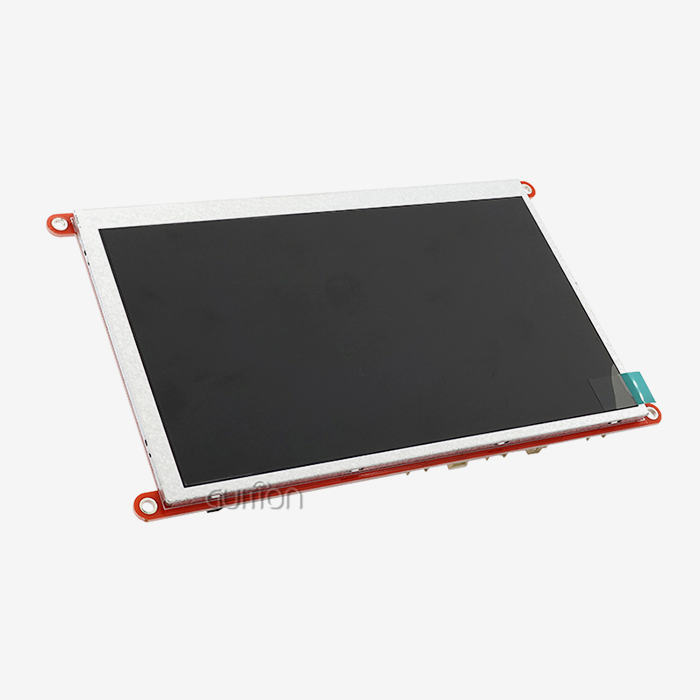
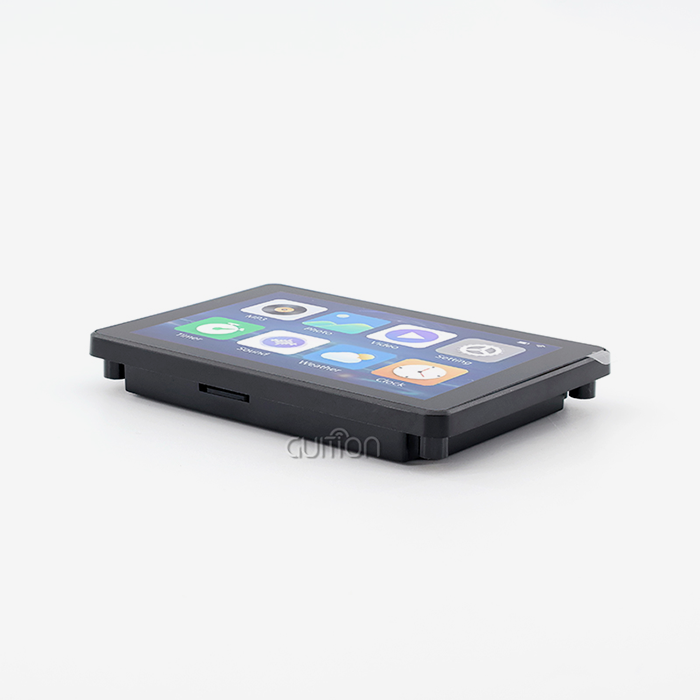
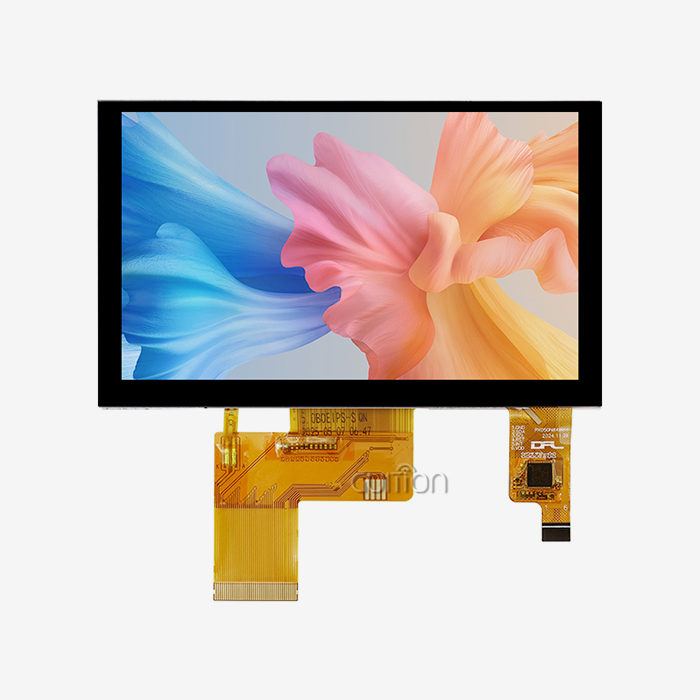
The technical base of advanced interface devices is made up of strong processing units that can do several things at once. This design is shown by the Guition JC8048W550N_I model, which has an ESP32-S3R8 dual-core MCU running at 240MHz and having 512KB SRAM and 8MB PSRAM. This much processing power lets the 5.0-inch 800x480 screen show images smoothly, while keeping the touch controls responsive and handling wireless contacts. The 16MB flash storage can hold program firmware, data logging features, and complicated user interfaces.
Connectivity and Protocol Support
Modern connections stand out because they have a lot of different ways to connect, which makes it easy to connect to a wide range of industrial equipment. Built-in Wi-Fi and Bluetooth units get rid of the need for external connection adapters. This makes installation easier and reduces the number of places where something could go wrong. With these digital features, machines can be monitored from afar, so repair teams can check on them from their phones or from central control rooms. The terminals work with many industrial standards, such as Modbus, so they can talk to PLCs, sensors, and actuators that are popular in plant control systems.
Development Flexibility
When choosing input devices, compatibility with the development environment is a huge plus. The Guition tool works with many computer languages and methods, like Arduino IDE, ESP-IDF, and MicroPython, so engineers with a range of skills and project needs can use it. This makes it easier for development teams that are already comfortable with certain settings to learn how to use the new ones, and it also lets them make more complex changes when they need to.
Why Upgrading to an IoT Operator Interface Terminal Matters in Modern Factories
A lot of the time, traditional IOT operator interface terminals slow down the flow of data and make it harder to see what's going on in production settings. Most of the time, legacy systems work on their own and only show local information. They don't share data with larger systems like business resource planning or industrial execution systems. This separation stops real-time study of production and slows down repairs to broken equipment.
Enhanced Operational Visibility
These problems can be fixed by modern interface screens that send constant streams of data to analytics systems. Production managers can see right away how well their equipment is working, which lets them plan preventative maintenance instead of fixing problems as they happen. When a machine measure starts to move outside of its normal ranges, the terminal can let workers know before the machine actually breaks down. This keeps unexpected downtime to a minimum, which delays production.
Scalability for Growing Operations
Over time, factories change by adding new lines of equipment, increasing their production capacity, or changing the specs of their products. These changes can be made with interface terminals that are built on flexible designs, instead of having to update the whole system. Terminals can handle more data logging needs as processes grow because their storage can be expanded through TF card connections. With the ability to remotely update firmware, deployed computers can get new features and security changes without techs having to go to each one in person.
Application Across Industries
Modern operator consoles are useful in many areas because they can be used in different ways. In smart manufacturing, terminals watch quality factors and output counts while controlling the robots on the assembly line. Medical device makers use these platforms to make sure that the equipment that shows patient data follows the rules set by regulators. When solar panels or battery storage facilities are in rural areas that make centralised control difficult, energy management systems use operator terminals to keep an eye on them all. More and more, connected interfaces are used in agricultural technology to handle irrigation, keep an eye on the environment, and run harvest tools.
Criteria for Choosing the Best IoT Operator Interface Terminal for Your Factory
To choose the right operator terminals, you need to carefully consider both your current and future needs. You should start your evaluation by making a thorough list of the current systems, the communication protocols that are being used, and the situations where the terminals will be used.
Industrial-Grade Durability Requirements
The conditions in factories are tough, and consumer-grade screens can't handle them. Extreme temperatures, vibrations from heavy machinery, dust or moisture, and electromagnetic interference from industrial equipment are all things that require strong building. Quality connectors can usually work successfully from -20°C to +60°C, which is a wide spread of temperatures. When installing somewhere that could be hit by water jets or dust, the actual enclosure should have an IP65 grade or higher. Chemical resistance to cleaning agents that are often used in factories is needed for screen surfaces.
Display Performance and User Experience
The specs of the screen have a direct effect on how well the operator does their job, especially in places with bad lighting. The 5.0-inch screen size gives you enough room for important settings and state information without taking up too much panel space. With a resolution of 800x480 pixels, text and images are easy to read from most viewing angles. When compared to resistive technologies, capacitive technologies are more sensitive, which means that workers can work efficiently even when they are wearing light gloves. The right amount of brightness should allow for reading in workplace lighting without making the operator's eyes tired after long periods of use.
Processing Power and Memory Resources
IOT operator interface terminal, how complex your user interfaces can get and how fast the system is while it's running depend on how much computing power it has. The 240MHz dual-core design gives you enough processing power for complex images, doing many things at once, and managing communications. Memory resources like 512KB SRAM and 8MB PSRAM make it possible for feature-rich programs to run smoothly without slowing down the computer. With 16MB of storage space, flash can handle full user screens, custom fonts, and data logging features without the need for extra memory in simple programs.
Development Platform Ecosystem
The software tools for making user interfaces have a big effect on how long it takes to build and how many changes can be made. Drag-and-drop visual interface design is possible in the Guition development environment, which cuts down on the weeks of hand-writing that are usually needed for custom HMI development. Engineers can use pre-built control tools to set up buttons, scales, gauges, and data display widgets instead of writing their own code. Cross-platform coding lets you test apps before putting them on real hardware, which cuts down on development costs and iteration processes. When considering choices, terminals that support multiple work platforms give teams with different levels of technical knowledge more freedom. The ability to use the Arduino IDE helps engineers who are familiar with rapid prototyping, and the ability to access the ESP-IDF helps developers who need to handle low-level hardware for specific purposes. Support for MicroPython lets you use programming languages that make some automation jobs easier.
How to Evaluate and Procure IoT Operator Interface Terminals Effectively
It's not enough to just compare technical specs when you're buying something. You also need to think about your ties with suppliers, their support system, and the total cost of ownership over the lifecycle of the product. To reduce the risks that come with industrial deployments, your evaluation method should check both the device's capabilities and the vendor's qualifications.
Supplier Assessment and Support Infrastructure
Reliable providers give detailed technical paperwork that lets developers work on their own without constantly asking for help. Full datasheets should list electrical specs, transmission methods, mechanical measurements, and ratings for different environments. Software development kits with sample code make the first application go faster and show the best ways to do things. During the creation phase, tutorial movies and application notes help teams deal with common problems. After-sales help is very important. Make sure that providers have responsive technical support lines, preferably with engineers who know how to use electronics in business settings instead of just for fun. Find out how long it usually takes for technical questions to be answered, and if the support includes helping with the development of special apps.
Certification and Quality Standards
Specific safety and electromagnetic compatibility standards must often be met by industrial tools. Products with certifications like CE marking for European markets or FCC approval for North American deployments have been tested for electrical safety and electromagnetic interference. If the equipment is going to be used in a dangerous area, make sure it has the right approvals, such as ATEX or IECEx grades. Quality standards for manufacturing give you an idea of what people expect in terms of dependability. When suppliers follow ISO 9001 quality management systems, it shows that they are dedicated to regular production methods. Ask for details on the quality control steps, such as how to test screens, touch reaction, and wireless performance.
Requesting Demonstrations and Prototypes
Getting evaluation units lets you test them out in a setting that is similar to your real deployment situation before committing to large orders. Set up test apps that do the same things you want to use them for, and check how responsive the touch screen is, how clear the screen is, and how stable the wifi connection is. Make sample screens to test the development tools and keep track of how long it takes to add certain features. Specifications alone can't show real issues that can be seen through a physical review. Check the terminal's installation choices, how the cables are routed, and how well it works with other control panels. Check that the paperwork that is available is enough to support solo growth without needing constant help from the seller.
Real-World Implementation: Case Studies and Integration Best Practices
For an IoT operator interface terminal release to go smoothly, it needs to be carefully planned so that both technology integration and changes to the way work is done are taken into account. Phased implementations that test features before full-scale rollouts work best in manufacturing settings.
Integration with Legacy Systems
A lot of workplace automation already in place uses PLCs, variable frequency drives, and sensors that talk to each other using standard protocols. New interface screens need to be able to easily share data with older parts while also being able to talk to the cloud. Standard industrial protocols can be used with the Guition terminal, so it can talk to equipment from major automation makers without the need for custom interfaces. Before you start merging with other systems, you should write down all of your communication needs, such as the types of protocols, update rates for data, and command structures. Make interface specifications that explain how the terminal will send user orders and ask PLCs for information. Communication should be fully tested in testing environments before it is put into production, where mistakes could stop work.
Installation and Commissioning Best Practices
Electrical noise reduction, proper grounding, and wire layout that avoids interference are all things that need to be thought about during physical installation. Place the connections away from heavy motors or high-voltage switching equipment that makes electromagnetic fields. When wiring runs close to power lines, use shielded wires for data links. Check to see if the power sources give off clean, regulated voltage within certain areas. Set standard performance measures, such as touch response times, screen refresh rates, and wireless signal strength, during setup. Write down this standard data so that you can figure out what's wrong if performance drops later. Before putting terminals into real use, make full setup backups. This way, you can quickly restore settings if they get damaged.
Maintenance and Long-Term Support
Interface screens need to be serviced on a regular basis to make sure they keep working well for as long as they are used. Modern terminals make it easy to apply security fixes and feature improvements without stopping output by letting you update the firmware remotely. Set up update plans that balance the need for security with the need for practical stability. New firmware versions should usually be tested on non-critical systems before they are widely deployed. The brightness of a monitor screen decreases over time, especially in apps that run all the time. LCD backlights lose their brightness over time, and after a few years of 24/7 use, they might need to be replaced. Always have extra terminals on hand for those serious situations where replacing them right away will lessen the effects of any downtime.
Conclusion
Choosing the right IOT operator interface terminal has a big effect on how well your business runs, how clear the data is, and how much it can grow. As part of the evaluation process, you have to weigh the needs for current functionality against those for future growth. You also have to think about things like industrial durability, development freedom, connectivity options, and provider support infrastructure. Modern terminals like Guition's JC8048W550N_I show how fast processing, built-in wireless connections, and flexible development settings can work together to meet a wide range of business needs. For deployments to go smoothly, you need to carefully plan everything from technical integration to best practices for installation and long-term maintenance plans that protect your investment and allow for ongoing growth.
FAQ
Can IoT operator terminals replace existing HMI systems completely?
Most of the time, modern IOT operator interface devices can be used instead of standard HMI systems because they are more connected and have more features. Standard methods let them talk to PLCs and other industrial tools, and they can also connect to the cloud. Communication methods must be supported for new systems to work with old ones. This means that replacements must be carefully considered before they are bought.
What security measures protect connected operator terminals?
Industrial interfaces have several levels of security, such as safe boot steps that check the validity of the software, encrypted wireless communications through the WPA2/WPA3 protocols, and VPN access from afar. New flaws in software are fixed by regular updates, and network segmentation separates operating technology from corporate IT infrastructure, making it harder to hack.
How does display size affect operational effectiveness?
Screen size strikes a balance between the amount of information and the amount of room on the panel. The 5.0-inch size gives you enough room for important controls and state indicators without making small control panels too crowded. Larger screens can show more information at once, but they cost more and take up more room. When choosing the right measurements, think about what you need to watch and how far you usually sit to see things.
Partner with Guition for Your Industrial Interface Solutions
Guition offers complete IOT operator interface terminal solutions that cut down on the time it takes to create new products and make sure they are reliable enough for use in factories. Our JC8048W550N_I type has ESP32-S3 processing power and easy-to-use creation tools. It works with Arduino, ESP-IDF, and our own Guition platform. This gives your tech teams the freedom to make complex interfaces even if they don't have a lot of experience with embedded code. There are full product lines from 1.28" to 21.5" screens that we make, so we can help you find the right answer for your needs. As both a maker and a technology partner, we offer quick technical help, detailed instructions, and ongoing firmware updates that keep your investment safe. Get in touch with our team at david@guition.com to talk about your specific needs, ask for test units, or find out how our IOT operator interface terminal source can help your automation projects with custom solutions backed by years of experience in the field.
References
1. Gilchrist, A. (2016). Industry 4.0: The Industrial Internet of Things. Apress Publishing.
2. Hermann, M., Pentek, T., & Otto, B. (2016). "Design Principles for Industrie 4.0 Scenarios." 49th Hawaii International Conference on System Sciences, 3928-3937.
3. Lee, J., Bagheri, B., & Kao, H. (2015). "A Cyber-Physical Systems Architecture for Industry 4.0-based Manufacturing Systems." Manufacturing Letters, 3, 18-23.
4. Monostori, L. (2014). "Cyber-physical Production Systems: Roots, Expectations and R&D Challenges." Procedia CIRP, 17, 9-13.
5. Schlechtendahl, J., Keinert, M., Kretschmer, F., Lechler, A., & Verl, A. (2015). "Making Existing Production Systems Industry 4.0-ready." Production Engineering, 9(1), 143-148.
6. Xu, L. D., He, W., & Li, S. (2014). "Internet of Things in Industries: A Survey." IEEE Transactions on Industrial Informatics, 10(4), 2233-2243.
Learn about our latest products and discounts through SMS or email