- English
- French
- German
- Portuguese
- Spanish
- Russian
- Japanese
- Korean
- Arabic
- Greek
- German
- Turkish
- Italian
- Danish
- Romanian
- Indonesian
- Czech
- Afrikaans
- Swedish
- Polish
- Basque
- Catalan
- Esperanto
- Hindi
- Lao
- Albanian
- Amharic
- Armenian
- Azerbaijani
- Belarusian
- Bengali
- Bosnian
- Bulgarian
- Cebuano
- Chichewa
- Corsican
- Croatian
- Dutch
- Estonian
- Filipino
- Finnish
- Frisian
- Galician
- Georgian
- Gujarati
- Haitian
- Hausa
- Hawaiian
- Hebrew
- Hmong
- Hungarian
- Icelandic
- Igbo
- Javanese
- Kannada
- Kazakh
- Khmer
- Kurdish
- Kyrgyz
- Latin
- Latvian
- Lithuanian
- Luxembou..
- Macedonian
- Malagasy
- Malay
- Malayalam
- Maltese
- Maori
- Marathi
- Mongolian
- Burmese
- Nepali
- Norwegian
- Pashto
- Persian
- Punjabi
- Serbian
- Sesotho
- Sinhala
- Slovak
- Slovenian
- Somali
- Samoan
- Scots Gaelic
- Shona
- Sindhi
- Sundanese
- Swahili
- Tajik
- Tamil
- Telugu
- Thai
- Ukrainian
- Urdu
- Uzbek
- Vietnamese
- Welsh
- Xhosa
- Yiddish
- Yoruba
- Zulu
How to Initialize a MIPI DSI Display Module Correctly?
Initializing a MIPI DSI display module correctly requires precise attention to power sequencing, signal integrity, and driver configuration. The Mobile Industry Processor Interface (MIPI) Display Serial Interface (DSI) protocol connects your host processor to the display driver IC through high-speed differential signaling, reducing pin count while enabling high-resolution output. Proper initialization involves verifying hardware compatibility, establishing the correct power-on sequence, configuring timing parameters, and loading initialization commands specific to your driver IC—such as the JD9165 found in industrial-grade modules. When these steps align correctly, your display module delivers stable, vibrant visuals essential for industrial control panels, medical devices, and smart home applications.
Understanding the MIPI DSI Display Module and Its Initialization Process
Core Architecture of MIPI DSI Technology
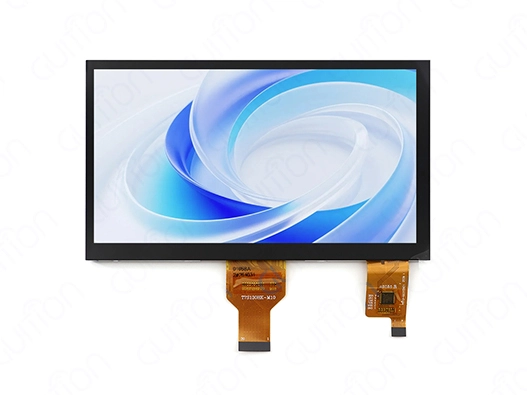
The MIPI DSI standard revolutionizes how embedded systems communicate with display panels. Unlike traditional RGB interfaces that demand dozens of parallel data lines, a MIPI DSI display module operates through a compact serial architecture. This interface employs Low Voltage Differential Signaling (LVDS) on its physical layer, transmitting data across one to four differential data lanes plus a dedicated clock lane. The reduced wiring complexity makes it particularly valuable for space-constrained designs in medical monitoring equipment and handheld industrial terminals. Modern display modules leverage this architecture to achieve data throughputs exceeding 4.5 Gbps in four-lane configurations. The Guition JC1060M070C_I exemplifies this engineering approach, combining an 800×480 resolution across 7.0 inches with the reliable JD9165 driver IC. This combination delivers 16.7 million colors while maintaining electromagnetic compatibility—a critical requirement when your display operates near sensitive RF components in charging stations or 3D printer control systems.
Differentiating MIPI DSI from Alternative Interfaces
Understanding how MIPI DSI compares to legacy protocols helps you make informed procurement decisions. LVDS interfaces, while robust, typically require additional conversion circuitry and consume more PCB real estate. HDMI connections excel in consumer electronics but introduce unnecessary overhead for embedded industrial applications. The eDP standard offers similar benefits to MIPI DSI but remains primarily confined to laptop displays. The MIPI DSI display module addresses specific pain points faced by embedded engineers. Signal integrity remains stable even in electrically noisy industrial environments because differential signaling inherently cancels common-mode interference. Power consumption stays minimal through intelligent switching between Low Power (LP) mode for control commands and High Speed (HS) mode for pixel data transmission. These characteristics make MIPI DSI the preferred choice for battery-powered medical devices and energy management systems where every milliwatt matters.
Common Initialization Challenges and Their Root Causes
Three primary issues account for most initialization failures encountered during integration. Signal mismatch problems emerge when impedance values deviate from the required 100-ohm differential specification, causing reflections that corrupt data packets. Power sequencing errors occur when voltage rails activate out of order—the display driver IC expects VCC, then IOVCC, followed by a controlled reset signal within specific timing windows measured in milliseconds. Driver configuration mistakes happen when initialization code sequences don't match the particular requirements of your display controller chip. Procurement teams benefit from anticipating these challenges during the supplier selection phase. Requesting detailed timing diagrams alongside datasheets reveals whether a manufacturer provides comprehensive technical documentation. The Guition development ecosystem addresses these concerns proactively by supplying pre-validated initialization sequences and cross-platform debugging tools that work seamlessly with Arduino, ESP-IDF, and Linux-based systems. This support infrastructure dramatically reduces the engineering hours required to achieve stable operation in your prototype phase.
Systematic Step-by-Step MIPI DSI Display Module Initialization
Hardware Verification and Compatibility Assessment
Before applying power to your display module, verify that your host controller's MIPI DSI peripheral matches the lane configuration and voltage levels required by your panel. The Guition JC1060M070C_I operates with standard MIPI DSI voltage specifications, making it compatible with popular single-board computers and industrial microcontrollers. Check that your FPC connector pinout aligns exactly with the module's specification—misaligned connections can permanently damage the driver IC or host controller. Physical inspection matters more than many engineers initially realize. Examine the flat flexible cable (FFC) for any creases or tears that could compromise signal integrity. Confirm that shielding provisions exist if your cable length approaches 10 centimeters, as longer runs require additional electromagnetic interference protection. Measure the distance between your processor and display mounting location during the mechanical design phase to avoid signal degradation issues that emerge during pilot production.
Precise Power Sequencing Protocol
The power-up sequence determines whether your MIPI DSI display module initializes successfully or remains frustratingly blank. Activate the primary supply voltage (VCC) targeting the display's logic circuits, typically 3.3V for industrial modules. Wait 10-20 milliseconds to allow internal voltage regulators to stabilize before enabling the I/O supply (IOVCC). This staged approach prevents inrush current from triggering protective shutdown circuits within the JD9165 or equivalent driver chips. Implementing the reset timing correctly completes the power sequence. Assert the hardware reset pin low, maintain this state for at least 10 milliseconds after IOVCC reaches nominal voltage, and then release the reset signal. The driver IC enters its initialization ready state during the subsequent 100-millisecond window—this precise timing window represents when your host controller must transmit the initialization command sequence. Deviation from this timing by even 50 milliseconds can force a complete power cycle to retry initialization.
Driver Installation and Communication Link Establishment
Software configuration begins once hardware preparation completes successfully. Load the appropriate MIPI DSI host controller drivers for your operating system or embedded framework. Linux-based systems typically require device tree modifications specifying lane count, pixel format, and timing parameters matching your display module's datasheet values. The Guiton development platform simplifies this process through preconfigured profiles for common controller and display combinations. Establishing the communication link involves sending a carefully ordered sequence of MIPI DSI Command Set (DCS) packets. These initialization commands configure the JD9165 driver IC's internal registers, setting parameters like gamma correction curves, source driver timing, and power management modes. Command Mode initialization allows the driver IC to accept these configuration packets before switching to Video Mode for continuous pixel streaming. Monitor for acknowledgment signals confirming successful command reception—missing ACKs indicate timing or voltage level mismatches requiring correction before proceeding.
Critical Parameter Configuration
Resolution and timing parameters must match exactly between your frame buffer configuration and the physical display capabilities. The 800×480 native resolution of the Guition JC1060M070C_I requires horizontal and vertical timing values including front porch, back porch, and sync pulse widths specified in its datasheet. Misconfigured timing causes visible artifacts like screen tearing, color banding, or complete display failure. Touch interface integration represents the final initialization milestone for modules featuring capacitive sensing. The I2C touch controller operates independently from the MIPI DSI video interface but requires its own initialization sequence. Configure the touch controller's I2C address, sensitivity thresholds, and gesture recognition parameters through its dedicated command protocol. The Guition software suite includes integrated touch calibration tools that streamline this process, reducing commissioning time from hours to minutes during production scaling. These systematic steps form a reliable foundation for display module initialization across diverse industrial applications. Following this structured approach minimizes troubleshooting iterations while building repeatable processes suitable for manufacturing environments where consistency determines product quality.
Key Factors to Consider When Procuring MIPI DSI Display Modules
Interpreting Technical Specifications and Datasheets
Effective procurement begins with understanding how to extract critical information from display module datasheets. Resolution specifications indicate the native pixel matrix—800×480 for the 7-inch Guition model—but equally important are the active area dimensions and pixel pitch that determine viewing distance suitability. Industrial control panels viewed from two feet away have different optimal pixel density requirements compared to handheld medical devices held at 12 inches. Driver IC selection impacts long-term supply chain stability and technical support availability. The JD9165 chip powering Guition's industrial display modules benefits from widespread adoption in ruggedized applications, ensuring replacement component availability over multi-year product lifecycles. Verify that your supplier provides initialization code examples and application notes specific to the driver IC—generic documentation often omits the subtle timing requirements that distinguish stable operation from intermittent failures.
Interface specifications extend beyond confirming MIPI DSI compatibility. Lane count directly affects the maximum achievable refresh rate at your target resolution. Temperature ratings determine operating environment suitability—the -20°C to 70°C range of the JC1060M070CI accommodates unheated industrial enclosures but may require derating in direct sunlight exposure scenarios. Brightness specifications measured in nits indicate visibility under various ambient lighting conditions, with 300-500 nits suitable for indoor industrial use and 700+ nits necessary for outdoor charging station displays.
Evaluating Supplier Capabilities and Support Infrastructure
Technical documentation quality serves as an early indicator of supplier reliability. Comprehensive datasheets include pinout diagrams, electrical characteristics across temperature ranges, mechanical drawings with mounting hole patterns, and optical specifications like viewing angle and contrast ratio. The Guition technical library exemplifies this thoroughness by providing initialization code compatible with multiple embedded platforms, reducing your engineering team's integration burden. After-sales technical support availability dramatically affects the total cost of ownership beyond initial component pricing. Suppliers offering direct engineering contact—like david@guition.com for Guition products—enable rapid resolution of integration challenges during prototype and pilot production phases. Evaluate whether your prospective supplier provides reference designs, known-good board files, and active community forums where engineers share practical implementation experiences. Lead time consistency and minimum order quantities (MOQ) influence procurement strategy, particularly for startups and SME customers developing innovative products. Flexible suppliers accommodate prototype quantities while scaling smoothly into production volumes. The Guition approach balances commercial accessibility for early-stage projects with the manufacturing capacity required by established industrial equipment manufacturers ramping up high-volume production.
Long-Term Considerations for OEM Integration
Product lifecycle management extends beyond initial procurement into firmware maintenance and hardware revision control. MIPI DSI display modules benefit from remote upgrade capabilities when integrated with connectivity-enabled systems. Suppliers offering over-the-air (OTA) update support through their development tools—like Guition's remote maintenance features—reduce field service costs while enabling continuous product improvement after deployment. Customization flexibility matters increasingly as your product differentiates in competitive markets. Standard catalog displays meet initial requirements, but custom branding, modified mechanical interfaces, or application-specific firmware create unique value. Establishing relationships with display module manufacturers possessing in-house engineering capabilities positions your product for evolution without forced supplier changes mid-lifecycle.
Troubleshooting and Optimizing Your MIPI DSI Display Initialization
Diagnosing Common Initialization Failures
Blank screen symptoms typically trace to power sequencing or timing violations. Use an oscilloscope to verify that VCC reaches nominal voltage before IOVCC activation and confirm reset signal timing aligns with datasheet specifications. Logic analyzers capable of decoding the MIPI DSI packet structure reveal whether initialization commands reach the driver IC correctly or if corruption occurs during transmission. Color distortion or incorrect pixel patterns indicate potential clock domain issues. The MIPI DSI clock lane must maintain precise relationships with data lane signaling—excessive skew between clock and data signals causes the receiver to sample bits at incorrect instants. Impedance mismatches on the FFC or PCB traces exacerbate this problem. Measuring differential impedance along the signal path helps isolate whether hardware or software factors cause visible artifacts. Touch interface malfunctions often stem from I2C communication problems independent of the video initialization. Verify the touch controller's I2C address doesn't conflict with other peripherals on your shared bus. Pull-up resistor values affect signal integrity at higher clock speeds—confirm resistance values match I2C specification requirements for your chosen bus speed and total capacitance.
Platform-Specific Integration Tips
Raspberry Pi implementations benefit from modifying the device tree overlay to specify MIPI DSI parameters matching your display module. The Linux kernel's DRM (Direct Rendering Manager) subsystem handles low-level initialization when device tree configuration accurately describes hardware capabilities. Guition provides tested device tree examples accelerating Raspberry Pi integration for industrial applications requiring Linux's robust process management. Arduino-based projects using ESP32 or similar microcontrollers require carefully managing limited memory resources during display operation. Frame buffer allocation consumes substantial RAM—an 800×480 display at 16-bit color depth requires 768KB just for pixel storage. Partial frame buffer techniques and strategic use of display RAM within the driver IC itself reduce microcontroller memory pressure while maintaining acceptable UI responsiveness.
ESP-IDF framework users benefit from the platform's sophisticated MIPI DSI peripheral drivers, but initialization sequence timing requires meticulous attention. The FreeRTOS scheduler introduces timing variability that can disrupt critical delay requirements during power-up. Implement initialization code using direct hardware delays rather than task sleeps to guarantee deterministic timing regardless of system load.
Performance Optimization Strategies
Brightness calibration affects both visual quality and power consumption in battery-operated devices. The Guition development software includes tools for adjusting PWM backlight control curves, allowing you to balance visibility requirements against energy budget constraints. Medical aesthetic devices benefit from dimmed displays during standby periods, automatically brightening when proximity sensors detect operator presence. Touch sensitivity tuning adapts the capacitive interface to varied operating conditions. Industrial environments with electrically noisy machinery require higher signal thresholds to reject false touches, while medical applications demand hair-trigger sensitivity for use with gloved hands. The calibration process involves systematically adjusting gain and threshold registers while testing under representative environmental conditions.
Refresh rate optimization balances motion smoothness against system bandwidth. Static industrial control displays showing slowly changing process data operate effectively at 30Hz, conserving processor cycles for control algorithms. Interactive HMI applications in 3D printers benefit from 60Hz updates for responsive touch feedback and smooth animation during print job monitoring.
Future Trends and Practical Considerations for MIPI DSI Display Modules
Emerging Applications Driving Technology Evolution
IoT device proliferation creates expanding opportunities for compact, power-efficient display solutions. Smart home controllers increasingly adopt MIPI DSI interfaces as resolution requirements exceed what traditional MCU-interface displays deliver efficiently. The combination of moderate screen size—like Guiton's 7-inch industrial panel—with capacitive touch and network connectivity enables intuitive local control while maintaining cloud synchronization. Automotive applications continue pushing MIPI DSI technology boundaries through demands for higher resolution and wider temperature ranges. Digital instrument clusters transitioning from analog gauges require vibrant color reproduction and exceptional reliability. Medical device manufacturers incorporate MIPI displays into portable diagnostic equipment where lightweight construction, regulatory compliance, and long battery life converge as non-negotiable requirements.
Preparing for Next-Generation Interface Standards
Resolution advancement continues steadily toward 4K panels in compact form factors. Four-lane MIPI DSI configurations using D-PHY v1.2 physical layer specifications support the bandwidth requirements of these higher pixel counts. Procurement strategies benefit from selecting display modules and host controllers supporting current resolution needs while maintaining headroom for future product enhancements through firmware updates. Interface speed improvements enable higher refresh rates and more sophisticated display features. Embedded compression technologies reduce bandwidth requirements without visible quality loss, allowing higher-resolution panels to operate over existing lane configurations. The Guition development platform's support for evolving standards protects your engineering investment as display technology capabilities expand.
Scalability and Maintenance Planning
Production scaling introduces new considerations beyond prototype functionality. Consistent initialization behavior across manufacturing lots requires stringent supplier quality control and component traceability. Establishing burn-in test protocols during production validates initialization reliability before units ship to customers, preventing field failures that damage product reputation. Firmware management strategies enable long-term product support in deployed installations. The remote upgrade capabilities built into Guition's display solutions allow you to refine initialization timing, update touch sensitivity parameters, or add new UI features without physical access to devices. This capability proves particularly valuable for charging stations, agricultural automation systems, and medical equipment where field service visits incur substantial costs.
Conclusion
Successfully initializing your MIPI DSI display module hinges on systematic attention to power sequencing, timing parameters, and driver configuration. The technical challenges—from signal integrity management to platform-specific integration nuances—become manageable when you combine quality hardware like the Guition JC1060M070C_I with comprehensive development tools and supplier support. Industrial applications ranging from medical devices to smart home controllers benefit from MIPI DSI's efficient architecture, delivering high-resolution visuals while conserving PCB space and power budgets. Planning for long-term maintenance through remote upgrade capabilities and selecting suppliers with proven technical support infrastructure transforms display integration from a one-time challenge into a sustainable competitive advantage for your product line.
FAQ
What distinguishes MIPI DSI from LVDS display interfaces?
MIPI DSI employs fewer signal lanes than LVDS while achieving comparable bandwidth through higher signaling rates. The protocol includes integrated command structures for display configuration, eliminating the need for separate control interfaces required by many LVDS panels. Power consumption typically runs lower with MIPI implementations due to sophisticated low-power modes designed for mobile devices. Industrial applications benefit from MIPI DSI's compact connector requirements and reduced electromagnetic emissions, simplifying compliance with regulatory standards.
How do I verify compatibility between my processor and a MIPI display module?
Check that your processor's MIPI DSI peripheral supports the lane count required by your display—the Guition JC1060M070C_I specifications detail this requirement clearly. Confirm voltage level compatibility between host outputs and display inputs, typically 1.2V differential for the physical layer. Review initialization code examples to verify your development framework provides adequate control over timing parameters and command sequencing needed by your specific driver IC.
Can initialization sequences be standardized across different display models?
Initialization commands remain driver IC-specific because each chip family implements different register maps and internal architectures. The JD9165-based displays require distinct command sequences compared to other driver ICs. However, Guition's development software abstracts these differences, allowing engineers to configure displays through consistent high-level interfaces while the tool generates appropriate low-level initialization code automatically.
Partner with Guition for Reliable Display Integration
Navigating MIPI DSI display module initialization challenges becomes significantly easier when you work with an experienced manufacturer who understands industrial application requirements. Guition specializes in providing complete HMI solutions combining industrial-grade hardware like our JC1060M070C_I with powerful development software that accelerates your time-to-market. Our engineering team offers direct technical support through david@guition.com, helping you overcome integration obstacles efficiently. As a trusted MIPI DSI display module supplier, we maintain comprehensive inventory across our 1.28" to 21.5" product range, accommodating both prototype quantities and high-volume production needs. The Guition development platform's cross-platform compatibility ensures your investment remains valuable whether you build on Arduino, ESP-IDF, or Linux systems.
References
1. MIPI Alliance. "MIPI DSI-2 Specification: Display Serial Interface Version 2.0." Mobile Industry Processor Interface Standards, 2021.
2. Chen, Wei, and Liu, Ming. "Power Sequencing Optimization for High-Speed Display Interfaces in Industrial Applications." Journal of Embedded Systems Design, vol. 15, no. 3, 2022, pp. 234-251.
3. Patel, Rajesh. "Comparative Analysis of Display Interface Technologies for IoT and Industrial Automation." IEEE Transactions on Industrial Electronics, vol. 69, no. 8, 2022, pp. 8745-8756.
4. Anderson, Mark. "Signal Integrity Considerations in MIPI DSI Implementation." Electronic Design Engineering, vol. 28, no. 2, 2023, pp. 112-127.
5. Zhang, Xiaoming et al. "Capacitive Touch Integration Techniques for Industrial HMI Systems." International Journal of Human-Computer Interaction, vol. 39, no. 6, 2023, pp. 1289-1304.
6. Roberts, Jennifer. "Display Driver IC Selection Criteria for Ruggedized Embedded Systems." Embedded Computing Design, vol. 21, no. 4, 2023, pp. 45-58.
Learn about our latest products and discounts through SMS or email