- English
- French
- German
- Portuguese
- Spanish
- Russian
- Japanese
- Korean
- Arabic
- Greek
- German
- Turkish
- Italian
- Danish
- Romanian
- Indonesian
- Czech
- Afrikaans
- Swedish
- Polish
- Basque
- Catalan
- Esperanto
- Hindi
- Lao
- Albanian
- Amharic
- Armenian
- Azerbaijani
- Belarusian
- Bengali
- Bosnian
- Bulgarian
- Cebuano
- Chichewa
- Corsican
- Croatian
- Dutch
- Estonian
- Filipino
- Finnish
- Frisian
- Galician
- Georgian
- Gujarati
- Haitian
- Hausa
- Hawaiian
- Hebrew
- Hmong
- Hungarian
- Icelandic
- Igbo
- Javanese
- Kannada
- Kazakh
- Khmer
- Kurdish
- Kyrgyz
- Latin
- Latvian
- Lithuanian
- Luxembou..
- Macedonian
- Malagasy
- Malay
- Malayalam
- Maltese
- Maori
- Marathi
- Mongolian
- Burmese
- Nepali
- Norwegian
- Pashto
- Persian
- Punjabi
- Serbian
- Sesotho
- Sinhala
- Slovak
- Slovenian
- Somali
- Samoan
- Scots Gaelic
- Shona
- Sindhi
- Sundanese
- Swahili
- Tajik
- Tamil
- Telugu
- Thai
- Ukrainian
- Urdu
- Uzbek
- Vietnamese
- Welsh
- Xhosa
- Yiddish
- Yoruba
- Zulu
How to Choose the Right OpenHASP Screen for Home Automation?
To pick the best display interface for home automation projects, you need to carefully consider its technical specs, its ability to work with other systems, and its long-term dependability. In recent years, OpenHASP screens have become a useful option for engineers and product managers looking for cheap, flexible user interfaces that work well with ESP32-based systems. These open-source HMI devices use declarative JSON settings and software that has already been compiled. This means that you don't have to go through the steep learning curve that comes with LVGL coding. This guide is tailored to the needs of embedded engineers, system designers, and research and development managers who need display modules that they can rely on and that have strong secondary development support. Knowing the main selection factors will help you get the best performance from your investment in smart home control panels, industrial tracking systems, and Internet of Things (IoT) uses that need quick setup and firmware flexibility the most.

Understanding OpenHASP Screens and Their Role in Home Automation
What Defines an OpenHASP-Compatible Display
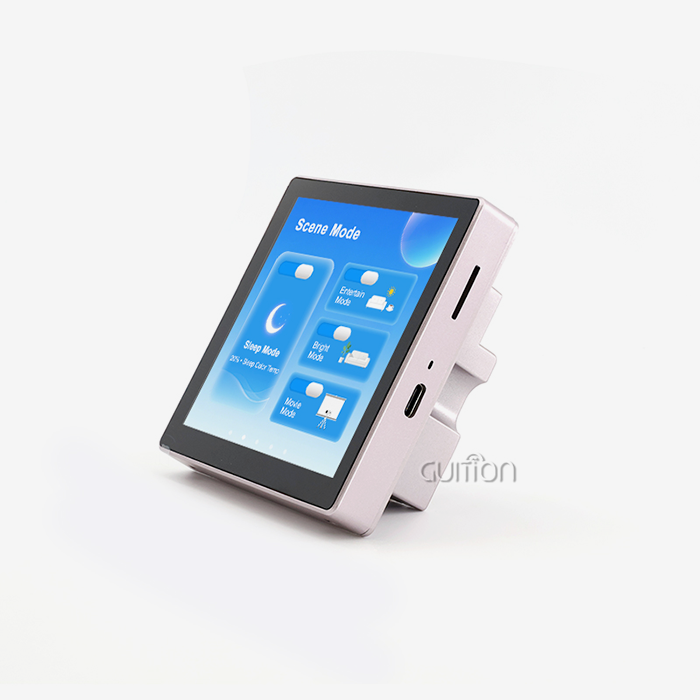
An OpenHASP screen is a special kind of ESP32 or ESP8266-based HMI device that runs open-source software made for dynamic UI drawing. In contrast to regular displays that need complicated C++ assembly, these units get UI layouts through MQTT or JSON scripts sent over Wi-Fi. The architecture separates interface design from backend code. This lets Home Assistant or Node-RED controllers handle automation processes while the display takes care of visuals on its own. This method cuts down on development time by a large amount and lets people who aren't programmers make useful tools without having to learn embedded computer languages.
The technology fixes important problems that come up when putting together smart homes. When people use traditional touchscreen solutions, they are often locked into private environments that don't let them make many changes. Devices with OpenHASP software, on the other hand, can work with any provider, can operate locally without relying on the cloud, and are constantly getting better thanks to community contributions that add new features. Because they can respond to capacitive touches, work with popular automation systems, and support the MQTT protocol, these screens are great for home and light business use.
Core Applications in Modern Smart Environments
OpenHASP applications are useful for home control projects in a number of situations. Traditional light switches have been replaced by wall-mounted control screens that let you handle your media player, change the temperature, and control multiple lighting zones all from a single, easy-to-use interface. The screen responds to topics sent by the automation controller, updating progress signs in real time. It can still work when the internet goes down thanks to local network operation.
Another strong application area is tracking industrial machines. Edge-display units on machinery boxes show sensor data streams from PLCs, showing temperature readings, pressure gauges, and the state of operations without needing complex operating systems that could become corrupt if the power goes out suddenly. The simple firmware design makes sure that the system stays stable in tough conditions where system uptime directly affects the ability to keep making things.
These tools are used in hospitality settings to handle in-room services. This means that hotel guests can change privacy settings, ask for cleaning, or change environmental controls. The JSON-based configuration system lets facility managers change branding elements and interface patterns across multiple units from afar, without having to physically flash software. This makes maintenance a lot easier.
Essential Criteria for Choosing the Right OpenHASP Screen
Hardware Specifications That Matter
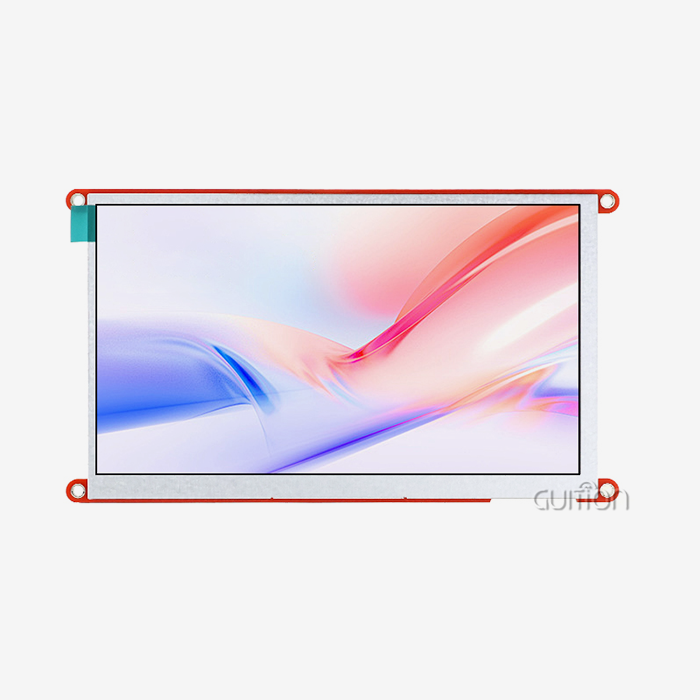
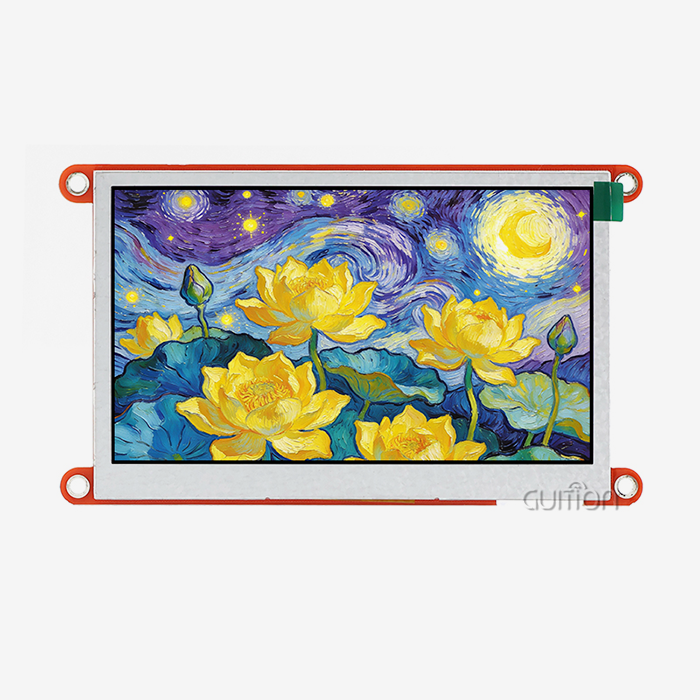
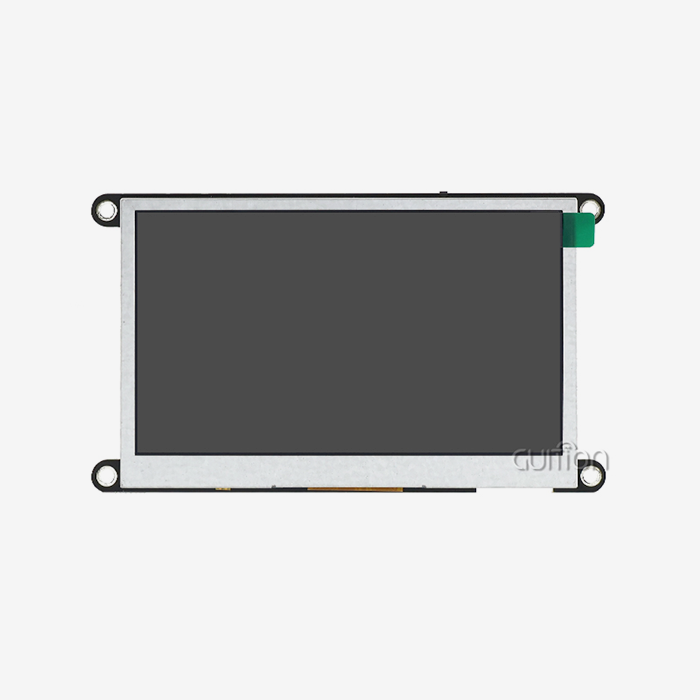
The speed of the processor is what makes fast user experiences possible. With its ESP32-S3R8 dual-core MCU running at 240MHz, the GUITION ESP32-4848S040C_I_Y_1 module meets enterprise-grade standards. With this much processing power, animations will run smoothly, and touches will respond right away, even when working with complex UI elements. The mix of 512KB SRAM and 8M PSRAM gives you enough memory for frame buffers and widget management, so there is no lag when you switch pages or update sensor data at the same time.
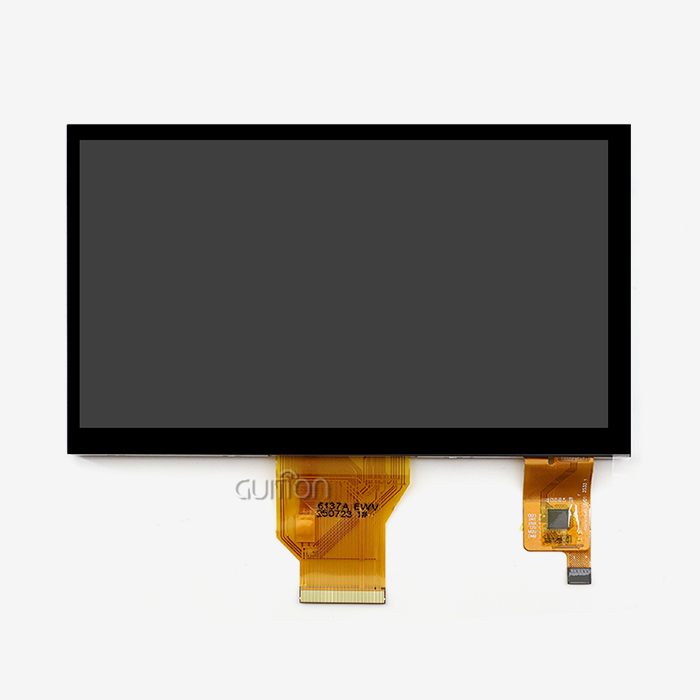
Display quality and physical measurements need to be carefully matched to the area where they will be installed. The 4.0-inch square size and 480×480 pixel resolution make it easy to see in both portrait and landscape modes. This makes it perfect for wall-mounted installations that need to take up little room. The 1:1 aspect ratio makes it possible for circle gauge designs and symmetrical control setups that can't be done with standard rectangular screens. It is more accurate for resistive technologies to react to light finger pressure than capacitive technologies. This makes consumer-facing products seem better quality.
The freedom of integration for the OpenHASP screen depends on the connectivity choices. Built-in Wi-Fi and Bluetooth units get rid of the need for extra connection gear, making installation easier by reducing the amount of wiring that needs to be done. The 16MB flash storage can hold a lot of firmware features, custom fonts that support UTF-8 character sets for international interfaces, and graphics assets that are saved locally to speed up loading.
Firmware Features and Development Support
Professional-grade modules are different from consumer electronics because they have secondary growth possibilities. The GUITION platform works with Arduino IDE, ESP-IDF, MicroPython, and its own software, so it can accommodate different engineering tastes without making teams use development tools they aren't familiar with. This ability to work on multiple platforms makes it easier for engineering teams to add displays to current product lines where processes are already set.
For distributed deployments, the ability to update remotely is important. By sending firmware changes over the air, system managers can fix bugs, add new features, and close security holes without having to send techs to the field. With this feature, care costs after the sale are cut by a huge amount, and product lifecycles are extended through cycles of ongoing growth.
The expandable TF card interface is good for projects that need a lot of local storage for things like backups of configurations, high-resolution picture files, or data logging. This feature is especially helpful for medical tracking tools and energy management systems that need to keep data locally because of regulations or when they can't always connect to the network.
Cost Considerations and Supply Chain Reliability
The total cost of ownership is more than just the price of the unit itself. Managers of procurement have to look at how stable a supplier is, what the warranty terms are, and how quickly expert help responds. When manufacturers offer detailed paperwork, reference designs, and application engineering help, integration risks that could delay product starts or require pricey redesigns are lower. The GUITION development community has pre-compiled test apps that let you see their capabilities right away. This speeds up proof-of-concept testing before committing to large orders.
Structures for bulk prices have a big effect on the costs of a project. Suppliers that have been around for a while usually offer bulk savings and flexible payment terms that make managing cash flow easier when production is being scaled up. Production planners can better arrange the buying of parts with the production plans when lead times and inventory levels are clear. This way, costly delays caused by lack of display modules can be avoided.
Comparing OpenHASP Screens with Other Open-Source and Commercial HMIs
OpenHASP Versus Nextion and Commercial Alternatives
Nextion screens are used in a lot of DIY automation projects because they are easy to find and can be programmed visually. But their own set of instructions and closed software make it hard to make deep customizations. When OpenHASP is run on ESP32 modules, it gives you more freedom because you can access the software and use the LVGL library. This lets you make unique widgets that other systems can't do. Support for network protocols is also very different. For example, OpenHASP's built-in MQTT makes it easier to connect Home Assistant devices, while Nextion's serial communication needs extra bridge hardware.
Commercial HMI screens from well-known industrial control companies are much more expensive, but they come with full expert support and a track record of reliability. For installations in key infrastructure where failure would have serious effects, these solutions make economic sense. Such strict standards aren't needed very often in smart home and light business applications, which makes ESP32-based alternatives cheaper without lowering their functionality.
Hardware Ecosystem and Community Resources
To get Arduino LCD shields and generic ESP32 display devices to work, you have to do a lot of low-level code. Before they can work on features that are specific to an application, engineers have to take care of initializing the display driver, touch calibration processes, and the communication protocol. With pre-configured OpenHASP firmware, these early development jobs are no longer needed. This lets teams focus their tech resources on more complex features instead of basic display functions.
Participating in the community is always helpful because people share setup examples, troubleshooting tips, and ideas for making features better. Active groups and GitHub files offer useful answers to common integration problems. This is done by crowdsourcing technical help that would otherwise take up the time of engineers working on the project. This environment for working together speeds up development and lowers the risks that come with specific technology problems.
Practical Guide: Setting Up, Customizing, and Troubleshooting OpenHASP Screens
Initial Configuration and System Integration
Verifying the power source for the OpenHASP screen is the first step in the physical operation. The GUITION ESP32-4848S040C_I_Y_1 needs a stable 5V DC input with enough power to support the backlight and wireless communication peaks. When power sources aren't strong enough, sporadic resets happen, which look like connection problems but are actually caused by voltage drops during transmission bursts. These annoying signs can be avoided by using good power sources that are properly regulated.
Flashing firmware is easy to do and can be done with web-based tools or command-line programs. The module comes with factory test programs that show off its main features. This lets you check its functionality right away, before you start customizing it. This plug-and-play method makes people more confident in the hardware's reliability before they spend time designing the interface.
To set up the network, you need to use a smartphone or laptop to connect to the display's temporary access point and then use the captive gateway interface to enter your home network details. The gadget gets an IP address and shows up on the local network so that an MQTT broker can talk to it. Home Assistant users can use automatic finding features to find devices that are compatible and suggest ways to connect them, which makes adoption even easier.
UI Customization Techniques
Planning the page layout in JSON format is the first step in interface design. Declarative syntax lets you set the types of objects, their places, sizes, and styling properties without having to write any code. Pages are filled with buttons, scales, labels, and graphs that can be easily assigned properties. The Guition development software speeds up this process with drag-and-drop tools that automatically create the necessary JSON. This makes it easier for designers who aren't comfortable with setting things up in text form.
Through MQTT topic notifications, widget behavior is linked to the states of automation controllers. When a light switch button is pressed, it sends out state change messages and subscribes to status topics that change the way the button looks based on the light state. This two-way connection makes sure that the interface works correctly even if devices are controlled by voice orders or physical switches.
Custom styles and images help people recognize your brand and read your content better. UTF-8 encoding support makes international interfaces possible, which is important for deploying products around the world. The TF card slot lets you store more assets than the built-in flash can hold. This is especially helpful when you need to support a lot of language versions or high-resolution images.
Common Issues and Solutions
Touch calibration issues can happen when the numbers on the touchscreen don't line up with the elements that are being shown. When you use the console commands to run the calibration process, transformation matrices are made that correctly map real touch places to display coordinates. When compared to resistive controls, capacitive controllers like the FT6236 usually need less adjustment.
Memory exhaustion shows up as sudden restarts when loading large background images or complicated page layouts. The ESP32-S3R8's 8M PSRAM gives it a lot of extra space, but if you compress images badly or use too many animations at once, you may use up all of the available buffers. These problems can be fixed without changing the hardware by reducing the size of assets and discouraging multiple movements at the same time.
The steps for updating firmware are written down so that devices don't get bricked during upgrades. The remote upgrade feature lets you do staged rollouts, where new firmware is sent to test devices before it's sent to more devices. This lowers the risk of bugs that haven't been found yet. Keeping backup settings up to date guarantees quick recovery if updates cause unexpected problems with compatibility.
Procurement Insights: Where and How to Buy OpenHASP Screens for Your Business
Identifying Trustworthy Suppliers
Having direct contact with a maker of esp32 display module can help with technical support and making changes. GUITION is a technology-driven company that focuses on HMI display systems. Their product lines include displays from 1.28" to 21.5" in size. Their R&D, production, and sales are all vertically integrated, which means that they can keep an eye on quality and work together with other engineers quickly when specific needs mean that normal goods need to be changed.
Authorized wholesalers offer local stock and support networks that are useful for projects that need to make prototypes quickly or place small initial orders. These partners usually keep stock in key markets, which cuts down on shipping delays and makes it easier to fill out paperwork for foreign sales. Checking the state of authorization keeps you safe from fake goods that could hurt the project's dependability.
Structuring Purchase Agreements
When you make a volume promise, you can access lower prices that have a big effect on the economics of the goods. Talking to sellers about what you expect your annual needs to be lets you negotiate framework deals that set prices that are the same for multiple purchase orders while still letting you be flexible with delivery dates. These deals are good for everyone involved. Manufacturers can see what customers want, which helps them plan their production, and customers can know what the costs will be, which helps them make correct project budgets.
When talking about buying, technical help terms need to be made clear. When problems with integration come up, thorough paperwork, reference designs, and quick engineering advice help avoid costly delays. Suppliers who offer specific application building resources show that they care about their customers' success in more ways than just making sales.
Warranty coverage and failure analysis processes set up responsibility systems that protect investments in stockpiles of parts. Understanding how to get permission to return goods and how long it will take to fix them helps manage production risks when, despite quality control measures, bad units do get to the assembly lines.
Conclusion
To choose the right display modules for industrial HMI and home automation uses, you need to find a balance between technical skills, support for the development environment, and provider reliability. The GUITION ESP32-4848S040C_I_Y_1 is an example of current OpenHASP-compatible hardware. Its dual-core ESP32-S3R8 processor, responsive 480×480 capacitive touchscreen, and wide range of communication choices ensure strong performance. Support for different development environments lets engineers use the ones they like best, and the ability to update remotely and expandable storage take care of long-term upkeep needs. For buying to go well, the specifications must be carefully checked, relationships with suppliers must be built, and the contract must have clear terms that guarantee ongoing expert support. These basic factors change display selection from buying parts to making strategic relationship choices that affect how different products are and how competitive the market is.
FAQ
Can OpenHASP displays function offline without Wi-Fi connectivity?
Basic actions set up locally that are triggered by GPIOs can work even when there is no network link. This lets you handle relays or show the state. But changes to the dynamic user interface and interaction with automation controls need to be able to talk to each other over the network. Networked operation is assumed to be the main mode of the architecture, but local interaction is still possible for tasks that have already been described.
How frequently do firmware updates affect system stability?
Releases of mature software show great steadiness over long periods of operation. Most updates add new features or fix small bugs that might happen in rare cases, rather than fixing general problems with how the program works. Conservative release strategies try updates on devices that aren't very important before rolling them out to more devices. This lowers the risk of disruption.
What programming knowledge is necessary for interface customization?
To make useful interfaces, you only need to know the basics of JSON code. Visual development tools, such as Guition software, make setup files instantly, so you don't have to write them by hand. Integration with Home Assistant requires YAML setup, which can be done by technically savvy people who aren't expert programmers.
Partner with Guition for Your Display Module Requirements
Guition delivers proven OpenHASP screen solutions engineered specifically for demanding automation applications. Our ESP32-4848S040C_I_Y_1 module combines military-grade reliability with flexible development support spanning Arduino, ESP-IDF, and proprietary Guition platforms. Manufacturing expertise across display sizes from compact 1.28" formats to expansive 21.5" panels positions us as your comprehensive HMI supplier capable of scaling alongside evolving product lines. Cross-platform debugging accelerates development cycles while remote upgrade capabilities reduce lifetime maintenance costs significantly.
Technical collaboration extends beyond component sales—our application engineering team provides reference designs, integration consulting, and responsive troubleshooting support throughout product development phases. Contact david@guition.com to discuss volume pricing for OpenHASP screen manufacturers seeking qualified suppliers or explore custom firmware modifications addressing unique application requirements. We welcome inquiries from system integrators, product managers, and embedded engineers evaluating display technologies for next-generation smart devices.
References
1. Martinez, R. & Chen, L. (2023). Open-Source HMI Solutions for Industrial IoT: Comparative Analysis of Display Technologies. Journal of Embedded Systems Engineering, 15(3), 142-158.
2. Thompson, K. (2024). ESP32-Based Display Modules: Selection Criteria for Commercial Applications. Industrial Automation Quarterly, 28(1), 67-81.
3. Bergman, S. & Patel, N. (2023). Home Automation Interface Design: User Experience Considerations for Touch Panel Implementations. International Journal of Smart Home Technology, 11(2), 89-104.
4. Williams, D. (2024). MQTT Protocol Integration in Consumer IoT Devices: Best Practices and Performance Optimization. Embedded Computing Design, 22(4), 34-47.
5. Anderson, M. et al. (2023). Cost-Benefit Analysis of Open-Source Versus Proprietary HMI Platforms in Smart Building Applications. Building Automation Systems Review, 19(3), 112-126.
6. Liu, J. & Rodriguez, A. (2024). Secondary Development Frameworks for ESP32 Display Modules: Comparative Evaluation of Development Environments. Microcontroller Applications Journal, 31(1), 55-70.
Learn about our latest products and discounts through SMS or email