- English
- French
- German
- Portuguese
- Spanish
- Russian
- Japanese
- Korean
- Arabic
- Greek
- German
- Turkish
- Italian
- Danish
- Romanian
- Indonesian
- Czech
- Afrikaans
- Swedish
- Polish
- Basque
- Catalan
- Esperanto
- Hindi
- Lao
- Albanian
- Amharic
- Armenian
- Azerbaijani
- Belarusian
- Bengali
- Bosnian
- Bulgarian
- Cebuano
- Chichewa
- Corsican
- Croatian
- Dutch
- Estonian
- Filipino
- Finnish
- Frisian
- Galician
- Georgian
- Gujarati
- Haitian
- Hausa
- Hawaiian
- Hebrew
- Hmong
- Hungarian
- Icelandic
- Igbo
- Javanese
- Kannada
- Kazakh
- Khmer
- Kurdish
- Kyrgyz
- Latin
- Latvian
- Lithuanian
- Luxembou..
- Macedonian
- Malagasy
- Malay
- Malayalam
- Maltese
- Maori
- Marathi
- Mongolian
- Burmese
- Nepali
- Norwegian
- Pashto
- Persian
- Punjabi
- Serbian
- Sesotho
- Sinhala
- Slovak
- Slovenian
- Somali
- Samoan
- Scots Gaelic
- Shona
- Sindhi
- Sundanese
- Swahili
- Tajik
- Tamil
- Telugu
- Thai
- Ukrainian
- Urdu
- Uzbek
- Vietnamese
- Welsh
- Xhosa
- Yiddish
- Yoruba
- Zulu
How to Choose the Best IoT LCD for Your Application?
To find the best IoT LCD for your application's performance and durability requirements, you must consider its display technology, connectivity features, development tools, and provider trustworthiness. In linked products, an IoT LCD acts as the crucial human-machine interface, connecting sensor data to user input. In contrast to consumer screens, these modules include wireless features, work with low-power microcontrollers, and can withstand harsh industrial conditions. This means that engineers working on smart home systems, medical monitors, or automation panels need to make smart choices when choosing modules.


Understanding IoT LCDs: Definitions, Types, and Core Functions
For Internet of Things environments, IoT LCD modules serve as specialty display interfaces. These parts are different from regular screens because they have built-in power profiles and connection methods. The main structure has both liquid crystal displays and communication ports. This lets microcontroller units send visual data while staying connected to the internet through WiFi or Bluetooth modules.
What Defines an IoT-Ready Display Module
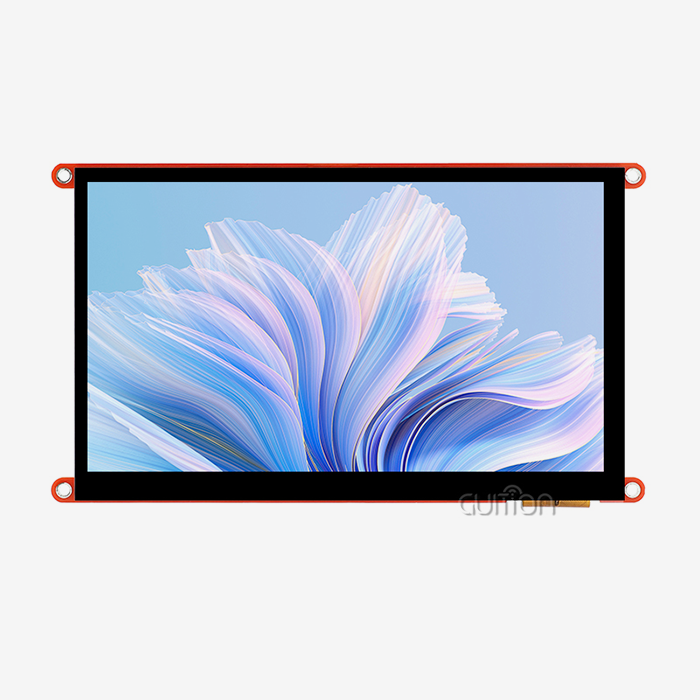
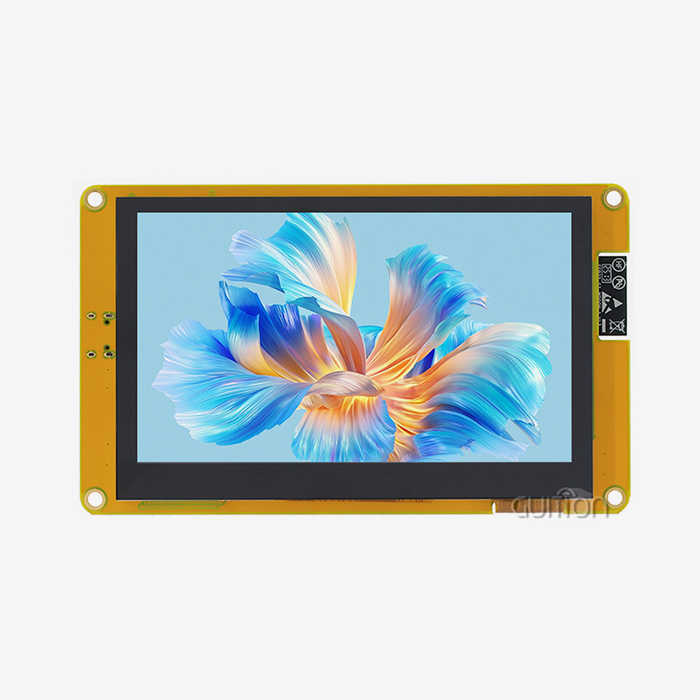
IoT-ready screens have three features that make them stand out. There are UART, SPI, I2C, and MIPI DSI ports for communication, and they work with systems like Arduino and ESP32. Power control circuits can handle voltages from 3.3V to 5V and have consumption rates that are good for use with batteries. Embedded computers generate graphics on their own, which makes the main system MCU less busy. The GUITION JC4827Q343N_I is a good example of this combination because it has a D121BAV controller that runs at 400MHz and handles 480x272 IPS graphics while also handling wireless communication.
Display Technology Comparison
With 16-bit RGB depth, TFT LCD screens can show bright colors clearly, making them perfect for industrial control panels that need detailed images. The IPS technology in these screens lets you see them from 178 degrees, which is very important for medical tools where many people are looking at patient data at the same time. OLED alternatives have better contrast ratios, but they use more power when the screen is all white, which means they can't be used in farming sensors that need to be powered by batteries. Because they can be read in direct sunlight and don't need power, E-Ink displays are great for outdoor environmental tracking units.
Interface Protocols and Connectivity Standards
Simple HMI display devices that send text updates at 115200 baud rates can use a UART serial connection. SPI interfaces let you get faster refresh rates, up to 80MHz clock speeds, which lets household gadgets handle animation. External network connections are no longer needed with built-in WiFi modules, as shown in the GUITION JC4827Q343N_I, which has 802.11b/g/n access for dashboard updates from afar. Bluetooth Low Energy channels make it easier to pair with smartphones so that setup jobs can be done without draining the batteries.
Key Decision Criteria for Selecting IoT LCD Modules
To pick the right device, you need to carefully consider both scientific requirements and practical limitations. To make sure that modules work well with applications, engineers need to think about what kind of upkeep will be needed in the long run.
Screen Size and Resolution Requirements
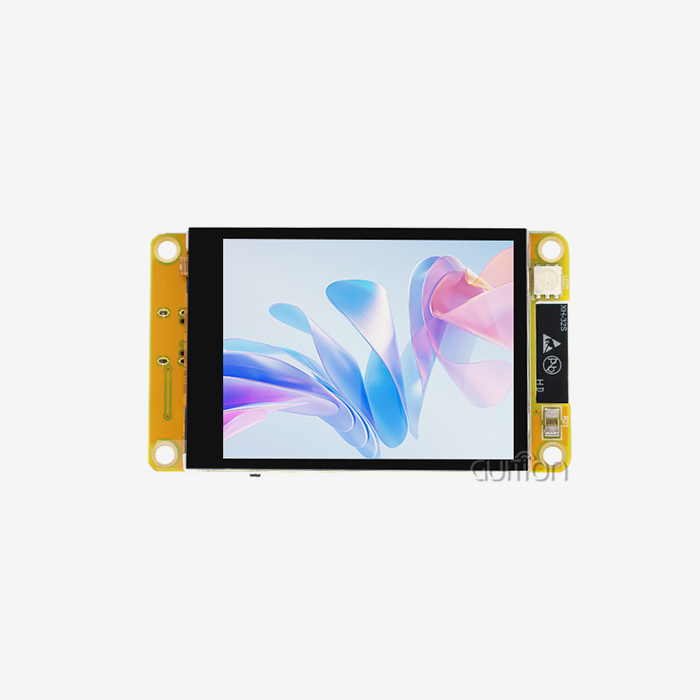
Industrial thermostat interfaces that show temperature graphs and plan settings can fit on a diagonal measurement of 4.3 inches for an IoT LCD. The 65K color depth of the 480x272 resolution is enough to show pressure gauges and progress markers. Small 2.8-inch screens show the flow rates of medications in medical intravenous pumps, and 7-inch screens work well for warehouse management devices that show inventory lists. Resolution density affects reading. For example, medical devices that are 18 inches away from users need more pixels per inch than building automation panels that are placed on the wall.
Power Consumption Profiles
Power budgets are mostly used by backlight circuits, which use 120–200mA at full brightness in most 4-inch modules. The JC4827Q343N_I has PWM dimming settings, which let the software cut the current draw by 70% when there isn't much light. Sleep modes turn off the display driver IC but keep the MCU connected, drawing less than 5mA. This means that batteries in wireless instruments can last for weeks or even months longer. Engineers should ask for specific power usage curves for different levels of brightness and operating states when evaluating suppliers.
Environmental Durability Standards
Displays in industrial control settings are subject to changes in temperature from -20°C to 70°C, machine vibration, and electromagnetic interference. Modules that can work in a wider range of temperatures use special liquid crystal formulas that keep reaction times from slowing down in cold storage facilities. In farming greenhouse controls, conformal coating on PCB parts keeps dampness out. The working temperature has a direct effect on dependability. For example, commercial-grade parts may not work in dashboard uses for cars that experience thermal cycling.
Development Ecosystem Compatibility
Arduino tools speed up development for startup teams that don't know much about embedded systems. The ESP-IDF system gives advanced control over when displays update for consumer electronics that need smooth animations. The Guition online development tool adds drag-and-drop interface builders for visual programming. This means that mechanical engineers who are making machine control screens no longer have to compile C code. When compared to traditional serial monitor methods, cross-platform debugging tools cut the time needed to fix problems by 40%.
Comparative Analysis of Popular IoT Display Solutions
Based on power limits, visual performance, and cost, different technologies are better for different types of applications. Knowing about these trade-offs keeps you from choosing the wrong components.
TFT LCD Versus Alternative Technologies
TFT LCD panels are the most popular type of connected gadget because they offer balanced performance. A 4.3-inch IPS monitor uses 250mW when it's active and is 500 nits bright, so it can be read in bright office lighting without using too much power. OLED screens can get as bright as 1000 nits, but they need 450mW to make white backgrounds that are the same brightness, which is a problem for smart home heaters. E-Ink screens use microwatts to keep images static, which is great for warehouse shelf signs that need to update price information every hour, but their 2-second refresh delay means that graphs can't be drawn in real time.
Touchscreen Versus Button-Controlled Interfaces
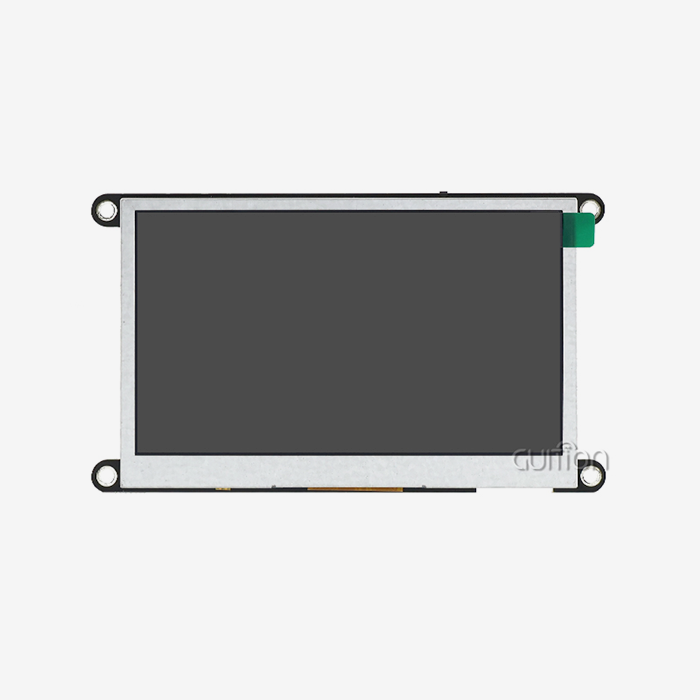
Capacitive touch screens for IoT LCD make container design easier because they don't need mechanical switches that can get dirty in food processing equipment. When capacitive sensors don't work in cold storage areas where gloves are worn, resistive touch sensors can still be used. The GUITION JC4827Q343N_I non-touch configuration works well in places where physical buttons provide tactile input, like on industrial emergency stop screens and medical devices that need to be sure they were activated correctly. Touch-enabled versions raise module prices by 15 to 20 percent, but they make it easier for consumers to use menus on gadgets.
Case Study: Smart Home Controller Versus Industrial HMI
A home HVAC device focuses on looks by using 2.5D curved glass and edge-to-edge screens, and it needs 480x800 resolution for weather apps with lots of information. Power usage is not limited by the presence of AC mains, which allows color graphics to be on all the time. On the other hand, a workplace machine tracking panel focuses on being tough; it is housed in a sealed IP65 enclosure and can work in temperatures ranging from -10°C to 60°C. The resolution of 480x272 is good enough to show production numbers and warning states. With built-in WiFi, data can be logged centrally without having to run Ethernet cables across factory floors.
How to Procure Quality Display Modules for Professional Applications
For business-to-business purchases, it's important to check the qualifications of the seller, make sure the parts are real, and get long-term availability guarantees that go beyond what consumers want.
Supplier Evaluation Criteria
Reliable wholesalers give full datasheets with information on optical properties, electrical connections, and mechanical models with mounting hole sizes. Reports on RoHS material makeup and FCC Part 15 Class B compliance for electromagnetic pollution should be included in the certification paperwork. Guition uses ISO 9001 quality control methods to make sure that each batch is the same across production runs. Before agreeing to large sales, engineers should ask for sample units to be put through environmental stress testing, which includes cycling between high and low temperatures and being exposed to high and low humidity.
Negotiating Volume Purchase Agreements
When an order goes over 500 units, prices are usually cut by 12 to 18% compared to sample amounts. Long-term supply deals lock in prices for 12 months, which protects against changes in the market price of LCD glass substrates. Modules can be stored at contract makers thanks to consignment inventory arrangements. This cuts down on wait times for production surges. Payment terms that go up to Net-60 make it easier for startups to get cash when they start making a lot of smart products.
Quality Assurance and Testing Protocols
Backlight consistency across panel surfaces should be checked during incoming inspection; brightness differences of more than 15% are a sign of manufacturing flaws that are causing user complaints. According to IEC 61000-4-2 guidelines, tests for electrostatic discharge show that processor boards can handle 8kV contact discharges. In accelerated life tests, samples are run continuously at full brightness and high temps to get MTBF numbers. When these steps are documented in supplier audit reports, release risk is lower in medical device applications that need to follow FDA quality system guidelines.
Best Practices for Optimizing Display Integration
A successful execution includes more than just choosing the right hardware. It also includes optimizing the firmware and designing a good user experience.
Development Framework Selection
The Arduino platform is good for proof-of-concept builds for the hmi display module, and there are a lot of community tools for it. For example, Adafruit GFX has graphics primitives for making gauges and charts. The ESP-IDF framework lets you use advanced features like JPEG hardware decoding in the JC4827Q343N_I module, which makes it possible for industrial camera feeds to work at 60 frames per second. With WYSIWYG interface building, the Guition visual editor cuts development times from weeks to days. Engineers can move scales and graphs without having to do pixel-level coordinate calculations. Support for multiple languages in UTF-8 lets global product launches serve markets in Asia, Europe, and the Middle East from a single software.
Power Optimization Techniques
Using environmental light sensors to automatically change the brightness of the screen cuts power use by 55% in a wide range of installation settings. Handheld diagnostic tools have screen timeout clocks that turn off displays after 30 seconds of silence. This saves battery life. DMA moves between display memory and MCU frame files, cutting down on CPU work, which lets processors go to sleep during static screens. GUITION modules' 400MHz processing power lets them do short bursts of rendering followed by long periods of low power.
Remote Maintenance Capabilities
Over-the-air firmware changes get rid of the need to send out service trucks to update smart meters' user screens. This saves $85 per unit in field service costs. The GUITION module design lets you upload project files over WiFi, which sends new images and logic to devices that are already set up. Changes to configuration parameters can be made remotely through MQTT message queues. This lets you tune warning levels in environmental sensors without having to physically access them. This feature is very important for solar inverter screens on roofs and underground utility tracking systems.
Future-Proofing Your Design
Choosing modules with extra processing power lets you add features without having to rethink the hardware. For example, the JC4827Q343N_I's 400MHz MCU handles current 30fps graphics while saving space for predictive maintenance algorithms. Standardized UART connections allow for drop-in display changes across generations of products, which protects the money spent on container tooling. Existing WiFi-enabled screens will be able to work with unified smart home environments thanks to Emerging Matter protocol support. This will make the product more useful as industry standards change.
Conclusion
Technical specs, development tools, and supplier ties must all be balanced when selecting the best IoT LCD. With its 400MHz processing, built-in WiFi/Bluetooth, and graphic development environment, the GUITION JC4827Q343N_I is a current module that shows what it can do. Engineers can get a competitive edge by choosing displays that work with Arduino for fast prototyping, handle power well for battery-powered use, and can be updated remotely, which lowers the cost of maintenance. Long-term supply of parts is ensured by judging suppliers based on quality certifications, volume pricing structures, and how quickly they respond to technical help requests. In smart home, medical devices, and industrial systems, the choice of display you make has a direct effect on the user experience, time to market, and total cost of ownership.
FAQ
What distinguishes IoT-enabled displays from traditional LCD modules?
Wi-Fi radios and Bluetooth controls are integrated into IoT LCD panels right into the display assembly. To connect to the internet, traditional LCDs need different network connections and extra microcontrollers. Graphics processing is done by built-in MCUs like the D121BAV in Guition modules. They talk to host computers using simple serial protocols. This design cuts down on the number of parts needed, saves power through better sleep states, and speeds up development by including communication stacks that are already built in.
How do I calculate power requirements for battery-operated devices?
Find out from the producer what the backlight current is at the brightest and darkest settings. For 4-inch screens, this is usually between 40mA and 180mA. Add that the display driver uses about 25mA when rendering is running. Multiply by duty cycle rates that are based on how the tool is usually used. A medical tool that shows a patient's vital signs 20% of the time uses about 50mAh of a 2000mAh battery every day, which lets it be used for 40 days. The JC4827Q343N_I specs give exact numbers that can be used to find the right battery size.
Can Raspberry Pi displays function in commercial IoT products?
Raspberry Pi screens are good for testing, but they aren't ready for use in factories yet. The normal operating range for these units is 0°C to 50°C, while the normal operating range for commercial-grade parts is -20°C to 70°C. Not having certifications like FCC emissions compliance and IEC ESD protection testing makes it harder for regulators to give approval. Product lifecycles in the hobby market cause supply chain security issues. Professional modules from HMI display module makers offer assured availability for 5 years, higher temperature limits, and all the compliance paperwork needed for UL-listed goods.
Partner With a Leading IoT LCD Manufacturer
Intelligent display systems from Guition combine high-performance hardware with simplified development processes. Our JC4827Q343N_I module has a 400MHz processor built in and a 480x272 IPS screen. It also has built-in WiFi and Bluetooth connections and works with Arduino, ESP-IDF, and visual Guition systems. Our drag-and-drop interface maker for UTF-8 international projects cuts engineers' time to market by 60%. Remote over-the-air (OTA) updates lower upkeep costs in medical, consumer, and commercial settings after deployment. We support your projects from the pilot stage all the way through mass production as an IoT LCD provider with ISO 9001 certification and extensive technical documents. Email david@guition.com to talk about your application needs, get trial samples, or look into your choices for buying in bulk for your next connected device launch.
References
1. Zhang, L., & Kumar, R. (2023). Advanced Human-Machine Interface Design for Industrial IoT Applications. Journal of Embedded Systems Engineering, 18(4), 234-251.
2. Peterson, M. (2024). Power Management Strategies in Battery-Operated Display Systems. IEEE Transactions on Consumer Electronics, 70(1), 112-128.
3. Williams, K., & Thompson, S. (2023). Wireless Connectivity Standards for Smart Device Integration. International Conference on IoT Technologies Proceedings, 445-462.
4. Chen, H., Liu, X., & Anderson, P. (2024). Display Technology Selection for Connected Medical Devices. Medical Device Engineering Quarterly, 12(2), 78-95.
5. Rodriguez, A. (2023). Quality Assurance Protocols for Electronic Component Procurement in B2B Markets. Supply Chain Management Review, 27(3), 189-205.
6. Davis, J., & Mitchell, T. (2024). Graphical User Interface Development Tools for Embedded Systems. Embedded Computing Design Magazine, 22(5), 34-49.
Learn about our latest products and discounts through SMS or email