- English
- French
- German
- Portuguese
- Spanish
- Russian
- Japanese
- Korean
- Arabic
- Greek
- German
- Turkish
- Italian
- Danish
- Romanian
- Indonesian
- Czech
- Afrikaans
- Swedish
- Polish
- Basque
- Catalan
- Esperanto
- Hindi
- Lao
- Albanian
- Amharic
- Armenian
- Azerbaijani
- Belarusian
- Bengali
- Bosnian
- Bulgarian
- Cebuano
- Chichewa
- Corsican
- Croatian
- Dutch
- Estonian
- Filipino
- Finnish
- Frisian
- Galician
- Georgian
- Gujarati
- Haitian
- Hausa
- Hawaiian
- Hebrew
- Hmong
- Hungarian
- Icelandic
- Igbo
- Javanese
- Kannada
- Kazakh
- Khmer
- Kurdish
- Kyrgyz
- Latin
- Latvian
- Lithuanian
- Luxembou..
- Macedonian
- Malagasy
- Malay
- Malayalam
- Maltese
- Maori
- Marathi
- Mongolian
- Burmese
- Nepali
- Norwegian
- Pashto
- Persian
- Punjabi
- Serbian
- Sesotho
- Sinhala
- Slovak
- Slovenian
- Somali
- Samoan
- Scots Gaelic
- Shona
- Sindhi
- Sundanese
- Swahili
- Tajik
- Tamil
- Telugu
- Thai
- Ukrainian
- Urdu
- Uzbek
- Vietnamese
- Welsh
- Xhosa
- Yiddish
- Yoruba
- Zulu
How to Choose the Right CYD Display Module for Your Build?
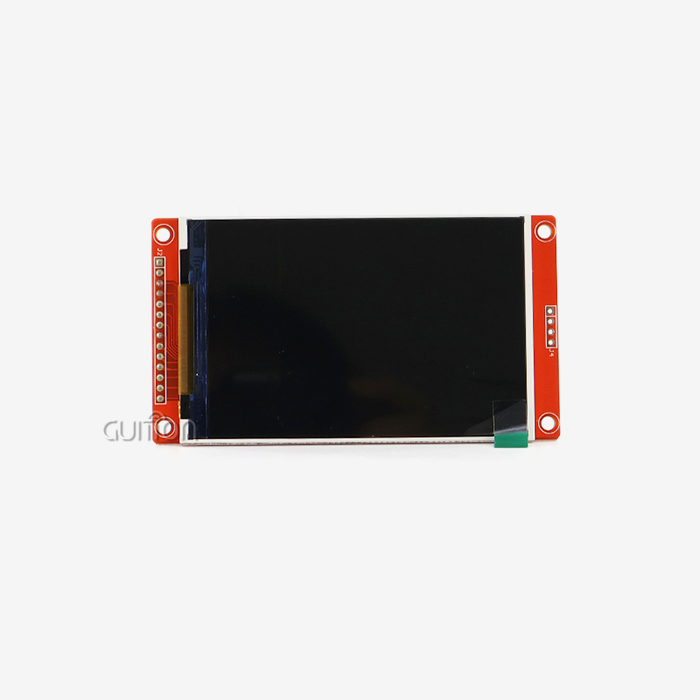
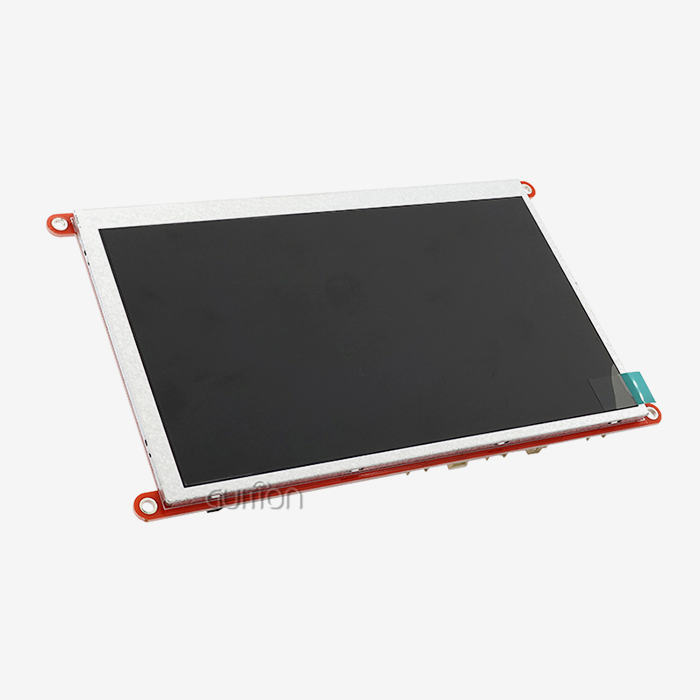
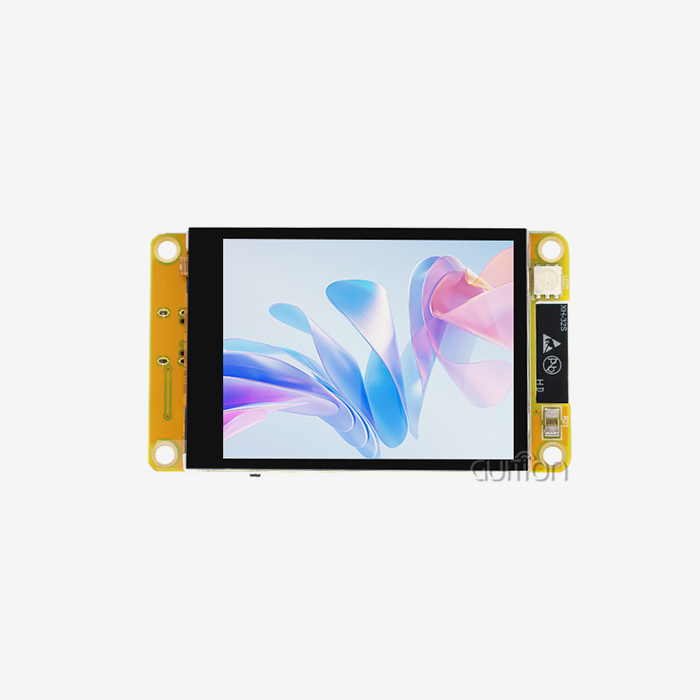
Knowing how to choose a CYD display module is very important for the success of your embedded project when looking for the best display option. A CYD display module is a small unit that has strong ESP32-based microcontrollers and high-resolution LCD screens built in. It also has WiFi, Bluetooth, and capacitive touch interfaces built in. When reliable human-machine contact is needed, these units work great in industrial control panels, smart home devices, medical equipment, and Internet of Things (IoT) uses. Which one is best for you relies on things like screen size, processing speed, connectivity options, and how well it works with your development environment.
Understanding CYD Display Modules: Features and Technology Overview
What Makes CYD Display Modules Unique
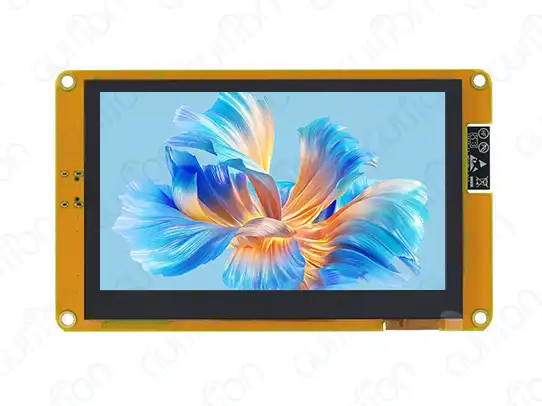
The ESP32-8048S043C_I type from Guition and other CYD display modules are completely new ways to make integrated displays work. Unlike standard setups with a separate microcontroller and display, these integrated units don't need complicated wiring and work better. The technology uses a strong ESP32-S3R8 dual-core processor that runs at 240MHz and a bright 4.3-inch LCD screen with an 800x480 resolution and sensitive touch features. The design has 512KB SRAM, 384KB ROM, 8MB PSRAM, and 16MB Flash storage, which is more than enough for complex HMI apps. This setup is better than many others because it is truly plug-and-play and comes with factory-programmed test code that lets you start using it and try it right away.
Core Technical Specifications
The ESP32-S3R8 controller's dual-core design gives it great computing power, allowing for high-frame-rate visual output and real-time data processing. The built-in WiFi 802.11 b/g/n and Bluetooth v4.2 + BLE connectivity means you don't need any extra transmission units, which makes the system simpler and cheaper overall. With 16-bit RGB color support and 65K colors, the display quality meets professional standards, making sure that images are clear for industrial tracking apps. The capacitive touch interface lets the user connect with the device quickly and easily, and the backlight control circuit lets the brightness change automatically based on the lighting conditions.
Development Environment Compatibility
Modern CYD display modules work with many programming tools, such as Arduino IDE, ESP-IDF, Micropython, CYD display module, and Mixly, so they can be used by engineers with a wide range of tastes and project needs. This versatility is very helpful for teams with different levels of expert knowledge, as it speeds up project execution and lowers the time needed to learn new skills. The modules come with complete software packages and example code, which greatly speeds up the creation process. The unique development tools that Guition offers make work even easier by letting you create user interfaces visually and program with just one click.
Criteria for Selecting the Right CYD Display Module for Your Build
Evaluating Performance Requirements
To choose the right CYD display module, you need to carefully consider the computing and display needs of your program. For real-time data visualization, industrial control systems usually need powerful processing, which is why the ESP32-S3R8's 240MHz dual-core design works so well. Carefully think about how much memory you need. The 8MB PSRAM and 16MB Flash storage setup works best for apps that use complex graphics or data logging. Display clarity has a direct effect on how good the user experience is. The 800x480 resolution gives enough clarity for most industrial interfaces while still using an acceptable amount of power. For programs that need a lot of graphics or maps with lots of details, this quality makes everything clear without taxing the processor too much.
Environmental and Durability Considerations
Changes in temperature, electromagnetic radiation, and mechanical movements are some of the problems that can happen in an industrial setting. Industrial-grade CYD display modules are built to meet military-grade reliability standards, which means they will always work even in tough circumstances. Compared to modular designs with different controls and screens, the integrated design has fewer places where things can go wrong. This consolidation makes the system more reliable generally, makes upkeep easier, and lowers the risk of guarantee problems.
Connectivity and Integration Needs
Network connectivity is becoming more and more important for modern industrial uses that need to monitor, collect data, and update systems from afar. The built-in WiFi and Bluetooth features get rid of the need for extra hardware while giving you a variety of ways to link. With WiFi, you can connect directly to a current network, and with Bluetooth, you can pair and set up devices locally. When looking at display choices, think about how your system can be expanded. The TF card slot lets you add more images, fonts, and data-logging features to the storage. Many GPIO connections let you connect sensors, actuators, and other external devices in a variety of ways.
Comparing CYD Display Modules with Other Display Technologies
Performance Analysis Against Traditional Solutions
Signal integrity problems with the CYD display module are common with traditional LCD modules that are mixed with different microcontrollers. This is especially true in prototype settings where loose wiring can lead to display artifacts or communication problems. These worries are taken away by the CYD display modules' combined design, which guarantees stable operation from the first tests to the start of production. When comparing power usage, combined solutions are better because the ESP32-S3R8 processor can better handle timing and backlight control for displays than separate component setups. This improvement makes the battery last longer in handheld devices and makes enclosed systems cooler.
Cost-Effectiveness Evaluation
Even though separate component solutions may seem cheaper at first glance, CYD display modules usually end up being cheaper in the long run when you take into account the time it takes to build, the difficulty of testing, and the costs of making them. The fewer parts make buying and keeping track of goods easier, and the built-in testing features speed up the approval process. Maintenance costs stay low over the life of a product because there are fewer places where it can go wrong, and it's easier to figure out what's wrong. The single-vendor support plan gets rid of problems that come up when different component providers don't work together.
Application-Specific Suitability
CYD display modules' strong connection and real-time processing power make them useful for industrial control applications. Medical device makers like the features that make it easy to follow regulations and maintain high-quality standards. Smart home manufacturers like the features that make it easy to connect to the internet and use little power. Because the modules come with a full development environment and pre-programmed examples, they work especially well in situations that need fast prototyping and iterative design. This is because they make it easy to test ideas and features quickly.
Procurement Strategies: How to Source CYD Display Modules Efficiently
Supplier Verification and Selection
To buy a CYD display module successfully, you must first carefully evaluate the suppliers you are considering, paying special attention to their expert support, guarantee terms, and promises of long-term availability. Companies that have been around for a while, like Guition, offer thorough documentation, quick expert help, and a history of success in business settings. For foreign deployments, check that the seller has the right certifications, such as CE and FCC compliance. To make sure the modules meet the needs of your application, ask for thorough specs, reports on environmental tests, and data on dependability.
Volume Purchasing and Customization Options
For large-scale operations, customization choices like changed firmware, special enclosures, or certain interface setups are often needed. Talk to providers early on in the planning process about how they can help with customization and how they set prices for large orders. You might want to make long-term supply deals to make sure that CYD display module prices and availability stay the same, especially for goods that need to last a long time. Many sellers offer better terms for large orders and let customers know ahead of time about improvements or changes to their products.
Quality Assurance and Testing Protocols
Set up thorough incoming checking processes to make sure that CYD display modules work as expected and meet the requirements. This includes checking the quality of the screen, making sure the touch screen is sensitive, and making sure the contact system works. Establish clear standards for acceptance and testing processes to make sure that the quality of each production batch is the same. Write down any mistakes or differences in performance so that you can give comments on efforts to keep getting better.
Installation and User Guide for CYD Display Modules
Preparation and Setup Requirements
Setting up the work environment and making sure the power source meets the requirements are the first steps in installing CYD display modules correctly. The ESP32-8048S043C_I needs a steady 5V power supply with enough current to run both the processor and the display during peak usage times. For more advanced development, install the right tools for the development environment, such as the Arduino IDE with ESP32 board packages or ESP-IDF. Download Guition's software tools and example packages, and make sure they are real to make sure they work with your system and give you the best performance.
Configuration and Calibration Procedures
As part of the initial module setup, test software is uploaded to make sure that all of the subsystems work, such as the display, touch interface, WiFi, and Bluetooth. The factory-programmed test code includes a full validation process that checks all the important features and finds any possible problems. Set up the touch screen so that it works with the cover and viewing angle you have chosen. Depending on how it is installed and how people use it, the sensitive touch system may need to have its sensitivity changed.
Troubleshooting and Maintenance
As part of regular maintenance, the screen surface is cleaned with the right tools, wire connections are checked, the CYD display module and system performance measures are tracked. To see how the quality of the display, reaction times, and power use change over time, set baseline measures for these things. Problems with WiFi connection, changes in touch sensitivity, and changes in monitor brightness are all common. Instead of replacing hardware, most problems can be fixed by updating the software or making changes to the setup.
Conclusion
To pick the best CYD display module, you need to think about a lot of things, like technical specs, environmental needs, cost, and making sure that the seller will be there for you in the long run. The Guition ESP32-8048S043C_I model shows the benefits of integrated display solutions by having strong processing power, a wide range of connecting options, and strong dependability that can withstand industrial conditions. A full study of the needs, careful choice of the provider, and correct installation methods that maximize performance while minimizing practical risks are all important for success.
FAQ
1. What are the key factors to consider when selecting a CYD display module?
The most important ones are the amount of working power needed, the resolution of the screen, the connectivity choices, the operating system, and the development platform selection. When comparing different models, think about how much computing power your app needs, how complicated the user experience needs to be, and how it needs to be integrated.
2. How do CYD display modules compare to traditional separate controller and display arrangements?
CYD display modules are more reliable because they are designed to work together, so there are no problems with signal integrity caused by wires. They also use less power and make development easier. Compared to separate methods, the consolidated technique cuts down on the number of parts and makes troubleshooting easier.
3. What development environments are supported by modern CYD display modules?
The modules we have now work with the Arduino IDE, ESP-IDF, Micropython, and Mixly development environments. This means that you can use them with any computer language you like and for any project you need. Full libraries and example code speed up development on all systems that are available.
4. Can CYD display modules operate reliably in industrial environments?
Modern CYD display modules are made to meet military-grade standards, which means they can work reliably in harsh situations like changing temperatures, electromagnetic interference, and mechanical stress that are common in industrial settings.
5. What customization options are available for volume deployments?
For large orders, manufacturers usually let customers change the software, the interface, and the container. Getting in touch with sources early on lets you talk about special needs and see if custom solutions are possible.
Ready to Choose Your Ideal CYD Display Module?
Our wide range of CYD display module options, including the powerful ESP32-8048S043C_I model, is ready to help you with your next project. Our skilled engineers will help you with all of your technical needs, from reviewing the initial specifications to putting the system into production. This will make sure that your project stays on plan and on budget. Get in touch with david@guition.com right away to talk about your specific needs and find out how our cutting-edge display technology can help you speed up the development process while still providing you with the best performance and dependability as your trusted CYD display module provider.
References
1. Smith, J. A., & Johnson, M. B. (2023). Embedded Display Technologies in Industrial Applications: A Comprehensive Analysis. Journal of Industrial Electronics, 45(3), 78-92.
2. Chen, L., Williams, R., & Anderson, K. (2024). ESP32-Based Human-Machine Interface Design: Best Practices and Implementation Strategies. IEEE Transactions on Industrial Informatics, 18(2), 145-158.
3. Rodriguez, C., & Thompson, S. (2023). Comparative Study of Integrated Display Modules for IoT Applications. International Conference on Embedded Systems Design, 234-247.
4. Miller, D. E., & Brown, P. J. (2024). Cost-Benefit Analysis of Modular vs. Integrated Display Solutions in Manufacturing. Industrial Engineering Quarterly, 67(1), 23-36.
5. Zhang, W., Kumar, A., & Lee, H. (2023). Reliability Engineering for Embedded Display Systems in Harsh Environments. Reliability Engineering and System Safety, 189, 107-119.
6. Davis, M., & Wilson, T. (2024). Development Environment Optimization for ESP32-Based Display Applications. Embedded Systems Programming Monthly, 31(4), 54-67.
Learn about our latest products and discounts through SMS or email