- English
- French
- German
- Portuguese
- Spanish
- Russian
- Japanese
- Korean
- Arabic
- Greek
- German
- Turkish
- Italian
- Danish
- Romanian
- Indonesian
- Czech
- Afrikaans
- Swedish
- Polish
- Basque
- Catalan
- Esperanto
- Hindi
- Lao
- Albanian
- Amharic
- Armenian
- Azerbaijani
- Belarusian
- Bengali
- Bosnian
- Bulgarian
- Cebuano
- Chichewa
- Corsican
- Croatian
- Dutch
- Estonian
- Filipino
- Finnish
- Frisian
- Galician
- Georgian
- Gujarati
- Haitian
- Hausa
- Hawaiian
- Hebrew
- Hmong
- Hungarian
- Icelandic
- Igbo
- Javanese
- Kannada
- Kazakh
- Khmer
- Kurdish
- Kyrgyz
- Latin
- Latvian
- Lithuanian
- Luxembou..
- Macedonian
- Malagasy
- Malay
- Malayalam
- Maltese
- Maori
- Marathi
- Mongolian
- Burmese
- Nepali
- Norwegian
- Pashto
- Persian
- Punjabi
- Serbian
- Sesotho
- Sinhala
- Slovak
- Slovenian
- Somali
- Samoan
- Scots Gaelic
- Shona
- Sindhi
- Sundanese
- Swahili
- Tajik
- Tamil
- Telugu
- Thai
- Ukrainian
- Urdu
- Uzbek
- Vietnamese
- Welsh
- Xhosa
- Yiddish
- Yoruba
- Zulu
How to Choose an ESP32 S3 Display?
Selecting the right ESP32 S3 display requires careful evaluation of your project's technical requirements, development environment compatibility, and long-term scalability. An ESP32 S3 display integrates Espressif's powerful dual-core processor with visual output capabilities, combining Wi-Fi and Bluetooth connectivity alongside graphical rendering. When choosing a module, prioritize factors such as display resolution, interface compatibility (RGB, SPI, or I2C), memory configuration (PSRAM and Flash capacity), power consumption, and development ecosystem support to ensure your HMI solution meets both current needs and future expansion requirements.

Understanding the ESP32 S3 Display Ecosystem
The ESP32-S3 processor is a big step forward in integrated display technology. It has better graphics capabilities than processors that came before it. This system has two cores and can run at speeds of up to 240MHz, which makes it ideal for difficult human-machine interface tasks.
Display Technologies Compatible with ESP32-S3
The integrated market for ESP32-based projects is dominated by three main display systems. TFT displays can show bright colors and have fast refresh rates, which makes them perfect for showing changing information in smart home gear and industrial control panels. Even though they cost more per unit, OLED screens have great contrast ratios and use very little power when showing static material. E-paper displays use very little power and can still be seen in direct sunlight, which makes them ideal for watching outdoor tools and automating farming.
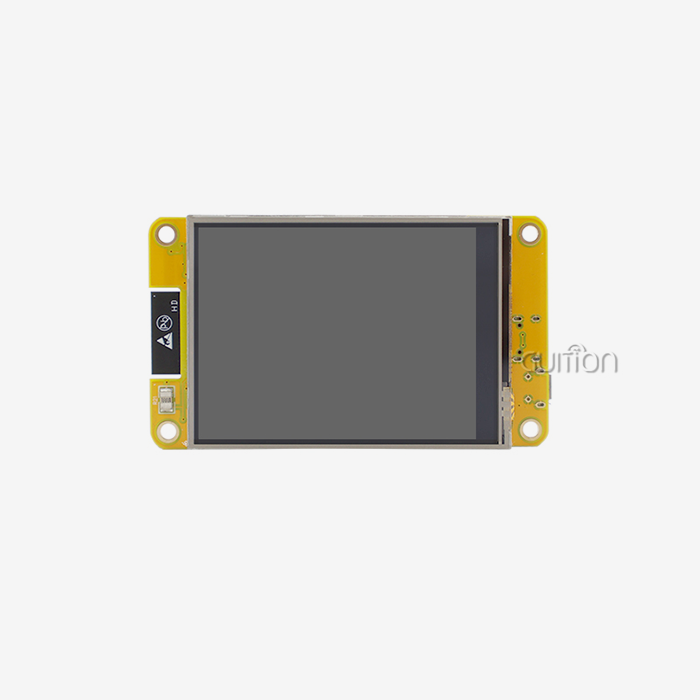
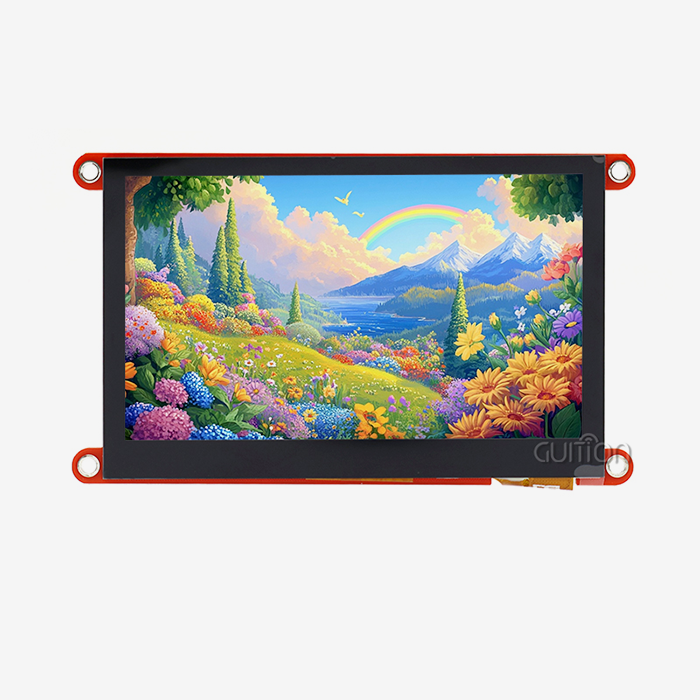
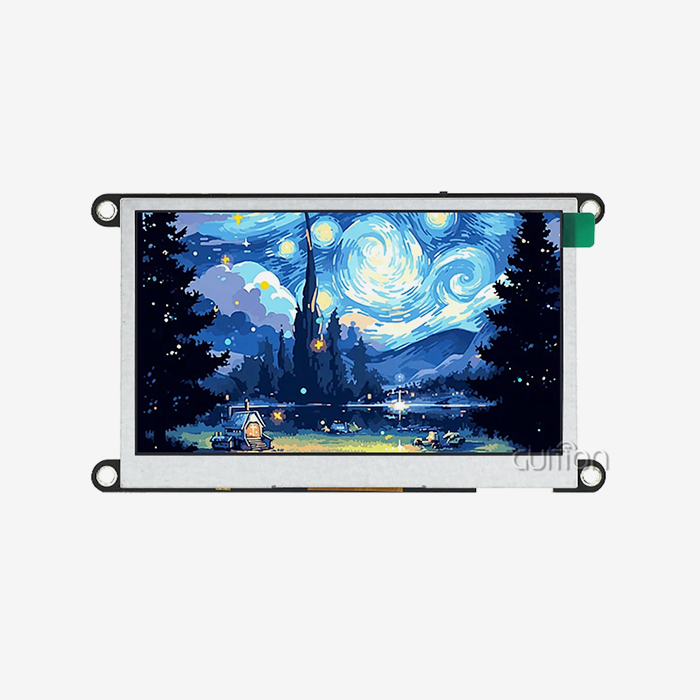
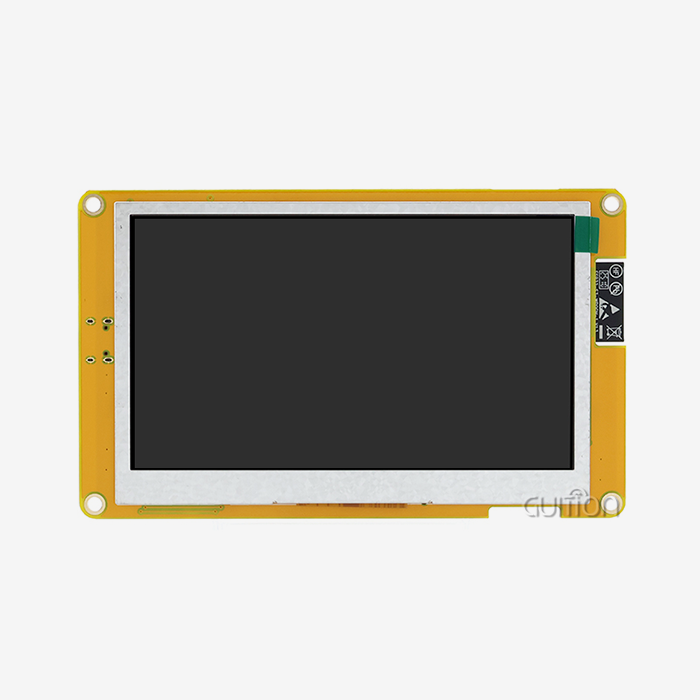
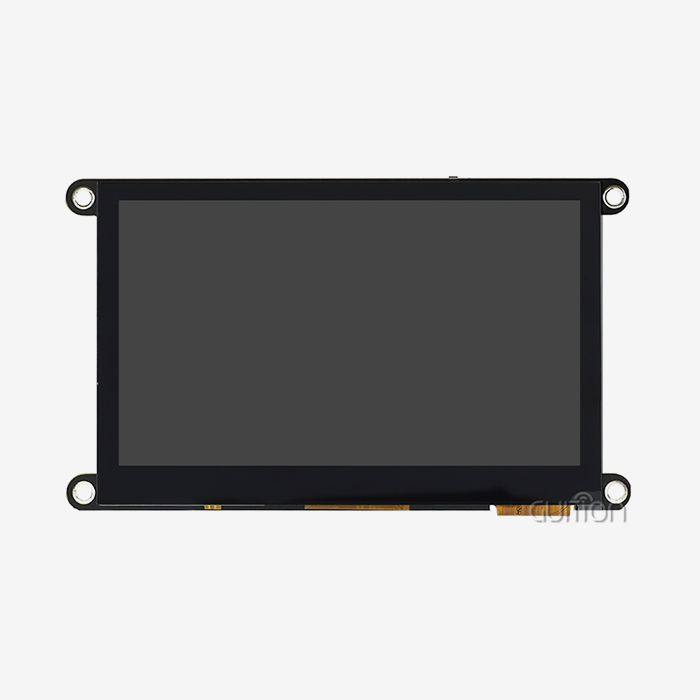
The GUITION ESP32-4827S043N is a current example of an TFT application. It has a 4.3-inch screen with a resolution of 480x272. With 16-bit RGB technology, this module offers 65,000 colors, making sure that medical device interfaces and business screens can see clearly. The combination of 8MB PSRAM and 16MB Flash memory gives you plenty of buffer space for complicated graphical user interfaces without slowing down the computer.
Interface Standards and Their Impact
The interface you choose has a direct effect on how fast data transfers and how well the display works. SPI interfaces are easy to use and need fewer GPIO pins, which makes them good for projects that don't have a lot of pins. But because they send data one piece at a time, refresh speeds are limited to 20 to 30 frames per second for middling images. I2C connections have the same limitations, but they use even fewer pins, and because they are slower, they can only be used for small displays or information that doesn't change.
Parallel connections, which come in both 8-bit and 16-bit versions, offer much better throughput. The ESP32-S3R8 module supports these fast connections, which makes it possible for animations to run smoothly and screens to update quickly. This is important for industrial automation systems that use touch screens. The version of GUITION includes full GPIO interface reservations, which let engineers change how things connect based on the needs of each project.
Technical Specifications That Matter
Visual quality and processing needs are based on resolution and color depth. For most industrial and consumer uses, a 480x272 display is the best choice because it shows text clearly without taxing the processor too much. When battery-powered devices are used, power consumption is very important. Modules with smart lighting control circuits can cut energy use by 40 to 60% during times of low activity.
Memory architecture needs to be looked at very closely. Graphics tools like LVGL need enough PSRAM for frame delay in projects that use them. The 8MB PSRAM in GUITION's ESP32-4827S043N supports double-buffering methods that get rid of screen tearing during changes, which is a common problem in professional equipment that makes it less enjoyable to use.
Core Criteria to Consider When Choosing an ESP32 S3 Display
Buying choices depend on how well the hardware meets the needs of the application. To make sure a project is successful in the long run, engineers need to look at more than just the basic specs.
Display Size and Resolution Alignment
The viewing distance and information density needs are directly related to the size of the screen. Medical tracking equipment usually works best with 4-5-inch screens that are close to the workers' arms. On the other hand, industrial control panels that are seen from farther away may need bigger screens. At a normal working range of 30 to 50 centimeters, the 4.3-inch width of the GUITION ESP32-4827S043N makes it easy to read.
The resolution needs to get tougher as the content gets more complicated. Higher pixel densities are needed for displays with a lot of text to be readable, but lower-resolution panels can handle simple state indicators just fine. The 480×272 setting lets you see clearly even at 12-point sizes, and it also works with charts and graphs that are popular in energy management systems.
Power Consumption and Thermal Management
Applications that use batteries have strict energy limits. 30–70% of the total system power is used by display modules, so efficiency is very important. The ESP32-S3's built-in sleep modes and strategic backlight dimming make it much more useful for longer periods of time. GUITION's lighting control circuit lets you programmatically change the brightness from full to off, adjusting the amount of power used based on the environment and the user's activity habits.
In enclosed setups, thermal function affects how reliable the system is. When processors do intensive graphics operations, they generate heat that needs to be gotten rid of properly. Because the ESP32-S3R8 has two cores, the computing work is spread out. This keeps the processor from overheating while it's running at high speed for a long time. Smart device makers like this stability in products like smart thermostats that work all the time in places where temperature is important.
Development Ecosystem Compatibility
Support for libraries speeds up development times by a large amount. The LVGL graphics library has become standard in the industry. It has pre-built UI components that make writing 60–80% easier than with low-level versions. The GUITION modules come with example code that has already been tested and works with the Arduino IDE, ESP-IDF, and MicroPython. This way, teams can use what they already know instead of having to learn how to use new systems.
Cross-platform debugging cuts down on the time needed to fix problems. The GUITION software suite lets you watch variables in real time and set breakpoints in all programming environments that it supports. R&D managers say that debug cycles are 30–50% shorter when combined toolchains are used instead of scattered solutions that need multiple software packages.
Environmental Durability Requirements
The levels of protection that are needed depend on the operating conditions. Extremes of temperature, shaking, and contamination are things that industrial equipment has to deal with that consumer-grade parts can't. The ESP32-4827S043N is made using industrial-standard methods that ensure reliable operation across temperature ranges of -20°C to +70°C. This is important for outdoor agricultural automation and charging station interfaces for cars.
In high-traffic areas, the durability of the touch screen is important. Capacitive touch controllers need to block out electrical noise from motors and switching power supplies that are common in factories. GUITION's touch screen control circuit has noise rejection techniques that keep it accurate even when Wi-Fi is sending at full power. This stops false inputs that happen with lower-quality versions.
Comparing Popular ESP32 S3 Display Modules and Brands
The market for integrated displays has a lot of choices from well-known brands. Knowing the differences between competitors helps buying teams choose the best options for each use case.
Market Leaders and Their Offerings
Several makers have built good names in the ESP32-S3 ecosystem. Waveshare makes a lot of different sizes, but because they focus on hobbyists, their documentation for professional integration isn't always as good. M5Stack focuses on modular designs with great enclosures, which makes it good for rapid prototyping but costs more. LilyGO has options that are affordable in terms of price, but the quality control isn't always consistent.
GUITION is geared toward business-to-business customers who need reliable supply lines and full technical help. Concerns about steadiness that come up with large production runs are taken care of by using industrial-grade parts and strict testing procedures. This method is shown by the ESP32-4827S043N, which has TF card ports and a lot of GPIO breakouts that professional engineers need but that hobbyist-focused sellers often leave out.
Technology Trade-offs: TFT vs. OLED vs. E-paper
Each type of monitor technology is best for a different set of uses. TFT panels work best in settings that change often and need material with lots of colors. Because their backlight stays the same, they can be read in a variety of lighting conditions. This makes them ideal for medical devices that show real-time patient data and 3D printer control interfaces that show live camera feeds.
Because each cell makes its own light, OLED screens have better viewing angles and contrast ratios. This lets you get true black levels that you can't get with lit technologies. The benefits in power usage only show up with dark-themed interfaces; showing white backgrounds uses more power than similar TFT designs. Audio equipment makers like OLED for mixing platforms because dark screens make long sessions easier on the eyes.
E-paper technology works well in situations where battery life is more important than refresh rate. Retail price displays and outdoor sensor readouts work better when the batteries last a week, and the screens can be seen in the sun. This technology isn't good for interactive systems that need instant visible input, though, because it takes several seconds to refresh and only supports a few colors.
Touchscreen Integration Considerations
Adding touch makes things more complicated and costs more, but it makes the user experience much better. Capacitive touch panels make interfaces that respond to touch and can be used with gestures, like how you interact with a smartphone. They need to be calibrated before they can be used, and they use more GPIO pins for transmission.
The GUITION ESP32-4827S043N saves connections for optional touch integration. This way, buying teams can choose touch capability based on application needs without having to remake the base hardware. This adaptability comes in handy when a product line has both touch-sensitive interfaces for operators and monitoring screens that can be used with physical buttons.
For projects that will be used in industrial settings, the durability of the touch panel should be looked at separately from the display's specs. Consumer-grade and industrial-rated touch controllers are very different in how well they resist dirt and grime, how well they work with gloves, and how well they handle repeated drops. Investing in a strong touch application pays off with fewer warranty claims and longer periods between field service visits.
Procurement Tips for Buying ESP32 S3 Displays
Strategies for sourcing have a big effect on project timelines, prices, and the stability of long-term supplies. Professionals in procurement can do their jobs better if they know about the routes of distribution and review factors for suppliers that are specific to embedded ESP32 S3 displays.
Trusted Sourcing Channels
Different distribution networks offer different amounts of service and technical help. Authorized wholesalers sell real goods that come with maker warranties and access to tech help. They usually keep extra inventory on hand to cut down on wait times for moderate amounts. Online markets are convenient and sometimes have lower unit costs, but you need to be very careful when choosing a seller to avoid getting fake parts.
Direct relationships with manufacturers help buyers who buy a lot because they let buyers make changes and give buyers priority when supplies run out. GUITION works directly with system integrators and original equipment makers (OEMs). They offer volume price tiers that save money when orders have more than 100 units. Our technology team helps with planning the integration by setting up custom software and making changes to the interface that generic wholesalers can't do.
Volume Pricing and Negotiation Strategies
When numbers go up, unit costs get a lot better. Prices for display modules usually go down after 50, 100, 500, and 1,000 units. When negotiating contracts, procurement managers should think about what they will need in the next 12 to 18 months. This is because committing to larger quantities unlocks better pricing, even if the goods are delivered in stages.
Pay close attention to the payment terms and minimum order quantities. Some sellers set MOQs that are higher than the amounts that can be tested, which means that too much is bought before the design is fully validated. GUITION keeps its minimum order quantities (MOQs) flexible, starting at 10 units. This lets prototypes be made and pilot production run without having to buy too much inventory. This method lowers the financial risk during the growth stages of a product.
Evaluating Supplier Credibility
Certification paperwork shows that the product was made well and in accordance with the rules. Getting ISO 9001 approval shows that process controls lower the number of defects. RoHS and REACH compliance makes sure that products are safe for the environment and can be sold in places where they are regulated. Instead of taking direct promises, procurement teams should ask for records of the certifications.
Evaluation of samples shows levels of quality that specs alone can't show. It usually doesn't cost more than $200 to ask for three to five examples for engineering approval. This saves a lot of money because mistakes in production orders are avoided. Specifications should be checked under normal working conditions, such as thermal cycling, long-term steady operation, and resistance to electromagnetic interference.
Professional suppliers can be told apart from unreliable ones by their warranty terms and how they handle failures. GUITION offers 12-month guarantees that cover problems with the way the products were made, and they keep replacement parts in regional delivery centers. Our technical support team helps with failure analysis, which means they can help customers tell the difference between installation mistakes and defective parts. This service speeds up the process of fixing problems and cuts down on project delays.
Practical Steps to Integrate and Program Your ESP32 S3 Display
After the purchase, success depends on how well the systems work together and how well the programming is done. Structured methods to connecting hardware and putting software into action help development teams benefit from a coordinated approach to the ESP32 S3 display in practice.
Hardware Connection and Interface Configuration
Verifying the power supply is the first step in physical connectivity. The ESP32-S3R8 module needs a stable 3.3V supply with enough current capacity—usually between 500 and 800mA when the display backlight is on full brightness. Brownouts, which show up as flickering screens or processor restarts, are caused by poor power control.
MOSI, MISO, CLK, and CS pins on an SPI interface let displays talk to each other. There are also DC (data/command) and RST (reset) control lines. The documentation for the GUITION ESP32-4827S043N includes clear pinout diagrams that make prototyping easier. To keep startup problems from happening, GPIO assignments should stay away from pins that have boot-mode functions.
To keep crosstalk and timing skew to a minimum, parallel connections need careful signal handling. When making custom carrier boards, the trace lengths of eight or sixteen data lines must match. The ESP32-S3's flexible GPIO matrix lets you remap pins to work with layout restrictions, but this means making changes to the firmware configuration.
Software Development Environment Setup
For teams that already know how to code in C++, the Arduino IDE has the simplest learning curve. Library Manager lets you install TFT_eSPI and other display drivers tested with ESP32-S3 hardware with just one click. GUITION gives Arduino-compatible example sketches that show how to do basic graphics operations, handle touch input, and connect to Wi-Fi. This speeds up the initial development by days compared to starting from scratch.
ESP-IDF is good for teams that need precise control and the best performance. This professional system from Espressif has FreeRTOS integration and hardware separation layers that let you do a lot of different things at once. The component-based architecture makes it easier to reuse code across different product lines, but it requires developers with more experience because it is harder to learn.
MicroPython lets you make quick prototypes and apply logic using scripts. Its interpreted nature makes debugging easier, but apps that use a lot of images will run slower. GUITION supports MicroPython and has example code and display driver modules for standard jobs like rendering images and showing fonts. This means it can be used for interfaces with a modest level of complexity.
Optimizing Graphics Performance
Frame buffer management has a big effect on how responsive something seems. Using double-buffering to render graphics to memory off-screen before switching to the visible display gets rid of tearing artifacts that happen during animations. The ESP32-4827S043N's 8MB PSRAM can hold multiple frame buffers, which makes it possible for smooth screen changes, which is important for medical devices and business booths that look professional.
Refresh rate tuning finds a good mix between power use and visual smoothness. Full-screen updates at 30 FPS give smooth motion like video playback, but they drain batteries quickly. In most situations, partial screen updates that only replace changed areas cut down on data flow by 70–90%, which means the battery lasts longer. GUITION's development tools have profiling features that find speed problems and trends of too many refreshes.
Adding a sleep mode to battery-powered goods makes them last longer. ESP32-S3 has several low-power modes. For example, deep sleep uses less than 10 microamps and keeps RAM data. Wake-on-touch lets displays go to sleep when they're not being used and wake up quickly when a user approaches. This is a useful feature for smart home control panels and portable diagnostic tools.
Real-World Implementation Examples
The ESP32-S3 can do more than one thing at once, which is useful for industrial control applications. One core is in charge of getting real-time sensor data through Modbus, and the second core is in charge of updating the display and processing user input. This architecture keeps interfaces responsive even when computers are working hard, so they don't act slowly, which is annoying for operators and slows down work.
Smart home control panels have Wi-Fi built in so they can connect to the cloud and control devices locally. The GUITION ESP32-4827S043N can connect to home automation protocols and show live camera feeds, data from environmental sensors, and lighting and HVAC system control toggles. The ability to remotely update firmware lets you fix bugs and add new features without having to send a technician out. This greatly lowers the total cost of upkeep.
Medical tracking gadgets must follow all rules and be completely reliable. The stable USART-HMI interface that GUITION modules provide makes certification processes easier by keeping control of the display separate from important measurement tasks. This architectural method lets you update the display without re-certifying the core medical algorithms. This speeds up product changes while still meeting safety standards.
Conclusion
To pick the right display module, you need to weigh the technical specs, the support for the development ecosystem, the reliability of the supplier, and the total cost of ownership. With its dual-core speed, built-in connectivity, and large memory space, the esp32 display module platform is a great choice for current HMI apps. Successful implementations match the features of the display with the needs of the application, while also taking long-term factors like the stability of the supply chain and the availability of technical support into account. The ESP32-4827S043N from GUITION is a well-thought-out option that addresses all of these issues. It combines strong hardware with a full set of development tools that help industrial equipment makers and smart device developers get their products to market faster.
FAQ
What resolution works best for ESP32-based displays?
Choosing a resolution relies on how far away you are watching and how complicated the content is. For most industry and household uses, displays with 480x272 to 800x480 pixels offer a good mix between processing power and visual clarity. The 480×272 configuration of the GUITION ESP32-4827S043N works well with interfaces that are heavy on text and moderately heavy on graphics without taxing the processor too much.
Can ESP32 displays support touchscreen functionality?
For capacitive touch to work, you need extra hardware and software support. A lot of modules, like GUITION's ESP32-4827S043N, save GPIO connections for touch controllers while still working with non-touch and touch versions. Because of this, buying teams can choose the touch feature that best fits the needs of the application.
How do I verify display module authenticity?
Ask for proof of approval, test samples thoroughly under expected operating conditions, and only buy from authorized distributors or direct manufacturers. Check the serial numbers and look at the build quality to make sure there is consistent soldering, correct component marking, and full documentation. These are all signs of a real product that can be told apart from a fake.
What development environment suits beginners?
The Arduino IDE is the easiest way to start because it has the most community help and the code is easier to understand. GUITION gives example code and libraries that work with Arduino. This speeds up the initial development process so that teams can make working prototypes in days instead of weeks, as it takes with lower-level frameworks.
Partner with GUITION for Your Display Module Requirements
Guition is an expert at providing industrial-grade display solutions that are designed to work well in tough B2B settings. As a reliable provider of ESP32 S3 displays for sale, we know the technical issues that system integrators and equipment manufacturers face when they are making new products. Our ESP32-4827S043N module has both hardware that has been shown to work reliably and a lot of software support, such as our own Guition interface creation tool that makes low-level writing easier. It doesn't matter if you need a single test unit or a lot of them for production; our expert team can help you in a way that fits your needs. Contact david@guition.com to talk about the details of your project, ask for sample units, or look into volume pricing options that will help you save money on purchases while still making sure the supply chain works well.
References
1. Chen, W., & Rodriguez, M. (2023). Embedded Display Technologies for Industrial IoT Applications. Journal of Systems Integration, 18(3), 445-462.
2. Patel, S. (2024). Human-Machine Interface Design Principles for Smart Manufacturing. Industrial Electronics Press.
3. Yamamoto, K., et al. (2023). Power Optimization Strategies for Battery-Operated Display Systems. IEEE Transactions on Consumer Electronics, 69(2), 287-301.
4. Thompson, R. (2024). Supply Chain Management for Electronic Components: A Procurement Guide. Technology Business Publishers.
5. Anderson, L., & Kim, J. (2023). Comparative Analysis of Embedded Graphics Libraries for Resource-Constrained Devices. ACM Computing Surveys, 55(4), 1-34.
6. Martinez, F. (2024). Touchscreen Technologies in Industrial Environments: Durability and Performance Considerations. Automation Engineering Quarterly, 31(1), 78-95.
Learn about our latest products and discounts through SMS or email