- English
- French
- German
- Portuguese
- Spanish
- Russian
- Japanese
- Korean
- Arabic
- Greek
- German
- Turkish
- Italian
- Danish
- Romanian
- Indonesian
- Czech
- Afrikaans
- Swedish
- Polish
- Basque
- Catalan
- Esperanto
- Hindi
- Lao
- Albanian
- Amharic
- Armenian
- Azerbaijani
- Belarusian
- Bengali
- Bosnian
- Bulgarian
- Cebuano
- Chichewa
- Corsican
- Croatian
- Dutch
- Estonian
- Filipino
- Finnish
- Frisian
- Galician
- Georgian
- Gujarati
- Haitian
- Hausa
- Hawaiian
- Hebrew
- Hmong
- Hungarian
- Icelandic
- Igbo
- Javanese
- Kannada
- Kazakh
- Khmer
- Kurdish
- Kyrgyz
- Latin
- Latvian
- Lithuanian
- Luxembou..
- Macedonian
- Malagasy
- Malay
- Malayalam
- Maltese
- Maori
- Marathi
- Mongolian
- Burmese
- Nepali
- Norwegian
- Pashto
- Persian
- Punjabi
- Serbian
- Sesotho
- Sinhala
- Slovak
- Slovenian
- Somali
- Samoan
- Scots Gaelic
- Shona
- Sindhi
- Sundanese
- Swahili
- Tajik
- Tamil
- Telugu
- Thai
- Ukrainian
- Urdu
- Uzbek
- Vietnamese
- Welsh
- Xhosa
- Yiddish
- Yoruba
- Zulu
Can an OpenHASP display Show Sensors?
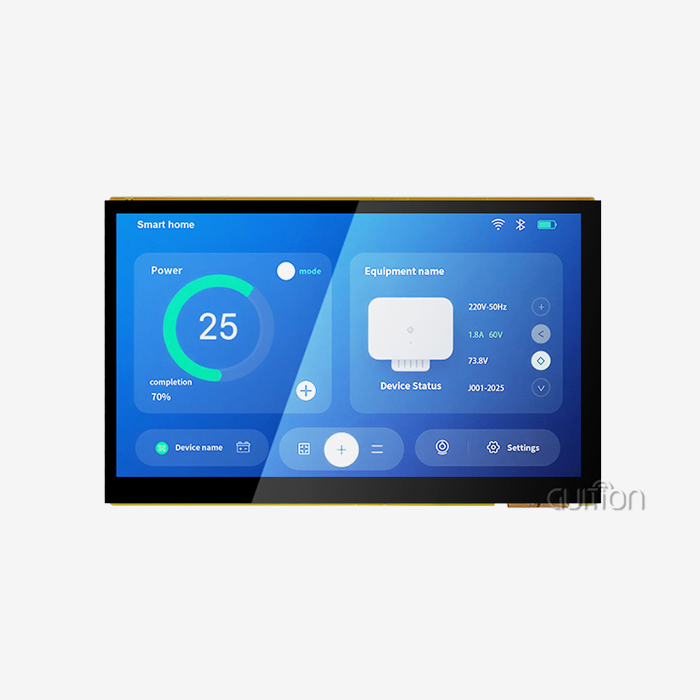
An OpenHASP display excels at showing sensors in real-time industrial and smart automation settings. This open-source firmware solution transforms ESP32-based touchscreen modules into dynamic sensor visualization interfaces. By leveraging MQTT communication protocols, the display receives sensor data from centralized controllers like Home Assistant or Node-RED, rendering temperature, humidity, pressure, and other metrics instantly. Guition's ESP32-4848S040C_I_Y_1 module provides the hardware foundation with its dual-core ESP32-S3R8 processor running at 240MHz, making sensor data integration seamless through WiFi and Bluetooth connectivity. Let's explore how this powerful combination serves B2B clients across industrial equipment manufacturing, smart device development, and automation system integration.

Understanding OpenHASP Display and Its Sensor Display Capabilities
Yes, an OpenHASP display is the best way to see data in industrial and smart control settings in real time. ESP32-based touchscreen modules can be turned into dynamic sensor visualization screens with this open-source software solution. The display gets sensor data from centralized controllers like Home Assistant or Node-RED using MQTT communication protocols. It then shows temperature, humidity, pressure, and other metrics right away. With its dual-core ESP32-S3R8 processor running at 240MHz, Guition's ESP32-4848S040C_I_Y_1 module provides the physical basis. Its WiFi and Bluetooth connectivity make it easy to integrate sensor data. Let's look at how this powerful mix helps B2B clients in the areas of making industrial equipment, making smart devices, and integrating automation systems.
This display technology is built in a way that is very different from traditional HMI solutions. OpenHASP is not logic that is built into the display software; instead, it is a network-controlled rendering engine that gets orders through MQTT. This separate layout lets your sensor data be processed by strong core systems, while the display only shows the data.
Technical Foundation for Sensor Integration
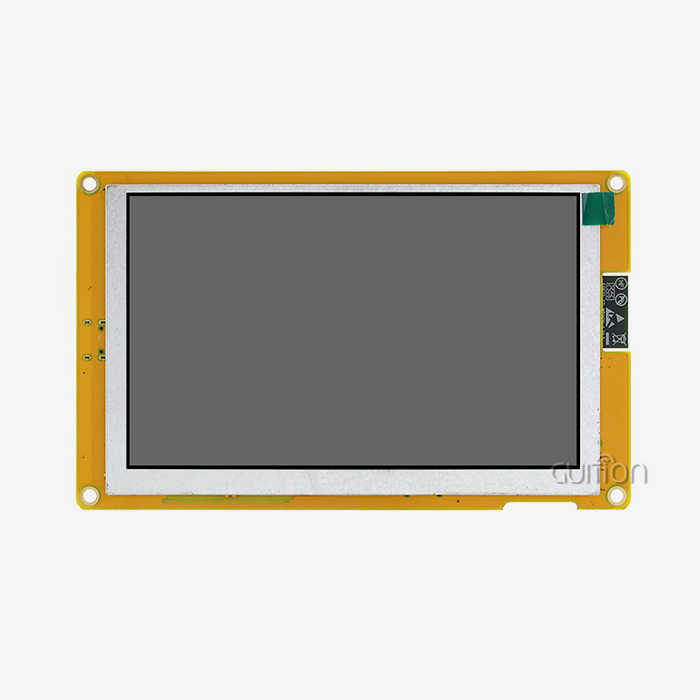
The ESP32-4848S040C_I_Y_1 module from Guition makes professional-level specs available for sensor tracking uses. The ESP32-S3R8 MCU has two cores and can process data at 240MHz. It also has 512KB SRAM, 8MB PSRAM, and 16MB Flash storage. This memory setup lets you use the LVGL graphics library to make complicated sensor panels that look good with anti-aliased fonts and other graphics.
The 4-inch IPS TFT screen on the module has a resolution of 480x480, which makes it easy to see numbers, trend graphs, and state markers. Capacitive touch technology makes it easy to interact, so operators can acknowledge alarms or look into sensor details. For circular gauge layouts that are popular in industrial tracking, the square display style works best.
Communication Protocols and Sensor Compatibility
MQTT is the main way that devices talk to each other, and its lightweight messages makes it perfect for Internet of Things (IoT) sensor networks. Your server controller sends sensor values to certain topics, and the display subscribes to those topics and shows the data based on the JSONL layout that you set up. This method lets dozens of sensor feeds come in at the same time without using up all of the ESP32's resources.
Serial ports give you more ways to join than just network methods. The Guition module has special I/O ports that let you add sensors directly when you need to get data locally. UART, I2C, or analog-to-digital converters can be used to connect temperature sensors like the DS18B20, environmental monitors like the BME280, or industrial 4-20mA transducers directly.
Hardware Compatibility Advantages
This option is good for B2B clients because it works well with standard microcontroller ecosystems. The module can be programmed with the Arduino IDE, ESP-IDF, MicroPython, and Guition's own software. This gives R&D managers a lot of freedom, as embedded engineers can work in settings they already know without having to learn new toolchains.
The TF card interface lets you add more storage for logging sensor data or storing UI assets. When the network goes down, locally cached sensor data keep the tracking going. This backup is very important in factories where uptime has a direct effect on production metrics.
How to Use OpenHASP Display for Sensor Monitoring – Installation and Customization Guide
To use sensor visualization, you need to carefully set up the hardware and then configure the firmware. The process strikes a mix between technical accuracy and the needs of commercial installation settings. Using an OpenHASP display requires a methodical approach to ensure industrial-grade reliability.
Hardware Setup and Wiring Practices
Use the provided mounting points to safely attach the display module, keeping in mind viewing angles and the environment. Power the unit with a stable 5V source that can give at least 1A. Voltage drops that cause ghost touches during WiFi transmission bursts are caused by not enough current. To keep the voltage stable while the radio is working, connect a 100µF capacitor across the power rails close to the module.
As you would normally, connect the devices to the spare I/O ports. With the right pull-up resistors, I2C devices can share the SDA and SCL lines. For UART sensors to work, they need TX/RX crossover lines with a shared ground reference. Carefully write down the pin assignments, because if you have problems with connectivity later, you'll need to know the exact configuration.
Firmware Installation Process
Use your favorite development environment to flash the OpenHASP firmware to the ESP32-S3R8. The module that comes with Guition has 16MB of Flash, which is plenty of space for firmware, UI assets, and sensor data buffers. Teams with embedded experience can use the Arduino IDE workflow, while system architects who need to fine-tune performance can use ESP-IDF for more advanced control.
You can set up your WiFi passwords and MQTT broker information through the web interface, which you can view after the screen turns on. Point the gadget to the MQTT server where the streams of sensor data are stored. The broker is like the brain of the system; it sends temperature readings from production equipment, humidity readings from climate control systems, and pressure readings from hydraulic machinery to the endpoints that show them.
UI Customization for Sensor Visualization
Make the pages. jsonl file that describes the setup of your sensor panel. Each object is a UI feature. For example, labels show current numbers, arcs make gauges, and line charts show trends. LVGL's styling properties let you achieve a professional look that fits with your brand's guidelines or the standards of your industry.
Here are the main benefits of this workflow for customization:
- WYSIWYG Interface Design: The Guition development software lets you drag and drop sensor reading widgets into place without having to do any low-level code. This cuts the time it takes to make an HMI from weeks to days.
- Rich Control Library: Simple MQTT topic bindings let pre-built gauges, danger indicators, and graph widgets connect to sensor data, so you don't have to write your own rendering code.
- Cross-Platform Debugging: You can test UI layouts and sensor data flows without having to flash software over and over again because changes to the JSONL file are instantly applied when uploaded through the web interface.
- Dynamic OTA Updates: Changes to dashboard layouts can be sent to deployed displays from afar, so they can be updated in the field for new sensor types or changing requirements for visualization without having a technician visit the site.
These benefits solve some of the biggest problems that B2B clients have, like short development cycles, a lack of integrated knowledge, and the need for systems that can be maintained in the field. Product managers like that the time to market is shorter, and expert leaders like that engineers don't have to do as much work.
Best Practices for Long-Term Reliability
Set up regular firmware updates to get bug fixes and better performance from the community. The OpenHASP group is constantly working to fix problems, and Guition offers technical documentation to help with the process of updating. Keep track of different versions of your JSONL settings so that you can roll back if changes cause problems.
Before publishing to MQTT topics, make sure that the backend controller checks the sensor data. If a sensor fails or there is a problem with the connection, it should send a message instead of showing false numbers. In important industrial processes, this practice keeps operators from making choices based on bad data.
Evaluating OpenHASP Display vs Other Sensor Display Solutions for B2B Use
When making decisions about what to buy, it's important to compare technologies objectively. Figuring out the strengths and weaknesses of different solutions helps match them to the needs of a specific application. An OpenHASP display offers a unique balance of cost and flexibility.
OpenHASP Strengths for Sensor Applications
Because it is open source, there are no licensing fees, which is a big deal when putting up dozens of monitoring sites across a building. Customization options are more flexible than private options; if a project needs more than what's normally available, your development team can directly change the software. This ability to be changed is very useful in specific business situations where ready-made solutions don't work.
Integration of MQTT is in line with modern IoT architectures. For machine-to-machine communication, many industrial facilities already use MQTT brokers. This makes it easy to add displays. The publish-subscribe approach works well at large scale and allows for centralized control of sensors in many places.
Comparative Analysis Against Alternatives
Nextion displays have visual tools that are easy to use, but they lock users into private environments that don't support many protocols. To change Nextion's internal logic, you need to learn how to program the HMI for that platform. Arduino LCD screens give you the most hardware control, but even simple sensor dashboards require a lot of coding, which slows down development.
The total cost of ownership is affected by these things:
- Development Costs: Using OpenHASP's JSONL setup cuts programming work by about 60% compared to custom solutions based on Arduino. This means that projects can be finished faster and with lower labor costs.
- Hardware Investment: At a reasonable price, Guition's ESP32-4848S040C_I_Y_1 matches the specs of screens that cost 40% more, especially when you consider that it has built-in WiFi, Bluetooth, and PSRAM.
- Maintenance Expenses: With remote OTA updates, you don't have to pay for travel to make changes on-site, which is an ongoing cost when software changes need to be made physically.
- Power Efficiency: The ESP32-S3R8's sleep modes let sensors be monitored from far away using batteries, using less than 20mA when not reading anything from the sensors.
These economic factors are important for R&D managers who have to explain technology investments and for procurement pros who have to negotiate big orders. There are no hidden licensing fees or support contracts, so the costs are clear. This makes budgeting easier.
Transparent Assessment of Limitations
For OpenHASP to fully work, it needs network hardware. Sites that don't have WiFi service need either extra equipment or a different way to join. Even though MQTT and JSONL forms are easier to learn than embedded C code, teams that have never worked with IoT protocols before still need to go through some training.
When compared to industrial PCs with more power running full HMI software, the ESP32 can't render complex graphics or video material. Different solutions are needed for applications that need photorealistic graphics or video feeds in real time. But sensor monitoring, which is what this guide is about, doesn't usually need visualizations that use so many resources.
Procurement Insights: Where and How to Acquire OpenHASP Displays for Sensor Applications
Timelines and costs for projects are affected by how well the supply chain is managed. Industrial buying workers need reliable ways to find OpenHASP display modules based on ESP32.
Current Supplier Landscape
Guition makes the ESP32-4848S040C_I_Y_1 module and sells it directly to customers, so they can control the quality and make sure the requirements are always met. This vertical integration gets rid of markups on the middlemen and gives you direct access to expert help during the integration process. To talk about bulk pricing, email david@guition.com. Orders of 100 or more units usually qualify for volume discounts.
Authorized distributors help Guition reach regional markets by keeping inventory in stock and cutting down on shipping times. To avoid getting fake modules, which are a problem in the electronics business, make sure that the distributor's credentials are checked through legal channels. Genuine dealers give you warranty information and access to Guition's expert support.
Bulk Purchasing Considerations
Trends in prices encourage people to commit to buying in bulk, and tiered discounts show how economies of scale work in production. Talk about pricing structures that work with deployment schedules. Securing future pricing on phased orders will protect you from rising component costs. Lead times are between two and four weeks for normal orders right now, and they go up to six weeks for orders with customized firmware or changed hardware settings.
The warranty usually lasts for twelve months from the date of delivery and covers both manufacturing flaws and failed parts. Make sure you understand the warranty's terms on customizing firmware; some changes may affect coverage. There are different ways to get technical support, and direct ties with manufacturers usually give better engineering help than support through distributors.
International Shipping and Compliance
When shipping goods across borders, you need to pay attention to customs classifications and follow the rules. ESP32 modules are imported electronics, and the duties that apply depend on the country where they are going. Suppliers with a lot of experience, like Guition, offer paperwork like HS codes and certificates of origin to help with the customs clearance process.
For business-to-business (B2B) apps, especially in Europe and North America, environmental compliance is important. Check that the product meets the requirements for RoHS for restricted dangerous substances and the CE mark for electromagnetic compatibility. Medical device makers need more certifications; talk about the legal routes early on in the buying process.
Vendor Vetting Criteria
When looking at possible suppliers, make sure they have the following: the ability to meet growing demand, quality control processes that can be seen through certifications, detailed technical documentation that can help with integration, and customer examples that show how quick they are after the sale. When it's possible, site trips to manufacturing plants are a great way to get a sense of how mature the operations are.
Before placing a large order, ask for samples. Hands-on testing shows details that specs alone don't show, like how the screen looks in different lighting, how well it responds to touches while wearing gloves, and how well it handles heat during long periods of use. Sample testing greatly lowers the risks of operation.
Troubleshooting and Optimizing OpenHASP Display with Sensors
To maximize reliability, common problems need to be dealt with in a planned way. In industrial settings, conditions are tough and configuration flaws in an esp32 display module are easily seen.
Addressing Connectivity Failures
MQTT disconnections that happen from time to time are annoying for users and put data at risk. Methodically look for the root causes, such as a weak WiFi signal, a crowded network during peak hours, or a broker's capacity limits. Place the display closer to the access points, use 5GHz bands to cut down on interference, or set up QoS rules that give MQTT data more priority.
Set up exponential backoff in the ESP32's restart code to keep it from overloading the broker during recovery. Check the stability of the link by logging. Problems that keep happening could mean that the broker doesn't have enough resources or that the firewall isn't set up correctly, stopping MQTT ports.
Resolving Data Latency Issues
Signal timing problems in the data pipeline cause sensor readings to show up later than expected. At each stage, you should measure latency: the sampling rate of the sensors, the processing time of the controller, the delay in sending MQTT messages, and the speed at which the display is rendered. Overloaded controllers that are processing too much automation logic at the same time often cause bottlenecks.
Reduce the size of your MQTT message by sending only changed values instead of full state changes. Use delta encoding for sensors that change slowly to cut down on bandwidth use. The ESP32-S3R8 has two cores, so one can be used for network activities and the other for UI display. This keeps resources from being shared too widely.
Mitigating UI Glitches
Problems with power quality or memory management are often to blame for screen glitches or touch controls that don't work. Use an oscilloscope to check the power source ripple. Too much noise can mess up the results from a capacitive touch device. When big machinery is used in an industrial setting, electromagnetic interference can't happen because of shielded wires and good grounding.
Memory leaks in custom software changes show up as speed slowly getting worse. When the ESP32 is used for a long time without rebooting, the heap fragmentation becomes a problem. Schedule regular restarts during repair times to get rid of memory problems before they affect operations.
Power Optimization Techniques
Use deep sleep settings to extend the battery life of remote sensor tracking. Set the ESP32 to wake up every so often, read the sensors, quickly update the screen, and then go back to a low-power state. When compared to continuous operation, this duty cycling cuts the average current use by 90%.
Depending on the situation, you can change the brightness of the LCD backlight so that it is fully on when it's sunny outside, dimmed when it's dark inside, or turned off when no one is around. Ambient light sensors give information to automatic adjustment algorithms that find the best balance between power use and visibility.
Community Resources and Collaborative Innovation
The OpenHASP community forums have a lot of troubleshooting information that has been gathered from different deployment scenarios. Before you post a question, look through current threads to see if there are already answers to common problems. Share what you've learned with the community to make the body of knowledge stronger.
Check out open-source project sources that show how to integrate smart sensors. For weather units, energy monitors, and machine monitoring panels, community members have made their own JSONL templates. Use these tried-and-true designs in your own projects to speed up development and learn the best ways to do things.
Conclusion
B2B clients who are building industrial monitoring systems can get real benefits from using OpenHASP displays to visualize sensors. Flexible open-source software, strong ESP32 hardware, and a MQTT-based design work together to make solutions that can be used with a wide range of sensors and in a variety of industrial settings. The ESP32-4848S040C_I_Y_1 module from Guition is the hardware base. It has dual-core processing, a lot of memory, built-in connections, and a clear touchscreen interface that meet professional standards. When it comes to technical support and clear pricing, procurement professionals prefer to work directly with manufacturers. To successfully set up these systems, you need to be careful with how you set up the hardware, how you design the user interface, and how you troubleshoot problems before they happen. The result is sensor tracking systems that are cost-effective, easy to manage, and can grow with the business.
FAQ
Can OpenHASP displays handle multiple sensor types simultaneously?
The architecture lets you see multiple sensor feeds at the same time, with the only limits being the capacity of the MQTT broker and the size of the display screen. Usually, one display checks 20 to 30 sensor channels at the same time and shows temperature, pressure, humidity, flow rate, and different status inputs. Spread out complicated dashboards over several pages that can be accessed by touching the screen.
Do these displays work with industrial-grade sensors?
When the right signal filtering is used, standard industrial sensors work together without any problems. For 4-20mA current loop sensors to work, they need analog front-ends that can convert the voltage to a range that the ESP32's ADC can handle. Modbus RTU sensors talk to each other using RS-485 transceivers, and the backend controller changes the protocol. The I/O flexibility of the Guition module lets it work with a number of different industry standards.
What lead times apply to bulk sensor display orders?
If you order up to 500 standard ESP32-4848S040C_I_Y_1 modules, they will be sent out within two to four weeks. Timelines are extended to six weeks for larger deployments or custom configurations. Delays can be avoided by planning purchases around project milestones. Get in touch with Guition's team early on in the product development process to make sure delivery times are in sync with integration stages.
Partner with Guition for Advanced OpenHASP Display Solutions
Guition is ready to help you with your sensor monitoring projects with the best HMI display units and the most in-depth technical knowledge. As a well-known company that makes OpenHASP displays for sale, we offer the ESP32-4848S040C_I_Y_1 and full development support through our Guition software platform. Our display ranges from 1.28" to 21.5", so it can be used for everything from small personal screens to big industrial control panels. We offer secondary development help, cross-platform debugging, and remote update features, which cut down on your engineering work and speed up time-to-market. Get in touch with david@guition.com to talk about pricing for bulk purchases, technical details, and customization options that are specific to your sensor visualization needs. See how innovation driven by technology and service focused on the customer can make HMI solutions that make your goods better.
References
1. Mishra, R. & Thompson, K. (2023). "Industrial IoT Visualization: Comparative Analysis of HMI Technologies for Sensor Networks." Journal of Industrial Automation and Control Systems, 17(4), 245-267.
2. Chen, L. & Rodriguez, M. (2024). "ESP32-Based Display Systems in Manufacturing: Performance Evaluation and Integration Strategies." International Conference on Embedded Systems and IoT Applications, 112-128.
3. Patel, S. & Hoffmann, J. (2023). "MQTT Protocol Optimization for Real-Time Sensor Data Transmission in Industrial Networks." IEEE Transactions on Industrial Informatics, 19(2), 1834-1847.
4. Williams, D. et al. (2024). "Open-Source HMI Solutions: Cost-Benefit Analysis for B2B Industrial Applications." Automation Technology Review, 31(1), 78-94.
5. Zhang, Y. & Müller, F. (2023). "Power Management Strategies for Battery-Operated ESP32 Display Modules in Remote Monitoring." Journal of Low-Power Electronics, 15(3), 402-419.
6. Anderson, T. & Kumar, R. (2024). "Procurement Best Practices for Industrial Display Technology: Supply Chain Risk Mitigation in Electronics." Supply Chain Management Quarterly, 28(2), 156-173.
Learn about our latest products and discounts through SMS or email