- English
- French
- German
- Portuguese
- Spanish
- Russian
- Japanese
- Korean
- Arabic
- Greek
- German
- Turkish
- Italian
- Danish
- Romanian
- Indonesian
- Czech
- Afrikaans
- Swedish
- Polish
- Basque
- Catalan
- Esperanto
- Hindi
- Lao
- Albanian
- Amharic
- Armenian
- Azerbaijani
- Belarusian
- Bengali
- Bosnian
- Bulgarian
- Cebuano
- Chichewa
- Corsican
- Croatian
- Dutch
- Estonian
- Filipino
- Finnish
- Frisian
- Galician
- Georgian
- Gujarati
- Haitian
- Hausa
- Hawaiian
- Hebrew
- Hmong
- Hungarian
- Icelandic
- Igbo
- Javanese
- Kannada
- Kazakh
- Khmer
- Kurdish
- Kyrgyz
- Latin
- Latvian
- Lithuanian
- Luxembou..
- Macedonian
- Malagasy
- Malay
- Malayalam
- Maltese
- Maori
- Marathi
- Mongolian
- Burmese
- Nepali
- Norwegian
- Pashto
- Persian
- Punjabi
- Serbian
- Sesotho
- Sinhala
- Slovak
- Slovenian
- Somali
- Samoan
- Scots Gaelic
- Shona
- Sindhi
- Sundanese
- Swahili
- Tajik
- Tamil
- Telugu
- Thai
- Ukrainian
- Urdu
- Uzbek
- Vietnamese
- Welsh
- Xhosa
- Yiddish
- Yoruba
- Zulu
How to Choose a Capacitive touch display module?
To choose the best sensitive touch display module, you need to carefully look at its technical specs, the needs of your application, Capacitive touch display module, and how reliable the seller is. These high-tech human-machine interfaces combine projected capacitive touch sensors with high-quality display screens. They are more durable, can handle multiple touches, and are clearer to look at than resistive options. Understanding important things like display resolution, environmental resistance, controller compatibility, and development ecosystem support is important whether you're making industrial control systems, medical devices, or smart appliances. This will help you get the best performance and value for your money.
Understanding Capacitive Touch Display Modules
Modern capacitive touch display modules are a complex combination of display technology and touch-detecting features that have changed the way people interact with machines in many fields. Traditional resistive touchscreens need physical pressure to work. These modules, on the other hand, use a grid of clear conductive electrodes, usually made from Indium Tin Oxide (ITO), etched onto glass or film surfaces to sense electrical changes caused by finger contact.
How Capacitive Technology Works
For a capacitive touch display module to work, the electrical qualities of the human body are essential. When a finger touches the touch surface, it forms a capacitive connection with the electrode grid. This changes the electrical field in a way that can be measured. Advanced devices use these signals to figure out the exact locations of the touch very accurately, usually within a range of 1-2 mm. Modern user experiences can't exist without advanced multi-touch motions like pinch, zoom, and spin. This technology makes them possible.
Types of Capacitive Touch Technologies
Surface capacitive and projected capacitive technologies are the two main types that make up the market. Surface capacitance systems cover the whole touch screen with a conductive layer, which works well for big screens but limits the number of touches that can be made at once. Most current modules use projected capacitive (PCAP) technology, which uses a grid of electrodes to make exact touch detecting zones. This allows for true multi-touch functionality and better noise insulation.
Industrial Applications and Benefits
It is because sensitive touch units are very durable Capacitive touch display modules that they work well in harsh industrial settings. Instead of breaking down over time as resistive screens do, capacitive surfaces keep working perfectly even after millions of touch cycles. The improved visual clarity helps many fields, from manufacturing automation to the development of medical devices. Light transfer rates of over 90% allow for clear, bright displays even in low-light situations.
Key Criteria for Selecting the Right Capacitive Touch Display Module
To pick the right capacitive touch display module, you need to carefully consider a lot of technical and business factors that have a direct effect on the success of the project. Knowing these factors helps procurement teams make smart choices that match the need for performance with the need to stay within budget, all while making sure that the decision will be reliable in the long run.
Technical Specifications Analysis
Display resolution is an important factor that affects both the quality of the image and the amount of computer power needed. Modern modules come with a wide range of resolutions, from simple 480x272 settings that work well for control interfaces to high-definition settings that go over 1920x1080 for more complicated display jobs. The quality of the user experience is determined by the touch response time, which is recorded in milliseconds. For fluid contact, industrial-grade modules usually get response times below 10ms. Another important thing to think about is controller compatibility. The touch controller IC needs to work well with the microcontroller or processing platform you're using. Popular controller lines from companies like Goodix, Cypress, and Ilitek come with a variety of interfaces, such as I2C, SPI, and USB. Each has its own benefits for different uses.
Environmental Requirements Assessment
Conditions in the operating setting have a big impact on choices about which modules to use. Temperature ranges are very different between consumer-grade modules (-10°C to +60°C) and industrial versions (-30°C to +85°C). For medical or food processing uses, humidity resistance and chemical exposure tolerance become very important. EMI resistance makes sure that equipment works reliably in noisy electrical settings where heavy machinery causes electromagnetic interference.
Development Ecosystem Considerations
When complete development tools are available, time-to-market and development difficulty can be cut down by a huge amount. Modules that allow drag-and-drop interface development settings make it possible to make prototypes and changes quickly, and large sets of components speed up the UI design process. Cross-platform debugging and modeling tools help find and fix problems early in the development process, which lowers the total costs and risks of the project schedule.
Comparative Analysis: Capacitive Touch Display Modules vs. Alternatives
Knowing how capacitive touch display modules work differently from other technologies helps you make smart purchasing choices based on your application needs and operating limitations. Each technology has its own pros and cons that must be carefully Capacitive touch display module weighed against the needs of the project.
Capacitive vs. Resistive Technology
Resistive touchscreens work by sensing physical pressure on conductive surfaces below by using bendable top layers that are pressed against them. This technology has lower start-up costs and works with styluses, but it has poor visual clarity because it has more than one layer of material and a short lifespan because of mechanical wear. With their single-layer glass construction and virtually endless touch life, capacitive modules offer better visual quality and are cost-effective for high-use apps, even though they require a larger initial investment. Another important difference is touch sensitivity. Capacitive screens respond to light finger contact, while resistive panels need to be pressed on purpose. This edge in sensitivity means a better experience for the user and less tiredness for the operator during long periods of use.
Performance Comparison with Infrared Technology
Infrared touch systems use light beam interruption to identify touches. They are very durable and can be made to fit a wide range of sizes. However, these systems aren't very accurate when there is a lot of light around, and they can't pick up on hover movements or multi-touch input. Capacitive touch display modules work the same way in all lighting situations and support advanced gesture recognition features that are necessary for current interface designs.
Integration Success Stories
Capacitive modules have been successfully used by medical device makers in patient monitoring systems. The technology's ability to work with medical gloves and not react to cleaning chemicals is a practical benefit. The improved optical clarity and multi-touch features make it easier for customers to connect with retail point-of-sale systems. On the other hand, the sturdiness and EMI resistance of industrial control panels make them work reliably in harsh production settings.
Troubleshooting and Maintaining Capacitive Touch Display Modules
Maintenance routines and troubleshooting processes that work well make sure that capacitive touch display modules work at their best for as long as they are in use. Understanding common problems and taking steps to avoid them reduces downtime and increases the life of modules in important apps.
Common Operational Challenges
Touch sensitivity loss is often caused by dirt or dust building up on the touch area or changes in the surroundings. A buildup of moisture can lead to fake touch events or a loss of sensitivity, and electromagnetic radiation from nearby equipment can make the device act in strange ways. EMI problems can be avoided by using the right grounding methods and protection, and regular cleaning procedures keep the touch working at its best.
Preventive Maintenance Best Practices
Setting up regular calibration plans makes sure that accuracy stays high even as parts age Capacitive touch display module, and the world changes. Most current modules have automatic calibration processes that can be set to run when the module is not being used, so as not to disrupt operations too much. Monitoring temperature and humidity helps find problems before they get worse, and updating software makes sure that controllers are always working at their best for new operating needs.
Environmental Factor Management
Controlling the environment makes modules last a lot longer. Proper air systems keep wetness from building up, which can make touch-sensitive devices less sensitive, and temperature control keeps parts stable. Modules that are in full sunlight need UV protection because long-term contact can damage optical bonding materials and lower the quality of the display. As part of regular checking procedures, the touch surface should be looked at visually for chips or scratches that could affect performance. The integrity of the connectors should also be checked, and the touch reaction should be tested across the whole surface. By keeping track of performance metrics over time, you can spot trends of decline before they affect operations.
How to Procure Capacitive Touch Display Modules Effectively
To buy capacitive touch display modules strategically, you need to carefully evaluate suppliers, make sure that your technical needs are met, and plan how to reduce risks. Cost and quality guarantee must be balanced by successful procurement teams, who also make sure that suppliers' skills meet the needs of the project.
Supplier Evaluation Framework
Manufacturers with a good reputation show what they can do by getting industry approvals like ISO 9001 quality management systems and product compliance standards like FCC, CE, and RoHS. Client reviews and case study files show how much experience the supplier has with projects like yours, and plant audit reports make sure that the supplier can make the product and that the quality control process works properly. A financial stability review guards against problems in the supply chain, especially for long-term projects that need ongoing help. Suppliers with a global presence can help with deployments in more than one area by providing local technical support and making transportation easier.
Customization and Flexibility Options
Modern capacitive touch display modules can be changed in a lot of ways to fit the needs of a particular application. Different mechanical integration needs can be met by different types of connections, such as flexible flat cables (FFC), hard PCB connectors, and wire harnesses. Custom changes to the controller's software make it possible for touch methods to be tuned for certain use cases, like operating with gloves on or keeping water out. Bezel integration services make mechanical design problems easier to solve, and custom visual treatments like privacy screens, anti-glare, and anti-reflective coatings make devices easier to use in certain settings. These customization options are often necessary for providing the best user experience and following all regulations.
Sample Testing and Pilot Programs
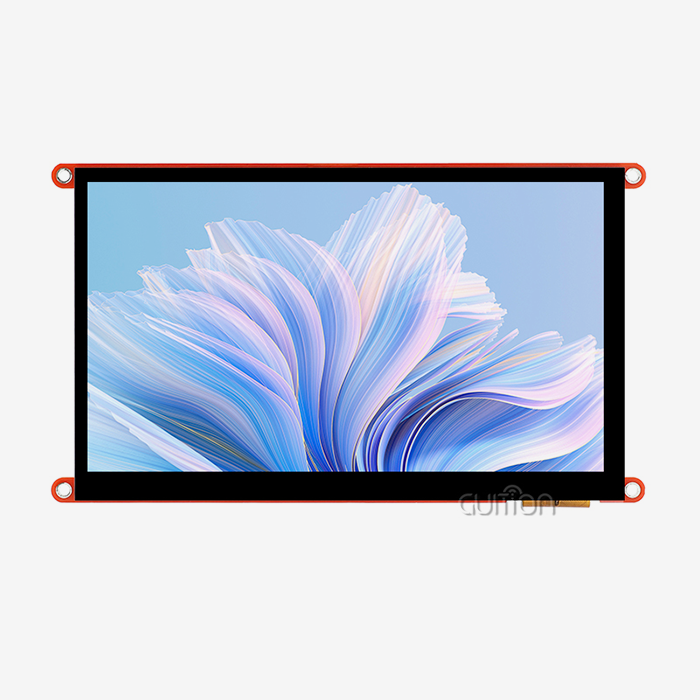
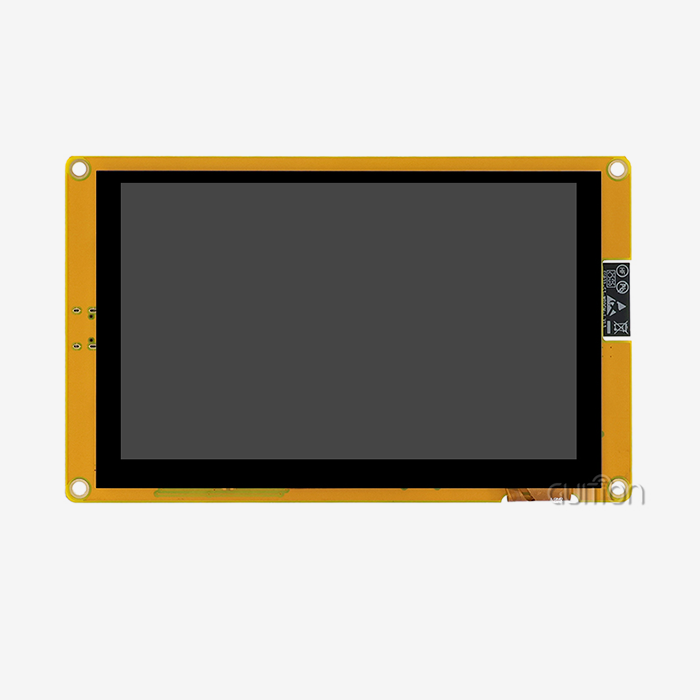
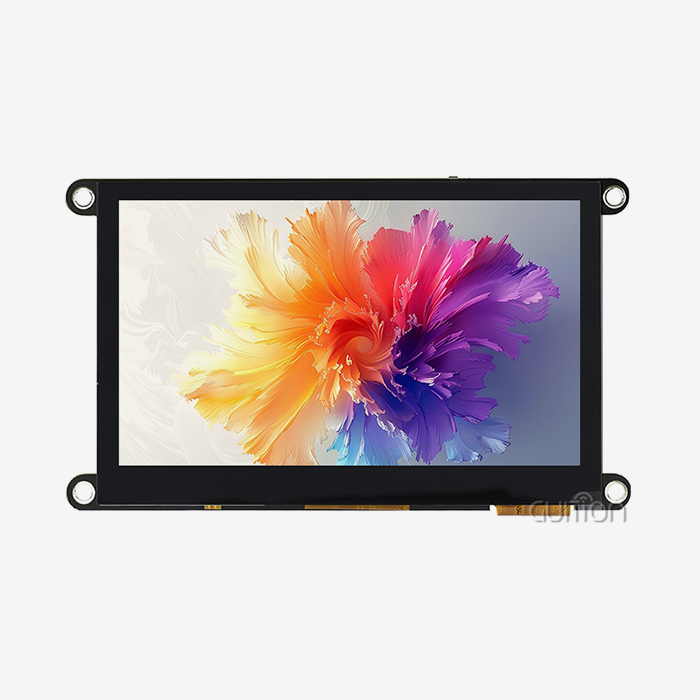
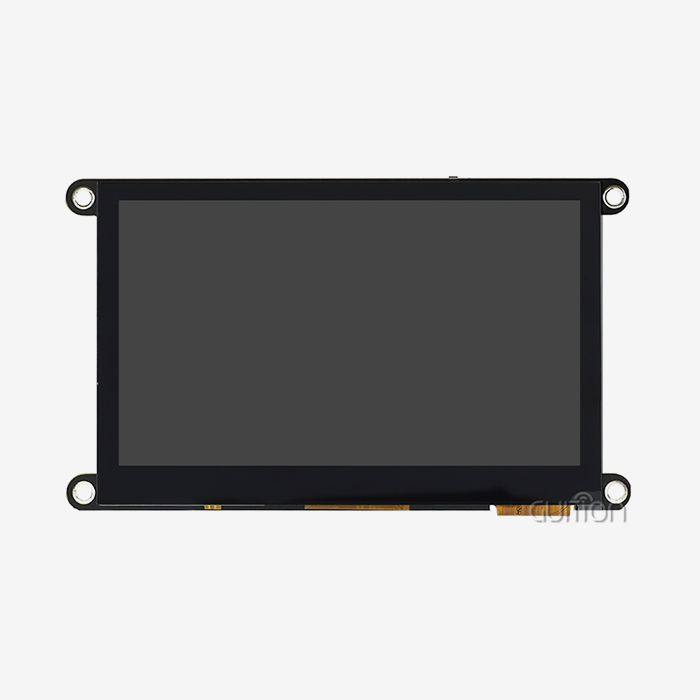
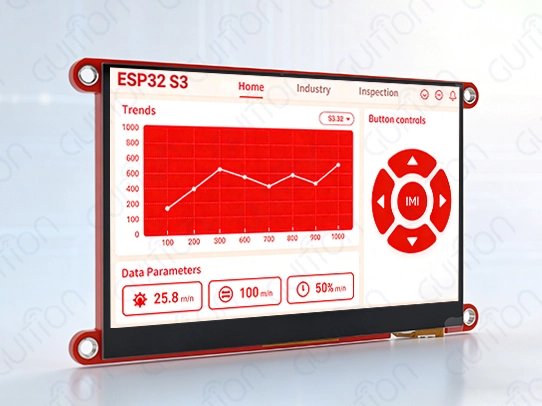
Protocols for thorough review confirm performance claims and make sure they work with the Capacitive touch display module target apps. As part of evaluating samples, the surroundings should be stressed, EMI compatibility should be checked, and long-term reliability should be evaluated in real-world settings. Pilot rollout programs show how well suppliers can support their products in the real world and give useful performance data. With its 400MHz D121BAV processor and 480×272 IPS monitor, the GUITION JC4827Q343C_I is a great example of an advanced module. This 4.3-inch module has WiFi and Bluetooth connections and works with the full Guition development environment, which lets you make and use prototypes quickly. While keeping professional-level features for challenging applications, the drag-and-drop interface creation tools make programming a lot easier.
Conclusion
To choose the best sensitive touch display module, you have to weigh budget and time constraints against technical performance, environmental needs, and development ecosystem support. Modern modules have advanced features that go far beyond simple touch recognition. They support multiple touch gestures, are resistant to environmental conditions, and have built-in connection features that are necessary for next-generation industrial apps. The GUITION JC4827Q343C_I shows how advanced controller technology and a full set of development tools can cut down on project times while still delivering reliable performance in tough situations.
FAQ
1. 2What factors most significantly influence capacitive touch sensitivity?
Sensitivity levels are mostly affected by things in the environment, like weather, humidity, and electromagnetic interference. Grounding correctly, calibrating regularly, and keeping contamination under control are all important for keeping performance at its best throughout an operating lifetime.
2. How does the lifespan of capacitive modules compare to resistive alternatives?
Because they don't have mechanical wear mechanisms, capacitive touch display modules can be touched almost endlessly. On the other hand, resistive screens usually break down after 1 to 5 million touches because the bendable layer breaks down.
3. Can capacitive modules be customized for embedded system integration?
Modern modules allow for a lot of customizing, such as changing the software on the processor and the way the modules are mechanically integrated. Drag-and-drop development tools and full API support on the GUITION platform make it easy to make changes quickly.
4. What connectivity options are available for remote maintenance?
Advanced modules have WiFi and Bluetooth built in, which lets you change the software over-the-air and do diagnostics from afar. This greatly reduces the need for field service and maintenance costs.
Partner with Guition for Advanced Capacitive Touch Solutions
Guition offers state-of-the-art capacitive touch display module options that are designed Capacitive touch display module to work in tough industrial settings. Our JC4827Q343C_I module blends strong 400MHz processing with easy-to-use development tools that speed up the time it takes to finish your project and make sure it works well. As a reliable company that makes capacitive touch display modules, we offer full expert help, customization options, and low prices for large orders. Talk to David at david@guition.com about your unique needs and find out how our cutting-edge HMI solutions can help your next project. Try professional-grade touch technology for your business needs and see the difference it makes.
References
1. Smith, J.R. & Williams, K.M. (2023). "Advanced Touch Technologies in Industrial Human-Machine Interfaces." Journal of Industrial Electronics, 45(3), 234-251.
2. Chen, L. et al. (2023). "Comparative Analysis of Touch Screen Technologies for Medical Device Applications." Biomedical Engineering Review, 18(7), 112-128.
3. Anderson, P.K. (2022). "Environmental Considerations in Capacitive Touch Display Module Selection." IEEE Transactions on Industrial Electronics, 69(8), 1456-1467.
4. Rodriguez, M.A. & Thompson, D.L. (2023). "Cost-Benefit Analysis of Touch Technologies in Manufacturing Automation." Industrial Automation Quarterly, 31(2), 78-95.
5. Park, S.H. (2022). "Reliability Testing Standards for Capacitive Touch Interfaces in Harsh Environments." International Journal of Electronics Manufacturing, 15(4), 203-219.
6. Johnson, R.T. et al. (2023). "Integration Challenges and Solutions for Embedded Touch Display Systems." Embedded Systems Design Magazine, 26(9), 34-42.
Learn about our latest products and discounts through SMS or email