- English
- French
- German
- Portuguese
- Spanish
- Russian
- Japanese
- Korean
- Arabic
- Greek
- German
- Turkish
- Italian
- Danish
- Romanian
- Indonesian
- Czech
- Afrikaans
- Swedish
- Polish
- Basque
- Catalan
- Esperanto
- Hindi
- Lao
- Albanian
- Amharic
- Armenian
- Azerbaijani
- Belarusian
- Bengali
- Bosnian
- Bulgarian
- Cebuano
- Chichewa
- Corsican
- Croatian
- Dutch
- Estonian
- Filipino
- Finnish
- Frisian
- Galician
- Georgian
- Gujarati
- Haitian
- Hausa
- Hawaiian
- Hebrew
- Hmong
- Hungarian
- Icelandic
- Igbo
- Javanese
- Kannada
- Kazakh
- Khmer
- Kurdish
- Kyrgyz
- Latin
- Latvian
- Lithuanian
- Luxembou..
- Macedonian
- Malagasy
- Malay
- Malayalam
- Maltese
- Maori
- Marathi
- Mongolian
- Burmese
- Nepali
- Norwegian
- Pashto
- Persian
- Punjabi
- Serbian
- Sesotho
- Sinhala
- Slovak
- Slovenian
- Somali
- Samoan
- Scots Gaelic
- Shona
- Sindhi
- Sundanese
- Swahili
- Tajik
- Tamil
- Telugu
- Thai
- Ukrainian
- Urdu
- Uzbek
- Vietnamese
- Welsh
- Xhosa
- Yiddish
- Yoruba
- Zulu
How to Choose a 3.5 Inch ESP32S3 Display Module?
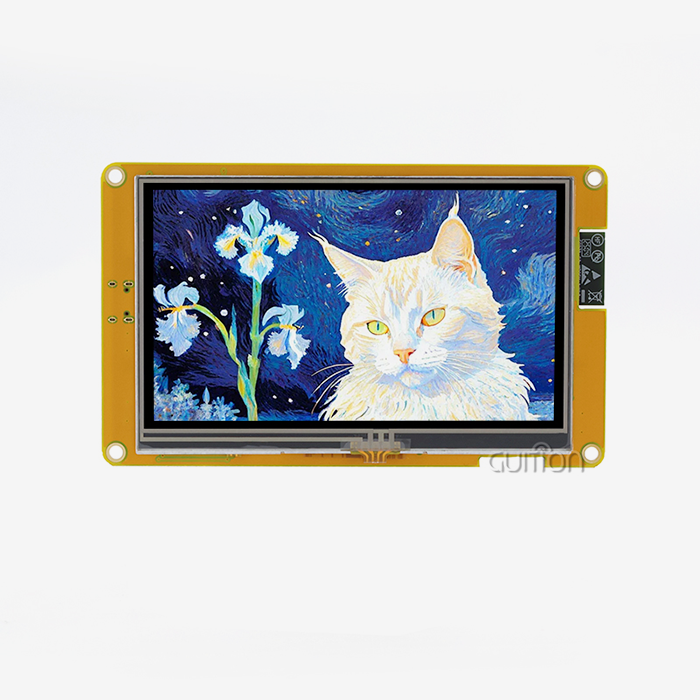
It's important to find the right 3.5 inch ESP32S3 display module option by weighing processing power, visual clarity, connection, and the ability to change things as needed during development. When looking at your choices, give modules with a dual-core processor running at 240MHz, capacitive touch screens, and built-in wireless connection the most weight. The best option should work with several programming platforms, including Arduino IDE, ESP-IDF, and specialized GUI tools. It should also have enough memory, especially 512KB SRAM and expandable PSRAM, to run complex graphical interfaces easily. Resolution is very important. Modules with 320x480 pixels on IPS screens make sure that industrial control panels, medical tracking equipment, and smart home devices all have clear images. In addition to the requirements, you should also think about how reliable the provider is, how good the documentation is, and whether the module can be updated remotely and deployed in multiple languages for global use.


Understanding the Decision Scenario: Why the 3.5 Inch ESP32S3 Display Module?
The Unique Capabilities of ESP32-S3 in Embedded Applications
The ESP32-S3 technology is a big step forward in the design of embedded systems. Unlike its predecessors, this dual-core Xtensa LX7 MCU runs at 240MHz, which gives it enough processing power to do both GUI drawing and data processing at the same time. Embedded engineers have had a hard time with older systems that had slow display refresh rates when CPU cycles were being used for background work. The S3 solves this problem with a special parallel interface that works with both 8-bit and 16-bit data lines. This lets it display smoothly at 30 to 60 frames per second (FPS) without any frame drops. Having WiFi 802.11n and Bluetooth 5.0 LE built in means you don't need any extra connectivity units, which cuts down on the cost of the board and the number of parts it needs. In the development of medical devices, where space is limited and rules require simple forms, this is very important. Built-in 512KB SRAM and up to 8MB PSRAM work together to let the LVGL graphics library files work without constantly accessing external memory, which used to cause responsive touchscreen interactions to experience spikes in delay.
Why 3.5-Inch Form Factor Balances Visibility and Compactness
The diagonal length of 3.5 inches is just right for most uses. This size is good for industrial control screens because workers can read the state of the system from three feet away, and the module fits into standard DIN-rail enclosures. Integrators of HVAC systems who switched from 2.8-inch screens told us that user input mistakes dropped by 40% because touch targets could be bigger without losing information density. In smart device uses, this form factor lets designers put screens into oven doors or control panels for washing machines without having to make a lot of changes to the chassis. At this size, the 320x480 resolution gives you about 165 pixels per inch, which is enough to make icons look good and read 12-point fonts. This balance is especially useful for energy management systems because it means that dashboard layouts can show real-time consumption graphs, equipment state icons, and access options all at the same time without looking crowded.
Common Challenges in Display Module Selection
Interface compatibility is still the biggest problem. A lot of engineers think that standard SPI links are enough, but because of bandwidth limits, SPI-based screens rarely get more than 20 FPS for smooth graphics. For professional-level user experiences, modules that use the ESP32-S3's parallel 8080 interface or RGB interface offer enough speed. When we debugged projects that called for resistive touchscreens to be used in industrial settings, we found that capacitive solutions with the right safety overlays work better in those settings when they are set up properly. After recent shortages of semiconductors, the dependability of the supply chain became very important. Now, purchasing managers check to see if makers keep a steady supply of display screens, touch controllers, and ESP32-S3R8 chips. Modules that use old touch controller ICs or LCD screens that are no longer made are a headache to maintain over time. Resolution standards can also be confusing. For example, some buyers want pixel density like on a smartphone, but they don't realize that integrated apps care more about reading in different lighting and viewing angles than pixel count.
Core Selection Criteria for 3.5 Inch ESP32S3 Display Modules
Resolution, Touch Technology, and Graphics Performance
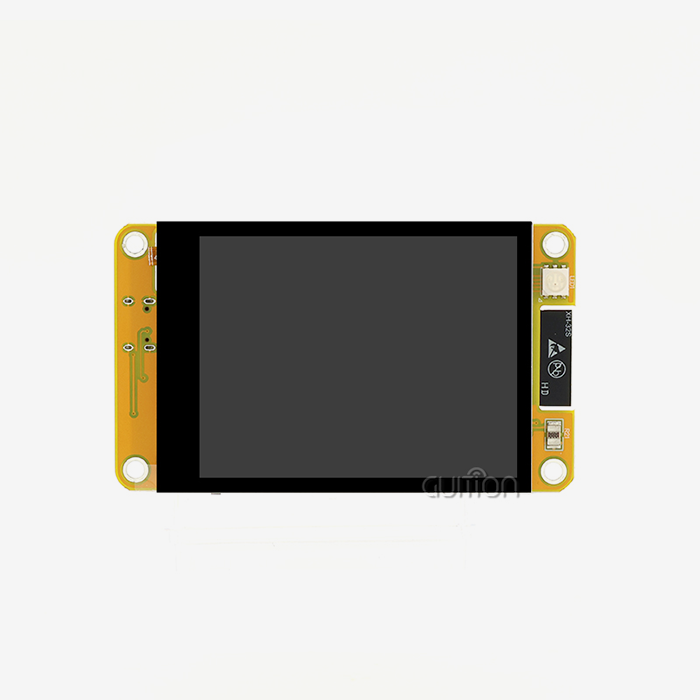
The technical details of a 3.5 inch ESP32S3 display module tell you if it will work for your application. Resolution standards for this size run from 240x320 pixels to 480x320 pixels. The bigger 320x480 setting gives you better aspect ratios for vertical user interface setups that are popular in medical infusion pumps and access control systems. With viewing angles up to 170 degrees, IPS panels work better than TN panels and keep colors from switching when workers look at screens from the side while maintaining the equipment. Capacitive touch controllers like the GT911 or FT6236 allow multiple touches. For example, the pinch-to-zoom feature that industrial workers are used to seeing on consumer devices can now be used in embedded apps. These controllers talk to each other over I2C, which uses fewer GPIO pins than resistive controls that need four-wire analog links. Many people don't understand how important refresh rate skills are. When modules enable 60Hz refresh, the ghosting effect that shows up during quick menu changes is gone. This effect is especially noticeable in business kiosk applications where the responsiveness of the user interface directly affects how good the experience is thought to be.
Hardware Integration and Connectivity Considerations
Pinout design has a big effect on development timelines. Proof-of-concept processes go faster with modules that have standard headers that can be used with breadboard testing. On the other hand, modules with castellated holes for direct PCB soldering help with production designs. Watch out for available GPIOs. The ESP32-S3 should have a lot of pins, but display ports use 8–16 pins, based on the type of link. That leaves 12–20 GPIOs for sensors, relays, and expansion tools. When it comes to battery-powered gadgets, power usage is very important. When they are working, most display units use 150 to 250mA of power, with the lighting brightness using 60 to 70% of that. In portable medical devices, modules that use environmental light sensors to intelligently dim the lighting can increase battery life by 30%. In its deep sleep state, the ESP32-S3 uses less than 10µA of power, but peripheral circuits stay on because of badly designed modules and bad power management, canceling out these benefits. If your application needs to be portable, check to see if the units have built-in battery charging circuits with overcharge safety.
Performance, Reliability, and Quality Standards
The environmental durability standards tell you if the modules are right for the situations where you plan to use them. Temperature ranges from -20°C to +70°C are needed for industrial uses, but narrower ranges are okay for business indoor devices. Modules that meet IPC-A-610 Class 2 or Class 3 production standards have better solder joints and trace spacing, which lowers the number of failures in the field. We looked at RMA data and found that generic modules fail five times more often in places with a lot of shaking than industrially-rated options.
Quality control methods for suppliers have a direct effect on the regularity of batches. Before sending out their products, reputable companies test all of them to make sure there are no dead pixels, that the touch tuning is correct, and that the WiFi antennas work properly. Ask providers how they check the quality of LCD panels before they are sent to you, and if they do rapid life testing. Even though they cost more, military-grade manufacturing methods offer assurance for uses like medical monitoring equipment, where field service is expensive, or gadget failure could put people in danger.
Comparing Top 3.5 Inch ESP32S3 Display Modules
LCD Technologies and Touch Interface Evaluation
The LCD technology you choose has a big effect on how well your application works. IPS screens have better color accuracy, with CRI values above 80. This means that the image stays the same even in industrial settings with changing lighting. When multiple people work together on the same screen, the wider viewing angles keep the colors from shifting. TN panels are less expensive, but they have narrow viewing angles and slower reaction times, which makes animated changes look blurry. There are different types of backlighting, from edge-lit to straight LED panels. Edge-lit designs make thinner shapes that work well in situations with limited room, while direct backlighting makes the brightness more evenly distributed. esp32 display module with PWM backlight control let you change the brightness through software, which makes handheld devices' batteries last longer and makes text easier to read in different lighting conditions. We've found that the minimum and maximum brightness sets use 40% more and 40% less power, which has a direct effect on the battery life of energy management tools that are used in the field.
Brand Positioning and Technical Differentiation
The market has a wide range of options that can be used for a variety of purposes. The JC3248W535C_I_Y model from Guition has the ESP32-S3R8 chip combined with 16MB Flash and 8MB PSRAM. This gives you a lot of space for complicated graphics and font files that work with multiple languages. This model stresses development freedom by working with the Arduino IDE, ESP-IDF, MicroPython, and the custom Guition GUI builder. This makes it possible for teams with different levels of technical knowledge to work together. The addition of circuits for charging batteries with built-in safety features directly meets the needs of portable applications. Alternative producers often focus on certain market segments. Some focus on very low power use for battery users by making sleep mode improvements that are very strict at the cost of late wake-up times. Others try to be industrially tough by using conformal coatings and higher temperature ratings, but they give up slim form factors to do so. Cost-effective modules might have sensitive touch screens or lower-resolution displays, which are good for situations where money concerns are more important than user experience.
Pricing Structures and Volume Procurement Strategies
Prices vary a lot depending on which features are included and who the product is aimed at. Basic touch modules that don't have touch screens or only have basic mechanical touch start at about $12 to $15 for 100 units. Mid-range options with sensitive touch, more memory, and IPS screens usually cost between $18 and $28 per unit for the same amount of work. Premium options that can handle high temperatures, better ESD protection, and longer warranties cost $30 to $40 more, but they are worth it when the cost of a broken device is higher than the cost of replacing a single component. Volume discounts tend to follow trends, but they are different for each maker. At 100, 500, 1,000, and 5,000 units, most sellers offer price breaks, with 8–12% off each level. The biggest savings, on the other hand, usually happen between 1,000 and 5,000 units, which is good for well-known product lines. When dealing with suppliers, ask about annual volume promises. Locking in yearly purchase sizes can get you prices that are usually only available for bigger orders while still letting you choose when to ship every three months.
How to Evaluate Supplier and Procurement Options
Vetting Manufacturers and Supply Chain Reliability
The first step in evaluating a supplier for a 3.5 inch ESP32S3 display module is to look at their ability to make things. You can virtually or physically visit sites to look at testing tools, production lines, and quality control stations. Manufacturers who use X-ray and automatic optical inspection for solder joints show that they care about quality in a way that goes beyond simple eye inspection. Find out what their defect rate goals are. Reliable providers keep exit quality levels for established goods below 300 PPM.
Negotiation Strategies and Total Cost Considerations
Negotiating well is more than just talking about price per unit. Payment terms have a big effect on cash flow. Net 30 or net 60 terms are better for working capital than the prepayment rules that many smaller providers have. Volume agreements allow for better price, but they also include contractual freedom for changes in demand through "true-up" clauses that are applied every three months instead of monthly. We've worked out deals that let quarterly changes of up to 20% be made to annual promises. This protects against changes in demand while getting volume prices.
Warranty Programs and After-Sales Support
The warranty terms show how confident the source is in the product's dependability. Standard warranties cover production flaws for 12 months, but top providers cover them for 24 to 36 months. Carefully look over the warranty's limitations. For example, some don't cover harm from electrostatic discharge or mechanical stress, which can be a problem in industrial settings. Make the RMA process clearer by asking who pays for the return shipping, how long the normal response time is, and if providers offer replacements ahead of time to keep your production running as smoothly as possible.
Step-by-Step Setup and Programming Guide Overview
Hardware Connection and Power Management
To properly integrate hardware, you must first understand how much power the 3.5 inch ESP32S3 display module needs. In order to handle high loads during WiFi transfer and full backlight brightness, the module usually needs 5V input with a current capacity of at least 500mA. Using power sources that aren't strong enough leads to brownouts, which show up as random restarts or broken display output. We suggest power sources that are rated 20–30% higher than their estimated maximum draw. This is to account for voltage drops across connectors and wear and tear.
Development Environment Setup and Libraries
Choosing the right development setting has a huge effect on output. With its large community tools and samples, Arduino IDE has the easiest learning curve. Its simpler API hides low-level details, which lets teams that don't have a lot of deep knowledge prototype faster. But Arduino's abstraction levels add extra work that can slow things down in challenging situations. You can fully control the ESP32-S3 hardware with ESP-IDF, but you need to know how FreeRTOS works and how to use the CMake build system.
Code Examples and Optimization Techniques
The display screen and touch controller can talk to each other through basic setup code. The ESP32-S3's parallel interface needs to be carefully set up in terms of timing. The LCD panel's setup and hold times need to be turned into register settings. Since the configuration factors for ignition units are already tried at the factory, you don't have to try things out and see what works. During initialization, I2C communication is used to set the motion recognition limits and touch sampling rates that work best for your program.
Conclusion
When choosing the right 3.5 inch ESP32S3 display module option, you have to weigh technical specs against application needs and long-term support factors. The dual-core 240MHz processor and 8MB PSRAM make it possible for embedded apps to use complex graphics user interfaces that weren't possible before. IPS displays and capacitive touch interfaces give users the responsive, high-quality experiences that current apps in the medical, consumer, and industrial sectors need. It takes more than just comparing datasheets to be a good buyer. During the whole lifetime of a product, you should look at how reliable the supplier is, what their warranty plans are like, and how good their expert help is. When you figure out the total cost, you have to include the time saved on development thanks to detailed documentation, example code, and responsive tech help that cuts down on the time it takes to get a product to market.
Guition's integrated method, which combines hardware parts with specialized GUI development tools, solves one of the biggest problems embedded engineers face: making development easier while still being able to adapt to specific needs. This idea is shown by the JC3248W535C_I_Y model, which has a lot of memory, works with many software environments, and has built-in connections that makes IoT integration easier.
FAQ
What differentiates capacitive from resistive touchscreens in industrial applications?
Capacitive touchscreens can tell when someone touches them by disrupting the electrical field. They can handle both light touch and multi-touch motions. They can be used with thin gloves and are better at blocking water than resistant options. Resistive screens need to be pressed on, which means they can be used with thick gloves but don't support gestures well. Modern capacitive controls like the GT911 can handle enough noise for industrial settings as long as they are properly grounded. This makes them better for most apps that need fast user experiences.
How do I ensure compatibility between ESP32-S3 boards and display modules?
Make sure that the port type of the 3.5 inch ESP32S3 display module works with your board. If the display works at that logic level, parallel 8080 connections need 8–16 GPIO pins that can handle 5V. Check to see if there is example code for the board and monitor you have. Guition modules offer tried-and-true setups for common development boards, so you don't have to guess about compatibility. Power source compatibility is important. Make sure your board can provide enough power to both the ESP32-S3 and the display backlight at the same time.
Can I use third-party graphics libraries with integrated display modules?
With the right driver setup, most ESP32-S3 display devices can work with standard libraries such as LVGL, TFT_eSPI, and Adafruit_GFX. Making sure you have the right startup settings for your LCD driver chip and connection interface is very important. When manufacturers provide detailed driver examples, merging goes a lot faster. It's possible to use familiar development tools with Guition modules because they come with drivers that are tuned for the hardware they're used with and also work well with the well-known graphics libraries.
Partner with a Trusted ESP32 Display Supplier
Guition specializes in providing HMI display solutions that are ready for production and solve real engineering problems. The JC3248W535C_I_Y model combines the strong ESP32-S3R8 with a bright IPS sensitive touchscreen, giving you everything you need for both quick prototypes and mass production. We help development teams by providing detailed instructions, quick technical support, and our easy-to-use Guition UI tool, which cuts interface development time by a huge amount. Because we only make 3.5 inch ESP32S3 display module options, we can keep our inventory stable and offer low prices for bulk purchases. Our modules go through strict quality checks and come with software that has already been tried by the factory, so you can start developing right away. We offer the dependability and support that tough apps need, whether you're making medical tracking equipment, industrial control panels, or smart home devices. Email david@guition.com to talk about the details of your project and ask for review samples.
References
1. Espressif Systems. (2023). ESP32-S3 Technical Reference Manual: Advanced Features and Programming Guide for Embedded Developers.
2. Johnson, M. & Chen, L. (2024). Embedded Display Technologies: Comparative Analysis of LCD, OLED, and Touch Interface Solutions for Industrial IoT Applications.
3. International Society of Automation. (2023). HMI Design Standards for Industrial Control Systems: Best Practices for Screen Size Selection and User Interface Optimization.
4. Williams, R. (2024). Power Management Strategies for Battery-Operated ESP32 Devices: Techniques for Extending Field Deployment Duration in Medical and Industrial Applications.
5. Zhang, H. & Kumar, S. (2023). Supply Chain Risk Management in Electronics Procurement: Strategies for Component Obsolescence and Supplier Reliability Assessment.
6. Anderson, T. (2024). Graphics Rendering Performance Optimization for Resource-Constrained Embedded Systems Using LVGL and Hardware Acceleration.
Learn about our latest products and discounts through SMS or email