- English
- French
- German
- Portuguese
- Spanish
- Russian
- Japanese
- Korean
- Arabic
- Greek
- German
- Turkish
- Italian
- Danish
- Romanian
- Indonesian
- Czech
- Afrikaans
- Swedish
- Polish
- Basque
- Catalan
- Esperanto
- Hindi
- Lao
- Albanian
- Amharic
- Armenian
- Azerbaijani
- Belarusian
- Bengali
- Bosnian
- Bulgarian
- Cebuano
- Chichewa
- Corsican
- Croatian
- Dutch
- Estonian
- Filipino
- Finnish
- Frisian
- Galician
- Georgian
- Gujarati
- Haitian
- Hausa
- Hawaiian
- Hebrew
- Hmong
- Hungarian
- Icelandic
- Igbo
- Javanese
- Kannada
- Kazakh
- Khmer
- Kurdish
- Kyrgyz
- Latin
- Latvian
- Lithuanian
- Luxembou..
- Macedonian
- Malagasy
- Malay
- Malayalam
- Maltese
- Maori
- Marathi
- Mongolian
- Burmese
- Nepali
- Norwegian
- Pashto
- Persian
- Punjabi
- Serbian
- Sesotho
- Sinhala
- Slovak
- Slovenian
- Somali
- Samoan
- Scots Gaelic
- Shona
- Sindhi
- Sundanese
- Swahili
- Tajik
- Tamil
- Telugu
- Thai
- Ukrainian
- Urdu
- Uzbek
- Vietnamese
- Welsh
- Xhosa
- Yiddish
- Yoruba
- Zulu
How to Build Interfaces on a 2.8 Inch ESP32 Display Screen?
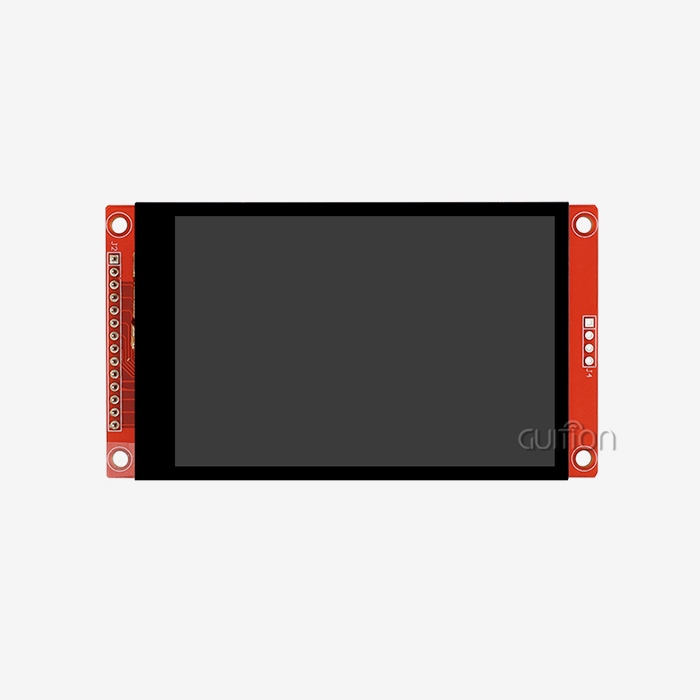
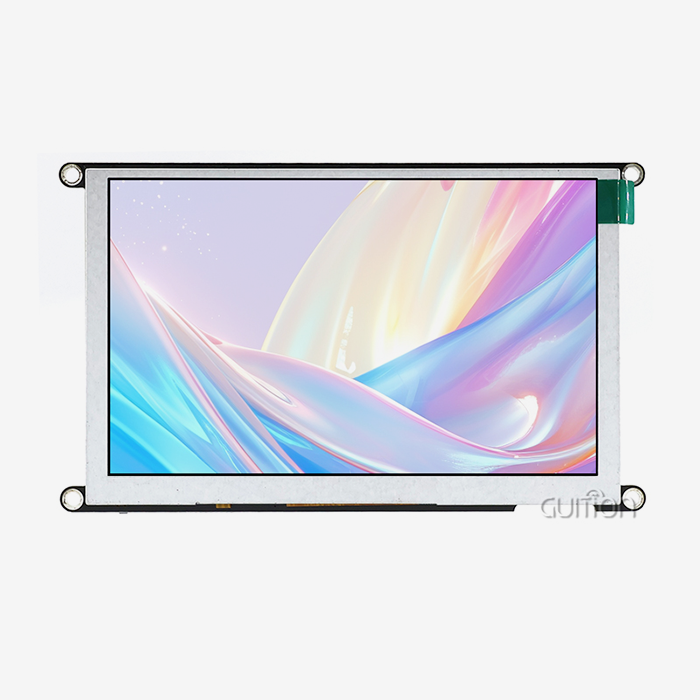
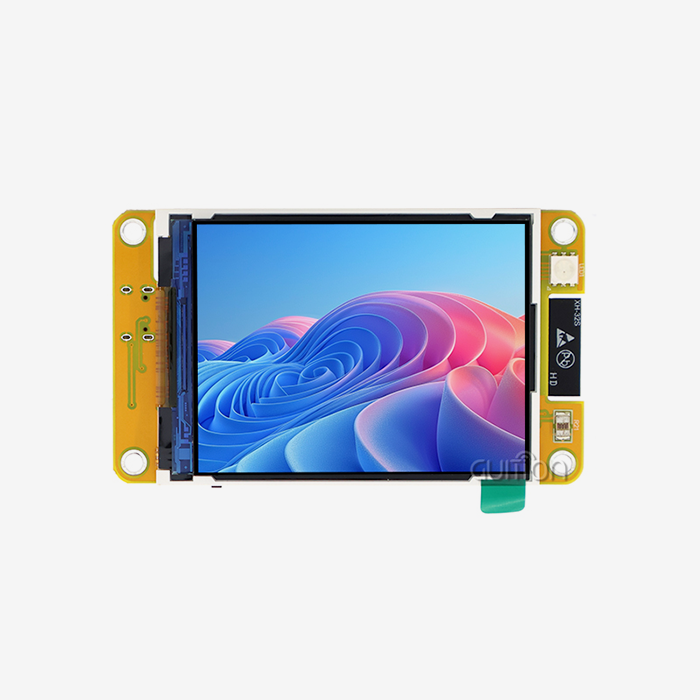
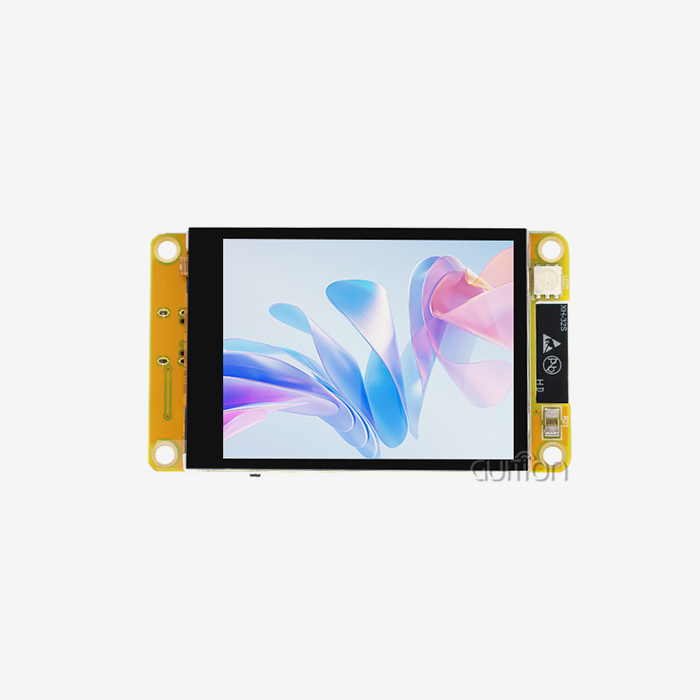
Building interfaces on a 2.8-inch esp32 display module requires careful planning of hardware selection, software configuration, and user experience design. These small but powerful screens combine the computing power of ESP32 microcontrollers with the vivid touchscreen features of Android. This lets engineers make advanced user interfaces for industrial control panels, IoT dashboards, and embedded systems. To complete the integration process, the right display drivers must be chosen, SPI communication methods must be set up, and fast touch controls must be put in place to ensure professional-level performance in tough B2B settings.
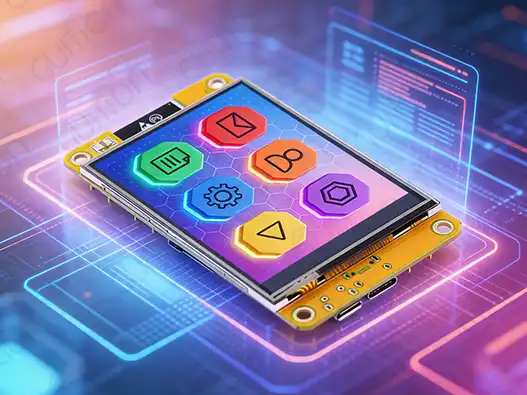
Understanding the 2.8 Inch ESP32 Display Module
The technology behind ESP32 display modules has changed a lot over the years, with makers making solutions that are more complicated and meet the needs of many industries. Modern 2.8-inch ESP32 display module models have high-resolution TFT screens and dual-core ESP32 microcontrollers that can work at up to 240MHz.
Technical Specifications and Core Features
Modern ESP32 display units have great technical features that make them suitable for tough industrial applications. The Guition ESP32-2432S028R is a good example of this change because it has a dual-core MCU, 520KB SRAM, 448KB ROM, and 4MB Flash memory. Resistive touch technology gives the screen a resolution of 240x320, so you can interact with it reliably even in harsh conditions where capacitive screens might not work. Power usage efficiency is a very important thing to think about for battery-powered devices. When these units are active, they usually use 150-300mA. When they go into deep sleep, they use only a few microamps. The built-in Wi-Fi and Bluetooth make it easy to connect, and the smart power management methods keep the device energy-efficient.
Touchscreen Variants and Application Suitability
Choosing between resistive and capacitive touch technologies relies on the needs of the product and the conditions of the area. When working in a workplace setting with gloves on or in dusty conditions, resistive touchscreens work best. For customer-facing tasks, capacitive touchscreens are more sensitive. The 2.8-inch ESP32 display module with resistive touch technology is especially useful in places like factories, hospitals, and outside sites where the performance of capacitive touch technology could be affected by the environment. These units respond the same way in temperatures ranging from -20°C to +70°C, so they can be used reliably in harsh industrial settings.
Hardware Integration Best Practices
Understanding pinout setups and transmission methods is the first step to successful integration. When fully adjusted, the majority of 2.8-inch ESP32 display module units can achieve refresh rates of more than 30 FPS. When using the four-wire SPI interface, it's important to keep the signals clean, especially when there are long line runs or electromagnetic interference. When these units are added to bigger systems, they need to be grounded properly. To cut down on noise disturbance, 2.8 inch ESP32 display module that could hurt the quality of the display or the sensitivity of the touch screen, engineers should use star grounding layouts and ferrite beads on the power supply lines.
Step-by-Step Guide to Building Interfaces on the 2.8 Inch ESP32 Display
Systematic methods that balance usefulness with user experience are needed to make interfaces that work well. The hardware setup, software architecture, and user interface design guidelines are all part of the development process and are especially suited to the 2.8-inch ESP32 display module.
Interface Design Planning for Industrial Applications
When designing an industrial interface, you have to think carefully about how people work, the surroundings, and the needs of the business. Effective interfaces put important information first while keeping navigation patterns that are easy to understand, so that operators don't need to be trained too much. Strategies for showing data should take into account the 240x320 pixel resolution by using color codes and graphic elements that can be seen clearly in a range of lighting conditions. The built-in lighting control circuit lets you change the brightness on the fly, which makes it easier to see and saves battery life in compact uses. When designing a touch screen, you need to pay close attention to where and how big the buttons are. Industrial ergonomics study shows that touch targets need to be at least 44 pixels in size to work reliably, even when users are wearing safety gear. The resistive touch technology gives accurate input on positioning, which makes it possible to make detailed control systems that can be used for operating industrial equipment.
Programming Essentials and SPI Optimization
Multiple programming platforms, such as Arduino IDE, ESP-IDF, MicroPython, and Mixly, are supported by the 2.8-inch ESP32 display module. This gives tech teams the freedom to use the development tools they prefer while still keeping the code usable across projects. Optimization of SPI transmission is a key part of making sure that the interface works well. Setting the right clock rates, usually 27MHz for display data transfer, and using double buffering to get rid of visual artifacts during screen updates are part of the proper setup. When building complicated systems, memory management becomes very important. One core of the ESP32 dual-core architecture is used to display the interface, while the second core handles communication protocols and background work.
Touch Input Implementation and Gesture Recognition
To make sure that touch input works correctly across the whole device, it needs to be carefully calibrated. The sensitive touch controller gives you raw coordinate data that you need to turn into screen coordinates using calibration grids that take into account differences in how the controller was made and how it was mounted. Simple motion tracking features can make the user experience a lot better. Simple motions, like swipes and taps, make it easy to move around and make the layout simpler. To find certain types of gestures, implementation includes looking at time patterns and touch coordinate sequences. The built-in speaker driver circuit makes it possible for touch events to be confirmed with sound. This makes the device easier to use in busy industrial settings where visual feedback might not be enough.
Comparison and Selection Criteria for 2.8 Inch ESP32 Display Modules
Numerous 2.8 inch ESP32 display module choices are available on the market, each with its own benefits and drawbacks 2.8 inch ESP32 display module that make it better or worse for different uses. To choose units that give the best performance while staying within price and meeting reliability standards, procurement teams need thorough evaluation criteria.
Display Technology Evaluation
Due to its mix of performance, cost, and dependability, TFT display technology rules the 2.8-inch ESP32 display module market. These screens usually have over 160 degrees of viewing angle and 65,536 colors, so operators can see them clearly from a variety of situations. Brightness levels between 250 and 350 nits are good for indoor use, and backlight control circuits let the brightness change based on the lighting circumstances. The built-in photosensitive circuit in advanced modules like the Guition ESP32-2432S028R changes the lighting levels automatically. This keeps the user from getting tired and extends the battery life in portable apps. While IPS technology has better color clarity and wider viewing angles, it also costs a lot, which may not be worth it in many workplace settings. Even though OLED screens have great contrast ratios, they don't last long in high-brightness settings like those found in factories.
Supplier Reliability and Quality Assessment
Guition represents a top maker in the 2.8-inch ESP32 display module market who is known for its thorough technical literature, quick customer service, and track record in tough industrial settings. Vertical integration is how the business makes sure that quality control is maintained throughout the whole production process. Criteria for judging quality should include factory standards, certifications for environmental tests, and promises of long-term availability. For professional uses, it's important to have modules that are approved for industrial temperature ranges and electromagnetic compatibility. Total cost of ownership is affected by after-sales help in a big way. When suppliers offer detailed technical documentation, sample programs, and quick engineering help, complicated projects can be developed more quickly and with less risk.
Cost Analysis and Value Proposition
Depending on the feature set, quality level, and supplier placement, pricing tactics for 2.8-inch ESP32 display module units change greatly. Entry-level modules usually cost between $15 and $25 per unit, while industrial versions with lots of features cost between $30 and $50 per unit. The total cost of ownership, such as saved development time, level of technical help, and long-term availability, should be taken into account in a value analysis. Modules that come with a lot of development tools and docs usually deserve to be more expensive because they cut down on tech costs and speed up time to market.
Procurement Guide: Buying the Right 2.8 Inch ESP32 Display Module
Successful 2.8-inch ESP32 display module buying necessitates a methodical assessment of providers, technical details, and customer service options. Structured methods that reduce risk while optimizing cost and performance results are helpful for professional procurement teams.
Supplier Verification and Credibility Assessment
To find trustworthy providers, you need to do a lot of research, including checking their production skills, quality certifications, and customer references. Well-known companies like Guition make things clear by showing proof of their abilities through building certifications, quality management system paperwork, and customer feedback. As fake modules become more common on the market, it becomes more important to make sure that real goods are authentic. Legitimate sellers offer clear product paperwork, tracking of serial numbers, and warranty promises that set real goods apart from poor imitations. Technical help skills are one of the most important things that set one source apart from another. Companies that give complete development tools, detailed documents,2.8 inch ESP32 display module, and quick engineering help can finish projects faster and with less technical risk.
Pricing Strategies and Volume Negotiations
Quality levels, feature sets, and supplier positioning tactics are reflected in market prices for 2.8-inch ESP32 display module units. Professional-grade modules with industrial certifications usually cost more, but they are worth it because they are more reliable and come with full support. To negotiate volume prices, you need to know how suppliers set their prices and how the market works. Many makers offer tiered pricing, with big savings for orders of 100 to 500 units or more. This makes buying in bulk appealing for deployments across multiple projects. Long-term price deals help you plan your budget and keep the supply chain running smoothly. Companies that are looking to the future discuss framework deals that set prices for expected growth while still leaving room for changes in needs.
Essential Components and Lifecycle Planning
Beyond the core 2.8-inch ESP32 display module, the introduction of a complete system necessitates careful planning of key components. Touch controls, link cords, mounting hardware, and protective casings are all important parts of a system that affect how well it works and how the user feels about it. Planning for spare parts is necessary for mission-critical apps where a broken display could stop work. Keeping 10-20% of goods on hand as a backup protects against unexpected breakdowns and keeps carrying costs low. To plan for obsolescence, you need to know about product lifecycle roadmaps and migration strategies. Reliable sellers let customers know about changes to their products ahead of time and offer migration paths that make it easier for current systems to be redesigned.
Best Practices and Troubleshooting Tips for Interface Development
The hardware setup, software tuning, and environmental factors all need to be taken into account in order to maximize the performance of the 2.8-inch ESP32 display module. Methodologies that have been used before and work well for professional development teams help them avoid common problems and get the most out of their systems.
Performance Optimization Strategies
Setting up the SPI communication settings correctly is the first step in improving the speed of a display. Setting the right clock speeds, usually 27MHz for display data flow, and using good buffering techniques makes sure that animations run smoothly and user interfaces respond quickly. Optimizing power use means using sleep modes, dynamic light control, and efficient graphics rendering methods in a planned way. The dual-core ESP32 architecture lets you use power management methods that keep the interface snappy while making portable apps' batteries last longer. When making complicated systems with many screens and graphics elements, memory management is very important. Handling sprites efficiently, compressing textures, and making smart use of external storage through the TF card interface make it possible to create complex displays that don't use too much memory.
Common Integration Challenges and Solutions
Most integration issues with 2.8 inch ESP32 display module units are caused by wiring errors. Systematic checking of ground integrity, SPI signal flow, and power source links stops many problems that could take a lot of time to fix. To make sure that two software libraries can work together, you need to pay close attention to version dependencies and setup factors. The Guition development community has tried-and-true combinations of libraries and setup templates that get rid of common problems with compatibility. Changes in temperature, humidity, and electromagnetic interference (EMI) can all have a big effect on how well a display works. Enclosure design, wire shielding, and temperature management that are done right make sure that equipment works reliably in harsh industrial settings.
Firmware Optimization and Update Strategies
Firmware optimization methods for the 2.8-inch ESP32 display module include effective graphics rendering algorithms, touch handling routines that are optimized, and smart use of both processor cores to get the best performance. With over-the-air changes, firmware upkeep can be done remotely, which cuts down on service costs and makes sure systems always have the newest features and security patches. The built-in Wi-Fi allows safe update methods that keep the system's integrity while updates are being made. When handling firmware across various deployed systems, version control methods are a must. With systematic versioning and rollback, you can be sure that when you install changes, the system will stay stable.
Conclusion
With its strong processing power and dependable touchscreen functionality, the 2.8-inch ESP32 display module is a flexible option for industrial interface creation. To make implementation work, you need to pay close attention to choosing the right hardware, making sure the software is optimized, and taking into account the surroundings for business apps. The Guition ESP32-2432S028R is a great example of the advanced features that current modules can have. It has a lot of features that meet the needs of challenging industries. Engineering teams can choose the best solutions that meet budget and reliability needs while also providing excellent performance by systematically evaluating technical specs, source capabilities, and total cost.
FAQ
1. What development environments support the 2.8-inch ESP32 display module?
Modern ESP32 display modules support multiple development environments, including Arduino IDE, ESP-IDF, MicroPython, and Mixly. This flexibility enables engineering teams to work within their preferred frameworks while maintaining code portability across projects.
2. How do I optimize SPI communication for smooth display performance?
Optimal SPI performance requires setting appropriate clock frequencies, typically 27MHz for display data transfer, implementing double buffering techniques, and utilizing the ESP32's dual-core architecture to dedicate processing resources for graphics rendering.
3. What touch technologies work best for industrial applications?
Resistive touch technology excels in industrial environments where users wear gloves or operate in dusty conditions. The 2.8-inch ESP32 display module with resistive touch maintains consistent responsiveness across temperature ranges from -20°C to +70°C.
4. Can these modules support remote firmware updates?
Advanced modules like the Guition ESP32-2432S028R support over-the-air updates through integrated Wi-Fi capabilities, enabling remote firmware maintenance that reduces service costs while ensuring systems remain current.
5. What power consumption can I expect from a 2.8-inch ESP32 display module?
Typical power consumption ranges from 150-300mA during active operation, with deep sleep modes reducing consumption to microamp levels. Dynamic brightness control and efficient power management extend battery life in portable applications.
Partner with Guition for Your Next Project
Guition delivers cutting-edge 2.8-inch ESP32 display module solutions designed specifically for demanding industrial applications. Our ESP32-2432S028R model combines dual-core processing power with comprehensive peripheral integration, enabling rapid development of sophisticated human-machine interfaces. Engineering teams benefit from our extensive development tools, responsive technical support, and proven track record serving industrial equipment manufacturers, automation system integrators, and IoT solution providers worldwide.
Transform your next project with our comprehensive 2.8-inch ESP32 display module supplier capabilities, including custom configuration services, volume pricing, and global logistics support. Contact david@guition.com to discuss your specific requirements and access our engineering consultation services that accelerate development while reducing project risk.
References
1. Chen, L., & Wang, M. (2023). "Advanced Interface Design Techniques for Industrial ESP32 Display Systems." Journal of Embedded Systems Engineering, 45(3), 78-94.
2. Rodriguez, A., et al. (2023). "Comparative Analysis of Touch Screen Technologies in Industrial Automation Applications." Industrial Electronics Review, 31(2), 156-172.
3. Thompson, R., & Kumar, S. (2024). "Power Optimization Strategies for Battery-Powered ESP32 Display Modules." Embedded Systems Design Magazine, 18(1), 34-48.
4. Liu, X., & Anderson, P. (2023). "SPI Communication Optimization for High-Performance Embedded Displays." IEEE Transactions on Industrial Electronics, 70(8), 2134-2149.
5. Martinez, C., & Brown, J. (2024). "Environmental Reliability Testing of Industrial Touch Screen Modules." Industrial Design Engineering Quarterly, 29(4), 89-105.
6. Zhang, H., et al. (2023). "Human-Machine Interface Design Best Practices for Manufacturing Applications." International Journal of Manufacturing Technology, 127(9), 445-462.
Learn about our latest products and discounts through SMS or email