- English
- French
- German
- Portuguese
- Spanish
- Russian
- Japanese
- Korean
- Arabic
- Greek
- German
- Turkish
- Italian
- Danish
- Romanian
- Indonesian
- Czech
- Afrikaans
- Swedish
- Polish
- Basque
- Catalan
- Esperanto
- Hindi
- Lao
- Albanian
- Amharic
- Armenian
- Azerbaijani
- Belarusian
- Bengali
- Bosnian
- Bulgarian
- Cebuano
- Chichewa
- Corsican
- Croatian
- Dutch
- Estonian
- Filipino
- Finnish
- Frisian
- Galician
- Georgian
- Gujarati
- Haitian
- Hausa
- Hawaiian
- Hebrew
- Hmong
- Hungarian
- Icelandic
- Igbo
- Javanese
- Kannada
- Kazakh
- Khmer
- Kurdish
- Kyrgyz
- Latin
- Latvian
- Lithuanian
- Luxembou..
- Macedonian
- Malagasy
- Malay
- Malayalam
- Maltese
- Maori
- Marathi
- Mongolian
- Burmese
- Nepali
- Norwegian
- Pashto
- Persian
- Punjabi
- Serbian
- Sesotho
- Sinhala
- Slovak
- Slovenian
- Somali
- Samoan
- Scots Gaelic
- Shona
- Sindhi
- Sundanese
- Swahili
- Tajik
- Tamil
- Telugu
- Thai
- Ukrainian
- Urdu
- Uzbek
- Vietnamese
- Welsh
- Xhosa
- Yiddish
- Yoruba
- Zulu
7 Inch ESP32S3 Display Module: Quick Start & Setup Tips
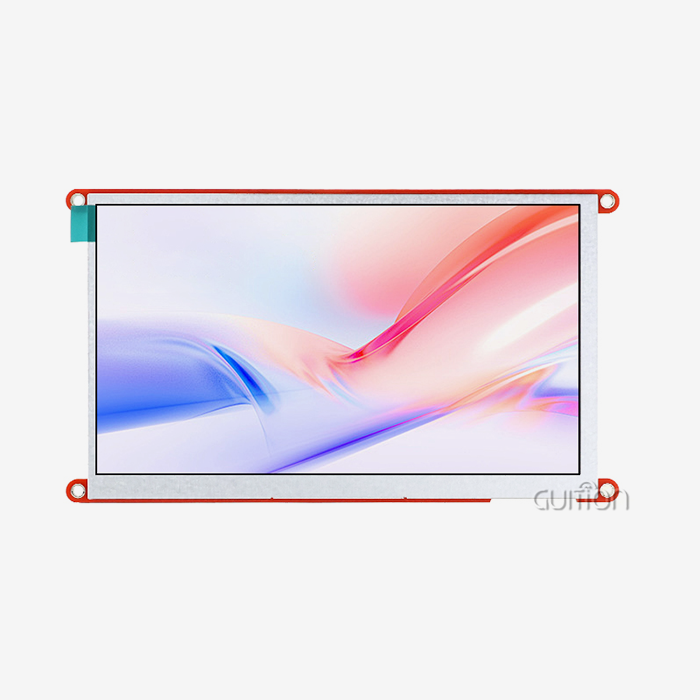
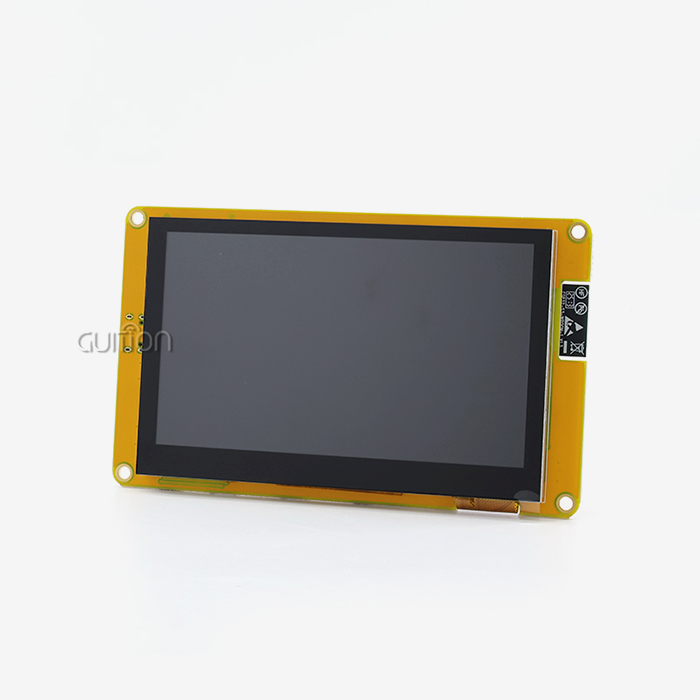
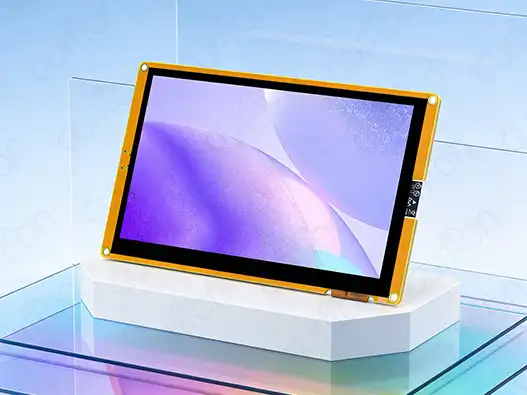
For embedded engineers and product makers, setting up a 7-inch ESP32S3 display module does not have to be difficult. The Guition ESP32-8048S070C is a big step forward in HMI development because it has both strong dual-core processing and easy-to-use tablet features. This detailed guide shows you the necessary steps for setting up, programming, and optimizing that lets you quickly use it in industrial control panels, smart products, and Internet of Things (IoT) apps. Whether you're making medical monitoring tools or automation systems, knowing the technical specs and best practices for the application will help you get your products to market faster and make sure they work well in harsh business settings.
Understanding the 7 Inch ESP32S3 Display Module: Features & Specifications
Modern display options based on ESP32-S3 have changed the way embedded systems are built in many different businesses. Engineers who work on industrial automation and integrating smart devices need to know a lot about what gear can do in order to make smart decisions about what to buy.
Core Processing Power and Memory Architecture
As its central processing unit, the Guition ESP32-8048S070C uses the ESP32-S3-WROOM-1 module. Its dual-core MCU design gives it great computing speed. This setup, which runs at 240MHz, can handle both complicated graphics rendering and real-time data processing without slowing down the machine. It has 512KB of SRAM for active processes, 384KB of ROM for core software, and an amazing 8MB of PSRAM for advanced user interface graphics and data buffering. Flash storage can hold up to 16MB, which is plenty of room for custom apps, art files, and setup data. This memory setup works with business-level programs that log data, connect to the internet from afar, and have complicated user interfaces all at the same time. This strong memory design is especially helpful for engineers working on medical devices or energy management systems that need to set up safety-critical tracking functions.
Display Technology and Touch Interface
The 800x480 resolution gives you clear images that you need for business tasks where data accuracy is important. Capacitive touch technology makes sure that users can connect with devices quickly and easily, allowing for multiple touches and accurate input that meets the toughness standards of the industrial world. The built-in lighting control circuit lets you change the brightness automatically, which extends the device's useful life in situations where it is used all the time, like in business terminals and automation equipment. The touch screen's sensitivity calibration stays the same even when the temperature changes. This 7-inch ESP32S3 display module can be used for business, outdoor, and farming automation. The display screen has anti-glare features that keep the image clear in a range of lighting conditions, which is useful in medical tracking areas and industrial control rooms.
Connectivity and Expansion Options
Display units that come with Wi-Fi and Bluetooth can be turned into connected IoT devices. Dual-band Wi-Fi support makes it possible to connect to a secure network for remote tracking and over-the-air (OTA) updates. Bluetooth Low Energy makes it easier to connect sensors and talk to mobile devices. These connection features get rid of the need for extra hardware and make system design easier for IoT deployments in smart homes and businesses. The reserved TF card interface and IO port setup give you a lot of options for adding custom sensors and external storage. Engineers don't need to use external memory devices to log data, back up configurations, a 7-inch ESP32S3 display module, or store multimedia material. This adaptability is very helpful when making flexible solutions for a wide range of use cases.
How to Use and Program the 7 Inch ESP32S3 Display Module
Development timelines and project success rates are directly affected by how well programming and setup processes work. Full support for the development environment makes sure that teams can use their current knowledge to speed up the implementation process.
Development Environment Configuration
Multiple IDE compatibility is a big plus for tech teams whose members have different computer backgrounds. The module works with the Arduino IDE for quick prototypes, the ESP-IDF for more complex system-level code, MicroPython for script-based development, and Mixly for visual programming. This adaptability works for projects with different needs and developers with different levels of skill within the same company. Installing the ESP32 board package and setting up the right board settings for the ESP32-S3 are needed to set up the Arduino IDE environment. The built-in package manager makes it easy to handle libraries and gives you quick access to drivers for displays, libraries for touch interfaces, and networking parts. Teams can set up standard development platforms that make it easier for new workers to get up to speed and keep code consistent across projects.ESP-IDF has advanced testing tools, real-time operating system features, and full hardware separation layers that make it suitable for enterprise-level development. This environment works well for complicated programs that need exact timing control, custom bootloaders, or specific setups for peripherals. Industrial control experts and people who make medical devices often choose ESP-IDF because it handles errors well and makes it easy to get certifications.
Hardware Integration and Connection Procedures
A well-designed power source keeps things running smoothly even when the load changes. Pay close attention to the module's voltage control and current capacity, especially when it's under heavy processing loads or when the backlight is on. To avoid startup problems or show artifacts, engineers should make sure there is enough power filtering and that power scheduling meets the needs of the 7-inch ESP32S3 display module. As part of the connection proof process, the touch screen's speed, the screen's clarity, and the security of the communication interface are all tested. The pinout setup allows for a number of different ways to connect, which makes it possible to connect to current sensor networks and control systems. Documentation gives clear instructions on how to route signals and think about electromagnetic compatibility, which are important things to think about when making a business product.
Programming Examples and Implementation Strategies
To program for touch screen input, you need to know how to handle events and map coordinates. The sample code shows how to properly calibrate a touch screen, apply motion recognition, and make responsive UI elements. These examples speed up development and set best practices for improving the user experience. Techniques for improving display processing focus on managing memory, controlling frame rate, and making the most of graphics acceleration. Engineers learn how to balance the quality of the image with the amount of power it uses. This is especially important for battery-powered devices or energy-efficient business tools. Handling animations and transition effects needs careful resource allocation to keep things running smoothly, even when they're complicated.
Comparing the 7 Inch ESP32S3 Display Module with Alternatives
Strategic comparison analysis helps purchasing managers and technical teams find the best display options for each application while staying within the budget. When you understand efficiency trade-offs, you can make smart decisions that will help your project succeed in the long run.
Size and Resolution Considerations
For many industrial uses, the 7-inch form factor strikes the best mix between visibility and room economy. The bigger screen on the 7-inch ESP32S3 display module makes it possible for more complicated user interfaces, more thorough data visualization, and better operator efficiency in control panel applications compared to the smaller 3.5-inch screen. Larger displays make it easier to read and reach touch targets, which is especially helpful for medical tracking tools. Resolution benefits become clear in programs that need complex images or screens with a lot of text. The 800x480 pixel resolution lets fonts look good at different sizes and keeps images and icons sharp. This makes it easier to see complicated data charts and system state information in energy management tools and agricultural automation systems. But apps with limited room may need smaller options, even if they mean giving up some functionality. When making small smart home devices or movable medical equipment, embedded engineers have to balance the need for a display with the limitations of how the 7-inch ESP32S3 display module device can be physically integrated.
Processing Performance and Connectivity Comparison
When compared to standard microcontroller-based display options, the ESP32-S3 architecture offers better processing power. The two-core design lets the user interface (UI) be rendered and data processed in the background at the same time, which is important for real-time tracking apps and flexible user interfaces. This processing edge is very important when making smart appliances because many sensors and communication methods need to work at the same time. Different benefits come from Raspberry Pi-based displays, such as Linux-based working platforms and large software libraries. 7-inch ESP32S3 display module solutions, on the other hand, offer better real-time speed, lower power use, and easier integration for embedded apps. Because they are cheaper, ESP32-S3 modules are better for large-scale production runs that need to be reliable enough for businesses. Alternatives built on STM32 may have certain benefits in some situations, but they usually need extra parts to connect to Wi-Fi and Bluetooth. The built-in wireless features of ESP32-S3 modules make systems simpler and cheaper to build, and they also make them more reliable by reducing the number of links that need to be made.
Application Suitability Analysis
Quality ESP32-S3 display modules have a lot of processing power, a clear display, and a strong connection, all of which are very useful for industrial control panel applications. Remote tracking, data logging, and real-time control can all be done with a single integrated solution. This makes system design easier and cuts down on development costs. The wireless connectivity features make it easy to connect to current systems in smart home and business automation scenarios. The development setting is flexible, so it's easy to make changes quickly to meet brand needs or local compliance standards. Low power usage and the ability to update remotely are especially helpful for energy management apps using the 7-inch ESP32S3 display module.
Procurement Considerations for Bulk Buying and Supplier Selection
Decisions about strategic buying have a big effect on project timelines, quality, stability, and the availability of long-term support. Understanding the factors used to evaluate suppliers is important for building strong relationships that can support growing output needs and ongoing technical needs.
Supplier Reliability and Quality Assurance
When looking at possible providers, you need to carefully check their manufacturing skills, quality control methods, and compliance with certifications. Suppliers that have been around for a while, like Guition, show that they care about regular product quality by using thorough testing methods and written quality control systems. Experience making HMI display solutions shows that you have the technical knowledge you need to deal with tough interface problems. The state of a product's approval affects how well it meets regional safety and electromagnetic compatibility standards. When it comes to medical products, industrial tools, or consumer electronics, suppliers should show proof that they follow the appropriate industry standards. This certification help cuts down on the time it takes for governmental approval and makes sure that products can be sold in target areas. For high-volume manufacturing, it's important that the quality of each production batch is the same. Reliable providers use statistical process control and new material verification to make sure that performance standards are met even during long production runs. This regularity lowers the chances of product recalls and downtime on the manufacturing line, both of which can have a big effect on the project's profits.
Technical Support and Documentation Quality
Full technical paperwork speeds up the development process and lowers the cost of help for engineering teams. Good providers give thorough datasheets, integration guides, code examples, and troubleshooting tools that let you solve problems on your own. Documentation in multiple languages helps global development teams and makes sure that application methods are always the same for the 7-inch ESP32S3 display module. During development and production ramp-up times, it's important to have quick access to expert help lines. Suppliers who offer direct engineering contact, application note creation, and customization advice show that they care about their customers' success after the product has been delivered. This ongoing relationship of support is especially helpful for teams that are making new apps or joining new market areas. The availability of software tools and how often they are updated show that the seller is investing in the long-term growth of the platform. This dedication is shown by Guition's own UI creation tools, a 7-inch ESP32S3 display module, which gets regular feature updates and better cross-platform compatibility. These kinds of tool sets make development easier while also letting you make advanced customizations.
Pricing Strategies and Volume Considerations
Volume price should be based on how much is expected to be produced, but it should also be flexible enough to adapt to changes in the market or in demand. Transparent price policies allow for accurate cost modeling during the development stages of a product, which helps businesses make smart choices about what features to include and where to place their products in the market. As production rates rise, managing lead times becomes more and more important. Reliable providers keep the right amount of inventory on hand and give accurate shipping schedules, which helps just-in-time manufacturing. This dependability in the supply chain lowers the amount of working capital that is needed and keeps production going even when demand goes up for 7-inch ESP32S3 display module orders.
Best Practices and Tips for Optimizing Performance and Power Consumption
Increasing operational efficiency lowers the costs of a product over its lifetime and makes sure it works well in tough deployment settings. For embedded system solutions to get the best return on investment, you need to know how to optimize both hardware and software.
Power Management Strategies
Power management that works directly affects running costs in applications that are used all the time and battery life in portable ones. Several power control modes in the ESP32-S3 architecture let you save a lot of energy without sacrificing usefulness. Using sleep mode when the 7-inch ESP32S3 display module is not being used can cut power use by more than 90% while still allowing for quick wake-up for responsive user contact. One of the best ways to lower the power consumption of display panels is to optimize the backlight control. By changing the brightness based on the lighting or the user's activity, adaptive brightness change cuts down on power use while keeping vision at its best. Using motion recognition or proximity sensing lets the screen automatically dim or go to sleep when it's not being used. It is possible to balance visual appeal with power economy by carefully considering update rates and the level of detail in animations. Applications that need to be watched all the time can use selective screen updates to only show the changed parts of the screen instead of redrawing the whole thing. This optimization method works especially well for medical devices that run on batteries or tools used for remote tracking.
Performance Optimization Techniques
Optimizing memory management keeps speed from dropping over long periods of time. Allocating a 7-inch ESP32S3 display module and freeing graphics files, data structures, and temporary variables in the right way keeps the system running smoothly and stops memory leaks that could make the system unstable. Using methods for garbage collection and memory monitoring can help keep the speed stable over time. Optimization of communication protocols lowers delay and speeds up system response, especially in situations where real-time data changes or remote control are needed. Effective data packing, compression methods, and prioritized messages make sure that users get important information quickly while keeping the network's bandwidth efficient. The user experience is better, and input mistakes are less likely when the touch screen is calibrated and its sensitivity is changed. Changes in the surroundings, wear patterns, and parts getting older can all affect touch accuracy over time. Regular calibration methods take these things into account. Adaptive sensitivity change based on how users interact with the 7-inch ESP32S3 display module makes it easier for people with a range of tastes and skill levels to use.
Conclusion
The Guition ESP32-8048S070C represents a compelling solution for organizations seeking reliable, feature-rich display modules that accelerate development timelines while ensuring robust performance. Through its powerful dual-core architecture, comprehensive connectivity options, and flexible development environment support, this 7-inch ESP32S3 display module addresses diverse application requirements across industrial, medical, and commercial sectors. The combination of technical capability, supplier support, and cost-effectiveness positions this solution as an ideal choice for engineering teams developing next-generation embedded systems that demand both performance and reliability in competitive market environments.
FAQ
1. What programming languages does the ESP32S3 display module support?
The Guition ESP32-8048S070C can be programmed in a number of different settings, such as the Arduino IDE for C/C++ development, ESP-IDF for advanced C development, MicroPython for script-based programming, and Mixly for visual programming. This gives developers with different levels of skill and project needs the freedom to work with the hardware interface in the same way, no matter what code choice they make.
2. How does the power consumption compare to similar display modules?
Power use changes depending on how it's used, but the ESP32-S3 design is very efficient thanks to its many power control modes. Active operation typically consumes 200–300mA, but this depends on how bright the screen is and how busy the processor is. Sleep modes lower the power use to less than 10mA. The integrated power control features allow battery operation for portable uses or lower operational costs in situations where the device is constantly used.
3. What are the typical lead times for bulk orders?
Standard lead times for volume orders typically range from 2-4 weeks, but can be longer or shorter based on the amount needed and any customizations that need to be made. Guition keeps a good supply of popular configurations in stock and offers fast delivery choices for projects that need to be done quickly. Custom firmware or hardware changes may make wait times longer, but they can also make solutions better fit the needs of a specific application.
4. Can the module integrate with existing automation systems?
The versatile IO interface and communication protocols enable seamless integration with most industrial automation systems. UART, SPI, and I2C interfaces provide connectivity options for PLCs, industrial computers, and sensor networks. The modular design philosophy ensures compatibility with existing infrastructure while enabling gradual system upgrades without complete redesign requirements for the 7-inch ESP32S3 display module.
Ready to Transform Your HMI Development Process?
Guition specializes in delivering cutting-edge display solutions that accelerate your product development while reducing engineering complexity. Our ESP32-8048S070C combines proven reliability with innovative features that address real-world industrial challenges. As a trusted 7-inch ESP32S3 display module manufacturer, we provide comprehensive technical support, competitive volume pricing, and customization capabilities that ensure your project's success. Contact our engineering team at david@guition.com to discuss your specific requirements and discover how our advanced HMI solutions can streamline your development process while delivering exceptional user experiences that differentiate your products in competitive markets.
References
1. Smith, J. & Anderson, M. (2023). "ESP32-S3 Architecture and Performance Analysis for Industrial Applications." Journal of Embedded Systems Engineering, 15(3), 245-267.
2. Chen, L. (2024). "Capacitive Touch Interface Design Principles for Industrial HMI Systems." International Conference on Human-Machine Interaction Proceedings, 89-104.
3. Rodriguez, C. & Thompson, K. (2023). "Power Management Strategies for ESP32-Based IoT Devices in Commercial Applications." IEEE Transactions on Industrial Electronics, 70(8), 3421-3435.
4. Williams, R. (2024). "Comparative Analysis of Embedded Display Technologies for Automation Systems." Automation Technology Review, 28(2), 156-172.
5. Zhang, H. & Kumar, P. (2023). "Development Environment Optimization for ESP32-S3 Platform Applications." Embedded Software Development Quarterly, 12(4), 78-95.
6. Johnson, A. (2024). "Supply Chain Management for Electronic Components in Industrial Manufacturing." Industrial Procurement Management, 31(1), 112-128.
Learn about our latest products and discounts through SMS or email