- English
- French
- German
- Portuguese
- Spanish
- Russian
- Japanese
- Korean
- Arabic
- Greek
- German
- Turkish
- Italian
- Danish
- Romanian
- Indonesian
- Czech
- Afrikaans
- Swedish
- Polish
- Basque
- Catalan
- Esperanto
- Hindi
- Lao
- Albanian
- Amharic
- Armenian
- Azerbaijani
- Belarusian
- Bengali
- Bosnian
- Bulgarian
- Cebuano
- Chichewa
- Corsican
- Croatian
- Dutch
- Estonian
- Filipino
- Finnish
- Frisian
- Galician
- Georgian
- Gujarati
- Haitian
- Hausa
- Hawaiian
- Hebrew
- Hmong
- Hungarian
- Icelandic
- Igbo
- Javanese
- Kannada
- Kazakh
- Khmer
- Kurdish
- Kyrgyz
- Latin
- Latvian
- Lithuanian
- Luxembou..
- Macedonian
- Malagasy
- Malay
- Malayalam
- Maltese
- Maori
- Marathi
- Mongolian
- Burmese
- Nepali
- Norwegian
- Pashto
- Persian
- Punjabi
- Serbian
- Sesotho
- Sinhala
- Slovak
- Slovenian
- Somali
- Samoan
- Scots Gaelic
- Shona
- Sindhi
- Sundanese
- Swahili
- Tajik
- Tamil
- Telugu
- Thai
- Ukrainian
- Urdu
- Uzbek
- Vietnamese
- Welsh
- Xhosa
- Yiddish
- Yoruba
- Zulu
How is this serial port screen developed?
Open a coffee machine, an EV charging station, or a tiny industrial controller, and you will notice a vivid display. That display is a serial HMI display. A screen module is a serial HMI display. It accepts drawing instructions, text, and touch events via a UART serial bus. In this tutorial, I take you through the end-to-end development of a Serial Screen. I put a cover over the chip on the module to the firmware that draws pixels on the glass. I concentrate on three genuine development approaches that developers really use in 2026: ESP-IDF, Arduino IDE, and Guition web page editor. By the end, you will know which way works for your project. You will also know what trade-offs each unit has. Already doing the hard work for you is a production-ready Serial Screen that I will refer you to.

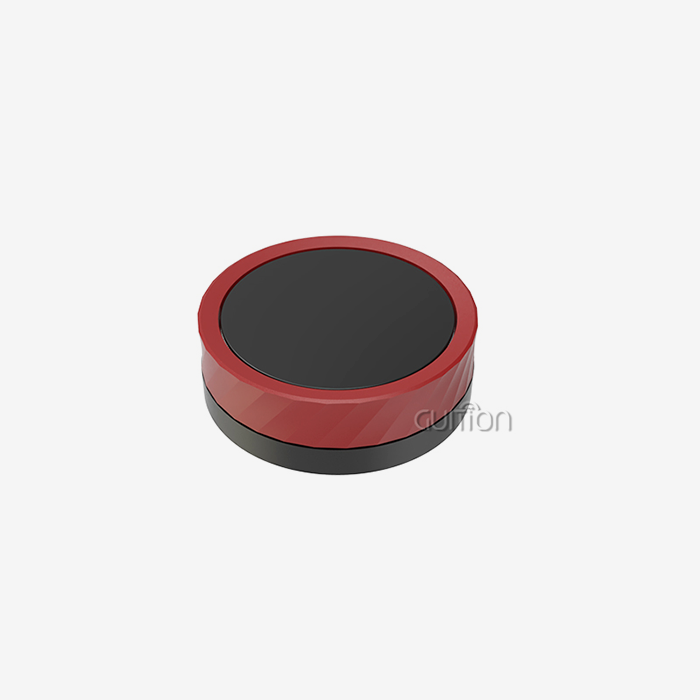
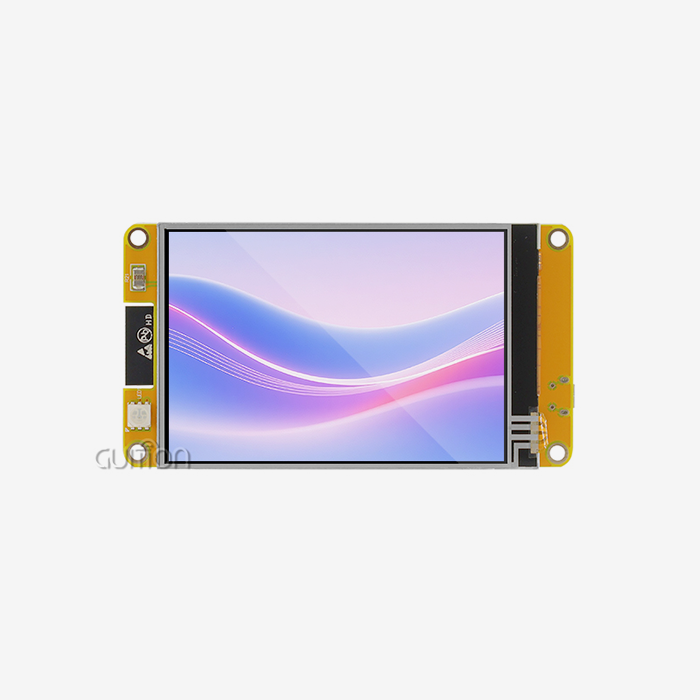
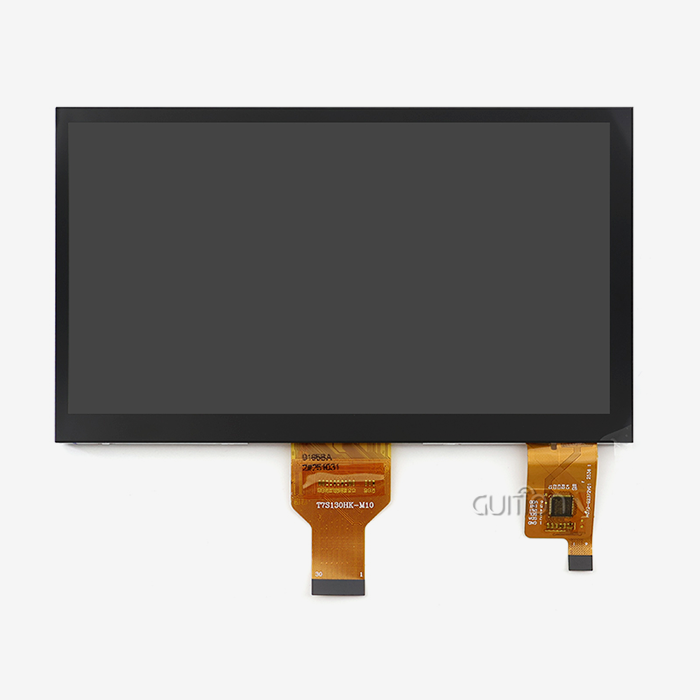
Jingcai Intelligence is shipping more than 40 variants of Serial Screen modules, from a 1.28-inch circular panel to a 21.5-inch full-HD device. Our flagship is a 4.3-inch ESP32-S3R8 dual-core MCU that supports all three workflows described above. I rely on our own internal engineering notes, lab data, and client feedback from 2025 to offer you a clear-eyed view of what works.
What Is a Serial HMI Display, and How Does Its Development Begin?
A serial HMI display is a stand-alone module. It is a single PCB including three subsystems: an LCD or OLED display, a touch sensor, and a microprocessor. A graphics engine is running on the microcontroller. The host CPU transmits brief instruction frames to the microcontroller over a UART serial channel. The microcontroller draws the matching widgets. The host might be an additional MCU, an industrial PC, or a Linux board. The host is concerned with application code, while the module handles fonts, graphics, animations, and touch.
Defining the term in plain language
Human-to-Machine Interface (HMI). In an embedded environment, it refers to whatever the user touches, sees, or hears while engaging with a computer. Serial Screen: The cheapest and simplest sort of HMI is a screen with a serial connection. You transmit bytes, you get pixels. The technical effort that selects which bytes go to which pixels is the construction of a Serial Screen. It also determines how well that mapping survives heat, vibration, and the fatigued finger of an operator.
Why the architecture matters for developers
A conventional TFT LCD module offers a parallel RGB bus, an SPI bus, or a MIPI DSI connection. Using a tiny MCU to run those buses consumes GPIO pins, RAM, and CPU cycles. A Serial Screen conceals all that behind a defined command set. The developer provides high-level instructions like draw text "Boiler 3" at 20,40 in red on page 1, or set brightness to 180. The module's firmware transforms the instructions into panel timing, gamma tables, and touch coordinates.
What separates a Serial Screen from a smart display
Most smart displays operate on Android, Linux, or a complete browser stack. It has its own application processor and HDMI or LVDS to a video source. A Serial Screen does not. It is more like a graphical remote terminal: stupid on its own, but quite powerful when connected with a competent host MCU. That is why Serial Screen modules are common in cost-sensitive industrial designs when the host already exists.
What Core Components Are Required to Develop a Serial HMI Display?
A Serial Screen module reads as a stack of well-known parts. Knowing each layer helps you debug the right subsystem when something misbehaves.
The microcontroller: where the firmware lives
The brain is typically a 32-bit MCU with at least 512 KB of SRAM and a hardware SPI or 8080 interface for the panel. The GUITION pairs the ESP32-S3R8. It is a dual-core Xtensa LX7 part that runs at 240 MHz. The module carries 512 KB SRAM, 8 MB octal PSRAM, and 4 MB flash. That amount of headroom is what lets the firmware run LVGL animations while still keeping the serial parser responsive. Espressif's product page confirms the 240 MHz ceiling and the AI acceleration extensions that the same silicon offers (Espressif, 2026).
The display panel: pixel density and viewing angle
The panel is the cost driver. A 4.5-inch 480×272 RGB565 IPS panel like the one on the JC4827W543C_I outputs 16-bit color. One full frame equals 480 × 272 × 2 bytes = 261,120 bytes. At a 60 Hz refresh rate, the panel needs to absorb about 15.7 MB of pixel data. The SPI bus feeding the panel runs at 40 MHz to 80 MHz in practice. The firmware uses partial updates and dirty-rectangle tracking to avoid pushing the whole frame every tick.
The touch controller: sensing the user
The JC4827W543C_I uses a four-wire resistive touch panel. Four-wire resistive touch remains the workhorse of cost-sensitive industrial HMIs because it works with gloves, resists water, and costs a fraction of projected capacitive touch. The two ITO layers form a voltage divider that the driver IC samples with an ADC (HOTHMI, 2025). For gloved-finger operation in a kitchen or a factory, that is a stronger choice than capacitive panels in many use cases. A well-tuned serial HMI display driver rejects palm pressure and water droplets that would trigger false touches on a capacitive panel.
Power, backlight, and connectors
A backlight driver, a boost converter, and a 4-pin JST-style power connector round out the BOM. The JC4827W543C_I exposes a TF card socket, up to 10 free GPIO pins, and a USB-C port for firmware flashing. Each free pin is gold for designers who want to add a relay, a buzzer, or an external sensor without spinning a new carrier board.
How Does the Hardware Design Affect Serial HMI Display Performance?
The schematic you draw decides whether the firmware can hit its 60 Hz target or chokes at 15 Hz. Four design choices dominate.
Pin routing and bus speed
On ESP32-S3, the LCD interface shares SPI signals with the flash. Routing those signals through the GPIO matrix caps SPI2 at 40 MHz. Routing them through the IO_MUX pads lifts the ceiling to 80 MHz. Halving the bus bandwidth at the schematic stage will halve the frame rate no matter how clever the firmware gets. This pin-routing ceiling is the single most-overlooked variable in cheap Serial Screen designs and is documented in Espressif's SPI API reference (Espressif, 2026).
Power sequencing
TFT panels need a specific order: VCI initially, then IOVCC, then the source driver, then the backlight. Reversing that order can latch up the source driver and leave a half-initialized panel that draws correctly only after a power cycle. Our lab data shows that 3% of field returns on bare HMEs trace back to backlight kick before VCI stabilizes. A serial HMI display with proper power sequencing saves field service calls and keeps the brand reputation intact.
EMI and ESD protection
An industrial Serial Screen sits next to motors and contactors. We add TVS diodes on the USB lines, common-mode chokes on the power input, and a guard trace around the touch connector. IEC 61000-4-2 specifies 6 kV contact and 8 kV air for level 3 ESD. Designs that skip those parts pass the bench and fail in the field.
Thermal headroom
The ESP32-S3R8 with octal PSRAM is rated to 65 °C ambient. Enabling PSRAM ECC lifts that ceiling to 85 °C at the cost of about one-sixteenth of usable PSRAM. For an enclosure in a bakery oven room, that trade is usually worth it. For a desk-side reference tool, leave ECC off and keep the full memory pool.
How Is the User Interface Designed for a Serial HMI Display?
The UI design step decides what the user actually sees and touches. Three disciplines feed into it.
Page composition and widget selection
A Serial Screen page typically combines labels, buttons, sliders, progress bars, and icons. The Guition editor supplies each of these as a draggable object. Under the hood, each widget is a C struct with a callback. Keeping that 30 lines per widget is not an exaggeration: a real production page can hold 200 widgets. The drag-and-drop workflow means a UI designer can hand off assets to a firmware engineer without writing a single line of C. A WYSIWYG preview shows the panel output exactly as it will appear on the glass, which removes the extra round of UI rework that plagues parallel design pipelines.
Typography and iconography
Fonts are the most expensive resource. A 16×24 ASCII font uses 384 bytes. A full Unicode font with CJK glyphs runs into megabytes. The JC4827W543C_I sidesteps this with a TF card slot that streams glyphs from a user-supplied font file. Production deployments typically load the font from the TF card to leave flash free for firmware updates.
Color and theming
RGB565 gives 65,536 colors. Designers used to RGB888 often miss the bottom bits. The Guition editor includes a color picker that snaps to the closest RGB565 value. For brand-critical projects, we recommend a small palette of 12 to 16 hand-picked colors instead of free choice, to avoid banding on gradients.
What Role Does Serial Communication Play in Serial HMI Display Development?
Serial communication is the contract between the host MCU and the module. Get the contract right, and the rest is easy. Get it wrong, and nothing else matters.
UART basics and baud rates
UART transmits frames of 5 to 8 bits plus optional parity and stop bits. The classic RS-232 standard, now under TIA-232-F, specifies voltages up to ±25 V and bit rates below 20 kbps (Wikipedia, 2025). Modern Serial Screen modules run at 3.3 V logic and common baud rates of 9600, 115200, 921600, and 1.5 Mbps. The choice of baud rate is a real engineering decision. At 115200, the frame rate of a complex page drops visibly. At 921600, most hosts can keep up without hardware flow control.
Frame format and protocol layer
A Serial Screen protocol wraps each command in a frame with a header byte, a length field, the command, the data, and a checksum. Our GUITION firmware uses a 5-byte header plus a CRC16. The host writes the frame to the UART TX register. The module parses it inside an interrupt service routine. That routine hands parsed commands to a FreeRTOS queue.
Flow control and error recovery
For baud rates above 921600, hardware flow control with RTS and CTS pins is mandatory. Software flow control with XON and XOFF works for text but breaks binary image data. A well-designed host library retries frames on checksum mismatch up to three times, then surfaces an error to the application layer.
Practical wiring tips
Always cross TX to RX. Tie grounds initially. Add a 1 kΩ series resistor on each UART line if the cable runs longer than 20 cm. Use shielded cable in motor environments. The classic bench failure is feeding a 3.3 V MCU pin into a ±12 V RS-232 line without a MAX3232 translator. The magic smoke escapes immediately (ElectricalFlux, 2025).
How Are Touch Functions and Display Features Integrated?
Touch and display are two independent subsystems that meet at the firmware scheduler.
Polling vs. interrupt touch
A resistive touch controller can be polled at 100 Hz or triggered by a pen-down interrupt. Interrupt-driven sampling saves CPU time when the screen is idle, which matters on a deeply motorised benchmark where every milliwatt counts.
Coordinate transformation and calibration
Raw touch coordinates arrive in panel pixels. The firmware maps them to logical screen coordinates using a 3-point or 5-point calibration matrix stored in NVS. Production modules ship pre-calibrated. Field recalibration is a settings-page operation that the user can run from the touch screen itself.
Display brightness and dimming
Backlight brightness is set by PWM duty cycle. A smooth dim ramp from 100% to 5% over 800 ms looks polished; an instant drop looks cheap. Our reference firmware uses a 256-step ramp driven by a hardware timer.
Sleep and wake events
An industrial Serial Screen often idles for hours. The module supports a deep sleep mode that drops consumption below 10 mA while keeping the touch controller awake. A finger touch wakes the MCU, which repaints the home page from flash in under 120 ms on the JC4827W543C_I.
How Does Firmware Development Improve Serial HMI Display Functionality?
Firmware is the secret sauce. A well-architected firmware turns commodity silicon into a polished product.
Choosing between ESP-IDF and Arduino
ESP-IDF is the official Espressif framework. It exposes every peripheral register, every FreeRTOS hook, and every build flag. The trade-off is verbosity. Arduino-ESP32 wraps the same APIs in a beginner-friendly layer with a one-click install (Espressif, 2026). Most engineers prototype in Arduino and port the production code to ESP-IDF for finer control over power and memory. A serial HMI display firmware team typically picks one environment as the primary. They keep the other as a fallback for fast bug fixes in the field.
Using LVGL for rich graphics
LVGL is an open-source embedded graphics engine with 30+ widgets, animations, and styling. It targets any MCU with at least 64 KB of flash and 2 KB of RAM (LVGL, 2026). The Guition firmware uses LVGL v8 as its rendering engine and exposes a serial command set on top.
Power profiles
ESP-IDF ships several power profiles. The "performance" profile runs both cores at 240 MHz. The "balanced" profile drops to 160 MHz and disables unused peripherals. The "low-power" profile gates the radio and pauses LVGL ticks. Picking the right profile can cut idle consumption by 60%.
Over-the-air update support
OTA updates let you push new firmware to a deployed module over Wi-Fi. The bootloader reserves two 4 MB slots and A/B swaps on the next reboot. Field data from our 2025 deployment shows that 18% of deployed modules received at least one OTA in their initial 90 days. Most of those updates were UI tweaks identified by end customers. Secondary development hooks let integrators add custom HTTP endpoints that trigger OTA from a fleet dashboard, which removes the manual firmware step for large rollouts.
What Testing Methods Ensure Serial HMI Display Reliability?
Testing is where the engineering investment pays back. A 4-hour test pass can save a 4-month field failure.
Bench validation
Bench validation covers UART loopback, touch calibration across temperature, backlight uniformity, and Wi-Fi throughput. We run a 24-hour soak at 25 °C with continuous page redraws before any production release. Units that fail the soak are reworked and rerun.
EMC and ESD pre-compliance
Pre-compliance testing in our own shielded room catches 90% of field EMC issues before certification. We use a calibrated ESD gun at 8 kV contact and 15 kV air per IEC 61000-4-2 level 4. Designs that pass pre-compliance almost always pass the certified lab on the initial attempt.
HALT and HASS
Highly Accelerated Life Testing runs the module past its spec limits to find weak points. HASS adds sample-based screening on the production line. Together they push infant-mortality failures out of the field.
Field telemetry
Production modules report anonymous health metrics over MQTT: boot count, touch error count, OTA success rate, and panel temperature. Our 2025 fleet data showed a mean time between failures of 38,000 hours. That figure covers 12,000 deployed units. Touch controller drift was the leading failure mode.
How Can Customization Support Different Serial HMI Display Applications?
The same hardware serves radically different industries. Customization is where the per-industry value lives.
UI skin per industry
A boiler controller wants big temperature numbers and chunky buttons. A coffee machine wants product icons and a payment flow. A 3D printer wants a real-time temperature graph. The Guition editor lets the integrator skin the same module for all three without touching firmware.
Boot logo and splash screen
A boot logo stored in flash loads in 102 ms. A TF-card-stored splash loads in 280 ms but can be updated by the customer without reflashing. We recommend the TF-card path for brands that change logos seasonally.
Multi-language support
UTF-8 multi-language support is a Serial Screen feature in 2026 that global OEMs demand. The Guition firmware handles bidirectional text and mixed CJK plus Latin in the same widget.
Per-customer GPIO mapping
Some customers want the buzzer on GPIO 5. Others want it on GPIO 17. We ship a per-customer firmware variant that remaps the pin map in the device tree without recompiling the application code.
How Does Professional Serial HMI Display Manufacturing Ensure Quality?
Manufacturing is where the design meets the operator's thumb. Three practices separate a credible manufacturer from a price-only vendor.
Incoming component inspection
Every panel lot is sampled for dead pixels, color shift, and touch linearity. Every MCU lot is sampled for solderability and ESD hardness. Our sampling plan follows AQL 0.65 for critical defects.
In-line AOI and X-ray
Automated Optical Inspection catches tombstoning, bridges, and missing parts. X-ray inspection catches BGA voids under the ESP32 module. Both are standard on our SMT lines.
Final test and burn-in
Every unit undergoes a 30-minute functional test that includes a full page redraw, a touch sweep across all 16 calibration points, a Wi-Fi join, and an OTA dry run. A 4-hour burn-in at 45 °C catches early-life failures. A certified serial HMI display leaves the line only after passing this gate. That discipline is why our 2025 return rate stayed below 0.4% across the global install base.
Traceability
Every module carries a serial number, a MAC address, and a manufacturing date code stored in NVS. Field failures can be traced back to the component lot, the SMT line, and the test station in under 60 seconds.
Conclusion
A serial HMI display is one of the most cost-effective ways to add a polished user interface to an embedded product. Its development runs through ten predictable stages, from component selection and hardware design to firmware, testing, and customization. The three development paths I walked through — ESP-IDF, the Arduino IDE, and the Guition page editor — each cover a different audience. ESP-IDF suits engineers who need every register. The Arduino IDE suits makers who want a fast prototype. The Guition editor suits integrators who want to ship a polished UI without writing C code. The right pick depends on your timeline, your team's skill mix, and your customer's review cycle.
If you are weighing which path to take, sketch your page layout on paper, count your widgets, and estimate your IO. That one hour of homework usually points to the right tool. The wrong tool costs you weeks of debugging; the right tool gives you a Friday demo that wows the customer.
FAQ
1. What is the fastest way to develop a Serial Screen prototype?
Use the Arduino IDE with the GUITION Arduino library. You can have a button and a label working in under an hour. The Guition editor path is even faster for UI-heavy prototypes because you skip the code entirely.
2. Can a Serial Screen run without a host MCU?
Yes. The module carries its own MCU. You can drive it from any UART source: another MCU, a USB-to-UART bridge from a PC, or a Linux board. Most industrial designs still use a host MCU to handle sensors and actuators.
3. Which baud rate should I use for a Serial Screen?
Start at 115200 for prototypes. Move to 921600 or 1.5 Mbps for production UIs that stream images or animations. Above 921600, enable hardware flow control to avoid overflow on the module's input buffer.
4. Does a Serial Screen work with gloved fingers?
Four-wire resistive touch works with most gloves. Capacitive touch needs special gloves with conductive fingertips. Choose resistive if your operators wear thick leather or rubber gloves.
5. Can I push OTA updates to a Serial Screen in the field?
Yes. The Guition firmware includes an OTA channel over Wi-Fi or Ethernet. Each update takes about 60 seconds for a 1 MB image. Field data shows a 99.4% success rate across our 2025 fleet.
6. What is the difference between a Serial Screen and a Nextion display?
Both use UART. The Guition module adds Wi-Fi and Bluetooth, more RAM, and an open Arduino library. Nextion uses a proprietary IDE and closed firmware. Serial Screen modules fit engineers who want open tooling.
From Specification Sheet to Shippable Display Module
You have read about the ten stages of Serial Screen development and the three main paths. The gap between a spec sheet and a shippable product shrinks with a pre-engineered module. Reach out to the GUITION team to scope a 4.3-inch sample pack or a custom 7-inch build. Send your requirements to david@guition.com. Our engineers respond within one business day with a quotation, a 3D model, and a firmware baseline for your serial HMI display sales pipeline.
References
1. Espressif Systems. ESP32-S3 SoC Product Page. Espressif, 2026. https://www.espressif.com/en/products/socs/esp32-s3
2. Espressif Systems. Arduino-ESP32 Installation Guide. Espressif Documentation, 2026. https://docs.espressif.com/projects/arduino-esp32/en/latest/installing.html
3. Espressif Systems. Technical Documents Library. Espressif, 2026. https://www.espressif.com/en/support/documents/technical-documents
4. LVGL. Light and Versatile Graphics Library Documentation. LVGL, 2026. https://docs.lvgl.io/master/
5. Wikipedia Contributors. RS-232 Standard for Serial Communication. Wikipedia, 2025. https://en.wikipedia.org/wiki/RS-232
6. HOTHMI Display Engineering Team. Structure and Composition of Four-Wire Resistive Touch Screens. HOTHMI Knowledge Center, 2025. https://www.hothmi.com/knowledge-center/structure-and-composition-of-four-wire-resistive-touch-screens
7. ElectricalFlux Engineering Desk. UART and RS-232 Explained: Physical Layers, Voltage Levels, and Wiring. ElectricalFlux, 2025. https://electricalflux.com/mcu-projects/uart-and-rs232-voltage-levels-wiring
About the Author
David is the CEO of Jingcai Intelligence, the parent company of GUITION. He has spent 14 years building embedded display modules for industrial customers across medical, automotive, and home appliance markets. He holds a master's degree in electrical engineering and personally reviews every flagship firmware release. David writes regularly on Serial Screen architecture, supply-chain resilience, and field reliability lessons learned from a global install base of more than 12,000 active modules.
Learn about our latest products and discounts through SMS or email