- English
- French
- German
- Portuguese
- Spanish
- Russian
- Japanese
- Korean
- Arabic
- Greek
- German
- Turkish
- Italian
- Danish
- Romanian
- Indonesian
- Czech
- Afrikaans
- Swedish
- Polish
- Basque
- Catalan
- Esperanto
- Hindi
- Lao
- Albanian
- Amharic
- Armenian
- Azerbaijani
- Belarusian
- Bengali
- Bosnian
- Bulgarian
- Cebuano
- Chichewa
- Corsican
- Croatian
- Dutch
- Estonian
- Filipino
- Finnish
- Frisian
- Galician
- Georgian
- Gujarati
- Haitian
- Hausa
- Hawaiian
- Hebrew
- Hmong
- Hungarian
- Icelandic
- Igbo
- Javanese
- Kannada
- Kazakh
- Khmer
- Kurdish
- Kyrgyz
- Latin
- Latvian
- Lithuanian
- Luxembou..
- Macedonian
- Malagasy
- Malay
- Malayalam
- Maltese
- Maori
- Marathi
- Mongolian
- Burmese
- Nepali
- Norwegian
- Pashto
- Persian
- Punjabi
- Serbian
- Sesotho
- Sinhala
- Slovak
- Slovenian
- Somali
- Samoan
- Scots Gaelic
- Shona
- Sindhi
- Sundanese
- Swahili
- Tajik
- Tamil
- Telugu
- Thai
- Ukrainian
- Urdu
- Uzbek
- Vietnamese
- Welsh
- Xhosa
- Yiddish
- Yoruba
- Zulu
How Durable Is a 3.5 LCD module in Industrial Environments?
Durability is the most important thing to think about when looking at display options for industrial control. Extreme temperature changes, mechanical vibrations, dust exposure, and electromagnetic interference that would quickly break down consumer-grade screens must all be tolerated by a 3.5 LCD Module made for industrial settings. The lifetime of these modules relies on a number of technical factors, such as the quality of the TFT LCD panel construction, the protective coatings used on touchscreen overlays, how long the backlight lasts when it's constantly on, and how strong the controller IC and interface circuitry are. Industrial-grade displays usually have stronger connectors, conformal coatings on PCBs to keep moisture out, and carefully chosen parts that can work in a wider range of temperatures. This makes them reliable in places like factories, outdoor equipment, and transportation systems where failure costs are high.

Understanding the Durability Requirements of Industrial Display Solutions
Every part of a small display system is put to the test in tough industrial settings. One of the biggest problems is that temperatures can vary a lot. Most consumer electronics can work between 0°C and 40°C, but industrial equipment needs to be able to safely work from -20°C to 70°C or even higher. When it's cold, the liquid crystal response time slows down a lot, which could lead to picture ghosting or slow touch response. On the other hand, high temperatures speed up the aging of components and can cause backlights to fail early.
Temperature Range Specifications
The working temperature standard has a direct effect on the choice of components. Standard TFT screens use liquid crystal formulas that work best at room temperature. Wide-temperature types, on the other hand, use special fluid mixes that keep their viscosity over a wider range of temperatures. When engineers test a display module like the Guition JC3248A035C, they should make sure that it works at the right temperature and can be stored at the right temperature. Storage grades tell you how much thermal stress the parts can handle when they're not in use, which is important for moving or storing tools between uses.
Vibration and Shock Resistance
Standards like IEC 60068-2-6 for vibration and IEC 60068-2-27 for shock are used for mechanical longevity tests. Industrial modules go through approval testing where they are put through multi-axis vibration patterns that are meant to mimic the conditions of an installation. The solder joints that connect surface-mount parts to PCBs could break if they are vibrated for a long time. Conformal coating application and underfill materials are used by good makers to make these joints stronger mechanically.
Ingress Protection and Sealing
The IP grade system makes it easier to talk about protecting the environment in a standard way. The two-digit code tells you about protection against solid particles (first digit) and protection against liquid entry (second digit). An IP65 grade means that the building is completely dust-tight and can handle water jets coming from any direction. To do this, there needs to be a gasket seal between the display bezel and the case, sealed contacts, and close attention paid to the assembly margins. When choosing a screen for farming tools or public kiosks, IP ratings are important factors that can't be ignored.
Technical Breakdown of Display Components Affecting Longevity
By understanding how a small display module is put together on the inside, you can see why some designs last longer in tough situations. There are many precise layers that make up an LCD panel, including polarizing films, glass frames with thin-film transistor stacks, liquid crystal material, color filters, and more polarizers. Each layer breaks down in its own way when it is stressed.
Backlight Technology Considerations
CCFL (Cold Cathode Fluorescent Lamp) technology has been replaced by LED backlighting as the standard for small workplace screens. Modern backlight systems use white LEDs, which are said to last longer than 50,000 hours at the right working temperatures. The backlight is an important part of longevity because if it fails, the screen can't be used, no matter what the LCD panel state is.
Capacitive Touch Panel Durability
The choice of touch screen for 3.5 lcd module has a big effect on how long the system lasts overall. The JC3248A035C module uses capacitive touch technology, which is better for visual clarity and doesn't need any physical pressure to work. This means that it doesn't have the mechanical wear that resistive technologies do. The projected capacitive touch (PCAP) version has a glass sensor with clear electrical lines that can tell where the finger is by changing the capacitance.
Interface and Connector Robustness
The Serial Peripheral Interface (SPI) link method strikes a good mix between fast communication and ease of use. SPI doesn't need as many data lines as parallel RGB connections, which makes connectors simpler and lowers the risk of failure. For business dependability, the physical connector standard is very important. High-quality modules use connections with gold-plated contacts that don't rust or oxidize. Vibrations shouldn't cause the coupler to disconnect by mistake, and the housing should be able to handle many mating rounds without breaking down.
Comparative Evaluation: Industrial Display Selection Criteria
When buying display panels for use in factories, procurement teams find important differences between sellers' specs when they compare them. Companies that make products for industrial markets include environmental requirements, certifications, and promises for the whole product lifetime that consumer goods companies usually don't include. If a provider makes full datasheets, integration guides, and application notes available, it shows that they care about the success of their B2B customers.
Warranty coverage shows that the company that made the product is confident in its reliability. Most warranties for consumer products last for one year. Warranties for industrial parts may last for two to three years, with choices for longer protection. The guarantee terms should say what kinds of weather the coverage is good for. For example, a screen that is rated for industrial temperature ranges but only covered under consumer conditions is clearly not consistent.
Touch Technology Trade-offs
When you compare capacitive and resistive touch methods, you can see that they have different durability patterns that are better for different uses. Any item, like gloved hands or styluses, can put pressure on resistive technology. This makes it useful for some industrial processes. But the bendable top layer breaks down over time and needs to be replaced at some point. The average resistive touchscreen can handle millions of touches before it breaks. This is enough for many uses, but it can't handle a lot of touch.
With capacitive technology, there is no more mechanical wear, but there are new limits. When workers wore insulating gloves, early capacitive solutions didn't work. However, current industrial versions have better sensing methods that get around this problem. The sealed glass design keeps out contaminants that could affect the accuracy of a sensitive touchscreen. Because harsh cleaning agents can get through resistive touchscreen layers and cause delamination and failure, chemical resistance strongly favors capacitive designs.
Supplier Technical Support Infrastructure
Professional industrial providers can be told apart from consumer-focused vendors by the quality of their technical help infrastructure. Respondent engineering help cuts down on development times and fixes integration problems that always come up during product development. This dedication is shown by Guition's all-around approach, which includes not only hardware but also full ecosystem support, such as the exclusive Guition development tools that make interface creation easier.
During the planning process, it's very helpful to have access to application engineers who know both the display technology and the target application areas. These professionals can suggest the best setups, help with heat management, and fix problems with integration. Because evaluation samples are available, you can try the product out for yourself before committing to large quantities. This lowers the risk of buying something. You can be sure that the provider knows what the needs of your business are by looking at documented case studies that show successful deployments in similar applications.
Addressing Common Failure Modes and Preventive Strategies
By knowing how displays usually break, designers can make decisions that will make them last longer. Screen burnout happens when an unmoving picture is shown for a long time, which causes pixels to age unevenly. It's harder for OLED screens to keep images when UI parts stay the same for long periods of time, but TFT LCD technology is better at handling this. Burnout risk can be lowered by using screen savers that change the material that is shown when the computer is not being used.
Another common type of failure in 3.5 lcd module is a broken connection, usually in the FPC (Flexible Printed Circuit) that connects the LCD panel to the driver board. Different materials expand and contract at different rates when heated and cooled many times. This puts stress on solder joints and wire lines. The repeated heating and cooling that happens during working cycles wears down these links over time until they start to fail occasionally. This risk is kept to a minimum by using good production methods that include the right soldering profiles and thermal stress release designs, but how the parts are installed is just as important.
Installation Best Practices
Long-term dependability is greatly affected by the correct way to place something. During use, the display module generates heat that needs to escape through the fitting interface and into the equipment frame around it. Too little thermal connection leads to high working temperatures that speed up the aging of parts. Engineers should make sure that the module backplane and fixing surface make good mechanical contact. To help heat move more efficiently, they might use thermal interface materials.
The module should be firmly held in place by the fastening hardware without putting any stress on it. If you tighten the mounting screws too much, the PCB base can bend, which can put stress on the solder joints and cause the LCD glass to crack. Stress concentration can be avoided by following the manufacturer's torque recommendations and spreading the fastening points in the right way. When elastomeric fastening parts that absorb shock and vibration energy are used, the frame that holds the screen should keep it away from sources of high-frequency vibration.
Environmental Control Measures
Environmental controls are needed when working conditions go beyond what the display can handle. When it's cold outside, heating parts keep outdoor equipment at a minimum temperature. This keeps liquid crystal from freezing and keeps the touch panel working. On the other hand, forced air cooling or heat sinks keep protected equipment from getting too hot when it's working in direct sunlight or high outdoor temperatures. Protective covers keep screens from being directly exposed to the outdoors. Impact-absorbing safety windows made of polycarbonate or plastic let light pass through but don't change their shape. Anti-reflective finishes make it easier to read outside by cutting down on glare without having a big effect on longevity. Ingress protection rates are kept up by gasket seals between the protective window and the equipment case. This lets the display be changed without affecting the outer enclosure seal.
Maintenance Protocols and Inspection Routines
Preventive maintenance makes displays last longer and finds problems before they become working breakdowns. Every so often, the stability of the connection should be checked by looking for signs of corrosion, loose contacts, or damaged wires. By following the manufacturer's instructions for cleaning the display's surface, you can stop dirt and grime from building up and interfering with touch functions or visual performance. Don't use harsh solvents that could damage protection layers or let air into protected parts. Monitoring working factors lets you know right away when things are going wrong. Backlight brightness decreases slowly over time; keeping track of this measure lets you plan a replacement before vision gets too bad. Monitoring the temperature where the display is mounted makes sure that the heat is being handled properly and can spot problems like failing cooling fans before they do any damage. When maintenance tasks are written down, past records are made that can be used for lifetime analysis and warranty claims when they are needed.
Strategic Procurement Guidelines for Industrial Display Integration
When choosing the best display module, you have to think about technical specs, cost, and the supplier's abilities. The buying process should start with a detailed list of needs that includes information about the surroundings, preferred interfaces, mechanical limitations, and expected dependability. This standard is the basis for comparing suppliers and makes sure that everyone involved in the project agrees on what needs to be done before a seller is chosen.
Getting government approval for equipment with display units is easier when it meets certification requirements. RoHS (Restriction of Hazardous Substances) compliance makes sure that the module doesn't have any materials that aren't allowed, which makes it easier to sell in places that follow environmental rules. The CE mark means that the product meets European safety and electromagnetic compatibility standards. Having ISO 9001 approval shows that the company keeps up with quality management methods. For some medical device uses, ISO 13485 approval may be needed to show that the gadget meets quality standards.
Cost-Efficiency Analysis
The original cost of a SPI LCD Display component affects choices about what to buy, but the total cost of ownership gives a more complete picture. A cheaper display that breaks down quickly and needs to be replaced more often ends up costing more than a more expensive part that lasts longer. When figuring out lifecycle costs, you should include the original cost of purchase, the work of integration engineering, the cost of redesigning the module if it doesn't work, and the costs of replacing it in the field, which include labor, transportation, and equipment downtime.
Depending on the size of the production, volume pricing has different effects on cost-effectiveness. Manufacturers who make thousands of units a year can negotiate better prices because suppliers see them as strategically important. Prices are less favorable for smaller production volumes, but sellers who focus on industrial markets usually offer fair prices even for moderate amounts. Long-term supply deals that promise to buy predicted amounts over long periods of time often lead to lower prices and the availability of parts.
Evaluating Industrial Display Solutions from Guition
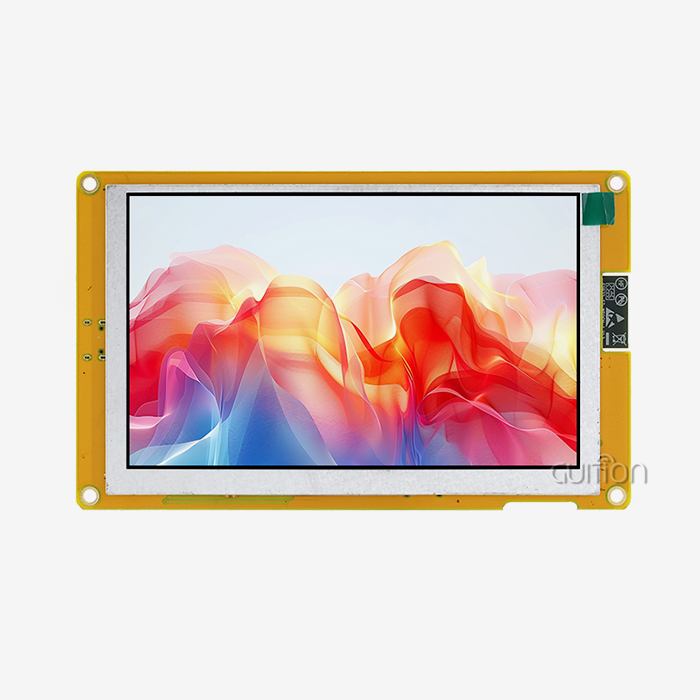
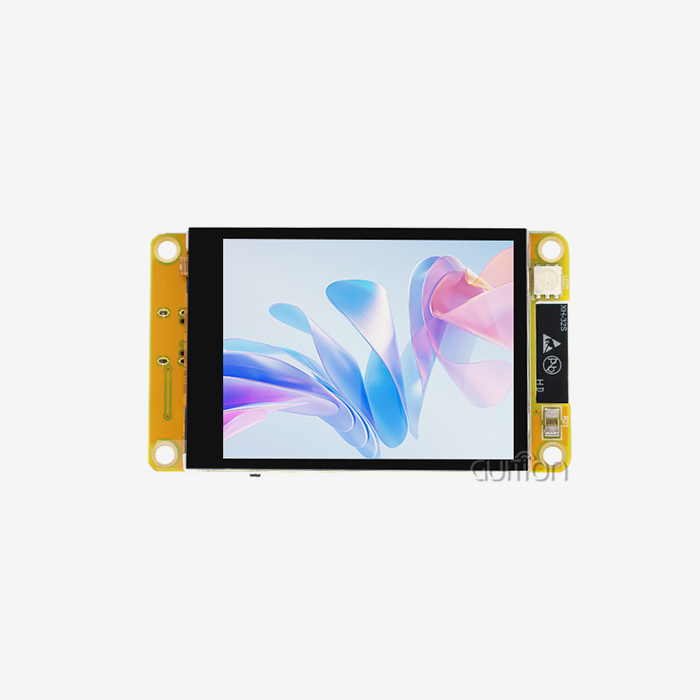
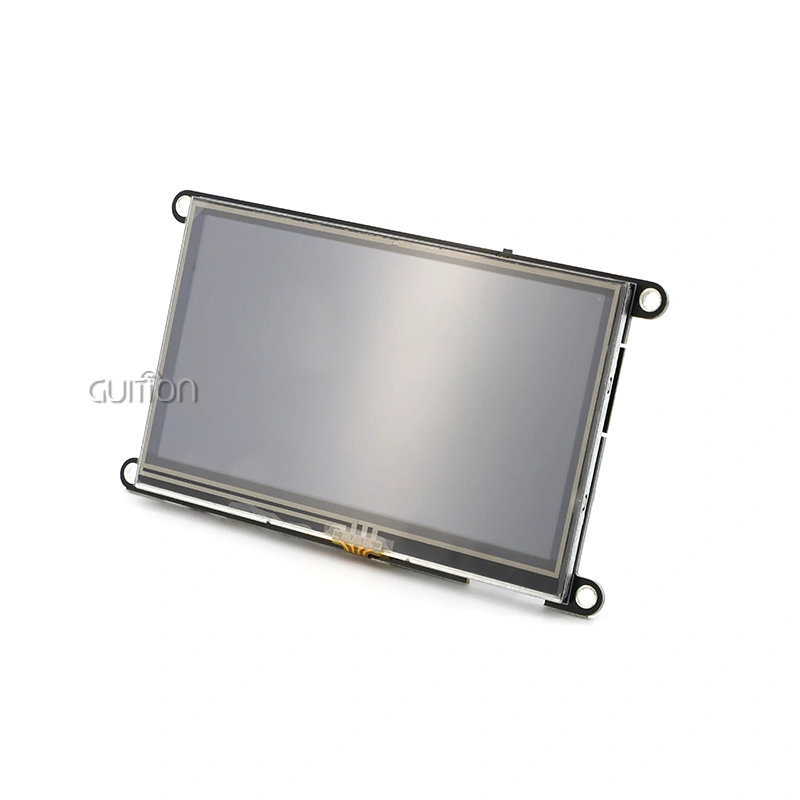
There is a well-thought-out option for common workplace display needs in the Guition JC3248A035C. In the 3.5-inch size, the 320x480 resolution gives you enough pixels per inch to see detailed images and read text. The ST7796 driver IC has a lot of features and has been used reliably in commercial settings. Capacitive touch lets users responsively connect with devices, and it doesn't cause the mechanical wear problems that come with resistance options.
The SPI interface design strikes a good mix between communication speed and ease of connection, which makes it easy to integrate across a wide range of microcontroller systems. The stated wide temperature working range makes sure that it can work in harsh thermal conditions that are common for industrial equipment. Support for 65K color depth makes it possible to make user interfaces that look good, let you know what's going on with the system, and help you connect with it without adding too much processing load.
Conclusion
The durability of an industrial display rests on a number of interconnected factors, such as the choice of components, the care taken with the surroundings, and the way the display is installed. When choosing modules for tough jobs, it's helpful to use objective comparison factors like temperature specs, mechanical sturdiness, and ingress protection scores. When deciding between sensitive and resistive touch technologies, there are trade-offs between how long they last, how easy they are to use, and how well they work with other devices. Long-term project success is heavily impacted by the skills and commitments of the supplier, such as the quality of professional help, the ability to customize, and the length of the commitment period. Using the right placement methods, environmental controls, and upkeep procedures can increase the life of a display and reduce the number of unexpected breakdowns. The Guition JC3248A035C is a great example of industrial display engineering that balances performance, longevity, and ease of integration. It comes with a full set of development tools that help equipment makers in a wide range of industries get their products to market faster.
FAQ
What operating temperature range should industrial LCD modules support?
Most industrial-grade screens work effectively from -20°C to 70°C, but some uses may need wider temperature ranges. The Guition JC3248A035C can work in a wide range of temperatures, making it perfect for both climate-controlled spaces and harsher settings. In order to accommodate shipping and storage conditions, storage temperature ranges are often wider than working ranges. Make sure that both of the requirements fit your mission situation.
How does capacitive touch compare to resistive for industrial durability?
Because no actual pressure is needed, capacitive touch technology lasts longer than other types because it doesn't wear down mechanically. The sealed glass structure is much better at protecting against chemical contact and surface scratches than other options. The main historical benefit of resistive technology has been addressed by modern industrial capacitive versions that allow hand operation. Resistive designs may still be better for applications that need pen input or are very sensitive to cost, but capacitive technology usually lasts longer in industrial settings.
Can display modules be customized for specific industrial applications?
Reliable sellers of industrial displays offer customization options such as changed connections, different mounting setups, and firmware updates. Guition allows a lot of secondary development with a wide range of APIs and development tools, so customers can add features that are special to their applications. Customization usually needs a minimum order quantity that changes based on how complicated the change is. Talk to providers early in the planning process to talk about needs and possibilities.
Partner with a Trusted 3.5 LCD Module Supplier for Your Industrial Projects
Choosing the right display module supplier affects not only the quality of the parts, but also the whole creation process and the connection that lasts for a long time. Guition provides industrial-grade 3.5 LCD Module solutions that are built for dependability in tough applications like 3D printers, charging stations, medical equipment, and industrial control systems. The JC3248A035C module combines the tried-and-true ST7796 driver technology with a capacitive touch screen that responds quickly and a bright 65K color display, all in a small package that is perfect for setups with limited room.
In addition to making great hardware, Guition also offers full ecosystem support that speeds up development and makes collaboration easier. The exclusive Guition development software lets you quickly create interfaces even if you don't know a lot about embedded computing. Cross-platform compatibility lets you use Arduino, ESP-IDF, and other software tools that work with the way your team already works. Built-in WiFi and Bluetooth modules allow for IoT functionality, and the ability to update remotely lowers the cost of long-term upkeep.
Working with a maker who knows about the whole product process is good for procurement teams. Email david@guition.com to talk about your particular needs, get full datasheets, or set up evaluation samples. Our engineering team works with clients from the idea stage all the way through production, making sure that the chosen display option meets all technical requirements and fits into the short time frame for development. Whether you need regular stock items or custom variations, Guition has the technical know-how and quick customer service to build strong long-term relationships with industrial equipment makers all over the world.
References
1. Zhang, H., & Liu, Y. (2021). Reliability Engineering of Industrial Display Systems: Environmental Stress Analysis and Mitigation Strategies. Journal of Electronic Manufacturing, 28(3), 145-162.
2. Industrial Automation Display Standards Committee. (2022). Technical Guidelines for HMI Display Selection in Harsh Environments (2nd ed.). International Industrial Electronics Association.
3. Nakamura, K., Tanaka, S., & Yoshida, T. (2020). Long-term Degradation Mechanisms in TFT LCD Panels Under Industrial Operating Conditions. IEEE Transactions on Industrial Electronics, 67(8), 6734-6743.
4. Martinez, R., & Chen, W. (2023). Comparative Durability Analysis of Touch Panel Technologies for Industrial Applications. Industrial Control Systems Journal, 19(2), 88-104.
5. European Industrial Display Manufacturers Association. (2022). Best Practices for Industrial Display Integration: Environmental Protection and Installation Standards. Brussels: EIDMA Technical Publications.
6. Thompson, J., Anderson, P., & Kumar, S. (2021). Thermal Management Strategies for Compact Display Modules in Industrial Equipment. Thermal Engineering in Electronics, 34(4), 212-229.
Learn about our latest products and discounts through SMS or email