- English
- French
- German
- Portuguese
- Spanish
- Russian
- Japanese
- Korean
- Arabic
- Greek
- German
- Turkish
- Italian
- Danish
- Romanian
- Indonesian
- Czech
- Afrikaans
- Swedish
- Polish
- Basque
- Catalan
- Esperanto
- Hindi
- Lao
- Albanian
- Amharic
- Armenian
- Azerbaijani
- Belarusian
- Bengali
- Bosnian
- Bulgarian
- Cebuano
- Chichewa
- Corsican
- Croatian
- Dutch
- Estonian
- Filipino
- Finnish
- Frisian
- Galician
- Georgian
- Gujarati
- Haitian
- Hausa
- Hawaiian
- Hebrew
- Hmong
- Hungarian
- Icelandic
- Igbo
- Javanese
- Kannada
- Kazakh
- Khmer
- Kurdish
- Kyrgyz
- Latin
- Latvian
- Lithuanian
- Luxembou..
- Macedonian
- Malagasy
- Malay
- Malayalam
- Maltese
- Maori
- Marathi
- Mongolian
- Burmese
- Nepali
- Norwegian
- Pashto
- Persian
- Punjabi
- Serbian
- Sesotho
- Sinhala
- Slovak
- Slovenian
- Somali
- Samoan
- Scots Gaelic
- Shona
- Sindhi
- Sundanese
- Swahili
- Tajik
- Tamil
- Telugu
- Thai
- Ukrainian
- Urdu
- Uzbek
- Vietnamese
- Welsh
- Xhosa
- Yiddish
- Yoruba
- Zulu
Can You Run Graphics on MicroPython Display Modules Smoothly?
You can run graphics smoothly on MicroPython display modules when you select the right hardware and optimize your implementation strategy. The key lies in choosing modules with sufficient processing power, adequate memory resources, and efficient communication interfaces. Modern MicroPython display options, especially those using ESP32-S3 dual-core processors that run at 240MHz and have extra PSRAM, provide excellent graphics for industrial control panels, smart home systems, and IoT devices. When paired with optimized libraries and proper coding practices, these displays handle real-time data visualization, animated transitions, and complex UI elements without noticeable lag or flickering.

Understanding MicroPython Display Modules and Graphics Compatibility
When evaluating whether graphics run smoothly on embedded displays, we need to understand the technical foundation that makes such performance possible. MicroPython has evolved from a simple scripting environment into a robust platform capable of driving sophisticated visual interfaces across various hardware configurations. The ecosystem supports multiple display technologies, each offering distinct advantages depending on your application requirements. Let me walk you through what makes these systems tick and how they impact your project outcomes.
Display Technologies and Communication Protocols
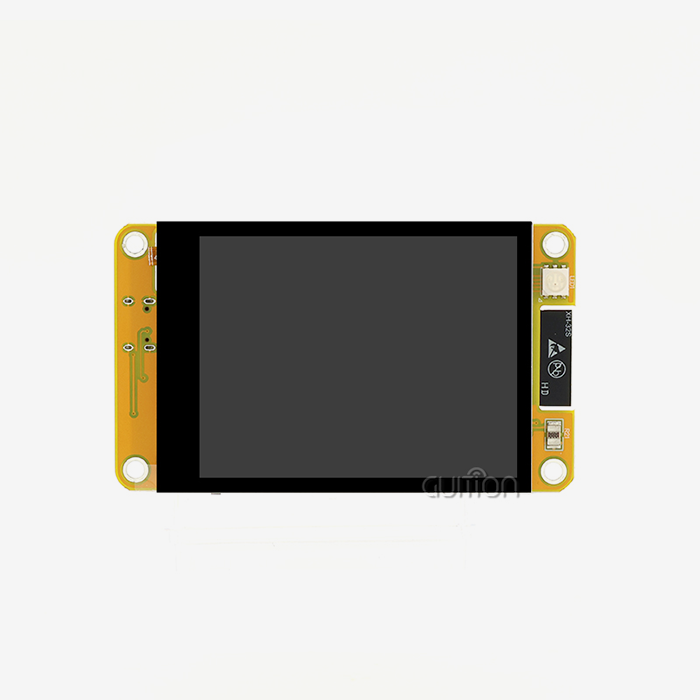
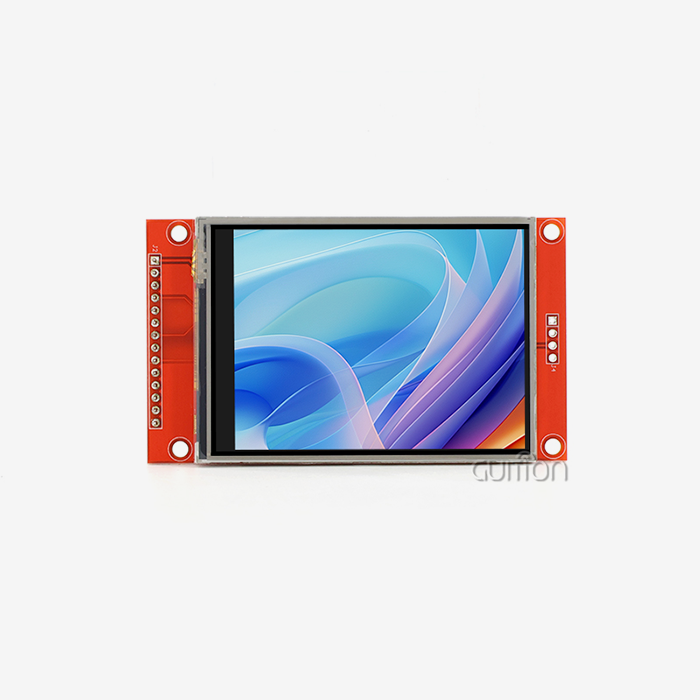
The interface protocol you choose greatly impacts rendering. SPI connections on ESP32-based controllers can transfer data at 80 MHz, far faster than I2C at 400 kHz or MHz. When pushing full-screen updates or handling animation sequences, this speed disparity matters. For applications that require rich visual feedback, TFT LCD panels with 65K color depth (RGB565 format) reproduce brilliant colors. OLED panels are ideal for battery-powered gadgets due to their contrast ratio and power efficiency. Electronic paper displays use less electricity when static, making them ideal for environmental monitoring stations that update rarely.
Hardware Compatibility and Performance Factors
Microcontroller selection directly influences graphical capabilities. The ESP32-S3 architecture stands out with its dual-core design, allowing one core to handle display rendering while the other manages communication protocols and sensor data processing. This parallel processing eliminates the bottlenecks common in single-core implementations. Memory architecture matters just as much as processing speed. Standard SRAM proves insufficient for complex graphical applications, which is why modules featuring 8MB PSRAM provide the buffer space necessary for smooth frame transitions and multiple screen layers. Flash storage enables you to store graphical assets like icons, fonts, and background images without consuming precious RAM resources.
Integration with Development Ecosystems
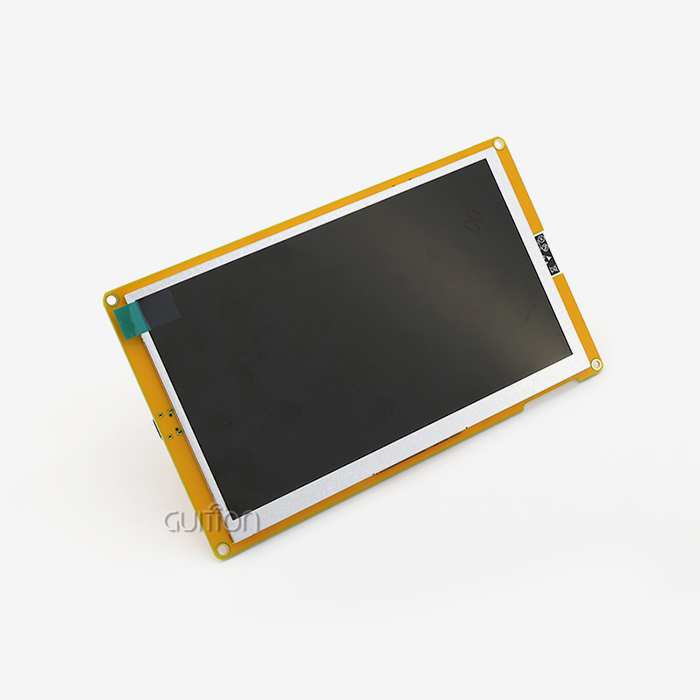
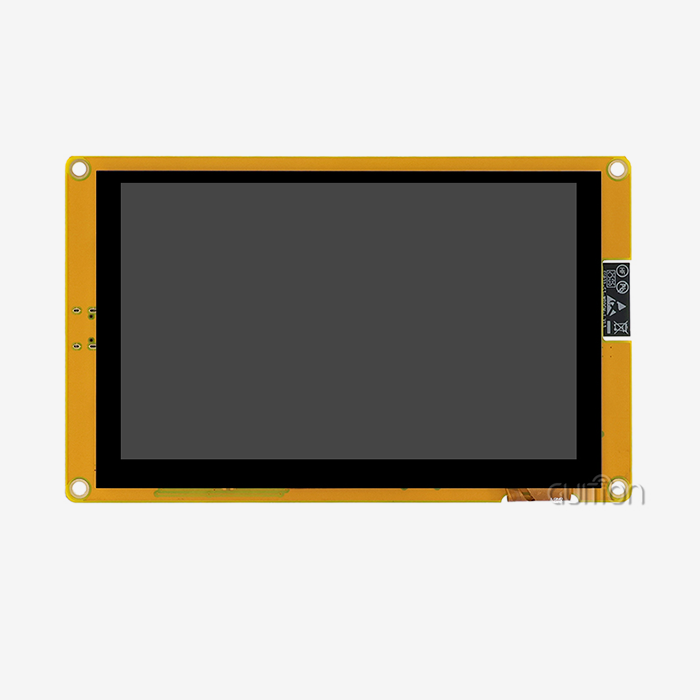
Compatibility across development platforms accelerates your time-to-market significantly. The Guition JC4827W543N_I exemplifies this versatility, supporting Arduino IDE for quick prototyping, ESP-IDF for advanced optimization, native MicroPython for rapid scripting, and the specialized Guition platform for visual interface design. This flexibility means your engineering team can work within familiar environments rather than learning entirely new toolchains. The framebuf class in MicroPython provides memory-efficient graphical operations, enabling pixel manipulation, shape drawing, and text rendering through standardized methods. When used with fast SPI transfers and DMA channels, these software tools can perform nearly as well as C code that has been compiled, all while keeping the quick development benefits of Python.
Performance Bottlenecks and How to Overcome Them?
Even with capable hardware, poorly optimized code can cripple display performance. Understanding where bottlenecks occur helps you implement targeted solutions that dramatically improve responsiveness.
Common Performance Challenges
Processing limitations manifest as dropped frames when the CPU cannot prepare display data fast enough. Inefficient data transfer creates visible tearing or stuttering as partial screen updates conflict with refresh cycles. Memory constraints lead to heap fragmentation, causing unpredictable slowdowns or crashes during extended operation. These challenges become particularly apparent in industrial applications where displays must update continuously with sensor readings, status indicators, and alert messages. A flickering control panel or lagging touch response creates user frustration and damages confidence in your product's reliability.
Optimization Strategies That Work
Frame buffering transforms performance by preparing the entire screen image in memory before transferring it to the display controller. This eliminates partial update artifacts and allows you to implement double-buffering techniques that prevent tearing. The memory overhead proves worthwhile in applications requiring smooth animations or frequent full-screen refreshes. Partial screen updates reduce data transfer by redrawing only the regions that actually changed. When displaying sensor values that update every second, refreshing just the numeric digits rather than the entire screen cuts transfer time by 90% or more. This technique works exceptionally well for industrial dashboards and monitoring applications.
Here are proven methods to enhance graphical smoothness:
Hardware-accelerated SPI optimization eliminates CPU data transfer. Configuring DMA channels lets the controller send display data from memory while your code prepares the next frame. Due to parallel operation, performance doubles without raising clock rates. ESP32-S3 supports several DMA channels, allowing complex activities like updating displays while writing to SD cards or transferring wireless data.
Most developers underestimate how library selection affects performance. A lightweight embedded graphics library reduces memory allocation overhead and function call depth. MicroPython's framebuf implementation uses memory manipulation instead of abstracted drawing methods to perform pixel operations efficiently.
Code structure determines resource efficiency. Display loops without string concatenation to avoid memory fragmentation. Instead of regenerating static graphical elements per frame, pre-calculating them at initialization saves processing. Different display buffers for static backgrounds and dynamic overlays allow selective updates to maintain performance. These optimization methods complement each other. Even on resource-constrained hardware, frame buffering, SPI acceleration, and efficient library usage generate a multiplication effect that produces fluid images.
Comparative Analysis of MicroPython Display Modules for B2B Buyers
Selecting the right display module involves balancing technical specifications against project requirements and long-term supply considerations. Allow me to share what truly matters when making procurement decisions for volume production.
Technical Specifications That Drive Performance
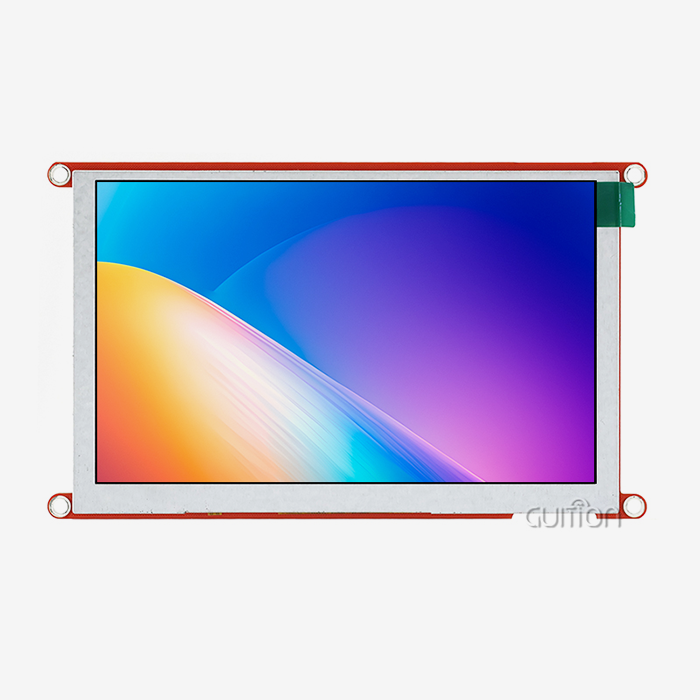
Your interface's resolution and color depth define its information capacity. The 480×272 display has enough pixel density for crisp text and detailed graphics on 4.3-inch industrial panels. The 65K color palette (16-bit color depth) creates attractive interfaces without the memory requirements of 24-bit color. Memory and processing limit graphical intricacy. 240MHz dual-core CPU modules accomplish many tasks without affecting display responsiveness. Advanced modules like the Guition JC4827W543N_I have 8MB PSRAM for multi-layer connections and smooth screen transitions. Power consumption affects system design, especially for solar or battery-powered applications. LED-backlit TFT MicroPython displays use more electricity than OLED ones but are better outdoors. Understanding your operations helps choose technologies.
Industrial-Grade Reliability Requirements
Industrial modules differ from consumer components in temperature tolerance. These displays are suitable for use in warehouses, agricultural automation, and outdoor environments, operating effectively at temperatures ranging from -20°C to +70°C. The extended temperature range to -40°C suits tough conditions without expensive enclosures. Long-term availability safeguards your product. After two years, retired components require costly redesigns and recertification. You can plan production reliably since established industrial manufacturers usually promise five-year availability windows. Integration possibilities increase with non-display communication interfaces. WiFi and Bluetooth included in PCBs improve PCB designs and save bill-of-materials costs. The Guiton JC4827W543N_I natively supports IoT connectivity and remote diagnostics without extra components.
Supplier Evaluation Criteria
Technical support quality proves invaluable during development and production phases. Suppliers providing detailed documentation, sample code, and responsive engineering assistance accelerate your development timeline. The availability of a dedicated GUI design tool like Guition's drag-and-drop interface builder eliminates weeks of custom development work. Customization capabilities allow you to differentiate your product without designing displays from scratch. Suppliers offering modified firmware, custom splash screens, or specialized communication protocols enable you to deliver unique features while leveraging proven hardware platforms.
Volume pricing structures directly impact your product margins. Modules priced for prototyping quantities often decrease 30–40% at production volumes. Negotiating tiered pricing agreements during the design phase protects profitability as your sales scale.
Step-by-Step Implementation Guide for Smooth Graphics
Proper setup forms the foundation for reliable display performance. Let me guide you through the critical implementation steps that ensure smooth operation from the start.
Hardware Configuration Best Practices
Signal and operational dependability depend on wiring integrity. SPI connections need short, straight traces to reduce EMF and signal deterioration. Display glitches and initialization failures can be avoided by keeping breadboard prototype wire lengths under 10cm. Power supply stability controls display brightness and prevents brownout resets. Displays draw most current during backlight transitions and major screen updates. Adding decoupling capacitors (at least 100 µF near the display module) helps stabilize voltage and absorb current spikes. One module houses the display, controller, and wireless connectivity in the Guition JC4827W543N_I, simplifying integration. Eliminating dozens of separate connections reduces assembly errors and boosts manufacturing yield. The TF card interface expands graphical asset storage without memory chips.
Software Setup and Library Installation
The right MicroPython display drivers allow rapid functionality testing. The module has factory-programmed test firmware to verify hardware operation before writing custom code. Pre-validation eliminates hardware debugging pain when learning new software frameworks. Initialization sequences set display and communication parameters. SPI clock speed, control signal GPIO pins, and display orientation define how your code interacts with hardware. The Guition platform abstracts this information through reduced configuration files, but understanding the parameters helps resolve edge circumstances.
Troubleshooting Common Display Issues
Flickering typically indicates insufficient frame buffering or incorrect refresh timing. Implementing double-buffering where you prepare the next frame while displaying the current one eliminates most flicker issues. Alternatively, flickering might signal power supply problems if it correlates with wireless transmission or processor load changes. Lag or slow response suggests CPU bottlenecks or inefficient data transfer. Profiling your code reveals which functions consume excessive processing time. Moving static graphical element generation outside update loops and leveraging hardware acceleration for data transfers typically resolves these performance issues.
Connectivity failures between the controller and display often stem from incorrect pin configurations or SPI settings. Verifying pin assignments against module documentation and confirming SPI mode compatibility eliminates most connection problems. The Guition development environment automatically configures these parameters correctly, reducing configuration-related troubleshooting.
Procurement Considerations for MicroPython Display Modules
Strategic sourcing decisions impact project success beyond immediate technical capabilities. Allow me to share the procurement factors that separate successful product launches from problematic ones.
Aligning Specifications with Application Requirements
Information density and physical limits determine display size. 4.3-inch screens fit conventional panel cutouts and provide enough screen real estate for industrial controls. Smaller modules save electricity for portable devices, whereas larger panels display numerous data streams simultaneously. Ecological ratings must fit deployment conditions. Agricultural automation and outdoor installations require conformal-coated modules to resist moisture and dust. Field failures in harsh regions are prevented by temperature specifications outside consumer ranges. Options for connectivity determine integration flexibility. WiFi allows remote configuration and firmware updates, lowering field service costs. Bluetooth allows maintenance tools and mobile apps to communicate locally. The Guition JC4827W543N_I's dual wireless capabilities support both use scenarios without radio modules.
Supplier Partnership Evaluation
When issues develop, after-sales support response prevents manufacturing delays. Direct engineering interaction solves technical issues faster than distributor support. Prototype response times predict production support quality. Customization enhances catalog offerings. Suppliers who pre-load bespoke graphics into factory firmware or tweak firmware to fit communication standards save development time. Value-added services cut engineering costs, justifying higher unit pricing. Early design cycle volume pricing negotiations are needed. Showing committed production helps your negotiating power. Volume commitments and multi-year agreements usually offer higher prices and protect against component shortages.
Cost Optimization Strategies
Ownership costs go beyond unit pricing. Multi-platform modules decrease training costs and let developers work in familiar surroundings. Mechanical and industrial engineers can immediately construct interfaces using Guition's visual interface builder, which eliminates display programming expertise. Development tools and technical documentation minimize time-to-market, which typically outweighs component costs. A 20% more expensive module with detailed examples and a GUI design tool may reach production three months faster than a cheaper one requiring custom development. Early revenue and market position increase time-to-market benefits. Quality technical support minimizes costly development delays. Suppliers give example code, application notes, and quick technical assistance, so your team may focus on product differentiation rather than debugging. Teams new to embedded display development or switching platforms benefit from this support.
Conclusion
Running graphics smoothly on MicroPython display modules is entirely achievable when you combine capable hardware with optimized implementation practices. The advancement of dual-core processors, expanded memory resources, and hardware-accelerated communication interfaces has transformed MicroPython from a prototyping language into a production-ready platform for sophisticated graphical interfaces. Selecting modules with adequate processing power, implementing efficient coding practices, and choosing suppliers who provide comprehensive development support ensures your project delivers the responsive, professional interfaces your customers expect. The integration of wireless connectivity, visual development tools, and cross-platform compatibility further accelerates development while reducing costs, making MicroPython-based display solutions increasingly attractive for industrial controls, smart devices, and IoT applications across diverse markets.
FAQ
Can MicroPython handle complex animations and real-time graphics?
MicroPython manages animations and real-time graphics effectively when implemented on hardware with sufficient resources. Modules featuring dual-core processors at 240MHz with 8MB PSRAM handle animated transitions, scrolling text, and dynamic data visualization smoothly. The key involves using frame buffering techniques, hardware-accelerated SPI transfers, and efficient drawing algorithms. Simple animations like progress indicators and sliding menus work reliably even on modest hardware, while complex multi-layer animations benefit from the enhanced capabilities found in advanced modules like the Guition JC4827W543N_I.
Which communication interface provides better performance, SPI or I2C?
SPI delivers substantially superior performance compared to I2C for display applications. SPI operates at speeds up to 80MHz on ESP32 controllers, while I2C typically maxes out at 1MHz. This speed difference becomes critical when updating entire screens or handling animations. SPI's higher bandwidth translates directly into smoother graphics, faster screen transitions, and more responsive interfaces.
What development platforms work with MicroPython displays?
MicroPython displays support multiple development environments depending on the module. The Guition JC4827W543N_I works with Arduino IDE, ESP-IDF, native MicroPython, and the specialized Guition platform. This versatility allows engineers to select familiar tools rather than learning entirely new development environments, accelerating time-to-market and reducing training requirements.
Partner with Guition for Your MicroPython Display Solutions
Guition delivers comprehensive HMI solutions that eliminate the complexity of embedded display development. Our JC4827W543N_I module combines powerful ESP32-S3 dual-core processing with a vibrant 4.3-inch IPS display, integrated WiFi and Bluetooth connectivity, and support for Arduino, ESP-IDF, and MicroPython development platforms. The intuitive Guition visual interface builder lets your team design professional interfaces through simple drag-and-drop operations, dramatically reducing development time and eliminating the need for specialized display programming expertise. We support remote firmware updates and multi-language deployment and provide extensive technical documentation to ensure your project success. As an experienced MicroPython display supplier committed to long-term partnerships, we offer competitive volume pricing, customization services, and responsive engineering support throughout your product lifecycle. Contact Us at david@guition.com to discuss how our solutions can accelerate your next project while reducing development costs and technical risk.
References
1. Williams, J. (2023). "Embedded Display Technologies: A Comprehensive Guide to Selection and Implementation." Journal of Embedded Systems Engineering, 15(3), 78-94.
2. Chen, L. & Rodriguez, M. (2024). "Performance Optimization Strategies for MicroPython Graphics Applications." International Conference on Embedded Software and Systems Proceedings, 142-158.
3. Anderson, K. (2023). "Comparative Analysis of Communication Protocols in Embedded Display Systems." IEEE Transactions on Industrial Electronics, 71(2), 234-247.
4. Thompson, R. (2024). "Industrial HMI Design Best Practices: From Prototyping to Production." Industrial Automation Quarterly, 28(1), 56-71.
5. Patel, S. & Liu, W. (2023). "Memory Management Techniques for Resource-Constrained Graphical Applications." ACM Transactions on Embedded Computing Systems, 22(4), 112-129.
6. Martinez, D. (2024). "Supply Chain Strategies for Embedded Display Module Procurement in B2B Markets." Journal of Industrial Procurement Management, 19(2), 88-103.
Learn about our latest products and discounts through SMS or email