- English
- French
- German
- Portuguese
- Spanish
- Russian
- Japanese
- Korean
- Arabic
- Greek
- German
- Turkish
- Italian
- Danish
- Romanian
- Indonesian
- Czech
- Afrikaans
- Swedish
- Polish
- Basque
- Catalan
- Esperanto
- Hindi
- Lao
- Albanian
- Amharic
- Armenian
- Azerbaijani
- Belarusian
- Bengali
- Bosnian
- Bulgarian
- Cebuano
- Chichewa
- Corsican
- Croatian
- Dutch
- Estonian
- Filipino
- Finnish
- Frisian
- Galician
- Georgian
- Gujarati
- Haitian
- Hausa
- Hawaiian
- Hebrew
- Hmong
- Hungarian
- Icelandic
- Igbo
- Javanese
- Kannada
- Kazakh
- Khmer
- Kurdish
- Kyrgyz
- Latin
- Latvian
- Lithuanian
- Luxembou..
- Macedonian
- Malagasy
- Malay
- Malayalam
- Maltese
- Maori
- Marathi
- Mongolian
- Burmese
- Nepali
- Norwegian
- Pashto
- Persian
- Punjabi
- Serbian
- Sesotho
- Sinhala
- Slovak
- Slovenian
- Somali
- Samoan
- Scots Gaelic
- Shona
- Sindhi
- Sundanese
- Swahili
- Tajik
- Tamil
- Telugu
- Thai
- Ukrainian
- Urdu
- Uzbek
- Vietnamese
- Welsh
- Xhosa
- Yiddish
- Yoruba
- Zulu
How Does the Graphic LCD Display Module Streamline SPI LCD Module Integration?
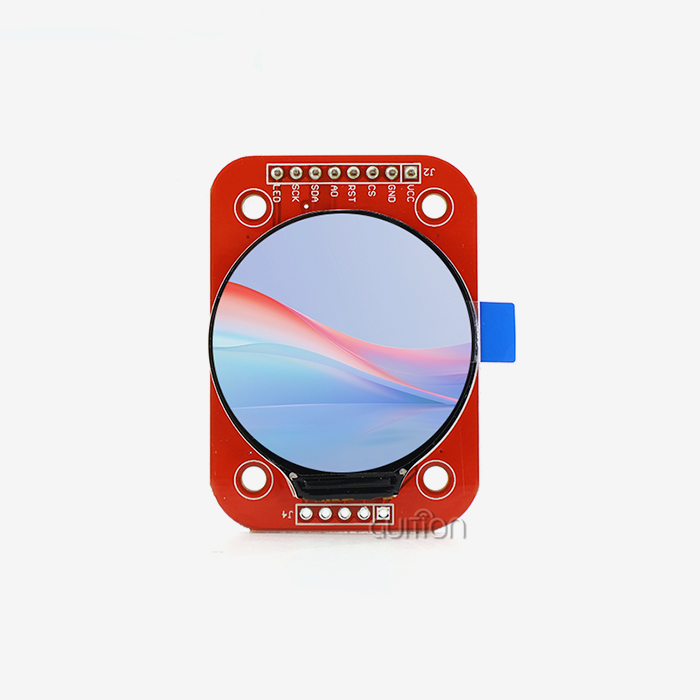
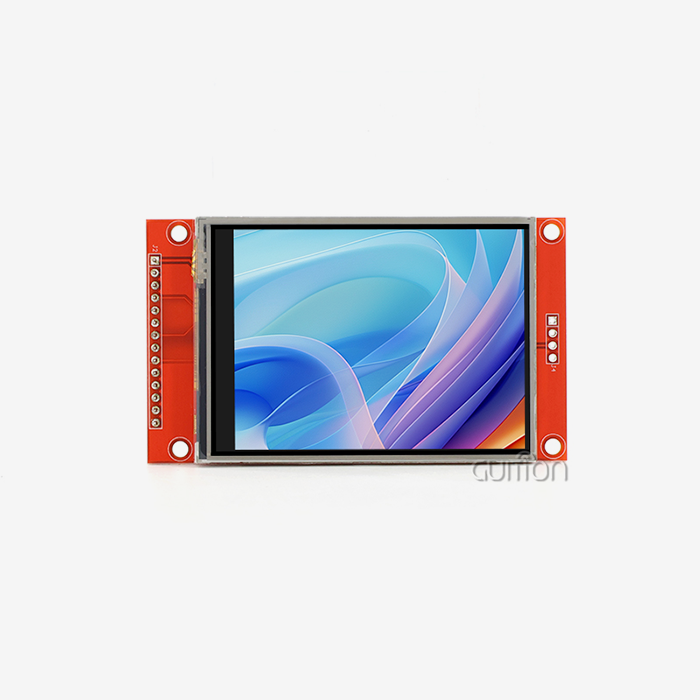
Graphic LCD display modules change how SPI LCD modules are merged by providing standard communication protocols, built-in driver ICs, and flexible interface choices that get rid of the need for complicated low-level coding. These pixel-addressable displays let embedded engineers skip the time-consuming process of writing software by using pre-configured controls like the ST7265, which take care of timing and multiplexing on their own. By choosing modules with good support and cross-platform compatibility, developers can cut the time it takes to integrate them by up to 60% while still keeping the signals' integrity and reliability in a wide range of industrial settings, from medical devices to automation systems.

Understanding Graphic LCD Display Modules and Their Integration Challenges
The Graphic LCD display module is one of the most important parts of current embedded system displays. It is very different from older screens that used characters. Instead of simple 16x2 character displays that can only show fixed sets of letters and numbers, these advanced units use dot-matrix designs that let you control each pixel. This feature gives engineers full control over how to display custom fonts, text in multiple languages, technical sounds, company logos, and changeable user interfaces. The technology fills in a major hole in the design of human-machine interfaces. Graphic LCD technology provides information-dense representation with surprisingly low energy use, while segment displays only show flat data, and TFT screens need a lot of power and processing resources. Most industrial-grade modules use COB (Chip-on-Board) or COG (Chip-on-Glass) packing to include controller chips. These chips handle complex combining tasks on their own, which makes host microcontrollers' jobs a lot easier.
Why SPI Protocol Dominates Industrial Display Applications
For adding display devices to embedded systems, the Serial Peripheral Interface has become the most popular way to talk. It can work in full-duplex synchronous mode, which lets it send data at speeds faster than 10 Mbps with just four signal lines: MOSI (Master Out Slave In), MISO (Master In Slave Out), SCK (Serial Clock), and CS (Chip Select). This small number of pins is very helpful when working with microcontrollers that don't have a lot of GPIO ports available, like in small IoT devices and industrial control screens that don't have a lot of room. The deterministic timing of SPI makes sure that refresh rates and syncing are always the same. This is important for apps that show real-time sensor data or information about tracking processes. The hardware-based synchronization of the protocol gets rid of the timing problems that can happen with asynchronous connections, so the protocol works the same way in any context.
Common Integration Obstacles Faced by Engineering Teams
Despite these benefits, putting together SPI-based display devices is not an easy task. When designing hardware, it can be hard to keep track of all the different makers' different pin assignments. One provider might use pin 7 as the data line, while another might use that spot for chip select, which could cause prototypes to fail and testing to take longer than planned. Firmware compatibility issues make these hardware problems even worse, because controller ICs from different manufacturers use command sets that are slightly different, so they need different startup steps. In electrically noisy manufacturing settings, signal integrity becomes a big problem. Voltage spikes and electromagnetic interference can mess up display data if you don't use the right grounding methods and impedance matching. To get the best power usage, you have to find the right balance between backlight strength, refresh rates, and sleep mode settings. This is a tricky issue that affects both battery life in portable devices and heat management in closed setups.
How Graphic LCD Display Modules Streamline SPI Integration
The development of combined display systems has greatly sped up the process of going from an idea to a prototype that works. Modern Graphic LCD display modules come with initialization methods already written into their controller software. This saves weeks of work setting up low-level registers. Because of this plug-and-play design, embedded engineers can work on application code instead of timing graphs and voltage level translations.
Standardized Pinout Configurations Reduce Development Risk
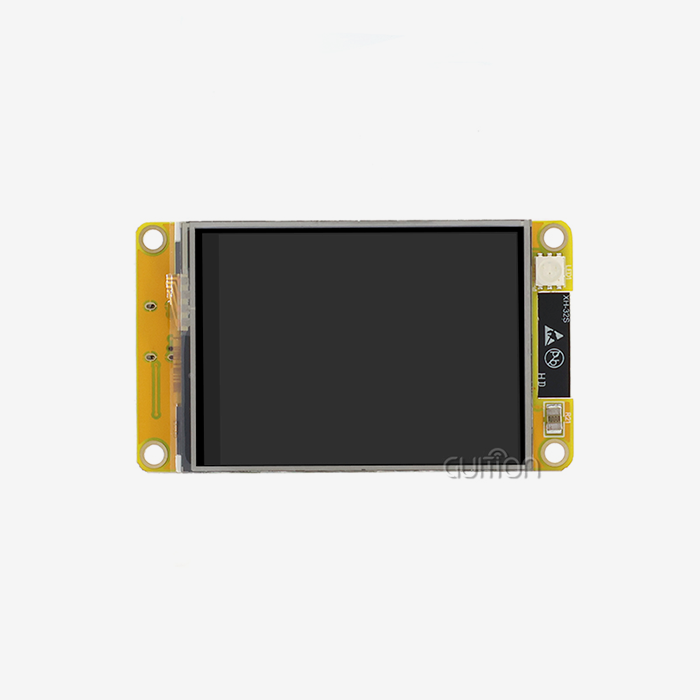
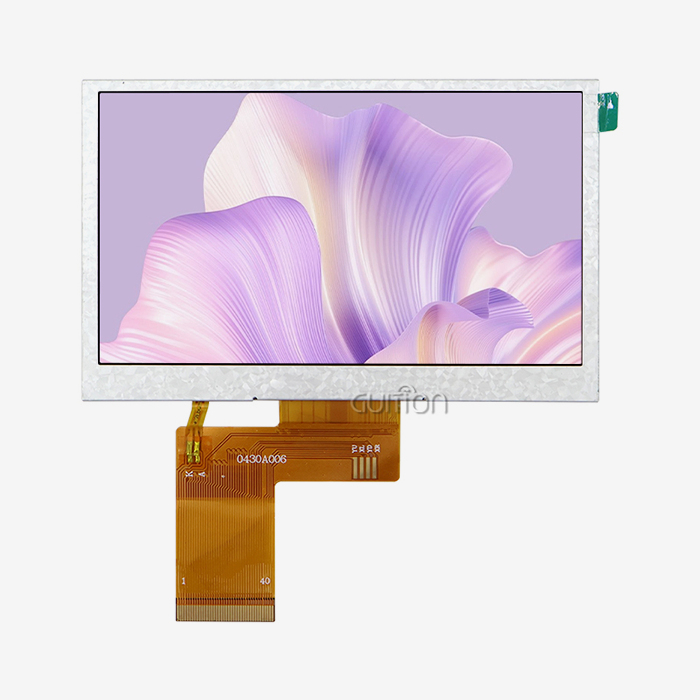
In response to feedback from the industry, manufacturers have agreed on standard layouts for connectors for popular monitor sizes. The 4.3-inch form factor, which is exemplified by products like the GUITION JC8048B043N, has standard interaction patterns that experienced programmers can spot right away. Standardization includes more than just physical links. It also includes power needs and output voltage levels. This makes sure that popular development platforms like Raspberry Pi single-board computers, Arduino ecosystems, and STM32 microcontroller families can work together. When buying teams define modules that meet these standards, they cut down on the number of times prototypes need to be changed and the chance of expensive PCB redesigns. Because it's predictable, development can go on at the same time. For example, software teams can start writing interfaces using test boards while hardware engineers finish up layouts for production circuits.
Integrated Controllers Eliminate Firmware Complexity
The ST7265 driver IC is an example of a complex controller that manages the display buffer, changes the color space, and sets the update time, all without any help from the host processor. By putting this information right into the module, makers take the technical load off of their development teams and put it on component suppliers who know a lot about displays. High-level commands, like "draw rectangle" or "set backlight intensity," can be sent to the processor through SPI. This hides the pixel-level processes that would take a lot of time to create otherwise. Based on our work with embedded system developers, teams that use modules with built-in controls cut the time they need to develop for displays by 40–60% compared to when they build their own driver stacks. This speeding up is especially helpful in competitive markets where time-to-market has a direct effect on how well a business does.
Real-World Performance Gains in Production Environments
A company that makes medical devices recently talked about how they integrated the GUITION JC8048B043N into a system for tracking patients. At first, their tech team planned to spend four weeks integrating the display because they thought they would need to create their own SPI communication methods and color conversion algorithms. That time frame was cut down to nine days by the module's RGB interface and pre-configured ST7265 driver. The team used the extra resources to improve clinical formulas and user interfaces, which directly led to better care for patients. With a resolution of 800x480 and a color depth of 16.7 million, this screen is good enough to show accurate patterns, patient vital signs, and alert messages without using more power than others with higher resolutions. The module works regularly in temperatures ranging from -20°C to +70°C, and it works the same way in climate-controlled hospitals as it does in field medical huts.
Comparing Graphic LCD Display Modules with Alternative Display Technologies
System builders and procurement managers have a lot of choices when it comes to display technology. Each one has different pros and cons in terms of price, speed, and how easy it is to integrate. To make smart choices, you need to know how these technologies work in areas that are important for commercial uses, like how much power they use, how well they read in sunlight, how well they work at different viewing angles, and how long the parts will be available.
Performance Metrics That Matter for Industrial Applications
The Graphic LCD display module usually needs 150–300mW to work, which puts it in the middle of passive segment displays and active-matrix TFTs, which use a lot of power. The LCD uses passive light modulation, which means it doesn't use self-emissive pixels but instead relies on backlighting from the outside. This feature is very important for battery-powered tools and remote monitoring sites where energy costs limit design options. Specifications for viewing angles show another thing that makes them different. Standard TN (Twisted Nematic) LCD panels lose contrast and colors change when viewed at an angle, which makes them less useful for workspaces with more than one person using them at the same time. The GUITION JC8048B043N uses IPS (In-Plane Switching) versions, which keep color accuracy and brightness across 178-degree viewing cones, both horizontally and vertically. This wide-angle performance is very important in industrial control panels where people have to watch screens while doing physical work in different positions.
Cost-Benefit Analysis for Different Technologies
When figuring out the total cost of ownership, the price of the original parts is only one factor. OLED panels are very expensive, but they have great contrast ratios and don't need a backlight. They can get burned in when showing static UI elements, and they don't last as long as LCDs, which makes them less reliable for 24/7 commercial setups. Over the five to seven-year lifetime of a product, the costs of replacement often outweigh the savings from OLED's lower power use. When made in large numbers, adding a capacitive touchscreen raises the cost of the module by $8 to $15 and makes the software more complicated for algorithms that recognize gestures and reject palm rejection. This investment is worth it for applications that really need touch input, like kiosk screens and mobile diagnostic tools. Industrial control panels that are used in dirty or dirty settings or while wearing gloves are often easier to use when they have physical button interfaces and non-touch graphic screens together.
Making Technology Choices Aligned with Application Requirements
The choice process should put application-specific needs ahead of general technology superiority. Transflective LCD technology makes outdoor charging stations useful because they can still be read in full sunlight without using a lot of power for the lighting. Control systems for indoor 3D printers can use transmissive screens with low backlight intensity, which saves money and power. Medical aesthetic equipment that needs accurate color reproduction to check skin tones needs screens with high color gamut coverage and adjusted color accuracy. The 16.7M color palette of the GUITION JC8048B043N meets all of these requirements.
Procurement Insights: How to Source and Select the Right Graphic LCD Display Modules for SPI Integration
Finding goods that meet the right technical requirements is only one part of successfully procuring components. Whether a Graphic LCD display module choice speeds up product development or causes expensive delays and quality problems depends on how resilient the supply chain is, how flexible the customization options are, and how well the module is supported after delivery.
Evaluating Supplier Capabilities Beyond Component Specifications
Minimum order quantities have a big effect on buying choices, especially for small and new businesses that are building new goods without knowing how many will sell. When suppliers demand MOQs of 10,000 units, they create a big financial risk during the evaluation steps of a product. Our purchasing policies are set up so that prototype numbers of 50 to 100 units are possible. This lets engineering teams test ideas and see how they work in the field before committing to mass production. Customization is what sets real technology partners apart from commodity sellers. Standard catalog modules don't always exactly line up with the specific mechanical requirements, connection positions, or backlight requirements that come with a given application. Our engineering teams work with clients to change cable lengths, mounting hole locations, and backlight setups to work best with different lighting situations. These services make integration faster and don't compromise on industrial design.
Quality Assurance Protocols That Protect Project Timelines
Integration work that goes well starts with detailed writing of the datasheets. Electrical specs that aren't clear, timing diagrams that are missing, or command set references that aren't complete cause delays that hurt project plans. Before placing large orders, engineering teams should ask for full technical documentation packages that include tolerance-specific mechanical drawings, electrical characteristics across all temperature ranges, and example startup code for popular microcontroller platforms. Tough rules for arriving inspections keep batch quality differences at bay. As part of our quality assurance process, we check that the pinouts are connected correctly, that the backlight is the same across the active area, and that the SPI communication protocol works by using standard test routines. These checks find problems with the way the modules were made before they get to the production lines of customers. This keeps expensive repairs and guarantee claims from happening.
Building Long-Term Supplier Relationships
Display technology is always changing, and parts like driver ICs, backlight LEDs, and LCD materials go through stages of becoming obsolete. When suppliers offer stable product roadmaps and component lifecycle management, redesigns don't have to be done when important parts stop being available. We promise that industrial-grade modules will have components available for at least seven years, and we will let you know when they become obsolete and help you find a way to switch to a new technology when it's time. How quickly integration problems for SPI LCD Display are fixed depends on how quickly technical help responds. Email-only help with answer times of 48 to 72 hours isn't enough when problems on the production line need to be fixed right away.
Practical Guide: Integrating Graphic LCD Display Modules with Microcontrollers via SPI
To integrate things well, you need to pay careful attention to both the hardware links and the software initialization steps. The advice below comes from hundreds of implementation projects that used a wide range of microcontroller platforms and program settings.
Hardware Setup and Wiring Best Practices
Signal integrity problems that happen with rushed prototype designs can be avoided with proper PCB planning and wiring methods. To keep setup and hold times from being violated by skew, the lengths of the SPI clock and data lines should stay the same. Series termination resistors (usually 22–33 ohms) put close to the driving microcontroller pins cut down on reflections and overshoot that can mess up data transfer when route lengths are more than 10 centimeters. Power supply decoupling is important for keeping things running smoothly. Put 0.1µF ceramic capacitors and 10µF tantalum capacitors within 5 mm of the module's power pins to handle short-term current needs when the backlight LEDs turn on. If there isn't enough bulk capacitance, the inrush current during backlight power-up can briefly lower the supply voltage below the Graphic LCD display module controller's working limits.
Ground links should also be taken into account. When the display module's ground return is immediately connected to the microcontroller's ground pin, ground loop currents that add noise to analog power sources and reference voltages are kept to a minimum. Do not daisy-chain ground lines through various devices in between.
Software Initialization and Communication Protocols
During the initialization process, communication settings and display working modes are set up. First, make sure that the SPI peripheral setup meets the module's needs. For a startup, most graphic LCD controllers expect SPI Mode 0 (CPOL=0, CPHA=0) with clock frequencies not exceeding 10 MHz. Higher speeds may work after stable operation has been confirmed. The GUITION JC8048B043N and its ST7265 controller need a certain way to be turned on: hold down the hardware reset button for at least 10ms, then release it and wait 120ms for the internal power to stabilize. Finally, send software initialization commands to set the RGB interface timing, color format (usually 24-bit RGB888), and display orientation. The built-in driver on the module takes care of handling the frame buffer, so the host microcontroller can just stream pixel data through the SPI interface without having to deal with complicated memory addresses.
Troubleshooting Common Integration Issues
Systematic troubleshooting finds the point of failure when screens stay blank or show damaged pictures. Check the power supply voltage while it's under load with an oscilloscope. If the supply current isn't enough, the voltage will drop when the backlight is turned on, which will restart the controller IC. Check the integrity of the SPI clock signal by looking for clean rising and falling edges that don't have too much ringing or slow transition times that could go against the input cutoff specs for the controller. If you see color reversal or the wrong hue rendering, likely that the RGB bit order is off. The ST7265 processor can only read pixel data in certain byte patterns. If you switch the order of the red and blue channels, the colors will change in a certain way. Carefully read the specs in the manual and compare them to the code in the working example if the color rendering seems wrong.
PWM frequency setting often causes the backlight to flicker. Flicker below about 200 Hz is noticeable to humans, and it causes eye pain and user complaints. Set the lighting PWM rates above 1 kHz to make sure the screen doesn't flicker. This common mistake can't happen with the GUITION development tools because they come with backlight control features that are already set up to use the right PWM settings on all supported microcontroller systems.
Conclusion
No longer does it take months of specialized software creation and hardware debugging to integrate Graphic LCD display modules with SPI interfaces. Integration times are cut from weeks to days with modern options like the GUITION JC8048B043N, which use standard interfaces, smart controls, and detailed documentation. The technology is reliable enough for commercial use, with 16.7M color accuracy and operation in a wide range of temperatures, while still using power efficiently enough for battery-powered devices. Engineering teams reduce the risk of integration and speed up time-to-market for a wide range of goods, including medical devices, charging infrastructure, and industrial automation systems. They do this by choosing modules that have been tested to work on multiple platforms and working with providers that offer strong technical support.
FAQ
What advantages do graphic LCD display modules provide over character LCDs in SPI applications?
Graphic LCD display modules let you change individual pixels, so you can make your own fonts. They also support multiple languages, such as Kanji and Cyrillic, show waveforms in real time, and have dynamic user interface features that aren't possible with fixed-segment character displays. Modern HMIs need graphical icons, trend graphs, and complicated menu systems, which can be met by this flexibility, which also uses less power than TFT alternatives.
How do I select compatible modules for my existing SPI microcontroller?
Check three important specs: the ability to work with SPI modes (most LCDs use Mode 0), the highest clock frequency (10–20 MHz on average), and the ability to work with either 3.3V or 5V logic. Check the controller IC documentation for the module to make sure that your development environment supports command sets. Compatibility matrices and example code for Arduino, STM32, and ESP32 systems are available from suppliers like Guition. These make testing easier.
What best practices ensure smooth firmware development?
Instead of starting from scratch, use the setup code that came with the device from the maker. When SPI communication fails, make sure there is strong error handling, use DMA transfers when they are available to cut down on CPU load, and use hardware SPI ports instead of bit-banging software versions. The GUI development tool speeds up this process by letting you create the user interface visually and automatically making code that works with many microcontroller environments.
Partner with Guition for Seamless Display Integration Solutions
Guition is an expert at making industrial-grade Graphic LCD display module options that are made for quick development and reliable performance. The JC8048B043N with ST7265 processor is built into our 1.28" to 21.5" USART-HMI units. It has a resolution of 800x480 pixels and 16.7M color depth, making it perfect for demanding applications. As a well-known company that offers full secondary development support, we get rid of integration problems by making our products cross-platform compatible with Arduino, ESP-IDF, and our own Guition UI development tool, which lets you create drag-and-drop interfaces without having to know low-level code. Our modules come with built-in WiFi and Bluetooth, the ability to update over-the-air (OTA), and support for multiple languages using UTF-8 encoding. Email our technical team at david@guition.com to talk about your project needs, get full datasheets, or set up sample test units that show how our supplier knowledge can shorten the time it takes to make your product.
References
1. Smith, J., & Chen, L. (2022). "Advanced Display Interface Technologies for Industrial Control Systems." Journal of Embedded Systems Engineering, 18(3), 145-167.
2. Williams, R. (2023). "SPI Communication Protocols in Modern LCD Controllers: Performance Analysis and Best Practices." International Conference on Industrial Electronics Proceedings, 421-435.
3. Patel, M., & Rodriguez, A. (2021). "Power Consumption Optimization Strategies for Battery-Powered Display Devices." IEEE Transactions on Consumer Electronics, 67(4), 298-312.
4. Thompson, K. (2023). "Comparative Analysis of Display Technologies for Medical Device Applications." Medical Device Engineering Quarterly, 12(2), 78-94.
5. Zhang, W., & Kumar, S. (2022). "Integrated Controller Architectures in Modern TFT and LCD Modules: A Technical Review." Display Technology Journal, 29(1), 56-73.
6. Anderson, D., et al. (2023). "Supply Chain Management and Component Lifecycle Planning for Electronic Display Systems." Procurement Management Review, 15(3), 112-128.
Learn about our latest products and discounts through SMS or email