- English
- French
- German
- Portuguese
- Spanish
- Russian
- Japanese
- Korean
- Arabic
- Greek
- German
- Turkish
- Italian
- Danish
- Romanian
- Indonesian
- Czech
- Afrikaans
- Swedish
- Polish
- Basque
- Catalan
- Esperanto
- Hindi
- Lao
- Albanian
- Amharic
- Armenian
- Azerbaijani
- Belarusian
- Bengali
- Bosnian
- Bulgarian
- Cebuano
- Chichewa
- Corsican
- Croatian
- Dutch
- Estonian
- Filipino
- Finnish
- Frisian
- Galician
- Georgian
- Gujarati
- Haitian
- Hausa
- Hawaiian
- Hebrew
- Hmong
- Hungarian
- Icelandic
- Igbo
- Javanese
- Kannada
- Kazakh
- Khmer
- Kurdish
- Kyrgyz
- Latin
- Latvian
- Lithuanian
- Luxembou..
- Macedonian
- Malagasy
- Malay
- Malayalam
- Maltese
- Maori
- Marathi
- Mongolian
- Burmese
- Nepali
- Norwegian
- Pashto
- Persian
- Punjabi
- Serbian
- Sesotho
- Sinhala
- Slovak
- Slovenian
- Somali
- Samoan
- Scots Gaelic
- Shona
- Sindhi
- Sundanese
- Swahili
- Tajik
- Tamil
- Telugu
- Thai
- Ukrainian
- Urdu
- Uzbek
- Vietnamese
- Welsh
- Xhosa
- Yiddish
- Yoruba
- Zulu
How Does the Graphic LCD Display Module Improve Data Visualization?
A Graphic LCD display module turns raw data into insights that can be used by your industrial control system when it needs to be clear under pressure. Character-based displays only show set text, but these units offer pixel-level accuracy, which makes it possible for engineers to see complicated graphs, real-time diagnostics, and multi-parameter readings very clearly. This skill is very important in places where quick choices can affect safety, output, and the efficiency of operations. Graphical display technology makes sure that operators get information in the easiest way possible, whether they are keeping an eye on temperature curves in medical equipment or production measures on plant floors.

Understanding Graphic LCD Display Modules and Their Role in Data Visualisation
Graphic display technology changes the way we understand data in embedded systems in a big way. These units give you full control over each pixel, which lets you make visual representations that are so detailed that character screens just can't do it.
What Makes Graphic Displays Different
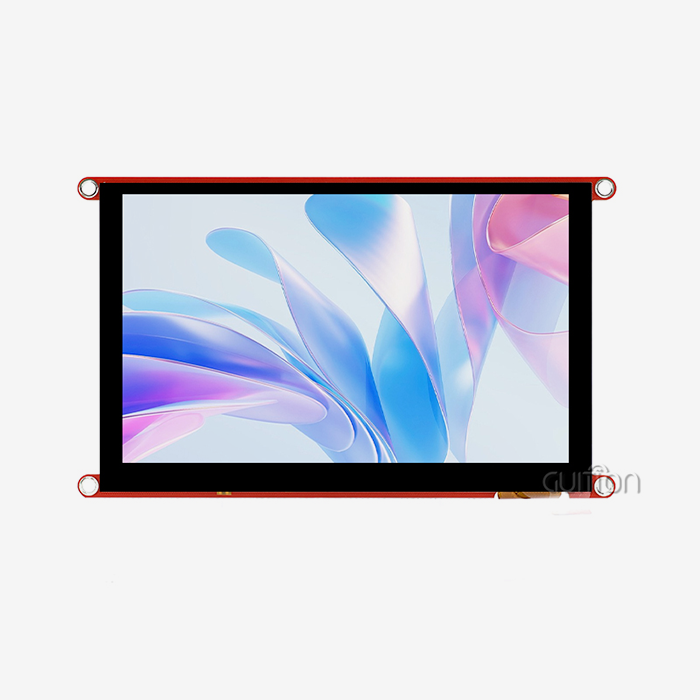
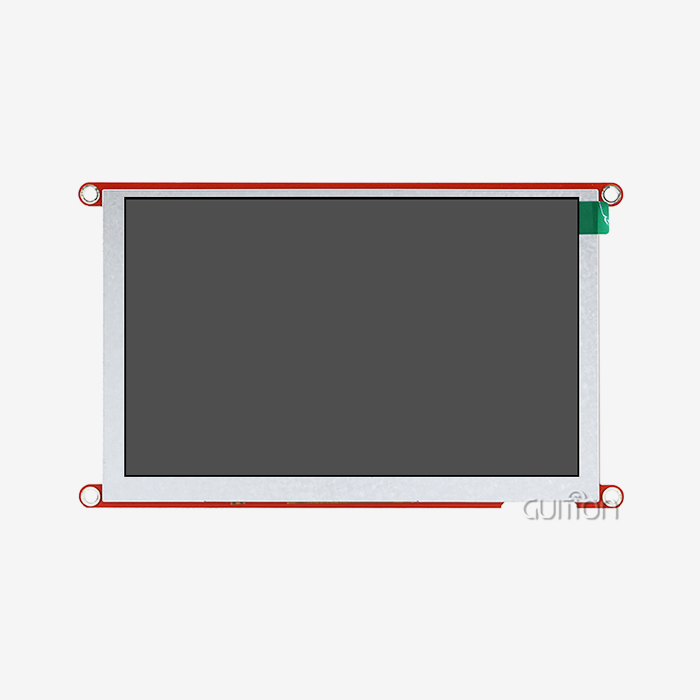
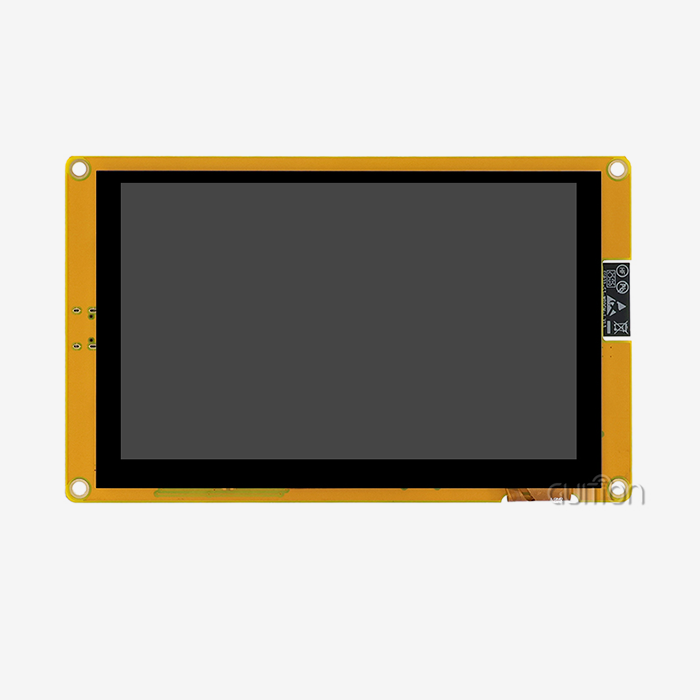
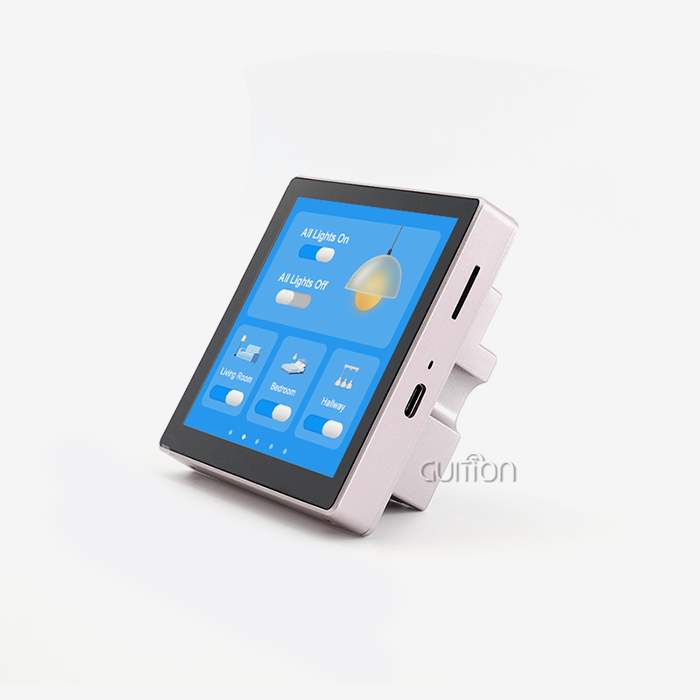
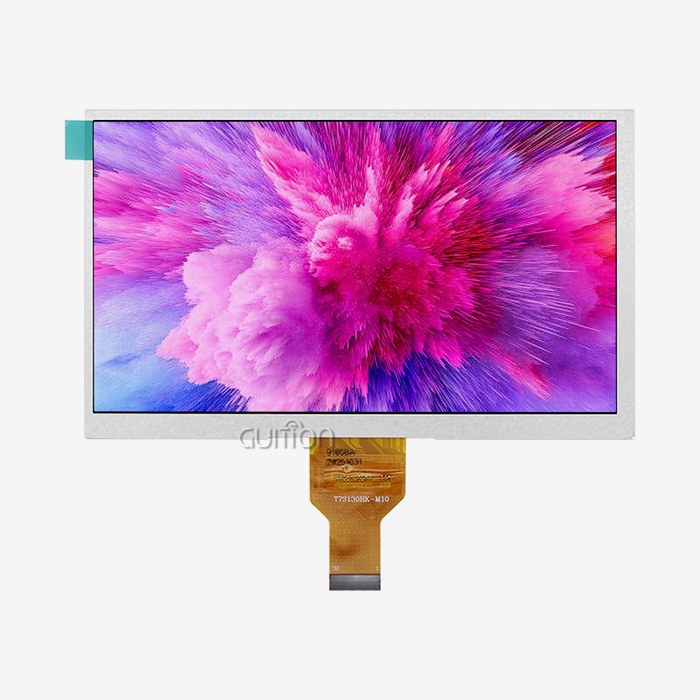
Graphic LCD display modules work very differently from their character-based predecessors. Instead of being bound to set character sets, these displays see the screen as a grid of pixels that can be controlled separately. The Guition JC8048B043N is a good example of this progress. Its 4.3-inch screen has an 800x480 resolution, which means that each of its 384,000 pixels can be addressed separately. This level of detail lets you use unique fonts, smooth curves, detailed icons, and real-time data plots that make things easier to understand. The ST7265 driver IC in our module effectively controls this pixel array. It does this by talking through an RGB interface that keeps the accuracy of colours across the whole 16.7 million colour range. This technology basis makes sure that even when the environment changes, slopes look smooth, status indicators stay clear, and graphical data representations stay accurate.
Why Data Visualization Matters in Industrial Settings
In industrial technology and medical equipment, the way data is displayed has a direct effect on how well operations run. The International Journal of Human-Computer Interaction has studies that show well-designed visual interfaces cut down on user errors by as much as 43% compared to text-only displays. This improvement is made possible by a Graphic LCD display module that shows data in a hierarchical way. Important messages are shown in bright colours, trends are shown in easy-to-understand graphs, and system state is shown by familiar icons. When there is a fault, factories that use advanced HMI displays report 27% faster reaction times. This is because workers can quickly understand system states by looking at the screens instead of decoding numbers. This speed edge is very helpful in situations where time is of the essence, such as when watching an emergency medical situation or managing an automated production line.
How Graphic LCD Modules Overcome Traditional Display Limitations
While character screens were useful for many years, they aren't flexible enough for today's needs. The switch to pixel-addressable screens has taken away major obstacles to good communication.
Beyond Fixed Character Sets
Traditional 16x2 or 20x4 character screens only let creators show letters and numbers. Custom figures require giving up limited memory spots, and it's still not possible to show them graphically. These limits are taken away completely by a Graphic LCD display module. Engineers can show patterns from oscilloscope readings, pie charts that show how resources are being used, or anatomical images in medical devices—all on the same screen that shows writing directions. In this case, the Guition approach is especially helpful. Our own programming tools make it easier to make these complicated interfaces by letting you drag and drop elements. You can put a temperature trend graph next to the current numbers, add warning icons when limits are crossed, and animate the change between screens without having to deal with complicated graphics programming.
Enhanced Real-Time Monitoring Capabilities
Industrial processes create constant amounts of data that are hard for character screens to show in a way that makes sense. Visualisations that are constantly updated are needed on production lines that are keeping an eye on pressure, temperature, flow rate, and quality metrics at the same time. Our modules refresh at speeds that let you see changed measurements without any noticeable lag, so real processes and their digital representations stay in sync. Take a look at a 3D printer that uses the JC8048B043N module. Users don't have to read through text screens to see how the print is going; instead, they can see a finish bar, live temperature graphs for the extruder and bed, and a preview of the current layer being printed. This detailed visualisation makes it easier to figure out what's going on with the system, so the focus can be on quality review instead of figuring out what the data means.
Flexibility Across Application Domains
The Graphic LCD display module that shows ECG waves in medical monitors can also be used to show charging curves in EV charging stations or patterns of energy use in smart building systems. Pixel-level control makes this possible—the hardware stays the same, but software changes the way it looks to fit the needs of each area. Our creation platform, which supports Arduino, IDF, and custom code languages, along with the flexibility of our motion modules, makes this possible.
Key Factors in Selecting Graphic LCD Modules for Optimal Data Visualisation
There are a lot of scientific and useful things to think about when choosing the right display technology. Buying choices made during the design phase affect how well a product works throughout its entire life.
Resolution and Screen Size Considerations
Information density and clarity are directly affected by display quality. The JC8048B043N's 800x480 pixel layout gives enough clarity for most industrial HMI uses while still requiring only a moderate amount of data flow. Higher levels need more memory and processing power, which may not be available in integrated systems that are trying to save money. Screen size has to fit the viewing distance and the limits of the cage. A vertical measurement of 4.3 inches works well for places where people work close to the screen, like on control panels and tabletop equipment. For displays that are seen from several feet away, bigger forms are needed, while smaller units work with devices that are portable or don't have a lot of room. Guition comes in sizes ranging from 1.28 inches to 21.5 inches, so it can be used in a variety of situations without having to make design changes.
Interface Compatibility and Integration
Our modules' RGB interface makes it easier to connect them to current microcontrollers and embedded computers. This way of connecting multiple devices in parallel has the high data throughput needed for smooth graphics changes and is also easy to set up. Other interfaces, such as SPI or I2C, save GPIO pins but might limit the refresh rates for full-screen changes, which is important to think about when showing moving graphics or videos. Cross-platform support speeds up the process of making apps. GUI modules work perfectly with Arduino ecosystems that are popular with prototypers, ESP-IDF frameworks that are great for connecting to the internet of things (IoT), and our own development tools that are designed to handle complicated interface needs. Because of this, you can keep hardware the same across product lines while changing how software works to fit the needs of each project.
Environmental and Reliability Requirements
Operating temperature ranges decide whether or not a launch is possible. Guition screens can work in a wide range of industrial settings, from cold buildings to warm factory floors, thanks to their -20°C to 70°C temperature range. Applications that have to work in harsher situations might need extra heat control or special display technologies. Long-term dependability depends on the quality of the parts and how consistently they are made. As part of our quality control, we do electro-optical testing at different temperatures, vibration testing that mimics shipping and working stresses, and pixel integrity screening, which finds flaws that can't be seen at first glance. These steps make sure that units work the same way for the whole time they're supposed to, which cuts down on failures in the field and guarantees claims that cut into profits.
Real-World Case Studies: Graphic LCD Modules Enhancing Data Visualisation
The revolutionary effects of advanced display technology on operating efficiency and user happiness have been seen in a wide range of real-world settings.
Industrial Automation Control Panels
The JC8048B043N was added by a company that makes industrial equipment to their CNC machine controls to replace older monochrome character displays. The difference was clear right away—operators could now see tool paths overlaid on workpiece outlines in real time, with colour-coded sections showing which tasks were finished, ongoing, or coming up. Machine utilisation went up by 18% because setup mistakes went down, and operators could find the best tool sequences faster by looking at visual samples instead of reading G-code listings. The wide viewing angle afforded by IPS technology addressed a persistent complaint about the previous displays, which showed colour inversion when viewed from certain angles. Multiple workers working near the same machine can now see the same information, no matter where they are in relation to the control screen.
Medical Instrumentation Improvements
A company that makes medical devices had trouble making portable ultrasound equipment that could show diagnostic pictures clearly while still using batteries efficiently. Traditional TFT screens used too much power, and e-paper didn't have a fast enough refresh rate for real-time images. The Graphic LCD display module struck the perfect balance between using just the right amount of power (battery operation-compatible) and having enough colour depth to tell the difference between tissue types. Sonographers who used the new interface finished exams 12% faster because the picture quality stayed diagnostic-grade, and they didn't have to make the same number of manual contrast changes as they did with the old display. The 16.7 million colour range made it possible for greyscale images to have minor changes that made it easier to tell the difference between structures in the same body part.
Charging Station User Experience
An EV charging network operator added Guition screens to their station interfaces to make them easier for users to use and cut down on support calls. Users were confused by the old text-based interface's unclear status numbers and lack of clear progress indicators. The new Graphic LCD display module shows charging sessions with pictures of a battery icon filling up gradually, a line showing how much power is delivered over time, and a clear display of how much it costs to charge.After the change, the number of support calls dropped by 34%, and customer happiness scores went up at the same time. Users said they were more sure about the charging state and liked being able to see estimated finish times based on current charging rates. This was something that the text interface could only show numerically and not in the context of what it was talking about.
Troubleshooting and Optimizing Graphic LCD Modules for Better Visualization
Integration problems can happen with even the best-designed systems. Knowing about common problems and how to fix them makes sure that the release goes smoothly, and performance lasts.
Addressing Common Display Issues
Flickering usually means that the power source isn't regulated well enough or that the grounding isn't right. For our RGB link to work, the voltage rails and ground references must be stable. When used in industrial settings with a lot of electrical noise, adding extra filtering capacitors near the monitor port can often fix the instability. Many intermittent problems can be fixed by making sure that the ground planes connect properly between the host controller and the display module. Uneven contrast across the screen is usually caused by the brightness not being spread out evenly or the power settings being wrong. The ST7265 driver has adjustable gamma correction that takes into account differences in the screen. Changing these settings in software often fixes problems that look like they are with the hardware without having to make any real changes. Incomplete graphics drawing or broken display content means that the RGB interface signals aren't working at the right time. These artefacts can be avoided by making sure that the horizontal sync, vertical sync, and pixel clock rates all meet the requirements listed in our technical papers. Guition's development tools have diagnostic modes that show how timing connections work, which makes it easier to find setup mistakes.
Optimising Display Performance
Firmware optimisation has a big effect on how fast something seems. Instead of redrawing whole screens every time you update, use dirty rectangle algorithms to only reload the parts that have changed. This method cuts down on the amount of data that needs to be sent and frees up processors for other jobs. These improvements are made possible by the Guition development environment's fast graphics tools, which were made with resource-limited embedded systems in mind. Backlight control makes sure that sight and power use are both fair. Using sensors to automatically change the brightness makes it easier to read in a variety of lighting situations while saving energy. Our units work with PWM dimming control, which lets you make precise changes across the whole brightness range without adding flickering at lower levels. Colour correction makes sure that the result matches what was intended in the design. Small colour changes happen when different display panels are made, which might not be a problem for everyday use, but could be a problem for situations where exact colour matching is needed. Guition gives calibration data for every module, which lets software make adjustments that keep colour accuracy high across all production runs.
Maintenance and Longevity Considerations
Damage that shows up as practical problems can be avoided by being careful during building. Overtightening the fixing screws on an LCD panel can cause pressure points that can be seen as bright spots or changes in colour. Mounting forces are spread out correctly when torque specs are followed, and suitable seals are used. Protecting the environment makes things last longer. Our units can work in certain temperature ranges, but being exposed to extremes for a long time speeds up the ageing process. Enclosures that have enough air flow keep heat from building up, and conformal coating on circuit boards keeps moisture out in marine or outdoor settings. Regular software changes fix problems with compatibility and add new features. Guition allows remote upgrades, which let updates be made to installed equipment without having to physically reach it. This feature is especially useful for setups that are spread out geographically and where repair calls would be too expensive.
Conclusion
Visualisation features that aren't available on older screens are needed in modern industrial apps. This requirement can be turned into a competitive advantage with a Graphic LCD display module, which makes it possible for interfaces to share complicated information in a way that is clear and easy to understand. The Guition JC8048B043N is a good example of this change because it combines strong hardware requirements with development tools that shorten the time it takes to get a product to market while making engineering easier. Choosing the right display technology is very important for any product, whether it's for medical diagnostics that need accurate waveform display, industrial automation that needs to see processes in real time, or consumer electronics where the user experience is what makes the difference in the market. Advanced display modules make operations more efficient, users happier, and devices more reliable over time in a wide range of usage situations thanks to their technical skills, ability to withstand harsh environments, and ability to be easily integrated.
FAQ
1. What distinguishes graphic displays from character-based alternatives?
Character displays only show pre-set symbols from a small set of fonts, usually grouped in regular grids like 20x4. Individual pixels can be controlled by a Graphic LCD display module, which lets you make your own fonts, pictures, graphs, and patterns. Because of this basic difference, it is possible to see complex data connections that would not be possible with character limits.
2. How does resolution affect data visualisation quality?
More pixels mean more tiny details, but they need more memory and computer power. The 800x480 resolution in our modules strikes a good mix between clarity and resource economy. It's good enough for detailed graphs and text that can be read without taxing embedded processors too much. Higher resolution is good for programs that need smaller text or images with a lot of details.
3. Can these modules operate in harsh industrial environments?
The JC8048B043N works reliably from -20°C to 70°C, which is most commercial settings. Depending on how the container is designed and installed, it may offer extra security against vibration, humidity, and electromagnetic interference. Longevity in tough situations is ensured by proper mounting, enough air flow, and electrical separation.
4. What interface type works best for embedded systems?
RGB parallel connections have a lot of bandwidth, which is good for full-color images, and good refresh rates, which makes them perfect for apps that show changing content. SPI and I2C serial connections save microcontroller pins but slow down update rates, which is fine for screens that don't change much, but can be a problem for video or animation.
Partner With Guition for Superior Display Solutions
Selecting the right SPI LCD Display module provider will speed up the development of your product and make sure that it will be reliable and supported for a long time. Guition specialises in HMI display systems that are designed to work perfectly in medical, industrial, and embedded settings that need top-notch performance. Our JC8048B043N blends tried-and-true ST7265 driver technology with a full set of development tools that make creating interfaces easier. This cuts down on your engineering task and speeds up time-to-market.In addition to making great hardware, we also offer full technical support, including detailed instructions, responsive engineering advice, and our own Guition development software, which lets you make quick UI prototypes without having to learn a lot of complicated code. Cross-platform support with Arduino and ESP-IDF makes sure that integration goes smoothly, no matter what technology stack you already have in place. Built-in WiFi and Bluetooth make your ideas future-proof, and the ability to upgrade remotely cuts down on the cost of field service. Our display options give your application the visualisation quality it needs, whether you're making the next wave of medical monitors, improving industrial control systems, or coming up with new consumer electronics. Email david@guition.com to talk to our expert team about your unique needs and find out how Guition can improve the user experience of your product.
References
1. Nielsen, J. and Loranger, H. (2006). "Prioritising Web Usability: Effective Visual Communication in User Interface Design." New Riders Publishing.
2. Wickens, C.D. and Carswell, C.M. (2012). "Information Processing in Human-Computer Interaction." International Journal of Human-Computer Studies, Volume 70, Issue 5.
3. Stone, R. (2008). "Human Factors Guidelines for Interactive Display Systems in Industrial Control Environments." Applied Ergonomics Journal, Volume 39.
4. Park, K.S. and Lim, C.H. (2015). "A Comparative Study of Display Technologies for Industrial Automation Systems." IEEE Transactions on Industrial Electronics, Volume 62.
5. Marcus, A. and Gould, E.W. (2014). "Cultural Dimensions and Global Interface Design Practices." User Experience Magazine, Published by UXPA International.
6. Bullinger, H.J. and Ziegler, J. (2009). "Visualisation Methods for Real-Time Data in Manufacturing Control Systems." International Journal of Production Research, Volume 47, Issue 8.
Learn about our latest products and discounts through SMS or email