- English
- French
- German
- Portuguese
- Spanish
- Russian
- Japanese
- Korean
- Arabic
- Greek
- German
- Turkish
- Italian
- Danish
- Romanian
- Indonesian
- Czech
- Afrikaans
- Swedish
- Polish
- Basque
- Catalan
- Esperanto
- Hindi
- Lao
- Albanian
- Amharic
- Armenian
- Azerbaijani
- Belarusian
- Bengali
- Bosnian
- Bulgarian
- Cebuano
- Chichewa
- Corsican
- Croatian
- Dutch
- Estonian
- Filipino
- Finnish
- Frisian
- Galician
- Georgian
- Gujarati
- Haitian
- Hausa
- Hawaiian
- Hebrew
- Hmong
- Hungarian
- Icelandic
- Igbo
- Javanese
- Kannada
- Kazakh
- Khmer
- Kurdish
- Kyrgyz
- Latin
- Latvian
- Lithuanian
- Luxembou..
- Macedonian
- Malagasy
- Malay
- Malayalam
- Maltese
- Maori
- Marathi
- Mongolian
- Burmese
- Nepali
- Norwegian
- Pashto
- Persian
- Punjabi
- Serbian
- Sesotho
- Sinhala
- Slovak
- Slovenian
- Somali
- Samoan
- Scots Gaelic
- Shona
- Sindhi
- Sundanese
- Swahili
- Tajik
- Tamil
- Telugu
- Thai
- Ukrainian
- Urdu
- Uzbek
- Vietnamese
- Welsh
- Xhosa
- Yiddish
- Yoruba
- Zulu
Is an IoT development screen Suitable for Rapid Prototyping Projects?
When engineers and product managers ask if an IoT development screen can cut down on the time it takes to make a prototype, the answer is a loud "yes." With these specialised display units, processing power, connections, and visual interfaces are all built into one solution, which saves weeks of custom development work. In contrast to regular displays that need a lot of driver code and image drawing on the main MCU, an IoT development screen handles interface logic on its own and talks to other devices using simple serial protocols. This architectural separation lets teams quickly make changes to UI designs while also working on backend functions. This shortens development processes from months to weeks, which is a huge benefit in markets that change quickly, like smart home devices or industrial automation.


Understanding IoT Development Screens and Their Role in Rapid Prototyping
What Defines a Modern Display Module for Connected Devices
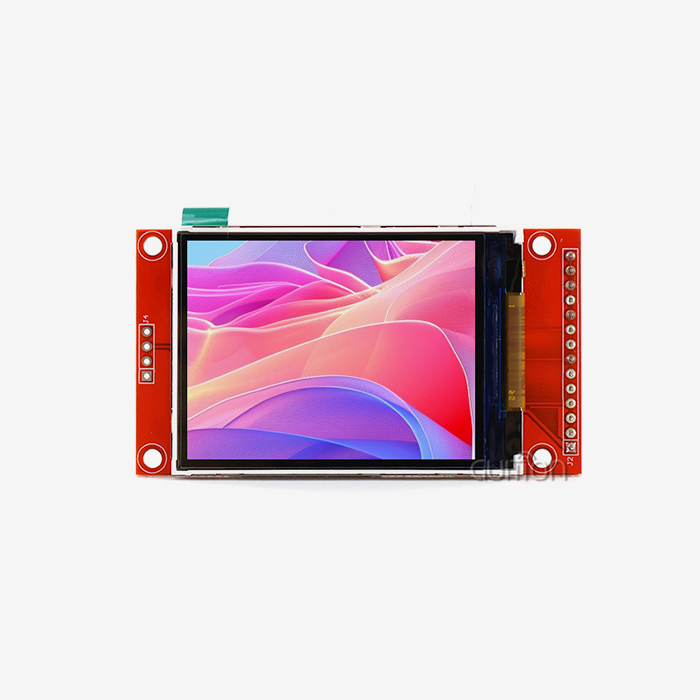
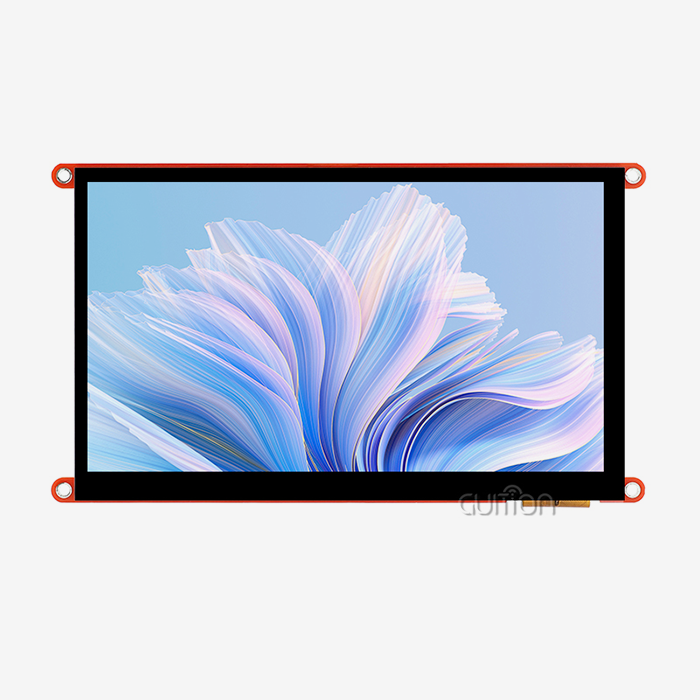
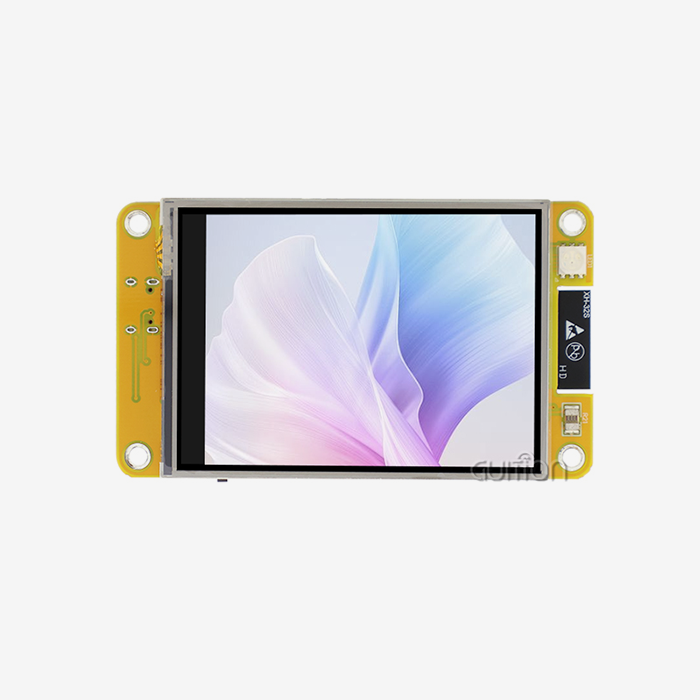
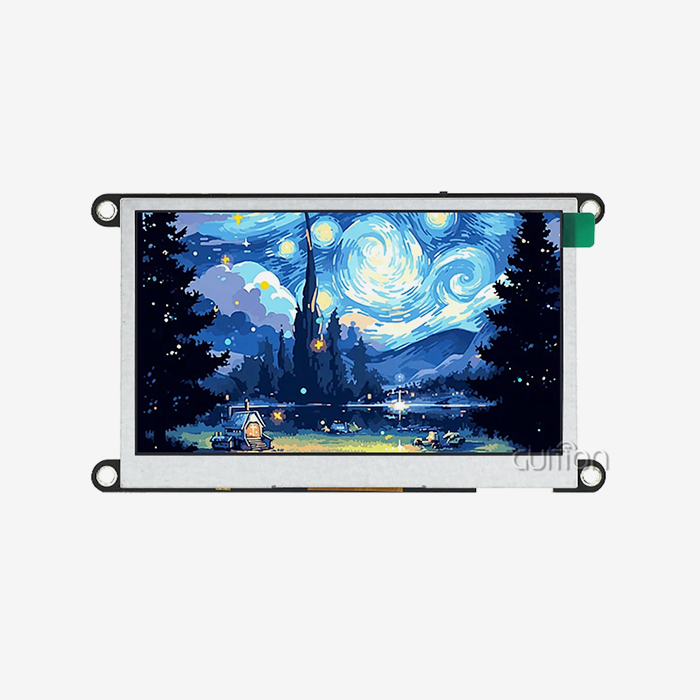
An IoT development screen is more than just an inactive display panel; it's a full human-machine interface unit. Microcontrollers that usually run at speeds between 120MHz and 240MHz are built into these units and are connected to TFT LCD or OLED screens. The ESP32-S3-WROOM-1 dual-core processor, 512KB SRAM, and 16MB Flash storage in the Guition ESP32-8048S070N are all examples of this design. With this processing power, the display can handle touch events, connection protocols, and display graphics without help from your main program controller. At 7 inches, the 800x480 resolution gives you enough pixels to see text clearly and make button interfaces easy to use. This is important for industrial control panels and medical device screens where the user must see clearly. Besides having the right resolution, these screens also have backlight control circuits that let you change how bright they are. This means they can be used in a variety of settings, from computer rooms with low lighting to farming equipment enclosures that get a lot of sunlight.
Accelerating UI Iteration Cycles Through Hardware-Software Separation
For rapid development to work, designs need to be changed often based on feedback from user tests. When changing the screen specs, traditional embedded display integration needs software to be recompiled, devices to be flashed, and maybe even PCB layouts to be redesigned. Through modular designs and graphic development tools, IoT development screens get rid of these problems. With the Guition software platform, engineers can use drag-and-drop to create interfaces and create UI logic that can be sent to the screen module using simple serial commands. Because of this separation, mechanical engineers can improve the designs of enclosures while software teams work on making the cloud connection better. Both streams will meet at a standard UART interface. During prototype review meetings, if a user asks to move a status sign or make a button bigger, the changes are made right away instead of starting multi-day development sprints.
Integration Flexibility Across Development Ecosystems
Engineers on prototyping teams often have different tastes when it comes to the tools they use. Some projects, like the easy-to-use tools that come with Arduino, need the low-level control that comes with ESP-IDF, and still others can benefit from MicroPython's quick coding features. The ESP32-8048S070N supports these different types of programming platforms by working with Arduino IDE, ESP-IDF, MicroPython, and Mixly. This cross-platform flexibility keeps teams from being stuck with toolchains they aren't familiar with, which speeds up the learning process and avoids delays in reaching prototype goals. The reserved TF card interface and IO port headers let you add more gear without having to rebuild the PCB. As ideas change, prototypes often need to have sensors, motors, or communication units added to them. With these expansion connections, teams can test more devices by linking off-the-shelf breakout boards. This lets them keep doing the quick tests that are needed to prove product ideas before committing to custom electronics.
Key Factors to Consider When Using Display Modules for Prototyping
Architectural Considerations for Scalable Designs
Long-term viability is based on the design of the IoT development screens being tested for prototypes that could be used in production. The ESP32-S3's dual cores running at 240MHz give it enough power for complicated apps. One core can handle touch processing and screen refresh, while the other handles Wi-Fi stack operations and sensor data collection. This amount of computing power keeps performance from getting slowed down, which often happens when samples become fully functional goods. Memory requirements have a direct effect on how complicated an application is. The ESP32-8048S070N has 8MB of PSRAM, which can store multiple UI screens and buffer high-resolution pictures without having to constantly get them from slower Flash storage. Teams often underestimate how much memory they will need during testing, and they don't find out about the limits until after a lot of work has been put into development. By choosing units with enough PSRAM from the start of the project, you can avoid having to do expensive redesigns when you want to add features like data logging or firmware update staging.
Development Environment and Programming Language Selection
Whether you use C/C++ or Python to build a display interface affects both how fast you can make prototypes and how well the end result works. When you use the Arduino IDE or ESP-IDF to program in C or C++, you have more control over timing-sensitive tasks and less memory usage, which is very important for IoT devices that run on batteries and need to save every milliamp. However, this method requires more knowledge about embedded systems, which could make the prototypes take longer.MicroPython is a good middle ground because it lets you try communication protocols and sensor integration quickly with interpreted scripts and then move performance-critical parts to built C modules as the designs get better. The GUI development software hides a lot of this complexity by creating optimised display update commands that don't depend on the language used in the main application manager. This lets teams choose languages based on their skills instead of display needs.
Security Implementation During Early Development Stages
Basic security measures should be used on all prototypes that handle non-sensitive data so that the architecture doesn't have to be changed when the prototypes are moved to production. ESP32-based screens have built-in Wi-Fi and Bluetooth, which can be used as attack paths if they are not fully protected. Using certificate-based identification for cloud connections and WPA3 encryption for wireless communications sets up security foundations that protect intellectual property during testing and work smoothly when deployed in production. Message authentication codes (MACs) should be used in UART communication between the main controller and the display module to stop command injection attacks. This is especially important in industrial settings where unauthorised control inputs could damage equipment. Prototypes may work in controlled settings, but putting these practices in early on saves time and money later on when security features need to be added quickly during pre-production.
Comparing Smart Display Solutions With Traditional UI Development for Prototyping
Interface Interaction Modes and User Experience Implications
In traditional embedded UI development, character-based LCDs that show simple status signs are often used to start. As funds allow, graphic displays are added later. Because of this step-by-step method, human interaction logic has to be redesigned more than once. When you start making prototypes with capacitive touchscreens on IoT development screens, you set the final interaction model right away. This way, you can get useful feedback on the usefulness from early testing, instead of finding touch interface problems late in the product development process. The difference between resistive and sensitive touch technologies affects how long a sample will last when it is tested in the field. Modules like the ESP32-8048S070N have capacitive screens that react to touches with a level of awareness similar to smartphones. This makes the user experience familiar. This response is very important when testing smart home interfaces or medical device controls that need to be used with gloves or a stylus. It lets teams test these situations in a real way while developing instead of guessing.
Cost Structure Analysis for Prototype Development Phases
Costs of parts are only one part of development costs; engineering time usually takes up most of a project's budget. An integrated display module might cost $15 more than a bare LCD panel, but the 40–80 engineering hours needed to write display drivers, set up touch calibration, and fix bugs in graphics rendering easily cost more than $4,000. With display modules that have built-in controllers and tested software, this technical input can be cut down to 8–12 hours for integration, which completely changes the cost situation. When reviewing companies, procurement teams should figure out the total cost of ownership, which should include how quickly technical help can respond. Modules that don't come with full instructions or example code may seem cheap at first, but they end up costing more in the long run because they take longer to fix problems. Guition's full Arduino library functions and pre-programmed test apps speed up initial bring-up, so teams can test hardware integration in hours instead of days spent figuring out incomplete datasheets.
Platform Ecosystem and Long-Term Supply Considerations
Prototype parts should go straight from testing to production so that they don't have to go through requalification testing and regulatory renewal. The ESP32 platform has stable supply chains with many authorised dealers and proven availability for more than one year. This lowers the risk of having to redesign because of outdated parts. Platforms based on less common controls might have cool features for testing, but they make it harder to get parts when production goes up. How quickly teams can fix problems that come up out of the blue depends on the development environment that surrounds a platform. ESP32 has a large community supporting it, detailed workarounds for silicon bugs, and third-party libraries that can be used as safety nets when prototyping and running into edge situations. When modules use proprietary or less common controllers, teams may have to rely on maker support alone, which can put schedules at risk if technical problems happen during important dates for prototype demonstrations.
Procurement Considerations for Display Modules in Rapid Prototyping
Balancing Quality Requirements With Budget Constraints
Engineering managers are always under pressure to keep prototype costs low while keeping quality high enough for useful testing. Industrial-grade screens made to military standards might cost more than the budget for development, but consumer-grade parts can break during outdoor testing, which means that expensive redesigns are needed. Instead of being too specific, the middle ground is to find parts that meet the specific weather needs of your application. A sample of a smart home thermostat needs to be more durable than industrial equipment tracking systems that have to deal with high and low temperatures and vibrations. Offering a good mix between quality and price, the IoT development screen ESP32-8048S070N's working conditions are good for most indoor uses and moderate industry settings. Instead of depending on general "industrial-grade" claims, procurement teams should ask for thorough environmental test results and make sure that the temperature ranges, shock resistance, and MTBF scores match the conditions that will be used.
Customization Capabilities and Vendor Flexibility
When making prototypes, people often find that they need different screen sizes, different mounting options, or more input links. Customisation service providers can change standard modules to meet these needs without having to do full redesigns. Guition's range of screens, from 1.28" to 21.5", lets you switch to different form factors as samples change. This way, you can keep the software compatible while changing the hardware to meet new industrial design standards. How much teams can change behaviour beyond normal tasks depends on how much secondary development documentation is available. Full SDK access, thorough register-level instructions, and source code examples allow for complex customisations such as adding custom graphics algorithms or putting in place private communication protocols. When vendors treat display modules like black boxes with little guidance, they limit teams to set capabilities and may need to escalate changes that could be made internally instead.
Evaluating Technical Support Quality and Responsiveness
How quickly technical help responds has a direct effect on prototyping plans. When problems with integration come up three days before a key investor presentation, vendor response times that are measured in days instead of hours can put funding rounds or customer promises at risk. When looking at possible providers, you should ask test questions to see how quickly they respond, how technical their answers are, and how ready they are to work with complicated debugging situations. Full help includes more than just answering questions. It also includes giving reference designs, application notes for common use cases, and alerts about firmware changes or known problems. Guition's method is developer-friendly and includes full test programs that make sure hardware works as soon as it arrives, setting known-good baselines that make it easier to tell the difference between hardware defects and software integration mistakes. This amount of help cuts down on the troubleshooting that would normally take a lot of time during the prototyping process.
Real-World Applications: Successful Rapid Prototyping Using Smart Screens
Smart Home Control Panel Development
A company making a unified smart home control panel had to figure out how to add Zigbee, Wi-Fi, and Bluetooth connections while keeping the touchscreen interface easy to use. They had to do all of this in six months so they could get it to a consumer electronics trade show. With traditional development methods, radio integration and user interface development would have had to be done by different teams, which would have added a lot of risk to the integration process. The team put together a single part that connects and communicates by choosing an IoT development screen-based display module that has Wi-Fi and Bluetooth built in. The two-core design lets one processor core handle how responsive the user interface is, while the other handles network contacts without slowing down the frame rate. The industrial designer used Guition's visual development tools to make changes to interface styles based on user testing without having to involve a programmer in each change. The prototype was fully working in four months, with two months to make changes based on feedback from beta testers. The team said that using discrete components instead of their original plan saved them about 320 engineering hours. They said that this was mostly because they didn't have to build low-level display drivers and were able to add wireless connection without any problems. The product was released successfully at the intended trade show, gaining distribution deals that proved the speedy development method to be effective.
Industrial Equipment Monitoring System
An industrial equipment maker had to add IoT tracking to old machines so that they could show real-time operating data and allow remote diagnostics. The problem was making prototypes for a wide range of equipment, from small pumps to big HVAC systems. Each type of equipment needed a different screen size and mounting method, but the software had to be the same across all of the products. The engineers were able to make a shared software design that could be used on all form factors by using the Guition ecosystem's size range, which includes small diagnostic displays and big operator panels. During field testing, the TF card interface was very important because it let sensor data be recorded on-site while the prototype was being tested without needing to be connected to the internet all the time. By logging, you can find occasional fault situations that you might have missed otherwise. This gives you important information for improving predictive maintenance algorithms. Because ESP32 modules can be updated over-the-air (OTA), the team was able to make software updates to prototypes that were already set up at test sites. This saved them the trouble of having to make multiple trips to different facilities. This remote update feature cut the time it took to improve the prototype by about 40%, since bugs found during field testing could be fixed and confirmed without having to retrieve the device. After a successful test phase, the maker rolled out the product across all of their equipment. The display interface became a key differentiator in their market group.
Conclusion
When it comes to fast prototyping for industrial, business, and consumer uses, IoT development screens work really well. Integrated processing, pre-validated software stacks, and flexible hardware interfaces are architectural benefits that shorten development times while keeping paths to designs that are ready for production. The ESP32-8048S070N is a great example of this because it has two cores, full connections, and support for multiple development platforms. This means that teams can focus their technical resources on making the core product stand out instead of working on low-level interfaces. Successful case studies show real decreases in development time and costs, proving the strategic value of choosing display units that can do the job during the early prototyping stages. IoT platforms are growing across many industries. Being able to quickly prototype and iterate on user interfaces will become more and more important for companies that want to bring new connected goods to market.
FAQ
Why can't standard mobile phone screens meet IoT prototyping requirements?
Mobile phone screens are designed to work with ultra-thin profiles and sensitive touch through chemically stronger glass, but they aren't durable enough for industrial IoT uses because they aren't made to withstand harsh environments. They only work in a small range of temperatures (0°C to 40°C) and don't have the wider voltage input tolerance that prototypes need for different power source architectures. Also, mobile screens use proprietary MIPI-DSI interfaces that need complicated setup steps and licenses. On the other hand, IoT development screens use open UART and SPI protocols that work well with microcontroller ecosystems that engineers often use during prototyping stages.
Which programming languages work best for IoT display interfaces?
C/C++ through the Arduino IDE or ESP-IDF gives the best speed and memory efficiency for code that will be used in production. This is why it is better for prototype ideas that will go straight to production. MicroPython's interpreted processing speeds up the initial prototyping process, letting you try communication protocols and sensor integration quickly before optimising the most important parts. The GUI development platform hides a lot of the complexity that comes with each language by creating optimised display commands, no matter what programming environment the host controller uses. This way, teams can choose languages that match their skills instead of being limited by display requirements.
What security measures should be put in place when the sample is still in its early stages?
To protect intellectual property during testing, even prototypes should use protected communications (WPA3 for Wi-Fi and the right pairing security for Bluetooth). Using message authentication codes for serial communications between the display and main processor and certificate-based authentication for cloud links sets up security that can be used in production without any changes to the architecture. When teams are under a lot of pressure to make as few changes as possible during pre-production, these practices keep them from having to add security features after the fact, which can lead to technology debt.
Partner With Guition for Your Next IoT Development Screen Project
With our wide range of IoT development screen options, Guition is ready to speed up your fast prototyping projects. Our ESP32-8048S070N module has the processing power of a dual-core 240MHz controller and built-in Wi-Fi and Bluetooth connections. This means that there are no more complicated integration tasks that usually cause prototype plans to slip. We offer full secondary development support through thorough instructions, Arduino tools, and example code that has already been tested and proven to work. This speeds up the learning process for your engineering team. Our Guition visual development software lets UI designers make complex interfaces without having to know how to code. This lets multiple developers work on a project at the same time, which shortens the time it takes to finish. Whether you're an IoT development screen provider looking for solid OEM partnerships or an engineering team making prototypes for your next big product, our technical team at david@guition.com can help you quickly and make changes that fit your needs. Get in touch with us to talk about how our display options can help you make testing faster and easier.
References
1. Smith, J. and Williams, R. (2022). Rapid Prototyping Strategies for IoT Product Development. Technical Press International.
2. Anderson, M. (2023). "Display Interface Technologies in Embedded Systems Design," Journal of Embedded Computing, Volume 18, Issue 3, pp. 45-62.
3. Chen, L. and Kumar, S. (2021). Human-Machine Interface Design for Industrial IoT Applications. Manufacturing Technology Publishers.
4. Thompson, K. (2023). "Comparative Analysis of Microcontroller Platforms for Connected Device Prototyping," IoT Engineering Quarterly, Spring Edition, pp. 112-128.
5. Rodriguez, A. and Task, H. (2022). Security Architectures for Edge Computing Devices. Cybersecurity Research Foundation.
6. Mitchell, D. (2023). "Cost Optimization in Electronics Prototyping: Component Selection Strategies," Product Development Review, Volume 31, Number 2, pp. 78-94.
Learn about our latest products and discounts through SMS or email