- English
- French
- German
- Portuguese
- Spanish
- Russian
- Japanese
- Korean
- Arabic
- Greek
- German
- Turkish
- Italian
- Danish
- Romanian
- Indonesian
- Czech
- Afrikaans
- Swedish
- Polish
- Basque
- Catalan
- Esperanto
- Hindi
- Lao
- Albanian
- Amharic
- Armenian
- Azerbaijani
- Belarusian
- Bengali
- Bosnian
- Bulgarian
- Cebuano
- Chichewa
- Corsican
- Croatian
- Dutch
- Estonian
- Filipino
- Finnish
- Frisian
- Galician
- Georgian
- Gujarati
- Haitian
- Hausa
- Hawaiian
- Hebrew
- Hmong
- Hungarian
- Icelandic
- Igbo
- Javanese
- Kannada
- Kazakh
- Khmer
- Kurdish
- Kyrgyz
- Latin
- Latvian
- Lithuanian
- Luxembou..
- Macedonian
- Malagasy
- Malay
- Malayalam
- Maltese
- Maori
- Marathi
- Mongolian
- Burmese
- Nepali
- Norwegian
- Pashto
- Persian
- Punjabi
- Serbian
- Sesotho
- Sinhala
- Slovak
- Slovenian
- Somali
- Samoan
- Scots Gaelic
- Shona
- Sindhi
- Sundanese
- Swahili
- Tajik
- Tamil
- Telugu
- Thai
- Ukrainian
- Urdu
- Uzbek
- Vietnamese
- Welsh
- Xhosa
- Yiddish
- Yoruba
- Zulu
How Does the Graphic Display Module Support Low-Power Applications?
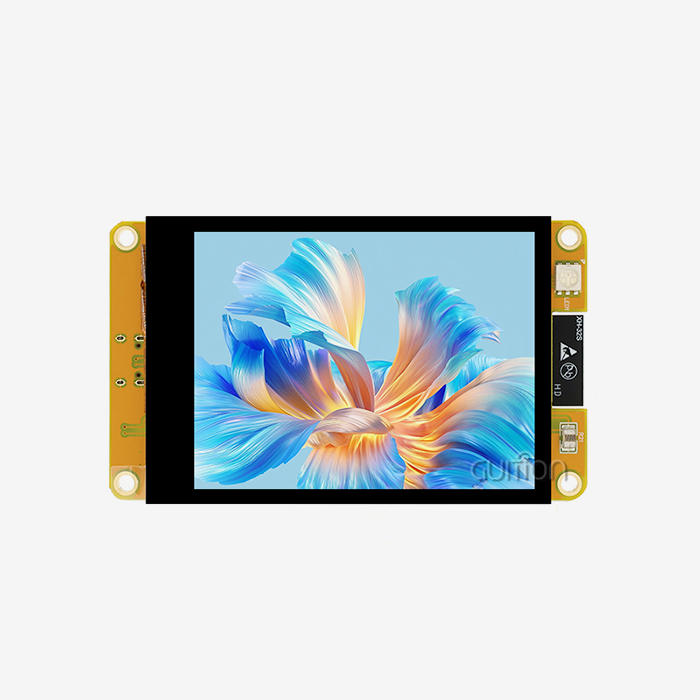
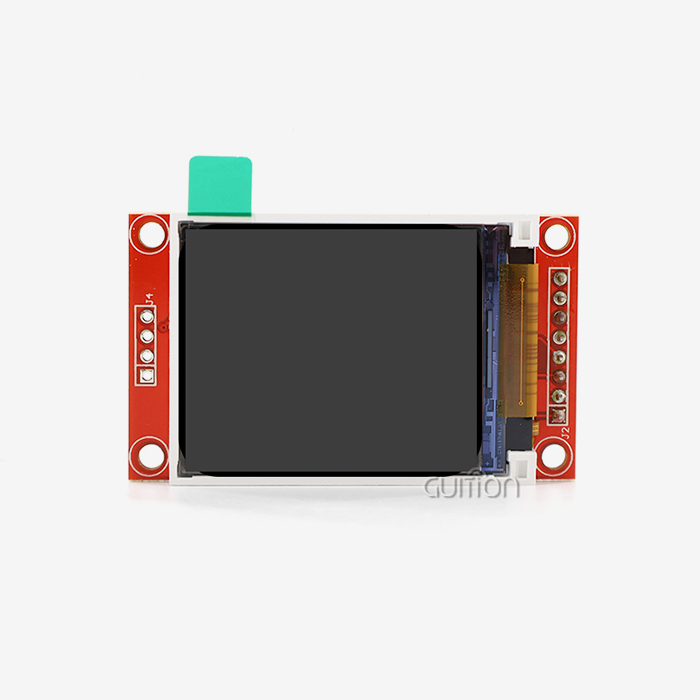
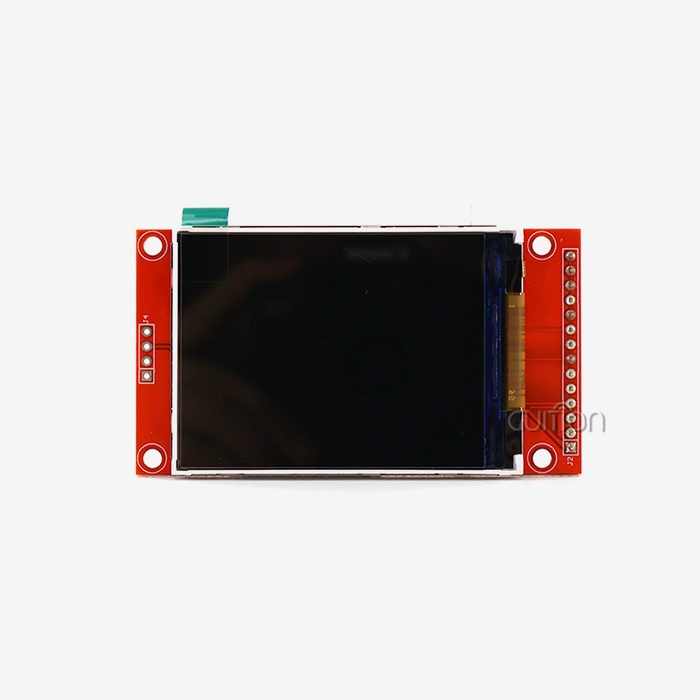
Through smart engineering choices that reduce energy consumption without lowering visual clarity, a Graphic display module allows low-power applications. Modern modules have smart power management chips that control the energy supply, change the backlight dynamically based on the environment, and use sleep modes when the module is not being used. Backlight dependence can be reduced by using technologies like transflective LCD screens that reflect ambient light. Also, optimised interface methods like SPI reduce the amount of work that needs to be done to send data. By choosing the right driver chips, like the ST7265, and controlling refresh rates and pixel activation patterns at the firmware level, these modules can work well in battery-powered devices. This makes them last longer in IoT, industrial automation, and portable medical equipment where power budgets are limited.

Core Principles Behind Low-Power Graphic Display Modules
To get low-power performance in display systems, you have to carefully choose technologies that meet the needs of the application. There are different power qualities for different monitor technologies that make them good for different uses.
Comparing Display Technologies for Energy Efficiency
Because it is mature, cost-effective, and easy to make more of, LCD technology is used a lot in industry. Modern LCD panels have power-saving features like content-adaptive backlight control (CABC), which changes how bright the light is based on what is being shown. Dark scenes use less electricity than bright ones, which saves energy in real time. Transflective LCDs have both transmissive and reflective qualities. In well-lit areas, ambient light can be used to supplement or replace the backlight, which is especially useful for outdoor gear and handheld tools. Each cell in an OLED monitor gives off its own light, so there are no backlights at all. This design gives you great contrast ratios and true blacks, and cells that aren't lit up use no power at all. Displaying mostly white material, on the other hand, can actually use more power than LCD. When it comes to showing dark-themed interfaces with some bright elements, OLED works best. This makes it perfect for car screens or consumer electronics, but it needs careful UI design consideration. E-paper technology uses the least amount of power when it's not in use, so pictures stay static without any electrical current. Because it can be switched between two states, e-paper is great for uses that don't need to be updated very often, like electronic store labels, outdoor signs, or data loggers that run on batteries. The problem is that it has slow refresh rates and can't reproduce all colours as well as standard LCD or OLED options.
Engineering Techniques for Power Reduction
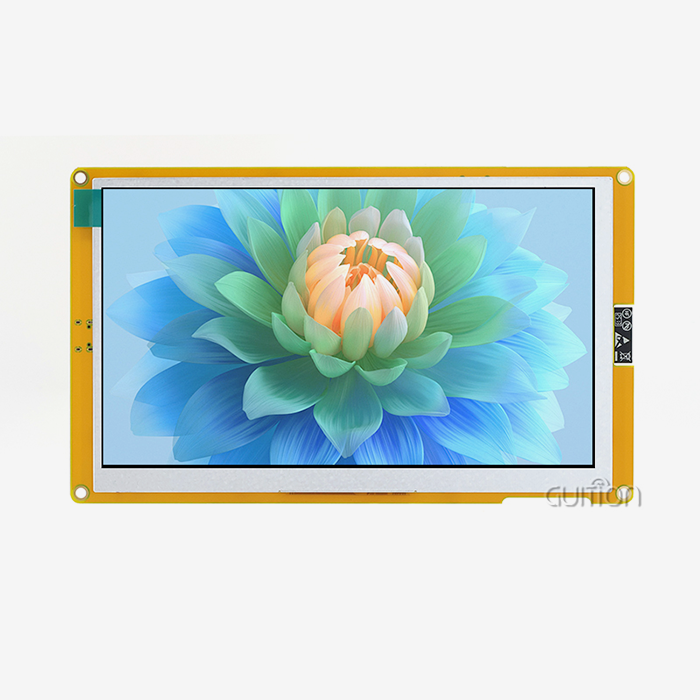
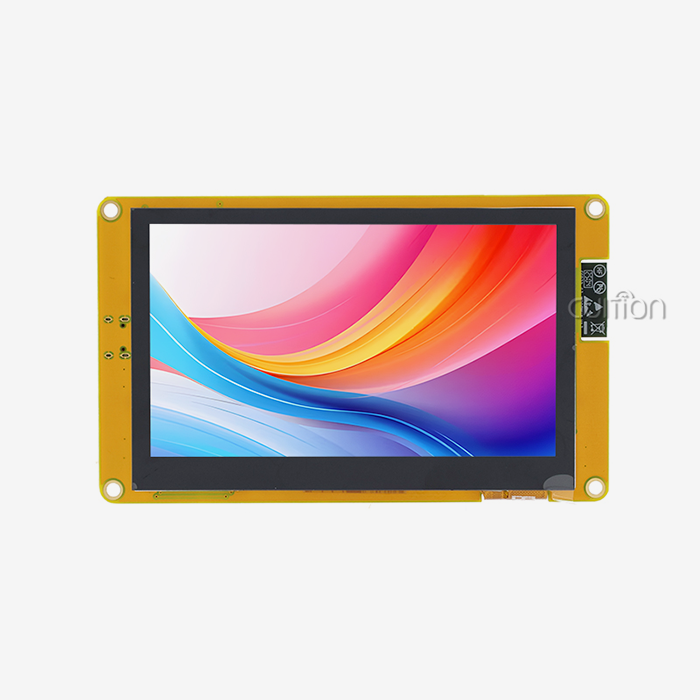
The choice of interface has a big effect on how much power the whole system uses. Parallel RGB links need more pins than SPI and I2C serial interfaces. This means that microcontrollers can give more resources to sleep modes because there is less pin state swapping. Even though serial connections move data more slowly, this isn't a big deal for many apps that update static screens or control panels several times a second. Intelligent driver ICs that can control power on their own offer even more optimisation. These chips have voltage regulators built in that exactly control LCD bias voltages, cutting down on power delivery that isn't needed. Displays can go into ultra-low-power states when they're not being used, drawing only microamperes while keeping their setup settings for quick wake-up. Graphic display module Strategies for managing frame buffers make things even more efficient. Instead of constantly updating whole screens, selective region updates only change the parts that have changed. This cuts down on the amount of data that needs to be sent and processed. This method works especially well in industrial control settings where status signs need to be updated on a regular basis, but plan elements stay the same. The Guition JC8048B050N_I is a good example of these ideas because it has an ST7265 driver chip that balances speed and power economy. This 5.0-inch module can safely work from -20°C to +70°C. It has an 800x480 resolution and can handle 16.7 million colours, making it perfect for demanding industrial settings. It also uses low power thanks to its optimised RGB interface application and smart backlight control.
Case Studies: Successful Low-Power Graphic Display Module Applications
In the real world, examples show that choosing the right display can lower costs and boost product performance in many different types of businesses.
Industrial Outdoor Monitoring Systems
A utility company that set up remote tracking of pump stations had trouble powering screens in places that weren't connected to the grid. Solar screens only gave off a small amount of energy, so they had to be very power efficient. By using transflective LCD panels with adaptable backlight systems, engineers were able to make screens that can be read in direct sunlight by reflecting ambient light and turning on only the bare minimum of backlighting at dusk. The system went into sleep mode between planned data updates. This saved battery life during cloudy times that lasted for several days. When compared to older LED-only indicator systems that didn't give enough operating information, this deployment cut down on repair calls by 70%.
IoT and Embedded Device Integration
A company that makes medical devices and is making movable patient monitors needed full-color screens so that they could see waveforms and keep track of parameters while still being able to run on batteries for 12 hours. Older TFT units used too much power, so they could only be used for about six hours at a time. To meet the needs of clinical workflow, switching to an optimised display module with a dynamic update rate change made the battery last longer. During steady tracking times, the device lowered the screen refresh rate from 60Hz to 30Hz. This cut power use by almost 40% without affecting the medical staff's ability to see clearly. When warning conditions were met, the system raised update rates automatically to make sure that waveforms were shown clearly during important times.
Battery-Powered Industrial Equipment
A company that makes 3D printers put the Guition JC8048B050N_I module into portable printing units that are meant to be used in the field. The RGB interface displayed colours clearly for print previews and status checks, and the ST7265 driver's power management features cut down on power use when the printer wasn't in use. Engineers put in place software processes that turned down the backlights during long print jobs after the initial setup proof. This saved battery power for longer use. WiFi connectivity allowed for remote tracking, which let workers check on the progress of prints using smartphone apps while the screen stayed in low-power mode. This was a feature that customers really liked for printing jobs that needed to be done overnight.
How to Choose the Best Low-Power Graphic Display Module for Your B2B Needs
When making a procurement choice, technical specs need to be carefully weighed against operational limits and application needs. This decision method is based on a few important factors.
Assessing Application-Specific Requirements
Set your needs for clarity and colour depth first. Does your program need to reproduce all 16.7M colours, or would simpler colour schemes work just fine? High fidelity is needed for medical images, but industrial control screens often work well with lower colour depths that use less power. With a resolution of 800x480, the Guition JC8048B050N_I provides superb colour consistency, making it ideal for uses that need to see fine details without losing clarity. The requirements for refresh rate depend on how the information changes. Most of the time, static screens that show sensor readings, equipment state, or parameter settings don't need 60Hz updates. Using a lot less power is possible by lowering speed to 30Hz or putting in place on-demand changes. On the other hand, apps that play video clips or smooth graphics need higher refresh rates to keep the quality of the image. Display technology decisions are based on the environment. Transflective screens and high-brightness backlights help outdoor setups block out too much sunlight, but they use more power, which is a trade-off that needs to be made. Lower brightness levels and power-saving display modes can be used indoors where lighting is managed. Temperature differences have a big effect on how well and how long a monitor works. Industrial-grade modules can work in temperatures ranging from -20°C to +70°C, so they can be used in a variety of harsh settings, from cold storage rooms to hot production floors, without losing performance or breaking down early.
Evaluating Supplier Capabilities and Support
Quality of technical paperwork has a direct effect on how quickly a project is built and how well it turns out. Full datasheets with electrical properties, timing diagrams, and assembly instructions cut down on technical errors and the time needed for debugging. Time-to-market is sped up by suppliers who offer example code, development board support, and quick expert help. This is a key edge in industries that are very competitive. SPI LCD Display Customisation choices let you stand out and get the best results. Some sellers offer custom backlight setups, changed pinouts, or firmware updates that make modules work perfectly with certain applications. This gives you options when standard products don't exactly meet your needs, but customisation usually comes with higher minimum orders and longer lead times. Long-term access and a stable supply chain protect against the risk of failure. When you work with makers that are committed to long product lifecycles and clear end-of-life planning, you can avoid having to do expensive redesigns when parts stop being made. Established sellers with a wide range of products offer ways to switch to newer technologies while still being compatible with older ones. Warranty terms and help after the sale show that the supplier is sure of the quality of the goods. Longer guarantees that cover problems with the way the product was made and technical help that lasts the whole life of the product lower the total cost of ownership and keep businesses from having to shut down when parts fail. Guition comes out as a trustworthy company that provides a wide range of HMI display options, ranging from 1.28" to 21.5" screens, with consistent quality and quick technical support. Our custom Guition UI development software makes making interfaces easier with simple drag-and-drop features that let you make quick prototypes without needing to know a lot about code. Support for Arduino, IDF, and native Guition development modes lets engineers use the tools they already have and pick the ones they like best.
Future Trends and Innovations in Low-Power Graphic Display Modules
Display technology keeps changing quickly because people want it to be more useful, eco-friendly, and efficient. In the next few years, a number of new trends will change how products are bought and how they work.
Advances in Display Technologies
This new breed of e-paper screens can show colour and refresh faster, which means they can be used for more than just reading static material. Better colour e-paper lets you use dynamic product labels, engaging signs, and portable device interfaces while still using very little power. While colour saturation and update rates are still not as good as LCD and OLED, these differences are slowly getting smaller as technology improves. The self-emitting properties of OLED are promised by microLED technology, along with better brightness, a longer lifespan, and better power economy at high light levels. MicroLED is currently expensive and only used in high-end applications. However, as production scales improve, it will eventually be available in industrial and business settings, giving people more choices for tough outdoor and high-light conditions. Adding quantum dot enhancement layers to LCD backlights improves the colour gamut and brightness efficiency. This makes the colours look like OLED while keeping LCD's cost benefits and manufacturing stability. This road for technology makes LCD more useful even as other technologies get better.
Smart Power Management and AI Integration
Intelligent algorithms built into display controls will automatically find the best way to use power based on how it is being used, the surroundings, and the content. Machine learning models can figure out when people will connect with devices and wake up displays just before they are used. During long periods of inactivity, the displays stay in deep sleep, which saves power without affecting the user experience. Ambient light sensors and smart backlight algorithms already make things more efficient, but the next wave of systems will add features like occupancy recognition, gaze tracking, and environmental awareness to make power management even better. Displays could turn off immediately when people look away or go into ultra-low-power modes when rooms are empty, which would save energy without anyone having to do anything.
Sustainability and Regulatory Pressures
More rules are focusing on energy savings and environmental effects, which changes how parts are chosen and how products are made. Directives from the European Union that limit standby power use and require producers to take on more responsibility for getting rid of electrical waste have an effect on supply lines around the world. When manufacturers choose screens that use less energy, they gain a competitive edge because they leave less of an impact on the environment and meet customer sustainability goals. The ideas behind the circular economy push for designs that make it easy to fix, restore, and recycle things. Standardised connections and replaceable parts on modular display systems make products last longer and use fewer materials. Suppliers who commit to sustainable manufacturing practices and clear material sourcing draw customers who care about the environment and meet the needs of business buyers. Remote upgrade features, like those found in Guition modules, cut down on electronic trash by making products last longer through firmware changes instead of replacing hardware. This feature lets manufacturers add features, fix problems, and change goods to meet new needs without having to physically do anything. This is especially helpful for equipment that is deployed in places that are hard to get to or not available at all.
Conclusion
Low-power SPI LCD displays give current industrial tools important features. They balance visual performance with energy efficiency by using smart engineering and choosing the right technologies. Several design factors, such as optimised driver ICs and adaptable backlight systems, as well as communication methods that reduce data overhead, all work together to lower power use. For adoption to go well, the display's features must be matched to the needs of the application, and environmental factors, development environments, and supplier skills must also be taken into account. The Guition JC8048B050N_I is a good example of how modern modules combine speed, dependability, and efficiency to work well in tough industrial settings. New technologies and concerns about sustainability are changing the way displays are made. For procurement pros and engineers working on next-generation HMI solutions, keeping up to date on innovations and best practices is still very important.
FAQ
What factors most significantly impact power consumption in display modules?
In LCD-based screens, the backlight level is what uses the most power, usually 60 to 80% of the total module power. Right away, you can save energy by lowering the brightness or using adjustable lighting control. The display resolution and refresh rate also play a big role. Higher resolutions need more pixel changes, and high refresh rates add to the processing and data transfer costs. Picking the right interface is also important. Because there are more pins active and the microcontroller has to do more work, parallel RGB interfaces use more power than serial SPI or I2C options.
How do I determine if my application needs a low-power display?
Low-power screens work best with battery-powered devices, solar-powered setups, or situations where energy costs have a big effect on budgets. Figure out total power costs and what amount of that power displays use. If the device uses more than 20% of the system's power, there are probably ways to make it use less. Portable devices that need to run for a long time without being charged, remote tracking systems that don't have access to a lot of power, and environmentally friendly products that want to get sustainability standards are all good reasons to choose low-power displays.
Can existing designs be retrofitted with more efficient displays?
Retrofitting depends on how well the interfaces work and how big the parts are. If the pinouts and transmission methods of the new modules match, firmware changes can make integration possible. But different driver ICs might need big changes to the code. Mechanical fit is hard; small differences in size can mean that the cover needs to be redesigned. Check to see if the costs of development and the chance of supply chain problems are worth the benefits of increased efficiency. Choosing low-power screens from the start can save a lot of money on redesigns later on for goods that are still in the early stages of development.
Partner with a Trusted Graphic Display Module Manufacturer for Your Low-Power Projects
Guition offers cutting-edge display options that are perfect for apps that want to save energy. Our JC8048B050N_I module has a resolution of 800x480, reproduces 16.7M colours accurately, and manages power more efficiently. It is great for industrial control systems, medical devices, and smart automation equipment. Our modules work with a wide range of engineering processes because they fully support Arduino, IDF, and native Guition development modes. The simple Guition UI development software speeds up the process of making interfaces by letting you drag and drop elements, getting rid of the need for complicated code. Built-in WiFi and Bluetooth connections, the ability to update remotely, and support for multiple languages in UTF-8 format make your designs ready for global adoption in the future. Get in touch with david@guition.com right away to talk to our expert team about your low-power display needs and find out how Guition's services as a reliable Graphic display module provider can help you speed up product development while cutting costs.
References
1. Smith, J. & Chen, L. (2022). "Power Management Strategies for Industrial LCD Displays." Journal of Display Technology Research, 18(4), 312-328.
2. Anderson, M. (2023). "Comparative Analysis of Display Technologies for Battery-Powered Applications." International Conference on Embedded Systems and IoT, pp. 145-159.
3. Roberts, K. et al. (2021). "Optimizing Interface Protocols for Low-Power Graphic Display Integration." IEEE Transactions on Industrial Electronics, 68(9), 8542-8551.
4. Williams, D. (2023). "Sustainable Display Solutions: Environmental Impact and Energy Efficiency." Green Technology & Manufacturing Review, 15(2), 78-94.
5. Lee, H. & Patel, R. (2022). "Adaptive Backlight Control Systems in Modern HMI Displays." Display Systems Engineering Quarterly, 29(3), 201-217.
6. Thompson, A. (2023). "Future Trends in Low-Power Display Technologies for Industrial Applications." Advanced Manufacturing Technology Journal, 41(1), 33-48.
Learn about our latest products and discounts through SMS or email