- English
- French
- German
- Portuguese
- Spanish
- Russian
- Japanese
- Korean
- Arabic
- Greek
- German
- Turkish
- Italian
- Danish
- Romanian
- Indonesian
- Czech
- Afrikaans
- Swedish
- Polish
- Basque
- Catalan
- Esperanto
- Hindi
- Lao
- Albanian
- Amharic
- Armenian
- Azerbaijani
- Belarusian
- Bengali
- Bosnian
- Bulgarian
- Cebuano
- Chichewa
- Corsican
- Croatian
- Dutch
- Estonian
- Filipino
- Finnish
- Frisian
- Galician
- Georgian
- Gujarati
- Haitian
- Hausa
- Hawaiian
- Hebrew
- Hmong
- Hungarian
- Icelandic
- Igbo
- Javanese
- Kannada
- Kazakh
- Khmer
- Kurdish
- Kyrgyz
- Latin
- Latvian
- Lithuanian
- Luxembou..
- Macedonian
- Malagasy
- Malay
- Malayalam
- Maltese
- Maori
- Marathi
- Mongolian
- Burmese
- Nepali
- Norwegian
- Pashto
- Persian
- Punjabi
- Serbian
- Sesotho
- Sinhala
- Slovak
- Slovenian
- Somali
- Samoan
- Scots Gaelic
- Shona
- Sindhi
- Sundanese
- Swahili
- Tajik
- Tamil
- Telugu
- Thai
- Ukrainian
- Urdu
- Uzbek
- Vietnamese
- Welsh
- Xhosa
- Yiddish
- Yoruba
- Zulu
How Does the Graphic Display Module Improve Data Visualization Quality?
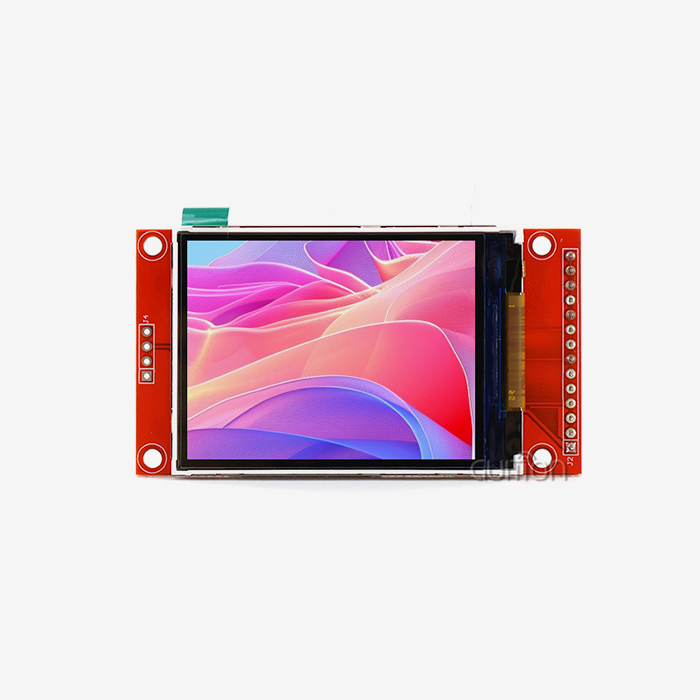
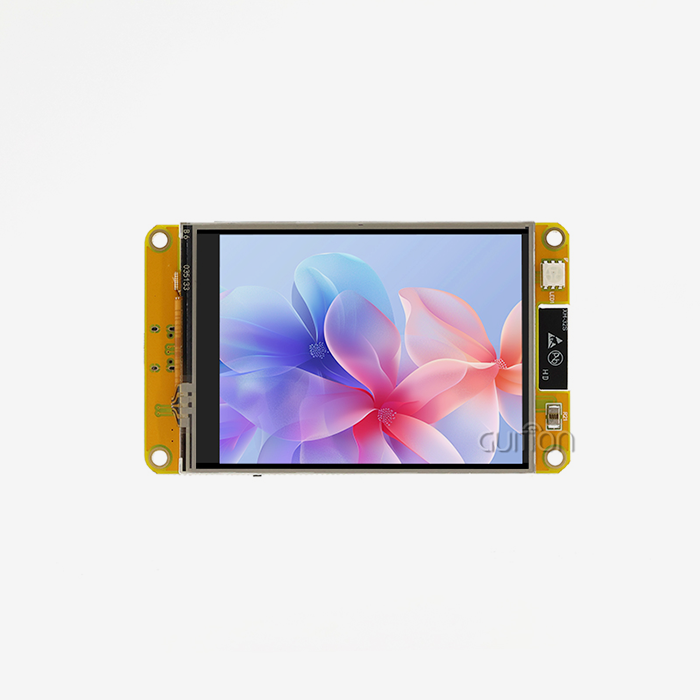
Effective data visualization is a must for B2B buying workers who need to find their way through today's complicated business world. The quality of the visual data presentation directly affects your ability to act quickly and correctly when you need to make important choices about equipment, supply lines, or output monitoring. Graphic display modules have become necessary pieces of hardware that greatly improve the quality of visualizations by offering higher resolutions, real-time rendering, and easy interaction with current data platforms. A Graphic display module is a pixel-addressable visual interface device that lets you control each pixel in a grid to make unique images, different fonts, complex graphs, and advanced user interfaces. Unlike standard segment displays that can only show patterns that have already been set, these modules use advanced driver chips to control the x and y coordinates, which gives the designer full freedom. This feature changes how important data is shown to users and decision-makers by medical devices, computer systems, and industrial equipment.

Understanding the Graphic Display Module and Its Role in Data Visualization
Core Architecture and Components
Modern display modules have multiple elements that work together to improve visuals. The base is the LCD panel, but the powerful driver chip, like the ST7265, controls the pixels. These drivers convert computer impulses into visible output using RGB, SPI, or parallel ports.
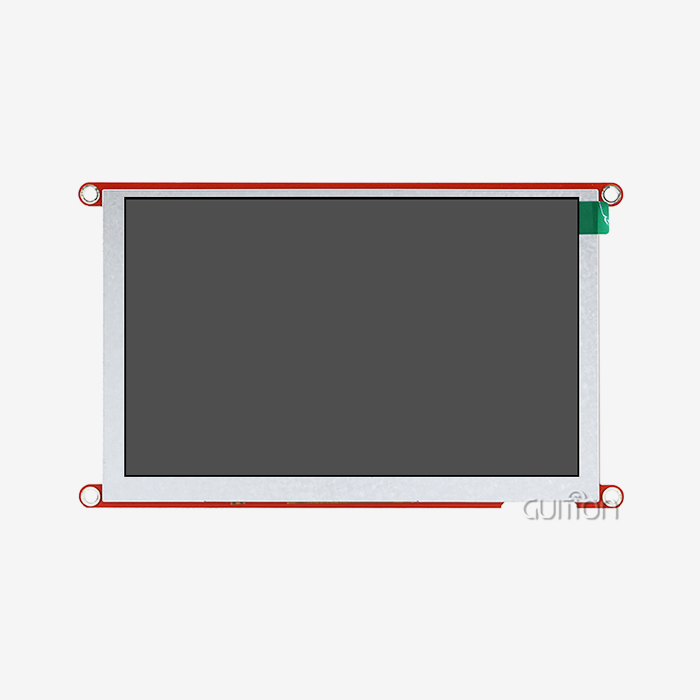
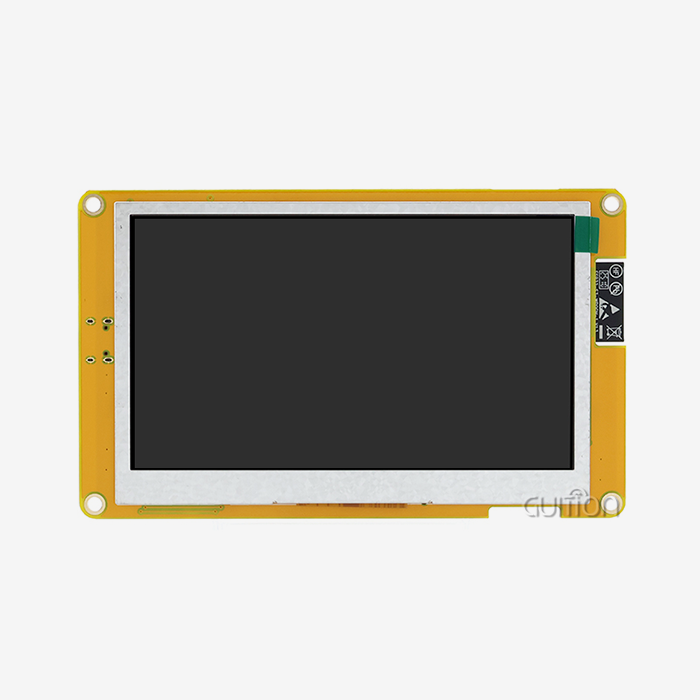
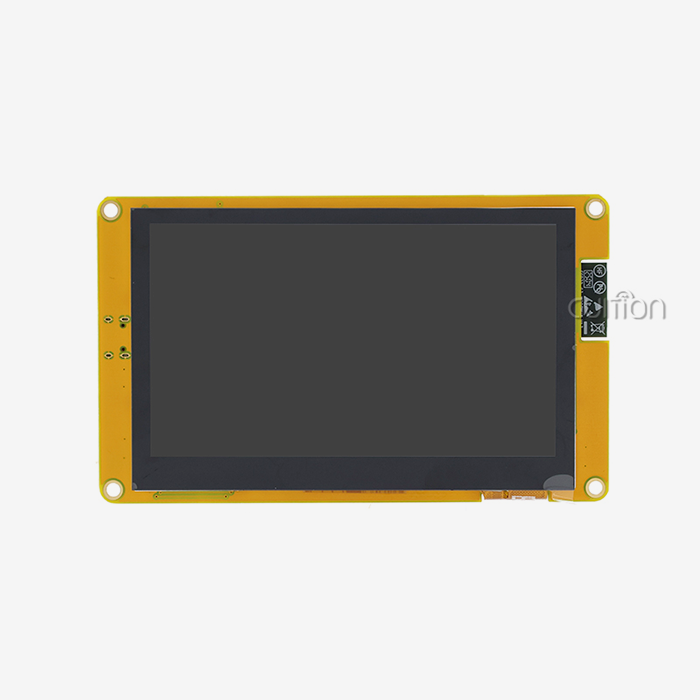
The GUITION JC8048B050N_I, with a 5.0-inch LCD screen and ST7265 chip, illustrates this combo. The RGB interface supports 16.7 million colours at 800x480 resolution by sending them directly at 24 bits. This setup lets each pixel show tiny colour changes needed to display enormous volumes of data, such as temperature maps in factories or real-time status indicators on medical tracking gear.
Picture quality depends on resolution. 800x480 screens have 384,000 bits that you can control separately. This density allows you to show numerical data as clear text, trend analysis as smooth curves, and user interfaces with detailed iconography. The difference between traditional seven-segment displays and new pixel-addressable screens is that the latter may display multiple types of data without cluttering the image.
Applications Across Industrial Sectors
These units are used in production line monitors in factories where workers need to see the state of the machines, their output, quality signs, and maintenance alerts all at the same time. Older indicator-light systems were hard to understand, but now you can see colour-coded zones, real-time graphs, and warnings in more than one language on a single screen.
Graphs are useful for energy management systems because they show patterns of use, information on load balancing, and planned repair plans. Being able to show charts, diagrams, and numbers all at once helps building managers find gaps and improve processes without having to switch between different platforms.
Key Technical Capabilities
Better monitor clarity is directly linked to less operator error. When techs can tell the difference between "18.5" and "19.5" on a pressure gauge's screen or read multi-digit serial numbers correctly during quality control checks, the number of mistakes they make goes down by a clear amount. Because it strikes a good mix between pixel density and cost-effectiveness, the 800x480 resolution standard has become the standard for industrial HMI apps.
The ability to display graphics in real time makes it possible to show dynamic info. Graphic display modules let software make changes to the user interface, while solid screens need hardware changes to be updated. Embedded systems can change the information they show depending on the situation they are in. For example, they might show more thorough diagnostics when they are in repair mode and simpler status screens when they are running normally.
One of the best things about integration is how flexible it is. Standard transmission methods let these modules connect to a variety of data sources. The display hardware doesn't care about the source of the data, whether it's getting sensor readings through UART, network data through WiFi modules, or industrial standards for talking to PLCs. This flexibility makes system design easier to understand and lowers the cost of integration for buying teams that are looking at the total cost of ownership.
Challenges in Traditional Data Visualization Methods and How Graphic Display Modules Solve Them
Limitations of Legacy Display Technologies
Information is difficult to portray on seven-segment LED displays and simple character LCDs. These technologies only display preset designs like numbers, characters, and symbols. Operators must cognitively combine data from multiple indications to understand complex industrial system state information. This makes important circumstances harder to handle and slows the response.
Lack of flexibility in static display arrangements is another issue. Hardware adjustments are needed to update information on older technology. Adding a data field to a control panel may require redesigning, replacing circuit boards, or replacing the display. This rigidity makes system updates slow and difficult when practical needs change.
Poor interaction hinders decision-making. Legacy displays merely show data and do not allow users to receive more information, recognize alerts, or alter settings from the display interface. This limitation requires different input devices, which makes panel design harder and slows user training.
Dynamic Rendering Solutions
Software-defined interfaces in the Graphic display module design get around the problems that come with static displays. Depending on the task at hand, the same gear can show completely different visual patterns. During the starting process, the screen may show critical information and progress bars. It shows process data when it is working normally. When problems happen, the layout changes instantly to show the most important alerts and troubleshooting tips.
This ability to change is especially useful in tools that can do more than one thing. On the same 5-inch screen, the JC8048B050N_I can show file selection options, printing progress with thumbnail previews, temperature curves for the hotend and bed, and post-print data for a 3D printer. The interface changes based on the steps of the process, so workers don't have to switch between different devices or control points.
Rapid rollout and updates are made easier by a modular hardware design. With the RGB interface standard, developers can switch out display modules without having to rethink the core electronics of the system, as long as they keep the same resolution and driver support. This interchangeability makes it easier for OEMs with multiple product lines to keep track of their supplies and for field service workers to swap parts when they need to.
Enhanced Data Input and Feedback
Modern display units can communicate in both directions, making passive signs interactive control surfaces. The amazing JC8048B050N_I screen lacks touch. This works nicely with other touchscreens or other input devices. High-resolution visual input allows elaborate button layouts, slider controls, and menu systems that react to user actions.
Colour enhances information organization and communication speed. Traditional single-colour displays can't distinguish important notifications from status updates by appearance. General colour connections allow a 16.7-million-colour full-colour module to utilize green for normal functioning, yellow for caution, and red for defects without teaching. Gradient fills make analogue values like tank levels and temperature ranges easier to interpret than numbers.
Fast drawing rates on modern driver chips enable smooth motion effects and help users focus on state changes. When an operator adjusts a setpoint, animated number changes notify them that their input was received. Progress bars with smooth filling movements show process status better than static percentage values. These little visual cues clarify and reassure operators about system response.
Strategic Comparison of Graphic Display Module Solutions in the Market
Evaluating Technical Specifications
Display size affects user experience and screen design. Industrial environments benefit from the 5.0-inch form factor's ability to display particular information without taking up too much screen space. Small mobile devices and supplementary signage benefit from 2.8-4.3-inch graphic display modules. Screens 7 inches or larger control complex machinery better.
800x480 WVGA is the common business resolution. Some dealers provide smaller sizes for less, but small fonts, detailed icons, and many data fields display the decreased pixel density. For regular workplace viewing distances, 1024x600 images are superior but require more processing power and cost more.
Interface technology affects system integration difficulty. RGB has superior colour accuracy and refresh rates to SPI or I2C. This makes them ideal for smooth graphics and video playback. For colour-coded status systems, modules like the JC8048B050N_I have 24-bit RGB to reliably replicate colours. Procurement professionals should choose an interface based on processor capabilities. RGB uses extra GPIO ports but frees up CPU computation.
Driver IC Capabilities and Ecosystem Support
The choice of driver chip affects how well the product will work in the long run and how quickly it can be developed. The ST7265 driver is an old, well-documented option that has a lot of community support and has been shown to work reliably in tough industrial settings. Well-known driver ICs have better initialization processes, known fixes for bugs, and a lot of example code that speeds up development cycles.
Industrial-grade units are different from household versions because they can handle different temperatures. Professional modules have a working range of -20°C to +70°C, which means they can work in a wide range of placement conditions, from charging stations outside that are exposed to harsh weather to industrial ovens where the temperature is high. Most consumer screens only work from 0°C to +50°C, which is too cold for many business-to-business uses.
Time-to-market is greatly affected by how well software works with other programs. Modules that are backed by full development tools cut down on the work that engineers have to do. This benefit is shown by the Guition software suite, which has a drag-and-drop interface, pre-built control tools, and the ability to test across multiple platforms. Without having to deal with low-level graphics programming, engineers can visually test interfaces and write code that works best in Arduino, ESP-IDF, or native Guition settings.
Total Cost of Ownership Considerations
Pricing by the unit is only one part of evaluating a purchase. For low- to medium-volume outputs, development costs—which include engineer time spent on driver integration, UI design, and debugging—often go over hardware costs. These "soft costs" are cut down a lot when modules are paired with advanced development tools and thorough technical documents. During product development, being able to quickly change interface designs without having to recompile software can save weeks.
Stability in the supply chain is important to think about, especially for goods that last more than one year. Obsolescence risks are lower when providers have been around for a while and have a variety of production and component-sourcing skills. Procurement teams should check with display module providers about their production capacity, quality certifications, and willingness to sign long-term availability agreements that protect against having to rethink products.
Support systems are very different between providers. Respondent technical help, which can be reached by direct email at david@guition.com, speeds up the solving of problems during the development and production stages. Self-service troubleshooting is possible with detailed paperwork that includes electrical specs, mechanical drawings, initialization routines, and example projects. Remote upgrade features, like the over-the-air (OTA) feature in modules that work with Guition, lower field service costs by letting software changes happen without sending a worker.
Implementing Graphic Display Modules: Best Practices and Use Cases
Overcoming Integration Challenges
Installation is easier with detailed technical specs and mounting instructions. Physical link connection type, pinout, and mechanical mounting locations must match enclosure design restrictions. After the prototype phase, technological issues hinder merging. Ask for 3D CAD models during evaluation to virtually test fit before buying.
Software integration issues sometimes result from insufficient initialization paperwork. Graphic display modules need power sequences, clock setups, and register settings to work. Start-up time is greatly reduced when providers provide initialization code examples for popular microcontroller systems. Guition modules support Arduino, ESP-IDF, and custom development. This allows developers to choose their preferred development approach and preserves codebase investments.
Thermal regulation is crucial while installing it inside. In sealed cases, display backlights generate heat that might impact display and electronics performance. Proper ventilation, heat sink integration, and backlight lowering help stabilize operational temperatures. Broad temperature ranges safeguard modules against heat slowing and premature failure.
Real-World Implementation Success Stories
A manufacturer of industrial automation used the JC8048B050N_I to replace black-and-white character displays in PLC control screens. Process flow maps, real-time sensor readings, and trend graphs could be displayed simultaneously after the upgrade. Operators stated seeing pertinent information helped them detect errors 40% faster. The corporation reduced new tech training from three weeks to five days since the easy-to-use graphical interface reduced signal coding memory.
A medical equipment company developing portable testing tools used a 5-inch module for patient-facing screens. Test findings were displayed clearly with colour-coded risk signals using 16.7M colours. The broad viewing angle allowed patients and healthcare professionals to see the results without the screen washing out. The Guition environment's WiFi connectivity immediately submitted results to electronic health record systems. This eliminated manual data entry, which could be error-prone.
A charging station manufacturer included these units in all of their goods so cars could check their charges and confirm payments in real time. By localizing only the software, a single piece of hardware can serve consumers in several languages using UTF-8 encoding. The corporation added new payment options and updated user interfaces across all installed bases without sending service specialists. This saved 60% on maintenance.
Scalability and Future-Proofing Strategies
Product groups benefit from flexible display platform standards that can manage varying product levels. Using compatible 3.5-inch, 5.0-inch, and 7.0-inch display designs allows you to reuse interface code while addressing diverse markets. The development tools and standardized driver IC family let engineers manage several product lines.
Interface separation levels prevent part deterioration. Companies can swap display modules with minor code modifications if supply problems arise or parts expire by building software with hardware abstraction layers that isolate application logic from display driver details. This construction style balances freedom and optimization.
Communication gear prepares locations for the future. IoT connectivity and remote tracking are increasingly expected by customers. Built-in WiFi and Bluetooth modules or slots for connection modules allow this. Tracking usage, pushing software updates, and remote diagnostics make a product valuable after the sale and enable service-based income models.
Conclusion
By replacing static, limited displays with dynamic, high-resolution interfaces capable of showing complex information logically, Graphic display modules fundamentally alter the quality of data visualization in industrial and commercial applications. The pixel-addressable design, shown by products like the GUITION JC8048B050N_I with its 800x480 resolution and 16.7M colour support, lets you see different kinds of data, progress indicators with colours, and background information that helps you make decisions faster.
When procurement workers look at these modules, they should focus on the specs that meet the needs of their application. For example, the display size should be right for the viewing distance, the resolution should be high enough for the data density, and the temperature range should cover the installation environment. It turns out that the development ecosystem around the hardware is just as important. Full software tools and quick expert help cut time-to-market and total cost of ownership by a huge amount. Paying attention to mechanical integration, thermal management, and software design that combines optimization with future freedom is important for a successful application.
FAQ
What industries benefit most from graphic display modules?
Graphic display modules are most useful in manufacturing, medical gadget creation, energy management systems, and commercial equipment. These fields work with complicated data sets that need to be easily viewed; they do their jobs in tough environments, and they need trustworthy ways for people to talk to machines so that machines can safely do their jobs. Being able to show multiple parameters at once makes it easier for operators to think and faster for them to act in both regular and fault situations.
How do graphic display modules improve development efficiency?
Low-level graphics code is no longer needed when you use modern display modules with full development tools. Engineers use visual design tools to make interfaces by dragging and dropping elements and seeing the results right away, without having to wait for compilation to finish. Cross-platform testing and control tools that are already built in speed up prototyping. Support for multiple programming modes, including Arduino, ESP-IDF, and custom environments, lets teams use known toolchains, which speeds up learning and makes the most of existing code.
What factors determine the total cost of ownership?
In addition to unit prices, overall cost includes things like time spent on development, quality of technical help, stability in the supply chain, and the need for field service. Engineering costs can be cut by using modules with good instructions and development tools. Field repair costs are kept to a minimum by being able to update remotely. With long-term source agreements, you don't have to pay for expensive redesigns when parts stop working. Instead of just looking at how much the gear costs at first, procurement teams should think about all of these factors.
Partner With Guition for Superior Display Solutions
Guition is a company that focuses on technology and provides Graphic display modules. They want to give engineers and product creators reliable HMI display options. Our JC8048B050N_I and full line of products from 1.28" to 21.5" give your projects the visual performance, development speed, and long-term dependability they need. Our unique Guition interface development software turns complicated UI creation into easy-to-understand design sessions. Additionally, our support for multiple languages and UTF-8 encoding makes it possible to distribute our products around the world without having to change the hardware.
We know how hard it is for you to buy things when you have to meet tight development deadlines, deal with complicated integration issues, and need quick expert help. Cross-platform compatibility, detailed instructions, and direct expert support through david@guition.com are all things that our team offers. Guition gives you the display technology and relationships you need to achieve success, whether you're making medical devices, smart automation equipment, or industrial control systems. Get in touch with us right away to talk about your unique needs and find out how our Graphic display module options can improve the way your product is seen.
References
1. Johnson, M. & Williams, R. (2022). Industrial Human-Machine Interface Design: Principles and Best Practices. Technical Publishing International.
2. Chen, L. (2023). "Comparative Analysis of Display Technologies for Embedded Systems," Journal of Electronic Engineering and Industrial Automation, 45(3), 178-194.
3. Anderson, K. (2021). Embedded Display Driver Integration: A Practical Guide for Engineers. Microcontroller Press.
4. International Society for Automation (2023). ISA-101: Human Machine Interfaces for Process Automation Systems, Standard Specification Document.
5. Martinez, S. & Thompson, D. (2022). "Total Cost of Ownership Models for Industrial Display Procurement," B2B Electronics Procurement Quarterly, 18(2), 56-73.
6. Zhang, W. (2023). Advanced LCD Technology and Applications in Industrial Control Systems. Engineering Science Publishers.
Learn about our latest products and discounts through SMS or email